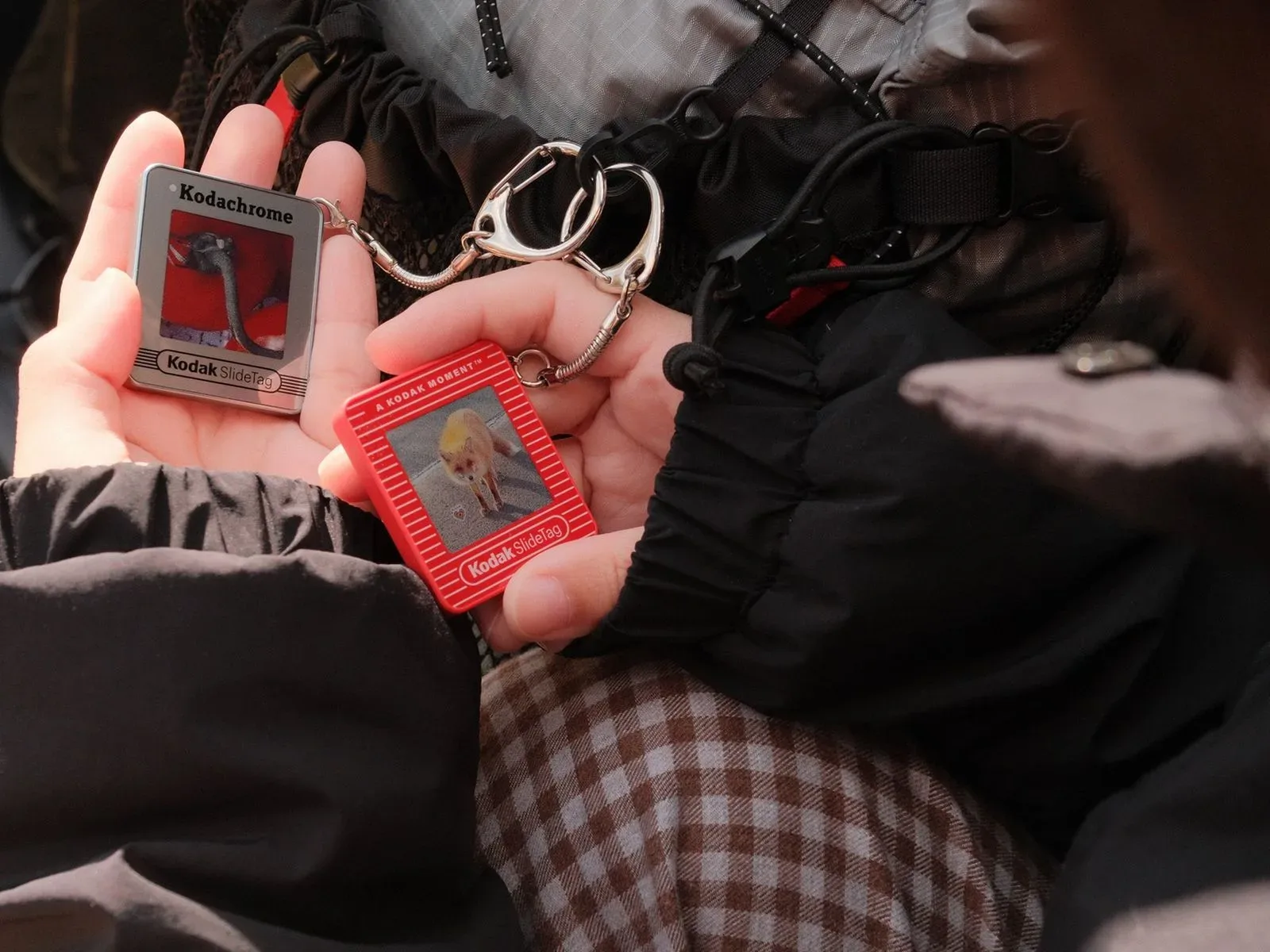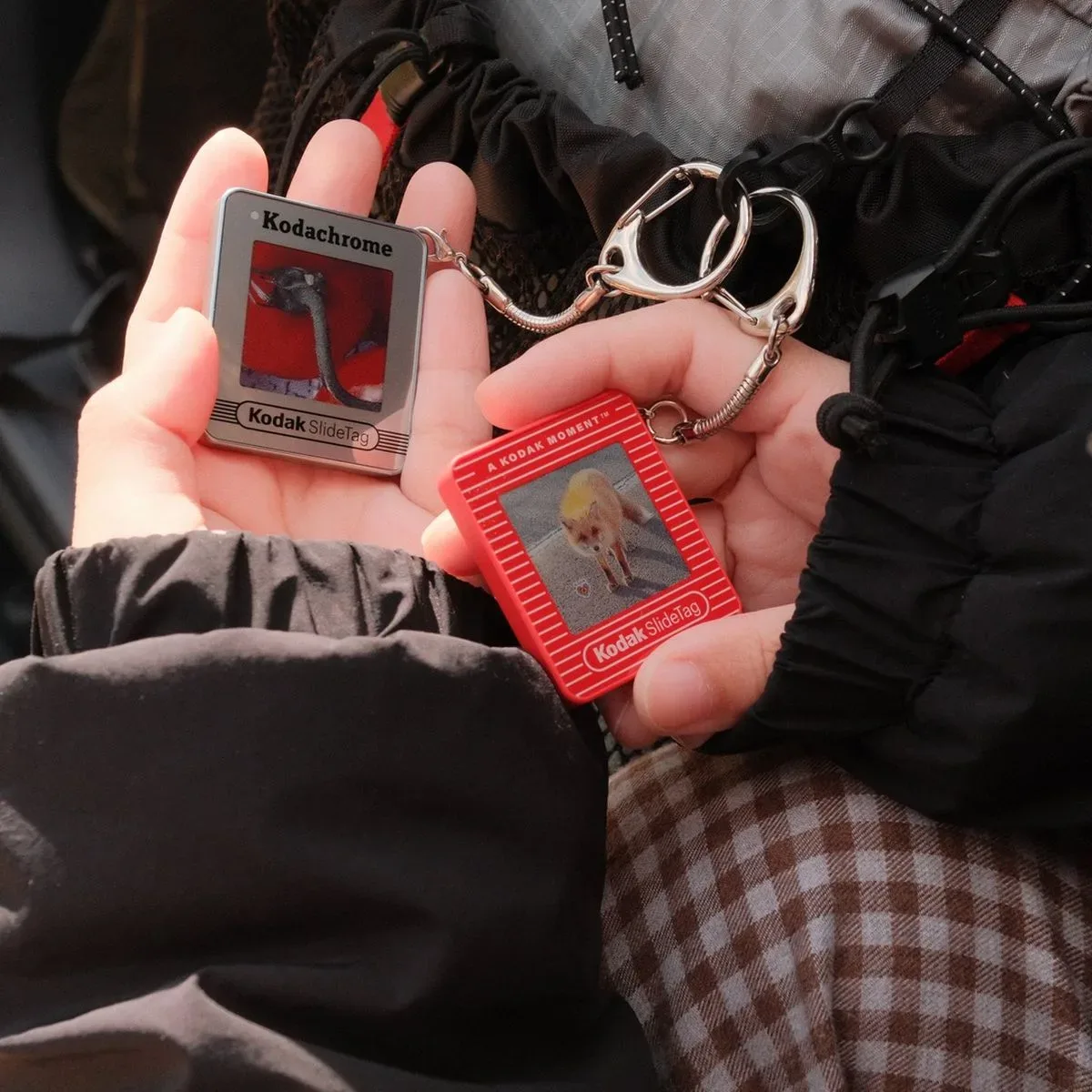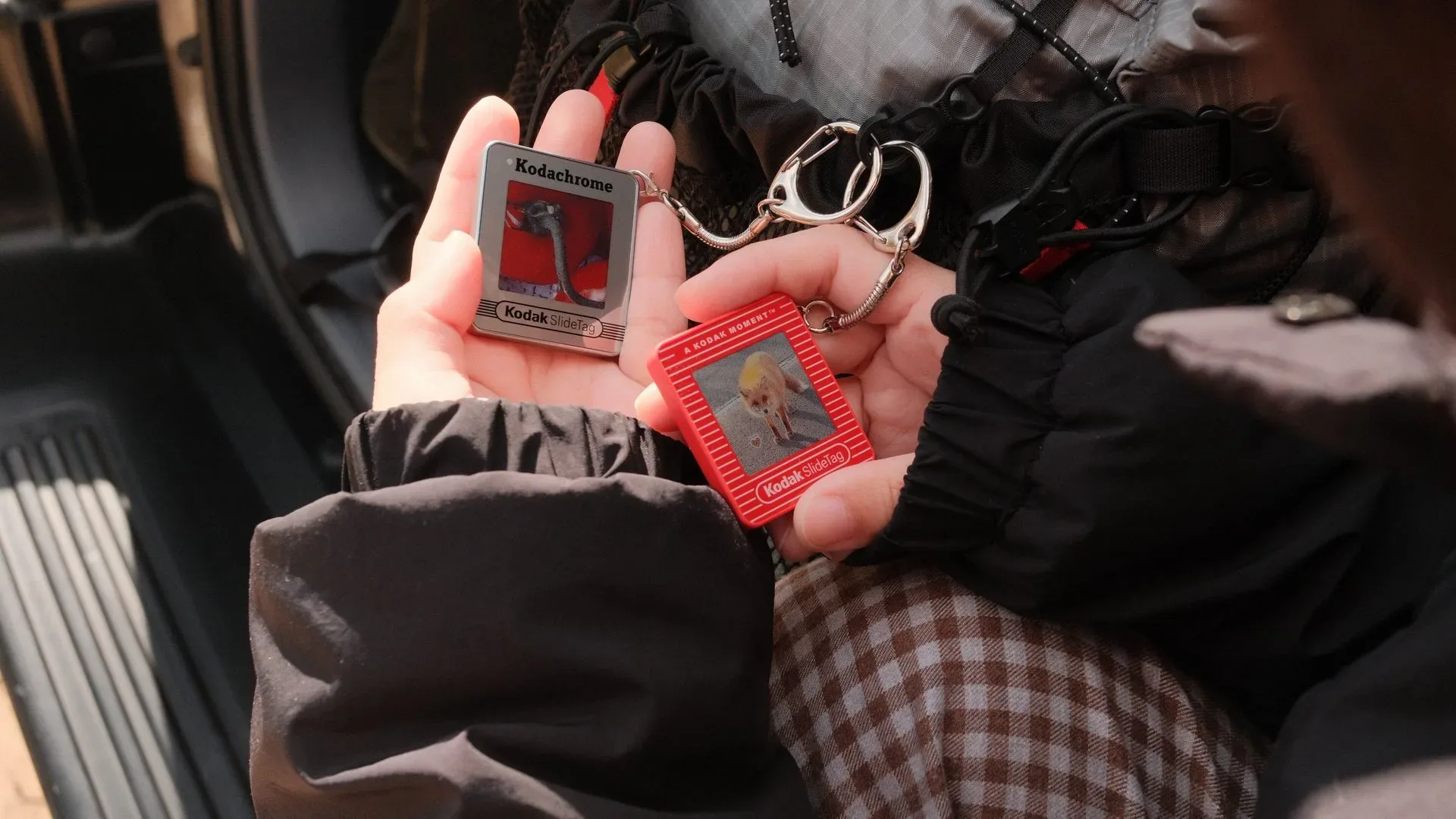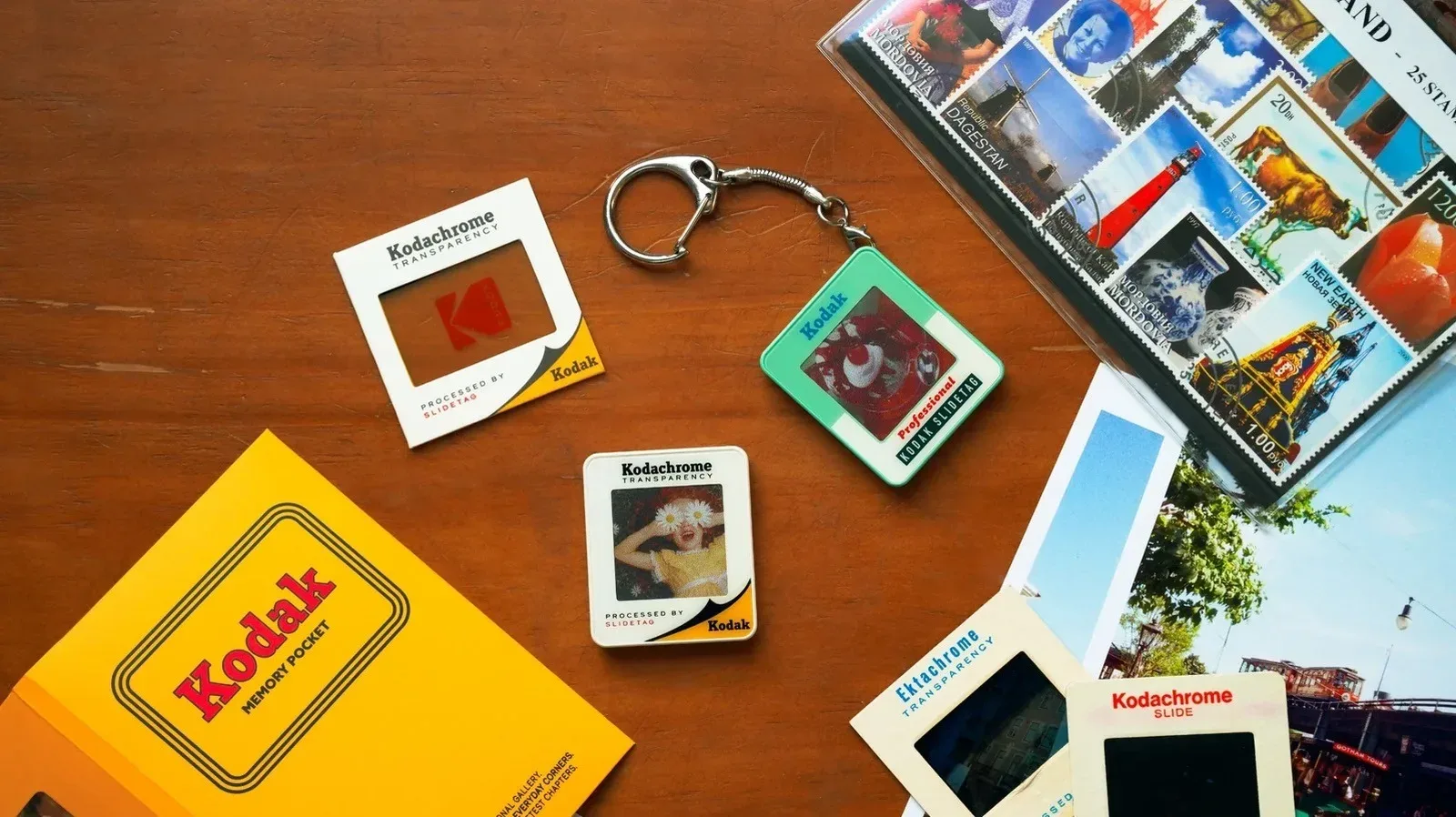
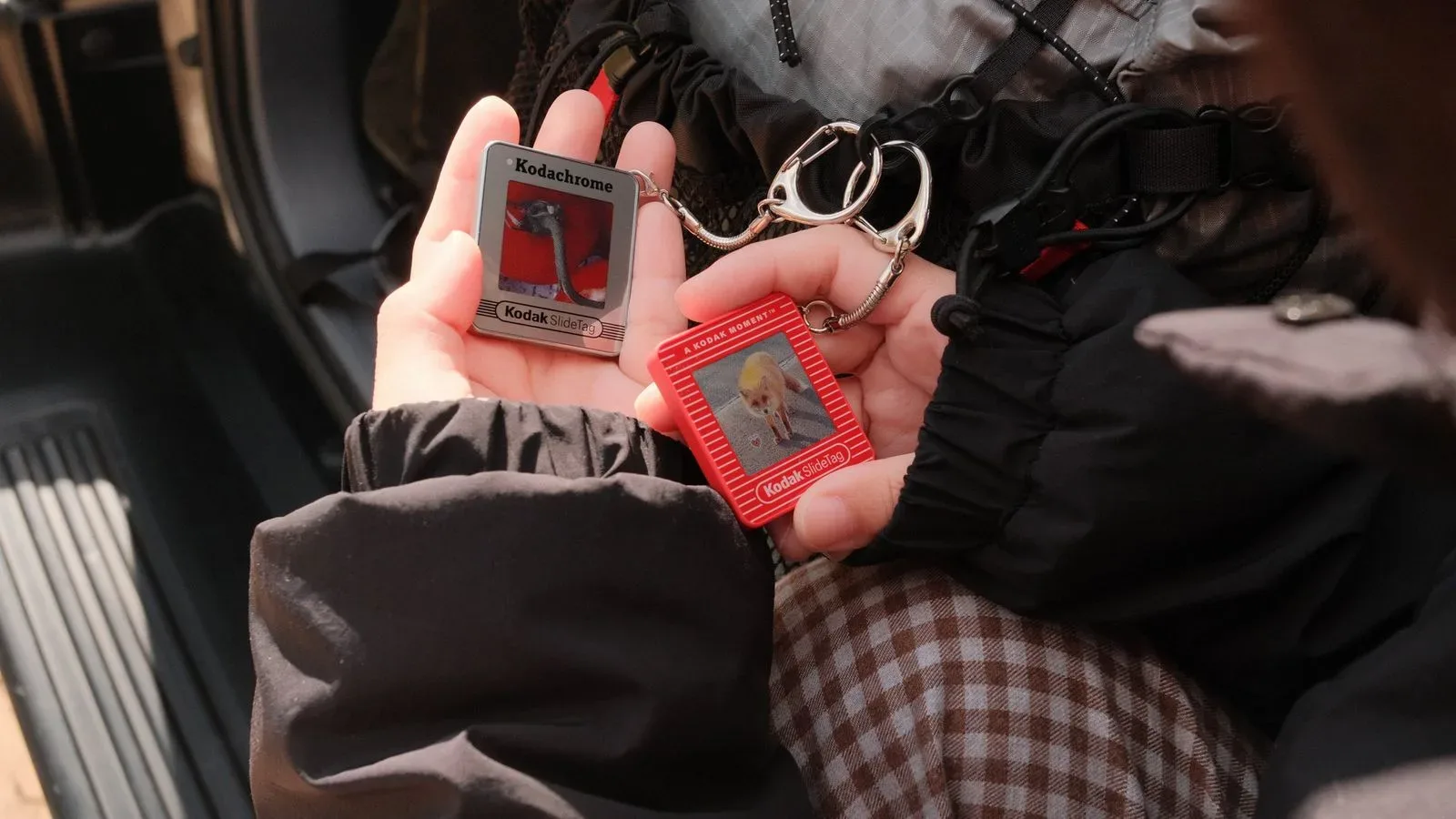
Most item trackers are designed to disappear into the background: a small puck, a keyring loop, a battery, and the faint hope that they will save a frantic morning. Reto’s Kodak-branded SlideTag takes a markedly less invisible route. The $34.99 tracker frames a 1.54-inch color E Ink display like a miniature photographic slide, giving owners a place to put a personal image, contact information, a QR code, or even a compact to-do list alongside its locating tools.
It is an unusually decorative answer to a very practical category. The SlideTag can pair with Apple’s Find My system and supports Google Find Hub, while a built-in buzzer helps locate an item once it is nearby. But Reto is also selling the device as a collectible: it arrives in sealed packaging with a random design, drawn from eight standard versions plus a secret edition with a stated one-in-64 chance of appearing.
That combination means the SlideTag is not simply asking buyers whether they need another tracker. It is asking whether the thing attached to their keys, bag, or camera strap should look more like a pocket-sized piece of photo nostalgia than anonymous hardware.
A tracker that puts the screen first
The device’s design references Kodak’s Kodachrome slide mounts. Its square display sits within a retro-styled frame, with an attachment point for a keyring. Rather than treating a screen as a status panel, the SlideTag uses it as its defining visual feature.
The 1.54-inch screen has a 240 by 240 pixel resolution and uses six ink colors for images. Its technical distinction matters here: E Ink is a display technology that can hold a static image without requiring continuous power to keep that image visible. In plain terms, the SlideTag does not need to keep actively lighting a picture just so it remains on display.
That makes a static photo, name card, or QR code a sensible fit for the product. A normal bright, frequently refreshed screen would make little sense on a small tracker powered by a coin cell. The E Ink approach instead matches the premise: set an image or message, leave it there, and use the tracker as usual.
Photo management happens in the Kodak Memory Link app, available for iOS and Android. Users can send up to 12 images to the SlideTag over Bluetooth and arrange those images into slideshows. The tracker functions are handled separately through the relevant locating services rather than through the photo-management app.
That separation is worth understanding before treating the display as a replacement for tracking software. The Memory Link app is for selecting what appears on the E Ink screen. Apple’s Find My app is where a paired SlideTag can be located through the Find My network. Google Find Hub support provides another compatible ecosystem. These are adjacent functions in one physical object, not one all-purpose app experience.
Related coverage includes Kodak’s $34.99 SlideTag puts a color E Ink screen on an item tracker.
What the SlideTag can display
The headline use is personal photography. A favorite photo gives an otherwise utilitarian keychain object more identity, and the slideshow capacity means it does not have to be locked to a single picture. The available display options, however, make the tracker potentially more functional than a small digital photo frame.
- Contact details: useful if a bag or keyring is misplaced and eventually reaches a person rather than a phone network.
- A QR code: a concise way to point someone toward information the owner wants to share.
- A to-do list: a persistent visual reminder on an object that may already leave the house every day.
- A photo slideshow: up to 12 Bluetooth-transferred images can rotate through the E Ink display.
There are sensible limits to what this means. A 1.54-inch, 240 by 240 display is not a phone screen, and the supplied details do not establish any particular update speed, image-refresh behavior, or QR-code use case. Its strength is permanence and personality, not dense information or constantly changing content. The best display choice is likely one that remains readable and useful at a glance.
Finding an item: network locating and a local buzzer
At its core, the SlideTag remains an item tracker. Once paired in Apple’s Find My app, it can be located through the Find My network. It also supports Google Find Hub. For an item that is somewhere close but hidden under a cushion, inside a bag, or behind a piece of furniture, the built-in buzzer adds an audible cue.
It is useful to separate two ideas that are often bundled together in tracker marketing. Network locating is the broader process of seeing or updating the location of an item through a compatible locating network. Nearby finding is the short-range task of working out where, precisely, an object is in the room or immediate area around the owner. The buzzer addresses that latter problem by giving the item a sound.
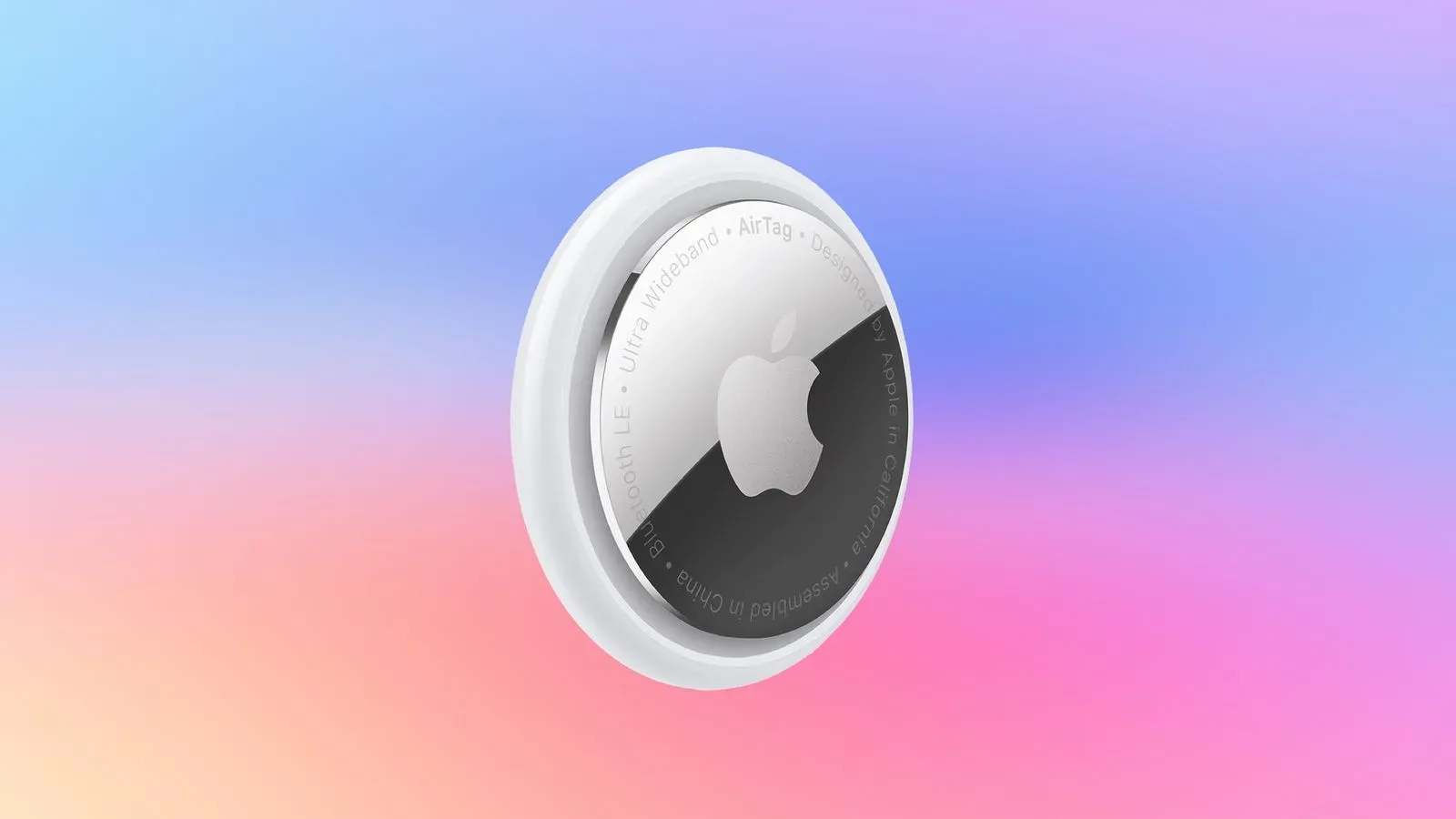
Apple’s AirTag retains an important advantage in nearby finding. It includes Ultra Wideband, a short-range wireless technology used for Precision Finding on compatible devices. Precision Finding provides distance and directional guidance toward an AirTag. The supplied specifications for SlideTag mention the buzzer and Find My compatibility, but not Ultra Wideband or Precision Finding. Buyers who specifically want on-screen directional guidance to a nearby item should recognize that difference rather than assume Find My compatibility means every Find My accessory offers the same hardware features.
The SlideTag’s attraction is therefore not a claim to replace every AirTag strength. It offers a different balance: platform support and audible nearby finding paired with an always-visible, customizable E Ink face.
Size, battery and protection: the trade-offs are physical too
The SlideTag measures 39.3 by 46 by 7.58mm and weighs 16.6 grams. By comparison, the current AirTag is 31.9mm in diameter, 8mm thick, and weighs 11.8 grams. That makes the SlideTag wider and taller, but slightly thinner.
The shape explains much of that. A circular tracker can be compact, while the SlideTag needs room for a square display and a slide-mount-inspired border. Anyone attaching it to a larger bag, lanyard, camera case, or set of keys may welcome the display area. Someone attempting to minimize bulk on a very small keyring has a clear reason to consider the dimensions and weight carefully.
Power comes from a replaceable CR2032 battery. That is a coin-cell format used in many compact accessories, and replaceability means the device is not presented as disposable once its initial battery is exhausted. The supplied information does not state battery life, so shoppers should avoid assuming a specific replacement schedule from the E Ink panel or the battery format alone.
Its IP54 rating covers dust resistance and protection from splashes. An IP rating is a standardized shorthand for resistance to particles and water; the first digit refers to solids such as dust, while the second concerns water. In practical terms, IP54 means the SlideTag is designed for dust and splashes, not for immersion.
Again, the AirTag has the higher quoted protection level: IP67, including protection against immersion in water up to one meter deep for up to 30 minutes. That does not make the SlideTag fragile; it does make use case important. A tracker that lives on indoor keys or in a backpack faces a different risk profile from one attached to equipment that may be dropped in water or repeatedly exposed to harsh weather.
The collectible packaging is not a minor footnote
Reto’s sales format adds an unusual purchasing decision. Buyers do not select a design at checkout. Instead, they receive a randomly selected version in sealed packaging. There are eight standard designs and one secret edition, with the secret version listed at one chance in 64.
That turns the purchase into a blind-box-style proposition. For people who simply want the tracking and E Ink functionality, the inability to choose a finish is a meaningful trade-off. A particular design may be central to why a buyer wants a display-forward Kodak-branded tracker in the first place. For collectors, though, the randomized packaging is part of the product’s appeal: opening the box becomes an element of the experience, and the secret edition creates a defined chase variant.
The distinction is important because the SlideTag is still a working device, not just display packaging. A collector may want to keep the tracker sealed, use it daily, or seek a preferred design through exchanges with other buyers. The information provided does not establish any market value, production quantity, resale outcome, or guarantee of particular designs beyond the stated odds for the secret edition. The strongest case for buying it is therefore personal interest in the combination of functionality and design, rather than expectations about scarcity.
Who the SlideTag makes sense for
The strongest audience is someone who wants a tracker that looks intentional on a bag or keys and who values a persistent visual display. The photo, QR, contact-detail, and list options give its front panel a job beyond decoration. Find My support, Google Find Hub support, and the buzzer keep the core tracking proposition intact.
It is less obvious for buyers whose top priorities are the smallest possible footprint, strong water-immersion protection, or Apple’s directional Precision Finding. Those are areas where the AirTag’s listed specifications are more favorable.
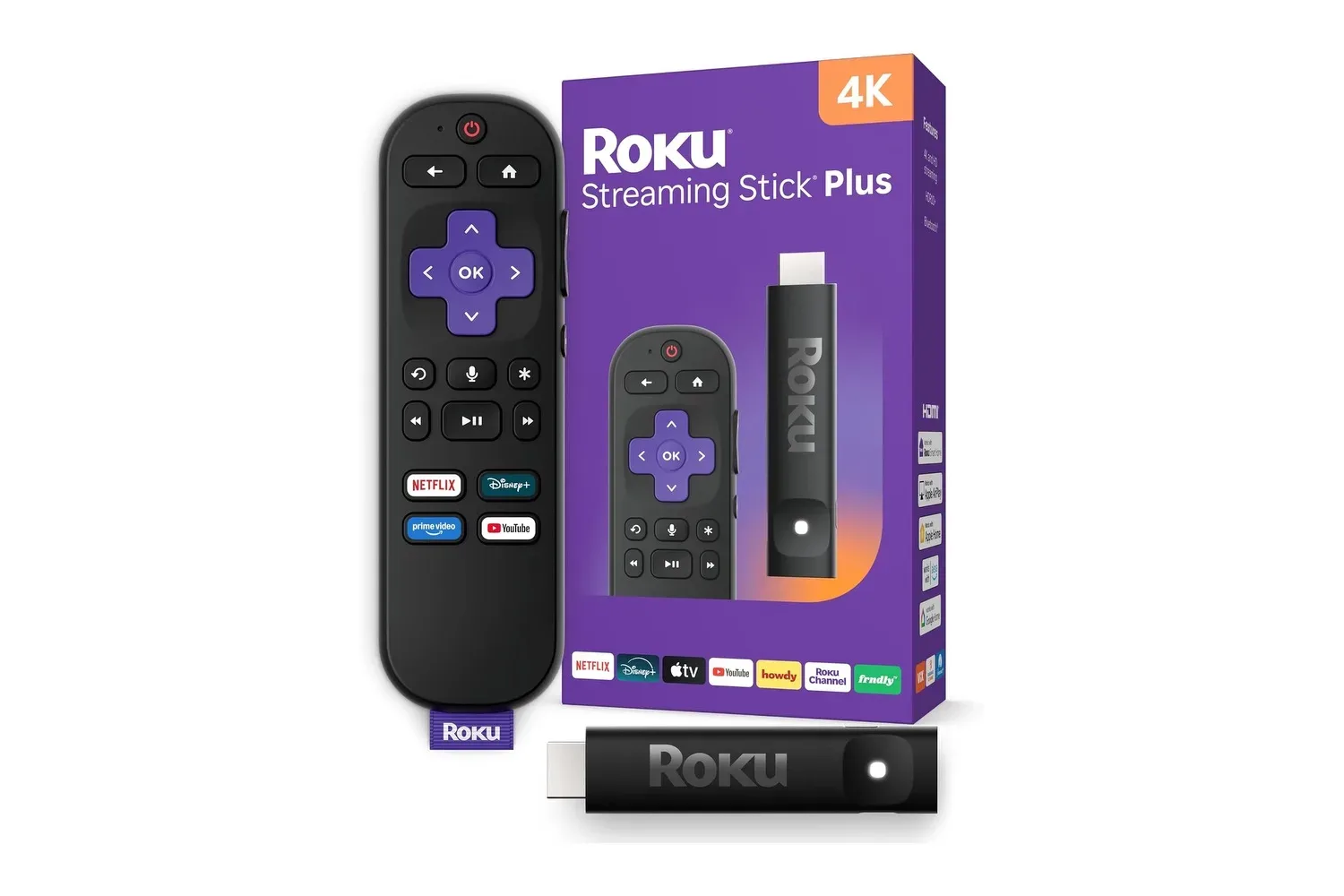
The $34.99 price puts the SlideTag in the same broad impulse-accessory territory as other small consumer electronics; for a separate example of how much functionality can be packed into that price region, see this $34 Roku Streaming Stick Plus listing. The comparison is not about identical products, but it does underline the decision buyers face: at this price, the SlideTag needs to earn its place through its distinctive display, tracker support, and collectible format rather than sheer necessity.
Reto has made an item tracker that refuses to be a blank disc. The SlideTag is larger than an AirTag, does not offer the same Precision Finding feature or immersion rating, and introduces random design selection into a device purchase. In return, it offers a color E Ink window for personal images and useful information, a replaceable CR2032 battery, locating support across Apple Find My and Google Find Hub, and a retro photographic presentation that makes being seen the entire point.