
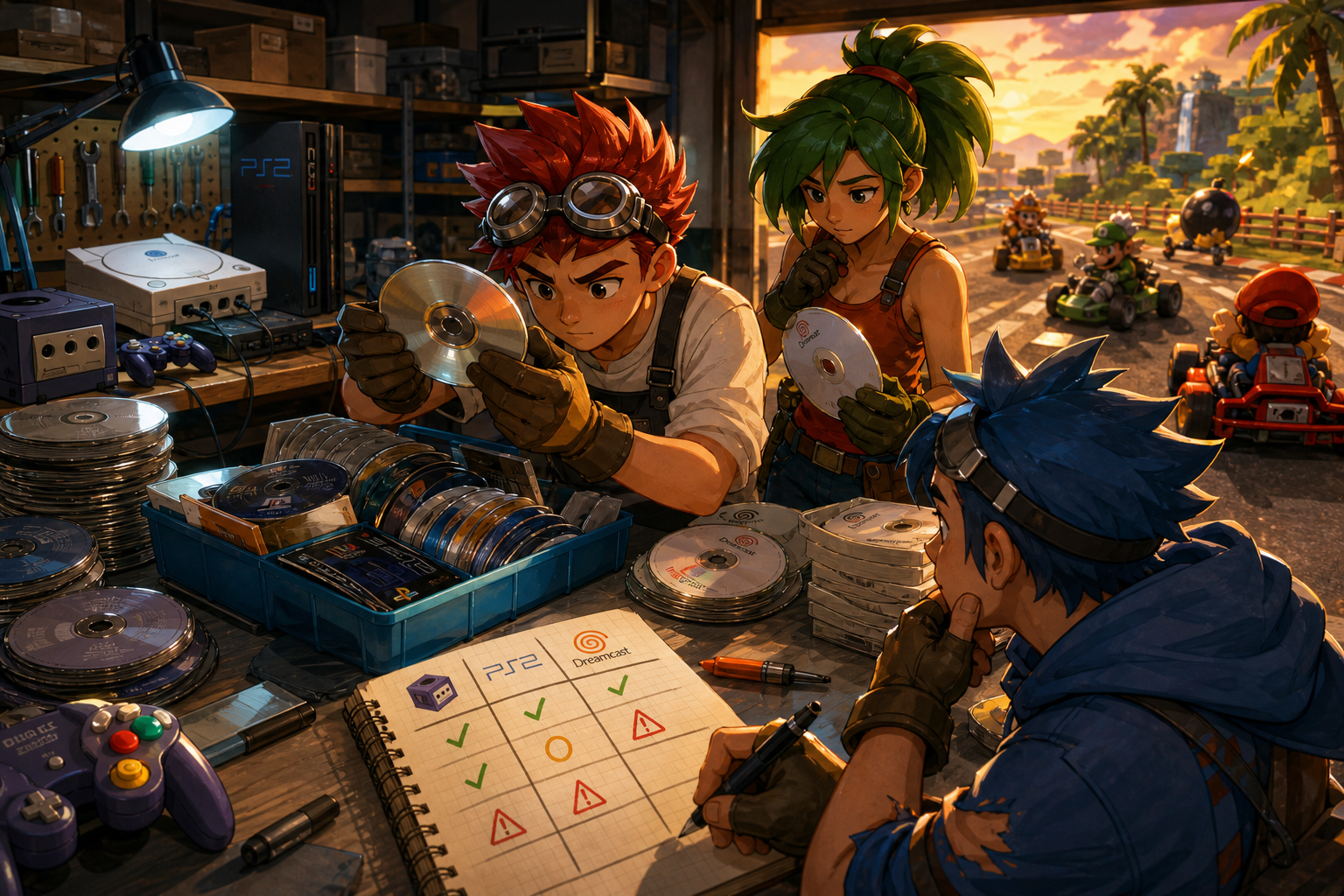
A mixed lot containing Mario Kart: Double Dash!!, Metroid Prime, Shadow of the Colossus, God of War, Sonic Adventure or Shenmue can be appealing because recognizable titles are visible at a glance. That first impression is not enough to establish that the right discs are present, that they match your hardware or that they will work reliably. A stack photograph can conceal duplicates, wrong cases, incomplete multi-disc games, label-side damage and center-ring cracks.
The useful question is not how many discs are included. It is how many identifiable, compatible and plausibly usable items remain after sorting, protection, testing and replacement costs. The plan below is designed for buyers deciding whether to bid, ask for more evidence, negotiate within marketplace rules or leave the lot alone.
Define what the lot is supposed to accomplish
Start by choosing the lot’s purpose before looking at the apparent bargain. A buyer seeking playable copies needs evidence of disc condition and compatibility. A collector upgrading worn copies needs accurate edition, region, case and label information. Someone building resale inventory may accept more duplicates, but still needs a realistic process for sorting, storing and describing each item. A replacement-disc project has different standards again: the exact disc number and edition matter more than attractive artwork.
These goals should produce different maximum bids. A duplicate of God of War may be useful only if it is in better condition than the copy already owned. A loose Sonic Adventure disc may fill a gameplay gap but not a complete-package collecting goal. Shenmue requires careful completeness tracking because a multi-disc title cannot be represented accurately by one generic “game included” entry. Decide whether incomplete, damaged or unidentified items have any planned destination before counting them as value.
- Write the lot’s primary goal: play, collection upgrade, replacement, resale or sorting project.
- List titles and editions you already own before evaluating duplicates.
- Decide whether incomplete, damaged or unverified discs count as useful inventory.
- Set a maximum total cost before the listing’s quantity or recognizable titles influence you.
Run a three-pass triage instead of inspecting randomly
A fast inspection works best in three passes. First, identify every disc without cleaning or rearranging it. Record the platform, printed title, region or edition markings, disc number and any obvious mismatch with its case. Second, inspect visible condition under diffuse light, turning each disc only by its edges. Third, decide which discs deserve functional testing or specialist research. This order prevents a promising title from receiving more attention simply because it appears early in the stack.
Use a unique lot number for every physical disc. “Shenmue copy 1” is more useful than a broad note saying “one Shenmue.” Record the condition of the label side and underside separately, then add a confidence rating such as confirmed, probable or uncertain. The confidence rating is important when a photograph is blurry, a label is partly hidden or the disc is in a case that does not clearly belong to it.
Do not clean during the first inventory. Dirt and residue are evidence of the received condition, while cleaning changes what can be documented. Photograph the lot’s arrangement and each questionable item before wiping anything. This also helps reconcile the package with the listing if discs were loose or shifted during shipping.
- Assign a unique number to each disc before sorting it into titles.
- Record platform, title, region or edition marking, disc number and case status.
- Use separate notes for label-side condition and underside condition.
- Mark uncertainty instead of guessing when a photograph or inscription is unclear.
- Photograph the received arrangement before cleaning or testing.
Keep the three disc formats separate
Nintendo GameCube discs, PlayStation 2 discs and Dreamcast GD-ROMs are not interchangeable simply because they are optical media. Separate the lot into Nintendo GameCube, PlayStation 2 and Dreamcast groups before making compatibility assumptions. The illustrative titles in this guide span all three: Mario Kart: Double Dash!! and Metroid Prime belong to GameCube; Shadow of the Colossus and God of War belong to PlayStation 2; Sonic Adventure and Shenmue belong to Dreamcast.
A seller calling something a “CD” does not establish that it is a Dreamcast game, and a DVD-shaped disc does not automatically identify a particular PlayStation 2 edition. Check the printed platform branding, title markings, region indicators and disc number. A title can also have multiple releases or regional variants, so a database image is a reference for comparison rather than proof that the photographed item is the same edition.
Compatibility checks should include the buyer’s actual hardware. Confirm that the console accepts the relevant region and format, and do not treat a generic computer optical drive, audio-CD player or unrelated console as a sufficient test. If your objective is original-hardware play, evidence from the correct platform matters more than a seller’s statement that a disc “reads.”
- Separate GameCube, PlayStation 2 and Dreamcast items before counting them.
- Match platform branding and printed markings, not just the title in the listing text.
- Record region and edition information whenever it is visible.
- Do not treat a generic CD, DVD or computer-drive check as proof of console compatibility.
- Confirm the format and region requirements of your own console.
Demand the views that a stack photograph hides
A front-label photograph can help identify a title, but it cannot prove that the underside is clean, that the disc is original or that the correct disc is inside a matching case. Ask for separate, sharp photographs of both sides of each important disc. The label side should be visible enough to read the title, platform branding, region information and disc number. The underside should be photographed under even light so scratches, cloudy areas, residue and cracks are not concealed by glare.
Request close views of the center ring and outer edge, especially where discs are loose. Ask whether any disc has a crack, deformation, writing, sticker residue, water exposure or a previous resurfacing treatment. For a multi-disc title, request every disc rather than accepting a case-front photograph. If the seller cannot photograph the items separately, classify the missing information as uncertainty rather than assuming the unseen discs match the visible ones.
Marketplace descriptions and listing photos are claims to verify, not independent evidence. A carefully arranged stack may show the best-looking labels while hiding the worst underside. A case can conceal the wrong disc, and a title screen from one item cannot establish that every disc in the lot is functional.
- Request separate label-side and underside photographs for important discs.
- Ask for center-ring, outer-edge and label-damage views when the image set is incomplete.
- Require disc-by-disc photographs for multi-disc releases.
- Treat hidden sides, covered labels and unreadable markings as unknowns.
- Do not let a matching case substitute for a photograph of the actual disc.
Use a condition vocabulary that separates dirt from structural damage
Describe what is visible without turning a visual grade into a functional guarantee. Fingerprints, dust and removable residue are surface contamination. Light, shallow scratches may be less concerning than deep gouges, but a photograph cannot reliably predict whether a particular console will read a disc. Radial scratches, cloudy areas, label-side damage and writing deserve separate notes because they may indicate different risks. A clean underside does not prove that the label side or center area is sound.
Cracks and visible deformation are different from ordinary dirt. A cracked or visibly deformed center area should be a stop condition for a normal purchase decision. Nintendo’s GameCube guidance advises against using cracked, deformed or repaired discs and recommends handling discs by their edges. Do not press a questionable disc into a console to see what happens. That turns an unresolved listing risk into possible hardware or disc damage.
Resurfacing is also uncertainty, not an automatic improvement. Ask whether a disc was resurfaced, when, by whom and whether the seller has a before-and-after record. Avoid treating polish, a bright reflection or a “like new” description as proof of a successful repair. If the lot’s condition depends on professional treatment, include that cost and the possibility that treatment will not solve the problem.
- Label contamination, scratches, gouges, cloudiness, warping and cracks separately.
- Treat a center-ring crack or visible deformation as a stop condition.
- Do not infer playability from a shiny surface or clean label.
- Ask whether resurfacing occurred and record the answer as part of the item history.
- Do not use solvents, abrasive cleaners, paper products or scratch-removal machines as routine treatment.
Know what each kind of evidence can establish
A photograph can establish that a visible marking, scratch or crack appears in a particular place. It cannot authenticate an item by itself, prove that the opposite side is undamaged or establish that a disc will complete a long game. A seller statement can document what the seller claims to know, but “tested” is incomplete unless the seller identifies the console, region, disc and observed result.
A short video of a disc booting on a matching console is stronger functional evidence than an untested claim, but it remains limited. It does not prove long-session reliability, correct multi-disc contents, authenticity, save compatibility or performance on your hardware. A single successful boot establishes only that a particular disc and setup produced a working result at that time.
Do not authenticate a valuable or disputed item from one label, seal, screw, ring, board photograph or software screen. If authenticity affects the purchase decision and the evidence remains contradictory, seek qualified specialist help or leave the item unvalued. The safer calculation is to treat unresolved authenticity as a risk category, not as a premium feature.
- Ask what exact disc was tested, on which console and with what result.
- Distinguish “boots” from evidence of extended reliability or complete content.
- Treat photos, labels, seals and screens as individual clues rather than proof.
- Seek qualified authentication help when a high-value item remains uncertain.
- Assign no collectible premium to an item whose identity is unresolved.
Build a duplicate and completeness ledger
Duplicate tracking should happen before assigning collection value. Record each copy separately because two copies of the same title may differ in region, label wear, resurfacing, case status or functional evidence. A lot containing three copies of Mario Kart: Double Dash!! is not automatically three useful additions. One may be a duplicate for trade, one may have a damaged center ring and one may be an unconfirmed regional variant.
Multi-disc titles need a disc-by-disc ledger. For Shenmue and any other multi-disc release, record the number printed on every disc and compare it with the expected set for the specific edition. A case or cover naming the game does not prove that all required discs are present. Missing-disc replacement can be difficult, and the cost of finding the exact edition should be counted before treating an incomplete set as a bargain.
Use status labels such as keep, replacement candidate, duplicate, incomplete, test pending and reject. These labels make the final decision visible and prevent a large pile of unprocessed discs from being mistaken for a finished collection.
- Give every duplicate its own record and condition description.
- Record disc numbers for every multi-disc title.
- Compare contents with the exact regional or edition-specific set.
- Mark incomplete items before estimating their usefulness.
- Separate keep, replacement, duplicate, test-pending and reject categories.
Calculate total cost instead of inventing a fair price
There is no durable shortcut from disc count to value. Instead, calculate the categories that will consume money and time after checkout. Include the purchase amount, tax, shipping, rigid cases or sleeves, replacement cases, cleaning materials, professional resurfacing, missing-disc replacement and storage. Add the time required to photograph, identify, research, test, catalog and dispose of unusable items. A large lot can be more expensive than a smaller, better-documented purchase even when its headline cost is lower.
Use sold listings or specialist catalog records to compare like with like, but match platform, region, edition, completeness and condition. Do not compare a loose, untested disc with a complete tested copy and call the difference a discount. Assign uncertain items a zero or conservative planning value until evidence improves. This is not a prediction of market price; it is a way to stop hoped-for value from funding the bid.
Set separate limits for the whole lot and for the titles you actually want. If the desired copies alone do not justify the total after protection and labor, the remaining quantity is not free. It is inventory that still needs space, sorting and a decision.
- Add shipping, tax, protection, cases, cleaning, resurfacing and replacement costs.
- Count sorting, testing, cataloging and storage time as real project costs.
- Compare only genuinely similar platform, region, edition and condition examples.
- Assign uncertain items no assumed value until evidence improves.
- Set a lot limit based on desired outcomes, not the disc count.
Ask focused questions and preserve the transaction record
Send concise questions that can be answered with evidence. Ask whether every disc can be photographed separately, which discs were tested, what console was used, whether any item is imported, resurfaced, marked, cracked or incomplete, and whether the visible cases belong to the discs shown. For a multi-disc game, ask for a complete contents list. If the seller cannot answer, raise the uncertainty rather than arguing about the description.
Keep the listing, photographs, seller messages, payment record and shipping details. Use the marketplace’s own payment and messaging systems. Do not move payment or dispute discussions off-platform, because doing so can weaken the transaction record and may remove access to buyer protections. Policies vary by site, listing, payment method and deadline, so read the actual rules before checkout.
eBay’s published buyer-protection material describes possible coverage for eligible transactions when an item is damaged, faulty or materially different from its listing, subject to policy requirements. Its return guidance directs buyers to open requests through the platform and may require relevant images for damaged or faulty items. Treat this as an example of a process to verify, not as a universal promise for every marketplace.
- Ask for evidence tied to specific discs, consoles and disc numbers.
- Keep all communication and payment on the marketplace.
- Save the listing and seller photographs before the listing changes.
- Check the actual return deadline, shipping rules and eligibility before buying.
- Do not assume buyer protection covers every condition or payment scenario.
Plan transport and the first day after delivery
Loose discs should travel individually in rigid cases or sleeves with a hub that supports the center hole. They should not rub against one another in a parcel, and paper envelopes or a bare stack provide poor protection. Ask how the seller will separate and immobilize the discs. If the answer is vague and the lot includes valuable or fragile items, shipping risk belongs in the decision before purchase.
When the package arrives, photograph the unopened parcel, visible damage and the initial arrangement before cleaning or testing. Match each physical disc to its lot number, then inspect the label side, underside and center area. Follow conservative manufacturer guidance for handling and cleaning. Nintendo recommends holding GameCube discs by their edges, using a clean soft cotton cloth with water when cleaning is appropriate, and wiping from the inner rim outward rather than in circles. It also warns against solvents, abrasives, paper products and scratch-removal machines.
PlayStation 2 documentation likewise advises handling discs by their edges, keeping them clean and away from heat, direct sunlight and high humidity. Do not power through a questionable disc merely to complete the inventory. Document damage first and use the return process if the item materially differs from the listing. Testing should be deliberate, reversible and performed only after the physical inspection and evidence capture.
- Require separate protective holders with supported hubs for loose discs.
- Photograph the package and contents before cleaning or testing.
- Reconcile received discs against the listing and your lot ledger.
- Handle discs by the edges and follow platform-specific manufacturer guidance.
- Document damage before attempting any test or treatment.
Set stop conditions before the listing pressures you
Walk away when the lot’s identity cannot be established, the seller refuses essential photographs or the apparent value depends on unverified claims. A cracked center area, visible deformation, severe label damage or corrosion-like contamination should not be treated as an ordinary cleaning problem. Stop when a multi-disc set is incomplete and replacement availability is unknown, or when the lot mixes formats and regions in ways your hardware cannot use.
Lower your maximum bid when the listing is untested, when only labels are shown, when discs are stacked face-to-face, when the seller cannot identify the testing setup or when return terms are unclear. Untested means the buyer lacks functional evidence; it does not mean most of the lot probably works. If the lot still makes sense after assigning uncertain items no assumed value, proceed only through protected on-platform checkout.
The best outcome may be asking for evidence rather than buying. Other valid outcomes are splitting the lot mentally, buying only a verified subset when the marketplace allows it or walking away. Quantity is a reason to organize the inspection, never a substitute for condition evidence.
- Walk away from cracked, deformed or materially misidentified discs.
- Stop when essential views or multi-disc contents cannot be verified.
- Treat untested status as missing evidence, not probable functionality.
- Reduce the maximum bid when return or shipping risk is unclear.
- Buy only when the documented, compatible and plausible-use portion justifies the total cost.
A loose-disc lot becomes manageable when every item receives an identity, condition note, confidence level and destination. Separate the three formats, inspect both sides, track duplicates and multi-disc contents, and calculate the costs that arrive after checkout. Those steps turn an exciting stack into a decision based on evidence.
If the seller cannot supply the views or answers needed to reduce the main risks, keep the uncertainty visible and lower your limit or leave the lot behind. A smaller, well-documented purchase is often more useful than a larger pile whose contents, condition and compatibility remain unresolved.