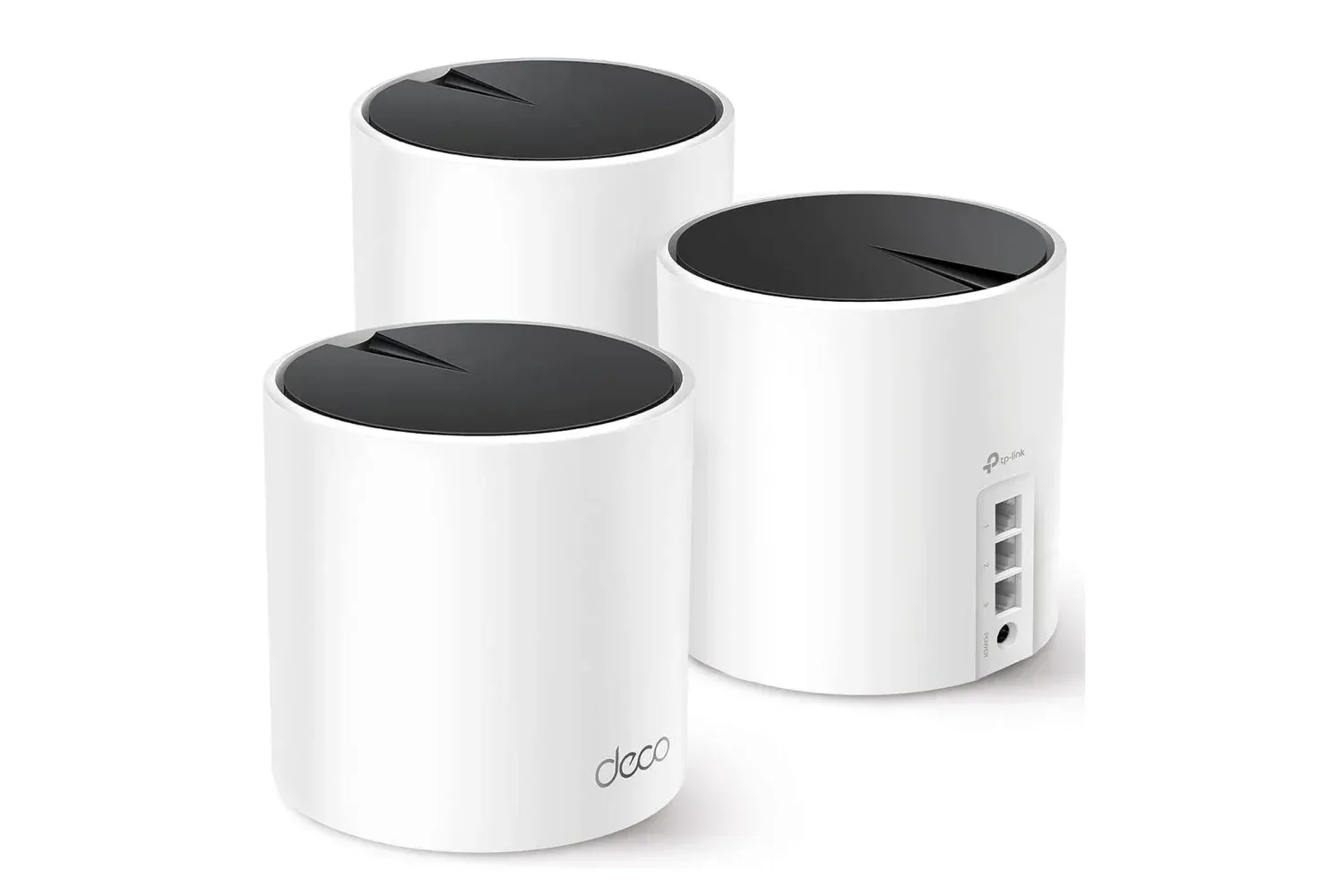
A home-network upgrade is not as glamorous as a new GPU, controller or game, but it can have a far more immediate effect on the parts of gaming that happen between matches: downloads, voice chat, updates, streaming and the increasingly crowded fight for bandwidth in a connected household.
The TP-Link Deco X55 AX3000 Wi-Fi 6 mesh system in a three-unit bundle is listed on Amazon for $150, a 23% reduction from a typical price closer to $200. The price matches a three-month low and the lowest level seen during recent sale events. Availability and pricing can move quickly, so prospective buyers should verify the listing before making a decision.
For players dealing with dead zones, inconsistent wireless performance or a router that has to serve every device in the house from one location, the key appeal is not simply the discount. It is the system’s stated approach: three Deco X55 units working together to distribute a home network over a much wider area than a single router may comfortably reach.
What the three-pack is designed to address
TP-Link rates the three-device Deco X55 setup for coverage of up to 6,500 square feet and up to 150 simultaneous connections. Those are manufacturer specifications rather than guarantees for every building. Walls, floors, placement, interference and the internet service entering the home can all affect real-world results. Still, those figures establish the intended use case: larger homes, multi-floor spaces and households where phones, televisions, laptops, consoles, tablets and smart devices all compete for the same network.
A mesh Wi-Fi system uses multiple network nodes rather than relying on one central router to blast a signal across the entire property. In plain language, the extra units can be placed nearer to places where a single-router setup struggles, reducing the distance that wireless devices must communicate through. The aim is broader, more consistent coverage—not a magical increase to the speed of an internet plan.
That distinction matters. If an internet service plan itself is slow, a new mesh system cannot create additional service speed. Likewise, a game server problem, a congested online service or an issue with a console or PC will not be corrected just because the local network hardware has changed. What a mesh setup may help with is the local connection between a device and the home network, particularly where Wi-Fi signal quality is the bottleneck.
Why the Ethernet ports matter for gaming
Each Deco X55 unit includes three Gigabit Ethernet ports. Gigabit Ethernet is a wired networking standard capable of supporting up to 1 gigabit per second under suitable conditions. More importantly for a gaming setup, a wired connection avoids the radio link between a console or computer and a Wi-Fi node.
That can be useful for a stationary PC, PlayStation, Xbox, television or another device that has an Ethernet port and sits close enough to a Deco unit. A cable does not solve every online-performance issue, but it can make the home-network portion of the journey more stable than relying entirely on wireless reception.
Latency is the term players often use when talking about delay: the time it takes data to travel between a device and a destination. In competitive online games, latency can be as important as raw download speed. A fast service plan is helpful, but a crowded or unreliable wireless connection can still be frustrating. Connecting a gaming device by Ethernet to a nearby mesh unit is a practical option for households where running one long cable to the primary router is inconvenient.
It is worth keeping expectations sensible. The Deco’s wired ports can improve how a device connects within the home, but they cannot eliminate lag caused outside it. The route to a game server, the quality of the broadband service and the game’s own online infrastructure remain relevant. Players following fast-paced multiplayer updates, such as the new modes and content covered in Counter-Strike 2’s Rush Hour update, will know that even a solid local setup cannot control every variable once a match reaches the wider internet.
Wi-Fi 6 and AX3000, explained without the spec-sheet fog
The Deco X55 is a Wi-Fi 6 system. Wi-Fi 6 is a generation of Wi-Fi technology intended to handle modern, device-heavy networks more efficiently than older generations. That focus on multiple simultaneous devices is particularly relevant when gaming shares a connection with video streaming, remote work, mobile devices and other online activity.
Its AX3000 label identifies the product family’s advertised wireless speed class; it should not be read as a promise that every device will receive that figure. Wireless speed depends on the device in use, distance, obstacles, local interference and the available internet connection. For a buyer, AX3000 is best understood as a high-level indication of the system’s Wi-Fi capability rather than the number that will appear in every speed test.
The more grounded claims here are the three-unit design, the stated whole-home coverage target, the 150-device capacity and the wired ports on every unit. Together, they describe a product suited to a home where the network has become another shared utility rather than something one computer occasionally uses.
Setup, provider compatibility and security features
Setup is handled through the Deco app, which is intended to guide users through configuration. The system is described as compatible with a wide range of internet providers, including Comcast, Charter, AT&T, Verizon, Xfinity, Spectrum, RCN, Cox, CenturyLink and Frontier.
Compatibility with a provider should not be confused with replacing every piece of equipment automatically. A buyer should consider how the existing modem, gateway or router is arranged before changing a home network. The important practical question is whether the Deco system can be incorporated into the existing service setup and how the current hardware will be used afterward. The provided information establishes broad provider compatibility, but individual home configurations can differ.
The bundle also includes TP-Link HomeShield features at no additional charge, including network security tools and parental controls. HomeShield offers additional features through a subscription. For households, parental controls can be a meaningful part of the proposition alongside coverage: network management is not only about keeping games running, but also about managing how a shared connection is used.
Who should consider the $150 deal
The most convincing case is a household with a demonstrable coverage problem. That could mean a console in a bedroom or basement that regularly sees weak Wi-Fi, a PC that is too far from the main router for a convenient direct cable, or a home where multiple people stream, work and play online at once.
It may also make sense for someone who wants Ethernet access in more than one part of the home. Because every Deco X55 includes three Gigabit ports, a unit placed near an entertainment center or desk can provide a wired option there while also extending Wi-Fi coverage to the surrounding space.
Conversely, a small home with a well-placed, reliable current router may not need three mesh units simply because the sale price is attractive. A purchase is easier to justify when it addresses an actual problem—weak signal in a known area, too many devices on one network, or a need for wired connections away from the primary router.
A practical checklist before buying
- Identify the failure point: Determine whether the problem is limited Wi-Fi coverage, slow internet service, an unreliable device or online-game/server conditions.
- Think about placement: The three-unit design only helps when nodes can be positioned where coverage is needed rather than hidden wherever a spare outlet happens to be.
- Prioritize fixed gaming hardware: A console or desktop PC near a Deco unit can potentially use Ethernet, which is often preferable to relying on wireless for a stationary device.
- Account for the whole household: The stated 150-device capacity is most relevant where many connected devices are routinely active.
- Check the sale at checkout: The $150 price is described as a time-sensitive Amazon deal and stock may be limited.
At $150, the three-pack is positioned as a lower-cost route into a Wi-Fi 6 mesh setup with substantial stated coverage and wired connectivity on all three nodes. For the right household, that combination could make a network feel less like a single point of failure and more like infrastructure capable of supporting the everyday pileup of consoles, PCs, TVs and mobile devices.
Shop the products
Check current price, model and availability at the retailer.