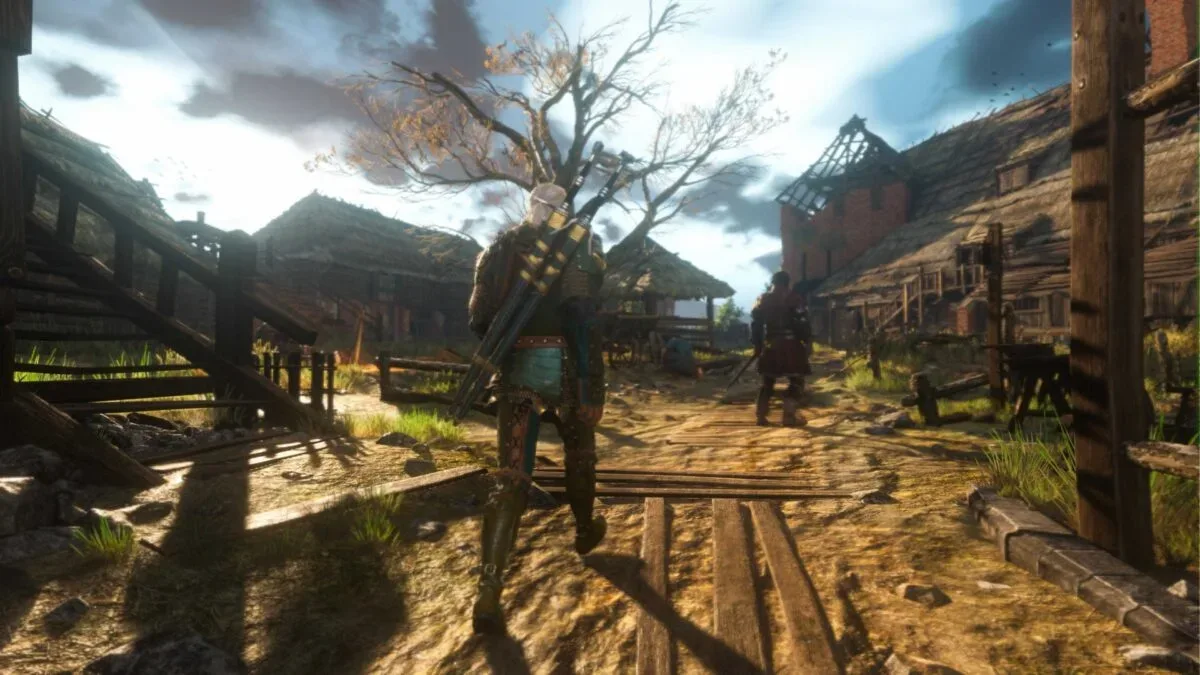
The Witcher 3 Remastered has received Patch 5.01, a follow-up update aimed at several of the issues players encountered during the remaster’s opening week. Its headline addition is simple but important: PlayStation 5 and Xbox Series X/S players can now turn bloom on or off.
That setting has been a frequent request from console players who found the image overly bright or washed out. PC users had already been able to disable the effect, so the new option brings the console version closer to the level of image customization available on that platform. The update is approximately 5.5 GB on consoles and 8.5 GB on PC.
Patch 5.01 also adds console control over Light Shafts and Depth of Field, fixes a PS5 issue that could reset custom visual settings, and implements on consoles a fix for dialogue that became far quieter than other game audio after players moved through pause-menu tabs.
Bloom is optional now, not compulsory atmosphere
Bloom is a post-processing effect that makes very bright parts of an image appear to glow or bleed light into nearby areas. Used carefully, it can make sunshine, lamps, fire, reflections, and magical effects feel intense. Used too heavily for a player’s taste or display setup, it can soften the scene’s contrast and obscure fine detail.
Neither reaction is inherently wrong. Visual effects are interpreted through a chain of variables: the game’s implementation, a television or monitor’s brightness and tone settings, room lighting, personal sensitivity to high brightness, and plain aesthetic preference. A player who wants a hazier, more cinematic look may leave bloom enabled. Someone who values clearer foliage, architecture, faces, and bright outdoor scenes may prefer it disabled.
The meaningful part of Patch 5.01 is not that it declares one of those choices correct. It lets console owners make the choice. For a large, long-form game where players can spend many hours exploring, riding, reading menus, and watching dialogue scenes, a small presentation option can have an outsized effect on comfort and enjoyment.
More console image controls arrive with the toggle
The bloom switch is accompanied by controls for Light Shafts and Depth of Field. Light shafts are the visible beams sometimes seen when a bright light source shines through mist, clouds, trees, windows, or dust-filled air. They can add a dramatic sense of atmosphere, but players who prefer a cleaner image can now adjust them from the console settings menu.
Depth of Field is another camera-style visual effect. It keeps a chosen area sharp while making objects nearer or farther from that focal point appear blurred. The technique can direct attention during a scene and mimic the limitations of a physical camera lens. In games, though, some players regard it as welcome composition while others find that it removes detail they would rather see.
Related coverage includes The Witcher 3 Remastered Patch 5.01 Adds Console Bloom Toggle and Key PS5 Fixes.
Giving players access to these options does not necessarily mean every setting will be ideal for every screen. It does mean players have a practical way to tune the presentation without waiting for a universal change that might please one group and disappoint another. This is especially useful for owners moving between different televisions, monitors, and room conditions.
For PS5 players, the patch also resolves a particularly frustrating obstacle to using those controls: a bug that reset customized settings. An option is far less valuable when it cannot be relied upon to remain selected. Fixing persistence means a player can establish a preferred presentation and expect it to stay in place rather than revisiting settings after every interruption.
The audio fix may be the most immediately noticeable repair
Patch 5.01 addresses a console audio issue in which voiceover volume could become significantly quieter than other in-game sound after navigating through the pause-menu tabs. That can create a disruptive loop: dialogue becomes difficult to hear, the overall volume is raised to compensate, then action audio becomes too loud when combat or louder effects return.
One player specifically described needing to raise a sound system’s volume for dialogue and lower it again for battles before the fix. The update is intended to end that imbalance on consoles.
This is more than a minor polish point. Dialogue is central to following conversations and cutscenes, while inconsistent levels can also make a game uncomfortable to play in a shared space or at night. Audio mix problems do not always look dramatic in a patch summary, but they alter the basic rhythm of play: pausing, changing volume, resuming, and repeating. A correction that keeps voices in proportion to the rest of the soundscape removes that needless routine.
What players should do after installing Patch 5.01
Players who were unhappy with the remaster’s visual presentation should revisit the settings menu after the update rather than assume the game will automatically reflect their preference. The newly available choices are most useful when treated as personal adjustments, not as a checklist of effects that must all be disabled.
- Start with bloom: Compare a familiar bright area with bloom enabled and disabled. Look at readability, contrast, and whether highlights feel comfortable on your display.
- Try Light Shafts separately: If the image feels too theatrical or hazy in bright conditions, this setting is worth testing without changing every other option at once.
- Check Depth of Field during scenes where focus shifts: Players who prioritize crisp detail may prefer less blur, while others may like its cinematic framing.
- Confirm the PS5 settings persist: Because the patch fixes resets, it is sensible to verify that preferred options remain in place after leaving and returning to the menu.
- Test dialogue after menu use: Open and navigate pause-menu tabs, then return to a voiced scene. The corrected voiceover behavior should no longer require an abrupt master-volume adjustment.
Changing one setting at a time is the clearest way to identify what is actually improving or harming an individual player’s experience. Altering bloom, light shafts, depth of field, display brightness, and television picture modes all at once makes it difficult to tell which change caused the result.
A focused patch, with room for more feedback-driven updates
Patch 5.01 is not presented as a single sweeping solution to every issue reported in the first week. It is a focused round of visual customization and bug fixes. That distinction matters: the addition of a bloom toggle, repaired settings persistence, and an audio correction directly address clear pain points, but players should not read a targeted update as confirmation that all concerns have been resolved.
The developer is continuing to gather bug reports and player feedback. That ongoing process is important for a remaster, where expectations can center on performance and stability as much as visual upgrades. It also highlights why options are valuable: a visual choice that is divisive does not always require one universal default when players can be given a reliable way to tailor it.
There is also a broader practical reality behind patches of this size. A 5.5 GB console download is substantial enough that players may want to plan around available storage and connection limits, while the 8.5 GB PC update is larger still. The wider games business is still dealing with the consequences of how people access and store software, as seen in the changing balance between physical game spending and game-key cards. For The Witcher 3 Remastered owners, however, the immediate value of this download is straightforward: more control over the look of the game and fewer reasons to reach for the volume controls.
A future expansion, Songs of the Past, is expected next year. Until then, Patch 5.01 gives PS5 and Xbox Series X/S players a better set of tools for making the current remaster feel right on their own setups—especially those who have been waiting for console bloom to become an option rather than an instruction.