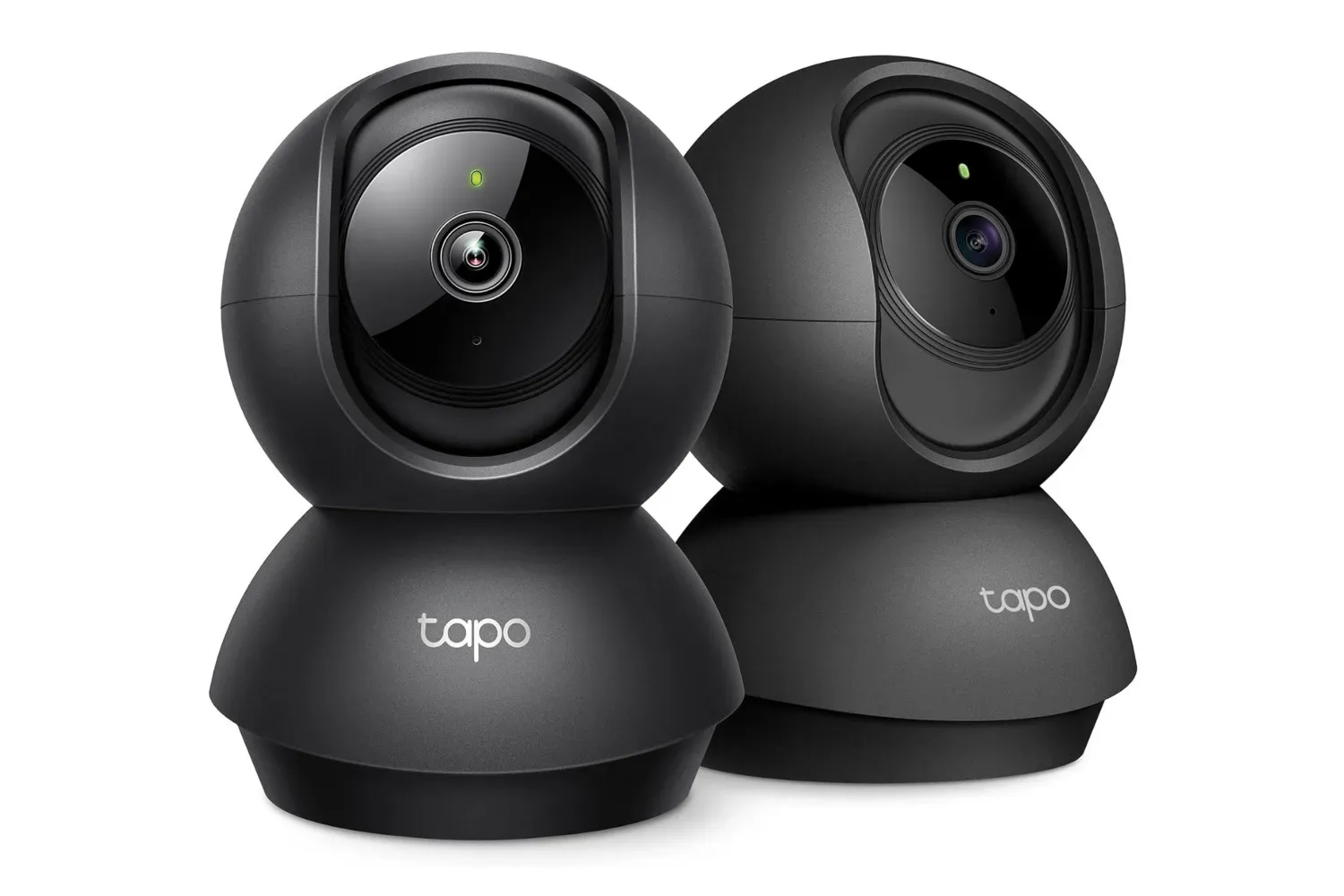
Keeping an eye on a room is one thing; keeping an eye on the corner of that room where the action invariably happens is another. A two-camera Tapo 2K pan/tilt bundle is currently listed for $39 in black, reduced from $55. That makes the arithmetic unusually friendly: $19.50 per camera before considering any optional storage costs.
The white two-pack is listed separately at $50, so shoppers who care about the color should not assume the lower price carries across both finishes. As with any retail promotion, the listed price and availability can change, making it sensible to check the exact bundle, color and total at checkout rather than treating the deal as permanent.
For the money, the practical appeal is less about turning a home into a low-budget control room and more about flexibility. Two cameras can cover two separate indoor spaces, or they can divide responsibility within one larger area: one on a main living space and another near an entrance, play area or pet zone. Their pan/tilt movement is the key specification here, since a fixed camera only sees the slice of the room where it happens to be aimed.
What the cameras offer
Each Tapo camera records at 2K resolution and can rotate through 360 degrees horizontally and 114 degrees vertically. In plain terms, pan means side-to-side rotation, while tilt describes up-and-down movement. A 360-degree pan means the camera can look all the way around its horizontal axis rather than covering a static forward-facing field.
That does not mean every position in a room will be visible at every instant. A pan/tilt camera still has one viewing direction at a time. Its advantage is that the viewpoint can be adjusted to inspect another part of the space instead of requiring the whole unit to be physically moved. For rooms where activity is spread across a broad area, that may be more useful than having a wider but permanently fixed shot.
The 2K video claim refers to image resolution: the amount of picture detail captured. Greater resolution can help preserve more visual information in a scene, though the usefulness of that detail will still depend on lighting, placement, distance and what is actually in view. It is best understood as a potentially clearer live view or recording, not as a promise that every object across every room will be perfectly identifiable.
The stated feature set also includes person detection and baby-cry detection, with notifications when the camera identifies those events. These are convenience tools designed to reduce how often somebody has to stare at a live feed. They turn the camera from a purely on-demand viewer into a device that can flag selected kinds of activity.
That distinction matters when setting expectations. An alert is a prompt to check what is happening, not a substitute for judgment. Households considering the cameras for a nursery, common room or pet area should think about which alerts would actually be useful and how promptly someone can respond to them. A steady stream of notifications that does not change anyone’s behavior is more nuisance than protection.
Two cameras change the placement equation
A single indoor camera often invites an immediate compromise: cover the door, the sofa, the crib, the pet bed, or the main open area? The $39 package is notable because it provides a second position without pushing the per-camera cost above $20 at the listed price.
Potential indoor uses supported by the camera’s feature set include:
- Living-room coverage: A movable view can be useful in a shared space where activity does not stay centered in one spot.
- Nursery monitoring: Baby-cry detection and remote live viewing are directly relevant, though a camera should complement attentive caregiving rather than replace it.
- Checking in while away: A camera positioned in a main room can offer a way to view the home remotely.
- Separate room coverage: The second unit can monitor another indoor area rather than forcing a single camera to do every job.
Placement will still matter more than box-count bragging rights. Before buying, it is worth identifying where a camera can be positioned to see the desired area without unnecessarily pointing at private spaces. Indoor monitoring has obvious privacy implications for everyone in a household and for guests. A sensible setup begins with clear boundaries: record only where there is a genuine purpose, communicate that cameras are in use where appropriate, and avoid treating a live-feed app as a license for constant surveillance.
The same caution applies to voice-assistant viewing. The cameras are described as compatible with voice assistants, allowing live feeds to be called up on compatible devices. That can be handy when hands are occupied, but it is also worth considering which compatible displays can access the feed and who has access to them. Convenience and access control should be planned together.
The important catch: recording is optional, not automatic
The bundle’s low upfront price does not mean it automatically includes a video archive. Footage is not saved by default. Buyers who want recordings need to choose one of two storage routes: a microSD card, with support for cards up to 512GB, or a Tapo Care subscription for cloud storage.
Local storage means recordings are saved to a memory card installed in the camera. The source information specifies microSD support up to 512GB. This option may appeal to people who prefer to keep footage on the device rather than use a cloud service. It does, however, make the memory card an additional purchase if the buyer does not already have one.
Cloud storage means recordings are stored through an online service instead. Tapo Care is the named subscription option, and it provides a 30-day video history. It also unlocks advanced features, while most features are available without the subscription. The ongoing nature of a subscription is the part prospective buyers should weigh carefully: the hardware can be inexpensive, but recurring services can alter the long-term cost of ownership.
Neither choice is universally better. The decision turns on what a household wants from the camera. Someone who chiefly wants to open a live feed and occasionally receive alerts may find the included functionality enough. Someone who expects to review events after the fact will need to account for storage from the beginning. The crucial point is simple: do not assume a security camera is preserving footage just because it can show video.
This is also where a buyer should separate the two jobs cameras can perform. Live monitoring is about seeing what is happening right now. Recording is about having something to examine later. The Tapo units can serve the first function without an additional storage plan, but the second requires either a compatible microSD card or the cloud subscription.
How to judge whether the bundle fits
At $39 for two black cameras, the strongest argument is coverage per dollar. The bundle is especially straightforward for somebody who already knows they need cameras in two indoor locations. The 360-degree horizontal movement can reduce the need to get every angle perfect during initial placement, while the 114-degree vertical range offers more flexibility than a camera that cannot tilt.
But the purchase is less compelling if the buyer only needs one unit, strongly prefers white, or requires cloud recording but has not considered the subscription. The white bundle’s $50 listing narrows the savings, even though it still includes two cameras. Likewise, an inexpensive pair may not be the most economical answer for somebody whose real requirement is a fully featured paid cloud service over time.
A quick pre-purchase checklist can keep the appealing headline number in perspective:
- Confirm that the black finish is acceptable if shopping at the $39 price.
- Decide which two indoor areas need coverage and whether a moving camera is useful in each.
- Determine whether live viewing and alerts are enough, or whether recordings are essential.
- If recordings matter, budget for either a microSD card or Tapo Care.
- Review who can access app controls, voice-assistant devices and any stored footage.
- Check the current listing before ordering, since promotional prices are subject to change.
Security also means account security
Any connected camera deserves the same basic caution as other devices that can see into a home. The supplied details focus on camera features rather than account setup, so they do not establish a particular security configuration. Still, the practical implication is clear: access to the camera app, cloud footage where used, and compatible voice-assistant displays should be treated as sensitive.
That broader device-safety mindset also applies to the phone used to manage a smart-home camera. For useful general guidance on spotting suspicious mobile software and removing questionable apps, see Android spyware warning signs and practical app-removal steps.
The two-pack’s bargain is therefore real but conditional. It offers two 2K pan/tilt indoor cameras for a listed $39 in black, with person and baby-cry alerts, voice-assistant compatibility, and two routes to recording. The practical buying decision hinges on storage, privacy and placement—not just the tempting per-camera figure.
Shop the products
Check current price, model and availability at the retailer.