Android gaming handhelds are increasingly capable of doing more than running conventional mobile games or emulators, but native fan-made ports can still feel unnecessarily difficult to access. Finding a project, determining whether it supports a particular device, locating the correct release, moving required files into the right folders and keeping everything updated can turn a quick download into a tour of repositories, readme files and storage menus.
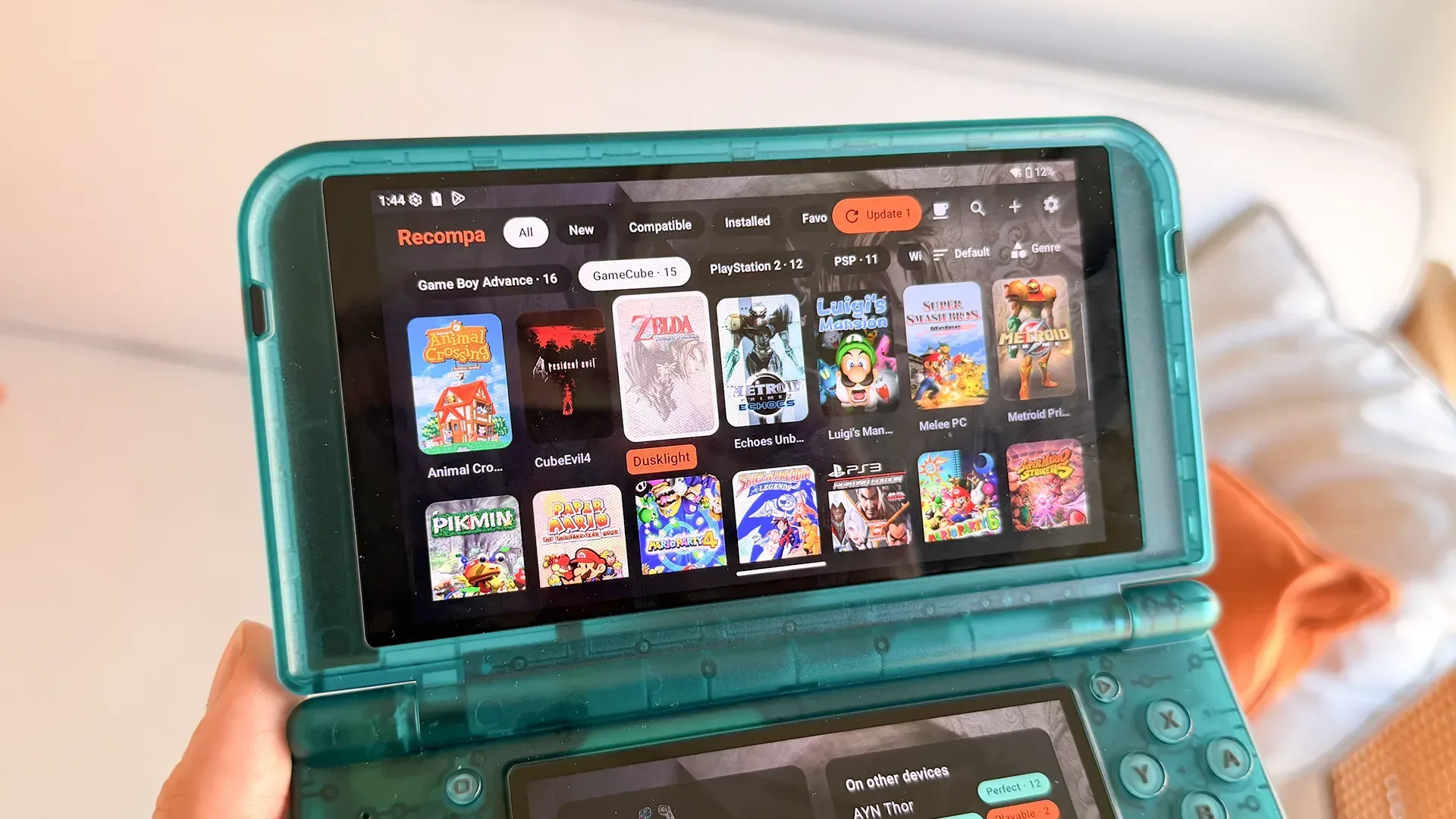
Recompa is a free Android application built around smoothing out that process. It presents a catalog of native ports, decompilations, recompilations and source ports in a controller-friendly interface, then helps users install and maintain the ones compatible with their hardware. The app supports Android 8.0 and later, is intended for controller-equipped handhelds, and also works on phones and tablets.
Its central promise is not that it supplies commercial game data. Instead, a user needs the original ROM or other required game data for a supported port. Recompa can inspect those files, patch them where applicable, and place them where a selected project expects to find them. That distinction is important: the app is designed to organize the software side of a native port while relying on the user to provide the underlying files a project requires.
What Recompa is organizing
The catalog currently contains more than 250 projects that run without emulation, spanning work associated with platforms including Nintendo 64, Xbox 360, GameCube, Game Boy Advance and PSP, among others. That is a broad label, so it helps to separate the technical terms involved.
- Native port: a version of software adapted to run directly on a different operating system or hardware environment, here Android.
- Source port: a port developed from released or otherwise available source code, generally adapted to new systems and controls.
- Decompilation: an effort to reconstruct understandable code from an existing program so it can be studied, rebuilt or adapted. Results and project requirements vary widely.
- Recompilation: rebuilding code for a target platform, potentially allowing a game project to run directly on that platform rather than inside an emulator.
“Without emulation” is the key practical phrase. An emulator imitates another machine’s hardware or environment so original software can run. A native port instead runs as Android software. That does not automatically mean every native project will be more accurate, faster or easier to configure than emulation; each project has its own requirements and implementation. It does mean the workflow and the application being installed are different.
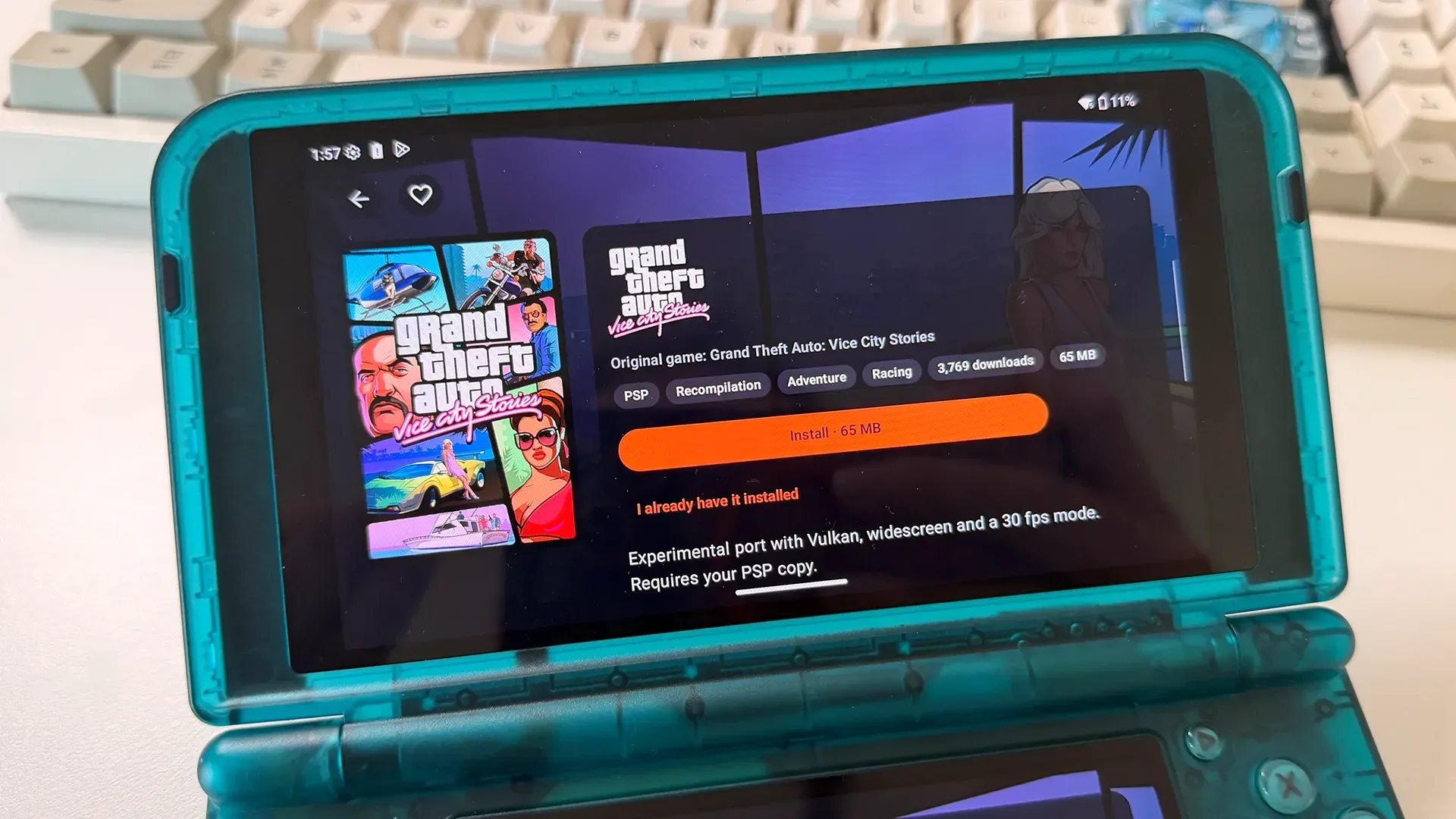
For handheld owners, the appeal is convenience as much as performance. Native projects are often distributed individually by their developers, with installation instructions tailored to each one. Recompa attempts to give those disparate projects a common front end: browse a library, open a project page, check compatibility, provide the required files, then install and update from one dashboard.
A catalog designed for a D-pad, not a desktop browser
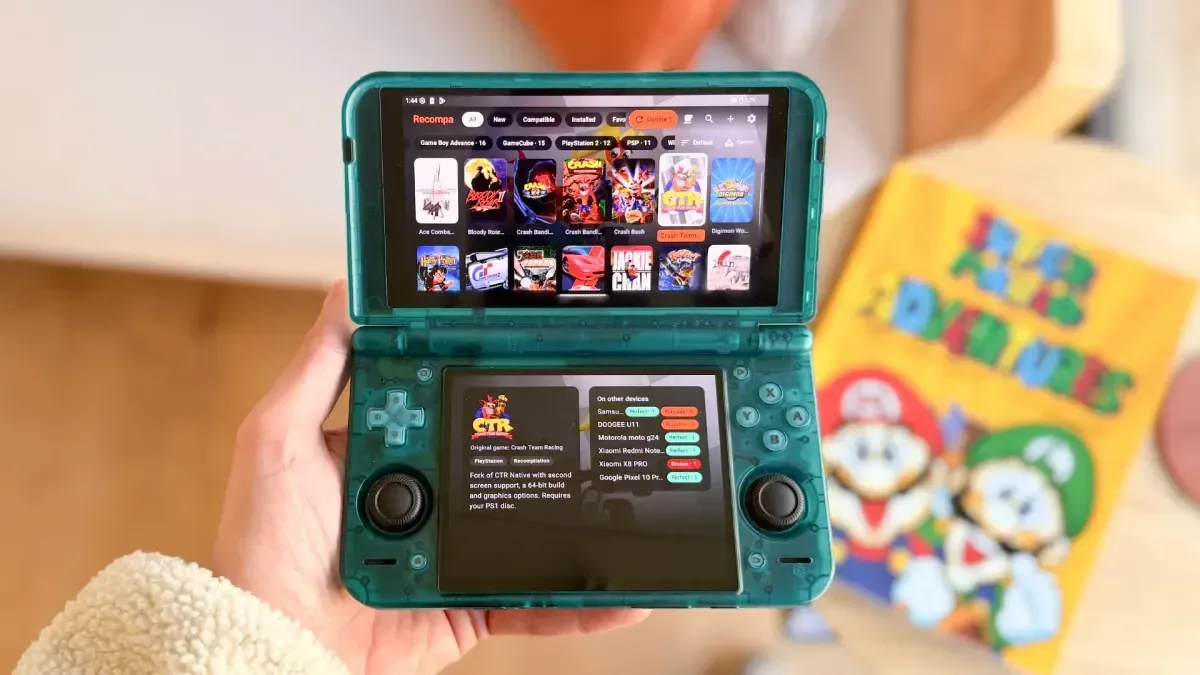
The app’s interface is specifically built for D-pad and shoulder-button navigation. Search and favorites are positioned to be quickly accessible, which matters on compact handhelds where touch controls may be secondary or awkward. It offers six library styles—Classic, Shelves, List, Arcade, Mosaic and Showcase—that alter the library, project pages and settings rather than merely changing color schemes.
Recompa also includes a fullscreen frontend mode, allowing it to act as a handheld’s home-screen-style launcher. In that mode, a player can move from browsing compatible projects to managing an installed library without treating the app as a one-time downloader. Compatibility reports from other users are part of that setup, potentially offering useful signals before someone spends time preparing game data for a particular device.
Related coverage includes Recompa Brings Native Ports and Decompilations to Android Handhelds.
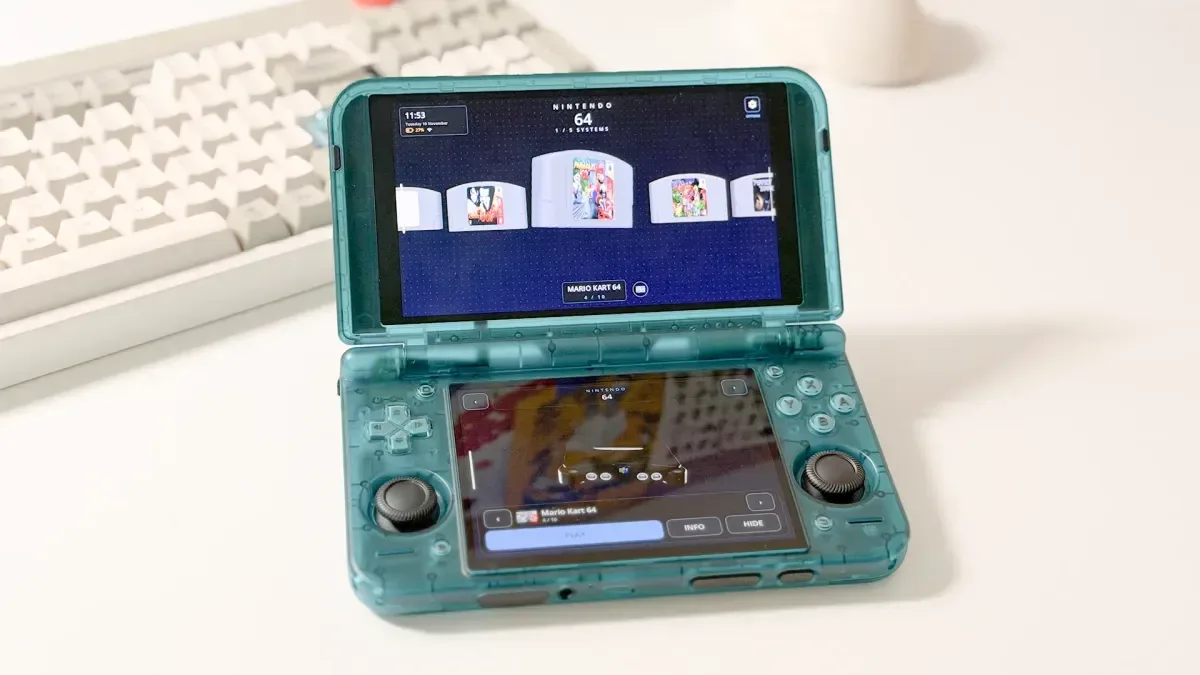
Dual-screen support is another focused feature. On supported hardware such as the AYN Thor, Recompa can use the lower screen for a port page, gallery and download queue while the main display remains available for the broader interface. It is a sensible use of a form factor that can otherwise leave software designed around a single phone screen feeling underutilized.
The app’s hardware focus does not lock it to one handheld. Individual ports have their own device requirements, and Recompa is intended to identify which projects work on a user’s Android device. That caveat is essential. Android version support for the app itself is not a guarantee that every catalog entry will run on every Android 8.0-or-later phone, tablet or handheld.
The installation workflow matters as much as discovery
Recompa’s game-files wizard is arguably its most consequential feature. Native projects regularly expect a ROM, disc data or other files to be in a precise location. An otherwise successful download can fail simply because the required data is absent, named incorrectly or stored in the wrong folder. The wizard checks supplied ROM or game data and moves it into the location the selected port expects.
For users who already handled an installation manually, Recompa can link to an existing port rather than requiring a reinstall. This makes the app potentially useful as a library manager even for people with a pre-existing Android handheld setup.
Downloads can continue in the background, with pause and resume support intended to preserve progress. The dashboard can also update installed ports together, notify users when new versions arrive and roll a project back to an earlier release if a newer one causes a problem. Recompa itself can be updated through the same general model.
That last capability is especially useful in a scene where projects can change quickly. Updating a port may bring fixes, but it can also introduce regressions or incompatibilities. A rollback option gives users a practical escape hatch, although it does not remove the need to read a project’s changes or keep their own important game data safe.
Project pages include image galleries, while a recently added section and version-change information aim to make the catalog feel more like a maintained storefront than a static list of links. Users can rate how a port performs and suggest missing projects from inside the app, with no GitHub account required. That lowers the participation barrier for players who want to report compatibility but have no interest in navigating a developer-oriented platform.
Verification is a welcome part of the pitch
Installing APK files outside an app store warrants care, particularly when an app also manages further downloads. Recompa says each APK is obtained from its author’s repository and checked against its SHA-256 value and signature before installation.
SHA-256 is a cryptographic hash: it generates a fixed value from a file’s contents. If a downloaded APK’s hash matches the expected published hash, that is evidence that the file has not changed from the version being checked. A digital signature is a separate authenticity-oriented mechanism that can help establish whether an application package was signed by the expected developer key. These checks are meaningful safeguards, though users should still understand what they are installing, pay attention to Android’s permission prompts and ensure they are using the legitimate Recompa distribution.
The app is distributed as an APK from Recompa’s official website rather than through Google Play. That distribution method is consistent with the app’s purpose: it downloads and installs other applications internally, a category that faces store-policy constraints. It also puts more responsibility on the user. Android may require permission to install apps from the chosen source, and anyone enabling that capability should be deliberate about where they obtain APKs in the future.
What Recompa does—and does not—solve
Recompa appears positioned to solve a discoverability and organization issue, not erase every complication surrounding preservation-oriented game projects. Each port still has its own technical prerequisites, compatibility limits and required game files. The app can streamline validation and placement, but it cannot make a project compatible with hardware that does not meet its requirements.
It also does not change the legal and ethical importance of supplying the required original ROM or game data. The model described here is that the user provides those files and the app patches or organizes them for the chosen port. That is materially different from presenting a catalog as a source of complete commercial games.
For players already comfortable with repositories and manually copying folders, Recompa’s biggest benefit may be centralized updates, controller navigation and the ability to link existing installs. For newer handheld owners, the bigger value may be reducing uncertainty: a single app can show what is available, identify device compatibility, explain what files are needed and guide them to the expected directory.
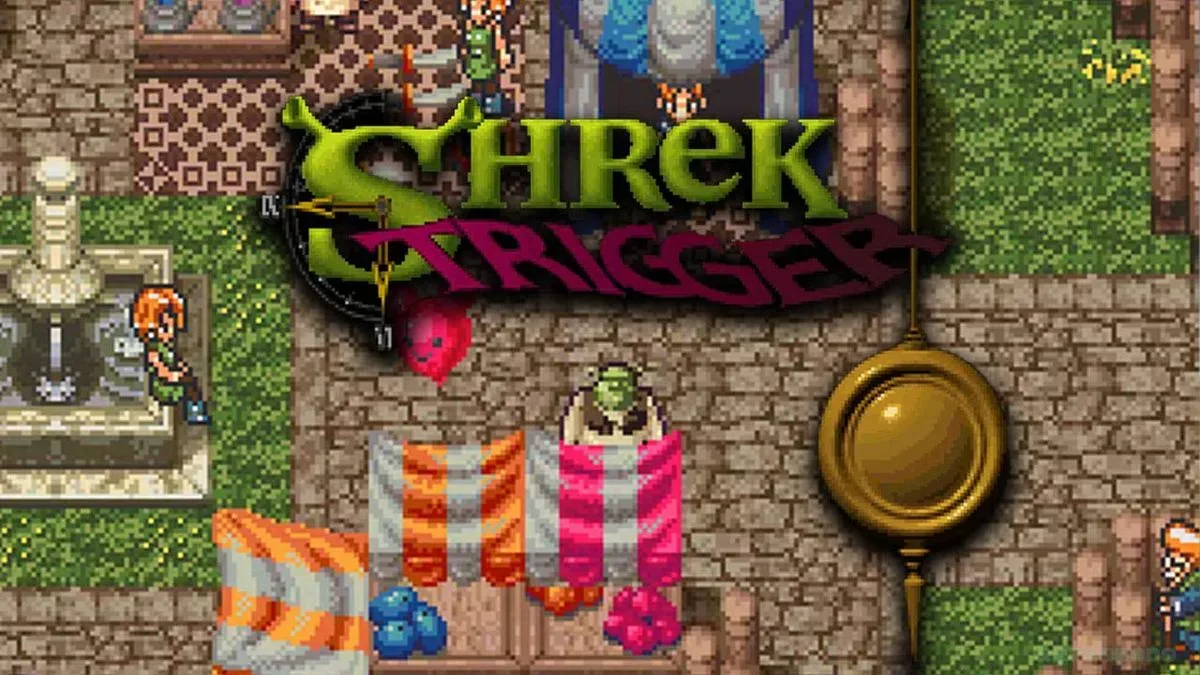
That approach could make native Android projects less intimidating without pretending that every project is interchangeable. It also fits alongside the continuing stream of community restoration and modification work in retro gaming, from platform-focused ports to more overtly playful projects such as a full ogre-themed Chrono Trigger parody. Recompa’s contribution is infrastructure: making a scattered ecosystem easier to browse and maintain on the devices people actually carry or play on.
Practical checklist before installing
- Confirm that the Android device runs version 8.0 or later.
- Check Recompa’s per-port compatibility information rather than assuming a catalog entry will run on a particular handheld.
- Have the original ROM or other game data required by the selected project ready before starting the setup process.
- Read the project’s requirements and version information, especially before replacing an installation that already works.
- Install Recompa only from its official distribution point and review Android’s APK-installation prompts carefully.
- Use the available update and rollback controls thoughtfully; a newer build is not necessarily the best fit for every device.
With more than 250 listed projects, multiple language options—English, Spanish, French, Portuguese and German—and an interface built for both single- and dual-screen Android hardware, Recompa is trying to turn a collection of individually maintained projects into a more approachable handheld library. Its usefulness will ultimately depend on the accuracy of its compatibility information and continued maintenance of its catalog, but its focus on required-file handling, verified downloads and controller-first navigation addresses several of the most persistent friction points in native-port installation.