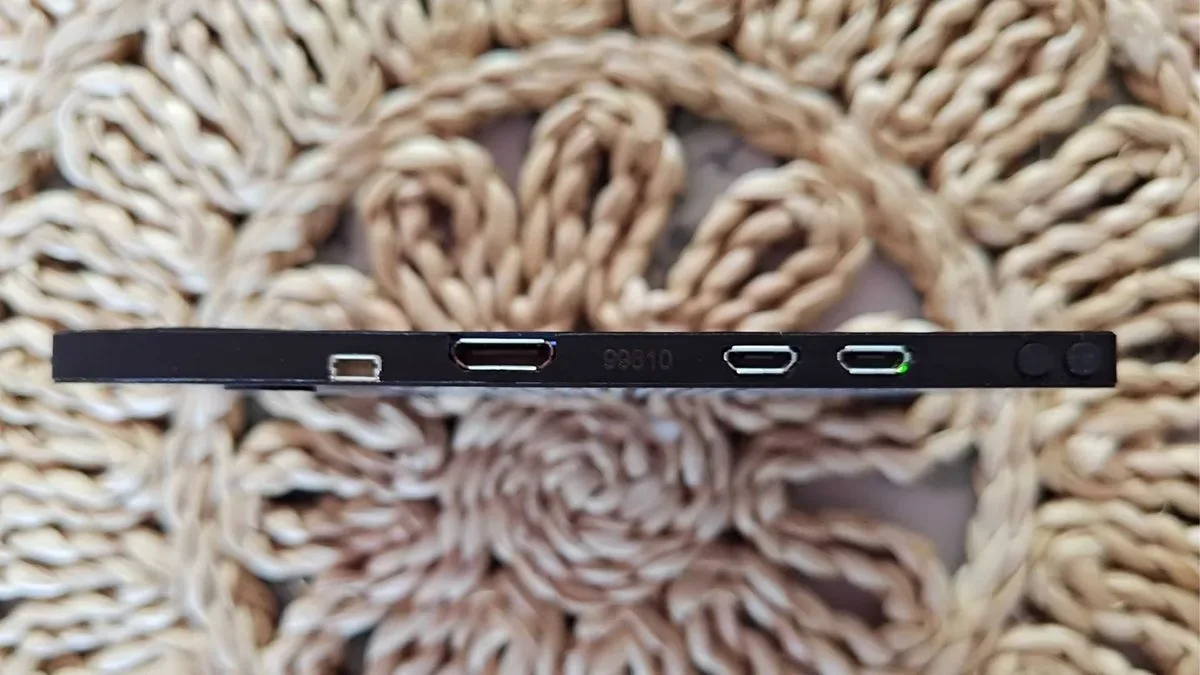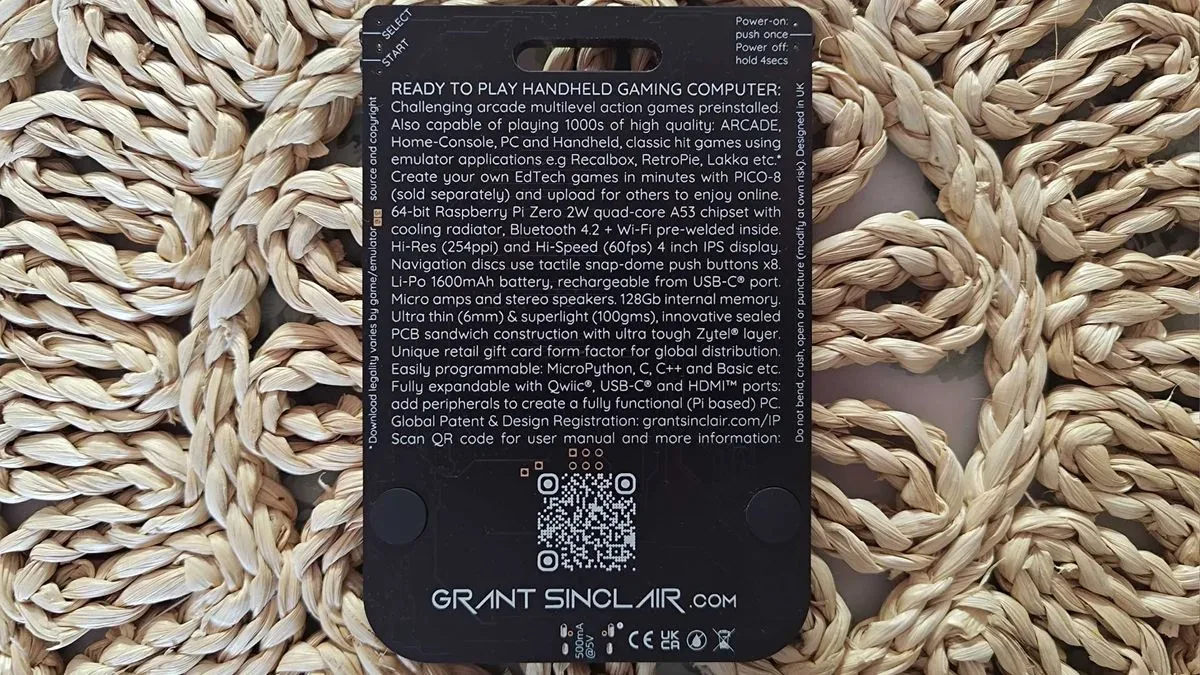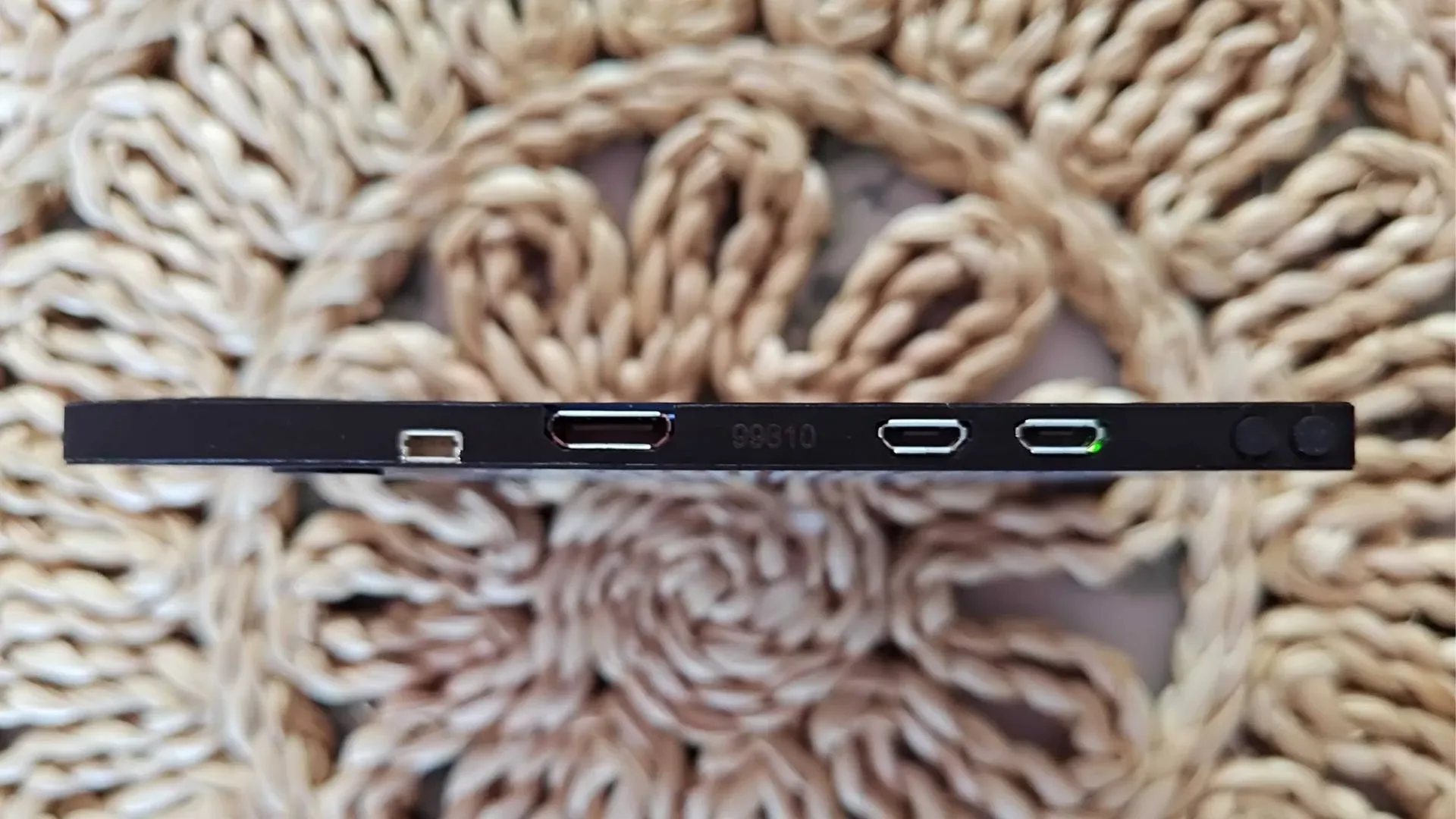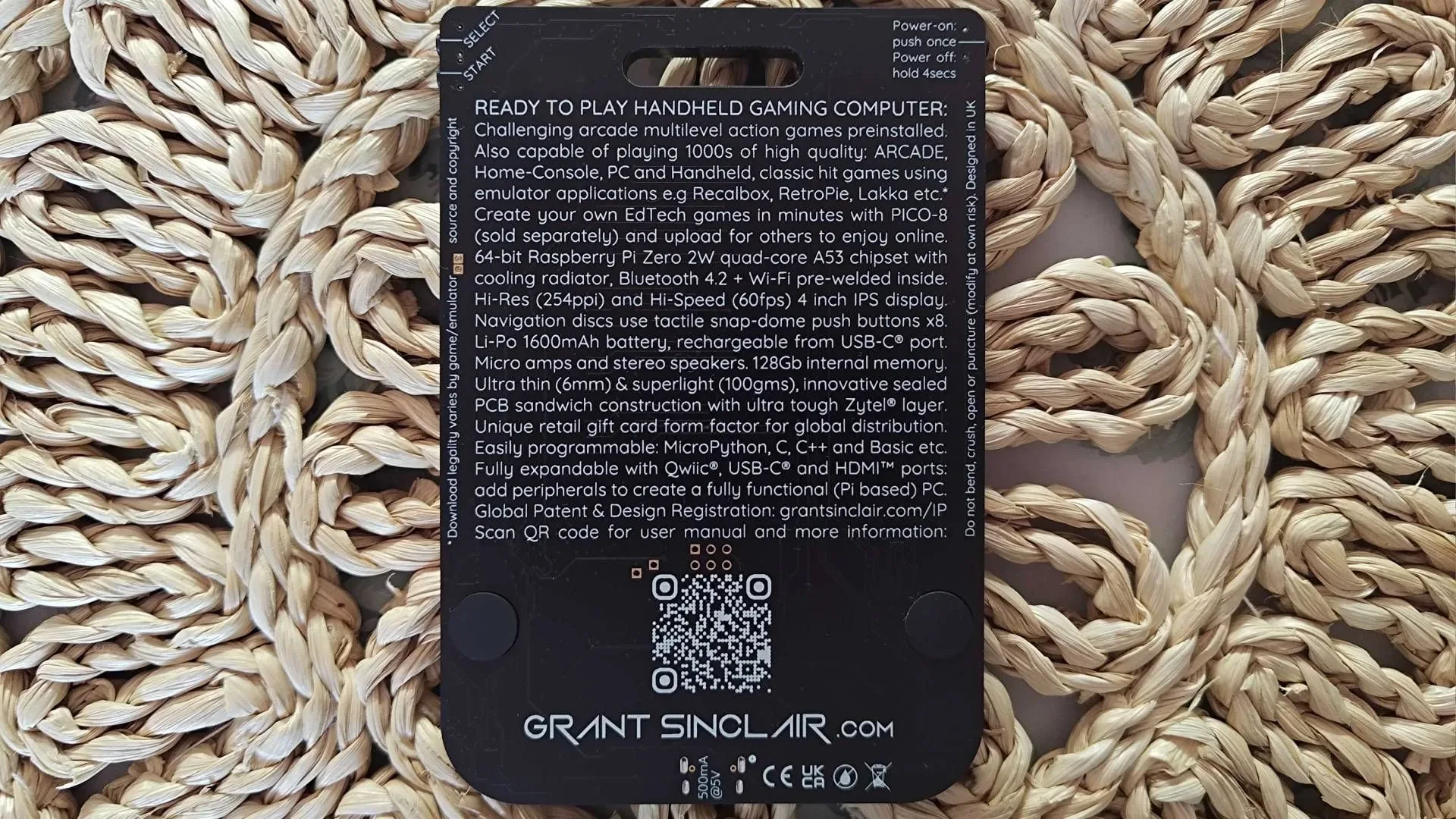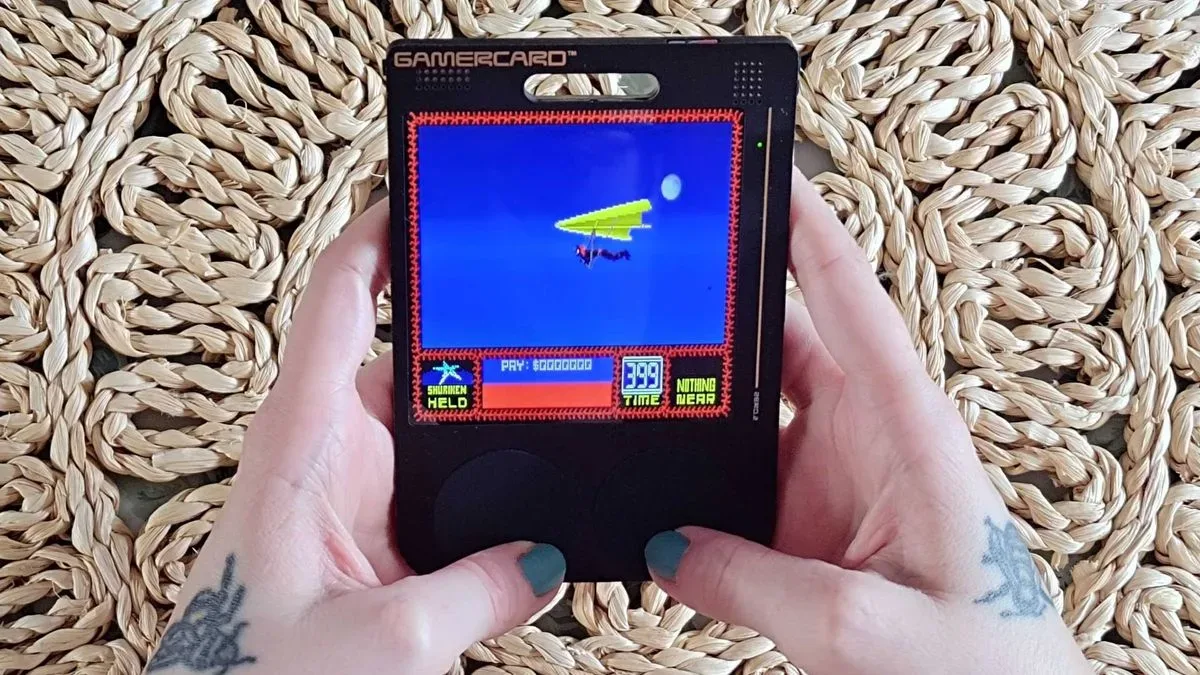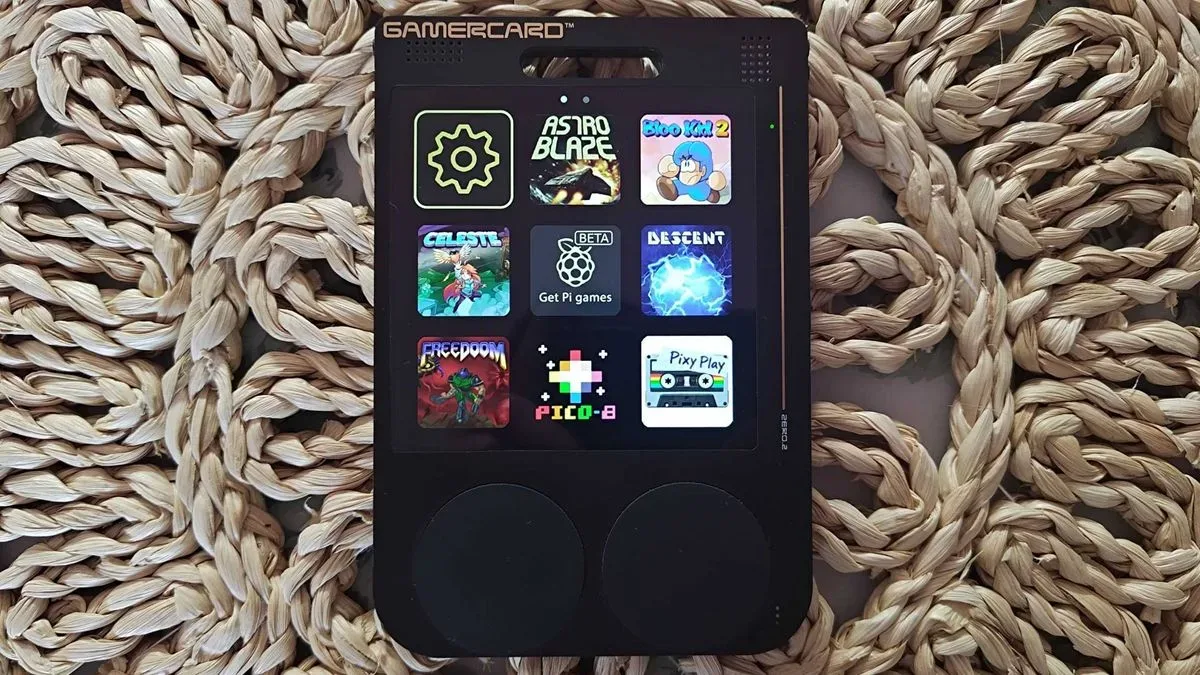
The Gamercard is not trying to win the usual handheld-specification arms race. Starting at $99 / £99, Grant Sinclair’s strikingly thin portable instead makes a case for oddness: it is a Raspberry Pi-based Linux computer assembled as a stack of visible circuit boards, designed to resemble a gift card and complete with a built-in hang tag.
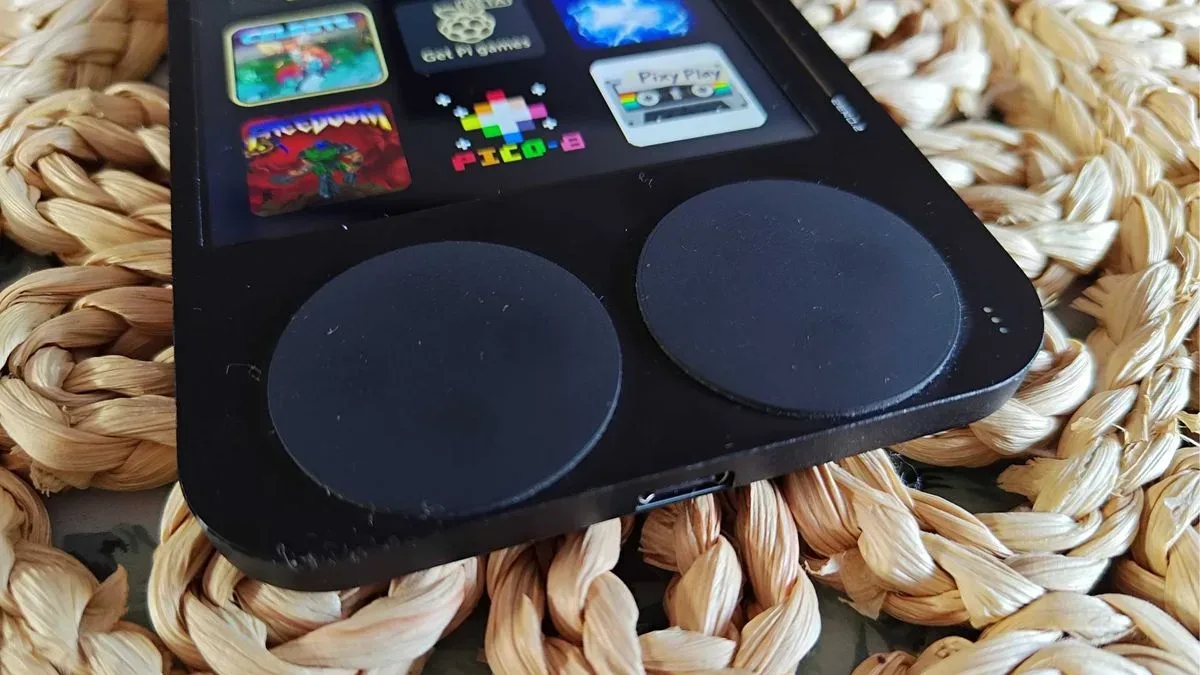
That approach has immediate trade-offs. The hardware is only 6.5mm thick, but there are no comfort grips, no standard raised D-pad, no dedicated hardware volume controls, no headphone jack and no dedicated home button. Its most distinctive controls are circular rubber pads sitting over clicky switches. They nod to the famously divisive rubber keyboard of the ZX Spectrum, the British microcomputer associated with Grant Sinclair’s uncle, Sir Clive Sinclair.
It is a fascinating lineage, but the Gamercard is more interesting when treated as its own thing: a compact, deliberately constrained platform for Raspberry Pi software, independent games, retro emulation and PICO-8 projects. That makes it a potentially appealing device for tinkerers and curious players—while making it a poor fit for anyone who simply wants the most comfortable way to play old games.
A card-shaped computer, not a conventional console
The central design decision is unusually literal. Rather than concealing its electronics in a molded plastic shell, the Gamercard uses stacked printed circuit boards, or PCBs, as the exterior. A PCB is the rigid board that physically connects a device’s components; here, it is also a major part of the product’s visual identity. Black-and-gold board finishes, exposed technical character and etched text create a look halfway between a finished consumer gadget and an enthusiast project.
The payoff is remarkable thinness. The device combines that 6.5mm profile with a 4-inch, 1:1 IPS display running at 720 by 720 pixels and 60Hz. “1:1” means the screen is square rather than the widescreen rectangle common on modern phones and many handhelds. That is especially useful for software made around square playfields, including PICO-8 games, and gives the Gamercard an identity distinct from devices built primarily around old television aspect ratios.
Its footprint and hang tag are part joke, part manifesto. The Gamercard wants to feel like a piece of hardware someone notices, asks about and experiments with, rather than a generic black rectangle optimized solely around controls. That goal will not excuse every limitation, but it does clarify why the machine exists.
The Sinclair connection explains the philosophy—not every compromise
The ZX Spectrum reference goes deeper than family history. The older computer’s rubber keyboard became a memorable symbol of making a machine affordable and compact, even if many players found it awkward. Gamercard’s front controls echo that idea with low-profile circular pads that supply four directional inputs and four face buttons through individual momentary switches.
Momentary switches are buttons that register input only while being pressed. On the Gamercard, they are covered by rubber rather than presented as a conventional cross-shaped D-pad or raised face buttons. The reported feel is more tactile and clicky than a soft membrane keyboard, but it still demands an adjustment period. Players accustomed to rolling a thumb through a direction on a D-pad may find the separate directional inputs particularly unnatural.
Related coverage includes Gamercard Review: A Bold Raspberry Pi Handheld Built for Curiosity, Not Comfort.
That matters most in games requiring precise movement and timing. The included platformer Bloo Kid 2 can expose the limitation, because a missed or imperfect press can turn a simple jump into a frustrating one. This does not mean the device cannot run action games; it means the physical interface may stand between its technical capability and satisfying play. A Quake port, for example, is a brilliant novelty on a near-wallet-thin handheld, but novelty and ideal control are not the same metric.
The design also creates a practical ergonomics problem. There are no curves or handles to distribute the weight and position the hands. Short sessions may suit the format well, but players looking for extended platforming, arcade-score chasing or demanding shooters should take the lack of conventional controls seriously.
Specifications need a little caution
Published technical details around the Gamercard are not entirely consistent. One specification listing identifies an ARM Cortex-A5 processor, VideoCore IV graphics and “512GB” of RAM alongside microSD storage. Elsewhere, descriptions identify a Raspberry Pi Zero 2 W with an ARM Cortex-A53 and 512MB of RAM. The latter memory figure is consistent with the stated Pi Zero 2 W description, while 512GB is more plausibly associated with storage capacity than system memory. Until a definitive specification sheet resolves the discrepancy, prospective buyers should treat the exact processor and RAM listing with caution.
What is clear is the broader class of hardware: it is a small Raspberry Pi-derived computer with microSD storage, USB-C, Wi-Fi and Bluetooth. Raspberry Pi hardware is popular with makers because it can run Linux-based software and supports a large culture of projects, ports and customization. That matters more here than a headline benchmark result. The Gamercard is being positioned not only as an emulator box, but as an invitation into that ecosystem.
Mini HDMI is also present for playing on a larger screen. Bluetooth support is listed, though controller pairing was not available during reported use and may depend on a future operating-system update. It would be unwise to buy the handheld on the assumption that wireless controller support already works exactly as intended. If it does become fully usable, it could soften the control issue for television play without changing the card-like character of the portable itself.
Emulation is available, but it is not the most compelling reason to look
The Gamercard can run retro games and supports RetroPie, a well-known Raspberry Pi software environment for organizing and running emulators. That gives owners a route to revisit software they are entitled to use from their own collections. For people maintaining original games as well as digital setups, our guide on shipping Nintendo 64 cartridges, PS2 discs and Nintendo DS games safely covers the physical-media side of protecting that collection.
Still, emulation performance alone is no longer enough to make a portable feel special. Small handhelds capable of running older systems, including PlayStation-era software, are common. The Gamercard’s appeal is the way its screen, physical shape and software focus combine around a more specific type of exploration.
Its preloaded selection reportedly includes Bloo Kid 2, rhythm shooter AstroBlaze DX and Clive Townsend’s Saboteur trilogy. These are tailored for the square display and the hardware’s Raspberry Pi configuration. The device’s store also includes a Quake port. The important point is not that these titles are exclusive; some can be played elsewhere. It is that the Gamercard is attempting to make them feel native to a tiny, eccentric platform rather than presenting an uncurated ROM launcher.
PICO-8 may be the real center of gravity
The most persuasive argument for the Gamercard is PICO-8 support. PICO-8 is often called a fantasy console: a deliberately limited development environment that acts as though it were a fictional 8-bit machine. Developers build small games, commonly called carts, within those restrictions. The limitations encourage compact ideas, readable visuals and inventive mechanics rather than high-end rendering.
The Gamercard has a separate PICO-8 store app and access to SPLORE, PICO-8’s cartridge-browsing interface. This is a particularly sensible pairing with the 720-by-720 square screen. The format suits thumbnail grids, pixel art and many small arcade-style games, while the handheld’s own weirdness complements a library that thrives on experiments.
That library is broad in spirit even when individual games are small. Reported examples range from the playful we fed seagulls last week and a Krispy Kreme-inspired Flappy Bird variation to the more involved tower-defense game Necromancer TD. Browsing is part of the point: the platform rewards players who are willing to sample unfamiliar concepts rather than arriving with one favorite game and a demand for tournament-ready inputs.
This is where comparison to Playdate is useful. Both machines prize a distinct personality and the possibility of developer experimentation over exhaustive feature checklists. The Gamercard is different in its open Raspberry Pi roots and emulation angle, but both ask users to accept constraints in exchange for a more unusual software culture.
Everyday friction is real
There are several usability issues beyond the controversial pads. Start and Select sit at the top right, but exiting to the main screen can vary by app because there is no dedicated home control. Volume requires a trip into the home-screen settings rather than a dedicated button. Audio must go through the built-in speakers, USB-C or Bluetooth rather than a 3.5mm headphone socket.
Battery life is another constraint. With brightness high, reported runtime was around two hours from the device’s 1,600mAh cells. Lowering brightness may extend that, but the available evidence does not establish a firm maximum runtime. Two hours can be workable for short travel sessions or casual browsing, yet it is a weak result for a portable intended to carry everywhere.
The storefront is also still in beta. That word has practical significance: it means the service remains in an unfinished testing-and-development phase, so its selection and behavior may evolve. It is reasonable to see that as promise, but prospective buyers should not confuse a potential future library with a guaranteed present one.
Who should consider the Gamercard?
The Gamercard makes the most sense for people who actively enjoy hardware as an object of curiosity. Its best audience is likely to value the unusual PCB construction, Sinclair-adjacent design language, Pi flexibility, square display and PICO-8 discovery more than comfort or competitive precision.
- Consider it if: you want a compact Pi-focused project machine, enjoy sampling indie experiments and can accept unconventional controls as part of the premise.
- Be cautious if: you primarily want long sessions of platformers, shooters or fighting games, rely on wired headphones, or expect straightforward navigation and universal system controls.
- Wait for clarity if: Bluetooth-controller support, exact internal specifications or the growth of the beta storefront are deciding factors.
It is fair to call the Gamercard flawed. But it is flawed in unusually intentional ways, not because it is trying and failing to imitate every other emulation handheld. It offers a piece of portable computing culture: thin, strange, occasionally inconvenient and far more memorable than another interchangeable retro box.