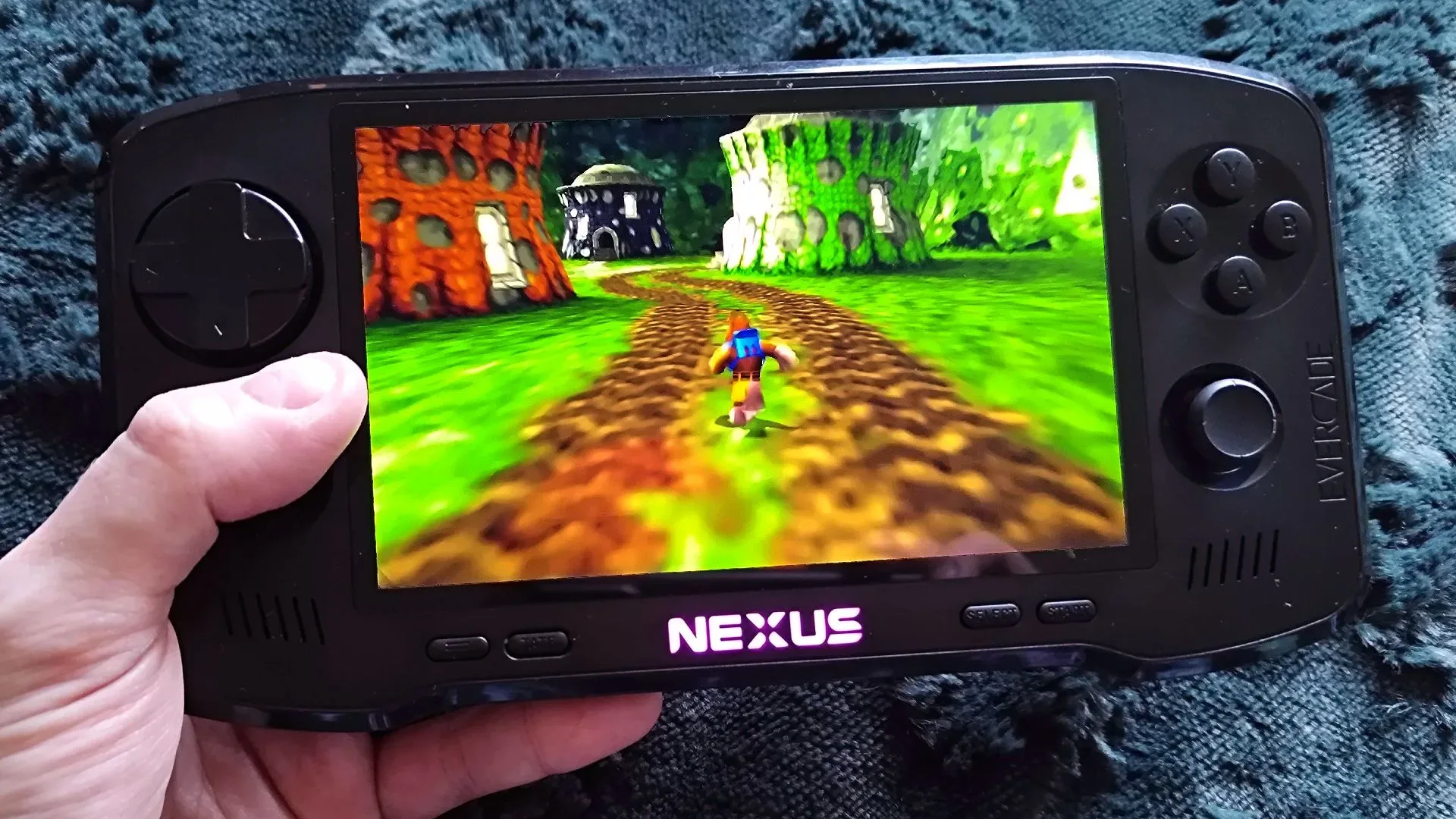
Evercade’s Dual Thumbstick Wireless Controller is a meaningful accessory for a platform that has increasingly moved beyond strictly two-dimensional retro fare. Blaze’s cartridge-based Evercade line first dipped into 3D with Glover in 2024, and its growing fifth-generation-era ambitions make an analogue-focused pad less of a novelty and more of a practical part of the home-console setup.
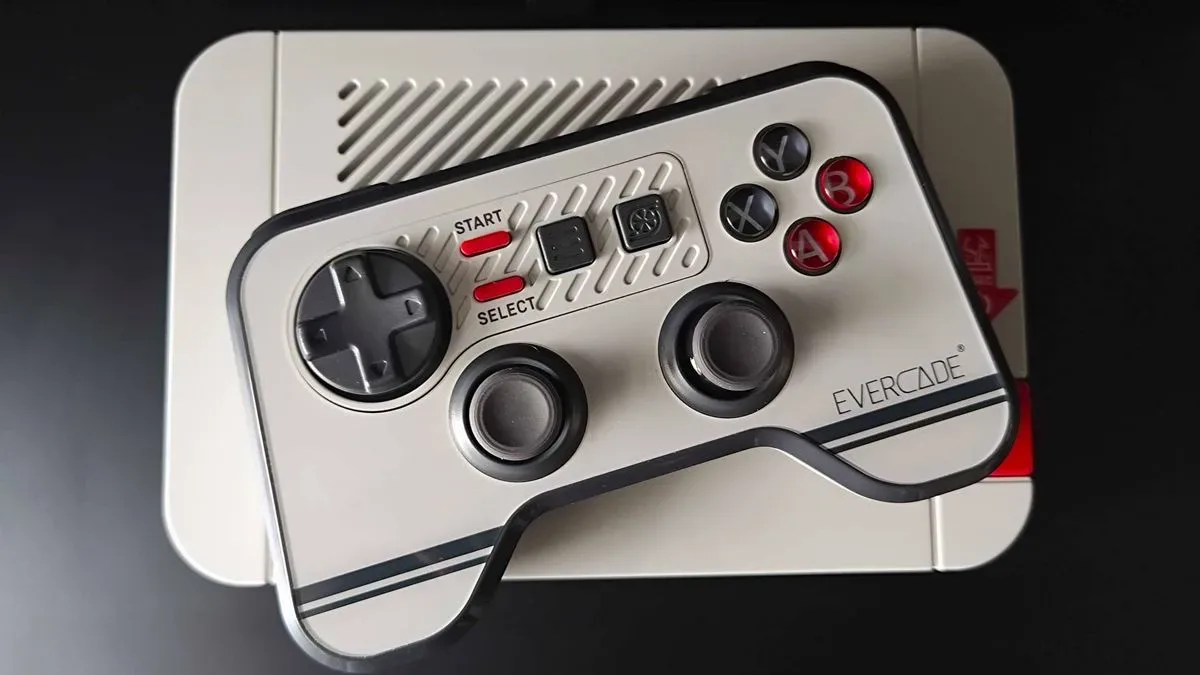
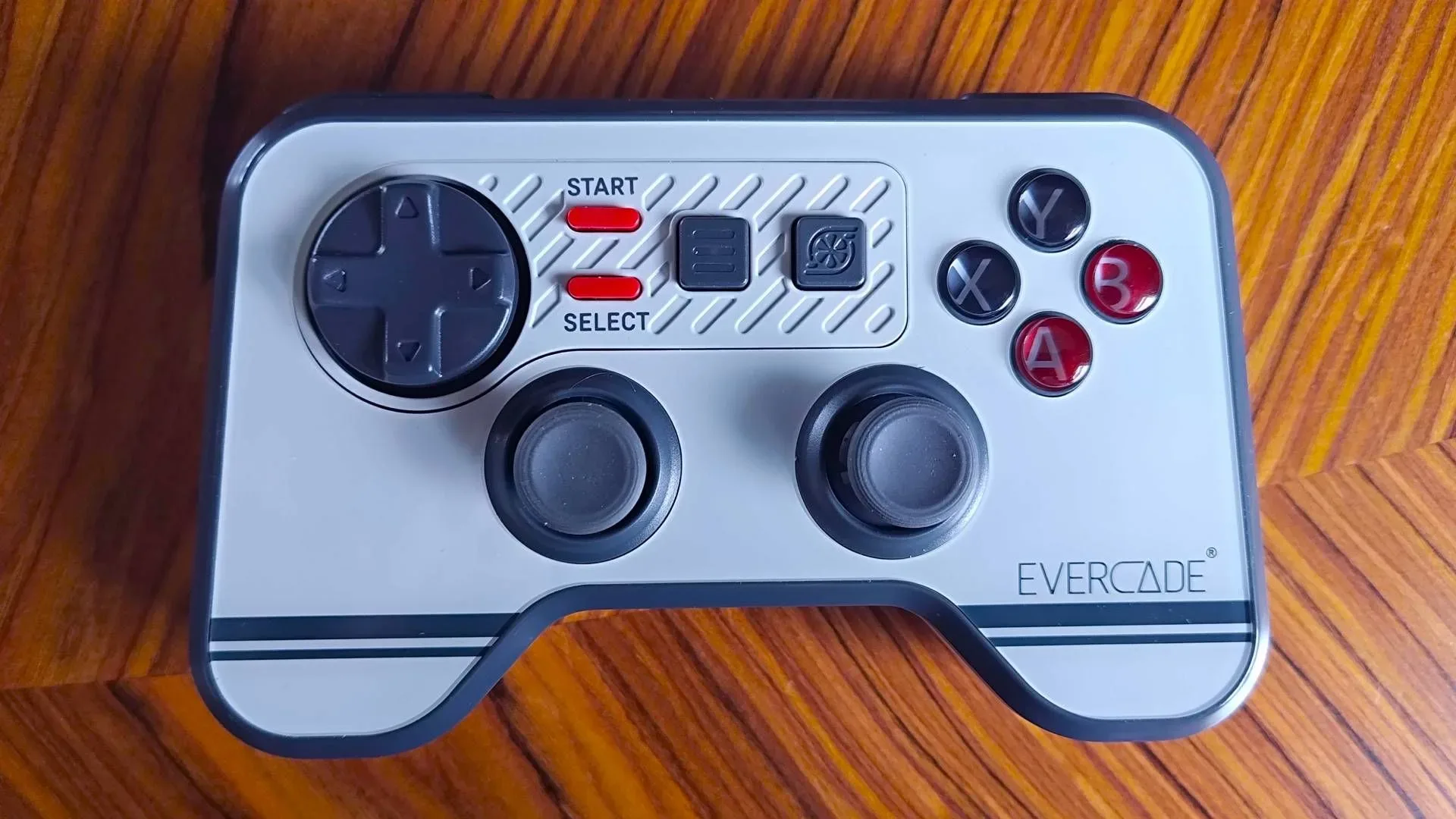
The controller is designed for Evercade’s home systems, including the Alpha and VS family, rather than as a universal retro gamepad meant to perfectly imitate one historic machine. That distinction explains both its strengths and its oddities. It carries forward Evercade’s unmistakable glossy, angular visual language; provides twin full-size sticks, a familiar face-button layout, four digital shoulder buttons and a floating D-pad; and supplies a Bluetooth receiver for wireless play. It can also operate over USB with Evercade hardware or a PC, where it is recognized as an Xbox 360 controller.
It is a purpose-made answer to a real shift in the Evercade catalogue. It is not, however, a clean sweep over every competing controller at its price level. The square-edged shell, Bluetooth-only wireless approach and conventional potentiometer analogue modules are all trade-offs prospective buyers should understand before treating this as an automatic replacement for other pads they already own.
A controller built for Evercade’s 3D turn
For much of Evercade’s library, a traditional digital pad has been entirely appropriate. Arcade games, 8-bit and 16-bit releases, fighting games and many early console titles are primarily designed around a D-pad and digital buttons. A right stick has little to contribute in those cases, and even the left stick can be optional rather than essential.
Early 3D software changes the calculation. Analogue movement gives players variable directional input rather than the on-or-off states of a directional pad. Instead of moving at one fixed speed in one of several directions, a player can make finer adjustments through a character’s movement or a camera’s position when the software supports it. That is why a dual-stick layout became such a durable convention for later console controllers, even though the exact placement of the sticks varies by manufacturer.
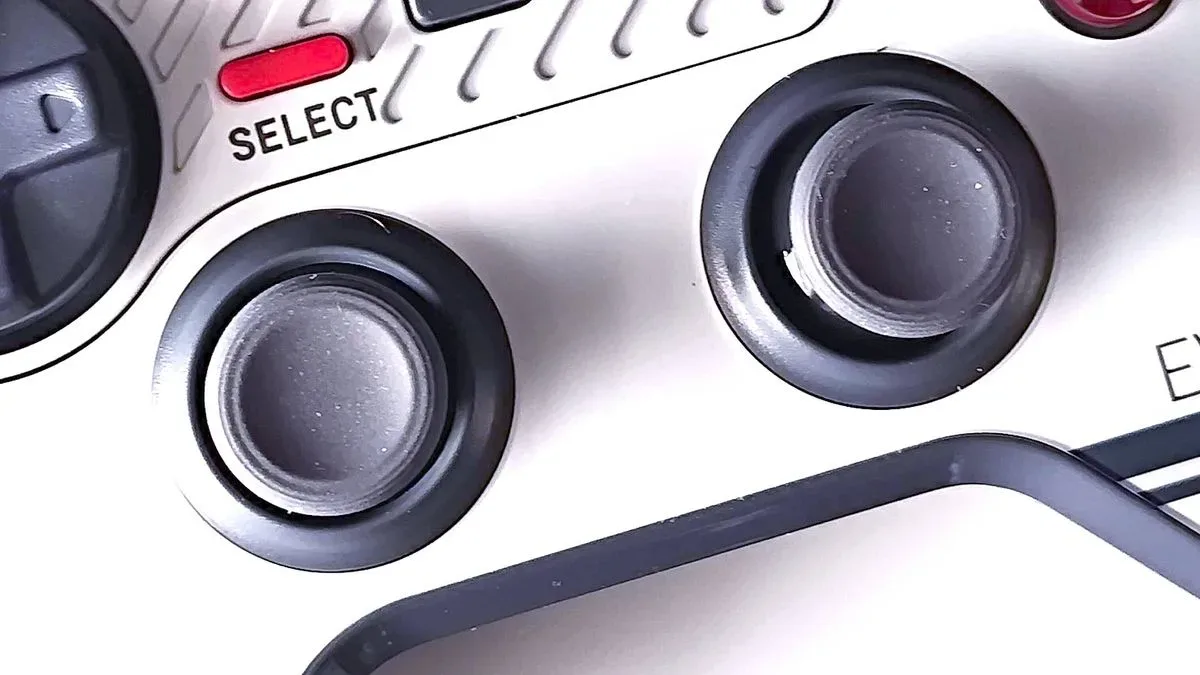
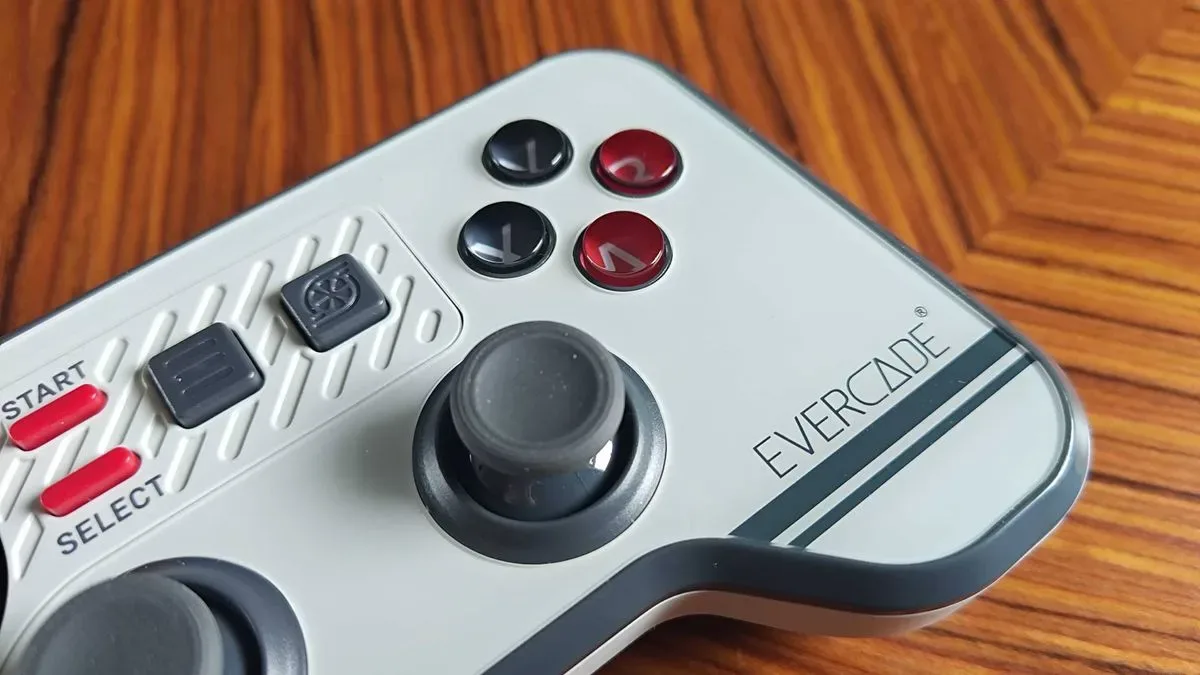
The Evercade controller uses a symmetrical arrangement, with both sticks set beneath the D-pad and face buttons. Players accustomed to PlayStation-style pads may find this instantly familiar. Those who prefer an offset, asymmetrical layout may find the sticks relatively close together, particularly if they use more of their thumb than the fingertip while playing. The sticks are concave and rubberized, though, and their full-size design is a notable choice on a controller whose front face is already densely arranged.
That full-size approach matters. Small thumbsticks can help manufacturers shrink a controller, but can compromise leverage and comfort. Evercade’s choice gives the new pad a more substantial control surface for games that need analogue movement, even if it contributes to the unit’s broad, chunky silhouette.
Its most distinctive feature is also its shape
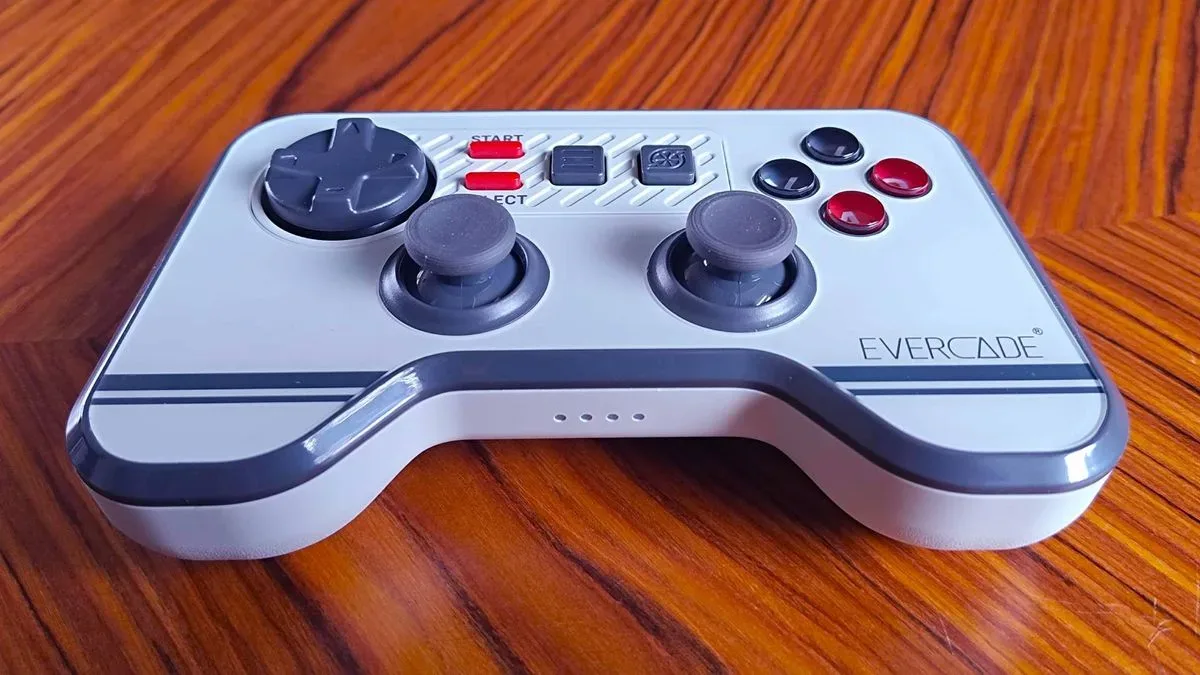
Evercade has not attempted to make an anonymous, black-plastic utility controller. Its hardware identity has leaned into glossy surfaces and bold, block-like forms since the first cartridge-based handheld arrived in 2021. The Dual Thumbstick Wireless Controller continues that philosophy with a largely rectangular body that evokes arcade cabinetry and older plastic console accessories more than contemporary ergonomic pads.
Related coverage includes Evercade Dual Thumbstick Wireless Controller Brings Analogue Play to a Growing Retro Ecosystem.
From the front, it can look uncompromising. The flat sides do not wrap around the hand in the manner of many modern controllers, and the edges are likely to be noticeable during extended sessions. Players used to deeply sculpted grips may reasonably consider the design angular or bulky.
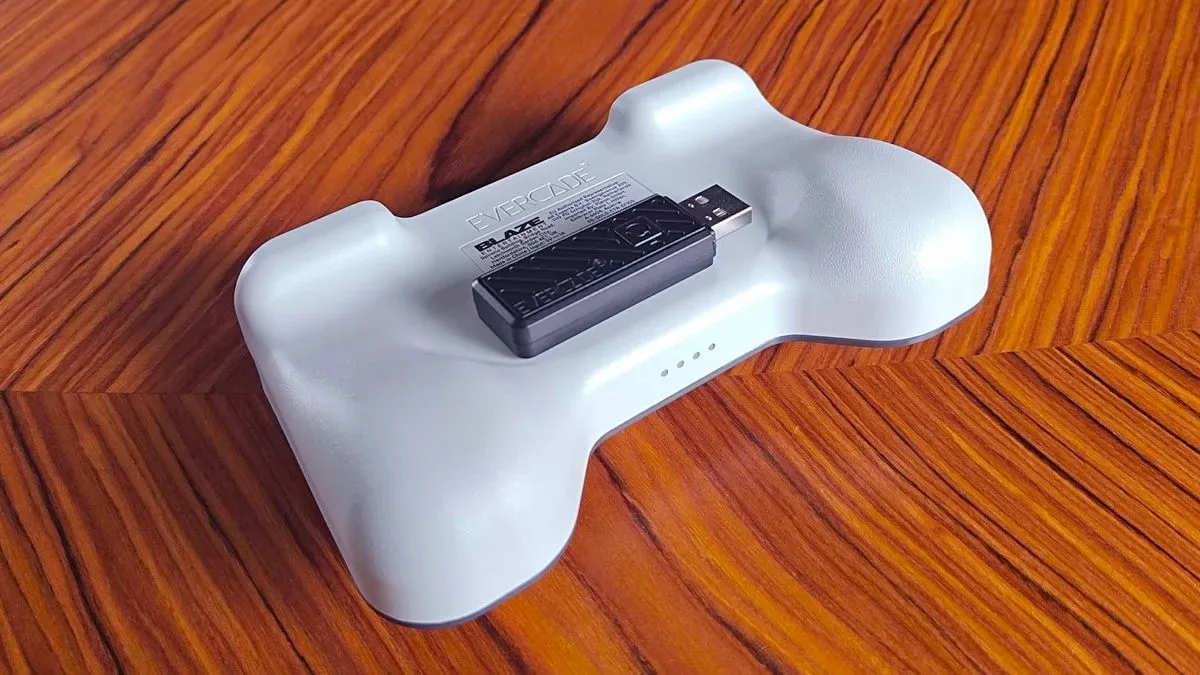
There is more shaping on the rear than the front view suggests. Subtle contours give the ring and little fingers places to settle, while the area beneath the shoulder controls makes room for the middle fingers. The low-profile digital shoulder buttons leave the index fingers resting naturally along the top edge. These details keep the pad from being simply a rectangular slab, but they do not erase the basic design decision: Evercade is prioritizing a recognizable physical identity over conventional hand-filling contours.
That can be a valid choice for a platform accessory. A console controller is more than a list of inputs; it is the object users repeatedly touch while playing, and it can make a system feel coherent. Evercade home consoles support a broad range of USB controllers, which is useful for flexibility, but a dedicated pad prevents the experience from feeling like a collection of unrelated peripherals. It also avoids the need to decipher button layouts or remap controls when switching to a third-party option.
The practical downside is simple: distinctive is not the same thing as universally comfortable. Anyone sensitive to controller shape should take the square-ish chassis seriously as part of the purchase decision, rather than assuming twin sticks alone make this a modern ergonomic equivalent.
Buttons and directional controls suit the platform’s mixed library
Analogue sticks may be the headline feature, but the controller still has to cover a catalogue filled with digital-first games. Its membrane face buttons are tactile, though their travel is relatively shallow. The floating D-pad is a more encouraging element for players of fighting games and other titles that demand clean directional transitions. It avoids major pivoting problems, helping with rolling directional commands in games such as Street Fighter.
The four shoulder buttons are digital rather than analogue triggers. In practical terms, a digital button reports a press or no press, while an analogue trigger can report a range of pressure positions. For much of the retro material Evercade is built around, digital shoulders are appropriate and their clicky feel is a benefit. But this is another sign that the controller is engineered around the platform’s existing character rather than trying to reproduce every expectation established by current console pads.
Rumble is also absent, in line with Evercade ports. That omission should not be read as a missing feature uniquely created by this controller; it reflects the software ecosystem it is intended to serve. The more important question is whether its inputs match the games available on the system, and the combination of a competent D-pad, accessible shoulders and two analogue sticks gives it coverage across old and newer-styled Evercade releases.
Potentiometer sticks are the clearest long-term question
The biggest technical caveat is inside the sticks. The Dual Thumbstick Wireless Controller uses traditional potentiometer modules rather than Hall effect sensors.
A potentiometer is a component that measures the stick’s physical movement through a variable electrical resistance. It is a long-established controller design, but physical contact and wear can eventually affect its readings. One possible symptom is stick drift: the controller registers movement even when the stick is intended to be centered. Drift is not inevitable on every potentiometer controller, and longevity can vary considerably, but the mechanism is a familiar concern for buyers.
Hall effect sticks use magnetic sensing rather than the same contact-based approach. The technology has become more common in affordable gamepads, including options from brands such as 8BitDo and GameSir. That expanding availability makes the absence of magnetic sensing on an Evercade controller more conspicuous than it might have been in an earlier hardware cycle.
This does not make the Evercade pad unfit for purpose today. Its sticks are positioned to provide the analogue movement its library increasingly needs, and no evidence here establishes a particular failure rate. It does mean buyers who prioritize repairability and long-term resistance to wear may prefer to compare alternatives carefully. Evercade Alpha and VS systems can work with other USB pads, so the platform does not lock players into this one design.
For anyone using an Evercade as part of a wider retro setup, it is worth remembering the product’s intended role. This is not presented as the definitive controller for a custom emulation station. A specialized third-party pad may offer different stick technology, wireless standards or ergonomic preferences. For related preservation-software developments, see the latest Vita3K development snapshot.
Bluetooth wireless play, dongle included
The controller’s wireless system also deserves a close look. It ships with a Bluetooth receiver dongle rather than a dedicated 2.4 GHz wireless receiver. Bluetooth support is a sensible route for compatibility with existing Evercade home hardware, but some players favor 2.4 GHz connections for latency-sensitive games.
Latency is the delay between an input and the on-screen result. The total perceived delay in a game can come from the controller, wireless transmission, console processing and display. Competitive players and fans of rhythm games or precise fighting games often scrutinize every part of that chain. Bluetooth therefore remains a potential concern for players who want the most direct-feeling wireless response, even though many players may not notice meaningful lag in ordinary use.
There is an upside to the Bluetooth decision: battery efficiency. The controller is rated for up to 15 hours on a charge. That is a useful figure for a living-room accessory, especially one likely to be passed around for local multiplayer, and it helps explain why Blaze may have favored Bluetooth over a 2.4 GHz system despite supplying a dongle.
The receiver attaches magnetically to the controller’s back for storage, which is a welcome attempt at solving the small-dongle problem. USB remains the fallback when wireless use is not desired or the receiver cannot be found. Connected to a PC by cable, the pad presents itself as an Xbox 360 controller, a widely understood input standard that can simplify setup in supported games.
The wireless support is for Evercade home consoles, not the handhelds. Buyers with a handheld-only Evercade collection should not assume this controller serves as a cross-device upgrade. Its value is centered on the television-connected side of the range and on PC use through USB.
Who should consider the Dual Thumbstick Wireless Controller?
The strongest case is for existing Evercade Alpha or VS players who want a native-feeling controller as the system accommodates more early 3D games. It gives the platform a dedicated analogue option without abandoning the D-pad and button-focused approach needed for its extensive 2D catalogue. Its styling also clearly belongs to Evercade, something a generic USB gamepad cannot replicate.
It is less compelling for a buyer seeking the absolute best-value all-purpose retro controller. The potentiometer sticks will be a sticking point for shoppers who expect Hall effect technology, the shell will not suit every hand, and Bluetooth will not satisfy every wireless purist. Broad USB controller compatibility means those users have alternatives, rather than a closed-door choice.
Still, the accessory does something important for Evercade: it makes the platform’s growing 3D ambitions feel supported by dedicated hardware rather than merely tolerated through compatibility. That may be more valuable than chasing a generic specification contest. The Dual Thumbstick Wireless Controller is a characterful, serviceable pad with well-defined compromises—one that strengthens Evercade’s identity while finally giving its home-console players two sticks to work with.