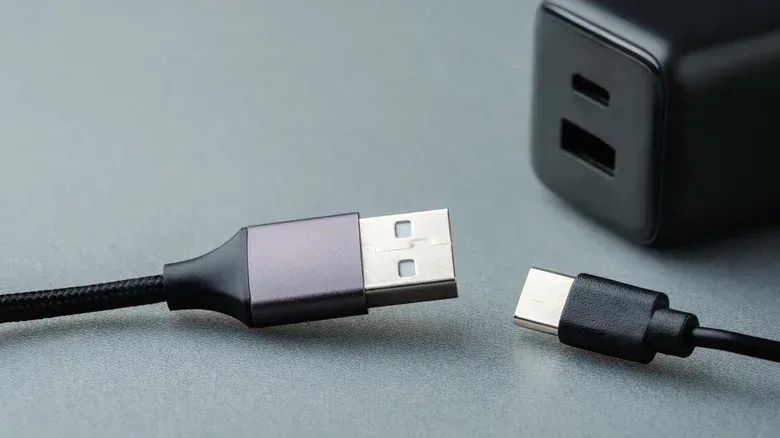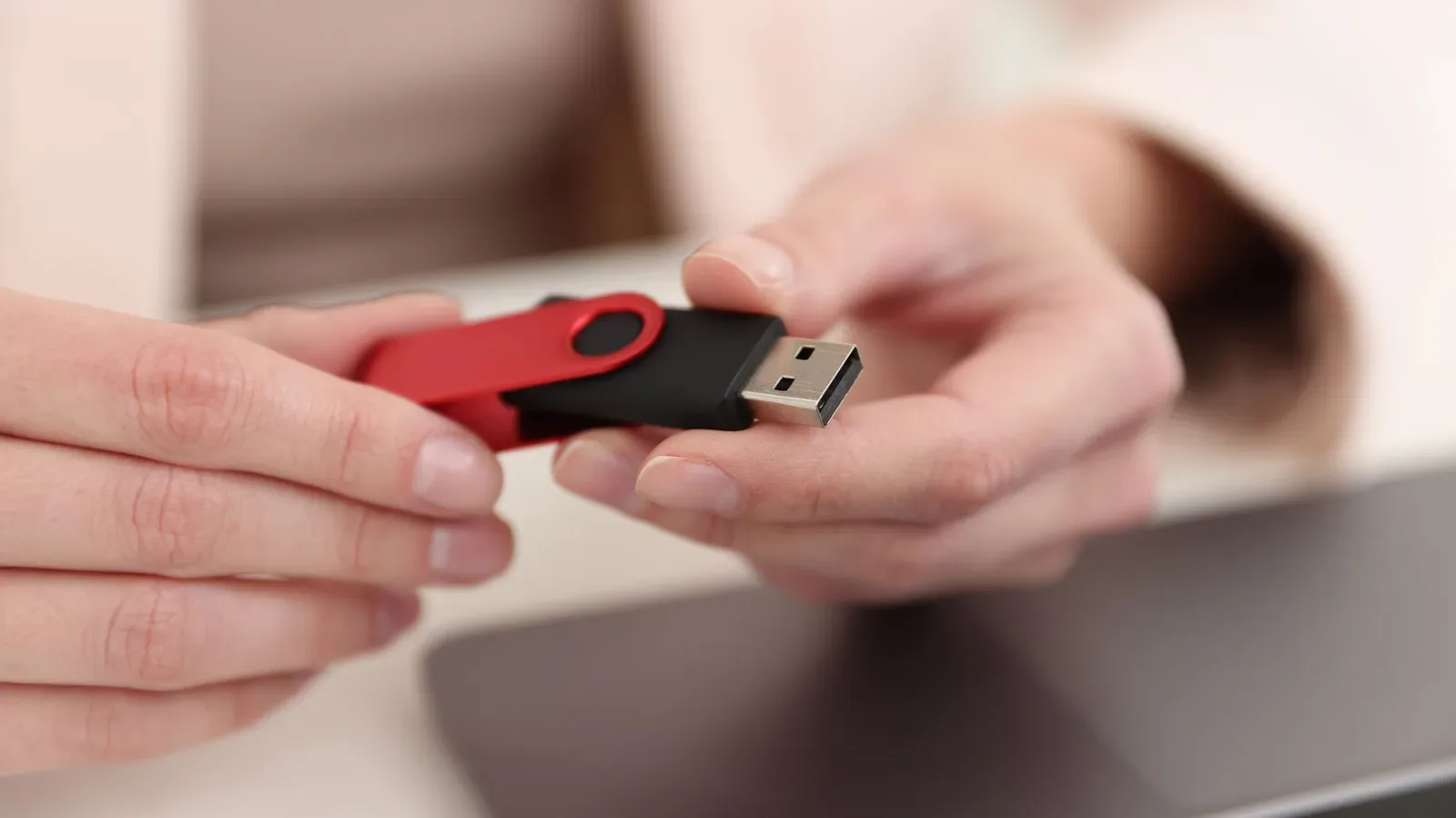
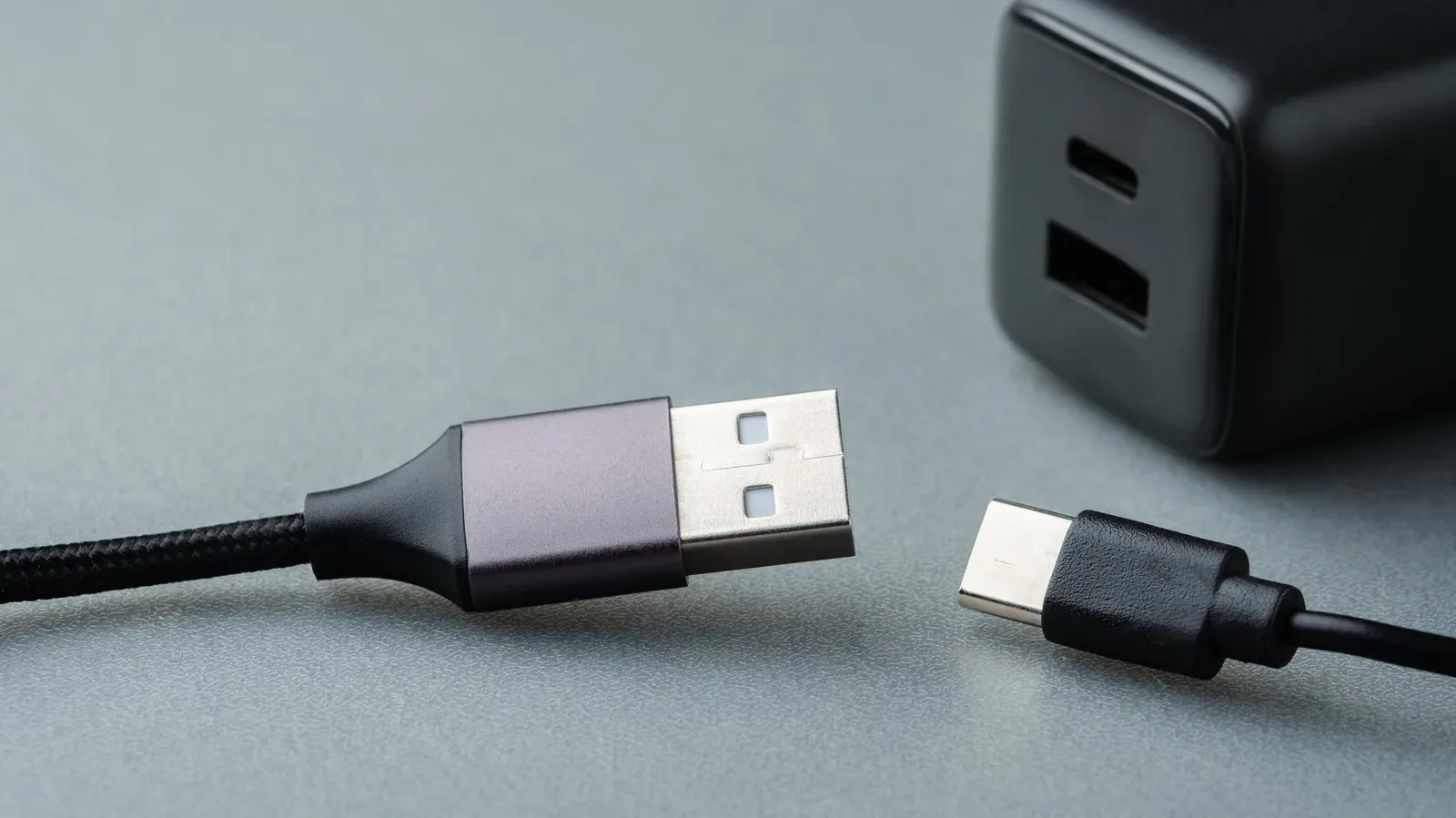
Look at the metal end of a conventional USB Type-A plug—the broad rectangular connector found on countless keyboards, mice, flash drives and charging cables—and there is a good chance it has two square openings punched into its top surface. They are easy to overlook because they are not the part that carries power or data. But they do a quietly important job: they help keep the plug in the port.
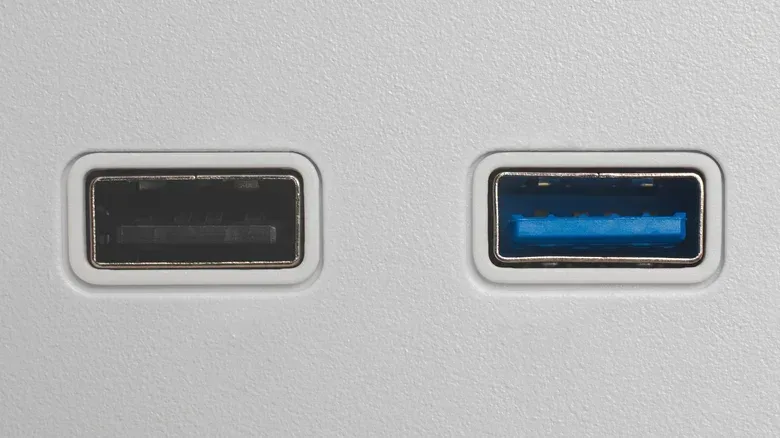
The holes are part of USB-A’s retention mechanism, the physical system that prevents a connected cable or peripheral from slipping out during ordinary use. In the matching female USB-A port, spring-loaded retention clips press into those openings as the plug is inserted. That is the small mechanical engagement behind the familiar feeling—and often audible click—when a USB-A connection seats properly.
It is an unglamorous bit of engineering, but it explains why a USB cable can remain connected while a device is charging, a keyboard is being used or files are moving to storage. The connector is not merely held in place by a snug rectangular fit. Its port-side clips have specific places to latch.
The holes belong to the plug; the spring clips live in the port
USB terminology can make this sound more complicated than it is. The male connector is the plug at the end of a cable or device. The female connector is the port or receptacle it enters. On a standard USB-A connection, the two square holes are located in the metal shell of the male plug, while the spring-loaded clips are inside the female port.
As the plug goes in, those clips meet the square openings and catch. The result is enough holding force to resist incidental tugging or movement, while still allowing the cable to be removed with a firm pull. It is a practical middle ground: USB-A is not intended to be permanently fastened like a screw-secured display cable, but neither should it fall free during normal peripheral use.
That design matters because USB-A was made to simplify connections for plug-and-play hardware such as keyboards and printers. “Plug-and-play” describes equipment intended to be connected and used without a complicated setup process. A broadly compatible port loses part of that convenience if every device needs its own locking screw, latch release or special fastening procedure. USB-A’s retention clips let the connection feel simple while adding a modest mechanical lock.
The ports are designed for thousands of insertion-and-removal cycles. In everyday terms, the act of plugging in a flash drive, unplugging a keyboard or swapping a cable is not inherently outside the connector’s intended use. A proper insertion should feel secure rather than loose, and the clips’ engagement is one reason for that.
Why USB-A only goes in one way
The square holes provide retention, but they do not make the plug reversible. USB-A has a specific orientation, so users have to align the plug correctly before it will slide into the port. Anyone who has flipped a USB-A cable over and tried again has encountered the consequence of that design.
That distinction is useful: retention answers “how does it stay connected?” while orientation answers “which way does it go in?” USB-A solves the first question with clips and holes, but it still requires the right answer to the second. The connection should not be forced when it resists insertion. Turning it to the correct orientation is the appropriate response.
The original Universal Serial Bus was developed in the late 1990s by Intel, Microsoft, NEC, IBM, Compaq, DEC and Nortel. USB Type-A became familiar because it offered a common interface for peripherals rather than asking people to maintain a separate cable and port standard for every basic accessory. Its physical shape and its retention hardware were part of that wider convenience proposition.
USB has since progressed considerably in capability. USB 4, for example, brought major advances in power delivery and data-transfer speeds. Yet connector shape and performance standard are separate ideas worth keeping straight. The visible USB-A form factor is an older, non-reversible physical design; newer USB standards represent advances in what USB connections can do. That is why a connector’s appearance alone does not tell the whole story of its capabilities.
USB-C uses a different answer to the same physical problem
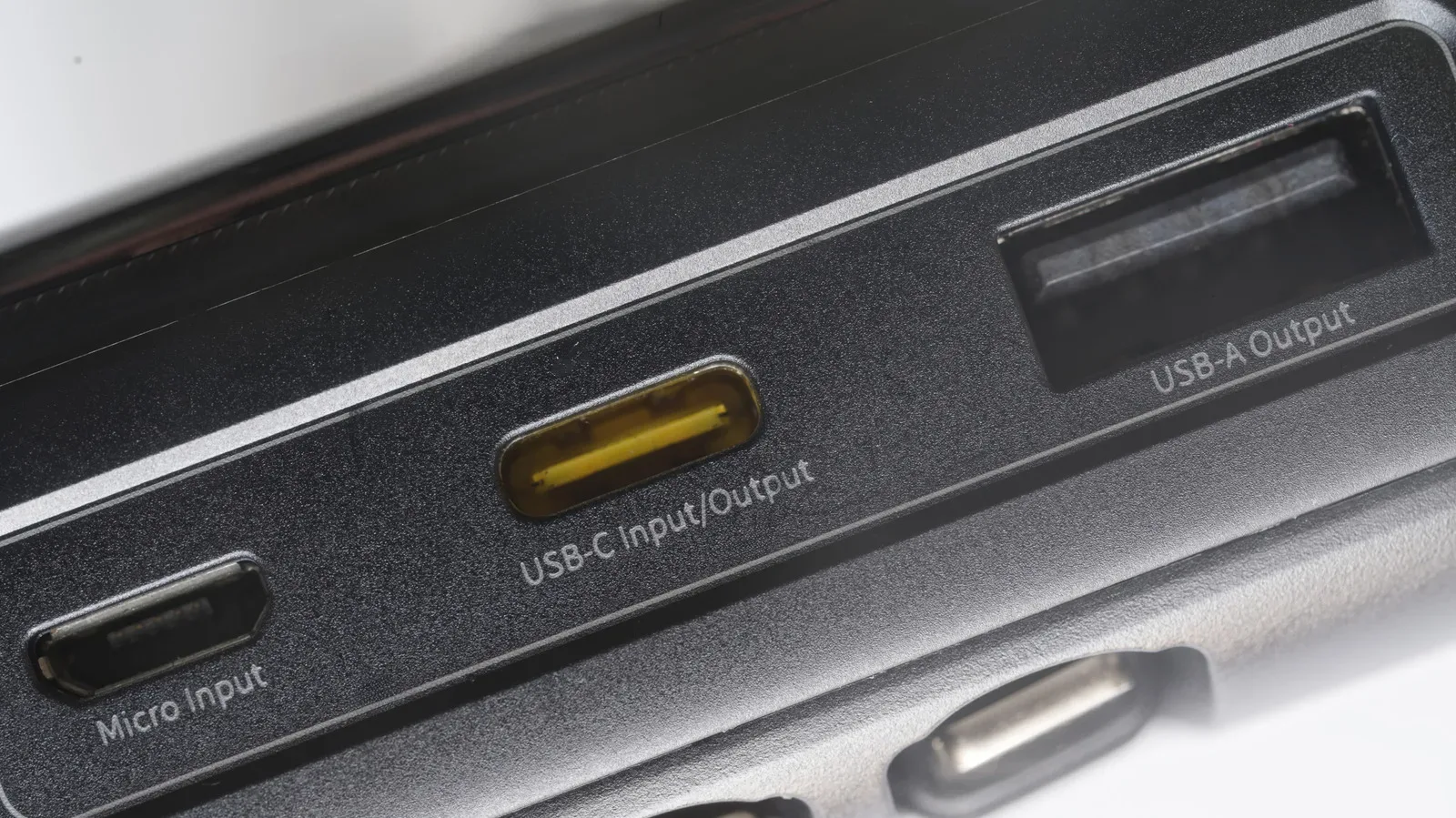
USB-C has become the prevalent connector for charging and data transfer, and it avoids USB-A’s orientation problem. Its reversible design means either side can face up when the connector is inserted. It also has no need for the two square holes characteristic of USB-A.
Instead, USB-C’s retention arrangement uses spring-loaded tabs inside the female port that latch into notches in the connector. The goal is similar—keep the cable connected until someone deliberately disconnects it—but the construction differs. The retention features are tailored to a smaller reversible connector rather than a rectangular plug with exposed square openings.
This is a helpful correction to a common visual assumption: the lack of square holes does not mean USB-C has no mechanism to stay in place. It has one; it is simply built differently. The tabs and notches perform the retention role without requiring the large USB-A-style cutouts.
For users, the practical improvement is immediate. USB-C removes the need to inspect which side of the plug is facing upward before connecting it. That is especially useful with devices that are frequently charged or moved. Meanwhile, USB-A remains common around desks, offices and accessory collections, so the older connector’s little locking holes are still far from obsolete.
Connector transitions also tend to happen gradually. A person may use USB-C for a modern phone or charging lead while still relying on USB-A ports for a mouse, keyboard, storage device or other familiar peripheral. As with other technology shifts that move from impressive capability to everyday routine, the details that appear insignificant often shape the experience; our look at technologies moving from demos to daily life explores that broader pattern.
Other connectors show there is no single way to hold a cable in place
USB-A’s clip-and-hole arrangement is one approach among several. DVI, a video connector associated with an older era of display hardware, uses large screws to secure its three-row pin grid. The priority there is a firmly fixed video connection. Screws make the attachment more deliberate: the cable is tightened into place rather than simply pushed in until clips catch.
That comparison makes USB-A’s compromise clearer. DVI’s screws can provide a very positive physical fastening, but they ask more of the user each time the cable is connected or removed. USB-A trades that procedure for push-in convenience, with spring clips supplying the resistance needed for ordinary use.
Micro-USB illustrates another variation. Some Micro-USB connectors placed spring-loaded clips on the male connector rather than in the female port. This reversed the location found in USB-A. That decision was presented as an improvement over the thin plastic tongue mechanism of Mini-B: when the spring contacts wore out, replacing the cable could address the issue rather than requiring an upgrade to the port-bearing device.
That is a useful design lesson, even for people who no longer use Micro-USB regularly. The location of a wear-prone mechanical part has practical consequences. Put that part on a cable and replacement may be comparatively straightforward; put it in a device’s port and the outcome can be more inconvenient. USB-A, Micro-USB, USB-C and DVI therefore arrive at different balances between convenience, durability, size and how positively a connection is retained.
The move toward USB-C does not erase USB-A overnight
USB-C’s spread has been encouraged both by its practical design and by policy. Micro-USB was the European Commission’s preferred mobile-device connector in 2009, but the landscape changed when the European Union required smartphone makers to move to USB-C by 2024. Apple, long associated with its 30-pin connector and Lightning port, shifted the iPhone lineup to USB-C with the iPhone 15 in 2023.
Those developments help explain why USB-C now feels normal on contemporary phones and many current devices. They do not mean USB-A has vanished. USB-A remains a recognizable, common part of the accessories market and workplace setups. The result is a mixed world: small reversible USB-C connectors on newer equipment, alongside rectangular USB-A ports that continue to link a large population of established peripherals.
A quick visual guide for the cable drawer
- USB-A: Broad rectangular plug, normally with two square retention holes in its metal shell. It must be oriented correctly before insertion.
- USB-C: Smaller reversible connector. Its retention comes from port-side spring tabs engaging connector notches, not USB-A-style square holes.
- Micro-USB: An older mobile-device connector whose spring-loaded clips could be located on the male connector in some designs.
- DVI: An older display connector with a three-row pin grid and large screws that fasten it in place.
So the next time a USB-A plug clicks into a port, those two squares deserve a little credit. They are not styling, ventilation or a mysterious manufacturing mark. They are anchor points for spring-loaded clips—a compact solution that helped make a once-ubiquitous connector suitably secure for the routine work of powering peripherals, transferring data and keeping accessories attached.