An old laptop in a drawer or a desktop that has been quietly gathering dust does not have to remain a monument to past browser tabs. If it is still functional—particularly if it is less than a decade old—it can become a home media server: a computer that stores your personally and legally sourced video, music and other media, then sends it to compatible apps on devices around your household.
The appeal is straightforward. Rather than moving files from device to device, the server keeps the library in one place. A television, phone or tablet runs a client app that connects to that central machine and plays the selected file. It is a private, self-managed alternative to subscription streaming for media you already have the right to keep and use.
This is not necessarily a project reserved for people who collect network diagrams like trading cards. At its simplest, it can mean a reset Windows 11 PC, a media-server application and an organized media folder. At the more involved end, it can mean Linux, multiple drives, redundant storage and carefully configured network access. The important thing is to choose the version of the project that matches the hardware and the amount of maintenance you actually want.
Start with the operating system, not the software rabbit hole
The first meaningful decision is whether the retired PC should retain Windows or be switched to Linux. Neither is automatically the right answer. Plex and Jellyfin, the two best-known server options here, can run on both. For someone who prefers familiar menus and wants a direct path to a working household server, Windows remains a sensible route.
Linux is worth considering because it is generally lighter on system resources. That matters when the hardware is old or modest: fewer resources committed to the operating system potentially leave more room for the server itself. Linux also offers distributions aimed at server use, while general-purpose server distributions such as Fedora Server and Ubuntu Server provide room to explore multiple media-server approaches.
Security is the stronger reason not to leave an internet-connected machine on an unsupported version of Windows. Windows 10 is past its end-of-service date, so a PC that cannot move to Windows 11 should not simply stay on that unsupported installation and be connected online as a server. In that situation, a Linux distribution is a practical alternative to consider. The project is about rescuing old hardware, not giving malware a nostalgic new apartment.
If Windows 11 is staying, begin clean
A machine dedicated to serving media benefits from a fresh start. Before resetting it, copy anything worth retaining to an external SSD or hard drive. On Windows 11, the reset route is available through Settings > System > Recovery > Reset PC, after opening Settings with Win + I. The process can take a considerable amount of time on lower-powered systems, so it is not an instant transformation—but it is a relatively accessible foundation for a machine with one clear job.
A clean install also makes the practical boundaries clearer. The computer needs to remain powered on when people want to stream from it, and its media folders need to stay available to the chosen server app. The goal is not to turn every old PC into a data-center rack; it is to give a machine a stable, focused second life.
Storage is the part that determines how much library you can realistically keep
Media files can consume space quickly, especially for a growing video collection. It is possible to keep the files on the same drive as the operating system, but doing so puts the system and library together in one place. If that drive fails or the installation goes wrong, the consequences can extend beyond reinstalling an app.
Using separate storage for the media library creates a cleaner divide between the computer’s operating system and the files the server is meant to protect. It does not make the collection invulnerable, but it recognizes that the library may be the irreplaceable part of the setup.
More ambitious home-server builders often use several drives and redundancy through RAID. RAID is a way of arranging multiple storage drives so that drive failure can be less catastrophic, depending on the setup. The trade-off is important: redundant arrangements require additional configuration and reduce the total storage that is usable for files. In return, they can provide reassurance when a drive dies or another storage emergency occurs.
That balance is an example of a wider rule for this project: choose complexity in response to a real need. A modest library and a beginner-friendly setup do not require a multi-drive architecture on day one. Conversely, anyone building a substantial library should think about what happens when hardware fails before it happens. Server software organizes and delivers media; it cannot magically restore files that were never protected.
Plex, Jellyfin and Emby offer different kinds of convenience
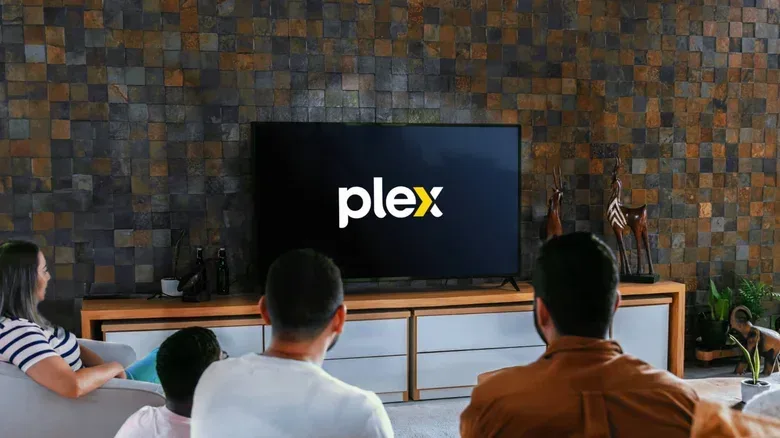
Once the operating system and storage plan are in place, media-server software provides the layer that catalogs folders and delivers content to client apps. Plex and Jellyfin are the leading choices in this comparison, and each makes a different bargain between ease, cost and control.
Plex is positioned as the more straightforward starting point. Initial setup is easier, and after configuration it can require little attention. The catch is that some advanced functions sit behind a subscription. That arrangement may suit users who value automation and a low-maintenance experience, but it is something to weigh before making it the center of a long-term library.
Jellyfin is free and open source. “Open source” means its software is available under a model that gives users greater control over how it works, rather than requiring payment for use. It does not charge for the server features described here, but it asks more of the person setting it up. Users should be more willing to adjust server and network settings rather than expecting the defaults to handle every decision.
Neither platform confines the library to the old PC. Both provide client apps for major television platforms and for iOS and Android, which is the essential point of the exercise: choosing something from the library on the device already in the room. A home server also fits naturally alongside other PC-centered entertainment setups; anyone expanding a gaming machine’s capabilities may find our SteamVR setup guide useful for a separate, headset-focused project.
Emby is another option to examine. It occupies middle ground on ease of use, and Jellyfin originated from an older open-source version of Emby. Its pricing approach resembles Plex’s in that functions including hardware transcoding are placed behind a paywall. Its existence underscores that the decision is not a purity test. All three services offer a way to try their core proposition, but their ongoing trade-offs differ.
Transcoding is the technical word most likely to affect playback
The key capability that separates a basic server from a smoother cross-device experience is transcoding. A file may play perfectly on one device yet be incompatible with another because of its format or other playback requirements. Transcoding converts the media into a form the target device can play. It is the server stepping in as a translator so that the television, phone or tablet does not have to understand the original file on its own.
Almost any PC can run a media server, but transcoding can expose the limits of older hardware. The strongest results come from a dedicated GPU, or graphics processing unit. When the processor alone handles the work—CPU-bound transcoding—it may be slow or glitchy. That distinction matters for expectations: an old computer can be entirely capable of serving a library, while demanding conversion jobs may require more capable graphics hardware.
Plex handles the process automatically, but GPU hardware acceleration for transcoding requires a Plex Pass subscription; otherwise the work remains CPU-bound. Jellyfin offers both CPU and GPU transcoding without charging for the feature, though GPU acceleration takes a few minutes of configuration. This is a concise expression of the platforms’ broader personalities: Plex emphasizes an automated pathway, while Jellyfin gives the user more control but expects some setup effort.
For a local household library whose files already play cleanly on the intended devices, transcoding may be far less important than it sounds. For a collection expected to reach many kinds of screens, it becomes a major consideration. The practical question is not “does this old PC have every feature?” It is “will the devices in this home need the server to translate files often?”
Keep remote streaming separate from simple home streaming
Streaming within the home and streaming over the internet are not the same undertaking. Local streaming keeps the server and viewing device inside the household network. It is the approachable starting point and avoids exposing the server directly to the wider internet.
Remote access adds a security responsibility. Jellyfin, in particular, remains fairly manageable until the goal is to view media outside the home. At that point, securely connecting the server requires additional software to establish a secure tunnel. This is not a corner worth cutting: pointing an unprotected server at the internet risks malware attacks.
That is why the most sensible first milestone is wonderfully unglamorous: get legal media playing reliably on the devices inside the home. Confirm the library structure, test the TV and mobile clients, and learn whether transcoding is even needed. Only then is it worth deciding whether remote access is useful enough to justify the extra security work.
There is no universally superior stack. Windows 11 plus Plex makes a strong case for minimal friction. Linux plus Jellyfin can make better use of aging hardware and avoids feature fees, at the cost of additional configuration. Emby provides another balance of polish and paid advanced capabilities. The winning choice is the one that keeps the old machine supported, the library protected and the day-to-day experience pleasant enough that the server stays a useful household tool instead of becoming a new dust-gathering hobby.