SteelSeries is taking an unusual route with its Rival Pro wireless gaming mouse family: rather than relying on Bluetooth, a cable, or the familiar 2.4GHz wireless setup used by many gaming peripherals, it uses ultra-wideband, or UWB. The more consequential idea may be sitting beside the mouse, though. An included desktop base station receives the signal and charges a spare removable battery, so a fresh cell is intended to be waiting whenever the one in the mouse runs down.
That combination gives the Rival Pro a very particular purpose. It is not merely chasing a higher number on a specification sheet. It is attempting to solve two practical irritations of wireless PC play: crowded wireless environments and the recurring need to plug in a peripheral. At $179.99 / £169.99, it is undeniably a premium proposition, and its value depends heavily on whether either problem is familiar at your desk.
The range contains four models at the same stated price: the right-handed, asymmetrical Rival Pro; the symmetrical Sensei Pro; and Mini versions of each for smaller hands. Their underlying connectivity and operating approach are described as the same. Shape, therefore, is the main choice rather than a trade-off in wireless technology.
What UWB changes for a gaming mouse
Ultra-wideband is a short-distance, high-power wireless standard that has seen limited use in consumer technology, including tracking tags and device hand-off features. In the Rival Pro, the intended benefit is not a flashy new interaction method. It is separation from the frequencies already busy in a typical home.
Many devices around a PC communicate in the 2.4GHz and 5GHz bands. Wireless peripherals, routers, and other gadgets can all contribute to a more congested local environment. SteelSeries’ pitch is that UWB, operating at 6GHz here, avoids that particular crowd and can reduce the risk of interference that might otherwise produce an inconsistent connection.
It is important to keep the claim in proportion. UWB is not an automatic performance upgrade for every player. Someone with only a handful of wireless devices, or someone playing games where exact rapid inputs are less central, may not see a dramatic difference. The more compelling case is a desk already filled with wireless hardware, or a player focused on fast online games who has encountered interference before.
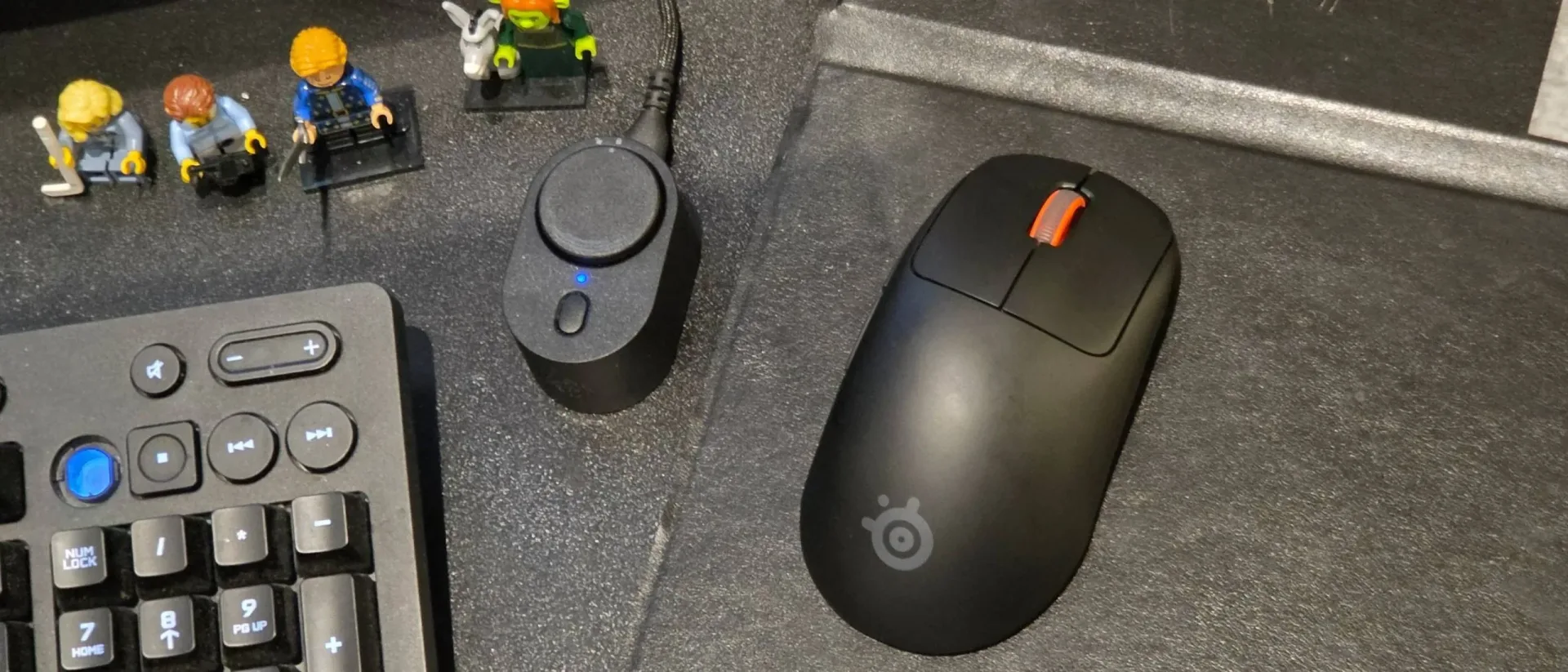
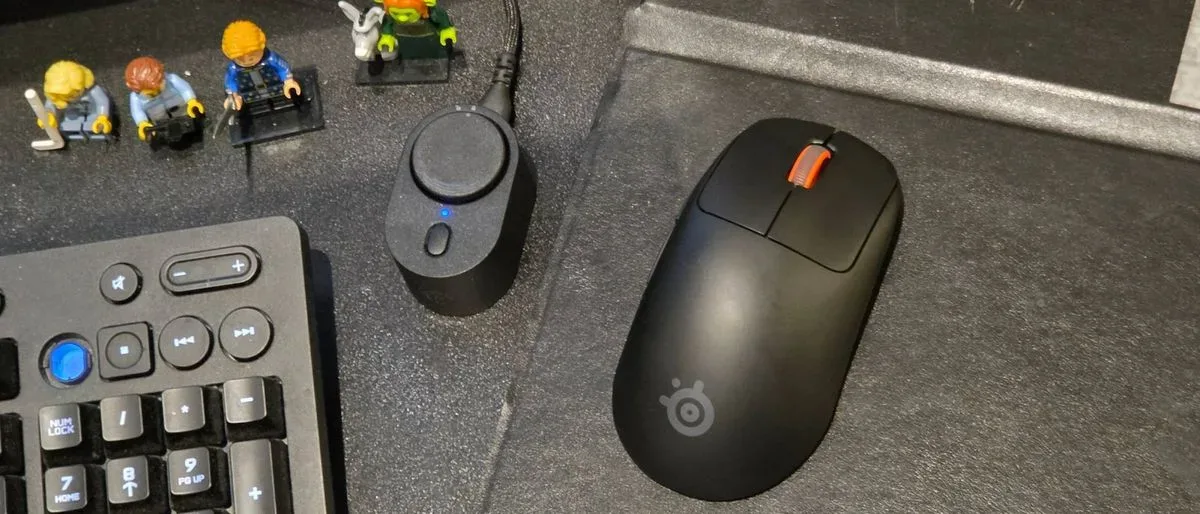
There is also a physical implication to this arrangement. UWB is short range, so the Rival Pro ships with a base station that connects to the PC over USB-C and needs a place on the desk near the mouse mat. Its cable measures two metres. That is enough flexibility for many setups, but it also introduces one more piece of desktop equipment to position and live with. For players reorganising their display and peripheral space, our guide to planning a gaming setup before GTA 6 offers related considerations for making room and checking the wider hardware chain.
The real hook is the two-battery system
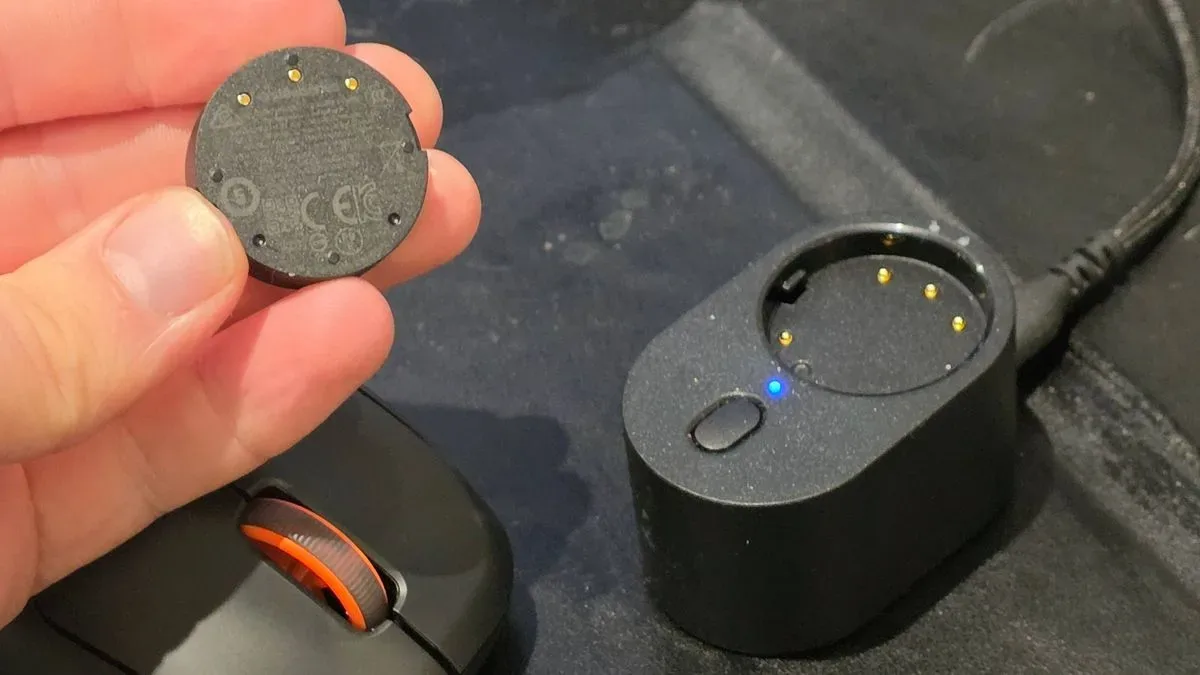
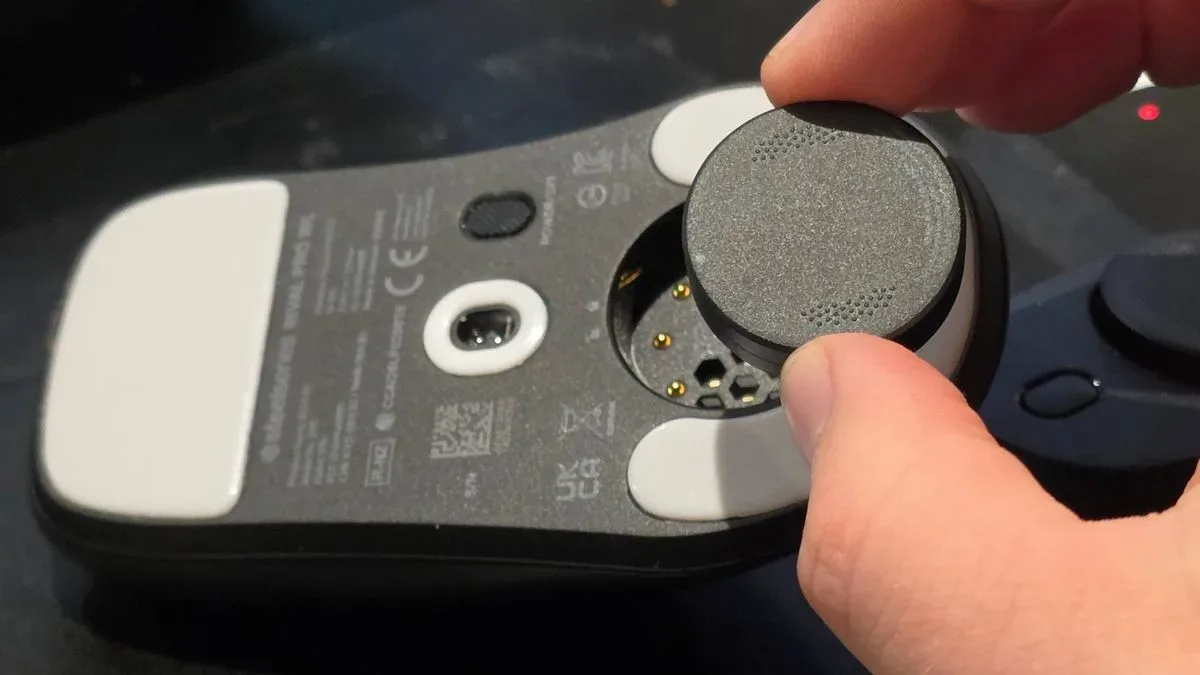
Calling the Rival Pro’s battery life “unlimited” is marketing shorthand rather than a literal claim. The mouse still uses a battery, and its runtime changes substantially with performance settings. What the system aims to remove is the charging chore: one battery sits in the mouse while the second charges in the base station. When the installed cell is depleted, the player can twist it out and exchange it for the charged spare.
Related coverage includes SteelSeries Rival Pro Review: UWB Wireless and Hot-Swap Power Make a Premium Mouse Stand Out.
That distinction matters. A conventional rechargeable wireless mouse may offer a long runtime, but it eventually asks its owner to connect a cable, stop using it, or remember to charge it between sessions. The Rival Pro instead turns power into a brief physical swap. The described exchange takes roughly five seconds, which is a much smaller interruption than discovering a flat mouse at the start of a game.
Reported runtime per charge is approximately 60 hours at a 1K polling rate and roughly 16 hours at 8K. A separate listed specification describes up to 120 hours at 1K polling, which appears consistent with viewing the two supplied batteries as a combined power pool rather than one cell’s runtime. Either way, the key practical point is unchanged: demanding polling settings draw much more power, and the spare battery is what makes that trade-off less troublesome.
There is one setup step worth making immediately. The mouse does not, by default, provide an obvious battery-level warning through the base station. The SteelSeries GG app can change the base station LED to show the mouse battery level. That makes the status visible before a sudden disconnect forces an unwanted swap at an awkward moment.
Technical specifications, translated
The Rival Pro is specified with a 42,000 DPI sensor, 800 IPS tracking speed, optical switches, six buttons, and up to 8K polling as a standard ceiling. SteelSeries GG can enable over-polling to 9K. These figures can be useful shorthand, but they are often misunderstood, so buyers should not treat the biggest number as a reason to use the highest setting all the time.
- DPI means dots per inch and describes how far the pointer moves in response to physical mouse movement. Higher DPI enables faster cursor movement, but it is a sensitivity preference rather than a direct measure of aiming skill or accuracy.
- IPS, or inches per second, refers to the maximum tracking speed the sensor is rated to follow. An 800 IPS rating is a high ceiling intended to prevent loss of tracking during rapid swipes.
- Polling rate is how frequently a mouse reports its position and button state to the PC. A 1K setting reports up to 1,000 times per second, while 8K and 9K raise that rate substantially. Higher polling can reduce the interval between reports, but it also comes with the clear battery cost shown by the Rival Pro’s estimates.
- Optical switches use a light-based mechanism to register clicks. The Rival Pro’s main buttons are described as smooth across their faces, while its side buttons require a firmer press that can help avoid accidental inputs.
The GG software is where players can create profiles with different polling and sensor report rates, reassign buttons, adjust acceleration or deceleration, and adapt cursor direction to natural hand rotation. The base station has a button for changing profiles while playing; a DPI/power control on the mouse’s underside can do the same. The mouse works without the app, but the software is required for the deeper configuration options and for the useful LED battery indicator.
Design choices: compact, restrained, and desk-dependent
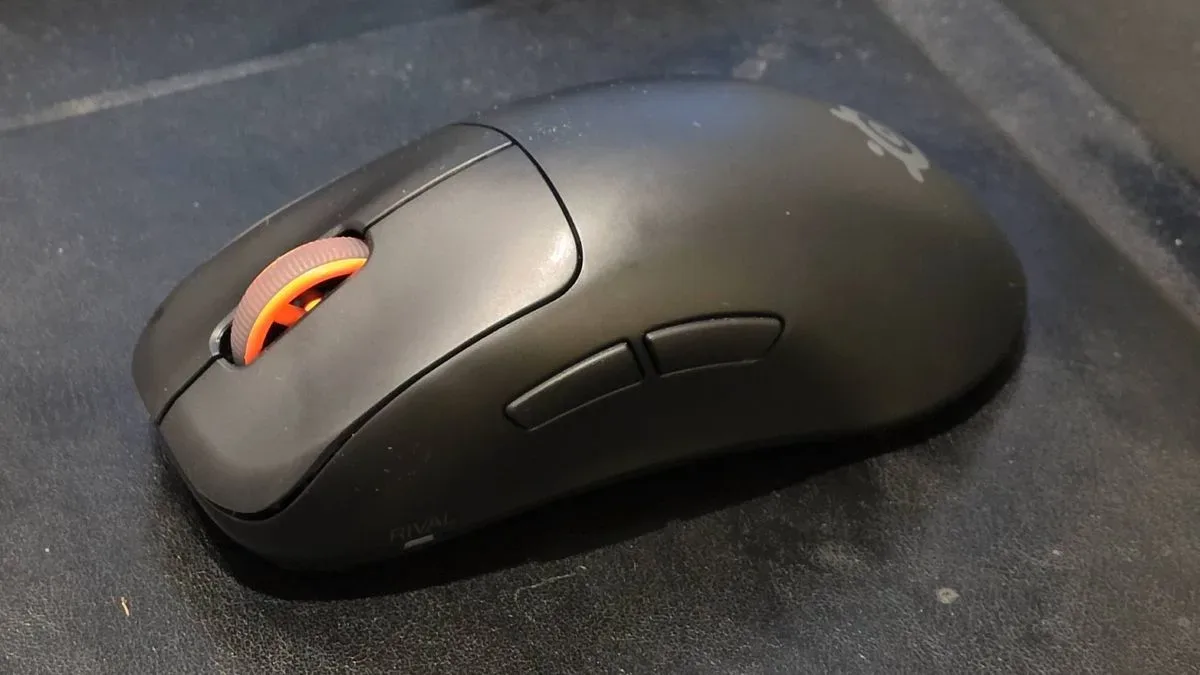
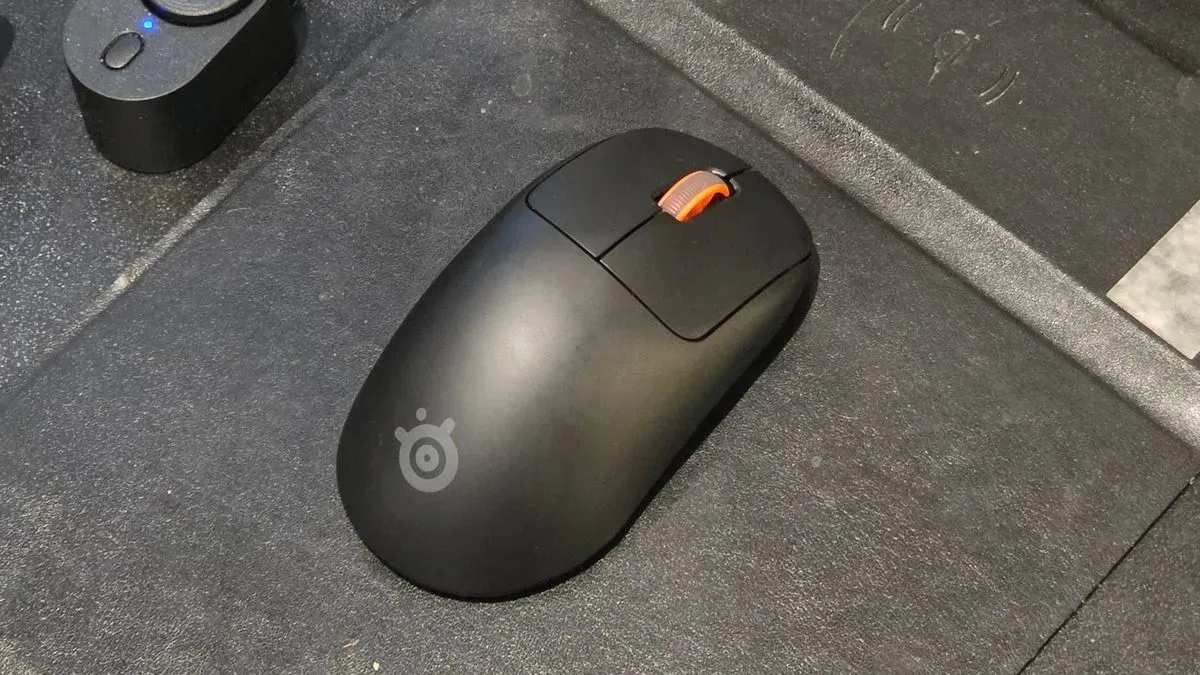
Visually, the Rival Pro is restrained. It comes in black or white, with an orange scroll wheel and grey logos providing the contrast. Its asymmetrical right-handed body has only a mild tilt rather than an aggressively sculpted ergonomic profile. The Sensei variant is the option for those who prefer a symmetrical shape.
The standard Rival Pro measures 120.7mm long and 65.4mm wide. It is not a large mouse, though the available evidence suggests it should remain comfortable for all but especially large hands; players who know they prefer a smaller shell can look to the Mini models. The listed weight is 53g, while an account of hands-on use refers to a 49g figure, so prospective buyers should check final retailer or manufacturer specifications if a few grams will influence their decision.
The removable battery, plus the DPI and power control, sits on the underside. This keeps the top surface clean, but means the mouse itself does not offer an easily reachable DPI button during a match. The base station partially compensates by providing profile switching on the desk.
Build feel is the most notable caveat. The plastic body has been described as comparatively cheap and somewhat flimsy in hand, an impression not helped by its low weight. That did not reportedly impair use, but it is a legitimate concern on a $179.99 peripheral where buyers may reasonably expect long-term confidence as well as low mass.
The main click response is smooth regardless of where it is pressed, while the two side buttons have a firmer feel. Their elevated placement may take adjustment and can make them less immediate in frantic moments. Conversely, their resistance reduces the likelihood of unintended presses. The scroll wheel is smooth and easy to click, but its steps can be easy to pass over accidentally. The mouse is not presented as especially quiet apart from that wheel.
Who should consider the Rival Pro?
The strongest buyer case is specific: a PC player who experiences interference in a heavily wireless environment, dislikes cable charging, and can accommodate a receiver-and-charger base station near the mouse mat. For that person, UWB and hot-swappable power are not novelty features. They are a different maintenance model for a wireless mouse, one that leaves a charged battery ready instead of leaving the mouse tethered.
It also suits someone comfortable tailoring settings by game. A player can maintain lower polling for general PC use or longer runtime, then switch to a more aggressive profile for the titles where rapid input reporting feels worthwhile. The base-station control makes that approach more practical than burying it in software each time.
Buyers looking only for the absolute most refined physical design or strongest specifications relative to price should be more cautious. The Rival Pro does not claim a simple across-the-board win against every similarly priced option, and the questions around the shell’s perceived sturdiness deserve consideration. UWB itself is also not a universal need; a stable 2.4GHz setup can remain entirely adequate for plenty of people.
SteelSeries’ more distinctive argument is that a mouse can be judged by the interruptions it prevents. The Rival Pro’s UWB link is designed to avoid a busy wireless lane, while the dock keeps the next battery preparing off to the side. It is a premium mouse with a premium desk footprint, but for the right setup, the spare charged cell may prove more valuable than any headline sensor figure.