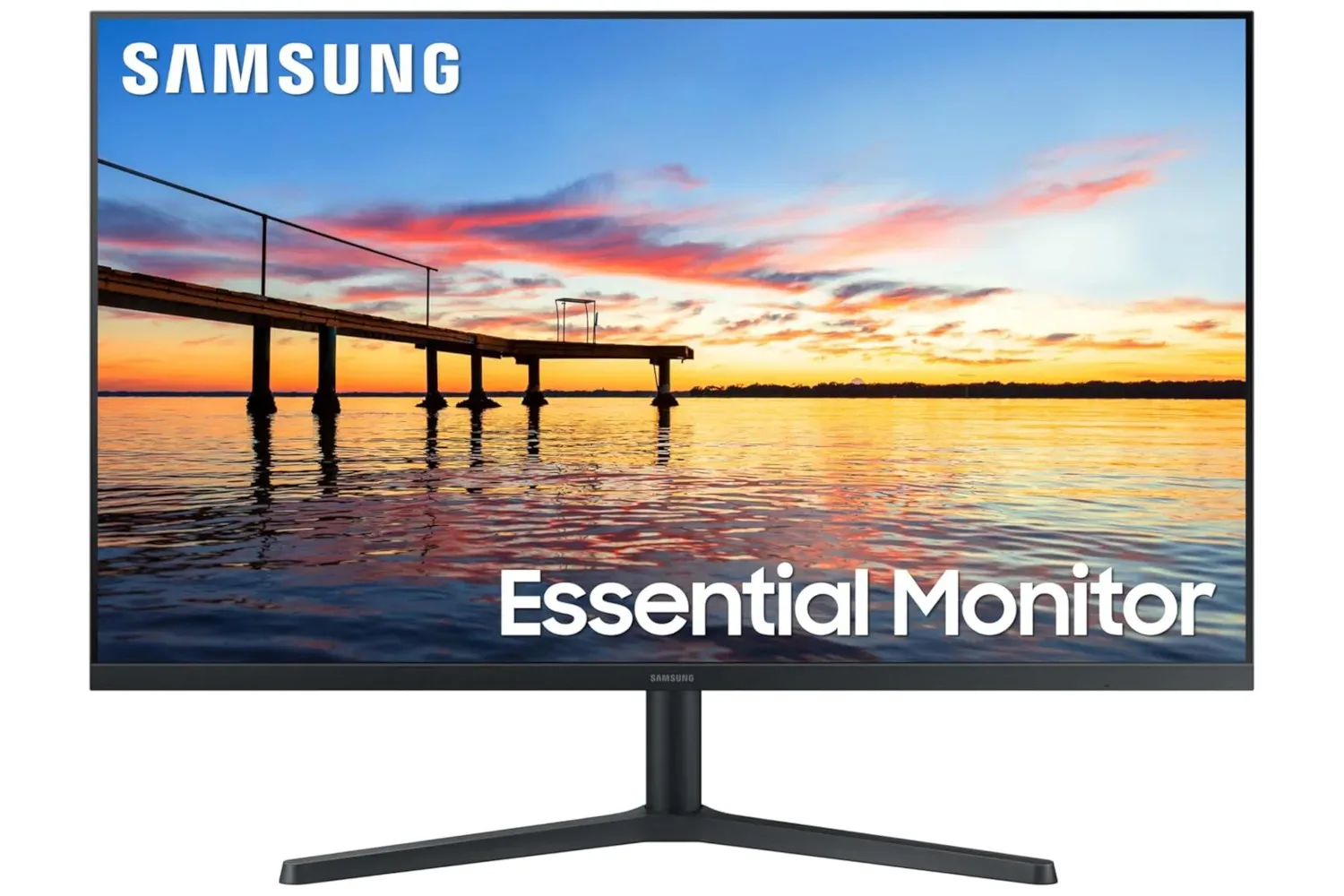
A Samsung 32-inch flat computer monitor is listed at $142 as part of a Black Friday promotion, representing a stated 29% discount. The offer is described as time-sensitive, although no end date has been specified, so shoppers should verify the live price and listing details before treating that figure as final.
The headline appeal is straightforward: a physically large screen from a major display brand at a price typically associated with more basic options. The monitor is positioned as a flexible all-purpose screen rather than a cutting-edge competitive-gaming model, with a 75Hz refresh rate, AMD FreeSync support, a dedicated Game Mode and Samsung’s Eye Saver Mode among the cited features.
What the deal includes
The available details identify a 32-inch flat display with “HD visuals,” though they do not specify its exact resolution. That is an important distinction for anyone shopping primarily for sharp text, detailed creative work or high-resolution PC games: screen size alone does not tell buyers how dense or crisp the image will look. Prospective buyers should check the product page for the panel resolution, connectivity, stand adjustment and compatibility details that matter for their desk setup.
What is confirmed is that the display runs at up to 75Hz. Refresh rate measures how many times per second a monitor can update the image. A 75Hz panel can offer a modestly smoother presentation than a conventional 60Hz screen in desktop movement, scrolling and supported games. It is not built around the much higher refresh rates sought by players focused on fast competitive play, but it can make sense for people who want a large general-use monitor that can also handle casual gaming.
The screen also uses a three-sided, near-borderless design. That does not change the image itself, but slimmer bezels can make a large display feel less visually bulky and can be useful when it is used alongside another monitor. For a secondary screen, that could mean more comfortable space for chat, web pages, a guide, music controls or a stream while a game runs on the primary display.
FreeSync is the gaming-focused feature to understand
AMD FreeSync is included. In plain language, FreeSync is a variable-refresh-rate technology intended to better match the monitor’s refresh behavior to the frame output of a compatible graphics system. Frame rate is the number of game images a PC produces each second, while refresh rate is the monitor’s capacity to present updated images each second. When those are poorly aligned, players can see screen tearing: portions of two different frames appearing on screen at once.
Variable refresh rate can reduce that kind of visual mismatch and may help motion look more consistent when a game’s performance changes. It is a practical feature for PC gaming, especially in games where frame rate does not remain perfectly fixed. Still, FreeSync should not be interpreted as a substitute for graphics performance. It cannot add frames that a PC cannot render, and it does not turn a 75Hz display into a high-refresh esports panel.
Compatibility also deserves a quick check before purchase. The supplied information says FreeSync is supported, but does not list connection types, supported operating modes or graphics-card requirements. Buyers planning around this feature should confirm that their PC, cable and intended connection can use the display as expected.
Related coverage includes Samsung's 32-Inch Flat Monitor Drops to $142 for Black Friday.
Game Mode and Eye Saver Mode serve different jobs
Samsung’s dedicated Game Mode is another listed option. A monitor game mode generally refers to a picture setting designed around game viewing. It is not an upgrade to a PC’s processor or graphics card, and it does not guarantee a particular frame rate. Its value is in giving users a mode tailored to gaming without requiring them to manually hunt through display settings every session.
Eye Saver Mode, meanwhile, is aimed at extended non-gaming use. The monitor is described as reducing blue light and flicker. These are display-comfort tools, rather than a promise that screen time is consequence-free or that a monitor can solve every cause of eye fatigue. But for someone moving between spreadsheets, documents, browsing and games, the availability of a less intense viewing mode is a reasonable convenience.
That split is central to the monitor’s apparent pitch. This is not being presented as a display designed exclusively for one narrow task. The listed features point toward a machine that can sit at a home office desk during the day, then handle a PC game, console-connected setup or media viewing later on—provided its unconfirmed inputs and resolution meet the buyer’s needs.
Who should consider a 32-inch, 75Hz display?
The $142 listing is most compelling for a shopper who wants screen real estate first and is comfortable with mainstream rather than premium gaming specifications. A 32-inch panel can be useful as a primary display for general computing, or as a large companion screen for multitasking. It may also appeal to someone replacing a smaller, older monitor and looking for basic gaming-oriented sync support without paying for a specialist display.
- Everyday PC users may value the larger workspace, 75Hz motion and eye-comfort setting.
- Casual PC players may find FreeSync and Game Mode worthwhile additions to an affordable big-screen setup.
- Multitaskers may appreciate the size for keeping several windows visible or using the monitor as a secondary display.
- Competitive players should be realistic about the 75Hz ceiling and compare it with higher-refresh alternatives if fast-response play is their chief concern.
- Detail-focused shoppers should verify resolution before deciding, particularly if they work with fine text, editing software or games where image sharpness is a top priority.
What to confirm before buying
The promotion provides enough information to establish the broad use case, but not every specification needed for an informed purchase. It is worth checking the active listing for the exact model number and the details omitted from the deal description. That approach is particularly sensible during Black Friday, when a low price can be attractive but similarly named display variants may have meaningfully different panels, ports or stands.
- Confirm the native resolution, rather than relying on the general “HD” description.
- Check the available video inputs and make sure they suit the PC, console or dock you plan to use.
- Look at the stand and mounting options, especially if desk height, ergonomics or a monitor arm matter to you.
- Verify the FreeSync compatibility details for your gaming hardware and preferred connection.
- Review the current price, seller information and returns terms because promotional pricing can change without notice.
For buyers already comparing holiday hardware deals, the monitor is part of a broader period of sharply priced tech offers. Those weighing a screen purchase alongside a new console may also want to consider this Switch 2 Black Friday bundle and assess the total setup cost rather than looking at either purchase in isolation.
The practical takeaway
At its listed $142 Black Friday price, this Samsung model looks positioned as a value-oriented large monitor with enough gaming-specific functionality to be more versatile than a bare-bones office display. The 75Hz refresh rate and AMD FreeSync are meaningful features for relaxed PC gaming, while Game Mode and Eye Saver Mode broaden its day-to-day appeal.
Its limits are just as important as its strengths. The available information does not establish the exact resolution, port selection or ergonomic options, and 75Hz is a moderate refresh target rather than a performance-focused one. Shoppers who confirm those missing specifications and find they fit their setup could see genuine value in the discounted listing; those who need high refresh, defined image resolution or specialized connectivity should not assume a large panel and a Black Friday price answer those needs automatically.
Shop the products
Check current price, model and availability at the retailer.