Phantom Blade Zero has a launch-day update that players should install before beginning the game. The patch combines bug fixes with rendering-performance work for PC and console, weighing in at roughly 5GB on PC and 2GB on PlayStation 5. On PS5, it is identified as version 1.301.524.
The most important practical note is for PC players using Nvidia graphics hardware. S-Game has identified unstable performance with Nvidia driver version 621.01 and currently recommends rolling back to version 617.42, using the clean-install option. That advice is explicitly framed as a temporary measure while the next Nvidia driver arrives.
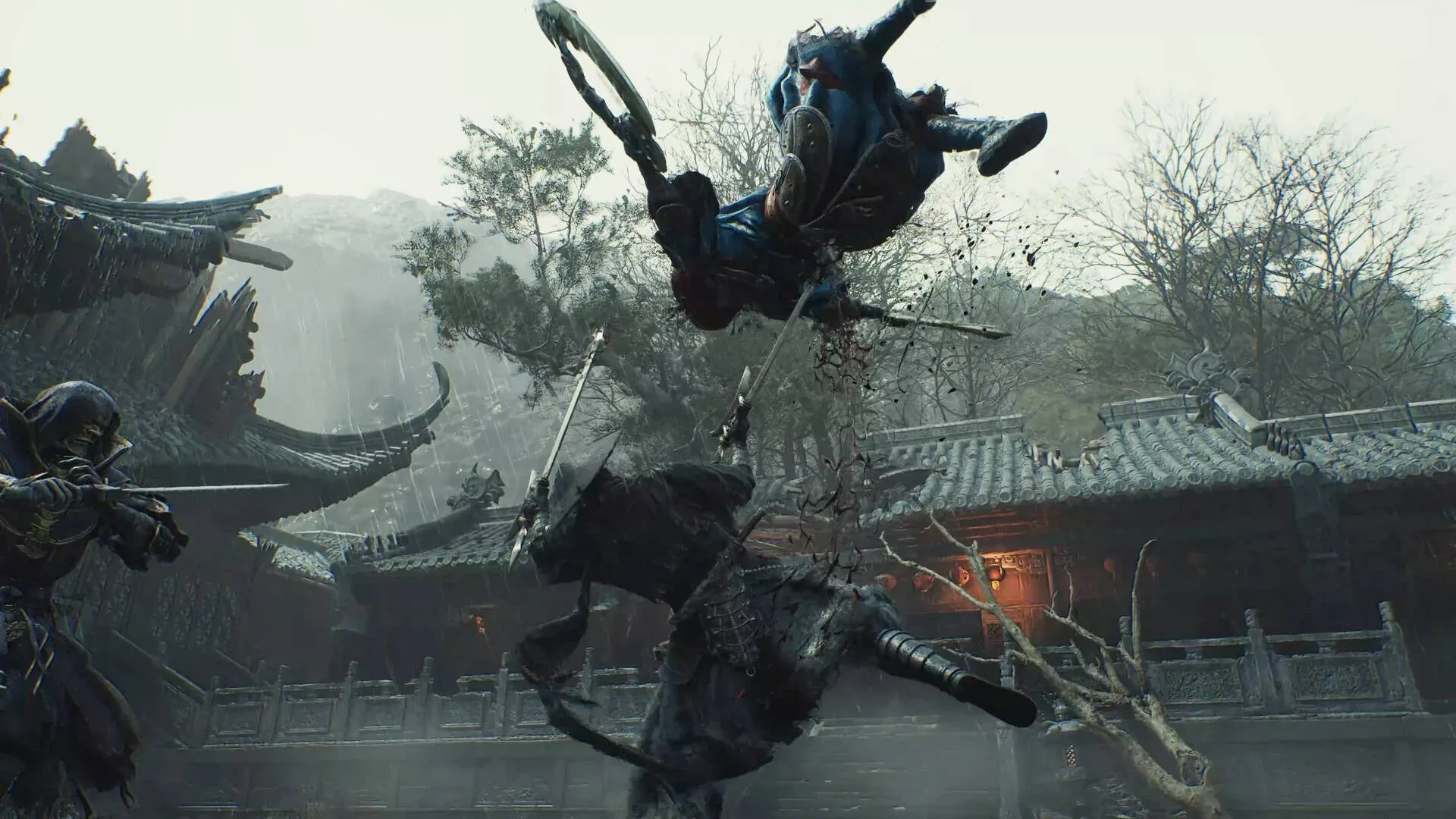
For a game placing a great deal of emphasis on fast, stylish action and carefully presented environments, launch-day performance work can be more consequential than a routine cleanup. The update’s stated focus spans ray tracing, path tracing and rasterization, which are different ways a game constructs its lighting and final image. The stated aim is not simply to improve the experience for systems running advanced lighting options, but also to preserve the intended visual direction when those options are disabled.
What the day-one patch changes
S-Game says the update substantially improves the performance of ray tracing and path tracing, in addition to addressing several bugs. Players who preloaded the game will need to download and install the extra update before launching. Anyone downloading the game without a preload should receive the latest version automatically.
The file-size difference between platforms matters mostly for planning around downloads and storage:
- PC: approximately 5GB.
- PlayStation 5: approximately 2GB, listed as version 1.301.524.
No full bug-fix list was provided in the available patch details, so it is not possible to say which individual gameplay, interface or stability issues are included. What is clear is that the visual-performance work is the centerpiece of the update.
Ray tracing, path tracing and rasterization, explained
The terminology around modern PC graphics can make a straightforward decision—whether to turn an option on—sound more complicated than it needs to be. In this case, each term refers to a part of how a scene reaches the screen.
Ray tracing
Ray tracing is a lighting-rendering technique designed to model how light travels through a scene. In broad terms, it can improve the behavior of reflections, shadows and indirect light, helping an environment react more convincingly to bright surfaces, dark corners and light sources. It can also be demanding on hardware, which means performance optimization is especially significant when a patch targets it.
Related coverage includes Phantom Blade Zero Day-One Patch Targets Ray Tracing, Bugs and Nvidia Driver Stability.
Path tracing
Path tracing is a more extensive light-simulation approach. Rather than treating one lighting effect in isolation, it follows many possible paths for light through a virtual environment. This can produce richer lighting and shadow behavior, but it is generally even more computationally intensive. The patch’s work on path tracing therefore concerns both visual presentation and the ability to run that presentation smoothly.
Rasterization
Rasterization is the conventional real-time process that turns 3D models into the pixels displayed on screen. It remains fundamental to game rendering, including on systems where ray tracing is unavailable or switched off. S-Game says it has refined Phantom Blade Zero’s rasterized visuals so environments continue to match the game’s art direction without ray tracing.
That distinction is useful. A patch improving advanced lighting does not necessarily mean the baseline presentation has been neglected. Here, the developer specifically says it worked on the rasterized image as well, so players who prioritize higher frame rates or use less powerful hardware are not being told that the intended look exists only behind expensive settings.
“We’ve spent a great deal of time refining the game’s rasterized visuals so that each environment stays true to our art direction even with ray tracing turned off.”
What PC players should do before launching
The simplest recommendation is to install the game update first. For anyone experiencing inconsistent performance on an Nvidia GPU, the driver number is the next thing worth checking. The developer’s specific warning concerns version 621.01, rather than Nvidia drivers in general.
S-Game’s current recommendation is version 617.42, with a clean installation selected during the rollback process. A clean installation generally means replacing the existing driver configuration rather than layering the older driver over the newer one. The developer believes that version delivers the best current experience in Phantom Blade Zero based on its testing.
That does not establish that every system on 621.01 will have the same problem, nor does it guarantee that 617.42 will resolve every performance issue. PCs differ in graphics cards, processors, memory, displays and background software. It does give affected players a concrete, developer-supported troubleshooting path rather than a vague instruction to lower settings and hope for the best.
Players who are otherwise satisfied with their performance may reasonably prefer to wait for Nvidia’s next driver rather than making a change immediately. But those seeing instability after installing 621.01 have unusually precise advice: roll back to 617.42 and perform a clean installation. It is also sensible to make a note of the currently installed driver before changing anything, so reverting later is less confusing.
Driver conflicts and launch patches are not unique to Phantom Blade Zero; PC game maintenance often involves the game build, graphics driver and graphics settings all interacting at once. A recent example of a game-side fix rather than a driver recommendation can be seen in WoW Forever’s name-reservation bug update. The broader lesson is that the most useful fix depends on where a problem originates—within the game, a service, or the hardware software beneath it.
Mid-range PCs and handhelds are part of the stated focus
The patch announcement also addresses players outside the high-end PC audience. S-Game says it extensively tested Phantom Blade Zero on mid-range and lower-end PCs, as well as handheld devices. The rasterization work is especially relevant here: a player who turns ray tracing off to pursue stronger performance should still receive an image designed to represent the game’s intended environments and style.
Steam Deck is the most obvious handheld point of interest, but there is an important caveat. Phantom Blade Zero is not currently Steam Deck Verified by Valve. Extensive developer testing and Valve verification are separate things. The former describes S-Game’s own testing; the latter is Valve’s compatibility designation. Players should not treat the developer’s statement as confirmation of Verified status.
Still, the fact that handhelds were included in testing is meaningful context for players assessing whether to try the game on portable PC hardware. It signals that the developer has considered this category in its performance work. It does not provide a promised frame-rate target, a confirmed preset, or a guarantee for every handheld device, none of which has been detailed here.
Why the visual work matters for this launch
Phantom Blade Zero has already climbed Steam’s most-played chart, putting the launch build in front of a large audience quickly. Under those conditions, a day-one patch serves two roles. First, it is a direct maintenance update: install it to receive bug fixes and rendering improvements. Second, it gives players guidance on how to approach the game across a broad range of hardware, particularly where feature-heavy lighting settings can create trade-offs.
The patch’s emphasis on both advanced and traditional rendering is notable. Ray tracing and path tracing may be the headline features, but rasterization is the setting family likely to matter to the widest cross-section of players. Better performance in demanding modes is valuable; maintaining an art-directed image with those modes off is just as important for machines that need a more conservative configuration.
For PS5 users, the immediate action is uncomplicated: make sure version 1.301.524 is installed. PC users have a few more variables to consider: install the roughly 5GB update, check their Nvidia driver if performance is unstable, and remember that turning ray tracing off is not presented as abandoning the game’s intended visual identity.
A separate launch note: the lead voice role changed
The game’s full release also arrives with Roger Craig Smith in the protagonist role, following the replacement of the original protagonist actor. That casting change is distinct from the day-one technical update, but it is another piece of launch context for players entering the Phantom World for the first time.
For now, the most actionable takeaway remains technical: download the patch before playing, and PC users affected by Nvidia 621.01 instability should consider S-Game’s recommended rollback to 617.42 until a newer Nvidia release changes the picture.