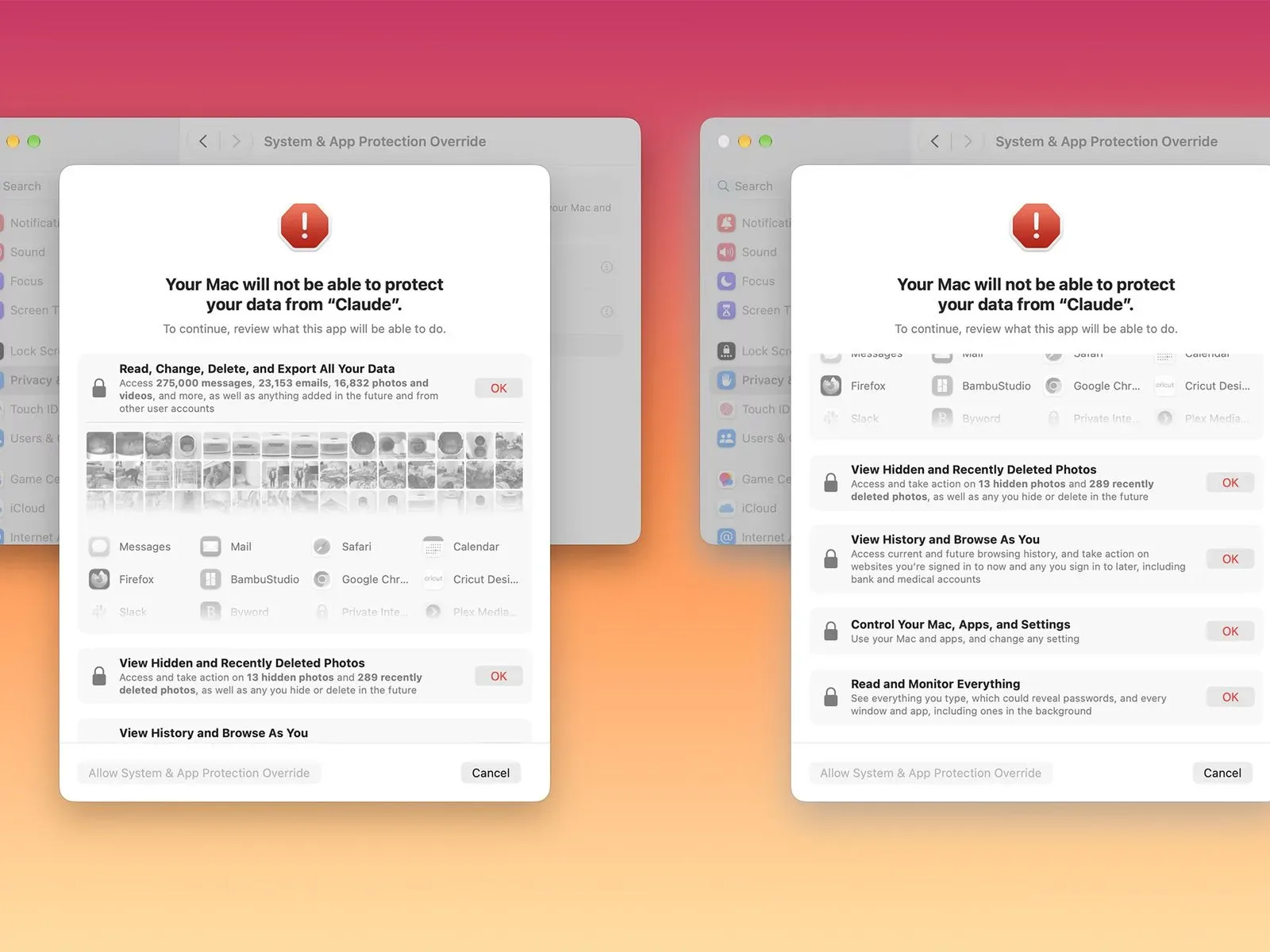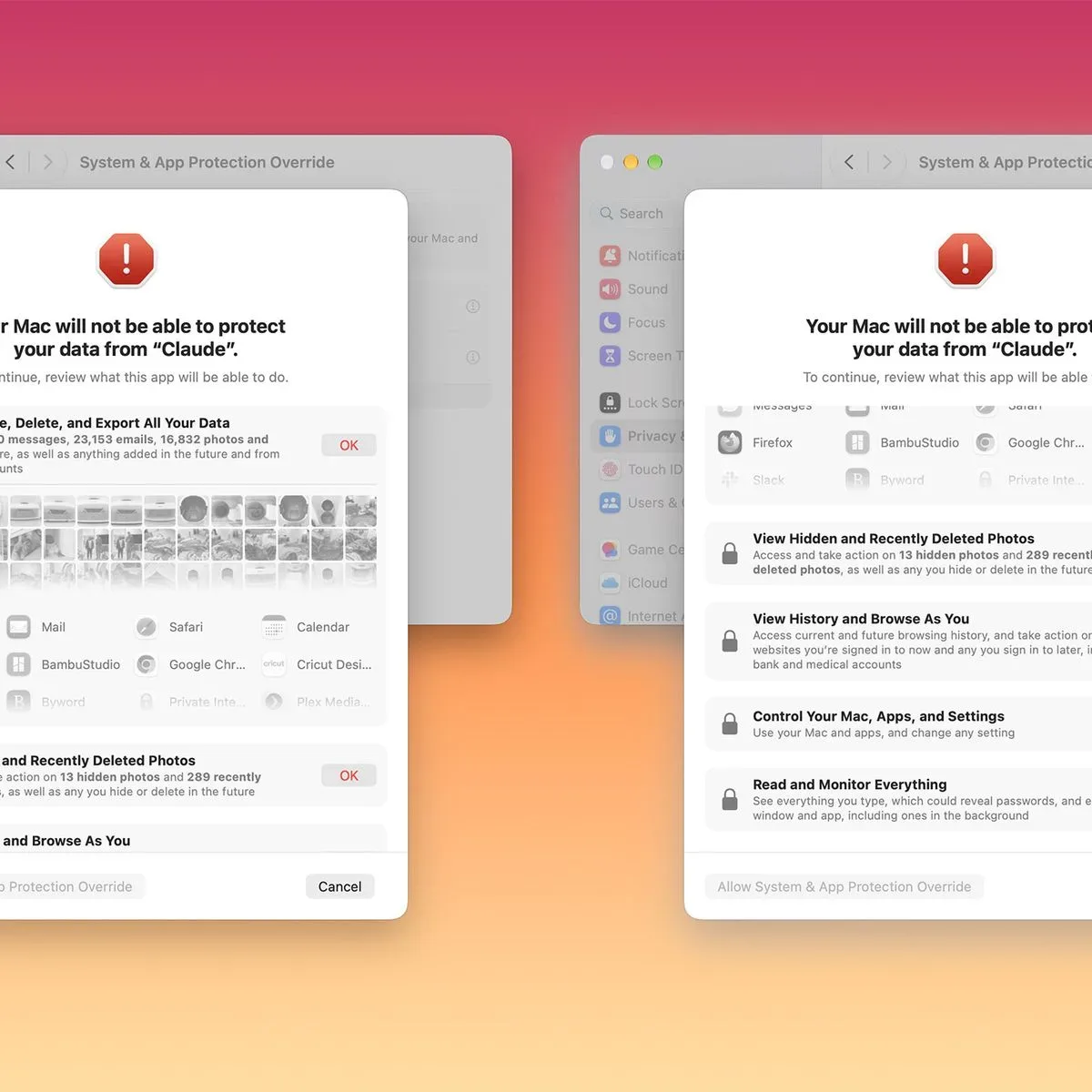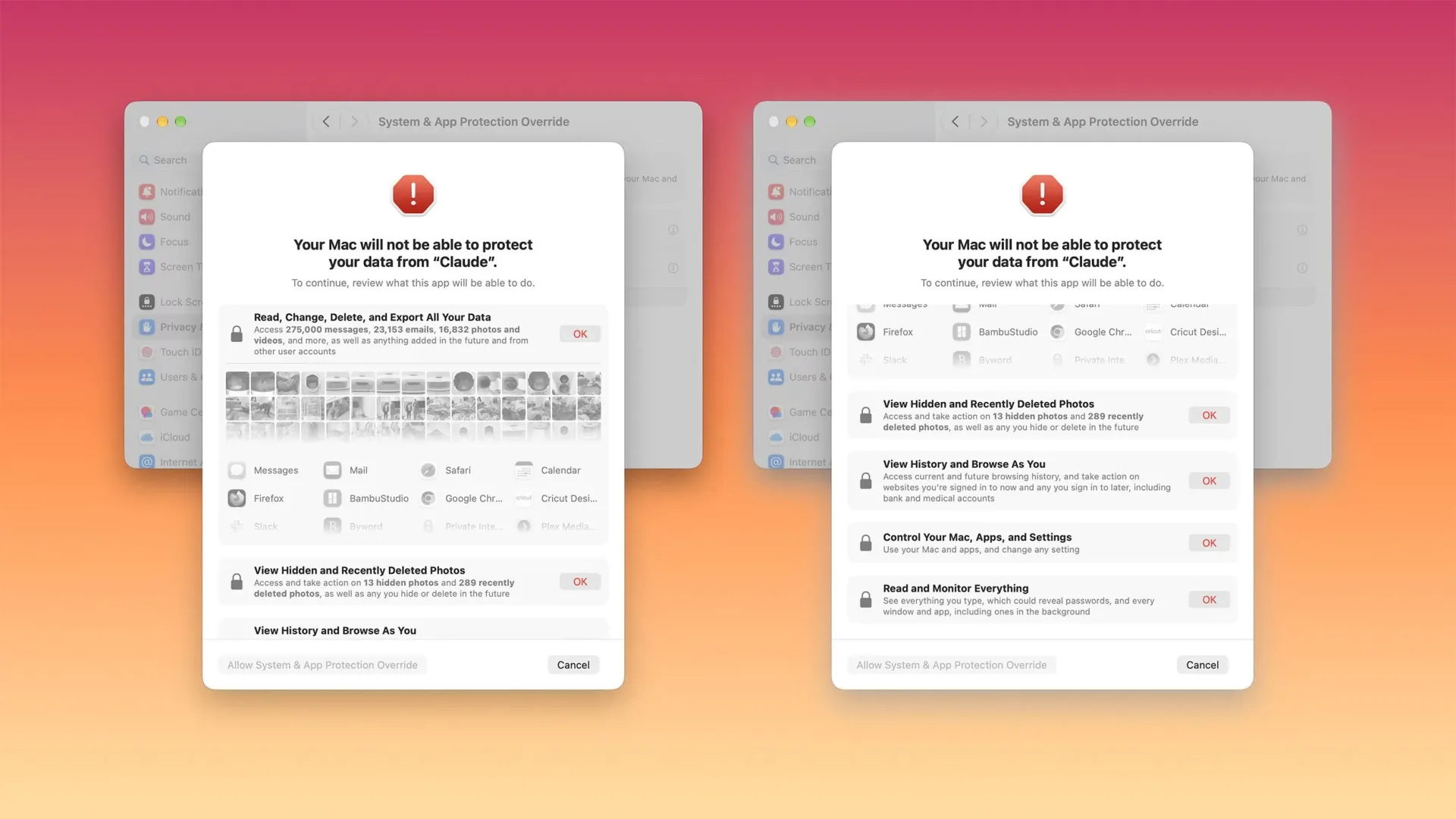
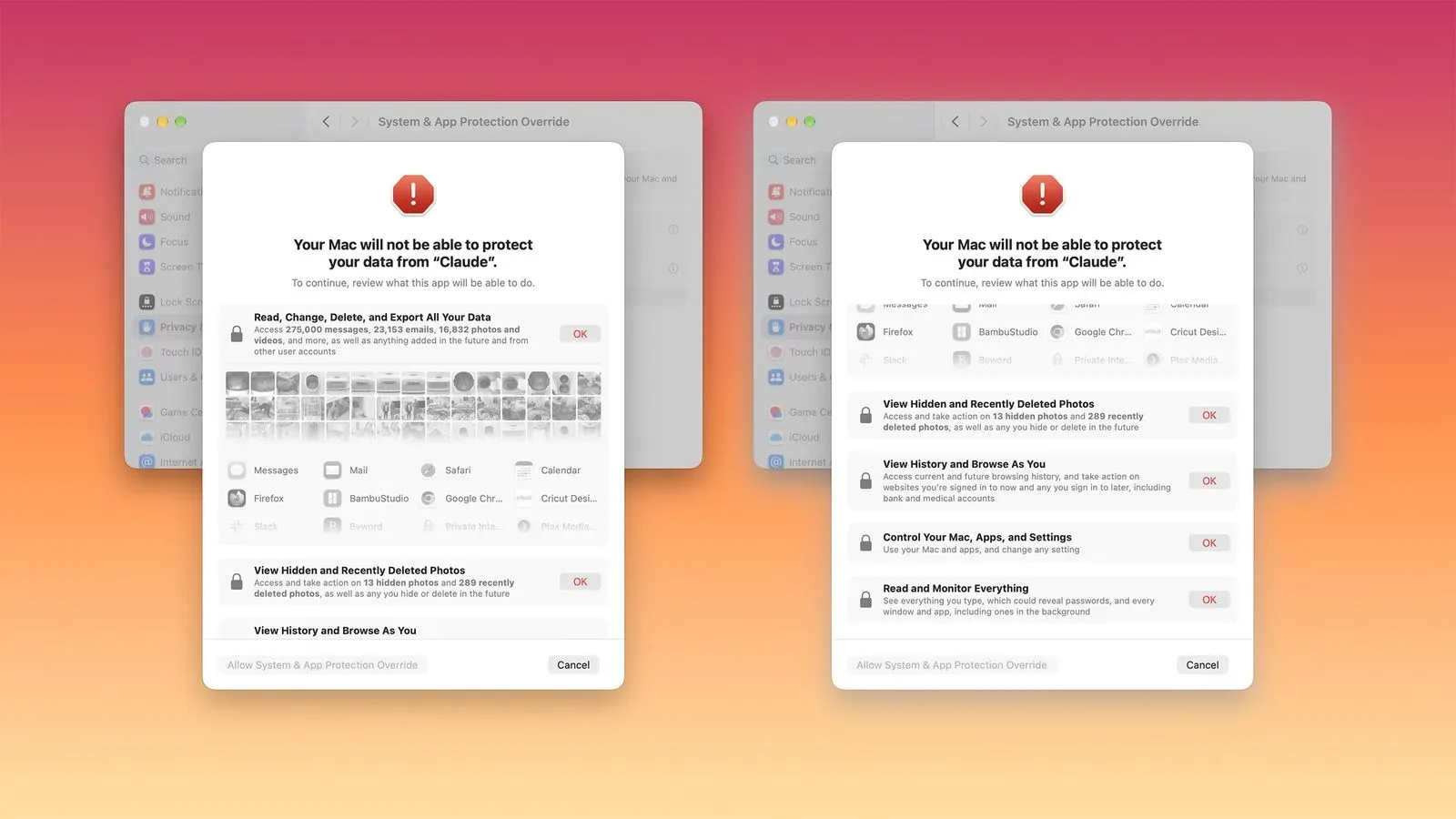
Apple is preparing a significant permission-control change for Macs in the macOS 27.3 beta, with a particular focus on software that uses AI agents. The update revises how apps request broad access to files and how they request the ability to control other apps, pushing both developers and users toward narrower, more visible permissions.
The practical message is simple: an app should not receive sweeping control of a Mac when a smaller permission would accomplish the job. For people using AI-powered tools, that matters because an agent designed to perform tasks can potentially need access to personal documents, email, messages, browsing history, or other highly sensitive material if it is granted unrestricted privileges.
Apple had already said it planned to add further controls around Full Disk Access because of the risks posed by AI agents. The macOS 27.3 beta provides a clearer picture of the approach: explain what an app can reach, let people approve only the files or programs required for a workflow, offer an “ask each time” choice, and visibly signal when one application is controlling another.
Two Mac permission areas are changing
The work centers on the Full Disk Access API and the Device Control and Data Access API. An API, or application programming interface, is the system mechanism an app uses to request and work with an operating-system capability. In this case, the capabilities are unusually sensitive: access to stored data and the ability to interact with other software on the Mac.
Full Disk Access is the more immediately understandable of the two. Apple’s planned controls will encourage users to approve only the folders that an app actually needs. Rather than treating access as a single all-or-nothing decision, the design is meant to make a limited folder selection the preferred route when it can support the requested workflow.
That distinction is especially important for AI tools. A tool that needs to work with a project folder does not necessarily need a person’s complete collection of files. Under the coming approach, the user is encouraged to draw that boundary themselves.
The existing Device Control and Data Access setting is also being divided into two separate options:
- System & App Protection Override
- Accessibility
Splitting the setting is intended to make the implications of approval easier to understand. The System & App Protection Override label will cover the kind of permission that allows a requesting app to control another app. Accessibility will stand on its own, instead of being bundled into the previous setting.
Names in a privacy dialog may not sound as exciting as a new game trailer, but they shape real behavior. A vague, combined control can make it difficult to tell whether someone is permitting an app to assist with a task or giving it authority with much broader consequences. Separating the categories makes the approval screen more descriptive before the user hits allow.
Granular approval is the core idea
Apple says there will be one method for granting these permissions: users will select the app seeking access from a list. The company also plans to provide better information about the data an app could access or the control it could receive when full permissions are approved.
More importantly, macOS 27.3 is set to steer users toward a least-access model. That phrase is a useful way to understand the change even though the important behavior is straightforward: grant only what is needed, for only as long as it is needed. For System & App Protection Override, that means selecting the specific app an AI tool needs to interact with. For Full Disk Access, it means choosing the necessary folders rather than exposing everything.
Consider the difference in terms of a narrowly defined task. If an app needs material in one working directory, folder-level access keeps the approval aligned with that task. If the app must control a particular application, selecting that program puts a similarly clear limit around its authority. The user has a smaller approval to evaluate, and the app has a smaller range of material or software it can affect.
Apple is also planning an option that allows apps to ask every time they require access rather than receiving unrestricted standing permission. This gives users a middle ground between permanently enabling broad access and refusing the feature altogether.
For users, an “ask each time” setting can be useful when the activity is occasional or especially sensitive. It introduces an extra confirmation step, but that friction is purposeful: it turns access into a fresh decision rather than something silently inherited from an earlier setup screen. It will not be the right preference for every repeated workflow, yet it offers a more cautious route for people who want oversight.
A menu-bar indicator will make app control visible
One of the clearest user-facing additions is a transparency indicator in the Mac menu bar. It will appear when a requesting app is controlling another application using System & App Protection Override.
This is not merely a new prompt that disappears once clicked. It is an ongoing visual sign that the sensitive relationship is active. In practical terms, a user should be able to see that one app is operating another rather than having that fact buried in a settings pane or remembered from a previous permission decision.
Visibility matters because app control is different from ordinary file opening. When a user opens a document, the action is usually obvious. When one piece of software is driving another, the connection can be less apparent, particularly if an automated agent is handling multiple steps. The menu-bar indicator is designed to make that situation more legible while it is occurring.
For anyone who mixes productivity software with gaming on the same Mac, the broader lesson is worth keeping in mind: permissions are best considered by task, not by a blanket judgment that an app is either wholly trustworthy or wholly untrustworthy. A legitimate tool can have a legitimate reason to request a powerful capability, while the safest approval is still the smallest one that lets the task work.
What developers will need to change
Apple is not placing the responsibility entirely on users. Developers will need to revise onboarding flows and ensure their apps can gracefully handle a limited selection of folders or apps when using the changed APIs.
Onboarding is the first-run process that introduces an app and asks users to configure it. Under the new direction, a well-designed onboarding flow cannot assume that a customer will approve every file location or every potential target application. It needs to explain why a permission is requested, guide the person to choose the relevant folders or apps, and continue working sensibly when access is limited.
“Gracefully handle” is an important expectation. An app should not treat a narrower permission as an error that leaves the user stranded. Instead, developers will need to account for what the app can do with the approved set, what it cannot do, and how it should communicate that boundary. If a workflow needs additional access later, the app should make that request in context rather than treating unrestricted access as its default starting point.
The shift could also affect how developers describe features. A request for full permissions is no longer just a technical hurdle at setup; Apple is making the consequences more explicit and offering users more ways to limit the scope. Apps that clearly connect a requested permission to a particular job will be easier for users to assess than apps that rely on a broad request without a focused explanation.
Existing permissions are not being reset
For now, known apps will retain their current experience without an entitlement, and permissions users granted before macOS 27.3 will remain in effect. The revised process is aimed at new permission requests that Mac users encounter once the changes arrive.
An entitlement is a system authorization associated with an app that allows it to use a particular capability under Apple’s rules. Apple has said details about entitlements are coming soon. That leaves some implementation specifics still to be defined, but the immediate direction is clear: existing approvals are not automatically removed, while future requests will receive the newer permission experience.
That distinction has a practical implication for users who already use automation or AI-assisted Mac apps. The announcement does not say that previously granted Full Disk Access or other permissions will be silently narrowed. People who want to reassess access already provided may therefore wish to review the permissions they have previously chosen, with particular attention to apps that can reach sensitive personal data or operate other applications.
For new requests, users will have more context and more control. They can choose individual folders instead of broad storage access where appropriate, select only the apps that need to be controlled, or opt to be asked each time. The menu-bar indicator then supplies a continuing reminder when an app-control relationship is active.
Why Apple is emphasizing AI-agent risk
The changes arrive against a specific concern: Apple says some developers are using Full Disk Access in ways that may put people at risk by exposing files, mail, messages, browsing history, and more. AI agents make the question more urgent because their value proposition often involves acting across a person’s data and software rather than handling one isolated file.
An AI agent, in this context, is software intended to carry out tasks on a user’s behalf. Its usefulness can increase as it is allowed to see more information or take more actions. But the same relationship creates a difficult permission question: access that makes a tool more capable can also expose more private material or allow broader control than a user intended.
Apple’s answer in macOS 27.3 is not described as a ban on such apps. It is a redesign of consent. The system is set to distinguish kinds of access more clearly, narrow the approval choices, keep a recurring approval option available, and show an indicator when cross-app control is taking place.
That framework may sound familiar to players who are careful about account permissions, save files, mods, or launcher connections: the sensible question is not just “does this feature work?” but “what does it need in order to work?” The macOS changes bring that question closer to the point of approval for powerful desktop tools.
Apple has not yet supplied the forthcoming entitlement details, and the current information concerns the macOS 27.3 beta. Even so, the direction offers a useful standard for evaluating future AI app prompts on Mac: favor specific access, understand the data or control being requested, and use temporary confirmation when a permanent unrestricted grant is not necessary.
For related Apple-platform news, see our coverage of iPhone Duo delivery estimates and Apple’s foldable supply.