A portable gaming setup does not need a hotel television, a vacant living-room screen, or a lengthy battle with an unfamiliar remote. The Matte Black MNN 15.6-inch portable monitor is currently listed at $40 for Prime members, reduced from its stated usual $50 price. That is a modest dollar discount, but an unusually low listed price for this particular model: its previous low reportedly did not fall below $49.
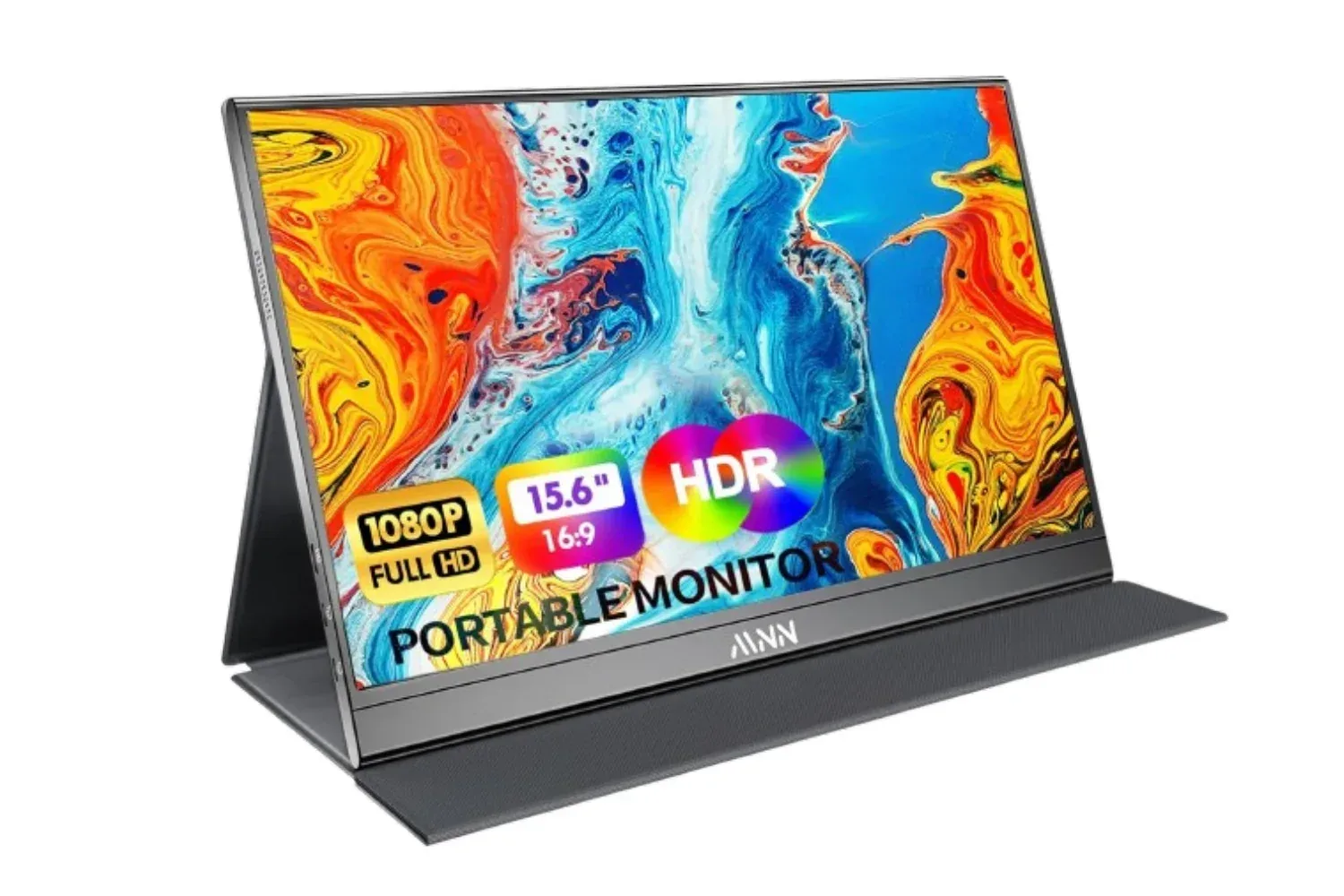
The appeal is less about turning a console into a premium home-theater experience and more about removing friction. MNN’s screen gives a docked Nintendo Switch, PlayStation, or Xbox a dedicated 15.6-inch display that can travel in a backpack alongside a laptop. The monitor has a 1920 x 1080 resolution, an IPS panel, HDMI input, two full-featured USB-C ports, and a protective PU leather cover that also folds into a stand.
For players who regularly visit friends, stay in hotels, or share TVs at home, that combination addresses a very specific problem: having the console but not a reliably available screen. MNN lists compatibility with Nintendo Switch, PS5, PS4, and Xbox systems. The monitor is also intended as a second laptop display, so it can serve a non-gaming purpose once the trip is over.
What the $40 offer includes
The deal applies to the Matte Black version of MNN’s 15.6-inch 1080p portable monitor and is restricted to Prime members. The listing also offers free returns. Delivery timing can vary by address, although the listing has shown next-day availability.
This is a compact monitor rather than a self-contained gaming device. It does not replace a console, its dock, games, controllers, or the cables required for a particular setup. Its value is in providing a display where a television is inconvenient, unavailable, or already in use.
- Screen size: 15.6 inches
- Resolution: 1920 x 1080, also called Full HD or 1080p
- Panel type: IPS
- Inputs: HDMI and two full-featured USB-C ports
- Included design feature: a PU leather cover that protects the panel and folds into a stand
- Listed features: HDR mode, low blue light setting, 178-degree viewing angles, copy/extend/portrait modes for computer use
At $40, the important calculation is practical rather than aspirational. A player who needs a screen only occasionally may find that price easier to justify than a larger display intended to stay permanently on a desk. Conversely, someone shopping for competitive multiplayer performance or a full living-room replacement should recognize that the supplied specifications focus on portability and connectivity, not on advanced gaming-display measurements.
Why it makes sense for a docked Switch
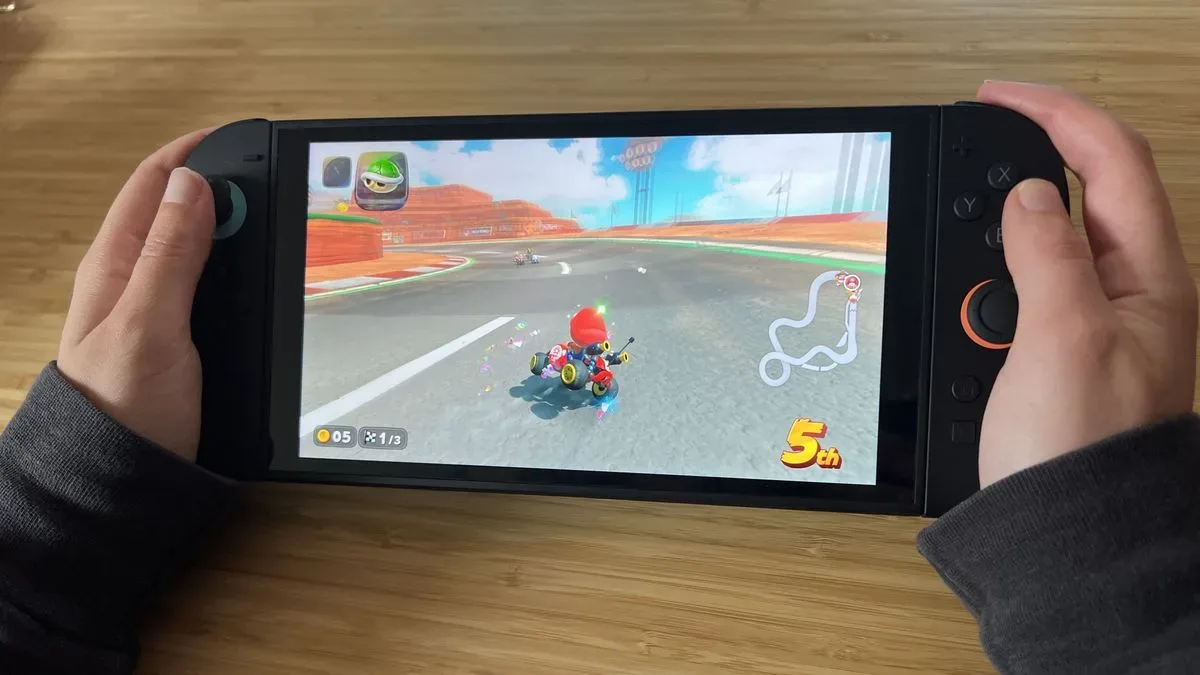
The Nintendo Switch is built around the option to move between handheld and television play, but travel can expose the limits of the television half of that equation. A hotel TV may have inaccessible inputs, or a group may simply prefer to keep its main television free. In those moments, a portable monitor can make local rounds of Mario Kart, a longer RPG session, or a multiplayer night possible without taking over the room.
A 15.6-inch panel is meaningfully larger than a handheld screen while remaining small enough to fit the role of an auxiliary display. Put the monitor on a desk, table, or other stable surface with its folded cover acting as a stand, connect the appropriate console output, and the screen has a defined job: give the console its own place to play.
Related coverage includes MNN 15.6-Inch Portable Monitor Is $40 for Prime Members.
The stated 178-degree viewing angle is particularly relevant to a shared setup. Viewing angle describes how far to the side someone can sit before image quality visibly shifts. On paper, a wide angle should help two people seated beside one another see a more consistent picture than they would on a narrower-viewing display. It will not create more screen space, of course, but it can make a compact co-op setup less awkward.
The glossy finish is another trade-off worth understanding. MNN says it helps colors stand out, which may suit bright, stylized games. Glossy panels can also reflect surrounding light more readily than matte surfaces. That does not make the screen unsuitable for travel; it means placement matters. A screen facing away from a lamp or bright window is likely to be more comfortable to use than one positioned directly toward it.
IPS, HDR and 1080p explained without the spec-sheet fog
IPS is a type of LCD panel commonly associated with broad viewing angles. In the context of this monitor, its practical advantage is straightforward: it is better suited to a second viewer sitting alongside the primary player than a panel whose colors or contrast change dramatically off-center.
1080p means the panel has 1,920 pixels across and 1,080 pixels down. That is the monitor’s native resolution. It is a familiar target for console and PC output, and it matches the portable-display mission here: a Full HD canvas in a thin, travel-oriented format rather than a large, high-resolution desktop monitor.
HDR, short for high dynamic range, refers to displaying brighter highlight detail and a broader range of color and contrast when the full signal chain supports it. MNN includes an HDR mode, described as providing brighter highlights and deeper colors. It is best viewed as an available picture option, not a blanket guarantee that every game will look the same. The game, console settings, connection, and display mode all remain part of the experience. Readers comparing display technologies more broadly can see why factors such as room light and HDR handling matter in this guide to panel technology, room lighting and HDR.
The monitor also has a low blue light setting for late-night use. That is a comfort-oriented mode rather than a performance feature. Players who prefer a warmer-looking image in a dark room may appreciate the option; others may choose the standard picture setting to preserve the display’s default color presentation.
Connectivity is the feature that determines whether it fits your bag
The MNN monitor’s two connection types allow it to bridge console and laptop use. HDMI is the familiar display connection for many console setups. USB-C can carry different kinds of data depending on the hardware involved, so it is important not to assume every USB-C port works identically.
For compatible laptops, MNN says a single USB-C cable can carry both power and video when the computer supports DisplayPort Alt Mode or Thunderbolt 3. DisplayPort Alt Mode is a USB-C capability that lets the port send display video; Thunderbolt 3 is a high-speed USB-C-based connection standard that can also support display output. When the required support is present, one cable is a cleaner travel arrangement because it can eliminate the need to pack a separate power brick for the monitor.
That single-cable convenience is specifically described for compatible laptops. Console owners should plan around their own system’s output method and required cables rather than treating USB-C as a universal one-cable promise. The reassuring part of this model’s stated spec sheet is that it also includes HDMI, a conventional route for connecting a console display.
Having both HDMI and USB-C available can be useful for a mixed travel kit. A laptop can occupy one role during the day, while a console takes over later without making the portable monitor a single-purpose purchase. The two full-featured USB-C ports and HDMI input are presented as a way to switch between a computer and console setup without constantly rebuilding the entire cable arrangement.
A second screen when the gaming session ends
MNN supports copy, extend, and portrait modes for laptops. Copy, often called mirroring, puts the same image on both the laptop and external monitor. Extend turns the portable panel into additional workspace, allowing separate windows to sit on each display. Portrait rotates the screen into a tall orientation, which can be useful for long documents or chat feeds.
For PC players, the most obvious benefit is leaving a guide, map, voice chat, stream controls, or other reference material on the second panel rather than repeatedly minimizing a game. It is not a claim that an extra screen improves a game’s performance; it simply makes information easier to keep visible. Remote workers and students can use the same arrangement for documents, messages, or reference windows.
The folding cover matters here as much as the panel itself. Portable monitors are only convenient if they can be transported with reasonable confidence and deployed without packing a separate stand. MNN’s cover is designed to resist scratches in a crowded bag and to form a landscape or portrait stand through different folds. That is a small feature with a large impact on whether the monitor becomes regular luggage or stays at home in its box.
Who should consider it—and who should pause
The strongest case is for someone who already has a console or laptop and periodically lacks a usable screen. Frequent travelers, students moving between rooms, players in TV-sharing households, and laptop users wanting a lightweight second display are the clearest fits. The $40 price puts the monitor close to impulse-buy territory, but its usefulness still depends on the buyer’s cables, console arrangement, and available desk or table space.
It is less compelling for buyers seeking detailed assurances on high-end display behavior. The available information identifies the resolution, panel type, viewing angle, connectivity, HDR mode, and comfort setting, but it does not establish a case for every premium feature a buyer might want from a dedicated performance monitor. Keeping the purchase framed as a portable 1080p screen is the sensible way to assess it.
Before buying, confirm the version is Matte Black, verify that Prime pricing appears at checkout, and check the ports and cables needed for the devices you intend to use. Those quick checks matter more than the headline discount. If the setup matches your gear, MNN’s $40 portable monitor offers a straightforward answer to the recurring travel-gaming question: where, exactly, is the screen going to come from?
Shop the products
Check current price, model and availability at the retailer.