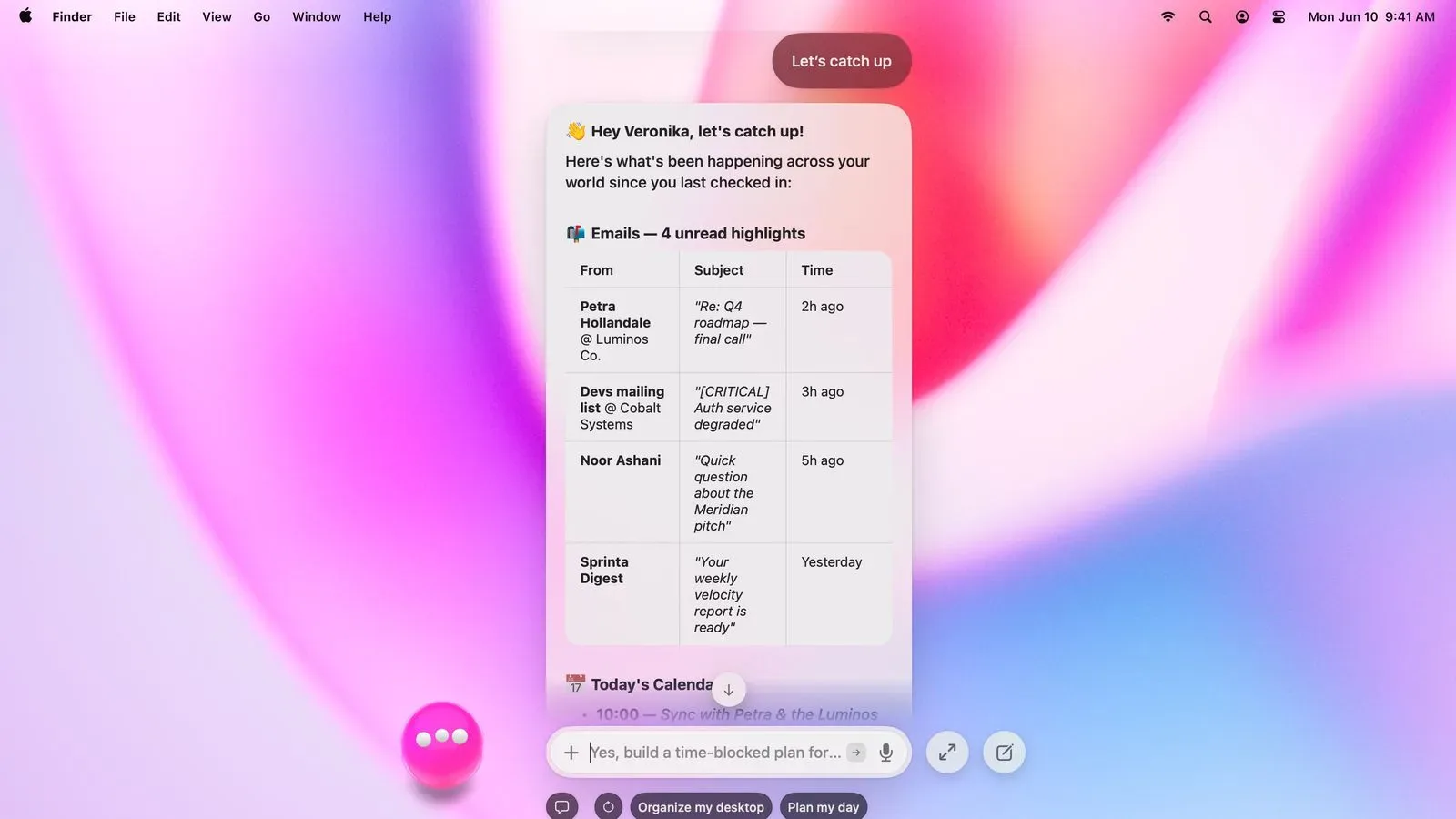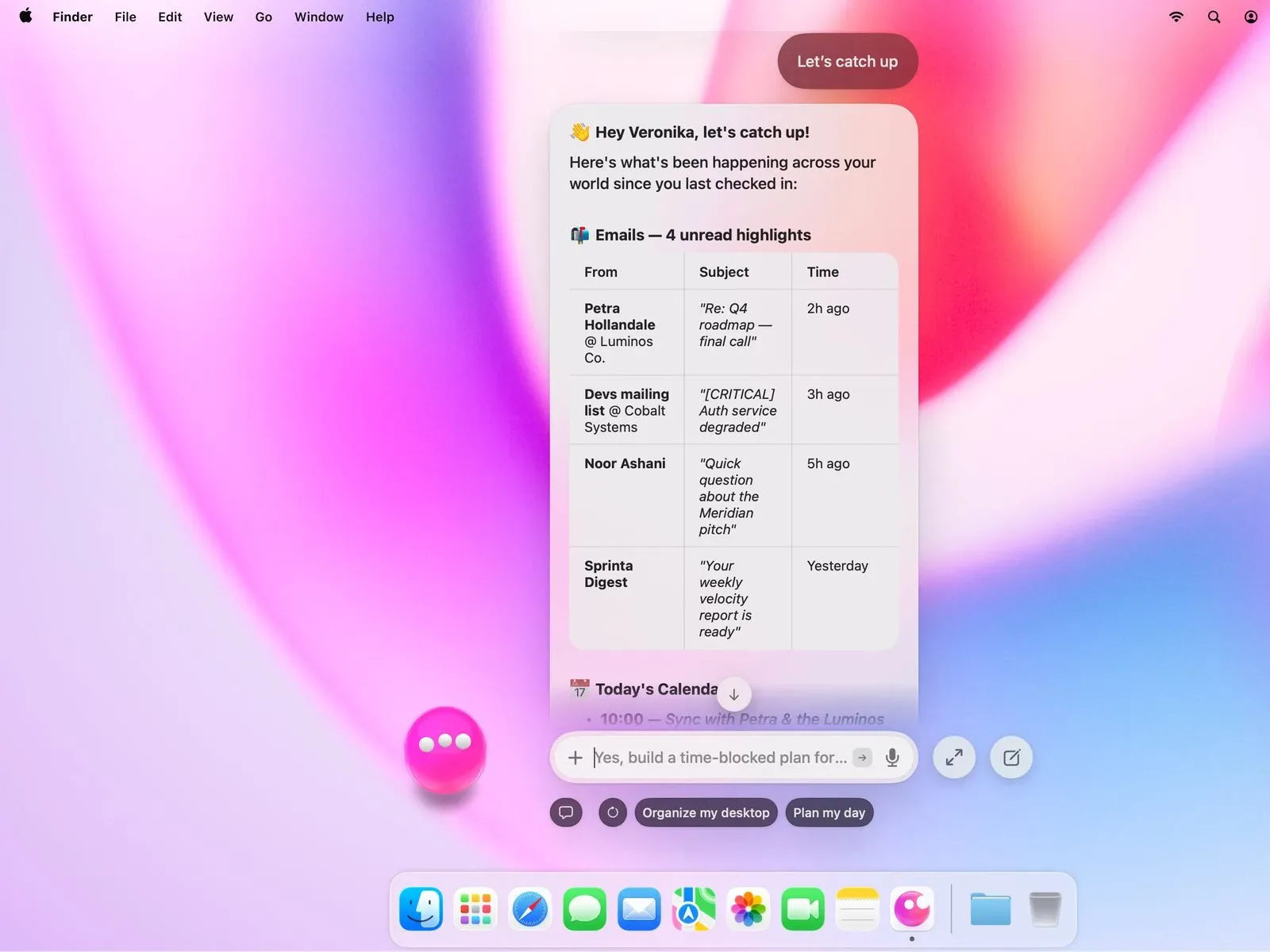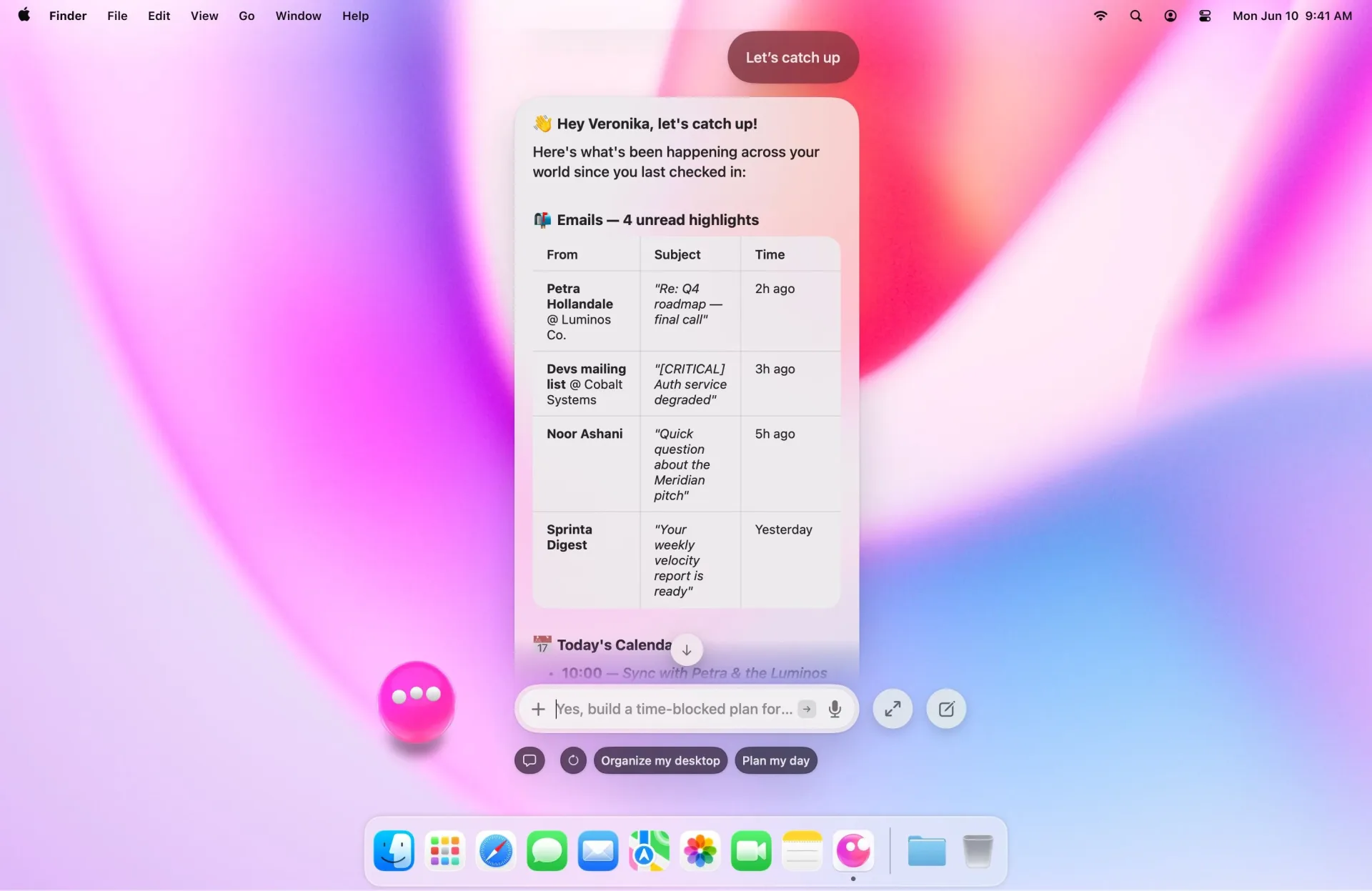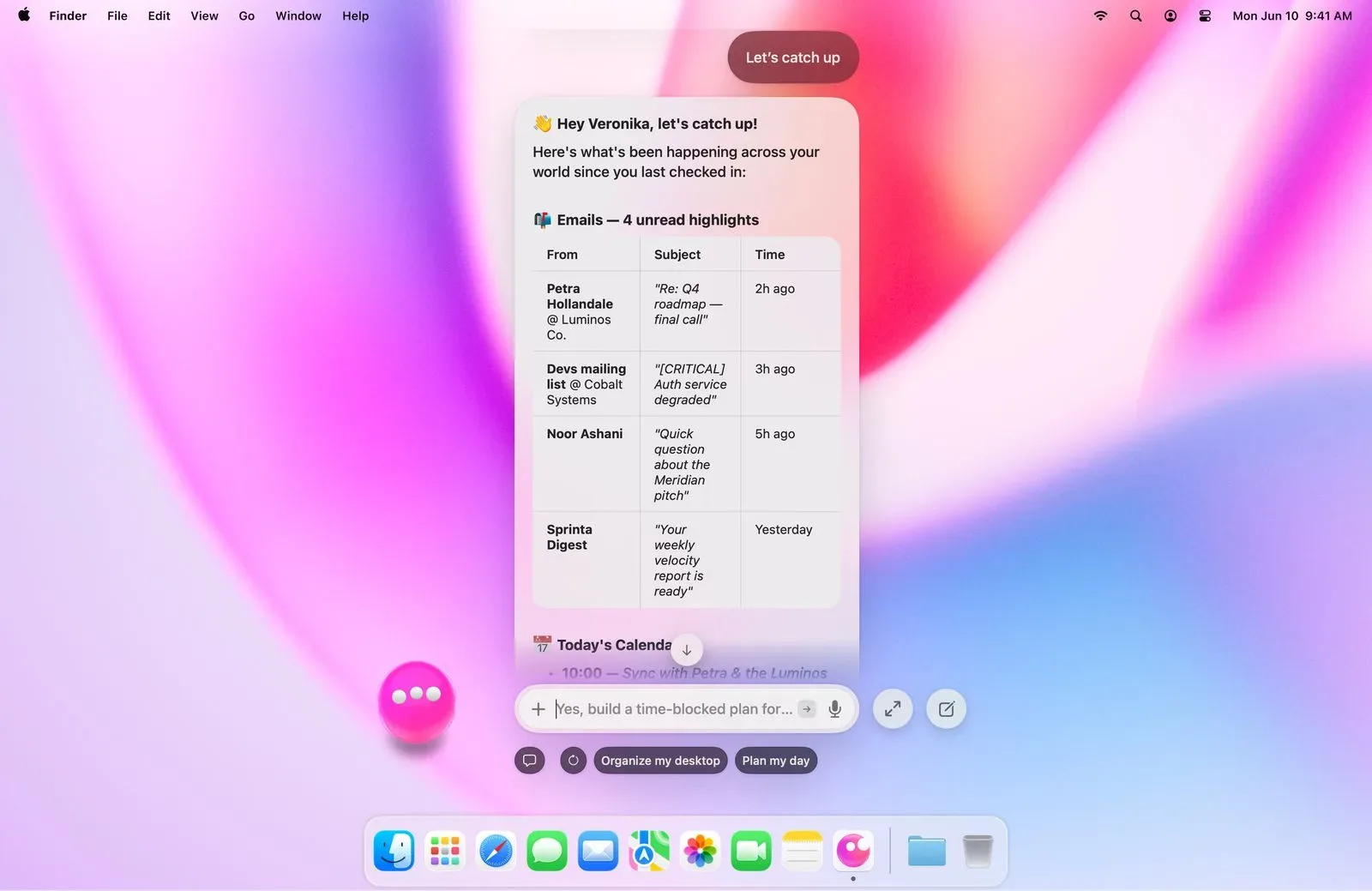
MacPaw has launched Eney, an AI assistant for Mac with an iPhone companion app. Its pitch is deliberately more involved than a chat window: Eney is meant to notice context across apps, files and the system, prepare a useful next action, and then ask the user before making a consequential change.
That distinction matters. A tool that can recognize a copied block of text, a date, an image or a looming calendar task can save a few steps. A tool that silently sends mail, rearranges files or edits calendar entries can create a brand-new class of headache. MacPaw frames Eney as “proactive, never autonomous,” with confirmation required by default for actions such as sending a message, changing an event or moving a file.
For Mac users whose machine is also a work station, game-library vault and communication hub, Eney’s usefulness will likely depend less on any single AI trick than on whether those prompts arrive at the right moment and remain easy to ignore when they do not.
What Eney is designed to do on Mac
Eney combines several types of assistance under one interface. It can offer suggestions after something is copied, transcribe meetings without a bot joining the call, create notes and follow-ups from those meetings, and run ready-made workflows called Morning Brief and Plan My Day.
The copy-triggered portion is a straightforward example of context-sensitive assistance. Rather than requiring users to open a dedicated AI window and explain what they have selected, Eney can react after text is copied. The value in that model is speed, although its practical value naturally rests on the relevance of the suggestion. An assistant that recognizes intent from a clipboard action could reduce friction; one that interrupts routine copying too often could be more distracting than useful.
Meeting transcription is another prominent feature. Eney can transcribe a meeting without placing a bot participant in it, then produce notes and follow-up material. “Bot-free” here means the meeting does not need an extra assistant account visibly entering the call. The provided details do not specify which meeting services are supported, how transcription is processed, or the exact form of the resulting notes, so those are important details for prospective users to verify before building a workflow around it.
The named workflows point toward a familiar personal-assistant role. A morning brief suggests a consolidated start-of-day overview, while planning a day implies organizing upcoming work. Eney has connections for Apple Mail, Calendar and Reminders out of the box. It also connects with Gmail, Google Calendar, Google Drive, Slack, Notion, Jira and Linear. That range matters because a planning prompt is only as complete as the information it is permitted to access.
For a person moving between a task tracker, a team chat, a calendar and a drive full of documents, the appeal is obvious: fewer manual hops between apps before figuring out what needs attention. It is equally important to distinguish connected from automatically acted upon. A connection lets an assistant work with the relevant service; MacPaw’s stated confirmation-first approach is intended to keep the user in charge of actions that change data or communicate externally.
The Eney Wand turns drag-and-drop into quick utilities
One of Eney’s more tangible Mac features is the Eney Wand, summoned with Option-W. Users can drag something onto it for an action. MacPaw says the Wand can translate text, convert prices, turn dates into calendar events and extract text from images.
Those are separate jobs, but they share a common idea: use the item already in front of the user instead of making them copy it into a specialized app. Text extraction from an image, for example, is often described as OCR, short for optical character recognition. In plain terms, it means converting visible words in an image into editable text. Date recognition, meanwhile, turns a written date into the basis for a calendar entry rather than making the user type it out again.
The Wand’s drag-over interaction also makes the boundaries of an operation clearer. A user has to place a particular item over the tool, which is less ambiguous than an assistant guessing what part of a crowded screen deserves attention. Its calendar function still carries a meaningful consequence, however, since creating an event affects a schedule. That is exactly the type of task for which a confirmation step is sensible.
Gaming-focused Mac users may see smaller, practical uses rather than a grand replacement for existing apps: extracting a text snippet from an image, translating copied material, or handling the ordinary planning and communication surrounding a group session. Eney is not presented as a game launcher, performance tuner or game-specific assistant. Its purpose is broader desktop and phone organization.
System warnings could be useful, but they are not a repair button
Eney also surfaces Mac care warnings for low disk space, memory pressure and crashing apps. These alerts could be particularly helpful for people who install large games, capture footage, keep extensive media folders or simply leave many apps open.
Low disk space means storage capacity is running short. It is a useful warning because big applications and downloads can consume space quickly, and a Mac that is close to full leaves less room for updates, files and ordinary system activity. Readers considering more storage for substantial game libraries may also want to look at a 2TB portable SSD option for big game libraries.
Memory pressure is different from disk space. It describes pressure on working memory while applications are running. A warning can identify that the Mac is under strain, but it does not by itself establish why a particular app is using resources or guarantee that closing something will solve every slowdown.
A warning about crashing apps is similarly diagnostic rather than curative. It can make a pattern more visible, but the supplied information does not say that Eney repairs apps, resolves compatibility problems or provides deep system troubleshooting. Users should treat these notices as prompts to investigate, not as proof that an automatic fix has occurred.
“Proactive, never autonomous” is the key design claim
AI assistant terminology can be slippery, so Eney’s stated operating model is worth unpacking. A proactive assistant notices a likely need and proposes a next step without waiting for a fully written request. An autonomous assistant would take actions on its own. MacPaw says Eney is in the former camp: it can prepare the next move, but it asks before performing actions such as sending messages, modifying events or relocating files.
That is a practical trust boundary, not just a slogan. External messages can be sent to the wrong person. Calendar changes can displace plans. A moved file can become hard to find, even if it still exists. Requiring an approval step gives users a chance to check both the action and the underlying interpretation before a change is made.
It does not remove the need to review a proposed action. Confirmation is most valuable when it presents a clear, specific description of what will happen. Users should remain especially attentive when connecting communication platforms, calendars, cloud drives and team tools, because the convenience of a cross-app assistant comes from its ability to operate around important personal or workplace information.
Mnemos and the memory question
Eney is the first product built on MacPaw’s own AI stack, which includes a memory layer named Mnemos. MacPaw says Mnemos manages only Eney’s own memory and never reads or changes user files.
In this context, a memory layer is the part of an AI system that retains information for future interactions. It is separate from a user’s file system, where documents, images and application data reside. MacPaw’s stated distinction is therefore important: Mnemos is described as managing what Eney remembers for itself, rather than being a mechanism that reads or alters users’ files.
That statement should also be read alongside Eney’s integrations. A product can have a defined memory function while separately connecting to mail, calendars, drives and productivity services. Anyone considering those connections should inspect the permissions requested during setup and decide which services are worth linking for their own use. The supplied details establish the available connections, but do not describe permission scopes, data retention, model processing locations or controls for deleting assistant memory.
Mac access is clearer than iPhone eligibility
MacPaw supports signing into Eney with a Setapp account, but says a Setapp membership is not required on Mac. There is also an iPhone companion app on the App Store.
The mobile position is less clear. Its listing describes the app as a companion for active Setapp members, which leaves uncertainty about eligibility terms for iPhone use. That does not necessarily mean the Mac app requires Setapp; MacPaw explicitly says it does not. It means users interested in the phone companion should check the current App Store listing and the product’s own terms before assuming access matches the Mac arrangement.
Eney’s launch is ultimately an argument for an assistant that lives nearer to everyday desktop work: watching for useful context, offering compact utilities and helping connect the scattered pieces of a day. Its most important restraint is also its most reassuring one. The assistant can suggest and prepare, but the user remains the person who approves the send, the schedule change and the file move.