Google’s payment branding has taken enough turns to make a simple question feel oddly complicated: is Google Pay the app, or is Google Wallet? The practical answer today is much cleaner than the naming history. Google Wallet is the app people use to store payment cards and other digital passes. Google Pay is the payment service or option used when one of those stored cards is used to pay.
That distinction matters when an Android user sees “Google Pay” at an online checkout, but opens an app called “Google Wallet” on their phone. They are not necessarily missing an app, nor do they need to hunt down a separate Google Pay download. The former standalone Google Pay app has been replaced by Google Wallet.
The short version: app versus payment method
Think of Google Wallet as the digital container. It can hold cards for payment, along with items such as vouchers, boarding passes, gym cards and library cards. It is the place where a user keeps the information needed for those items to appear on a phone.
Google Pay is the transaction-facing part of the setup. It can appear as an option when buying something online, alongside alternatives such as entering card details directly or choosing another payment provider. It can also be used for contactless payments from an Android phone.
- Google Wallet: the app for storing eligible payment cards and passes digitally.
- Google Pay: the payment option or processing system used with a card stored in Wallet.
- What users install: Google Wallet, not a separate current Google Pay app.
In other words, Wallet is where the card lives; Google Pay is how that stored card can be used in a supported payment flow. The two names are connected, but they do not describe identical things.
Why the terminology became muddled
The confusion is understandable because the names have represented different products at different times. Google Wallet was initially presented in 2011 as a peer-to-peer payment system. The branding then shifted to Android Pay in 2015, became Google Pay in 2018, and returned to Google Wallet in 2022.
For people who used an older Android handset or remember an earlier app, “Google Pay” may still sound like it ought to be the principal application. Historically, that was a reasonable assumption. Today, however, Google Wallet is the central app in this arrangement, while Google Pay describes the payment capability associated with cards stored there.
This is an important practical distinction for troubleshooting. If someone wants to add or inspect a payment card, a boarding pass, or another supported item, Google Wallet is the logical place to look. If they encounter Google Pay in a browser checkout, that label refers to the payment choice being offered rather than evidence that a separate phone app must be installed.
What NFC means for tap-to-pay
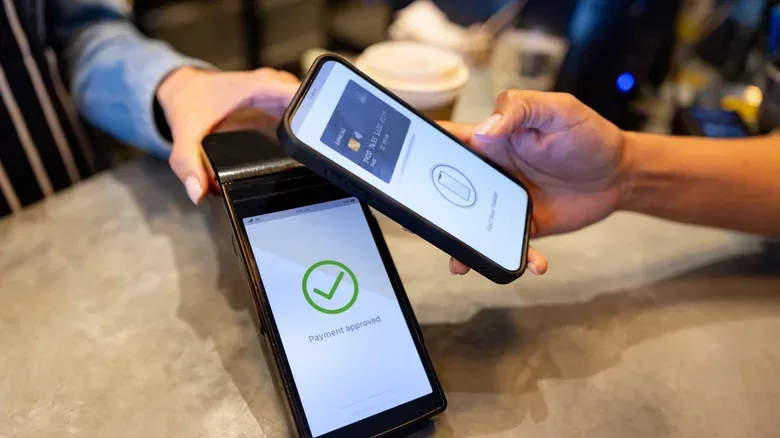
One of Google Pay’s key uses on Android is contactless payment through NFC, short for near-field communication. NFC is the short-range wireless technology that lets a phone communicate with a compatible payment terminal when they are brought close together.
In this situation, a card saved to Google Wallet supplies the payment method, while Google Pay is the mechanism used for the transaction. The result is the familiar tap-to-pay experience: a user presents the phone to a compatible reader instead of taking out a physical card.
The appeal is straightforward. A phone can reduce how often someone needs to carry individual cards while keeping payment cards and several types of passes in one place. Digital wallets can also be safer than a physical wallet in some circumstances, though users should still treat their device and account access carefully. Convenience is not a substitute for basic security habits.
A simple way to read the labels
If the label appears on an Android phone’s app screen, it will generally be Google Wallet. If the label appears when completing a purchase, whether online or via a compatible contactless terminal, Google Pay describes the payment option being used.
That framing also explains why the two names continue to coexist. The wallet needs to do more than pay: it can store vouchers, transit- or travel-related passes, membership-style cards, and other digital credentials. Payment is only one function of the wider Wallet app. Google Pay, by contrast, is specifically about completing a payment.
Online payments are not limited to the phone app
Google Wallet’s role is not confined to tapping a physical terminal with an Android phone. It can also be accessed through its website, and Google Pay can be presented for online purchases across a range of devices. A buyer may therefore see Google Pay during web checkout even when the purchase is not happening inside the Wallet app itself.
The common requirement remains the same: a card needs to be held in the associated Google Wallet setup before it can be used for a Google Pay transaction. The Wallet holds the eligible card information; Google Pay provides a route for using it.
That division can be especially helpful to remember when comparing checkout choices. A site may list Google Pay next to manual card entry. Those are two different ways to proceed with the payment, not two different names for the same data-entry box. Selecting Google Pay uses the connected wallet arrangement; manual entry asks the shopper to provide card details directly.
Google’s shifting product labels are not its only potentially confusing software distinction. For another example of how a feature can differ by platform, see Google Docs’ different dark-mode situation on mobile and the web.
What Samsung owners should know
Samsung phone owners have an additional choice. A Samsung handset can use both Google’s and Samsung’s digital-wallet platforms, and both can be installed at the same time. Each can be used for NFC payments through its respective service.
That does not mean every Android owner has the same degree of choice. On Pixel and Motorola phones, Google’s wallet approach is effectively the main option described here. For Samsung users, the presence of both platforms means it is worth knowing which wallet has been set up with the desired card and which payment approach they intend to use.
The existence of two wallet platforms on one type of Android device also reinforces why precise names help. “My phone wallet” is a convenient phrase, but it does not always identify which app contains the card or which service will be used at payment time. Checking the app name is more useful than relying on the older Google Pay branding.
Practical takeaways for Android users
- Looking for the app? Search for Google Wallet. It is the current app for digital cards and passes.
- Adding a card? Add it to Google Wallet so it can be available for supported payments.
- Seeing Google Pay at checkout? Treat it as a payment option tied to the wallet, not as a prompt to install an old standalone app.
- Paying in person? Google Pay can handle contactless payment through NFC on Android when the setup and terminal support it.
- Using a Samsung phone? Google Wallet and Samsung’s wallet can coexist, so identify which platform contains the card you want to use.
The easiest mental model is also the most accurate one: Google Wallet stores; Google Pay pays. Google’s lengthy sequence of rebrands created the ambiguity, but the current roles are distinct. Wallet is the app and digital pass holder. Google Pay is the payment function that lets those saved cards work at compatible online checkouts and NFC-enabled terminals.