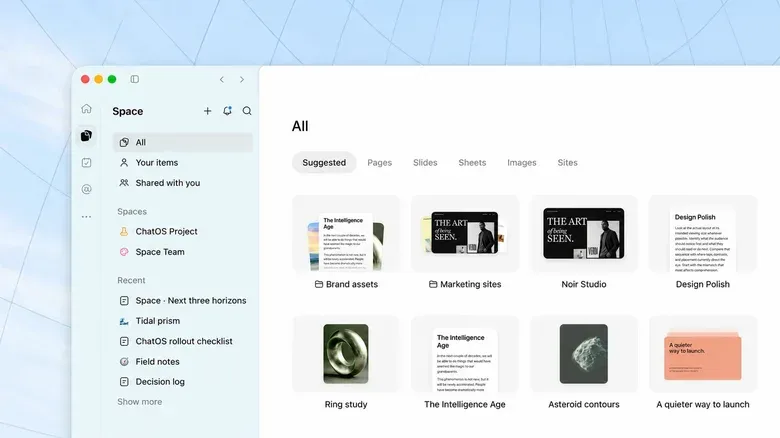
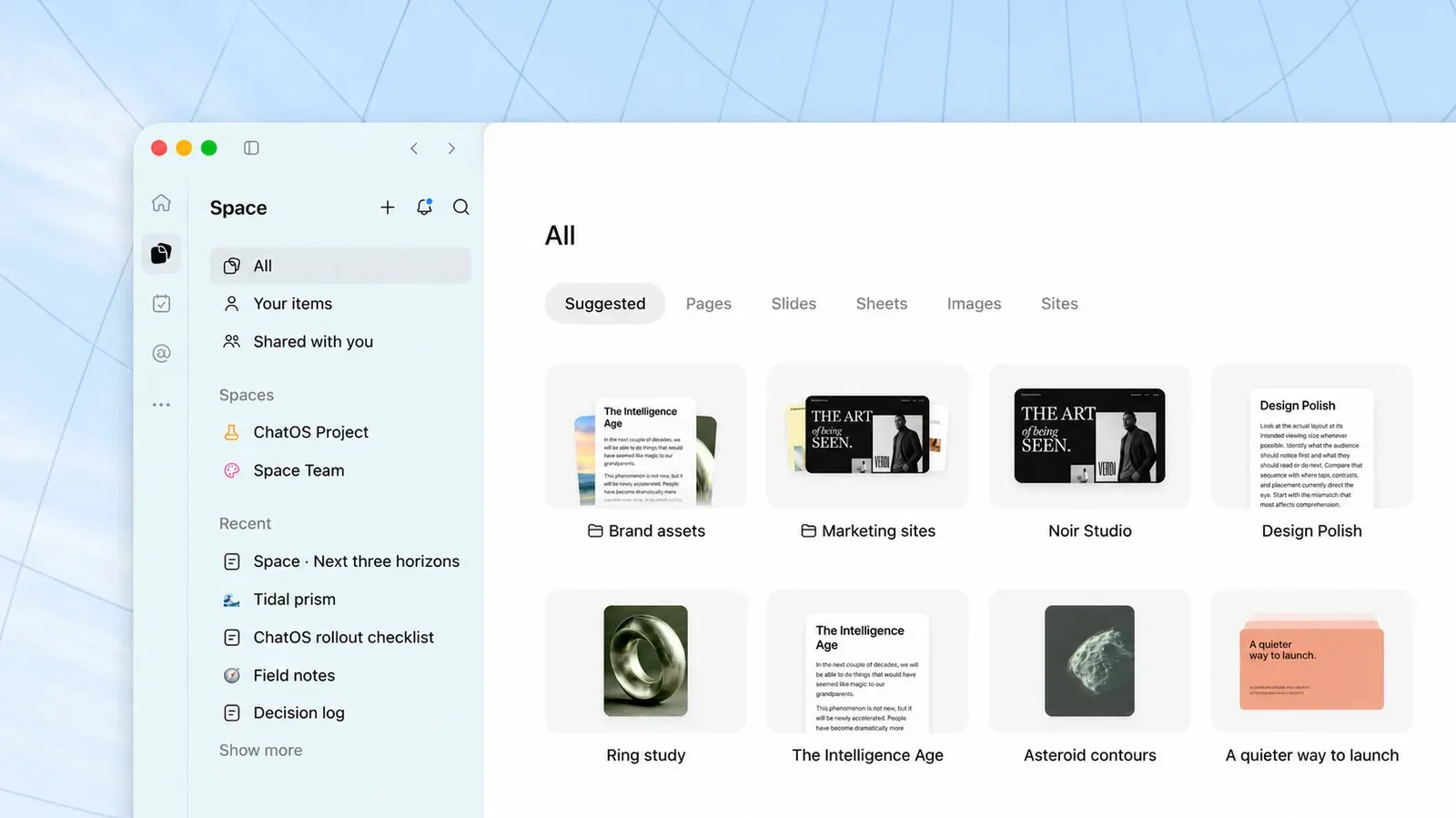
ChatGPT Spaces are expanding to the $20-per-month Plus tier, bringing a collaborative project hub to subscribers who previously did not have access. The feature is designed to keep material for a shared effort in one place: users can add documents, slides, spreadsheets, images, web links and a newer document format called Pages, then invite other people to work within the same Space.
Spaces first arrived for Pro, Business and Enterprise users following the feature’s debut at a September Dev Day event. The Plus rollout makes the idea considerably more relevant to smaller groups: friends planning something together, students assembling study material, or a gaming group trying to stop useful links and notes from disappearing into a rapidly moving chat.
That last use case is where the feature could have a surprisingly practical place for players. Organizing a co-op session, maintaining a modding research folder, preparing a community event, or collecting planning notes for an open-world game all tend to involve an awkward mix of screenshots, browser tabs, spreadsheets and messages. A Space is intended to act as the container around that material, while ChatGPT assists with organizing and working from it.
What a ChatGPT Space is meant to do
A Space is a shared hub rather than simply another individual prompt thread. Its purpose is to collect the files and information relevant to a project and make them available to the people collaborating there. Users can begin from a template or build a Space by uploading material directly.
The supported starting points described for the rollout include:
- Pages
- Slides
- Spreadsheets
- Images
- Links to websites
In practical terms, that means a group can bring disparate reference material into a common project area instead of asking every participant to reconstruct the context from a conversation. The value is not merely storage. The service positions the Space as a place for people and AI tools to collaborate around the same information.
Pages are especially central to the feature. They are a new kind of document built for work with agents, including writing, visualization, research and coding. Pages can also remain automatically updated through connected tools. “Automatically updated” is important language here: it describes a potential ongoing connection to information through those tools, not a promise that every file in every Space will refresh itself. Anyone using the feature for a project with changing details should understand exactly which materials are connected and which are static uploads.
How Plus users can create one
For Plus subscribers, Space has taken over the location previously used by Library in ChatGPT’s left-hand navigation. Select Space from that sidebar, then use the plus icon to create a new hub. From there, choose a template or start adding project material.
- Open ChatGPT and select Space in the left navigation.
- Select the plus icon to make a Space.
- Choose a template or add relevant Pages, files, images, slides, spreadsheets and web links.
- Invite collaborators when the project needs shared participation.
- Use ChatGPT to help arrange, write from or otherwise work with the collected material.
The process sounds straightforward, but the quality of any shared hub will depend on its setup. Tossing in every available file can make the material noisier, not clearer. A better approach is to define one project question first, then add only the references that help answer it. For a game night, that might be a schedule, player availability, a short rules explainer and a list of titles under consideration—not every image, message and link ever exchanged by the group.
A sensible gaming use: organize, don’t outsource judgment
Spaces could suit collaborative gaming projects because those projects often require lightweight coordination more than formal project-management software. A group could create a Space for an upcoming campaign, put character notes and scheduling information in it, and invite the people who need access. Another could compile web references and images for a custom community challenge. Students working on game design coursework could use a Space to keep research, slides and draft writing together.
There is also a use for players planning large, sprawling games. A Space could gather a personal route outline, screenshots, mission notes and relevant links for a group attempting particular activities. For example, someone already using a detailed resource such as this GTA 6 jet guide could keep the link alongside a group’s own plans and notes. The distinction matters: a Space can help collect and structure a group’s material, but it does not turn uncertain information into verified fact.
That is the clearest practical boundary for AI-assisted collaboration. ChatGPT may be useful for sorting notes, turning a messy list into an outline, or proposing questions for a study guide. It is still wise for the people involved to check names, game mechanics, routes, dates and other consequential details against the original material they added. A hub improves access to context; it does not eliminate the need for editorial judgment.
Scheduled Tasks adds an ongoing layer
Spaces work with ChatGPT’s recently revamped Scheduled Tasks feature. The supplied details do not spell out the full range of task behaviors or controls, so Plus users should avoid assuming specific automation beyond that compatibility. At a basic level, the pairing suggests a project can have both a shared home for material and scheduled activity associated with it.
For a small team, that could make a Space more useful than a one-off chat. A collaboration often has two separate problems: keeping the current material available and remembering to revisit it. A shared hub addresses the first. Scheduled Tasks potentially supports the second. Exactly how an individual should use the combination will depend on the options exposed in their account and on what connected tools, if any, they have chosen to use.
Dot agents remain the major Plus limitation
Not every part of the broader Spaces concept has reached Plus subscribers. Plus users cannot use a Dot with Spaces, and they cannot use Dots at all at this point. Dots are agents that can be set up as collaborators in a Space, distinct from the human collaborators whom users can invite.
That limitation means Plus users should view the rollout as access to the hub, sharing and organization side of Spaces—not full parity with the higher-tier feature set. There is movement on the agent front: testing has begun with a select group of Plus subscribers. But testing is not the same as general availability, and no wider release timing is established here.
This distinction is worth making because “AI agents” can be a slippery term. In this context, an agent is a configured AI helper intended to participate in work around shared information. The provided details do not establish what actions a Dot can take, what permissions it receives, or when all Plus users might gain access. Until those details are available in a user’s own product controls, Dots should be treated as an upcoming, limited test rather than a feature included with Plus Spaces.
Examples that fit the feature’s strengths
The rollout highlights a city guide as one example: a user can keep adding new places as they find them, while ChatGPT organizes the guide. It also suggests a student study guide that includes 3D visuals and self-quizzing questions.
Those examples underline the best case for a Space: a project with material that accumulates over time, needs shaping, and may be shared with another person. The feature is less obviously necessary for a single question with no files and no future revisions. Its appeal grows when the project has multiple sources, multiple participants, or both.
For Plus subscribers, the new access is therefore not chiefly about replacing a chat window. It is about introducing a more durable workspace around the chat. The rollout gives individuals and small groups a way to centralize material and collaborate in ChatGPT, while leaving the more agent-driven Dot capability outside the standard Plus experience for now.