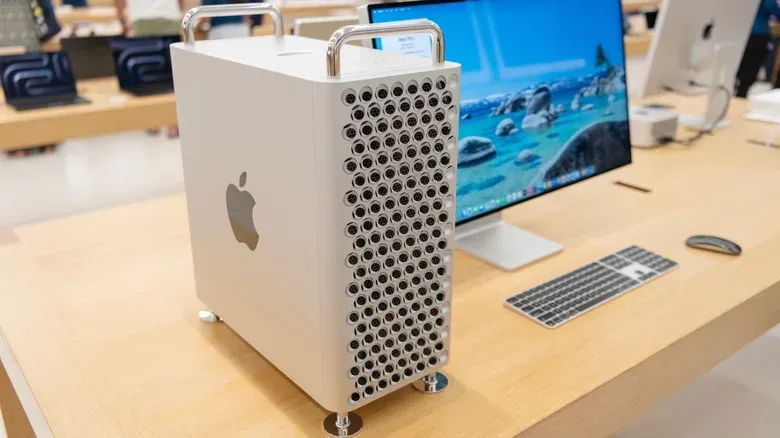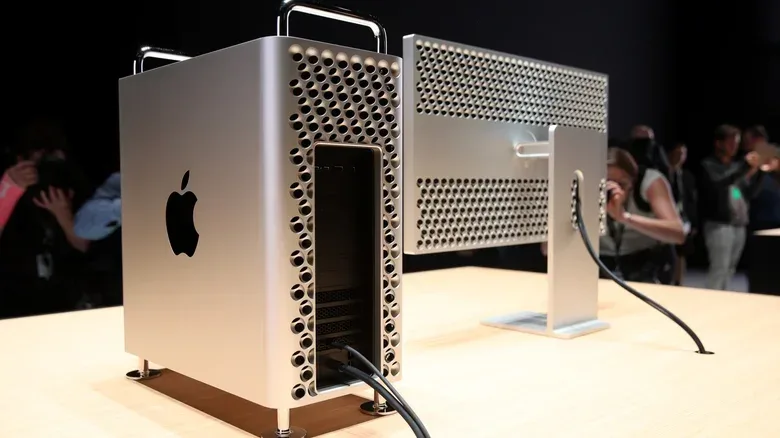
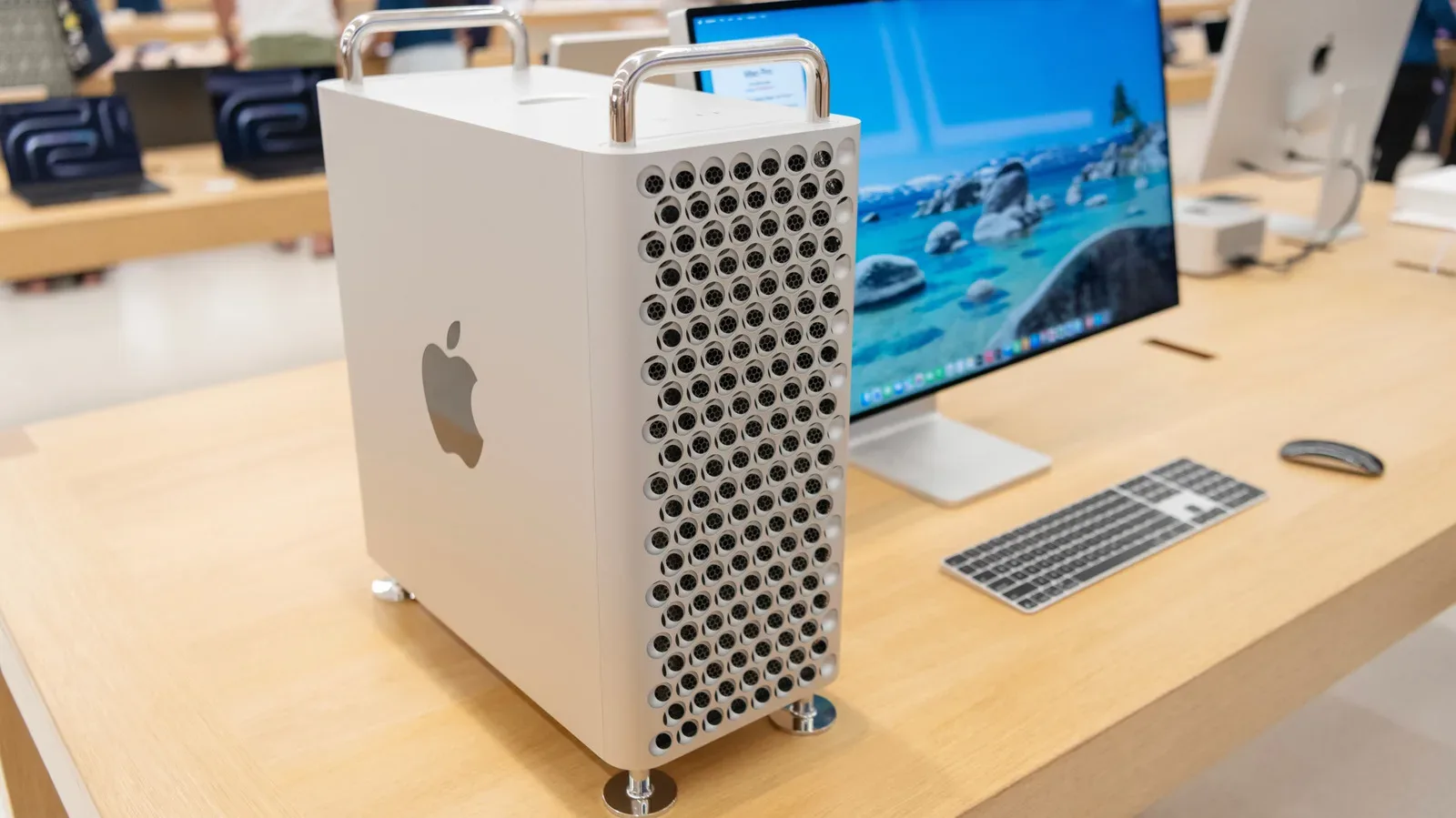
The Mac Pro is no longer Apple’s forward-looking workstation line. Apple discontinued it in March 2026 as it shifted attention to the Mac Studio. That is a decisive change for a machine family that could begin at $5,999 for a 2019 configuration and climb into the tens of thousands when fully outfitted.
Discontinued does not mean useless, however. A working Mac Pro can remain a useful production machine, particularly when its existing applications and peripherals still do the job. It can also be sold to a buyer whose workload values memory or storage more than leading-edge processor performance. Owners of the modular 2019 model have an additional option unavailable on most newer Macs: its components may have value individually if selling the full computer does not make sense.
The right choice depends chiefly on which Mac Pro you own, the software it must run, and how much technical risk you are prepared to accept. The near-term picture differs sharply between Intel-based Mac Pros and the 2023 Mac Pro built around Apple’s M2 Ultra chip.
Why the Mac Pro line reached its endpoint
The core issue is Apple silicon’s design. Apple’s M-series processors are systems on a chip, often shortened to SoCs. Rather than treating the central processor, graphics processor and other major functions as largely separate pieces in the traditional workstation sense, an SoC brings them together in a highly integrated package.
Its related unified memory architecture means CPU, GPU and other parts of the system share memory resources. This differs from the modular approach associated with the 2019 Mac Pro, where hardware expansion could be a major reason to choose the machine. In particular, conventional drop-in graphics cards do not fit cleanly into Apple’s in-house silicon model. There is no straightforward way to introduce the sort of third-party components that made sense in the Intel-era tower.
The 2023 Mac Pro illustrates the transition. It uses Apple’s M2 Ultra SoC but does not retain the 2019 machine’s modular character. In practical terms, it occupies a similar space to a Mac Studio in a Mac Pro enclosure rather than continuing the older tower’s expansion-first concept.
Software is the other half of the calculation. macOS is being streamlined around Apple silicon, and professional applications are moving the same way. Complex creative software such as Adobe Premiere Pro must be developed and maintained for the hardware platforms it supports. As development effort concentrates on M-series Macs, sustaining an older Intel architecture becomes harder to justify. The end of the Mac Pro is therefore not just a hardware decision; it reflects a broader platform transition.
That transition is worth keeping in mind when shopping, selling or planning a workflow. A Mac Pro’s imposing design, original cost and remaining physical capability do not guarantee that every future app or operating-system release will support it. Conversely, a lack of future upgrades does not erase the usefulness of software that already runs reliably today.
First identify the Mac Pro generation
Before deciding anything, establish whether the system is a 2019 Intel-based Mac Pro or the 2023 Apple-silicon model. That distinction affects operating-system support, the significance of modular components and the likely reasons a buyer might want it.
2019 Intel Mac Pro: capable, modular, but facing support limits
The 2019 Mac Pro is the model most affected by the change in Apple’s software direction. Apple’s macOS 27 Golden Gate does not support Intel-based Mac Pro systems. Some third-party support may continue for a while in the form of security updates and minor fixes, but that timing is not uniform. Each developer ultimately decides when it will stop maintaining Intel versions.
For an owner, this makes a software inventory more valuable than a vague sense that the machine is “still fast.” List the applications that matter, the versions currently installed, the associated account access and any project files that require a particular version. Then separate the software that works today from software that needs future operating-system compatibility. That split will clarify whether keeping the machine as-is is sensible or whether it is time to migrate.
The 2019 system’s modularity also changes the disposal calculation. Its memory and high-capacity storage can be desirable independently of the whole chassis. Parting out a computer should not be the automatic choice, but it is a legitimate fallback when a complete-system sale cannot find the right buyer.
2023 Mac Pro: still on the supported Apple-silicon path
Owners of the 2023 Mac Pro are in a substantially calmer position. The M2 Ultra-based model supports macOS 27 Golden Gate and should remain supported for years. Third-party software support is tied to continued support for the M2 Ultra platform, rather than the fading Intel architecture.
That does not make the 2023 computer indefinitely upgradeable or restore the 2019 model’s component flexibility. It does mean that an owner who is satisfied with the machine has no immediate reason to treat discontinuation as an instruction to replace it. A product line ending and a specific computer becoming obsolete are not the same event.
Three realistic paths for an existing workstation
1. Keep using it where it already works
The most conservative path is also often the most useful: continue running the Mac Pro for the work it currently handles. Video editing and network-server tasks can benefit greatly from abundant memory without necessarily requiring the newest processor. A reliable existing workflow can outweigh the appeal of changing hardware, particularly when an upgrade would also require updating applications, files or working habits.
For an Intel model, this choice calls for discipline rather than denial. Pay attention to the support status of crucial applications and security updates. Keep backups current. Avoid assuming that future macOS releases will be available simply because the computer remains physically functional. The point is to use a proven setup intentionally, not to be surprised later by an unavailable update or incompatible app.
For an Apple-silicon 2023 model, continued use is more straightforward because it remains within the current macOS support path. The Mac Pro’s discontinuation is a product-line decision; it does not remove the operating system or applications from a machine already in service.
2. Extend an Intel Mac Pro with another operating system
An older Mac Pro does not have to be limited to macOS. One approach is a virtual machine, or VM. A VM is a software-created computer running inside the existing operating system. The alternative system is a guest OS, while macOS remains installed as the host.
This route is useful because it leaves macOS in place. Paid software such as Parallels can simplify installing Ubuntu Linux or Windows 11, and free VM options exist as well. It can be a practical way to access a needed environment while retaining the familiar Mac setup and existing files.
A VM is not the same as replacing macOS. It adds another layer, and the original installation remains part of the arrangement. For many people that is precisely the advantage: experimenting with a guest system does not require immediately committing the Mac Pro to a wholesale change.
A full installation of a new operating system is another possibility, particularly given the older 2019 Mac Pro’s modular nature. But it is a more technical undertaking and carries real risk. A failed attempt can leave the machine unusable, commonly described as “bricking” it. Anyone not comfortable with the procedure should not treat online instructions as a reason to push ahead. Back up important files first, understand the recovery plan, and recognize that a working workstation is often worth more than a risky experiment.
3. Sell the system, or sell appropriate components
The used market can give a discontinued Mac Pro another productive home. Buyers may include professionals and students who need substantial memory for a particular workflow, as well as people building or maintaining network-server setups. They may not need the fastest current processor to benefit from a working Mac Pro at a more approachable price.
Online marketplaces are an obvious route, but they are not the only one. A local university bulletin board can connect a seller with people studying or working in fields where a memory-rich desktop remains valuable. A full machine will generally be easier for a buyer to understand and deploy, so it makes sense to try that first when the computer is complete and operating properly.
If a 2019 Mac Pro will not sell whole, the memory and large-capacity storage drives may be worth considering separately. This is not a claim that every internal part will command a premium; condition, configuration and demand matter. It is simply a reminder that a modular workstation can hold value in pieces as well as as a single computer.
Protect your data before it leaves your hands
Whether the Mac Pro is being sold, donated, recycled or dismantled, data handling is not optional. A workstation may contain project media, saved passwords, browser data, account connections and personal documents accumulated over years. The hardware can depart; that information should not.
- Back up the files you need. Confirm that critical documents, media and project materials are copied somewhere you can access after the Mac is gone.
- Sign out of accounts. Do not leave the next owner connected to services or accounts that belong to you or your organization.
- Perform a factory reset. Follow Apple’s instructions for erasing the machine and preparing it for a new owner.
- Only then choose the handoff. Sell the complete computer, offer components individually, or recycle it after the reset process is complete.
This sequence matters even if the buyer seems trustworthy. Resetting is a standard part of retiring a computer, not an accusation aimed at the person receiving it.
What discontinuation means in practice
Apple’s decision reduces the Mac Pro from a current product family to a decision point for existing owners. It does not dictate one answer. The 2023 M2 Ultra machine remains in active software support and can keep serving its role. The 2019 Intel system has a shorter and more uncertain road on macOS, but it can still run existing workflows, host another OS through a virtual machine, or appeal to a buyer who values its capabilities and expansion potential.
The most practical response is to match the machine to a clear purpose. Keep it if its supported software and workload still justify it. Repurpose it only if the technical effort is proportionate to the result. Sell it whole when that is the cleanest handoff, and consider components only when a complete sale is not viable. The broader Apple transition continues in other parts of the business too, including retail changes such as a planned modernized Reading store, but the immediate question for a Mac Pro owner is much simpler: what useful work can this particular computer still do safely and reliably?