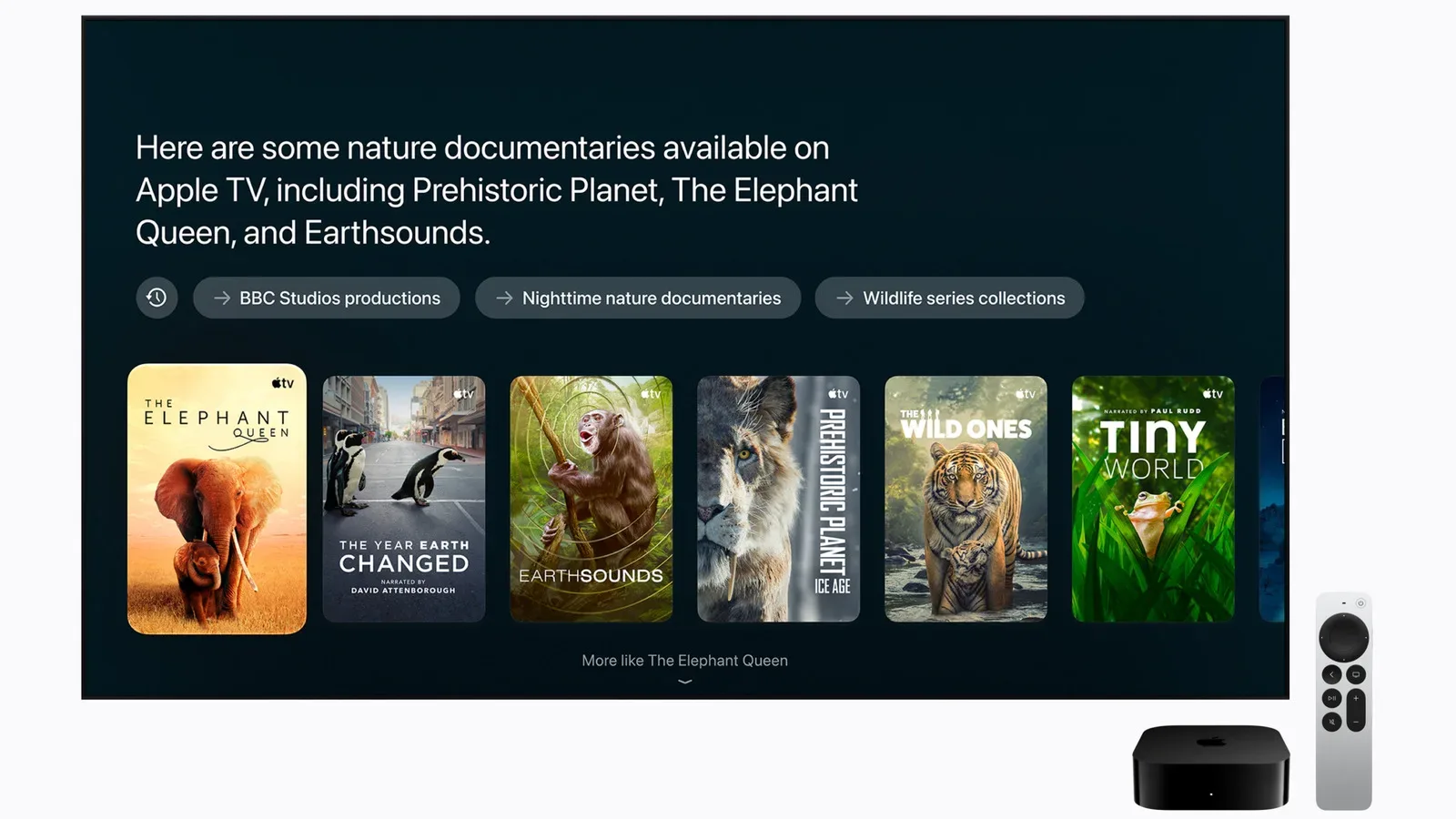

Apple’s new HomeView and fourth-generation Apple TV 4K are aimed at different corners of the connected home, yet their early appeal rests on much the same promise: technology should be available without demanding that someone pick up a phone, hunt down a remote, or move to another screen.
That promise appears most convincing in highly practical moments. HomeView can sit in a kitchen and handle timers, music, questions, smart-home controls and recipe steps. The Apple TV 4K, meanwhile, gains faster navigation through its A19 chip, built-in microphones for hands-free Siri, a speaker-equipped remote that is easier to locate, and support for four-speaker HomePod surround sound.
But both products also expose a familiar smart-home tension. Convenience is only genuinely convenient when it works quickly and consistently. Siri AI can address more complicated questions and requests involving personal information, but long pauses and uneven outcomes can make an expanded assistant feel less dependable for even basic tasks. At $299 apiece as starting points in their respective configurations, the question is not simply what either product can do. It is whether it solves a repeated, real household problem better than the screens, speakers and remotes already in place.
HomeView’s strongest case is room-specific utility
HomeView is a 7-inch square display, and that specification has important practical consequences. Its thick bezels and square shape make it appear smaller in person than a buyer may expect, with an appearance likened to an oversized Apple Watch. This is not a device intended to function as a miniature television or a general-purpose computer replacement. It makes more sense as a fixed, glanceable household interface.
The kitchen provides the clearest example. Timers and music are established smart-speaker tasks, while smart-home controls can be useful when hands are busy or messy. HomeView’s treatment of web recipes adds a more display-specific reason to put it there: recipes can be converted into clean step-by-step directions with ingredient checklists. Rather than repeatedly waking a phone, scrolling through a long page, or trying to keep a browser open, the device is designed to present a cooking task in a more focused format.
That is the key distinction in HomeView’s favor. A purpose-built home display does not have to replace every existing device. It has to reduce friction in the particular place where it lives. A kitchen counter is a setting where a standing, visible screen can earn its space. By contrast, placing the same device at a desk already surrounded by displays makes the rationale much less obvious.
Square video is flexible, not cinematic
Video playback gives HomeView some extra versatility at a counter, bedside or desk, but widescreen material uses only a relatively small area of a square display. That does not rule out short viewing sessions or casual background video. It does make the feature secondary to the device’s role as a home-control and information surface.
The display ratio matters because modern video is commonly wider than it is tall. On a square screen, a widescreen image must leave unused space above and below it if it is shown in its intended proportions. The result is a smaller picture than the screen’s diagonal measurement might imply. HomeView can therefore be a flexible nearby screen without necessarily being the best screen for sitting down to watch a film or extended show.
The tabletop model makes a stronger hardware argument
Sound is one of the more compelling aspects of the tabletop HomeView. Its audio sits between the HomePod mini and the larger HomePod, giving the unit a notable advantage as a kitchen or casual-room speaker. That base also raises a meaningful value question about the wall-mounted version.
The wall-mounted HomeView costs the same $299 before mounting accessories, while omitting the tabletop model’s larger speaker base. For a household that wants a permanent control point, wall placement may still be exactly the point: it keeps the display off a counter and makes its location consistent. Yet the equal pricing makes the decision less straightforward. Buyers are effectively weighing the clean, fixed installation of the wall unit against the better-integrated sound hardware of the tabletop version, plus the added expense of mounting accessories.
This is a purchase where intended location should come before the model. A buyer who wants music and timers around a kitchen may find the tabletop speaker proposition easier to understand. Someone seeking a dedicated family dashboard or smart-home panel in a hallway may value the wall approach more, but should factor in accessories rather than treating $299 as the complete installed cost.
Personalization is an encouraging home feature
Face recognition may be one of HomeView’s most promising features because a shared household device needs to know who is approaching it. HomeView can switch to the appropriate person’s apps and information quickly, including when two household members stand alongside one another.
In this context, personalization means that a shared screen does not need to behave like a generic public terminal. The value is not just showing a different name; it is bringing up relevant information and applications for the person in front of the display. A home device becomes more useful when it can be communal hardware without flattening everyone into one profile.
That said, the interface still brings open questions. It combines elements familiar from Apple’s other software platforms, which can make it easy to understand. Familiarity, however, is not automatically the same as being designed for a home environment. Messaging and web browsing are present, but typing on a stationary display seems likely to be an occasional activity rather than a core use case.
HomeView also has no App Store. Compatible third-party audio and video apps are supported through a connected iPhone or iPad in a model compared with CarPlay. CarPlay is Apple’s system for bringing selected phone functions and apps to a car’s built-in display, rather than making the car screen a fully independent app platform. Applied here, the arrangement limits HomeView’s standalone software role while keeping it connected to the phone or tablet a household already uses.
That may be a sensible constraint for a simple, fixed home device, but it also narrows the product’s identity. Its utility will depend less on an open library of native software and more on how well its existing home-oriented features, plus supported connected apps, fit daily routines.
Apple TV 4K adds speed, searchability and speaker scale
The fourth-generation Apple TV 4K’s A19 chip delivers noticeably faster navigation and animations. While raw speed can sound like a routine specification upgrade, television interfaces are used in short bursts: opening apps, moving through menus, searching for something to watch and resuming playback. Faster response makes these small interactions feel less interruptive.
Its built-in microphones are another practical change. Hands-free Siri can be used when the remote is missing, even while TV audio is playing. That matters because losing a remote is not a rare edge case in a living room; it is one of the most ordinary frustrations a streaming box can address. The redesigned Siri Remote further acknowledges that reality with its own speaker, making it easier to find around the room.
The new Apple TV 4K also supports four-speaker HomePod surround sound. Surround sound uses multiple speakers to distribute audio around the listening position, rather than presenting everything through a single speaker pair or television speakers. The practical appeal here is particularly strong for people who already own compatible HomePods. They may be able to build further on equipment they have instead of starting over with a dedicated home-theater system.
That does not make the Apple TV 4K a universal home-theater replacement. The meaningful comparison is personal: expanding an existing HomePod setup may be attractive, while a buyer beginning from nothing has to consider the full cost and preferences involved in a dedicated theater system. The Apple TV 4K’s higher $299 starting price makes that calculation more pressing.
Siri AI is the shared opportunity—and the shared weakness
Siri AI is central to both releases. More complex questions and requests using personal context can work, suggesting a broader role than simple command-and-response voice control. In plain terms, personal context refers to requests that depend on a user’s own information rather than a generic web-style question.
The obstacle is reliability. Long waits and inconsistent results break the natural flow that voice interfaces need. A home assistant does not merely compete with another assistant; it competes with the speed of doing a task manually. If a request to add a reminder is less dependable than expected, broader AI capabilities do not fully erase the frustration. The most advanced response is not necessarily the best response if a routine instruction needs to happen immediately.
This reliability gap is especially relevant because HomeView and Apple TV 4K are ambient devices. They are intended to be present in common spaces, ready for small moments of help. Their success will be shaped by repeated interactions more than occasional demonstrations of sophisticated AI behavior. The same wider questions around AI implementation are playing out across interactive technology, including in game production, as covered in the debate around expanding AI use in game-development pipelines.
Who has the clearest reason to consider each device?
- HomeView tabletop: Households wanting a kitchen-friendly display for recipe guidance, timers, music and smart-home control, with stronger sound than a HomePod mini.
- HomeView wall-mounted: Buyers who specifically want a fixed home-control display and are comfortable accounting for mounting accessories beyond its $299 price.
- Apple TV 4K: Existing Apple TV users who value quicker navigation, hands-free Siri and a remote that can be located more easily.
- Apple TV 4K with HomePods: Users who already have compatible speakers and see four-speaker surround sound as a worthwhile expansion of their current setup.
The common lesson is that neither product is defined solely by its list of capabilities. HomeView needs the right room and routine; the Apple TV 4K benefits most from an existing HomePod investment or a strong preference for hands-free control. Siri AI gives both a potentially more capable interface, but it also needs to prove that advanced requests do not come at the expense of routine dependability.