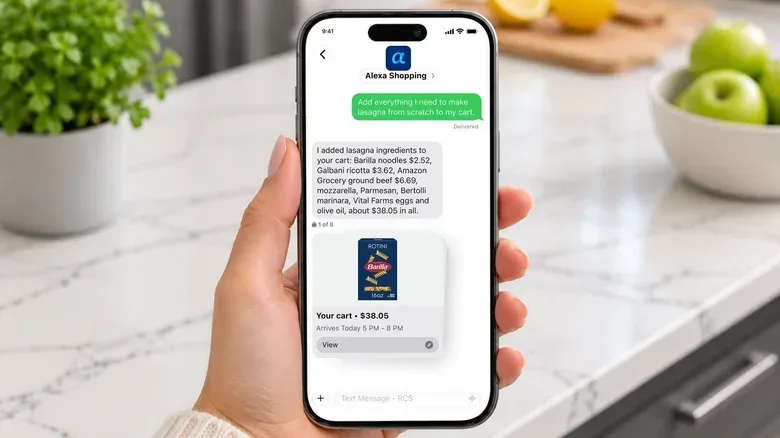
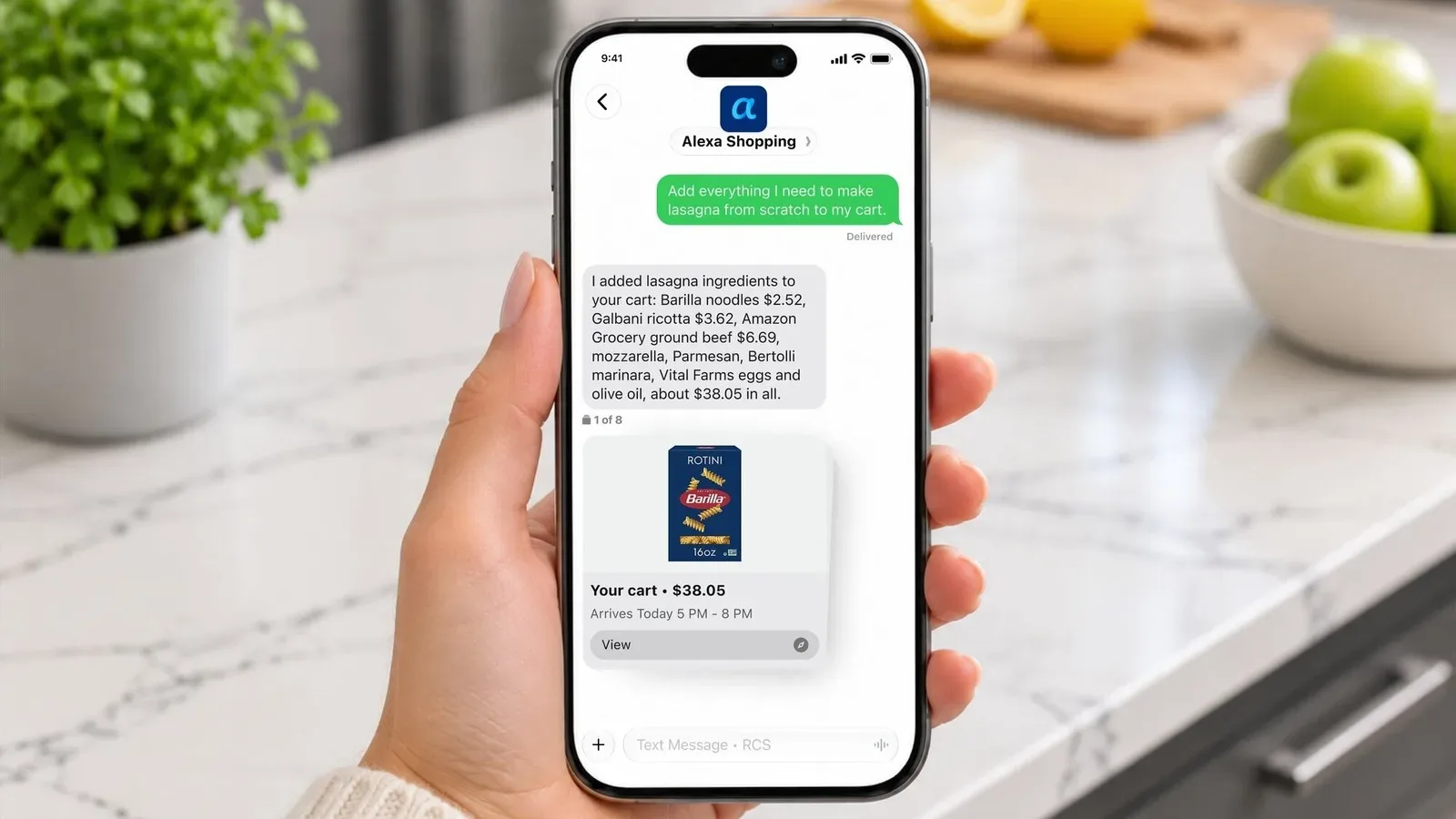
Amazon is testing a new way to put Alexa to work: sending the assistant a text message when the household needs groceries, a quick replacement purchase, a gift idea, or a little reconnaissance on an item’s price. The feature, called Alexa Shopping, is initially invite-only for select customers in the United States, with a broader rollout planned in the coming weeks.
The idea is straightforward, if a little surreal: instead of opening a shopping app, searching a website, or speaking toward a smart speaker, users can treat Alexa like a shopping contact in their phone. Once a person has linked a phone number and been accepted into the test, “Alexa Shopping” appears in their contacts. From there, the conversation can begin in the medium that has already consumed so much of modern life: the tiny message bubble.
That does not mean every text becomes an instant mystery-box purchase. Amazon says Alexa will return suggestions, and items can be added to a customer’s cart after approval before an order is completed. The distinction matters. The assistant is intended to help move a request from a vague need—“we’re low on that thing”—toward specific products and a cart, rather than silently interpreting every fragmentary text as permission to summon twelve industrial tubs of mayonnaise.
What Alexa Shopping by text is meant to do
Amazon already lets shoppers add grocery needs to Alexa shopping lists through its shopping app and website. The new piece is the messaging interface, which combines list-making, product discovery, reordering and order-related questions in one text thread.
Among the uses described for the feature are:
- Requesting a weekly grocery order.
- Searching for a gift.
- Reordering a product that is running low.
- Sending a photo attachment so Alexa can look for matches in Amazon’s store.
- Asking to be alerted if a product goes on sale.
- Checking an item’s pricing history for as much as a year.
- Asking about the status of an upcoming delivery.
- Continuing a request in the Amazon Shopping app or on the website for additional research.
“Pricing history” is especially useful terminology here. It means the record of how a product’s price has changed over time, rather than simply today’s listed amount. A shopper weighing a sale can ask Alexa about that history for up to a full year, which could help distinguish an actual discount from a price that merely looks dramatic when rendered in a cheerful badge and several exclamation points.
The feature can also accept photos. Amazon says Alexa can scan the store for matching products after a user sends an image, then reply with suggestions. That could make the tool more practical for items that are hard to identify in text alone: a replacement product with a faded label, an accessory seen in a photo, or a specific object a user wants to find something like. It also introduces an important limitation of the wording: Alexa is looking for store matches, not making a definitive real-world identification. A match is a shopping suggestion, not a declaration that the photographed item has been solved by the world’s most excitable detective.
A shopping assistant that learns preferences
Amazon says the AI will make more useful recommendations over time as it learns a customer’s shopping habits and tastes. In practical terms, that means previous choices may inform later suggestions: the assistant could become better placed to interpret a request such as “get the usual,” “find another gift like that,” or “reorder what I bought last time.”
That personalization is the pitch behind many AI shopping systems. A conventional search box waits for detailed terms; an agent-style assistant is designed to help turn natural-language requests into an actionable path. “AI agent” in this context means software that can take a user’s request, search within the retail catalog, propose options, add approved products to a cart and help complete the associated task. It is not simply answering a factual question. It is participating in a series of shopping steps.
For shoppers, the upside is convenience when the request is ordinary and repetitive. Replacing a known household staple requires less effort than carefully shopping a category from scratch. A text thread may also be more natural for someone who remembers a need at an inconvenient moment, such as while away from a computer or when their hands are occupied. Texting “need a re-order” may be quicker than mentally bookmarking the task, forgetting it, remembering it at 11:48 p.m., and then undertaking a solemn expedition through a digital storefront.
But a personalized recommendation is still a recommendation, not a substitute for deciding what is best. The useful safeguard built into the announced flow is that Alexa suggests products and can add approved items to a cart. Users retain a point at which they can inspect the choices before the order is finalized. Where a request is vague, shoppers may want to be particularly deliberate about brand, quantity, size, delivery timing and whether a suggested product is actually the desired variant.
Why the text thread could be the main attraction
The notable change is not merely that Alexa can help shop. Alexa already had shopping-list functionality. It is that the interaction is being shifted into a familiar asynchronous conversation. Unlike voice, text makes it easy to return to an unfinished request, review the assistant’s suggestions, or switch to the app or website when a bigger screen and more product detail are useful.
Amazon says requests made in the Alexa Shopping text conversation carry over to both the Amazon Shopping app and the web. That continuity could be valuable when a task changes shape. A shopper might start with a plain-language message about a gift, receive suggestions, then move to the website to compare product details. Or they might text for a delivery update, see the answer, and leave the rest of the order untouched. The interface is not presented as a replacement for every browsing session; it is another entry point.
There is a broader practical lesson in that design. Convenience features work best when they do not trap a user in one interface. Text can be excellent for a short prompt, a quick alert request or a re-order. It is less ideal for comparing many options at once, parsing product specifications or making a sensitive purchase decision. Allowing the same request to continue in the app or on the website gives users a route from low-friction input to more careful review.
The feature’s price-alert capability follows the same pattern. A shopper can text Alexa about items they want to watch and receive an alert later if they go on sale. That separates the act of noticing an item from the act of buying it. Rather than repeatedly checking a listing, a person can register interest and wait for an update. The availability of price-history information can then provide an extra checkpoint before purchase.
What to check before making the feature part of a routine
Because the service is being tested with selected US customers, its precise behavior may evolve as availability expands. That is a normal implication of an invite-based rollout: early participants are using a feature before it becomes generally available, and the initial audience is limited. Interested users can sign up for consideration, but a sign-up does not itself guarantee access.
For those who do receive the feature, a few habits can keep the convenience from becoming accidental cart chaos:
- Use specific wording for repeat buys. Include a brand, product type, size or quantity when those details matter. “Reorder coffee” and “reorder the same coffee” can be very different requests if a household buys more than one variety.
- Review suggestions before approval. Product matching is helpful, but substitutions and similar listings can differ in count, format and suitability.
- Use pricing history as context, not an instruction. A one-year view can inform a decision, while the shopper still decides whether the current price and product are worthwhile.
- Move to the app or web when comparison matters. The ability to carry a request across interfaces is useful for researching a gift or examining options in greater detail.
- Remember that photo matching produces suggestions. Check that a proposed match is the right product before it enters the cart.
As retail tools become more conversational, the central skill may not be learning an elaborate command syntax. It may be knowing when a short request is enough and when to pause for a closer look. That is an increasingly familiar issue wherever personalization and recommendation systems steer people toward choices—an issue also relevant to debates over how digital feeds can shape what users see and pursue, as explored in coverage of concerns around recommendation-driven “rabbit holes”.
For Amazon shoppers, the immediate appeal is less philosophical: a grocery reminder can now become a text, a photo can become a product search, and a price-watch can live in the same chat as a delivery question. Alexa Shopping’s early test turns the assistant into something closer to a retail concierge living in the contacts list—one that may eventually know the family’s preferred paper towels better than the family does.