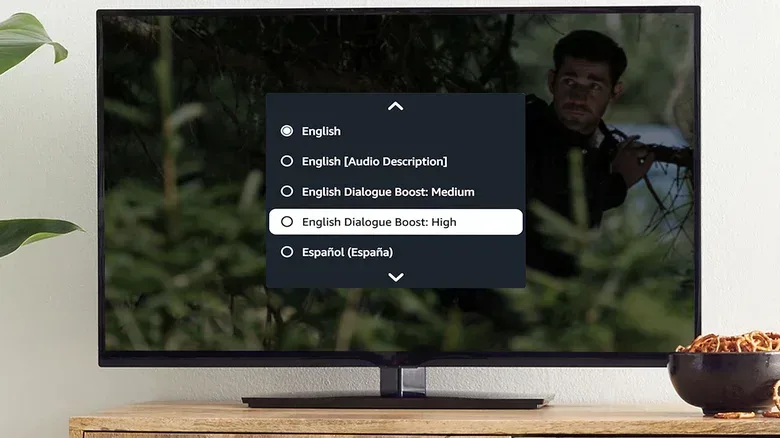
Few home-entertainment annoyances are as reliable as the “quiet conversation, sudden explosion” routine. A character delivers a crucial line at a near-whisper, the volume goes up, and the next burst of music, gunfire or engine noise sends everyone reaching for the remote. For viewers using a compatible Amazon Fire TV device, Dialogue Boost is a setting intended to tackle that specific imbalance by making speech easier to pick out without simply turning the entire soundtrack louder.
It is a modest option with a practical goal: dialogue should be intelligible at a comfortable overall listening level. That can matter just as much for a densely mixed action movie as for a softly performed drama, where the issue is not necessarily that a TV is too quiet but that spoken words are competing with everything else in the mix.
Where to find Dialogue Boost on Fire TV
On a compatible Amazon Fire TV device, follow this path:
- Open Settings.
- Choose Display & Audio.
- Open Audio Settings.
- Turn on Dialogue Boost.
The available strengths are Low, Medium, High, Enhanced and Heightened. The names indicate increasingly forceful dialogue treatment, but they should not be treated as a universal ranking where the highest setting is automatically best. The useful setting is the lowest one that makes speech comfortable to follow in the material being watched.
A quieter, dialogue-led film may only need Low or Medium. A soundtrack packed with sustained action, dense music and effects may benefit from High, Enhanced or Heightened. John Wick is a straightforward example of material where rapid gunfire and explosions can compete with voices; a more conversational film such as The Social Network may need less intervention.
Why dialogue can get buried in the first place
The problem is partly a matter of production and partly a matter of playback. Modern recording practices can allow performers to speak more naturally. That naturalism may include very soft delivery, mumbled words or speech that is less projected than audiences might associate with older films. Dialogue editor Austin Olivia Kendrick has pointed to the contrast with older recording equipment, which often required actors to stay in more deliberate positions and project their speech more clearly.
That does not mean every unclear line is a recording failure, or that older productions were automatically mixed better. It does help explain why modern dialogue can feel less direct, especially when it is heard through limited television speakers rather than a fuller audio setup.
Many TVs use a basic stereo speaker pair. Meanwhile, contemporary film and television soundtracks may be designed with surround playback in mind. In a surround arrangement, the center channel is commonly the speaker position most associated with dialogue. When that dedicated channel is not part of the listener’s setup, voices can be folded into the left and right channels alongside score, environmental sound and effects. A small television speaker system then has to reproduce all of those competing elements at once.
That is the important distinction between raising volume and improving clarity. Turning the volume up raises speech, music and effects together. Dialogue enhancement attempts to change their relationship so voices are more prominent without making the rest of the soundtrack overwhelmingly loud.
What Fire TV says its processing does
Amazon first introduced Dialogue Boost on Prime Video in 2022. At that point, viewers selected a dialogue-boosted audio track while watching supported titles. That earlier approach was limited to selected movies and series because the alternate track required cloud-based preprocessing.
The Fire TV version is designed differently. Amazon says it uses artificial-intelligence models that have been compressed to less than one percent of their original size, making them small enough to operate on the device in real time. In plain language, the Fire TV can analyze the sound as it plays rather than waiting for a specially prepared alternate mix tied to one particular program.
That implementation also means the feature can work with streaming services beyond Prime Video. Its intended value is not confined to a catalog of specifically prepared titles: it is an audio-processing option on the Fire TV device itself.
A quick explanation of the technical terms
Neural network: In this context, a neural network is a type of AI model trained to recognize patterns. Amazon says its model was trained on thousands of hours of speech spanning different languages and accents. The goal is to identify characteristics that are likely to be human speech.
Real-time processing: This means the device analyzes audio during playback. It is not simply switching to a separately authored dialogue track. The practical benefit is broader use across services; the device can apply its processing to the audio it receives.
Speech separation: Amazon describes the model as separating speech from background music and sound effects. The purpose is to emphasize the voice component while avoiding a drastic change to the rest of the mix.
Model compression: Large AI models can require substantial computing resources. Compressing a model reduces its size so it can run locally on hardware such as a streaming device. Amazon says the models used here are reduced to less than one percent of their original size.
The key word is “attempts.” Any system that distinguishes dialogue from other sound is making a processing decision about a complicated mix. Dialogue Boost is meant to preserve the broader audio presentation more effectively than a blanket volume increase, not to transform every soundtrack into a perfectly isolated vocal recording.
How to choose a setting without overdoing it
There is no reason to lock the feature at Heightened immediately. Start with Low or Medium and listen to a scene that contains normal conversation as well as some score or background activity. If words remain hard to make out, step upward one level. If voices begin to feel unnaturally forward compared with the rest of the scene, return to the previous setting.
- Use lower levels for material where speech is already mostly clear but occasionally masked by music or ambience.
- Try stronger levels for action-heavy programs where effects repeatedly crowd out lines.
- Change it by genre if necessary. One setting may not suit every movie, series or app.
- Listen at your normal volume. A setting chosen at an unusually high or low level may not translate to everyday viewing.
This is less about pursuing maximum vocal loudness than about reducing the number of times a viewer has to rewind, turn up the volume or turn subtitles on purely because an important line vanished under the soundtrack.
Dialogue Boost and Night Mode solve related, but different, problems
Dialogue enhancement is not the only option for viewers dealing with a volatile soundtrack. A TV or soundbar’s Night Mode can also make speech easier to follow, but it takes a different approach. Night Mode reduces the level of loud sound effects and boosts quieter elements. In audio terms, it reduces the gap between the quietest and loudest moments.
That can be especially useful when the real concern is avoiding sudden peaks late at night or in a shared space. If explosions, musical stings and other big moments are the issue, Night Mode may be the more suitable first adjustment. If the overall loudness is acceptable but voices are getting lost in a busy mix, Dialogue Boost targets the more specific problem.
The two approaches are easy to confuse because both can improve intelligibility. Their emphasis differs: Dialogue Boost seeks to make speech stand out, while Night Mode seeks to tame extremes across the soundtrack. The best choice depends on whether the listener is fighting buried dialogue, disruptive volume jumps, or both.
Comparable options outside Fire TV
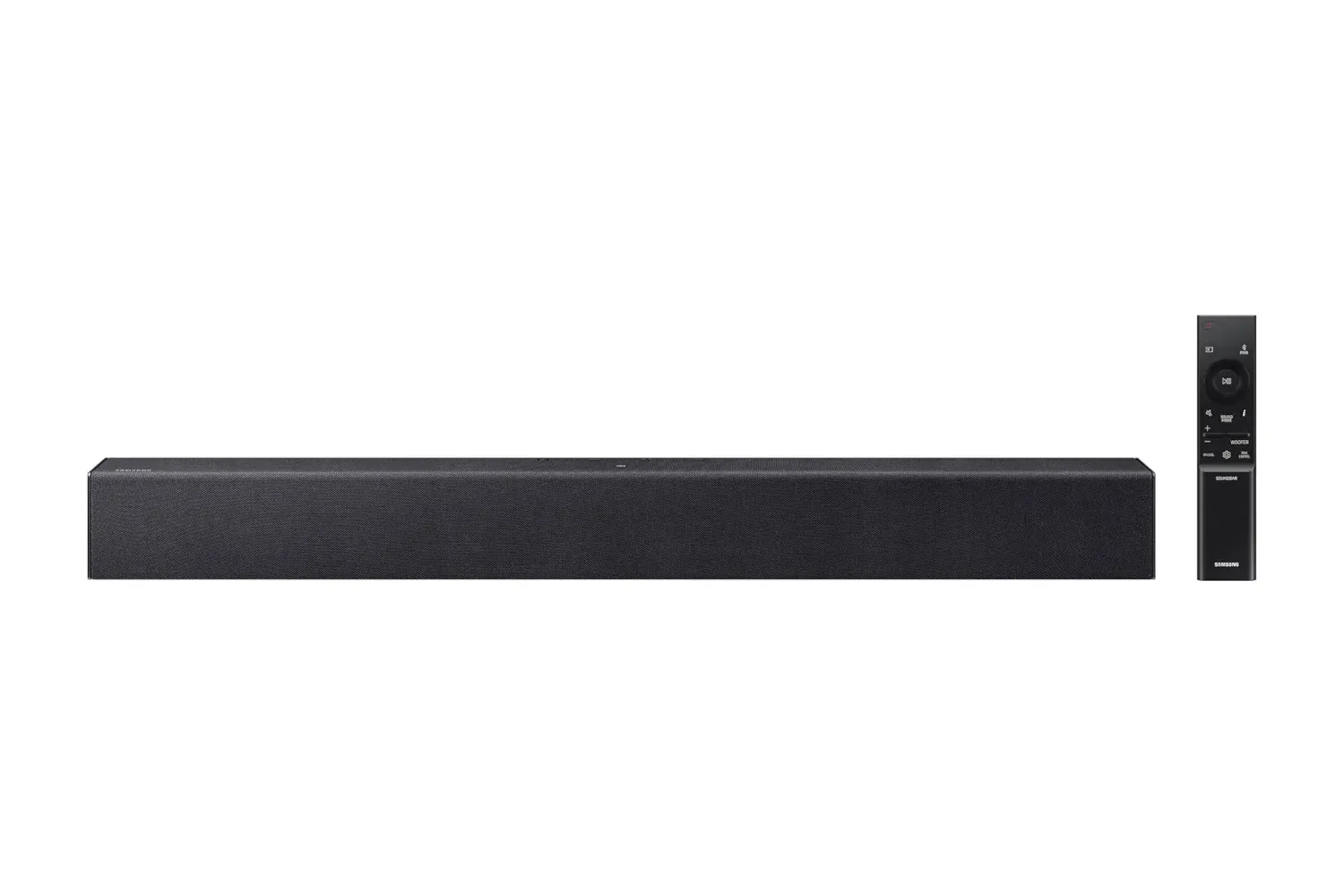
Fire TV is not the only platform with a voice-focused setting. Samsung soundbars offer a Voice Enhance mode with a similar basic purpose: make spoken dialogue more prominent. Many modern TVs, streaming devices and soundbars have some form of dialogue, voice, clear-voice or speech enhancement control, even though the names and exact methods differ.
For anyone who does not see Dialogue Boost on their Fire TV hardware, the practical next step is to inspect the television’s and soundbar’s audio menus for a comparable feature. Night Mode is another option worth checking where a dedicated voice setting is unavailable.
For entertainment that relies on precise atmosphere as much as dialogue—horror is an obvious case—clarity adjustments are worth approaching carefully. The aim is to recover important spoken lines without flattening the tension created by quiet ambience and louder payoff moments. Our look at Steam horror games under $10 is a reminder that sound design and suspense often travel together, even when the playback controls differ between a PC game and a streaming-video setup.
Ultimately, Dialogue Boost is not a replacement for a dedicated surround setup with a proper center channel. It is, however, a useful device-level tool for the much more common situation of watching through television speakers or a simpler audio system. If a soundtrack repeatedly makes its dialogue difficult to understand, the setting offers a targeted alternative to the usual cycle of raising the volume and regretting it seconds later.