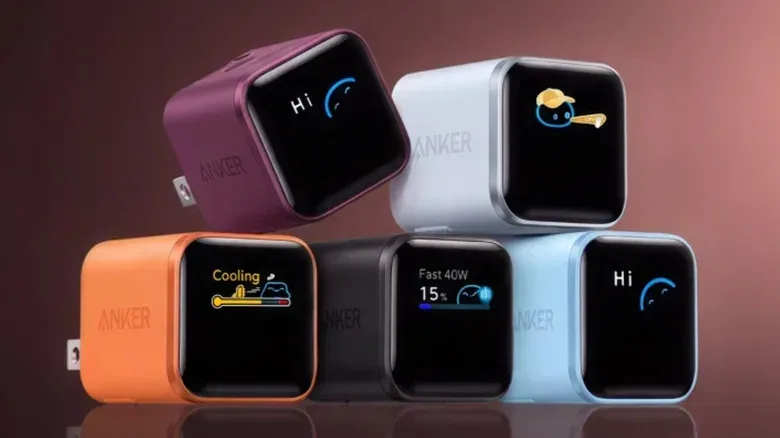
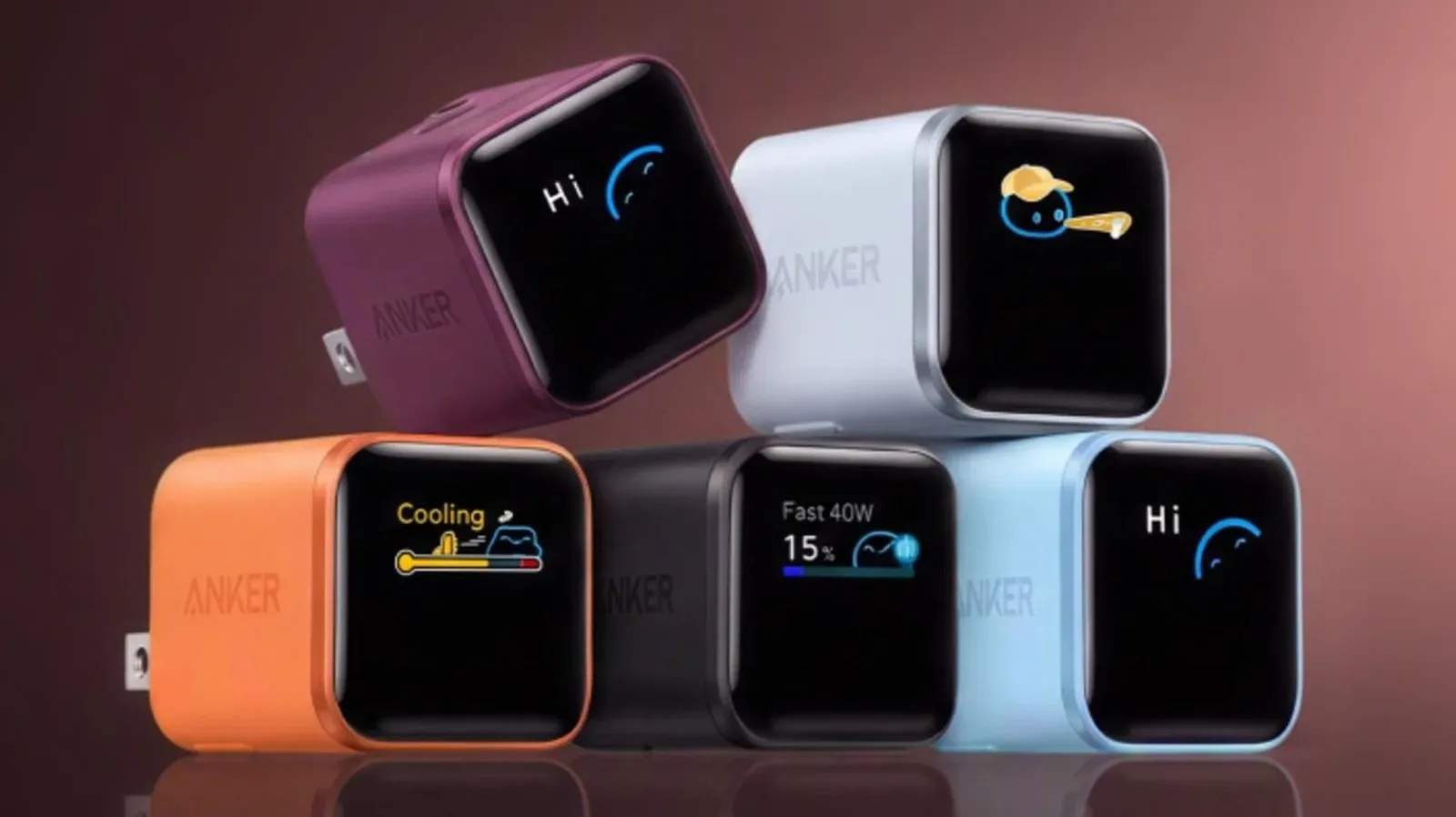
A tiny charger showing a cartoon blob in sunglasses might not be the most immediately intuitive diagnostic tool, but Anker’s Nano 45W smart-display charger is trying to make charging heat easier to read at a glance. If its temperature screen switches to Floating, there is no need to treat it as a fault message. The animation means the charger is actively monitoring its temperature and working to prevent it from rising beyond 140 degrees Fahrenheit.
In plain terms, Floating is a normal, protective state—not a warning that the charger has failed, nor confirmation that a connected phone is damaged. It sits between the Nano’s coolest illustrated status, Breezing, and its more serious heat-management state, Cooling. The display makes a usually invisible part of charging behavior visible: the charger’s effort to track thermal conditions while supplying power.
What Floating means on the Anker Nano 45W
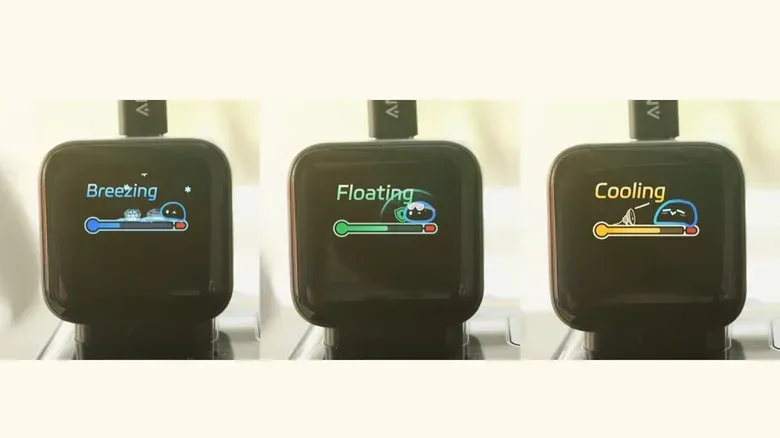
On the charger’s temperature display, Floating is represented by a half-filled green thermometer, a green shield and the small character wearing glasses. Those details are cosmetic, but the state behind them is practical. Anker uses Floating to show that its internal temperature monitoring is active, with the aim of avoiding an increase past 140 degrees Fahrenheit.
That means Floating should be read as a reassuring middle status. The charger is no longer displaying the lowest-temperature animation, but it has not moved to the point where it must cut charging speed to lower its heat. The green shield is the important visual shorthand: the charger is still operating with thermal protection engaged in the background.
It is easy to mistake an animation change for a problem because most compact wall chargers provide no feedback at all. They may become warm during use without saying why, how warm they are, or whether they are adjusting power. The Nano 45W’s display turns that normally opaque process into a set of distinct states. Floating is simply the one that says the charger is keeping watch.
The three temperature animations, translated
The Nano 45W can cycle through three display areas: charging status, charger temperature and charging modes. A touch-sensitive indent beside its USB-C port changes screens. Holding that control for two seconds rotates the display 180 degrees, which can be useful when the charger is plugged into an outlet in an awkward orientation.
The temperature page uses three animations to communicate different conditions:
- Breezing: A character sits on ice cubes with snowflakes around it, while the thermometer is barely filled. This means the charger is below 113 degrees Fahrenheit and operating normally.
- Floating: The thermometer is half full and green, with the glasses-wearing character and green shield. The charger is monitoring temperature to keep it from exceeding 140 degrees Fahrenheit. This is not an error state.
- Cooling: The thermometer changes to yellow and a fan blows air toward the character. The charger has detected higher heat and automatically reduces charging speed so it can cool down.
The most meaningful distinction is between Floating and Cooling. In Floating, the charger is observing and managing thermal conditions without the supplied information indicating that it has reduced its advertised charging capability. In Cooling, it has detected enough heat to deliberately slow charging. A device connected during Cooling may not receive the full 45W capability because thermal safety takes priority.
Why a charger monitors heat in the first place
Charging creates heat. The charger converts power from the wall outlet into power appropriate for a connected device, and the device itself also handles energy as it replenishes its battery. Higher-power charging can make thermal behavior more relevant, particularly in a small accessory built to deliver up to 45W.
Battery degradation is the gradual loss of a battery’s ability to hold and deliver energy as it ages. Temperature is one factor tied to that process, and degradation accelerates at higher temperatures. That is why a temperature animation is more than a decorative extra: it describes a condition relevant to long-term battery care, even though it does not provide a complete verdict on the health of a particular phone battery.
Thermal protection is the broader term for the safeguards that respond to heat. On this charger, the supplied description points to smart power adjustment technology that helps control temperature. In the Cooling state, that response has a clear trade-off: slower charging in exchange for reducing heat. The product is therefore designed not merely to report thermal status, but to alter charging behavior when it considers that necessary.
Modern fast chargers commonly negotiate power with the connected device. That negotiation allows a charger and phone to determine an appropriate charging arrangement rather than blindly sending one fixed level of power. The Nano 45W adds a visible thermal layer to that process. Its display does not turn the charger into a medical monitor for battery condition, but it does make its temperature-management activity easier to understand.
What to do when Floating appears
For most users, the answer is straightforward: keep charging normally. Floating by itself does not call for unplugging the charger, changing cables or assuming that the 45W model is malfunctioning. It signifies that temperature monitoring is taking place, which is exactly what the product is designed to do.
There is also no reason to expect Floating to guarantee a fixed charging speed. The icon specifically communicates temperature monitoring, not a promise that a connected device is taking the maximum possible power at that instant. Charging behavior can involve the charger’s power management and the connected device’s own power negotiation. The key point is that Floating is not the mode where the charger is described as automatically reducing speed; that is Cooling.
If the display moves to Cooling, the practical implication is equally clear. The charger is taking protective action, and a lower charging rate is an intentional consequence of that action. The expected 45W ceiling is no longer the priority while the charger addresses elevated heat. That is not especially exciting if a phone needs to be topped up quickly, but it is preferable to treating maximum speed as more important than safe operation.
Anker also includes Care Mode on this Nano 45W model. It is intended for overnight charging and is designed to keep temperature below safety limits with the goal of reducing battery aging. That gives users a separate charging-mode choice for the kind of session where immediate speed may matter less than sustained temperature control.
For readers weighing charging accessories more broadly, the Nano’s display is a notable usability feature because it translates status into something visible without requiring an app. A charger can be working normally while getting warmer, can be actively watching that rise, or can be slowing down to cool itself. The icon gives a simple indication of which broad stage is happening.
Floating is a status, not a red flag
The least alarming interpretation is the correct one. Breezing indicates a cooler normal range below 113 degrees Fahrenheit. Floating indicates active monitoring intended to prevent temperatures from exceeding 140 degrees Fahrenheit. Cooling indicates higher heat and an automatic reduction in charging speed. Seen in that sequence, Floating is the charger’s middle-management phase—not a distress signal.
That visibility may be particularly useful for people who have grown used to chargers offering little more than a port and, sometimes, a small indicator light. Anker has incorporated cooling technology into charging products for years, but earlier hardware often did not include a display or a clear way to signal when heat management was happening. Here, the animation provides an accessible explanation of the charger’s current thermal role.
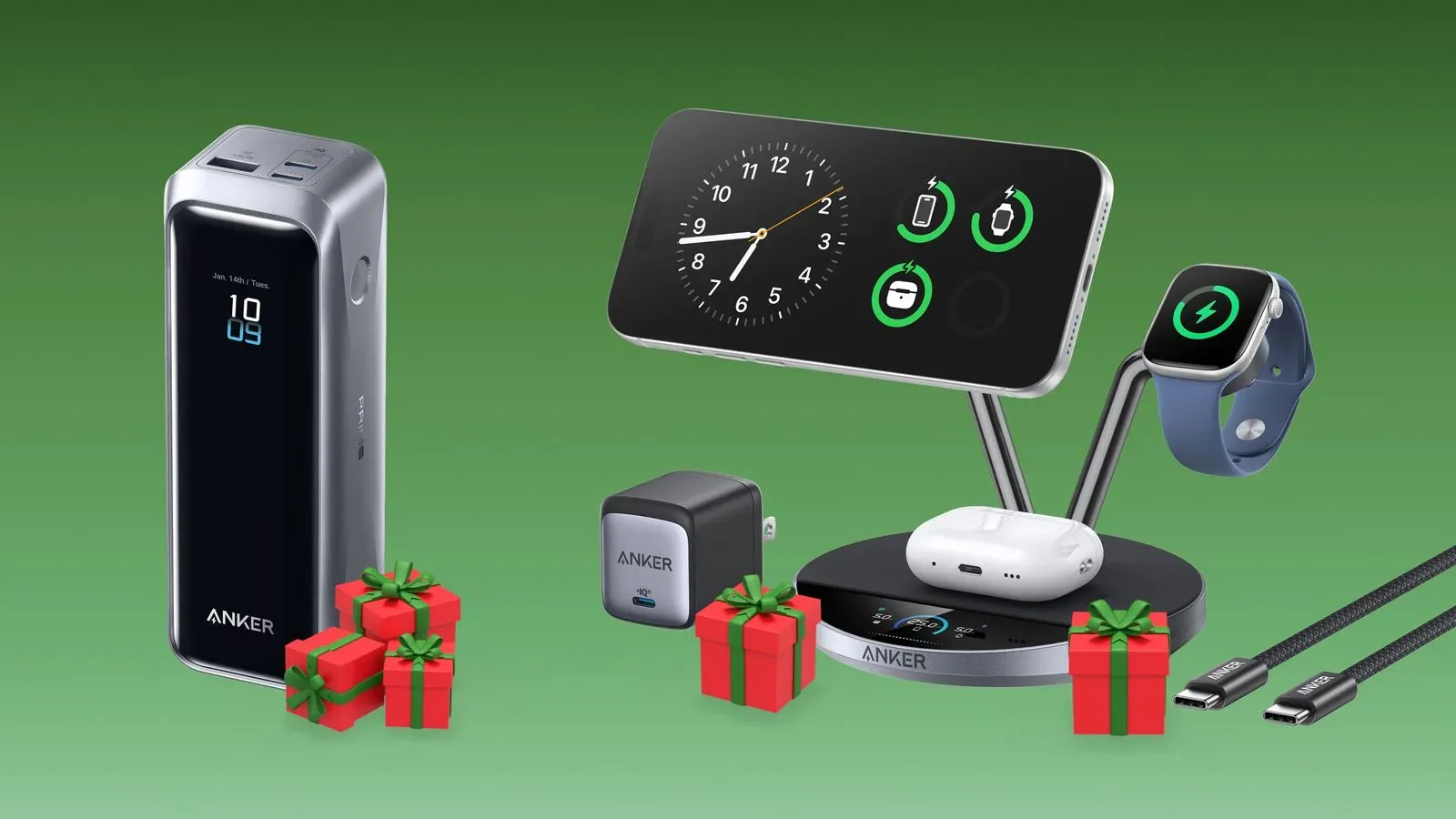
So, if the green Floating screen appears, the sensible reading is: the charger has noticed that temperature deserves attention and is monitoring it. It is doing the quiet housekeeping that most chargers perform out of sight. The cartoon may look like a mini-game status effect, but it is a protective one. For more charging-gear context, see our look at Anker power banks, docks and charging gear.
Shop the products
Check current price, model and availability at the retailer.