A phone can do more than handle calls, messages and apps: it can share its cellular-data connection with other devices over Wi-Fi. That feature is a mobile hotspot. It can be a valuable backup when a laptop needs an internet connection away from home, and it can help a tablet or another phone get online when no trusted Wi-Fi network is available.
For players and families on the move, the appeal is obvious. Rather than relying on whatever public network happens to be nearby, a phone can provide a private connection for a laptop, tablet or a child’s game session. It also avoids carrying, charging and maintaining a separate hotspot device for people who only need portable internet occasionally.
But “available” does not automatically mean “best for every job.” Hotspot use draws heavily on the phone battery, puts all connected devices on the same cellular connection and may run into plan-specific data limits. Streaming, video calls and several simultaneous users can turn a simple convenience feature into a fast battery and data drain.
The sensible approach is to treat a phone hotspot as a useful tool with a clear role: excellent for occasional, controlled access; less ideal as an everyday replacement for a dedicated connection when multiple people or bandwidth-heavy activities are involved.
What a mobile hotspot actually does
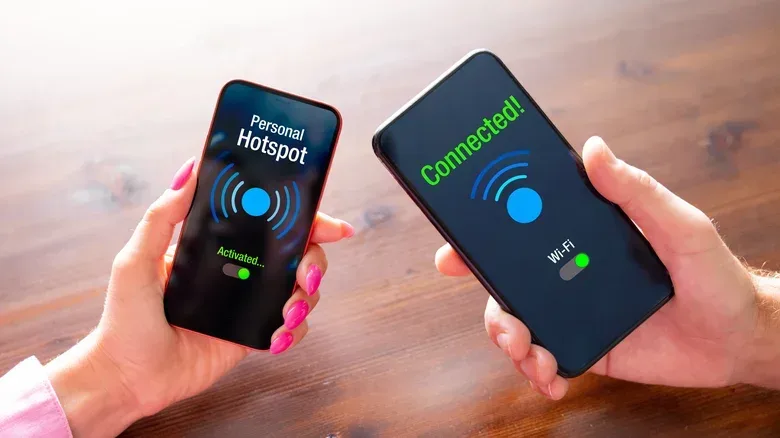
When mobile hotspot is switched on, the phone uses its cellular connection and broadcasts a Wi-Fi network that other devices can join. The laptop, tablet or phone connecting to it uses the handset as its route to the internet.
On iPhone, Apple calls this feature Personal Hotspot. On Android, the relevant menu is commonly called Hotspot & Tethering, though names and menu placement can differ by manufacturer. The underlying purpose is the same: turning a phone’s data connection into a temporary Wi-Fi network.
This is distinct from a regular home Wi-Fi setup. A home router typically connects devices to fixed internet service. A phone hotspot, by contrast, depends on the phone’s cellular-data service. That means its usefulness depends not just on the hotspot settings but also on the data included in the owner’s plan and what the connected devices are trying to do.
Why it can be preferable to open public Wi-Fi
The strongest practical case for a personal hotspot is control. An open Wi-Fi network in a café, airport or other shared space may be convenient, but it is not under the user’s control. A phone hotspot lets its owner decide who receives the network name and password.
Related coverage includes Using Your Phone as a Mobile Hotspot: Benefits, Limits and Safer Setup.
That control only helps if the hotspot is configured responsibly. Use a strong Wi-Fi password and make sure the hotspot uses WPA2 or WPA3 encryption where available. These are Wi-Fi security standards designed to protect access to the network. In straightforward terms, encryption helps keep the connection from functioning like an open invitation to everyone within range.
A password-free hotspot is a poor trade. It may save a few seconds when connecting a familiar device, but it allows nearby strangers to attempt to use the connection. That can consume data, degrade performance and introduce an unnecessary security risk. A private network name and a strong password make the hotspot meaningfully more useful as a personal connection.
For broader network-maintenance context, it is also worth considering the health of the devices that provide connectivity at home. An older router can be a weak point in a home network, which is a separate issue from hotspot use but part of the same basic habit: know what is providing your connection and secure it properly.
The convenience advantage: one less device to own
A dedicated mobile hotspot can be a valid choice, especially for frequent use, but the phone already in a pocket may be enough for many situations. There is no extra gadget to buy, remember to pack, update or recharge. If a plan includes hotspot data, occasional use may not add an extra cost beyond the service already being paid for.
That simplicity matters when the need is temporary. A traveler who needs to send a document from a laptop, a parent who needs to connect a child’s tablet, or a player needing a short-lived connection away from home may get what they need by enabling one setting and joining the network.
It is also flexible. The same phone can share its connection with a laptop, tablet, or another person’s phone. In a pinch, that versatility makes a hotspot more than a niche feature. It is a backup internet option that travels with its owner.
Gaming use: practical, but not unlimited
A hotspot can be particularly helpful when a game or gaming-related device needs access away from a familiar network. That might mean connecting a tablet during a trip or getting a laptop online when fixed Wi-Fi is unavailable. The core benefit is not that a hotspot creates unlimited fast internet; it is that it provides a controlled alternative when the cellular connection is the only practical route online.
Players should be realistic about what they ask of it. Every device on the hotspot shares the same cellular connection. Add more devices, and each has to share the available performance. A household-style mix of game traffic, video streaming, calls and downloads can be much more demanding than simply checking a message or loading a webpage.
Data consumption is the other major consideration. Video streaming and video calls can use up a hotspot allowance quickly. Game downloads and updates may also be worth delaying until a trusted, unlimited or otherwise more suitable connection is available. A hotspot is most appealing when the task is known, brief and important—not when it is left running as a substitute for regular broadband without checking the plan.
The trade-offs: battery, data and shared performance
Battery drain
Running a hotspot is power-intensive. The phone is maintaining its own cellular connection while also serving Wi-Fi to other hardware, so battery percentage can fall noticeably faster than it would during ordinary use.
A power bank or a laptop charger can reduce that concern, but they do not erase it. The phone is still the connection point, and a depleted phone can also mean losing access to calls, messages and other essentials. For a short emergency connection, this may be an easy compromise. For hours of daily tethering, it becomes a material inconvenience.
Plan limits and potential charges
Not all mobile plans treat hotspot data the same way. Some plans have a specific hotspot-data cap. Crossing that threshold can lead to substantially slower speeds or additional costs. The details are plan-dependent, so they should be checked before a long trip, extended remote-work day or a session involving heavy streaming.
The important distinction is between having cellular data in general and having enough hotspot data for a planned task. A person who only uses the feature a few times each month may never feel constrained. Someone who relies on it every day may find the limits quickly shape their habits.
More users, more competition
A hotspot does not create separate cellular connections for everyone who joins it. Each connected device shares the same one. As more people connect, performance can decline for all of them. That is why a single laptop handling a brief task is a very different scenario from several people using phones, tablets and streaming services at once.
It is also why the hotspot password matters beyond security. Giving it out freely expands the number of devices competing for the connection. Share access intentionally and turn the hotspot off when the job is done.
How to enable a hotspot on Android
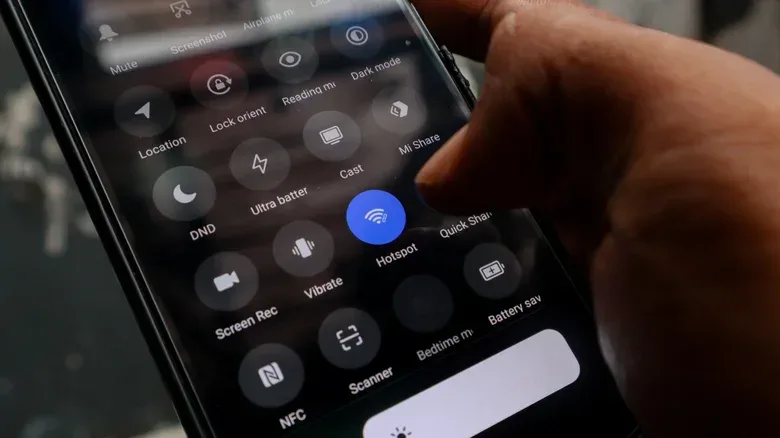
On many Android phones, pull down the Quick Settings panel and select Mobile Hotspot. A long press on that control will commonly open the settings page. Exact labels vary, but the configuration area generally lets users name the network and set its password.
Depending on the phone, additional options may include:
- Choosing a Wi-Fi frequency band: 2.4GHz, 5GHz or, on some newer devices, 6GHz.
- Selecting a MAC address type.
- Setting an automatic shut-off timer for periods when nothing is connected.
The frequency-band setting is a technical option, but its immediate practical importance is compatibility and connection behavior. There is no need to change it casually if the devices connect reliably. The more important setup steps are confirming the network name, adding a strong password and checking that only intended devices are connected.
How to enable Personal Hotspot on iPhone
On iPhone, open Settings, then choose Personal Hotspot. On some versions, it may be found by opening Cellular first and then selecting Personal Hotspot. Enable Allow Others to Join, then set a strong Wi-Fi password before connecting another device.
As with Android, the practical security rule is simple: do not leave the hotspot open. Devices should join using the password, and the feature should be disabled when it is no longer needed. This avoids needless battery use and prevents the phone from broadcasting an available network for longer than necessary.
A quick decision checklist before relying on tethering
- Check the plan. Confirm whether hotspot data is included, whether it has a cap and what happens after the cap is reached.
- Match the connection to the job. Short laptop tasks and occasional backup access are different from streaming video for hours or supporting several devices.
- Prepare for power use. Bring a power bank or charger if the hotspot may be active for more than a brief period.
- Secure it. Use WPA2 or WPA3 where available and create a strong password.
- Limit the guest list. More connected devices means a more crowded shared connection.
- Turn it off afterward. This saves battery and removes an unnecessary active network.
When a dedicated hotspot makes more sense
A phone hotspot is compelling because it is already there. That advantage is strongest for occasional use. It is a no-extra-device answer for a temporary connectivity problem and a controlled alternative to questionable public Wi-Fi.
The calculation changes for people who tether daily, stream regularly or keep several devices connected for long periods. Battery drain becomes persistent, data limits become easier to hit, and a phone becomes responsible for an increasingly large share of the day’s connectivity. In that situation, a dedicated hotspot device may be worth considering because it separates portable internet duty from the phone needed for everyday communication.
There is no universal winner. The best choice follows usage patterns: a phone hotspot is a practical backup for light, occasional needs, while sustained, multi-device use deserves a closer look at data allowances, charging needs and dedicated hardware.