A free VPN can look like the easiest possible upgrade for a gaming PC, phone, handheld or laptop: install an app, tap Connect, and assume your traffic has entered a cloak of digital invincibility. The reality is considerably less cinematic. A virtual private network can add meaningful protection in the right situation, particularly on public Wi-Fi, but it also asks you to trust a new company with an important part of your internet connection.
That is why the central question is not simply whether a VPN costs money. It is who operates it, how that company funds the service, what information it collects, and whether its security claims can be checked. Some free plans are limited previews offered by providers that also sell paid subscriptions. Others may depend on advertising, sharing data with third parties, or business practices that are difficult to identify from the outside. Those are radically different bargains even when both downloads carry the same “free” label.
For players who bring a laptop to a convention, use hotel Wi-Fi, or queue from a café between classes, this distinction is worth understanding. A VPN is a privacy tool with a specific job—not a cheat-code for complete anonymity, an all-purpose malware shield, or a promise of better ping.
What a VPN actually changes
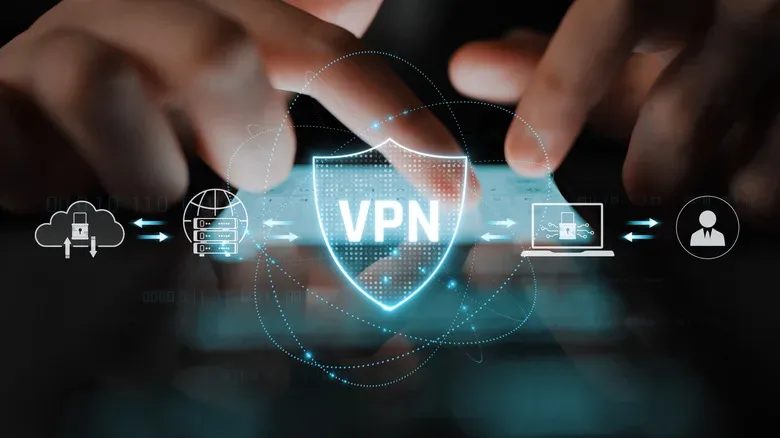
Normally, a device connects through an internet service provider or local network before reaching the games, websites and apps being used. With a VPN active, the VPN software creates an encrypted connection from the device to a VPN server. From there, traffic continues to its destination. The website or online service will generally see the public IP address of that VPN server rather than the player’s typical public IP address.
This can reduce what a local Wi-Fi operator or internet provider can learn about the destinations a user connects to. It can be especially relevant on a shared network where a player would rather not leave their ordinary connection exposed to that network operator. But the VPN provider is now in a privileged position: instead of an ISP handling that leg of the trip, the VPN company does.
It is also important not to confuse an altered apparent location with anonymity. A game platform, social app or shopping site may still know exactly who is present when the user signs into an account. Cookies, device information, GPS data, browser fingerprinting and other identifiers can all continue to connect activity to an individual. A VPN can change one layer of what is visible; it does not erase every other layer.
And for gaming, routing through an additional server can mean more latency, lower speeds or inconsistent performance. That possibility exists with paid VPNs too, but it may be more noticeable on free services that cap bandwidth or operate a smaller, more congested set of servers. If a match is already decided by a few milliseconds, adding an unnecessary network detour is not likely to feel heroic.
The normal compromises of free VPN plans
Not every limitation is a warning sign. In fact, clearly stated restrictions can be much easier to assess than vague promises of unlimited everything. A provider might limit a free account to a small pool of locations, a monthly data allowance, a smaller number of simultaneous connections, or features reserved for subscribers. Those are visible tradeoffs. A user can decide whether they are acceptable for occasional browsing on hotel Wi-Fi or too restrictive for downloading a large game patch.
Fewer locations also create practical issues beyond speed. Certain sites, streaming platforms, work systems and online services may block known VPN connections. When a free user has only a handful of servers to select, there may be no useful alternative if one address is blocked. Likewise, an imposed data cap can disappear fast when a modern game update, cloud save sync or voice chat session enters the picture.
A free plan built around a paid subscription can have a comprehensible business case. The provider may be using the no-cost tier to introduce its product and hoping some users later upgrade. That does not prove the company deserves trust, but it provides a starting explanation for how the service can exist without extracting all of its revenue from the free account.
The more troubling situation is an unlimited free VPN that does not clearly explain ownership, data handling or its source of revenue. “Free” is not the useful detail there. The missing explanation is.
Why privacy concerns are more than paranoia
A VPN app handles traffic as it moves through its service, which means its privacy practices deserve serious attention. Consumer-protection authorities have warned that VPN apps may make money through advertising or through sharing information with outside parties. Concealing connection details from an ISP offers little comfort if the substitute service collects or distributes data in ways a privacy-conscious person would reject.
Research involving Android VPN apps demonstrates that the problem is not merely hypothetical. A 2026 study presented at the Network and Distributed System Security Symposium examined 281 popular VPN apps on the Google Play Store. Researchers found 29 apps leaking user traffic beyond the intended VPN tunnel, 61 sending some information without encryption, and 76 transmitting Android Advertising IDs that can aid tracking.
Those results should be interpreted carefully. The work examined Android apps, so its numbers cannot simply be treated as a scorecard for VPN software on Windows, iOS, consoles, or every other platform. Still, the findings underline a basic lesson: a status indicator that says “connected” is not independent evidence that an app is protecting every piece of traffic as expected.
Security starts even earlier than the connection screen. Malware has repeatedly been distributed while posing as free VPN software. Downloading an unfamiliar app just because it claims to protect privacy can therefore create the opposite outcome. Stick to official storefronts and verified provider channels, but remember that store availability alone is not a full security audit.
A VPN is not antivirus, anti-phishing, or an invisibility button
A particularly dangerous misunderstanding is treating a VPN as a complete defensive package. It is not. It protects the route between a device and its VPN server; it does not stop malicious software already running on the system. It does not identify every fake login page, prevent a player from voluntarily sharing an account password, or automatically make a compromised device safe.
Good account hygiene still matters: unique passwords, multifactor authentication where available, cautious treatment of unsolicited links, and software updates. Players traveling with a Windows gaming laptop should pair connection awareness with sensible power and system habits as well; these Windows 11 laptop battery tips for longer gaming and travel sessions can help prepare a machine for time away from a familiar network.
It is also not necessary for every person to keep a VPN active at all times. The right decision depends on the network, the activities being performed, the provider being considered and the drawbacks the user is willing to accept. Using one selectively on untrusted Wi-Fi is a different proposition from permanently routing all browsing and gaming traffic through a service whose operations are unclear.
A practical checklist before installing a free VPN
Before handing over network traffic to a free service, evaluate the operator rather than its marketing graphics. The following checks will not make risk vanish, but they provide a much stronger basis for a decision.
- Identify the owner. A reputable service should make clear which company runs it and where its privacy documentation can be found. Unclear ownership is a major reason for caution.
- Read the privacy policy for specifics. Look for what information is collected, why it is collected, how long it is retained, and whether it may be shared with third parties. Broad assurances without details are weak evidence.
- Ask how the free service is funded. A restricted plan connected to a paid offering has a readily understandable model. An unlimited plan with no visible explanation calls for more skepticism.
- Look beyond a “no logs” slogan. Public, reasonably recent independent security audits carry more weight than a phrase on a landing page. An audit has limits, but it gives users something concrete to examine.
- Check the technical basics. Established protocols such as WireGuard and OpenVPN are widely used. A provider that refuses to say what technology it uses leaves customers with less to verify.
- Find out whether a kill switch exists. This feature is intended to block internet traffic if the VPN connection fails, rather than letting traffic quietly continue outside the encrypted tunnel.
- Understand the caps. Confirm the data allowance, speed limitations, server choices and device restrictions before relying on the service during travel or a gaming session.
Independent privacy guidance has long emphasized examining ownership, collection practices and outside audits rather than accepting privacy promises at face value. That approach is particularly important in a market where a polished interface can conceal a thin technical foundation.
The sensible rule for players
A free VPN can be a reasonable option when its compromises are explicit and its operator is transparent. Limited data, fewer regions and premium-only extras may be annoying, yet they are at least honest limitations a user can measure. For someone who needs occasional protection on public Wi-Fi, a well-documented free tier from a provider with a clear paid business may fit the job.
By contrast, unlimited access paired with mystery ownership, murky data practices and unverifiable security claims is a poor exchange for a little convenience. In privacy tools, the important question is rarely whether the product is free. It is what, exactly, the provider expects in return—and whether the user can verify the answer before pressing Connect.