A phone at 3% battery in an airport can make any open USB port look like a checkpoint save. The sensible answer to whether it is safe to plug an iPhone into one is neither panic nor blind trust: public USB charging is generally considered a low-risk choice, but it is not a zero-risk one.
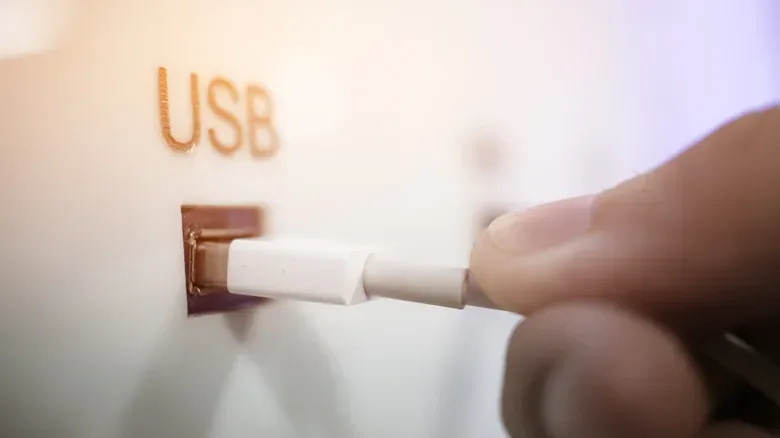
The concern is usually called juice-jacking, also known as port-jacking. It describes a scenario in which a public charging port has been altered so that it does more than supply electricity. In theory, a compromised connection could try to access a phone’s data connection, steal information, or install malicious software.
That possibility is grounded in how USB works, not in a documented wave of compromised airport chargers. USB carries power and data through the same cable, on separate internal connections. A person plugging into an unfamiliar port cannot necessarily tell from the outside whether it is a simple power source or something that may attempt a data connection.
For travelers carrying game saves, authenticator apps, payment details, work accounts, photos, and years of messages on one device, the useful takeaway is straightforward: use a charging method you control when practical. If a public USB port is the only realistic option, know what warning prompts mean and add a small layer of protection.
The risk is real in principle, but the scale matters
Warnings from U.S. authorities have helped make juice-jacking a familiar travel-security term. The Transportation Security Administration advised travelers in a March 2025 social-media post not to connect a phone directly to airport USB ports, recommending a compliant power brick or battery pack instead. The Federal Communications Commission also published a caution about the issue, though it later withdrew that warning after technology experts challenged the extent of the threat.
That disagreement is important context. Security researchers accept that a malicious charging setup can be built and demonstrated. At the same time, there are no credible reports supplied here of successful juice-jacking attacks occurring in the real world. A 2019 warning from the Los Angeles County district attorney’s office was later accompanied by confirmation that it had no cases on record.
In other words, a proof of concept is not the same thing as evidence of a widespread attack. A proof of concept is a controlled demonstration showing that an attack could work under particular conditions. It is valuable because it identifies a weakness that device makers and users should address. It does not automatically establish that criminals have deployed the tactic at scale in airports, hotels, convention venues, or transit hubs.
That distinction should prevent two bad reactions. One is treating every airport charging kiosk as an active data trap. The other is assuming that because no credible successful cases are known, no precautions are needed. Good device security is usually built from small habits that reduce exposure without requiring a person to predict exactly which threat will appear.
Why a USB port can be different from a wall outlet
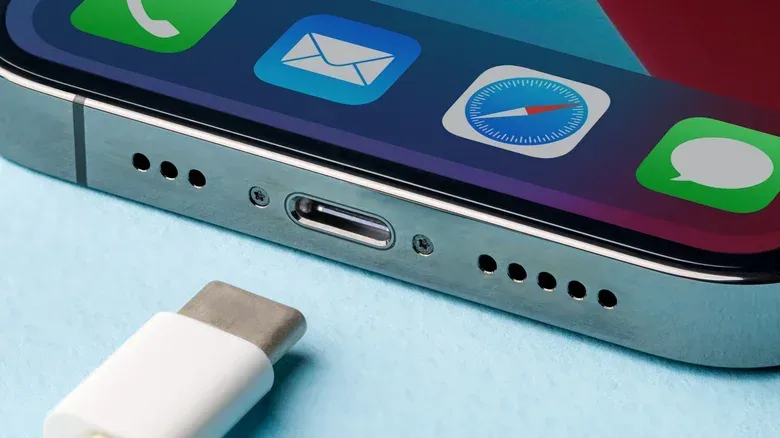
A standard electrical wall outlet provides power. A USB port is designed to support power and data. When a phone connects to a computer, for example, the same cable that replenishes the battery may also be used for syncing, file access, backups, or other communication.
That dual purpose creates the theoretical opening for juice-jacking. An attacker would need to modify or replace a public USB charging point so it could use the cable’s data connections rather than behaving only as a charger. The possible goals described for such an attack include installing malware or taking data from the attached phone.
One prominent demonstration arrived at Black Hat USA in 2013. Researchers from Georgia Tech showed a malicious charger prototype called Mactans, illustrating that malware could be installed on an iPhone running iOS 6. The demonstration helped show why the charging port should be thought of as more than a power socket.
It also helped prompt defensive changes. Apple subsequently strengthened iOS with the familiar “Trust This Computer?” prompt. The prompt appears when a newly connected device seeks to establish a data connection. It gives the iPhone owner a decision point rather than silently granting an unknown connection broad access.
This is why a prompt matters more than the charging logo alone. If an iPhone asks whether to trust a connected device and you were only trying to get power, choose “Don’t Trust”. Only approve trust when you deliberately want to share data with that specific device, such as a computer you own and recognize.
Best options, from least exposure to a workable fallback
For someone who wants to remove the public-USB question entirely, the strongest option is simple: do not use public USB charging ports. Carry a rechargeable battery pack, or bring your own cable and power brick and use a conventional wall outlet when one is available.
A battery pack is particularly useful during travel because it keeps both ends of the connection under the owner’s control. A personal power brick paired with a wall outlet similarly avoids placing the phone’s USB connection directly into an unfamiliar charging station. These are the approaches aligned with the TSA’s advice.
Some public stations are labeled as secure charge points and are intended to prevent data transfer. Where available, they can be another option, but travelers who want the clearest, most controllable arrangement may still prefer their own battery pack or wall charger.
There is also a middle ground for situations where a public USB port cannot be avoided: a USB data blocker. These are small adapters that sit between the cable and charging port. Their purpose is to block data transfer while allowing power to pass through. That makes an unknown USB connection less capable of communicating with the phone, while still letting the device recharge.
Data blockers should be understood as risk reduction rather than magic. They are useful precisely because they limit the data portion of a USB connection. They do not replace the need to pay attention to unexpected prompts, keep a device updated, or make careful choices around other travel risks.
One charging-speed tradeoff to know
Not every data blocker behaves the same way. With USB-A blockers, blocking the data path can prevent certain fast-charging standards from operating, because chargers use that connection to manage high-voltage electrical flow. The iPhone can still charge, but more slowly.
Modern USB-C blockers do not have that same drawback. That is a practical distinction if charging time is the reason a traveler is tempted by a public kiosk in the first place. Before relying on any accessory, it is worth understanding which connector it supports and whether slower charging would be acceptable on a particular trip.
This kind of small compatibility check is worth applying to travel hardware generally. Chargers, cables, battery packs, adapters, and consoles all benefit from buying decisions that focus on specifications and limitations rather than a large promise on the box. The same skepticism is useful when evaluating seasonal hardware offers, including the cautions around gaming gear outlined in this guide to Black Friday gaming hardware deals.
A practical airport charging checklist
- Bring a battery pack when possible. It is the clearest way to avoid a direct connection to a public USB port.
- Use your own power brick and cable with a standard wall outlet when an outlet is available.
- Consider a USB data blocker if public USB charging is sometimes unavoidable. Remember that USB-A versions can mean slower charging.
- Decline unexpected trust requests. If an iPhone asks to trust a device and you did not intend to transfer data, tap “Don’t Trust.”
- Install software updates. Current software is a basic defense against known security issues.
- Enable multi-factor authentication for important accounts. MFA adds a verification step beyond a password, helping protect an account if credentials are exposed elsewhere.
- Avoid public Wi-Fi for sensitive tasks. Charging security is only one part of travel security; network choices still matter.
What this means for gamers and frequent travelers
A phone is often the travel companion that keeps a gaming life connected. It may hold platform logins, account-recovery tools, purchase confirmations, mobile companion apps, messages with friends, and authentication codes required to access a game library or other services. That does not make every airport USB port an emergency, but it does make a modest charging plan worthwhile.
The more useful framing is not “never charge in public under any circumstances.” It is “do not hand an unknown USB connection more access than it needs.” A battery pack, personal wall charger, or data blocker helps turn a potentially data-capable link into a power-only routine. Refusing an unrequested trust prompt is the decision that backs up that routine if the phone detects an attempted data relationship.
Travelers should also avoid letting a single low-probability threat eclipse routine defenses. Keeping the operating system current, using MFA, and being cautious with public Wi-Fi protect against a broader range of risks than a single charging-port scenario. Juice-jacking is best treated as one item in that larger checklist: plausible enough to address, but not a reason to assume that every available charge point has been compromised.
If the battery is critical and a public USB port is genuinely the only choice, a data blocker plus a refusal to trust any unexpected connection meaningfully reduces the concern described here. If convenience allows, the better routine is to arrive with a charged battery pack and keep the phone connected only to gear you brought yourself.
Shop the products
Check current price, model and availability at the retailer.