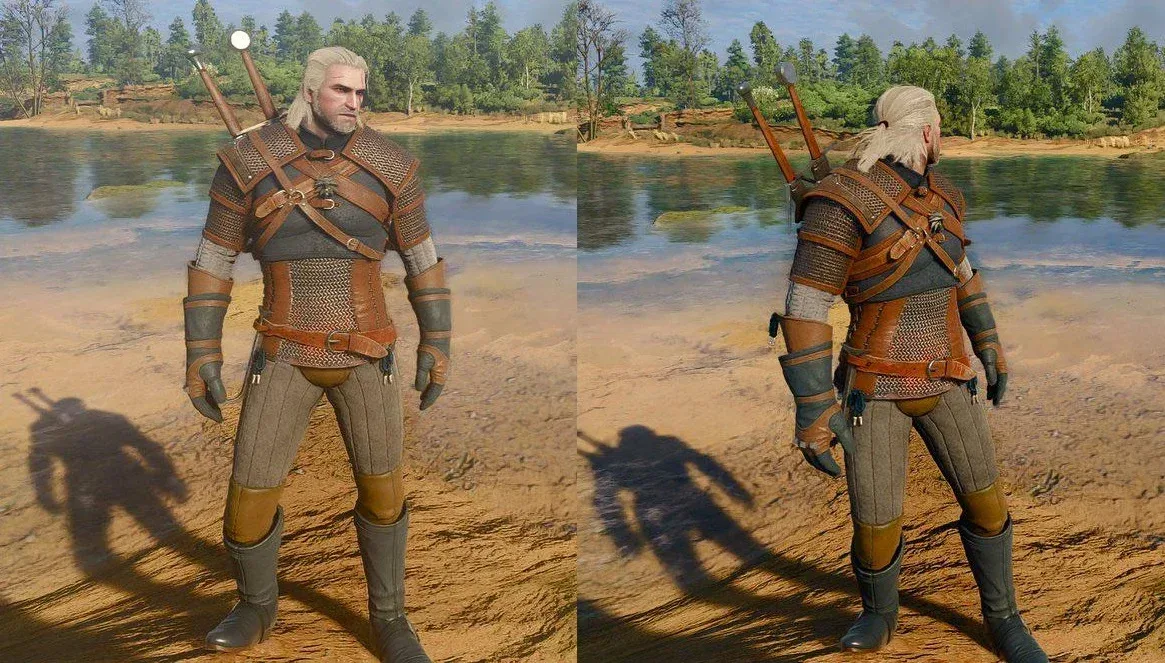
The Witcher 3 Remastered has arrived with a noticeably brighter visual presentation, and PC players have quickly settled on one unusually simple response: turn bloom off. Screenshot comparisons and early community discussion have centered on the remaster’s lighting, with some players feeling that its increased brightness makes the world look washed out compared with the darker, harder-edged atmosphere they associate with the game. For those players, disabling bloom in the PC settings menu appears to make an immediate and dramatic difference.
This is not a universal verdict on the remaster’s new image. Some players prefer its more sophisticated, realistic-looking lighting and are happy with the added luminance. But the debate matters because lighting is not merely decorative in a dark-fantasy game: it shapes the perceived weight of a stormy sky, the mood of an interior, the visibility of detail in shadows, and the contrast between firelight and the wider world.
What bloom does, and why turning it off changes the picture
Bloom is a visual post-processing effect that causes bright areas of an image to spread soft light into surrounding pixels. In practical terms, it can give sunlight, flames, glowing signs, reflective surfaces, and other luminous objects a hazy halo. Used carefully, it can make a scene feel bright, atmospheric, or more cinematic. Used too aggressively—or simply calibrated in a way a player does not enjoy—it can reduce local contrast and make bright parts of the screen appear less defined.
That loss of separation is the key complaint from the players now changing the setting. If a bright sky, fog, window, or light source bleeds too broadly into nearby scenery, darker textures and edges can seem flatter by comparison. Disabling bloom does not transform the underlying lighting system, replace textures, or alter the game’s art direction wholesale. It removes one layer of image treatment. Yet because bloom works around the brightest points in a scene, removing it can have an outsized effect on the picture’s perceived sharpness and darkness.
For fans seeking a look closer to the older game’s bolder shadows, that trade-off may be exactly what they want. The image can feel more restrained, with less glare and a clearer distinction between illuminated and unlit surfaces. Others may decide that the effect is part of the remaster’s intended presentation, especially if they like the softer highlights and heightened sense of light in outdoor scenes.
The quick PC adjustment
The available workaround is straightforward: open the game’s settings menu on PC, locate the bloom option, and switch it off. Players should assess the result in a few different environments rather than judging it from one screenshot alone. A bright exterior, a dim interior, and a scene with fire or other strong light sources will reveal different aspects of the change.
- Open Settings while playing on PC.
- Find the Bloom setting.
- Toggle it off.
- Return to the game and compare the image in a range of lighting conditions.
There is no single “correct” configuration here. This is best treated as a preference adjustment, not a claim that the remaster is universally broken. Players who felt the revised presentation was too bright have reported enthusiastic reactions to the switch, describing it as a substantial improvement. Players who enjoy the new light treatment can leave the effect enabled and lose nothing by doing so.
What to look for after changing the setting
It helps to look for specific visual differences rather than relying on a general first impression:
Related coverage includes Turn Off Bloom in The Witcher 3 Remastered on PC for a Darker Look.
- Highlight halos: Bright objects may have less soft glow around their edges.
- Shadow definition: Darker portions of the image may look more pronounced relative to nearby bright areas.
- Texture readability: Details near strong light sources may appear more distinct when the surrounding haze is reduced.
- Overall mood: The world may feel darker or starker, which is precisely the result some players are pursuing.
There can also be a downside. Bloom can help sell the intensity of certain light sources, so turning it off may make some scenes feel less luminous or less stylized. That is why comparisons should include both sunlight and night-time illumination. A setting that improves one player’s favorite overcast exterior might make another player miss the glow around a fire-lit scene.
Console players do not have the same direct control
The important limitation is platform-specific: PS5 and other console players do not currently have an on/off bloom toggle. They can adjust brightness, contrast, and gamma, but those settings are not substitutes for removing bloom itself.
Brightness generally raises or lowers the overall perceived light level. Contrast controls the separation between darker and brighter portions of the image. Gamma is more focused on how mid-tones are displayed, potentially changing the visibility of detail between the darkest blacks and brightest whites. These controls can improve a display’s balance, but none precisely replicates the visual result of disabling a post-processing effect that adds glow around highlights.
That distinction matters for players trying to reproduce PC screenshot comparisons on a console. Dropping brightness may darken the full image, including elements that were already comfortably exposed. Raising contrast may deepen blacks and brighten highlights without removing the haze a player finds distracting. Gamma changes may improve mid-tone visibility, but they can also shift the intended balance of a scene. Console owners can experiment, but they should not expect a one-setting match for the PC workaround.
A lighting debate, not a settled technical verdict
The current discussion is largely about aesthetic preference. The remaster’s lighting has created two clear camps: players who miss the older, more severe shadowing, and players who welcome a brighter, more realistic and technically refined image. Neither response is inherently wrong, because both are reactions to how the picture feels rather than a simple checklist of whether a feature exists.
There is also no confirmed indication that bloom’s current behavior is a bug. CD Projekt Red has not provided an update on whether additional visual changes or tweaks will be made. That leaves PC players with a practical option today, while console players must work with the broader display controls available to them.
It is sensible to distinguish a possible future adjustment from a promised fix. A remaster can evolve through updates, but no specific change to bloom, brightness, or console settings has been confirmed. Until then, the PC toggle is the clearest available way to test whether bloom is the source of the look a player dislikes.
Other image effects: adjust carefully and one at a time
Bloom is not the only post-processing effect players may notice, but it is the setting at the center of the immediate discussion. Blur, chromatic aberration, and vignetting are separate effects and should not be treated as identical problems or guaranteed improvements when disabled.
- Blur softens parts of the image. Depending on its implementation, it can contribute to a more cinematic presentation or make players feel that the image lacks crispness.
- Chromatic aberration imitates the color fringing that can occur toward the edges of a camera lens. It is an artistic effect, not a requirement for image clarity.
- Vignetting darkens the edges of the screen to draw attention toward the center. Some players find it atmospheric; others find it restrictive.
The most useful approach is to change one option, revisit the same location, then decide whether to keep it. Turning off several effects at once can create a major shift in presentation, but it also makes it difficult to identify which effect actually changed the aspect of the image a player disliked. Start with bloom, since it is the setting receiving the most attention, and make any additional changes deliberately.
The broader lesson is that graphics menus are part of the experience, especially on PC. A technically advanced presentation can still land differently for different players, and options that allow people to tune the image to their display and taste are valuable. Visual mood can be as important as visual complexity—an idea likely to remain relevant as games place more emphasis on weather and atmosphere, including the detailed conditions discussed in GTA 6’s changing Leonida weather.
For now, The Witcher 3 Remastered players on PC who feel the new lighting is overly bright have a low-effort experiment worth making. Disable bloom, compare several scenes, and keep the result that makes the Continent feel right to you. Console players can tune brightness, contrast, and gamma, but the direct bloom switch remains unavailable on those platforms at present.