Loot Merge is a quality-of-life option introduced with The Witcher 3 Remastered in 2026. Its purpose is simple: reduce the number of separate loot windows Geralt has to open when several eligible containers are close together. In practice, it can make the aftermath of a fight substantially less fiddly—but it does not appear to apply to every object that can be looted.
The most useful way to understand the setting is this: Loot Merge may gather the contents of nearby lootable objects of the same eligible type into a single inventory list. It is not a universal “take everything nearby” command, and it should not be expected to combine every chest, bag, cabinet, or body in an area.
What Loot Merge does in The Witcher 3 Remastered
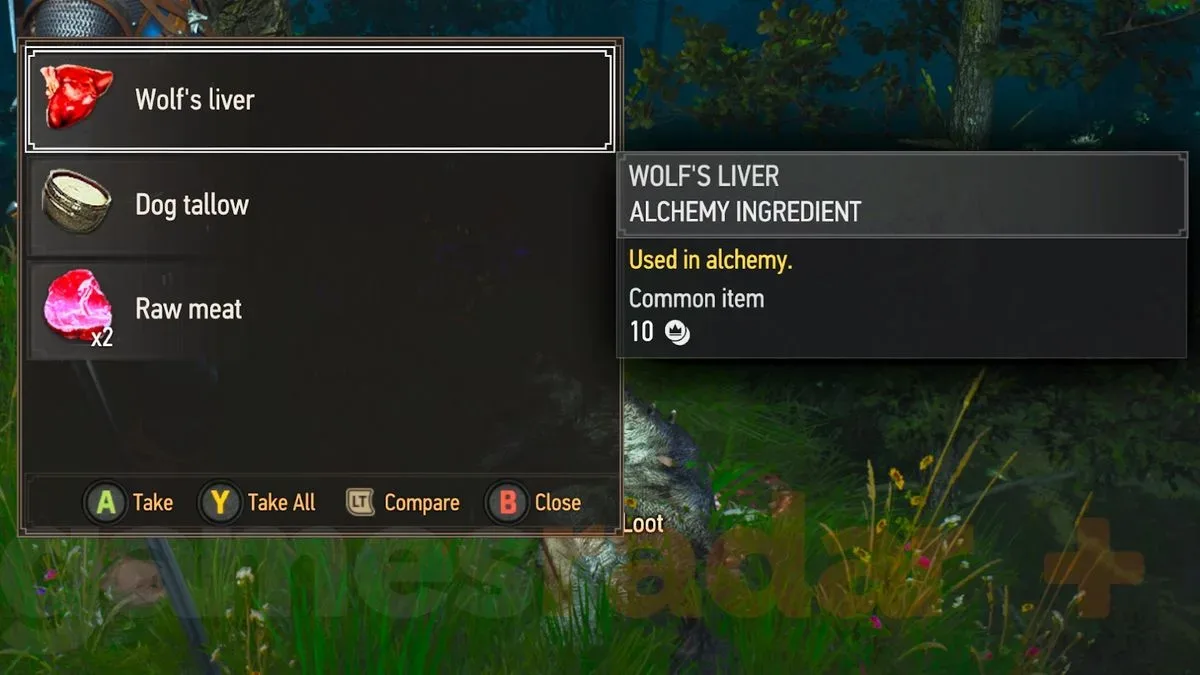
When Loot Merge activates, multiple nearby loot sources are presented in one loot interface rather than requiring a separate interaction for each source. The apparent benefit is speed. Instead of opening a body, closing the loot window, moving to another body, then repeating that sequence, a player can review a combined list and collect its contents at once.
This is particularly relevant after defeating a cluster of enemies. Nearby corpses can apparently be recognized as compatible loot sources and have their drops grouped into one list. A group of wolves is a clear example: rather than producing a fresh loot panel for every animal, the materials and other drops from two or three close bodies may be shown together.
For more context, explore Midwest 90: Rapid City Brings Monster-Harvesting Diner Management to Steam Early Access November 10.
That distinction matters because a merged list changes the interaction flow, not necessarily the items themselves. The feature is about consolidating the presentation of loot. It does not mean every nearby object has become one physical container, nor does it mean that all item categories throughout the game are automatically swept into Geralt’s inventory.
When it appears to work
Based on observed behavior, corpses are the most reliable case for Loot Merge. If several defeated enemies are lying near one another, opening one eligible body can show drops from the nearby group in the same window.
That makes the setting especially helpful for players who habitually pick up crafting components, consumables, trophies, or other enemy drops after combat. The time saved on one encounter may be modest, but the improvement can add up across a long playthrough built around frequent fights and thorough looting.
Why enemy bodies are a sensible use case
Enemies often fall in a tight radius after a battle. Their remains are also visually and functionally similar objects: each is a corpse that can contain drops. Loot Merge seems designed to recognize that kind of clustered, like-for-like situation.
In technical terms, “same type of container” appears to be the important limitation. The option is not merely checking distance. It also seems to care about what kind of lootable object is being targeted. Two objects can be close together without being treated as part of the same mergeable group.
When it does not appear to work
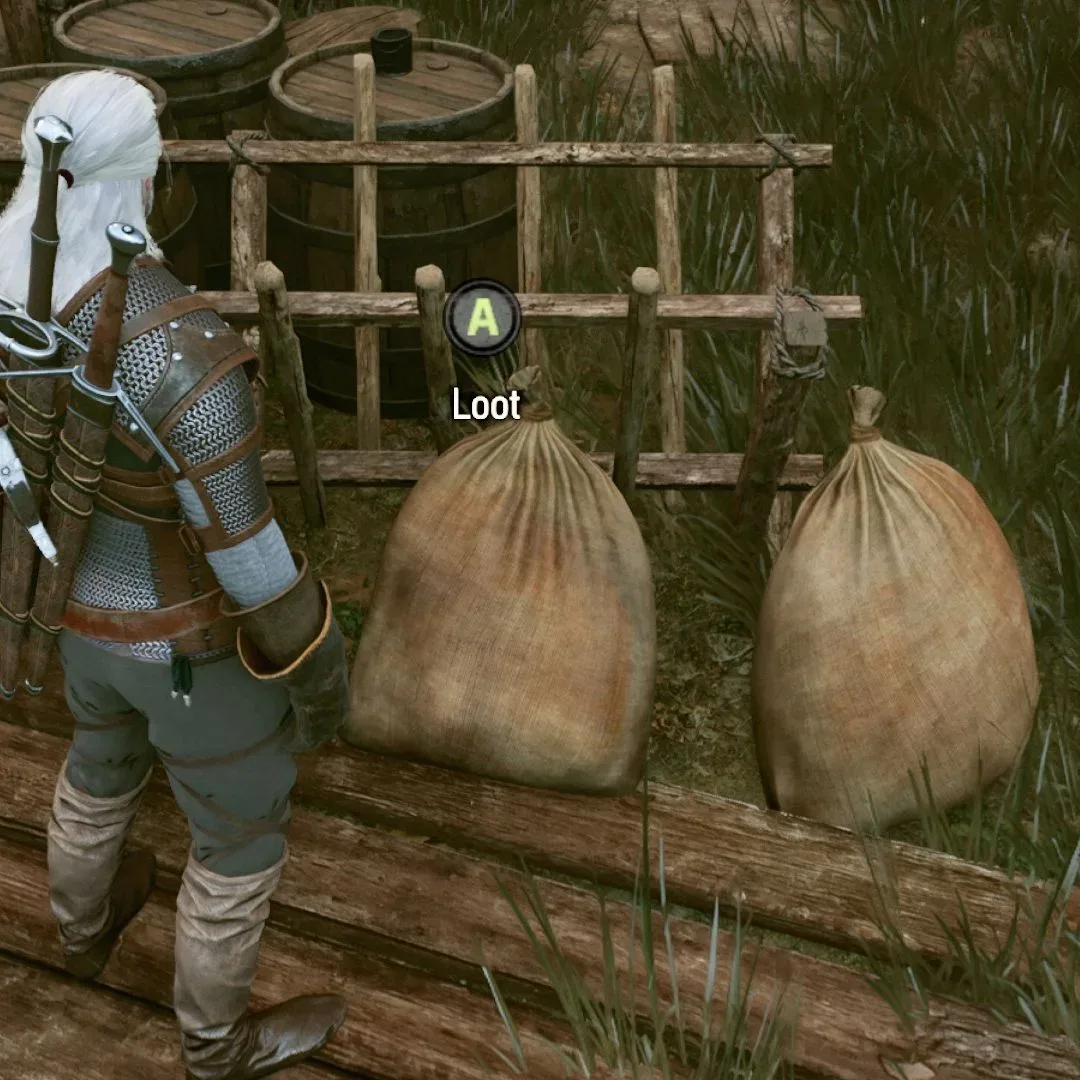
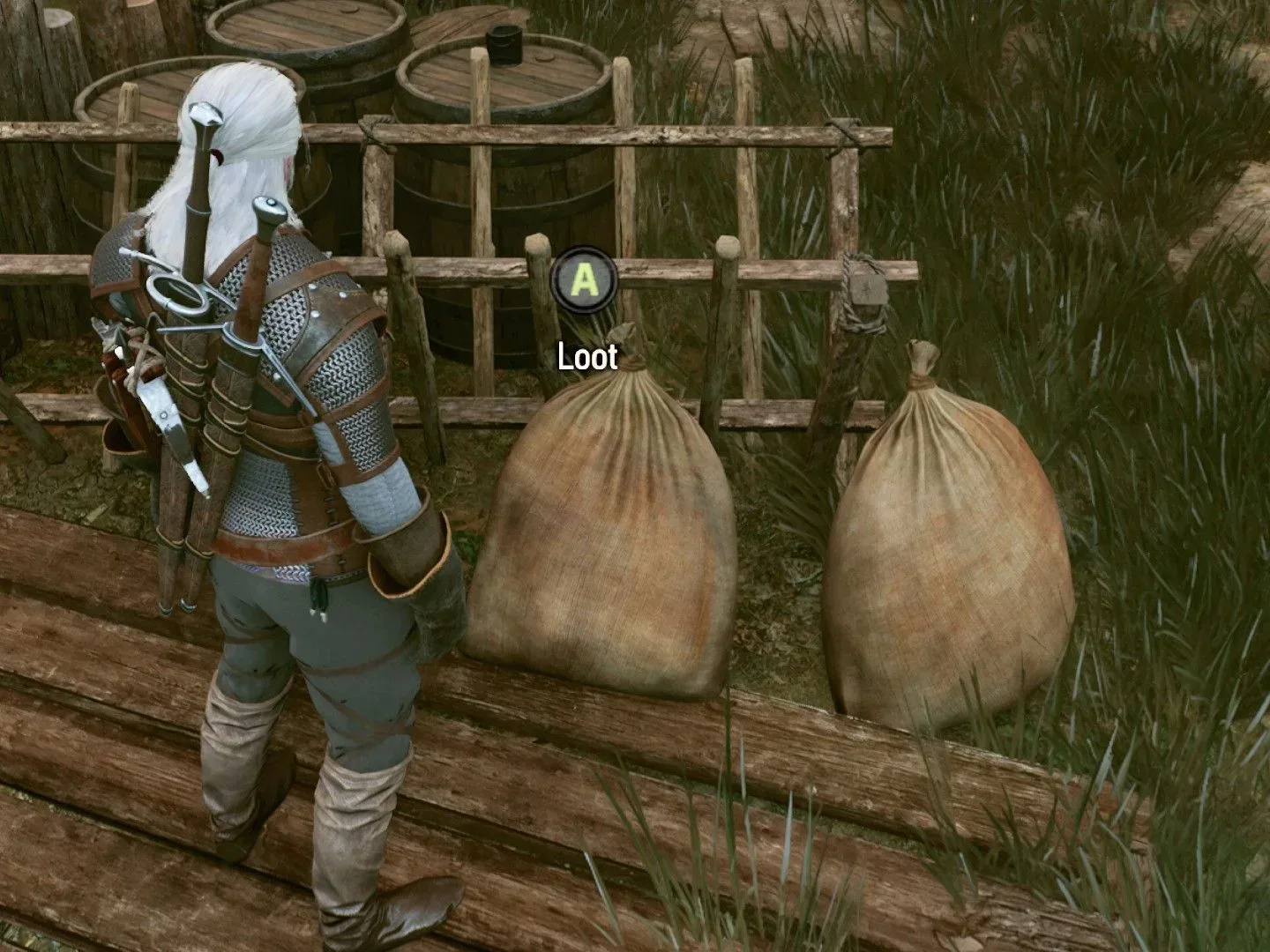
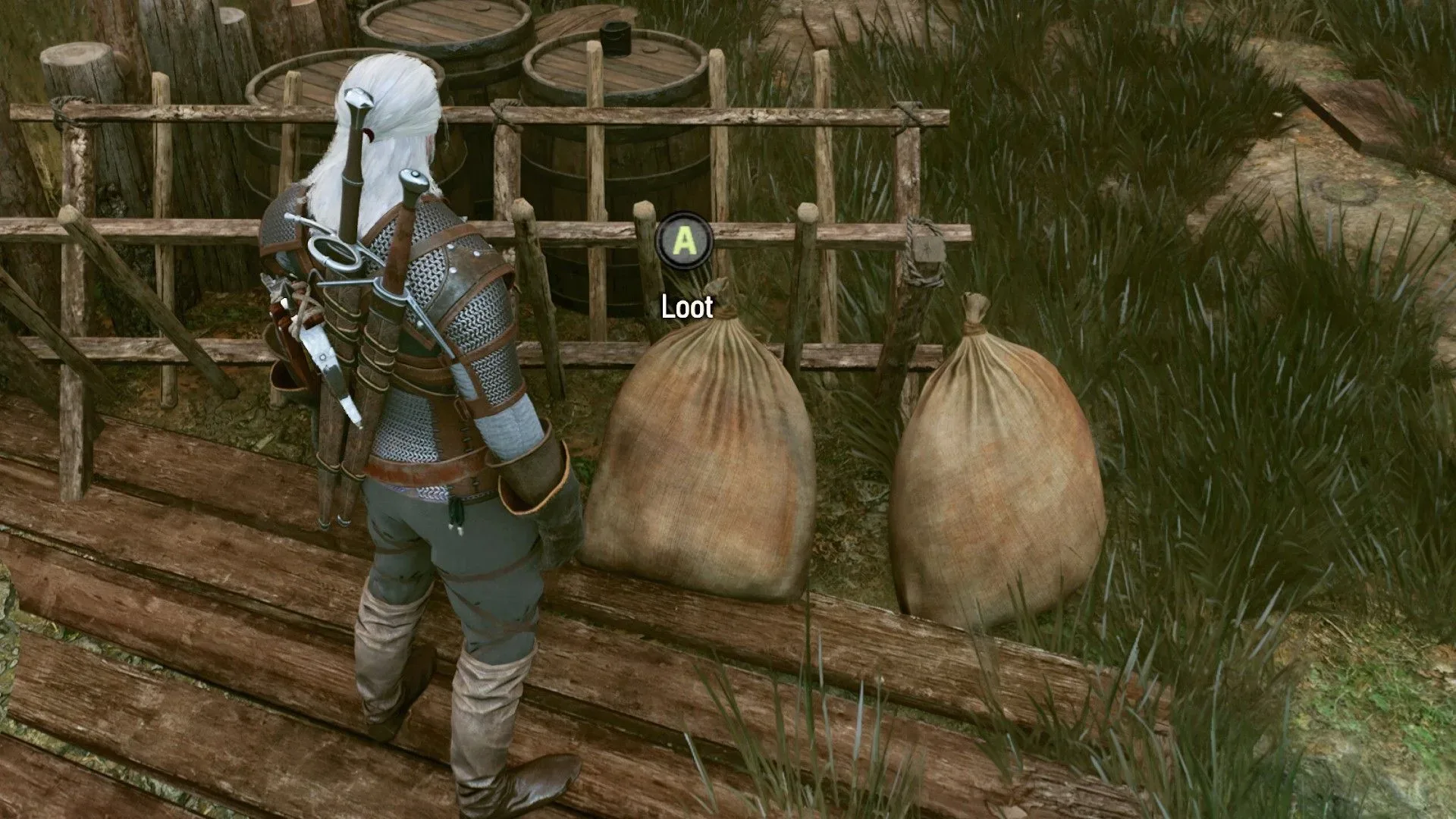
Loot Merge is not consistently applied to environmental containers. Nearby cabinets and chests do not appear to merge in the same way as corpses. Bags can also remain independent, even when positioned close enough that a player might reasonably expect a combined loot screen.
That behavior can initially look like a failed setting. It is better understood as a limitation of the feature’s scope. If opening one bag does not reveal the contents of another nearby bag, there is no indication that the option has stopped functioning altogether. Those objects may simply not be eligible to be bundled together.
For day-to-day play, that means players should retain the usual habit of checking distinct containers in rooms, camps, and other explorable spaces. Loot Merge can accelerate a compatible set of drops, but it should not be treated as a guarantee that every object in reach has been searched.
Practical rule: expect Loot Merge to be most useful around groups of corpses. Treat chests, cabinets, and bags as potentially separate interactions, even when they are side by side.
Should you turn Loot Merge on?
Yes, it appears worth enabling. The observed use case offers a direct convenience benefit: fewer menus during repeated looting. No practical downside has been identified for having it active.
Players who like to inspect everything before taking it still retain the central decision-making step. A merged list may contain more items at once, but it does not remove the ability to look through the displayed loot. Meanwhile, players who prioritize momentum after combat gain a cleaner route from clearing an encounter to moving on through the Continent.
The only adjustment is expectation. Enable Loot Merge for the opportunities where it applies; do not depend on it as a comprehensive cleanup function for every nearby container. With that boundary in mind, its inconsistent-looking behavior becomes much less confusing.
How to read the feature’s behavior
The phrase “Loot Merge” can suggest a broad radius-based system, where any lootable object close to Geralt is added to a shared inventory panel. The available evidence points to something narrower. Proximity seems necessary, but object type appears to be equally important, and perhaps more important in practical terms.
This explains why a pile of recently defeated wolves can produce one convenient list while a pair of bags still demands two separate openings. Both examples involve nearby loot, but they are different classes of loot source. The game appears willing to consolidate the former while preserving separate interactions for the latter.
There is a useful gameplay reason to keep that distinction in mind. Combat loot often arrives in bursts, with many bodies created at the same moment and in the same place. Environmental loot is distributed more deliberately through the world: cabinets, chests, and bags can be individually placed objects. Whether or not that design distinction is the reason for the limitation, the player-facing result is clear: enemy remains are the stronger candidate for merging than scenery-based containers.
A practical looting routine with Loot Merge enabled
- After a fight, approach the cluster of bodies. Nearby compatible corpses may supply one combined window.
- Review the full list before leaving the area. The goal is fewer interactions, not a reason to skip useful drops.
- Check separate environmental containers individually. A nearby chest, cabinet, or bag may not have been included.
- Do not use a non-merged result as proof of a fault. The feature’s selective behavior appears intentional rather than an obvious malfunction.
This approach preserves the advantage of the option without creating false confidence that an area has been completely emptied. In other words, Loot Merge streamlines the repetitive part of looting; it does not replace awareness of the world around Geralt.
What this means for players deciding on settings
Quality-of-life settings can be easy to overlook because they often do not alter combat, quest choices, or character progression. Yet a small interface change can have a meaningful effect over a large game. Loot Merge removes some of the repeated menu handling that follows combat, particularly when several enemies were defeated close together.
For a player returning to the game in its remastered form, the key point is not to judge the option solely by an early encounter with a chest or two bags. Those are precisely the circumstances where merging may not occur. Testing it around several enemy corpses is more likely to show its intended effect.
For a player beginning a fresh journey, enabling it early should make post-battle cleanup smoother without forcing a major change in play style. It is a convenience toggle, not a build choice or a commitment that affects how Geralt fights. If it combines a group of bodies, the payoff is immediate. If it does not combine nearby containers, players can simply loot them as normal.
The short version
- Loot Merge is a new option in The Witcher 3 Remastered.
- It can combine nearby loot from the same eligible kind of container into one loot window.
- Corpses appear to be supported, making it useful after battles.
- Cabinets, chests, and bags may still open separately.
- The selective behavior appears to be a feature limitation, not necessarily a bug.
- Turning it on is recommended because it can save time and no downside has been identified.
For an additional breakdown of the same selective behavior, see this guide to when Loot Merge combines items and when it does not.