The PlayStation 5 does not force owners into a simple choice between playing and powering down. Its Rest Mode is a low-power standby state designed to keep select conveniences available while the console is not actively in use. A full shutdown, by contrast, turns the system off more completely, though a plugged-in console still uses a small amount of power so it can recognize a command to start.
Neither setting is automatically right for every household. The better choice comes down to routine, the features a player actually uses, and whether the local power supply is dependable. For someone who uses a PS5 daily, Rest Mode can remove a surprising number of small frictions. For someone who only plays occasionally, will be away for a while, or experiences frequent outages, a full shutdown has a stronger case.
What PS5 Rest Mode actually does
Rest Mode is best understood as a standby state rather than the PS5 being fully on. The console can preserve the state of a suspended game, allowing the player to return without going through the usual startup and load process. That is particularly useful when stopping between missions, pausing a long session, or simply deciding that bedtime has defeated one more attempt at a boss.
It also permits several background and connected features, depending on which options are enabled. A PS5 in Rest Mode can:
- Keep a suspended game ready to resume.
- Supply power to USB ports for a DualSense controller.
- Download and install game and system updates.
- Be switched on remotely for uses such as installing games or Remote Play.
- Upload save data to the cloud for PlayStation Plus subscribers.
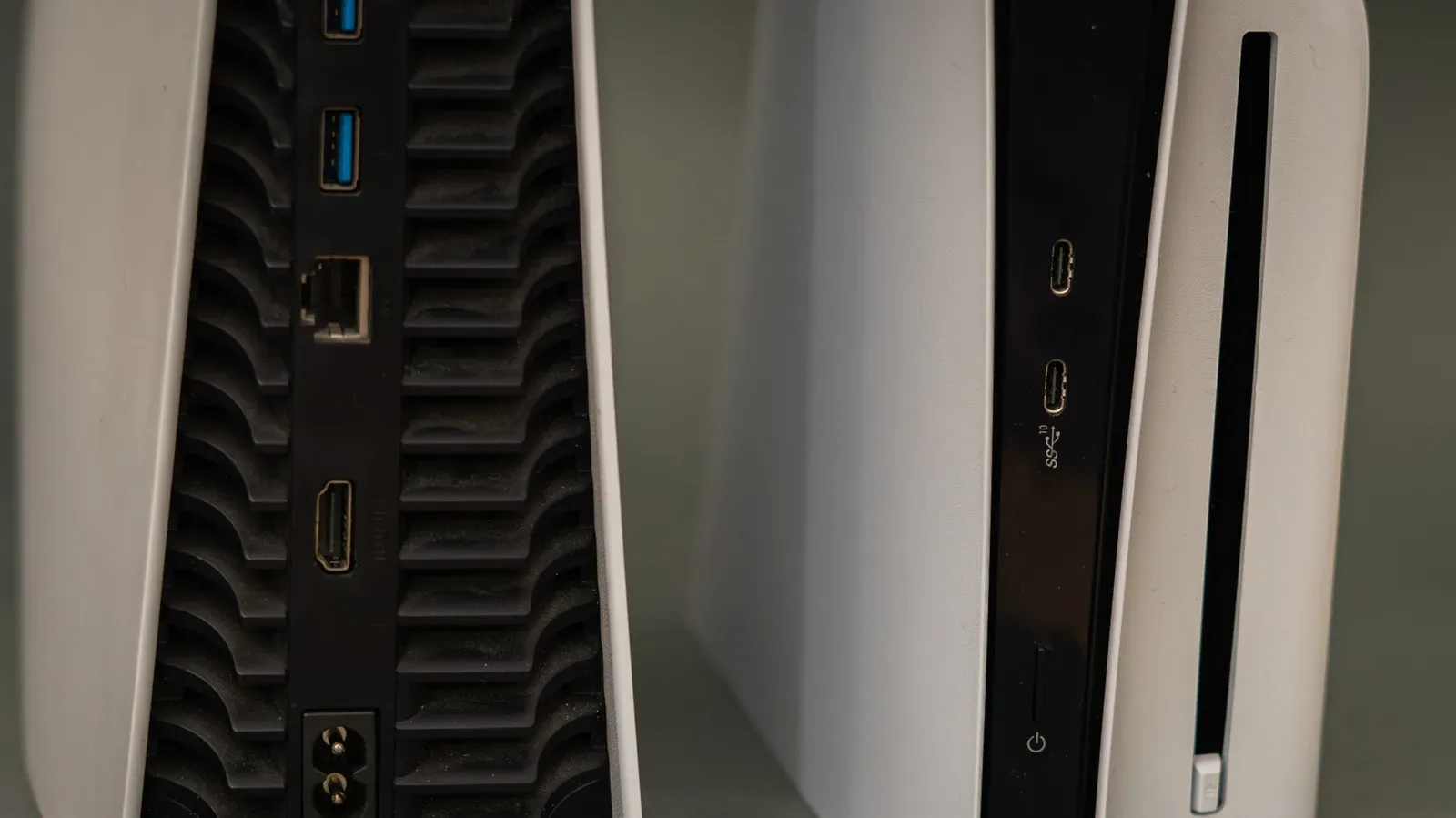
The controller-charging option is particularly practical because it can be limited. In Settings > System > Power Saving > Features Available in Rest Mode, players can choose how long USB ports provide power. A three-hour setting is available and should be enough time to recharge the gamepad, without leaving USB power enabled indefinitely.
That same menu matters because Rest Mode is not a single all-or-nothing feature bundle. A player who wants update downloads but does not need remote startup, for example, can make decisions around the features that fit their setup. Reviewing those choices is more useful than treating Rest Mode as an automatic default.
Convenience is the main argument for Rest Mode
For frequent players, the appeal is straightforward. A suspended game means less interruption between sessions; controller charging is handled where the controller is already used; and updates can complete while the console is idle instead of claiming time when a player sits down to play.
Remote functions add another layer. With remote power-on enabled, a player can arrange an installation while away from the console or use Remote Play. That can be useful for people whose gaming time is limited: downloading an update before getting home is more convenient than discovering it at the start of an evening session.
Related coverage includes PS5 Rest Mode vs Shutdown: Which Option Fits Your Routine?.
Cloud-save uploading is a separate benefit for PlayStation Plus members. It is not an argument that every owner needs to use Rest Mode, but it is relevant to anyone who values having save data uploaded while the machine is idle. That is especially worth considering alongside broader questions about digital libraries and account-based access, an issue explored in our report on PlayStation’s digital ownership concerns.
Power draw: standby is not the same as leaving the PS5 on
Rest Mode also differs sharply from simply leaving the console awake on its dashboard. While running games in ultra high-definition, a PS5 can draw around 217 watts. Even menu screens can use roughly 43 to 47 watts. Rest Mode can draw as little as 0.3 watts, rising to around 4.65 watts when the system is delivering power through its USB ports.
A watt is a measure of power: the rate at which electricity is being used at a given moment. Those figures are useful primarily as a comparison. Keeping a console actively running when no one is using it consumes substantially more power than Rest Mode. USB charging and other enabled standby functions increase Rest Mode’s draw, but it remains far below the cited figures for gameplay or an idle menu.
That makes Rest Mode the sensible middle setting for players who want their PS5 ready but do not want it fully awake overnight. It is less about an abstract battle between “on” and “off” than choosing a lower-power state that retains the functions that are worth having.
Why a full shutdown can still be the smart option
Rest Mode’s conveniences come with one unavoidable trade-off: the console remains in a state where it may be performing background activity. If power fails while the PS5 is installing an update or caching files, data corruption is possible, and there is a small chance of harm to the system. Caching refers to the console temporarily storing data so it can access it more quickly later; it is a normal part of how devices work, but it is still an activity that can be interrupted by a sudden outage.
This does not mean a PS5 in Rest Mode is destined to fail whenever the lights flicker. It does mean households with common power outages have a specific reason to favor a complete shutdown whenever the console is not needed. The decision is a risk-management one: Rest Mode offers practical benefits, but a full shutdown reduces exposure to an interruption while the machine may be downloading, installing, or caching.
A shutdown is also worth considering before a trip, an extended period away from home, or a deliberate break from games. With no expectation that the machine needs to download updates, charge a controller, remain ready for Remote Play, or resume a suspended session, the strongest Rest Mode benefits largely disappear. In that situation, powering down is the uncomplicated choice.
A shutdown can be useful troubleshooting
There is another reason not to treat Rest Mode as permanent: a full shutdown clears the system cache. In plain language, this can remove temporary stored data that may be contributing to an issue. It is the console equivalent of the familiar advice to turn a device off and on again.
That does not guarantee a fix for every problem, and it should not be confused with a cure for a hardware fault or a broader software issue. But if a PS5 is behaving oddly, a full power cycle is a reasonable first step precisely because it clears that temporary cache. The point is practical: Rest Mode is excellent for continuity, while shutting down gives the console a cleaner reset.
A routine-based choice guide
The simplest way to decide is to match the setting to the next likely use of the console.
- Use Rest Mode if you play or watch content on the PS5 most days, want a current game ready to resume, need to charge a DualSense, or prefer updates to install while you are away.
- Use a full shutdown if outages are common where you live, if you will not use the console for a while, or if you are trying to resolve a minor system problem with a cache-clearing restart.
- Avoid leaving the PS5 fully on unnecessarily when Rest Mode provides the functions you need at a far lower cited power draw.
There is room for a mixed routine. A daily player might use Rest Mode most evenings, then fully shut down before travel or after a problem appears. Someone with unreliable electricity may decide that the extra convenience is not worth the added exposure and shut down after every session. Both approaches follow the same principle: enable standby features when they deliver a real benefit, and do not leave them active merely out of habit.
Console hardware is a significant investment, and the most sensible setting is the one that balances that investment against everyday convenience. Rest Mode is built to make PS5 ownership smoother; a complete shutdown remains the more cautious option when the console will be idle or power reliability is a concern.