
GTA 6 uses a dynamic day-and-night cycle, so time gradually passes while Jason or Lucia are out driving, taking part in activities, traveling between destinations, or otherwise causing the sort of trouble that tends to make an open-world schedule complicated. If you need a different hour for a particular plan, however, you do not have to wait for the world clock to crawl around naturally.
The most direct way to change the time of day is to sleep at a safehouse. Long-distance fast travel can also advance time as part of the trip. Later, after reaching the endgame, players can unlock a cheat specifically intended to move the clock around.
The quickest way to change time: sleep at a safehouse
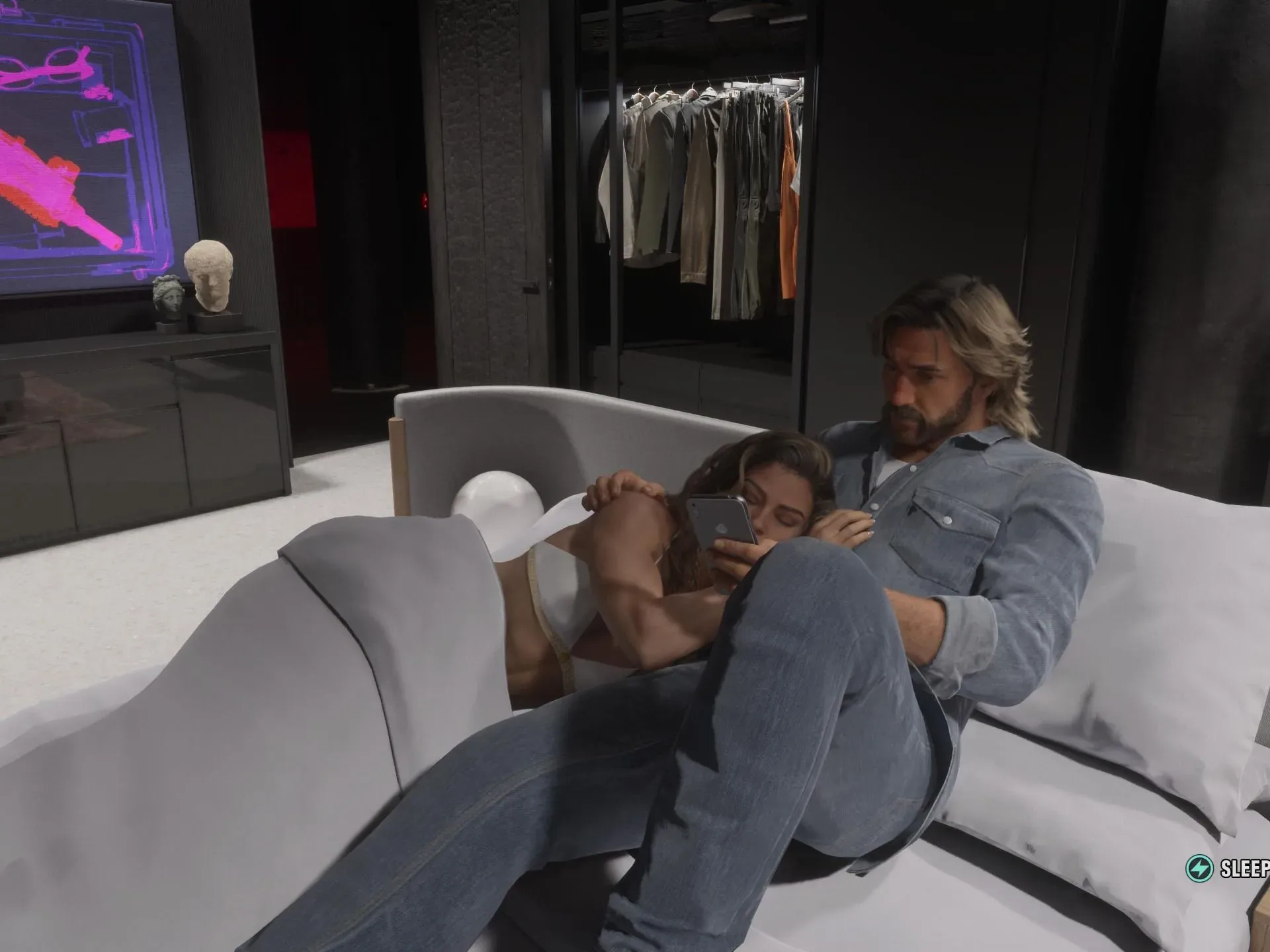
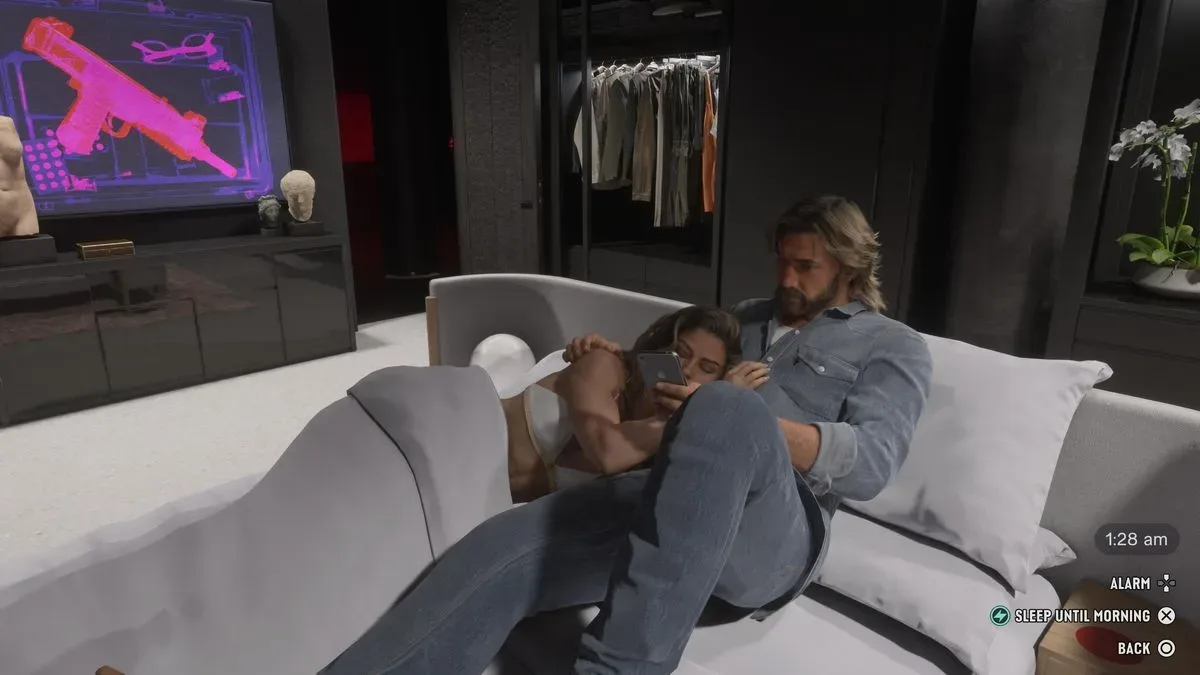
Go to your safehouse and interact with the bed. Once Jason or Lucia is resting on the mattress, the game presents a sleep prompt: press Square/X to sleep. You can then select the time of day you want to wake up.
That makes the bed the most reliable choice when the hour itself matters. Rather than traveling around Key Lento until daylight, darkness, or a preferred window arrives naturally, sleeping lets you deliberately skip to the period you need.
- Travel to a safehouse.
- Get Jason or Lucia onto the bed.
- Use the on-screen sleep option with Square/X.
- Choose the time of day at which you want to wake up.
The control notation covers the relevant controller prompt; follow the button displayed by your version of the game if its interface differs. The important part is that the sleep option becomes available only once the character is settled on the mattress.
Why changing the hour matters in Key Lento
The difference between day and night in GTA 6 is not merely visual. Lighting and color naturally change as the clock progresses, but the hour can also affect how the world behaves.
At night, police response times are somewhat longer, particularly when you are far away from a major city. That does not mean nighttime eliminates law-enforcement pressure or makes every crime safe. It means players looking to operate in more remote parts of the map may have slightly more time before a response arrives than they would in daylight.
Interiors can change as well. Buildings that are enterable may be more likely to be occupied during the night than during the day, reflecting the fact that many NPCs are away at work in daytime hours. In practical terms, an interior that feels quiet in the afternoon may be more populated after dark.
Related coverage includes GTA 6: How to Change the Time of Day.
Those two examples make time selection a gameplay consideration rather than a cosmetic preference. Players can use sleep to set a desired atmosphere, but it is also useful for aligning the world with a particular objective: a nighttime visit to a building, for example, or a trip through an out-of-city area when the longer police response window could matter.
Use long-distance fast travel when you also need to go somewhere
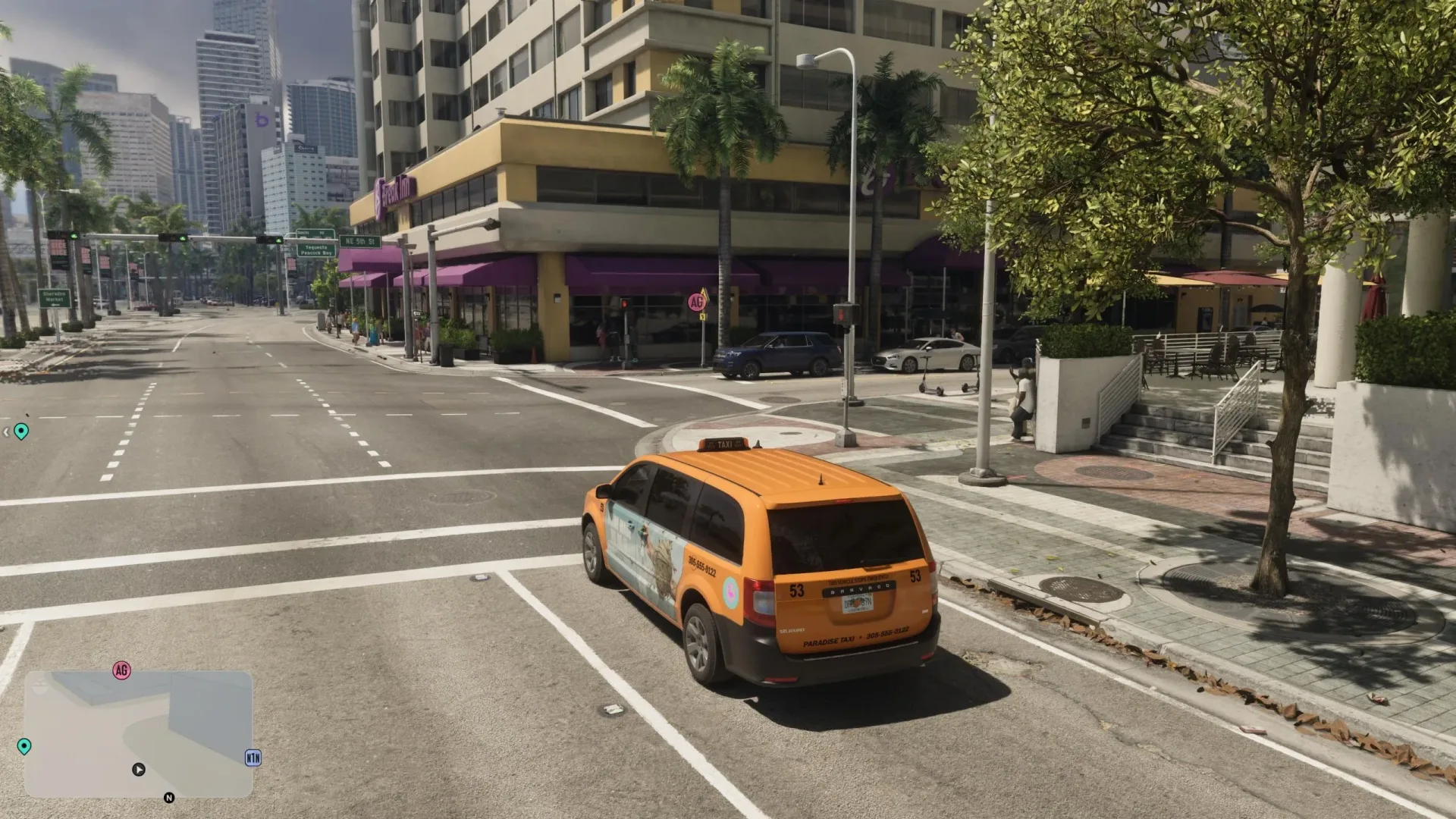
Fast travel over longer distances produces a similar time-advancing effect. This is the less precise alternative to sleeping, but it can be the more efficient option if your real priority is reaching another part of the map.
In other words, sleep is the tool to use when you want control over the hour. Long-distance travel is the tool to use when you want the journey handled quickly and are comfortable with time advancing in the process.
If you are still learning how those transport options work, see the GTA 6 fast travel guide for Paradise Taxi, RydeMe and public transit. It provides the broader travel context, while the key timekeeping point is simple: longer trips can push the world clock forward.
Sleep versus fast travel: which should you choose?
Choose sleep when timing is the goal
Use a safehouse bed if you are trying to begin at a chosen time of day. It is the clearest route for players who specifically want daylight or darkness, want to alter the population pattern inside enterable buildings, or intend to take advantage of the nighttime change to police response timing outside major cities.
Choose fast travel when the destination is the goal
Use long-distance fast travel if you need to relocate anyway. It combines travel with time progression, avoiding the need to make a separate trip to the safehouse solely to move the clock. Because its effect is tied to traveling across longer distances, it should not be treated as the preferred method for fine control over the exact hour.
What “dynamic time” means here
A dynamic time system is one in which the game’s clock progresses during ordinary play instead of remaining fixed until a mission changes it. In GTA 6, that means the day gradually transitions as players explore, drive, commit crimes, complete activities, and travel.
For players, the practical consequence is that the world will eventually reach the desired period on its own. Sleeping and fast travel are simply ways to accelerate that process. The safehouse bed is effectively a controlled time skip, while long-distance fast travel wraps a time skip into the act of moving across the map.
This distinction is helpful when planning. If no timing-sensitive objective is involved, there is no need to interrupt play just to adjust the clock; regular activity will advance it. If nighttime conditions, building occupancy, or the visual setting matters right now, use the safehouse instead of waiting.
The endgame option: a dedicated time-of-day cheat
After the story reaches its endgame, GTA 6 offers a cheat devoted to moving the time of day. This functionality is not available from the start: it must be unlocked first.
That changes the process for players who have completed the story. Before the endgame, safehouse sleep is the dependable manual way to choose a wake-up time, with long-distance fast travel acting as a secondary option. Once the relevant cheat has been unlocked, the game provides a dedicated method for adjusting the clock.
No unlock requirement, activation method, or exact set of time choices is established here beyond the fact that the cheat is endgame functionality and must be unlocked. Players should therefore avoid assuming it is immediately available during the main story.
Practical timing tips
- Need a specific period quickly? Go to a safehouse and sleep; it lets you choose when to wake.
- Need to cross the map anyway? Take a long-distance fast-travel option and let the journey advance the clock.
- Planning activity far from a major city? Night may offer slightly longer police response times, though it does not remove the consequences of attracting attention.
- Looking for more activity inside accessible buildings? Check after dark, when enterable interiors may be more likely to have NPC occupants.
- Already in the endgame? Look into the time-focused cheat after unlocking it, rather than relying exclusively on beds or travel.
Quick answer
To change the time of day in GTA 6, use a bed at your safehouse. Put Jason or Lucia on the mattress, press the Square/X sleep prompt, and select the time you want to wake up. Long-distance fast travel also moves time forward, while a dedicated time-of-day cheat becomes an option only after the story endgame and after it has been unlocked.