Clearer choices for Switch NAND repair
NANDFixPro 2.5 is available for Windows as a graphical tool for repairing Nintendo Switch NAND data. The update replaces the former Level 1, Level 2, and Level 3 labels with System Repair, Clean Install, and NAND Reconstruction, making the intended scope of each operation easier to understand before it starts. The Windows package is provided as NAND-Fix-Pro-v2.5.exe, alongside a 7z archive.
The application provides live workflows for a Hekate-mounted eMMC or emuMMC target, as well as offline processing for NAND backup files. Its purpose is to place commonly used recovery utilities behind a guided interface, with support for system repair, clean NAND generation, split NAND handling, and boot-file preparation. The software runs on Windows; the device being repaired is a Nintendo Switch.
NAND Reconstruction is explicitly a last resort
The most important clarification in version 2.5 concerns NAND Reconstruction. Despite its new descriptive name, this mode is not a more powerful version of the other repair options. It creates a NAND image from a template using an original or donor decrypted PRODINFO file, and it should be used only when reconstruction is necessary.
The release emphasizes that the absence of a backup does not prove that the console’s eMMC contains no recoverable data. Users should first check whether readable NAND data and the original PRODINFO can be backed up. Reconstruction can reset user data in live mode, while offline mode saves a newly constructed image; it does not recover the original user data.
A stronger confirmation barrier
Version 2.5 adds prominent warnings before NAND Reconstruction can be unlocked or started. The application displays a freshly shuffled sequence made from arrow keys and A, B, X, and Y, and the user must enter that sequence correctly to continue. Enter is not required, while an incorrect key resets the sequence.
Resetting the application locks NAND Reconstruction again. These measures add a deliberate pause before an operation that can overwrite NAND structures or erase user data. They do not replace the project’s existing safety guidance: a complete NAND backup should be made before attempting repairs, and interruptions or incorrect files during direct eMMC writes can permanently damage a console.
PRODINFO errors no longer force a reconstruction path
The update also changes how the application responds when it cannot read PRODINFO. A read error no longer automatically directs the user to NAND Reconstruction. This prevents a failed read from being treated as proof that reconstruction is the appropriate next step.
NAND Fix Pro supports Erista and Mariko consoles by detecting the console type from PRODINFO when possible, with a manual override available in the broader project interface. The release notes do not describe a change to that detection system; the documented change is specifically the removal of the automatic reconstruction recommendation after a PRODINFO read error.
What the three modes are intended to do
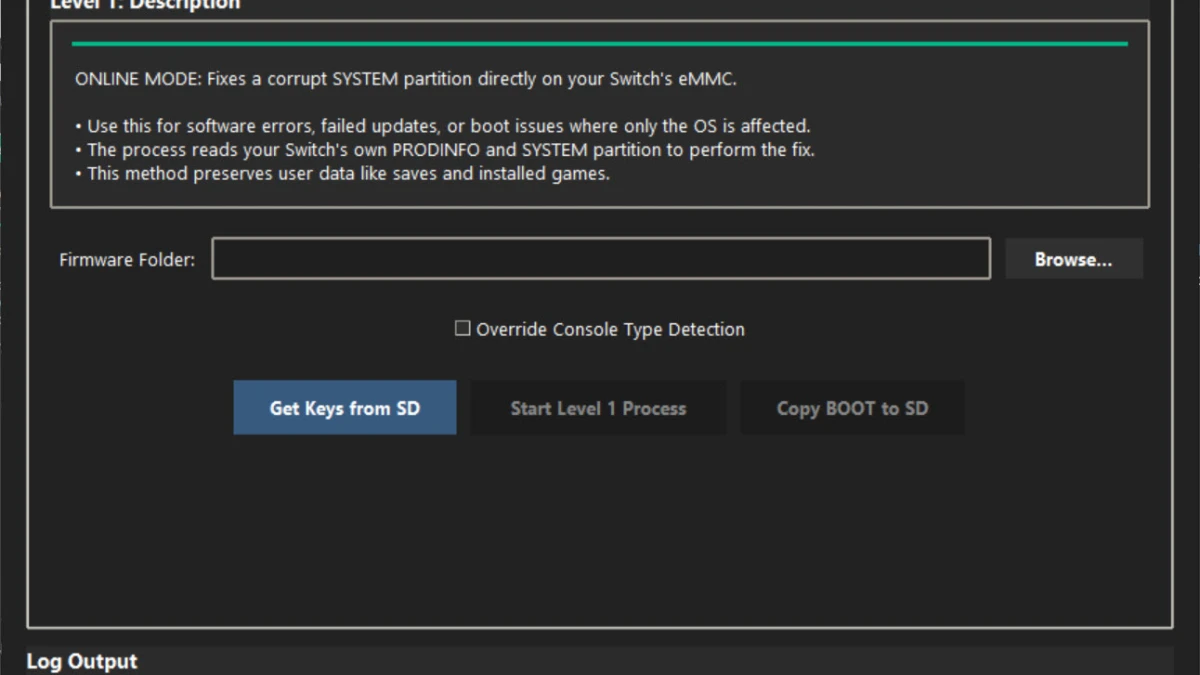
System Repair is the data-preserving option. It replaces core operating-system files in the SYSTEM partition with clean files generated from supplied firmware while preserving saves, installed titles, and profiles. It is intended for software corruption and boot problems where the rest of the console’s data remains usable.
Clean Install rebuilds the NAND using the console’s PRODINFO and clean donor partitions. It is intended for broader partition corruption, but it erases user data and returns the software structure to a factory-like state. The project also includes an advanced USER partition repair function for cases where the damage is isolated there; that operation likewise removes user data.
NAND Reconstruction creates a complete NAND from a skeleton and an original or donor decrypted PRODINFO. It is intended only when reconstruction is necessary, not as an upgrade over the other modes. The application can use templates for 32GB or 64GB eMMC storage, and the resulting image can be processed offline or used in a live workflow.
Supported workflows and preparation
The project supports live repair through Hekate’s eMMC RAW GPP interface, including SD-based emuMMC targets exposed in a compatible way. It can also process a RAWNAND.bin backup or split NAND files offline, joining the pieces for processing and preparing split output when required. Generated BOOT0 and BOOT1 files can be handed off through the application’s documented Hekate restore-folder workflow.
Repair operations require console-specific material, including a prod.keys file from the user’s own console and extracted firmware for the desired version. NAND Reconstruction additionally requires an original or donor decrypted PRODINFO file. The application performs checks for required files, archive integrity, target validation, and available disk space before repair work begins, while logging operations on screen and to error_log.txt after a crash.
Because the software can write directly to a console’s internal eMMC, a failed connection, power interruption, or incorrect input can cause permanent damage. A complete Hekate NAND backup is therefore an essential precaution before using any repair mode, particularly modes that erase user data or reconstruct NAND structures.
Version 2.5 availability
NANDFixPro version 2.5 was published on October 15, 2026. The release includes a Windows executable and a 7z archive named NAND-Fix-Pro-v2.5.exe and NAND-Fix-Pro-v2.5.7z.
The release notes focus on naming, warnings, confirmation handling, and PRODINFO error behavior rather than a broad rewrite of the repair engine. Users upgrading for the new safeguards should pay particular attention to the distinction between System Repair, Clean Install, and NAND Reconstruction before selecting an operation.