HATS-Tools 1.7.3 fixes component-state handling
HATS-Tools 1.7.3 is available for Nintendo Switch homebrew users with a focused fix for HATS pack updates. Disabled components now remain disabled after an update instead of being enabled unintentionally.
The update also changes the stored version for each disabled component to match the new HATS pack. This keeps version information current without changing the component’s disabled state.
Published on October 4, 2026, version 1.7.3 is distributed as hats-tools-1.7.3.zip. The release notes list no other changes for this version.
What the fix means in practice
HATS-Tools includes a component manager for disabling, enabling, or permanently deleting installed components. Version 1.7.3 ensures that the HATS update process handles a component’s enabled state and stored version separately: the component stays disabled, while its recorded version is updated to match the new pack.
This gives users more predictable results when updating a HATS pack while keeping selected components inactive. It also prevents the component manager from displaying an outdated stored version after the update.
A broader management tool for Nintendo Switch
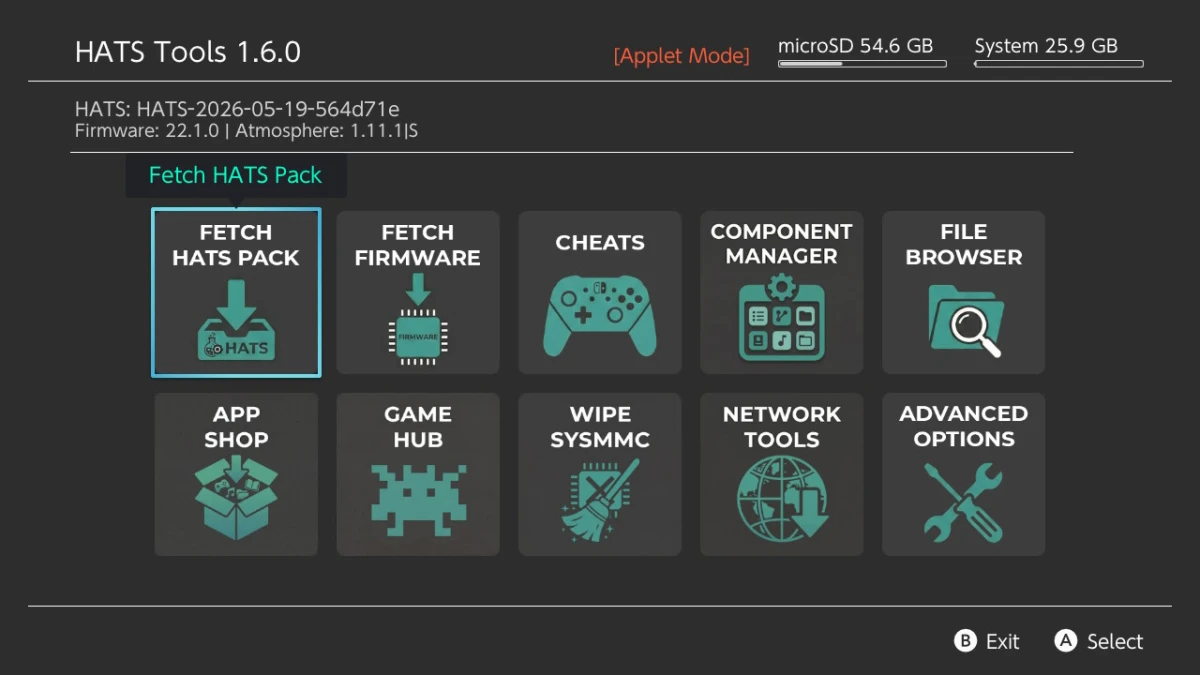
HATS-Tools is based on Sphaira and adds workflows centered on HATS packs. Its pack tools can download HATS releases, stage them for the HATS Installer Payload, and support overwrite or replacement-style installation modes. The application can also download, validate, and install firmware through the Daybreak update engine maintained as part of Atmosphère.
The software includes an SD card file browser, a homebrew app shop, and game-management features. Its Game Hub can browse installed titles, install NSP, XCI, NSZ, and XCZ packages, back up and restore save data, and work with inserted game cards.
Network tools include configured GitHub downloads, browser shortcuts, FTP and MTP options, and USB installation workflows. The cheats manager can use the local or bundled nx-cheats-db flow, display installed cheat files, preview cheat codes, and detect games through title metadata and build IDs when direct detection is unavailable.
An optional automatic backup feature can copy the atmosphere and bootloader folders to the sdbackup folder with timestamps before HATS pack installation. A separate warning reminds users to back up the SD card before installing a pack.
HATS-Tools also includes Wipe SYSMMC, which resets the stock system memory to factory defaults. The process provides a warning, countdown, cancellation option, and a reboot attempt after completion. The project warns that this operation is destructive and cannot be undone.
Installation notes
The documented installation process requires extracting the HATS-Tools zip archive to the root of a Nintendo Switch SD card. Installer functionality additionally requires the HATS Installer Payload, which must also be extracted to the SD card root.
HATS-Tools supports configurable sources for HATS packs and firmware. Its config.ini file can point to alternative repositories or hosted releases; when those settings are absent, the application uses its default sources.