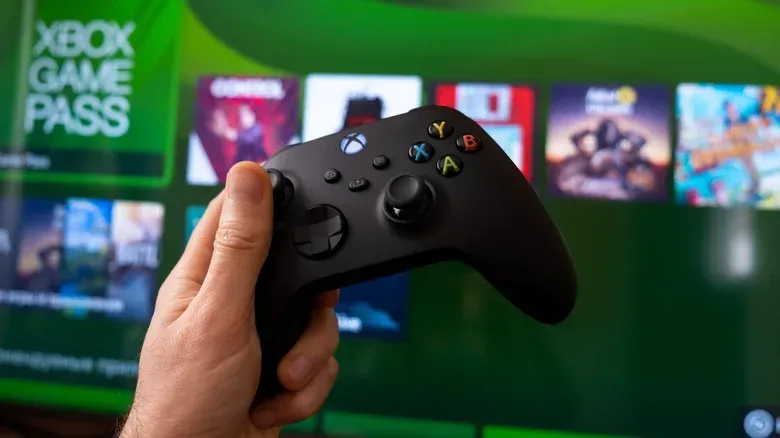
Xbox Game Pass Ultimate is no longer a subscription that can be judged solely by the size of its game catalog. At $22.99 per month, the top Xbox tier is now a combination of access priorities: day-one releases, a library of more than 500 games, cloud gaming, Fortnite benefits, Ubisoft+ Classics, store discounts and points incentives. Whether that bundle is worthwhile depends less on the word Ultimate and more on which of those benefits a player will actually use.
The major practical change is cloud gaming. Unlimited streaming is being removed, with Ultimate members due to receive 15 hours of cloud play per month starting in November. Downloaded games remain available for unlimited play, so the cap does not place a 15-hour limit on Game Pass gaming as a whole. It specifically changes the value proposition for people who prefer to stream rather than install.
That distinction is easy to miss, but it should be the first question for anyone weighing the highest tier. A player who downloads one or two games at a time and spends most of their hours playing locally may barely encounter the limit. A player who treats cloud gaming as a frictionless way to sample a long list of games will need a more deliberate routine.
The current Game Pass choices and the Ultimate premium
There are four principal Game Pass subscriptions: Essential at $9.99 a month, Premium at $14.99 a month, PC Game Pass at $13.99 a month and Ultimate at $22.99 a month. All are monthly plans; there is no annual Game Pass subscription described here that reduces the monthly cost.
Ultimate is therefore $8 more per month than Premium. That is a meaningful gap for a recurring subscription, and it frames the decision properly: the extra spend should be justified by features a player will use regularly, not by a vague sense that the largest catalog is automatically the best deal.
- Essential: $9.99 per month.
- Premium: $14.99 per month, with about 200 games and 10 monthly cloud-play hours.
- PC Game Pass: $13.99 per month.
- Ultimate: $22.99 per month, with more than 500 games, 15 monthly cloud-play hours and the top-tier benefits outlined below.
All tiers can include game-specific benefits, such as rare weapons or booster packs where applicable. That shared perk structure is important because it means occasional in-game bonuses alone are not necessarily a reason to pay for Ultimate. The clearest dividing line is access to new releases: lower tiers can wait as long as a year for new games, while Ultimate is the option for players who place a high value on day-one releases. Call of Duty is among the series no longer set to arrive on lower tiers on release day.
Why the price history matters
Ultimate reached $29.99 per month in 2025 before its monthly cost was reduced to $22.99 in April 2026 following backlash. The lower price is welcome relative to that peak, but it came alongside a different cloud-gaming structure. In other words, looking only at the current sticker price misses a key trade-off: the plan costs less than it did at its highest point, while streamed play is no longer unlimited.
For subscribers, the sensible comparison is not simply “Is $22.99 lower than $29.99?” It is “Does $22.99 buy the type of access I use?” Someone who needs day-one releases and plays primarily through installed games could see the revision as a manageable compromise. Someone whose main habit is hopping among games via streaming may find that the cap removes much of what made the tier attractive in the first place.
Related coverage includes Xbox Game Pass Ultimate in 2026: Who It Suits and How to Get More From It.
What cloud gaming means in this decision
Cloud gaming means the game is run remotely and delivered as a stream, rather than being fully downloaded and run from the player’s device. Its appeal is speed and convenience: it can make it easier to try a title without committing local storage space or waiting for an installation. The limitation is now a finite monthly time allowance.
Fifteen hours can be thought of as 30 half-hour sessions, 15 one-hour sessions, or a smaller number of longer evenings. Those examples are not a prediction of anyone’s play pattern; they simply show why the allowance will feel generous to some players and restrictive to others. Premium’s 10 hours provides even less room for sampling. Ultimate’s five additional cloud hours are real, but they are not unlimited access.
The practical implication is straightforward: use streaming for its strongest role—testing, short sessions and situations where installing is inconvenient—then download games that become regular commitments. A game that is going to occupy many evenings is usually the wrong place to spend a limited cloud allowance when local play remains unlimited.
The strongest reasons to choose Ultimate
Ultimate makes the most sense when several of its advantages overlap with a player’s normal habits. Any one benefit may be useful, but the tier becomes easier to justify when day-one access, a substantially larger library and specific included perks all matter to the same subscriber.
Day-one releases
This is the central reason to remain on Ultimate for players who want major new games immediately. Waiting up to a year on lower tiers can be perfectly acceptable for a patient player, especially one already working through a backlog. But that delay is a fundamentally different service experience from playing at launch. A player who regularly wants new releases as they arrive has a direct reason to favor Ultimate; a player who almost never does should not treat day-one access as theoretical value.
A bigger library—if you explore it
Ultimate’s library of more than 500 games is more than double the roughly 200 available through Premium. Catalog scale is valuable, but only when it leads to actual play. A subscriber who sticks with one long-running game may not derive much from hundreds of additional choices. Conversely, someone who finishes games frequently, experiments across genres or shares an account with people who have different tastes has more opportunity to benefit.
A useful approach is to stop counting games as if every title has equal value. Ask a narrower question: how often do you find a game you genuinely want to play that would otherwise require a purchase? That is a more honest measure of catalog value than the biggest headline number.
Sampling games can also lead players toward unexpected finds, including smaller or older-style experiences. For a reminder that compact, retro-inspired projects can offer a very different pace from a huge new release, see this look at a Game Boy Color-style Stardew Valley browser demake. With the new cloud limit, though, it is sensible to treat that discovery phase as a short trial before downloading a game that earns more time.
Fortnite benefits for active players
Fortnite players have one of the most concrete Ultimate-specific reasons to pay attention. An Ultimate subscription includes the Fortnite Crew Pack monthly. That provides immediate access to the premium Battle Pass, OG Pass, LEGO Pass, Music Pass and Rocket Pass Premium, along with 1,000 V-Bucks each month.
These are only valuable if Fortnite is an active part of a player’s routine. For someone who plays regularly and would otherwise seek several of those passes or currency, the included benefits can materially affect the calculation. For someone who has stopped playing, never plays, or does not care about those pass systems, they should be assigned no value at all. A perk that goes unclaimed is not a saving.
That same principle applies to every subscription extra. Ultimate can be efficient for a player whose existing habits align with the bundle. It is less efficient when the plan encourages spending or play just to avoid the feeling that a benefit has been wasted.
Ubisoft+ Classics and other purchase benefits
Ultimate also includes more than 50 older titles from major franchises through Ubisoft+ Classics. This is a specific catalog benefit for players interested in those games, rather than a blanket promise that every Ubisoft release is included. It adds useful depth for a player who will actually explore those titles; it does not alter the equation much for someone uninterested in them.
On purchases, eligible subscriber discounts can reach up to 30% off select games and add-ons in the Xbox store. Ultimate members also receive four times more points when buying games and add-ons, plus 10% back in points on eligible games. The qualifying language matters: discounts are for select items and points-back applies to eligible purchases. These incentives should be viewed as bonuses on purchases a subscriber already planned to make, not a reason to buy extra content merely to generate points.
A practical plan for getting value without chasing every perk
Subscribers who decide Ultimate matches their habits can make the membership work harder with a simple monthly routine.
- Start with the release question. Identify whether day-one games are something you consistently use, rather than something that only sounds nice in theory. If not, the $8 difference from Premium deserves scrutiny.
- Reserve cloud hours for low-commitment play. Use streaming to test a game, fit in a short session, or avoid an install when convenience matters. Keep an eye on the 15-hour allowance as the month progresses.
- Download the games that stick. Once a game becomes a regular evening activity, download it when possible. This preserves cloud hours and avoids treating the new cap as an unavoidable barrier.
- Claim Fortnite entitlements every month if you play. Fortnite players should ensure they receive the Crew Pack and 1,000 V-Bucks. These are among the most tangible included benefits, but only when claimed and used.
- Browse Ubisoft+ Classics with intent. Pick titles you are genuinely interested in rather than creating an endless queue. A deep catalog should support play, not become a source of pressure.
- Check discounts before planned purchases. If a game or add-on was already on the shopping list, confirm whether the member discount applies and whether it is eligible for points benefits.
Who should step down instead
Ultimate is not automatically the sensible default for every heavy Xbox player. A person who downloads games, rarely cares about launch-day access, does not play Fortnite and has little interest in Ubisoft+ Classics may be paying for several benefits they will not use. Premium’s lower monthly price, smaller library and 10 cloud hours may better suit that profile. PC-only players likewise have a distinct PC Game Pass option at $13.99 per month.
There is no need to force a subscription tier to justify itself through every possible feature. The best plan is the one with the fewest unused extras while still covering the games and access that matter most. Ultimate earns its name for subscribers who want new releases right away, play broadly across its catalog, use its specific perks and primarily download their longer-term games. For everyone else, the new cloud cap makes an honest reassessment more important than ever.