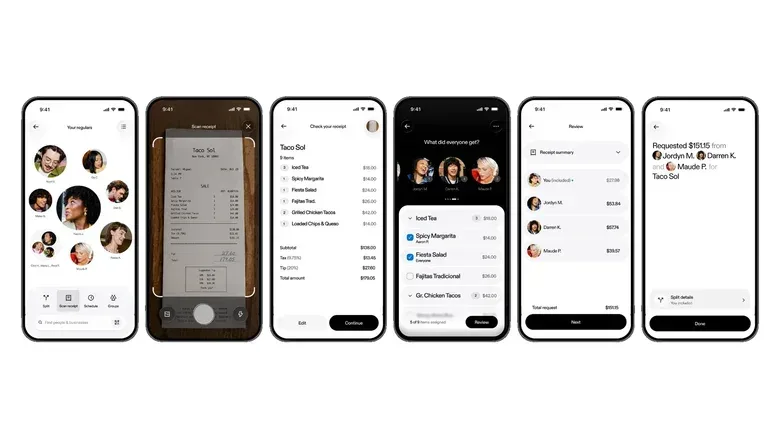
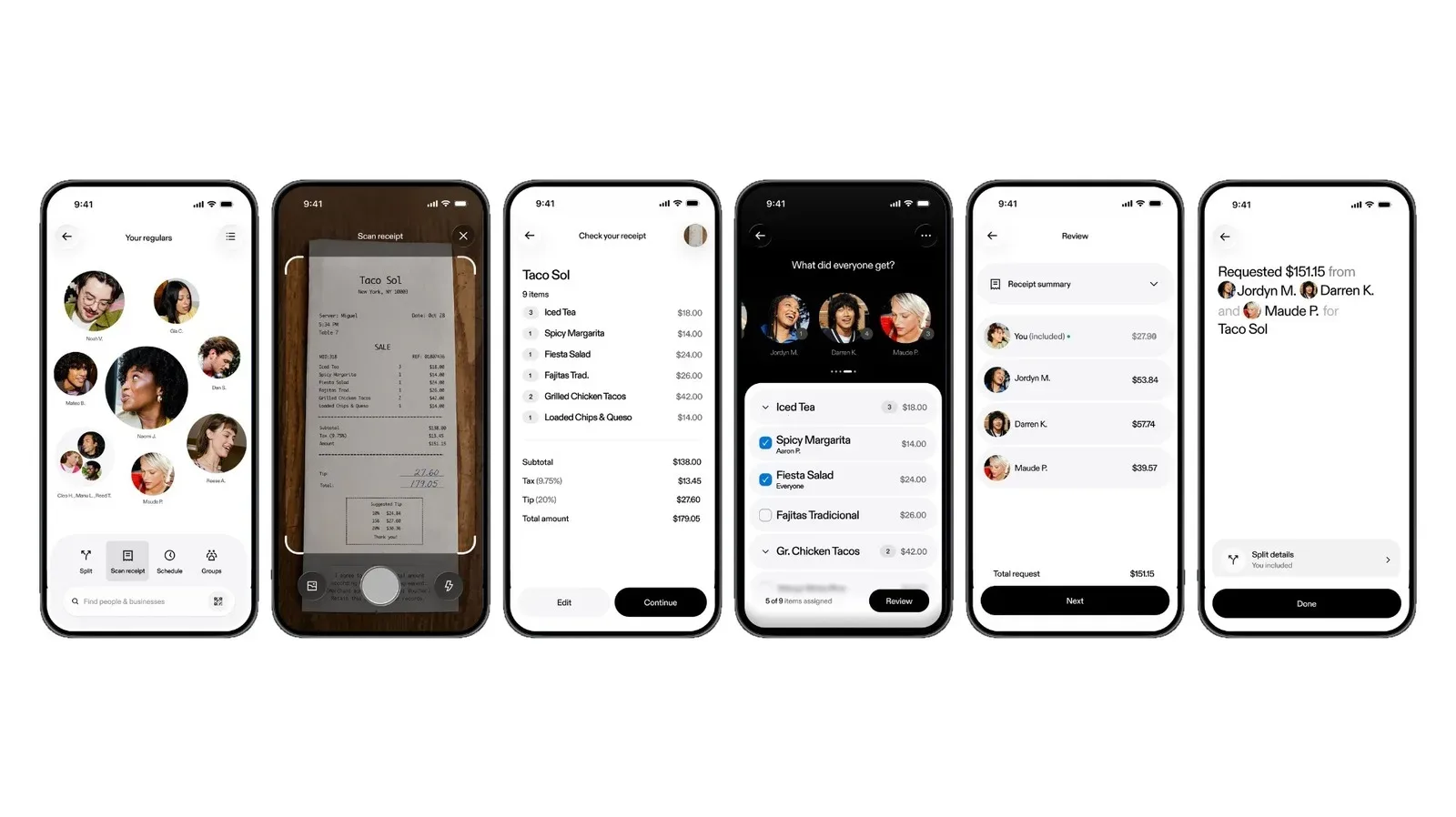
Venmo is rolling out an in-app receipt-scanning feature designed to remove one of the least glamorous parts of a shared meal: figuring out who owes what after one person has paid. The tool scans a receipt, turns it into an itemized bill, lets users split the charges among participants, adds each person’s share of tax and tip, and prepares payment requests without requiring everyone to calculate totals separately.
It is a small change with a very familiar target. Sending money after dinner is already a common use of person-to-person payment apps, but the actual division of a check can get surprisingly messy. Shared starters, a diner who skipped drinks, uneven meal prices, sales tax, a tip percentage, and the perennial “just split it evenly” negotiation can leave a simple payment request feeling less simple than it ought to be.
Receipt scanning aims to put the itemization stage inside the same app used to settle up. Rather than manually transcribing a list of purchases and then calculating each person’s amount, the receipt becomes the starting point for a bill split. Once shares are assigned, Venmo compiles the requested payments.
What Venmo’s new bill-splitting feature does
The core workflow is based on a photo of the receipt. Venmo says the feature can scan the document, itemize the bill, and split charges among users as needed. It also accounts for tax and tips when creating each person’s total, then compiles those figures into a payment request.
Itemization means treating individual entries on a receipt as separate charges rather than starting from one grand total. In practical terms, that can matter when friends ordered different meals at different prices. An itemized approach gives a group a basis for assigning a specific dish or purchase to a specific person before the rest of the bill is divided.
Tax and tip allocation refers to including portions of those additional charges in each participant’s requested amount. These are frequently where manual calculations become tedious: people can agree on who ordered which item yet still need to decide how to distribute charges that apply to the whole receipt. Venmo’s feature is intended to fold that work into the request-building process.
“Splitting the bill is one of the most common things people do on Venmo, but it can also be one of the most tedious,” Venmo general manager Alexis Sowa said. “With receipt scanning, a pile of math goes away with a single photo.”
The company says receipt scanning will work regardless of mobile device. That makes the feature notable not merely as a new convenience for one phone platform, but as an option for groups whose members may be using different devices while still relying on Venmo to settle shared costs.
Why the receipt is the useful part
Most payment apps can request a manually entered amount. The harder task comes earlier: deciding that amount in a way everyone understands. The receipt contains the record of what was bought, so converting it into editable line items addresses the part of the process where confusion often begins.
That does not eliminate the social side of splitting a bill. A group still needs to decide whether shared items are divided evenly, whether one person covers an item for someone else, and what tip is appropriate. What the tool changes is the administrative burden after those decisions are made. The app is positioned to handle the transfer from receipt details to individual requests.
For casual groups, that may mean fewer messages devoted to checking arithmetic. For recurring social circles, it could also make the final record clearer because the requests originate from an itemized bill rather than a single unexplained total. The benefit is less about making a dinner cheaper and more about making the settlement process easier to follow.
How it compares with Venmo Groups and Apple’s option
Venmo had already introduced Venmo Groups in 2023 for longer-running shared expenses. That feature is suited to situations such as rent, monthly subscriptions, or vacation purchases: costs that may recur or accumulate over a period of time. Receipt scanning addresses a different pattern, centered on a particular check and the individual items on it.
The distinction is important. A group expense tool can help track shared obligations over time, while receipt scanning starts with a physical or digital proof of purchase and breaks down that specific transaction. Both deal with shared spending, but one is oriented around ongoing organization and the other around immediate item-level settlement.
Apple also added a bill-splitting capability through Visual Intelligence in iOS 27 a few months before Venmo’s rollout. iPhone users can use Visual Intelligence to look at a receipt and split it with Apple Cash. Venmo’s version enters a landscape where receipt-based splitting is no longer an unusual concept, but it has the advantage of being designed for Venmo’s existing payment network and, the company says, working across mobile devices.
That ecosystem point is meaningful. The best bill-splitting method is often the one the whole table can use. A feature can be technically capable yet still create friction if only some participants have access to the relevant service. Venmo’s cross-device claim means its receipt scanner is intended to work for its users without tying the process to a particular phone type.
What users should pay attention to
The feature is rolling out now and Venmo says it will become widely available over the next few weeks. Availability may therefore differ while the rollout progresses. Users who do not immediately see it should avoid assuming that their device is unsupported, since the company describes this as a staged availability process rather than a device-specific limitation.
A receipt scan is also a starting point for a request, not a substitute for looking at the bill. Item names, shared purchases, tax, and gratuity all have consequences for what each person is asked to pay. The point of the feature is to reduce manual math and repetitive entry, while the people in the group remain responsible for agreeing that the division reflects what they intended.
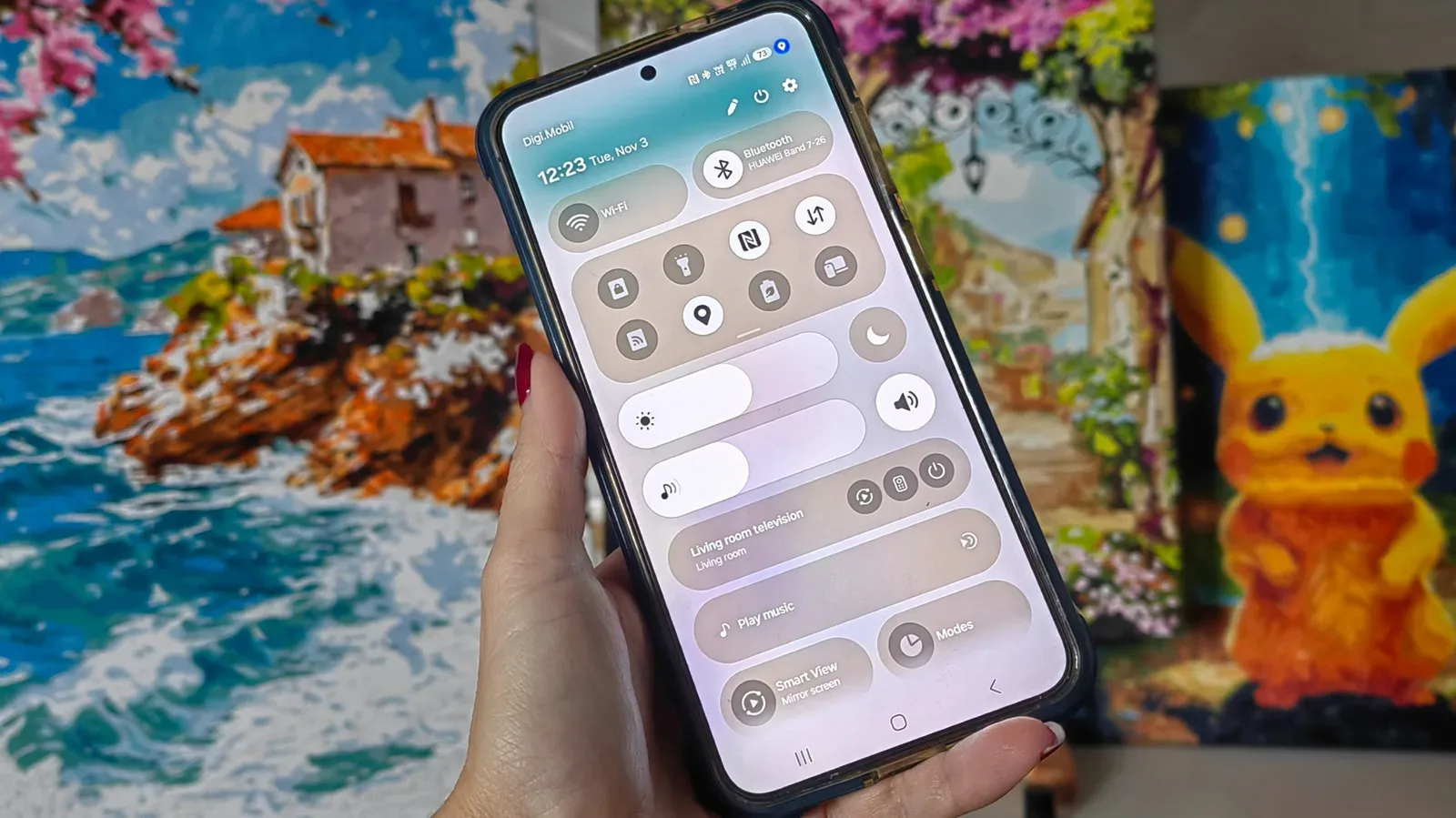
There is a straightforward privacy consideration as well: a receipt can reveal details about where a group ate or shopped and what was purchased. Anyone using a scan-based feature should treat that image and the itemized information with the same care they would give any other payment-related record. Mobile users interested in understanding device-level privacy cues may also find this guide to Android’s tiny blue location indicator useful.
A practical upgrade to a routine payment habit
Venmo’s addition is not a new form of payment; it is an attempt to streamline the decision-making and calculation that come before a payment request. The photo-to-itemization workflow combines several steps that people often handle across a receipt, calculator, notes app, and payment app.
For people already using Venmo after restaurant meals, group outings, or shared purchases, the appeal is easy to see: one person can document the bill, assign it, and send requests in the place where the money is ultimately settled. For people on Cash App, Apple Cash, or Zelle, the feature is another reason their Venmo-using friends may push for that payment rail when the check arrives.
Its success will depend on how reliably the receipt-to-request flow handles the many ways groups actually divide costs. But the stated goal is focused and practical: make the receipt, rather than a round of head math, do more of the work.