For anyone trying to download a huge game update, keep a multiplayer session stable, or make a video call without turning into a stop-motion character, the choice between Starlink and 5G home internet can look deceptively simple. One service comes from a dish pointed at the sky; the other arrives from a cellular network through a phone or dedicated home router. Compare the advertised download numbers, choose the larger one, and victory music plays.
In practice, it is a much less tidy matchup. A strong 5G connection may be faster than Starlink at one address, while an isolated property with weak cellular service may find satellite broadband is the only realistic route beyond very slow fixed-line internet. Neither technology has a universal performance figure that can be safely transplanted from somebody else’s home to yours.
The useful question is not simply, Which is faster? It is: Which connection is consistently good enough at this specific address, at the times it will actually be used, for the things that matter?
The advertised race has no single winner
Starlink’s U.S. residential options include plans capped at 100 Mbps and 200 Mbps, while its Residential Max tier is described as delivering downloads of 400 Mbps or more. On the 5G side, T-Mobile lists typical download speeds of 170 Mbps to 498 Mbps for certain 5G Home Internet plans.
Those ranges overlap, and that overlap is the important part. On paper, a higher-end 5G home plan can look decisively ahead. But the figures are not guarantees for every household. They represent the kinds of performance a provider expects under varying local conditions, not a promise that a particular living room will always reach a particular number.
Independent measurements underline the variability. Rural Idaho testing of Starlink Residential Max in 2026 recorded daily average downloads between 145 Mbps and 170 Mbps. Earlier 2025 testing showed a far broader spread, from 20 Mbps to 250 Mbps. Location, the equipment in use and the time of day can all affect the result.
5G varies just as meaningfully by network and local deployment. Opensignal recorded average downloads of 249 Mbps on T-Mobile and 184.3 Mbps on AT&T. A separate 2026 Ookla report put T-Mobile at 314.38 Mbps and Verizon at 218.96 Mbps. These results offer a useful reality check, but they are still broad network measurements rather than an address-specific forecast.
That distinction is crucial for gaming households. A download at 300 Mbps is excellent for grabbing a large patch, but it does not establish that the connection will remain stable when the neighborhood is active, that uploads will be adequate for sending files, or that latency will stay low during an online match. A single speed-test result is a snapshot, not a lifetime achievement badge.
What Mbps, latency and upload speed actually tell you
Mbps, or megabits per second, measures transfer rate. Download speed affects how quickly data arrives: game downloads, system updates, video streams and web pages all lean on it. Upload speed measures how quickly data leaves the home, which matters for uploading large files, sharing a stream or maintaining a responsive video call.
Latency is the delay between a request and a response, usually measured in milliseconds (ms). It is not the same as download speed. A connection can download quickly yet feel delayed if latency is high or inconsistent. This is especially relevant to activities that depend on rapid back-and-forth communication, including real-time games, calls and remote-access tasks.
T-Mobile says its typical 5G Home Internet upload range is 12 Mbps to 55 Mbps, with latency between 16 ms and 28 ms. Starlink reports U.S. median peak-hour latency of 25.7 ms. That reported satellite figure is a reminder that a satellite connection does not automatically mean enormous delay. The two services can occupy similar latency territory in the reported numbers, though actual results will depend on the connection at a given address.
For practical use, speed should be treated as a three-part check:
- Download: Can the household retrieve large updates and stream reliably?
- Upload: Can it send files or support calls without becoming the bottleneck?
- Latency and stability: Does it respond promptly and avoid disruptive drops?
That last item deserves extra attention. A connection that spikes to an impressive maximum speed but repeatedly disconnects can be worse than a slower service that behaves predictably. The same principle applies when diagnosing issues such as a launcher refusing to load account data: not every problem is caused by the home connection, but a stable network makes troubleshooting far more straightforward. For a separate example of how service-side trouble can resemble a local connectivity fault, see this look at Steam’s reported Loading User Data loop.
Why the 5G icon does not settle the matter
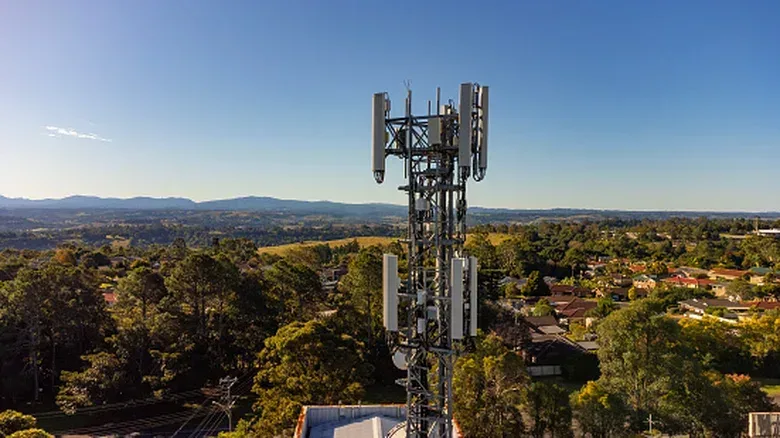
Seeing “5G” on a handset does not reveal which flavor of 5G is being used. Carriers build their networks with different frequency bands, and those bands make trade-offs between reach, obstacle penetration and raw capacity.
Low-band 5G travels farther and is better able to deal with obstacles. That helps coverage, particularly over larger areas, but it is not automatically the quickest option. Mid-band 5G aims for a balance of speed and coverage. High-band 5G can provide very high bandwidth, but obstacles can make it more difficult to maintain.
This explains why a 5G phone can show coverage while a household’s experience remains unremarkable, and why one part of a city can perform quite differently from another. The available towers, spectrum and conditions around the property are material to the result.
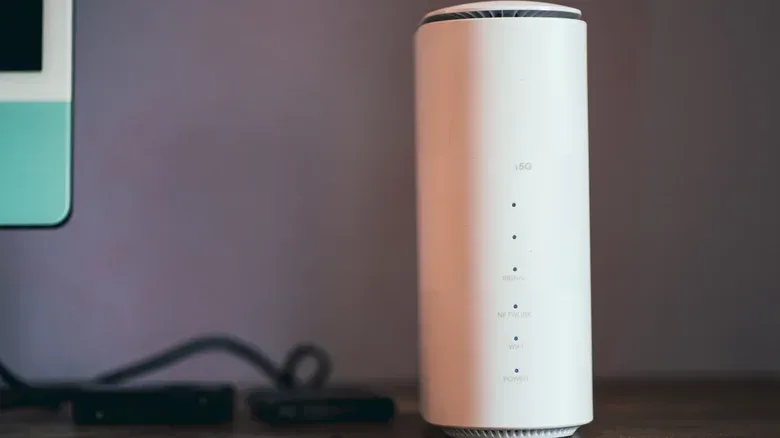
It also explains why mobile service and 5G home internet should not be treated as identical products. A carrier may provide phone coverage at an address but decline to sell unlimited home service there. T-Mobile, for example, evaluates eligibility using the home address and local network capacity. If an area has heavy demand and limited spare capacity, the carrier can restrict home-internet availability even where a phone connects.
So a quick handset test is useful evidence, not a complete answer. It can show whether cellular reception exists, but it cannot by itself confirm eligibility, predict sustained capacity or prove that a home router will perform the same way.
Starlink’s advantage is reach, with a sky-view condition
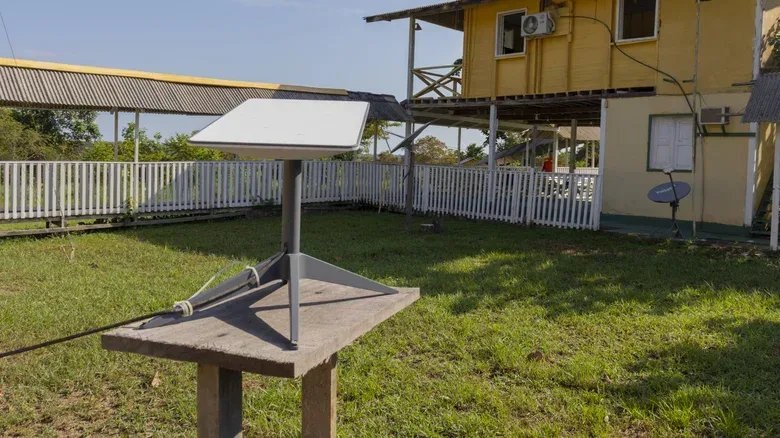
Starlink is fundamentally built for a different problem: reaching properties where conventional wired options and robust mobile service may not be available. The service uses a satellite dish at the home rather than a cellular tower connection.
That broad reach does not eliminate address-level checks. Availability still needs to be verified, and the dish needs a clear, unobstructed view of the sky. Trees and buildings can interfere with its connection to passing satellites. Starlink’s app includes an obstruction checker to identify whether a prospective installation location has blocking objects before the dish is placed.
This is not a minor setup detail. It is part of the service’s core viability. A property can be in an eligible coverage area and still be a poor fit if the dish cannot get the sky view it needs. Anyone considering satellite service should assess possible dish locations before treating the plan’s speed tier as the main decision point.
Weather and congestion also belong in the evaluation. Starlink says heavy rain or wind can, in extreme circumstances, reduce performance or cause an outage. Congestion can affect users during busy periods. Cellular networks face their own pressures: crowding reduces available capacity, and heavy rain can weaken signals, particularly at higher frequencies.
Neither option is invulnerable. The difference is in the weak point to investigate. With 5G, it is local signal quality, the band in use and network capacity. With Starlink, it is clear sky, local availability, conditions and satellite-service congestion.
The monthly bill can change the answer
For a home broadband decision, Starlink is best compared with a dedicated 5G home internet service rather than an ordinary phone plan. A phone plan includes calls and texts that are not part of a Starlink subscription, so its headline price is not a clean like-for-like comparison.
T-Mobile’s Rely, Amplified and All-In 5G Home Internet plans are listed from $50 to $70 per month, plus taxes and fees. Starlink starts at $55 for 100 Mbps and $85 for 200 Mbps. Residential Max, the tier described as 400 Mbps or more, costs $130 monthly. Unlimited Starlink Roam plans can cost up to $175 for people who need service while on the move.
The entry-level Starlink option is therefore close to the stated 5G home-internet range. The cost gap widens at faster Starlink tiers: Residential Max is close to double the upper end of those listed T-Mobile plan prices before considering any equipment or installation costs that might apply at the address.
A phone hotspot can appear to be the cheap third option, but it needs scrutiny too. Tethering lets other devices use a phone’s mobile connection, yet an unlimited phone plan may impose a separate high-speed tethering allowance. “Unlimited” does not necessarily mean unlimited high-speed hotspot use.
A sensible way to compare both services
Where both are available, real use is more informative than a marketing table. Starlink does not offer a free trial, but it has a 30-day money-back guarantee. That creates an opportunity to test it against a 5G option under normal household conditions.
- Check whether 5G home internet is actually eligible at the address, not just whether a phone displays a 5G symbol.
- Check Starlink availability and use its obstruction tool before selecting a dish location.
- Run tests at different times, especially when the connection is likely to be busiest.
- Look at download, upload and latency together rather than elevating one spectacular download result.
- Use the connection normally: calls, streams and the game downloads or online play that matter to the household.
- Factor in recurring price as well as applicable equipment and installation costs.
The outcome may be boringly local, which is exactly the point. An address with strong capacity on a suitable 5G band may get better speed for less each month. A remote address with weak or unavailable cellular home service may find Starlink’s price much easier to justify. The winning connection is not the one with the boldest advertised maximum; it is the one that stays usable when it is time to play, work, call and download.