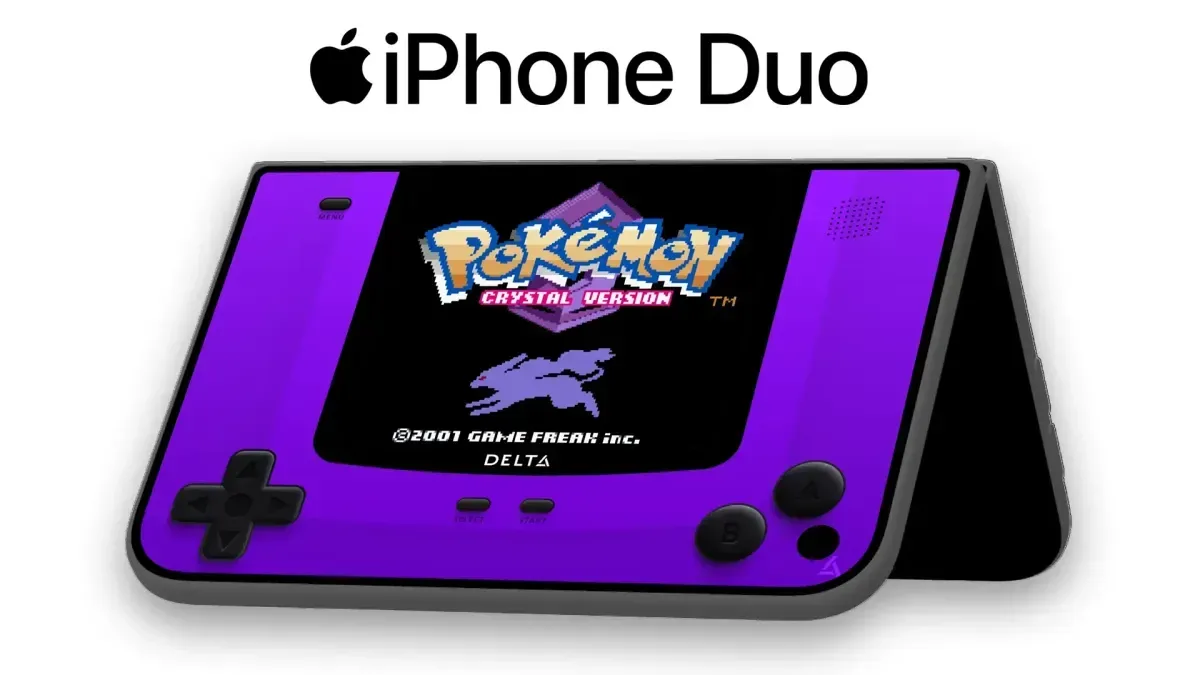
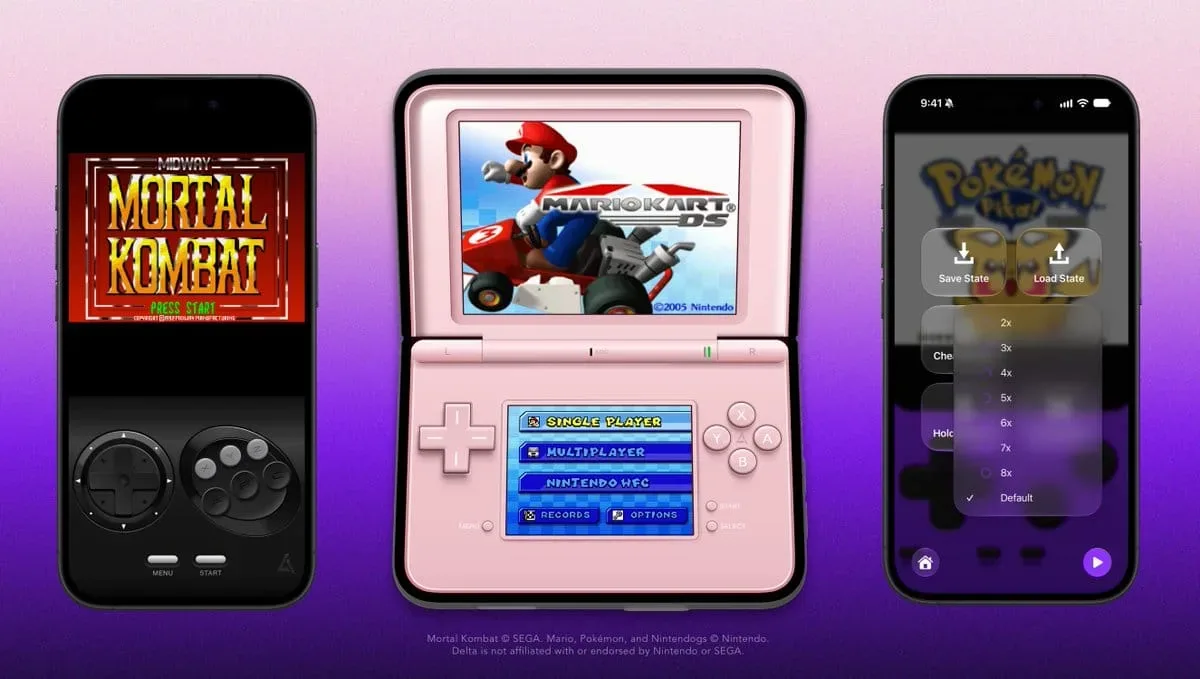
Delta’s latest refinement is a small update with a very specific target: making the iPhone Duo feel less like a roomy phone running an emulator and more like a device whose unusual display space has actually been considered. Version 2.0.2b introduces a revised Nintendo DS skin that enlarges the top screen on the Duo, while also adding a six-button skin for Sega Genesis/Mega Drive games that need the extra controls.
The build is currently available to Patrons and is expected to reach the free app later. It follows Delta 2.0, released a few weeks earlier, and the team has also said work has begun on a larger 2.1 update. For now, 2.0.2b is chiefly a usability release: it changes how a few systems fit and feel on newer hardware, adds settings for players who want more control, and removes several frustrating rough edges.
A larger DS top screen is the headline change
Nintendo DS emulation has a layout problem that other classic systems do not. The original handheld was built around two screens, with the top and bottom displays serving distinct roles. Depending on the game, the upper panel might show the main action while the lower touchscreen handles maps, menus, inventories, puzzles or secondary gameplay. An emulator therefore has to decide not just how large to make the image, but how to arrange two separate displays and touch controls on a modern device.
On the basic iPhone Duo DS skin, the prior arrangement did not make full use of the available screen real estate. Delta 2.0.2b addresses that with a larger top display. That is a meaningful adjustment even though it sounds modest on a changelog. More room for the upper screen can improve readability for games where dialogue, maps, status indicators, or moment-to-moment action live there, and it better matches the expectation that the Duo’s physical format should offer an advantage for dual-screen software.
It is also an example of why emulator skins matter. A skin is the visual control-and-screen layout placed over an emulated game: it determines where virtual buttons sit, how the display is framed, and how available space is divided. It is not merely decoration. For systems with a single display, a poor skin can be inconvenient; for DS software, it can materially affect which information is easy to see and which virtual controls remain accessible.
The revised DS skin came from community feedback, suggesting that the issue was not a theoretical layout complaint but a practical concern raised by people using the Duo configuration. The change does not alter DS games themselves or claim to solve every two-screen design challenge. It does, however, make the default presentation more responsive to the device it is running on.
Genesis and Mega Drive games gain room for more inputs
Delta 2.0.2b also adds a new six-button skin for Sega Genesis/Mega Drive titles that require more controls. The distinction is important because the original console ecosystem includes games designed around a six-button controller rather than the familiar three-button arrangement.
In plain terms, the new skin provides a layout with enough face-button inputs for those games. That should reduce the need to compromise when playing software built with additional controls in mind. On a touchscreen, where every on-screen button competes for limited space and thumb reach, a skin tailored to the control scheme is especially useful. The addition is consequently about correct access as much as it is about convenience.
Related coverage includes Delta 2.0.2b Expands iPhone Duo DS Screen and Genesis Controls.
This is a welcome bit of attention for Genesis/Mega Drive players because controller support is foundational to emulation. Accurate game logic and visuals matter, but an incomplete control layout can still make a compatible game awkward or impossible to play as intended. A dedicated six-button option signals that Delta is accounting for variations within a system’s own library rather than treating every title on that hardware as if it uses the same input needs.
Fast Forward now has a defined ceiling
The update adds a Speed Limit setting in Advanced Settings for Fast Forward, with speeds up to 8×. Fast Forward is the emulator feature that runs a game faster than its normal pace. Players commonly use it to move through familiar sections more quickly, shorten repetitive tasks, or speed up sequences that feel slow on a replay.
A limit is useful because not every player wants the same behavior from the feature. Some may prefer a controlled increase that remains readable and manageable, while others may want to use the highest available acceleration. By placing the option in Advanced Settings, Delta keeps the additional tuning available without making the standard interface more cluttered for people who simply want to launch a game and play.
The stated maximum is 8×. That describes the range the setting supports; it should not be read as a promise that every game, device arrangement, or use case will feel equally comfortable at that speed. The practical takeaway is simpler: Delta now offers a clearer way to rein in or choose Fast Forward behavior rather than leaving it as a single, fixed experience.
Library cleanup and achievement compatibility changes
Delta 2.0.2b adds an option to hide Favorites and Recently Played from the Game Library. Those sections can be useful shortcuts, but they are not necessarily what every player wants to see first. Someone maintaining a more curated library view may prefer to browse by system or by their own organizational habits rather than have activity-based rows permanently occupying space.
That choice is a small quality-of-life feature, but it reflects a broader point about emulator libraries: a collection interface often becomes more important as it grows. A player with a handful of games may not care about an extra row. Someone with a larger set of supported titles can benefit from fewer automatic categories and a layout that better reflects how they choose games.
The update also changes how RetroAchievements Hardcore mode behaves with unsupported games. Hardcore mode will now be disabled automatically when a game does not support it. RetroAchievements is a system that adds achievement-style goals to compatible retro games; Hardcore mode is a particular mode within that framework. The key improvement here is compatibility handling. Instead of leaving a player to encounter an unsuitable mode state, Delta now turns it off automatically for games where it cannot be used.
Automatic disabling is not a new feature for unsupported games; it is a safeguard. Its value is in reducing ambiguity. When an option depends on a game being supported, the app can make that dependency clearer through behavior rather than expecting every player to know the limitation in advance.
Fixes focus on common friction points
The remainder of the patch is a useful collection of fixes across navigation, display behavior, cheats, reference data and skin presentation.
- Game Library navigation: Delta no longer always returns to Recently Played after a player leaves the Pause Menu. This should preserve a more sensible browsing flow, particularly when someone has entered a game from elsewhere in the library.
- External-display fullscreen: Display Full Screen mode has been fixed for AirPlay and external displays on iOS 27. AirPlay is Apple’s wireless streaming and display technology; external-display support covers play that is shown beyond the phone itself. The correction matters for users who move an emulated game onto a larger screen.
- Genesis cheat codes: The update fixes Genesis Game Genie and Action Replay codes not being accepted. Game Genie and Action Replay are cheat-code systems, and acceptance is the basic first step before a code can have any effect in a game.
- DS CheatBase: Missing CheatBase support for DS has been fixed. CheatBase refers to the cheat-code data available through the app’s DS support.
- Animated skins: Animated skins should now retain their proportions after repeated screen rotation. That matters because a distorted control layout can be more than cosmetic when on-screen buttons and displays need to stay aligned.
Taken together, the fixes show why point releases still matter. None of them is positioned as a sweeping new emulator platform, yet each targets a situation likely to interrupt play: returning to the wrong library view, losing fullscreen behavior on a display, finding that a cheat entry is rejected, or rotating the phone until a skin no longer looks right.
What the update means for Delta users
The clearest beneficiaries are iPhone Duo owners who play Nintendo DS titles and Genesis/Mega Drive games that use six-button controls. The former receive a better use of the Duo layout; the latter receive a skin that more closely fits their games’ input requirements. Players who use external displays, Fast Forward, cheats, or a heavily organized library also receive changes aimed at making those features less rigid or more dependable.
There is a wider pattern in the patch, too. Delta 2.0.2b is not trying to advertise a single dramatic capability. It is refining the points where emulation meets real-world device design: two-screen layouts, virtual controllers, rotation, display output, library organization and optional achievement systems. Those are the details that can determine whether a technically supported game is pleasant to return to.
With 2.1 already in development, this build reads as an interim polish pass rather than a stopping point. For players watching the retro-emulation space alongside current releases, Joking Joystick’s report on Wolfenstein 3 entering production is a separate look at where gaming’s next major projects are headed. Delta’s immediate focus, meanwhile, is firmly on improving the everyday experience of playing older libraries on modern iPhones.