New laptop spec sheets have acquired a fresh piece of alphabet soup: NPU. It sounds important, is increasingly hard to avoid in mid-range and premium machines, and is often attached to an impressive-looking TOPS number. Yet for plenty of people—including many PC gamers—it may spend most of its time doing absolutely nothing.
An NPU, short for Neural Processing Unit, is specialised hardware intended to run particular artificial-intelligence calculations efficiently. It is not a replacement for a laptop’s CPU, its general-purpose central processor, and it is not a substitute for the GPU that renders games. Its core appeal is much narrower: allowing supported AI features to run locally with dramatically lower power use than comparable work on a CPU or discrete GPU.
That can matter on a thin, battery-powered computer. Webcam background blur, microphone noise suppression, live captions, translation and certain local search features are the types of workloads an NPU is designed to keep running without unnecessarily heating the laptop, spinning its fans, or punishing its battery. But the gap between hardware adoption and software support remains substantial. The silicon is arriving in huge numbers; the reasons to watch its usage meter are still limited.
What an NPU actually does
AI systems are often discussed as though they are a single task, but there is an important distinction between training and inference.
Training is the computationally intensive process of building or refining a model using large volumes of data. That work is commonly associated with powerful GPUs. Inference is what happens later: using an already-trained model to analyse input or generate an output. A blurred video-call background, real-time transcription, or a local language model responding to a prompt are examples of inference workloads.
NPUs target that second stage. Neural networks repeatedly perform mathematical operations including matrix multiplication and nonlinear activation functions. Rather than being built for every sort of computing job, an NPU is tailored to process these operations efficiently. The trade-off is flexibility. A CPU can tackle an enormous variety of programs, and a GPU can be applied to graphics as well as many heavily parallel workloads. An NPU is more constrained, but can be exceptionally efficient when an application is written to use it.
The power difference is the clearest practical argument. An NPU may handle an AI job at roughly 2W, while a discrete laptop GPU can draw well over 100W doing comparable work. Those figures do not mean every AI task has identical performance or energy requirements. They do explain why laptop makers want a dedicated low-power block for features that might run all day rather than briefly during a render.
For a video meeting, for example, a computer can use its CPU or GPU to separate a person from their background and apply blur. That works, but it can consume more power and create more heat than is desirable in a portable machine. A supported NPU path can carry out that continual inference work with much less impact on the rest of the system. That is the NPU pitch in its most useful form: not magically making every task faster, but taking a specific always-on task out of the way.
Related coverage includes What an NPU Does in a Laptop and Why It Matters.
TOPS is a throughput measurement, not a gaming score
Laptop marketing frequently leads with a TOPS figure. TOPS means trillions of operations per second, a measure of how rapidly the hardware can process the kinds of maths used by AI models. A higher NPU TOPS rating describes greater potential AI throughput, but it does not translate into frames per second, game image quality, or a general ranking of laptop speed.
That caveat matters because the numbers can otherwise look strange. An RTX 4050 laptop GPU can provide more than 190 TOPS through its tensor cores, yet that does not satisfy the NPU requirement for the Windows Copilot+ PC designation. The qualification is specifically concerned with dedicated NPU performance, rather than AI capability located elsewhere in the system.
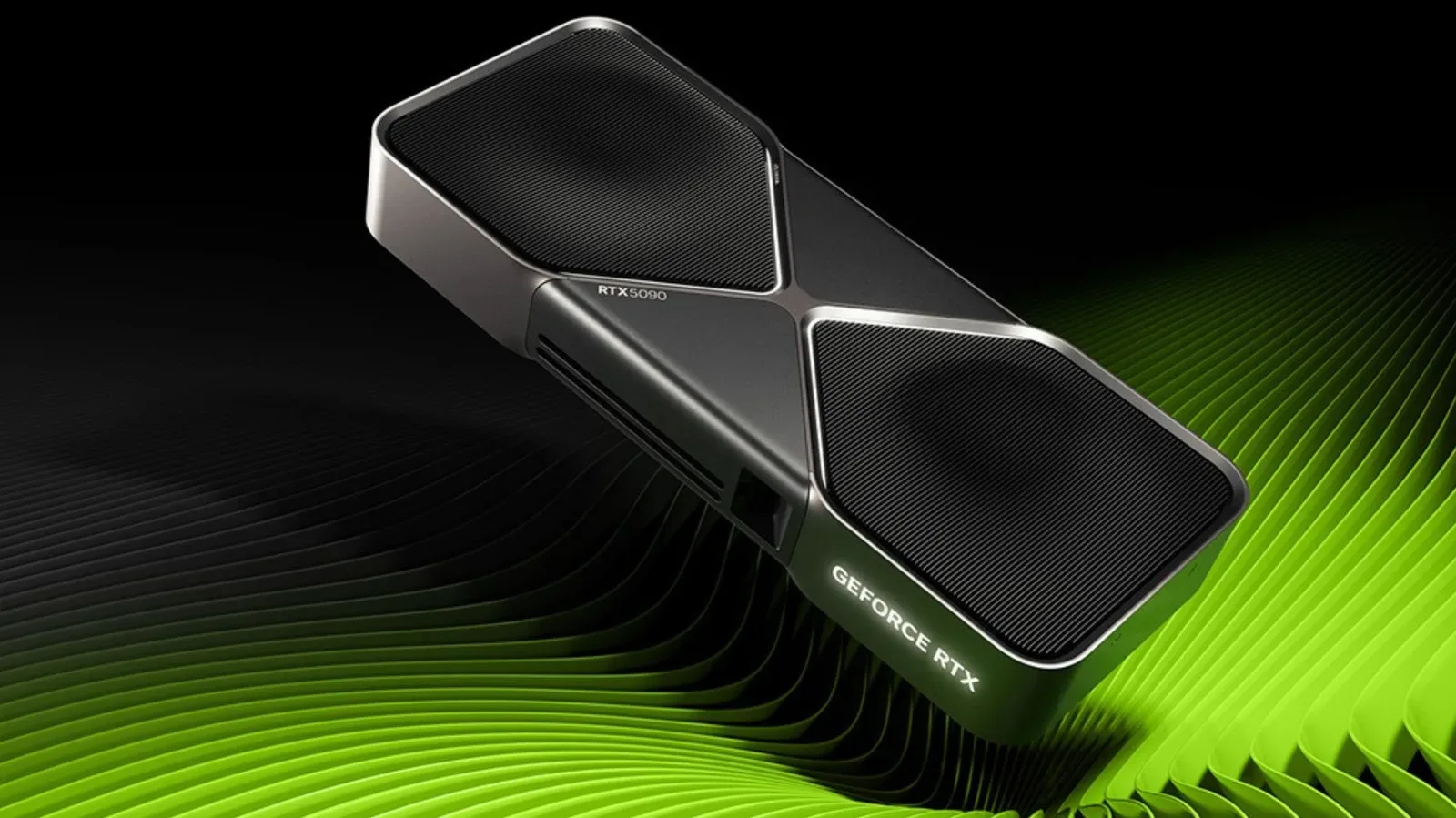
In other words, these are different pools of computing hardware with different purposes. A discrete GPU remains the part to prioritise for demanding PC games, GPU-heavy creative work and many large local AI workloads. The NPU is intended to preserve battery life and CPU/GPU availability when compatible background features are active.
This is also why a machine’s headline “platform TOPS” can be misleading for an NPU-specific question. A platform number may combine the contributions of CPU, GPU and NPU. The dedicated NPU portion can be much smaller. If a buyer wants to understand whether a laptop meets a particular Windows AI tier, or whether a local program can use the NPU, the dedicated rating is the figure to examine.
Why NPUs suddenly appear in so many laptops
The rapid spread of NPUs is not simply a sign that buyers have found a must-have AI application. Certification requirements have been a powerful force. Microsoft’s Copilot+ PC programme requires a 40 TOPS NPU, along with at least 16GB of RAM and 256GB of storage, to unlock certain on-device Windows AI features.
That threshold encouraged manufacturers to make NPUs a standard component of newer designs. AI-capable PCs now account for more than half of worldwide shipments, based on Gartner’s estimate. The result is a market where an NPU may be present even when the owner has never deliberately launched an NPU-enabled feature.
Chip makers have moved quickly above the 40 TOPS floor. Qualcomm Snapdragon X Elite and Plus processors arrived with a 45 TOPS Hexagon NPU. Intel Lunar Lake reached up to 48 TOPS, AMD Ryzen AI 300 reached 50 TOPS, and Intel’s Core Ultra Series 3, also known as Panther Lake, includes a 50 NPU TOPS configuration. Qualcomm’s Snapdragon X2 Elite goes as high as 85 TOPS.
The pattern is familiar PC-spec escalation: each generation brings a larger number. But raw capacity alone does not create useful software. It takes an operating system or application that explicitly supports the NPU, suitable models, and a deployment path that makes local processing worthwhile. At present, the application list remains short enough that a higher TOPS figure can be more future-facing than immediately transformative.
What can use one today
Supported Windows features include Windows Studio Effects, Live Captions, Recall and Click to Do. Teams and Zoom can use NPU acceleration for noise suppression, while some Adobe Creative Cloud features also tap into this hardware.
These uses share a few traits. They benefit from low latency, may be used repeatedly, and do not necessarily require sending the task to a remote server. Noise removal needs to happen while a person is speaking. Captions and translation are more useful when they appear promptly. Webcam effects feel better when they run continuously without making a quiet laptop suddenly sound like it is preparing for take-off.
Cloud AI is a separate matter. Services such as ChatGPT and Gemini run their models on provider infrastructure, so an NPU in the client laptop is not a requirement for using them. Likewise, an NPU is not the right answer for training an AI model. And a huge local language model such as Llama 70B still calls for a discrete GPU with a substantial amount of video memory.
For a gamer, the immediate takeaway is straightforward: an NPU is potentially helpful while streaming, chatting, or participating in calls, especially if a supported app offloads audio or camera processing to it. It should not be viewed as a graphics upgrade. It does not add conventional rendering horsepower to a game and should not outweigh GPU class, cooling, display quality, memory, storage, and CPU performance in a gaming-laptop purchase.
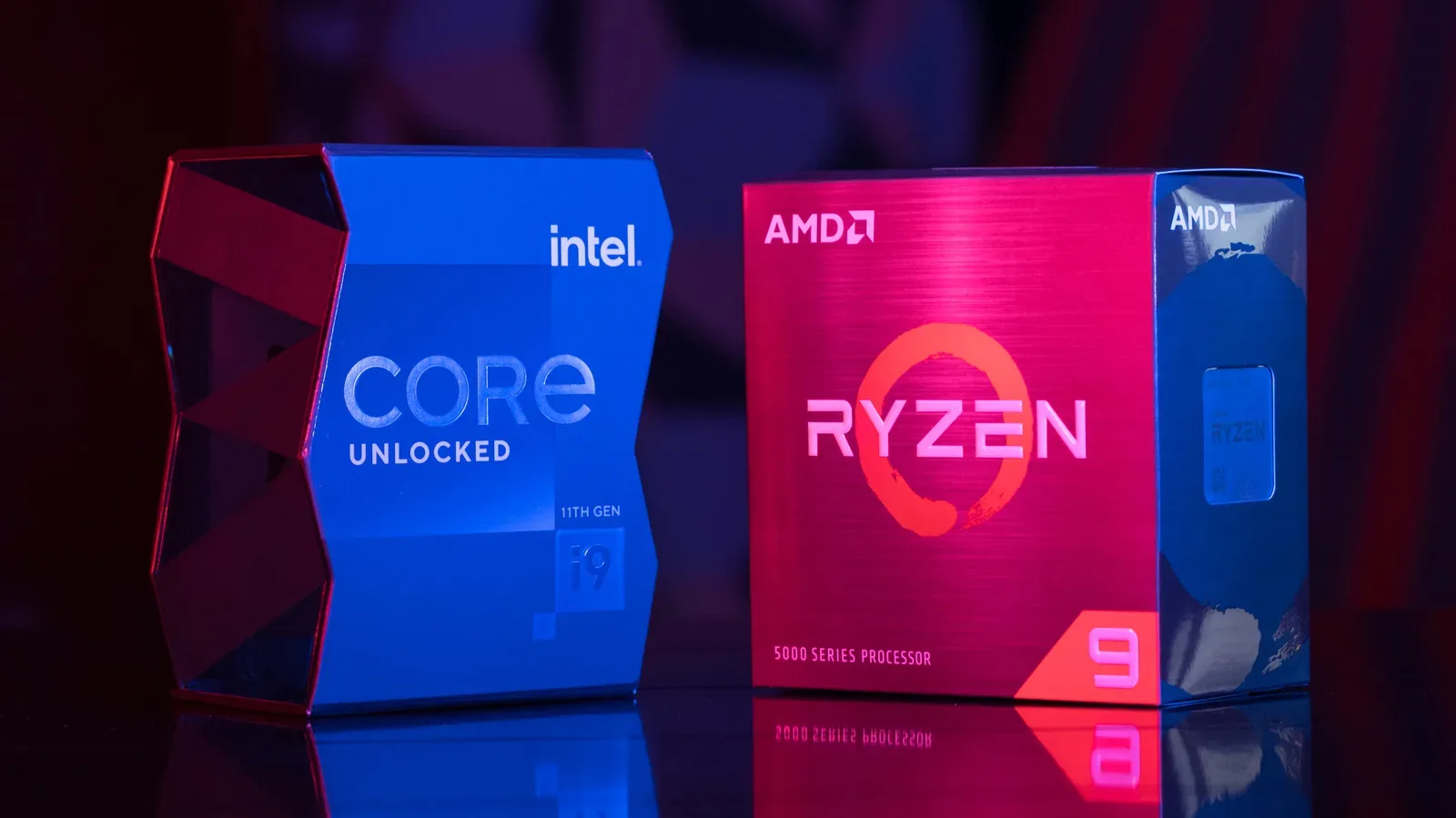
Those broader component trade-offs remain central when choosing a PC. For more on that buying balance, see our guide to choosing between AMD and Intel CPUs based on gaming, creation and upgrade needs.
Local AI shows both the promise and the awkwardness
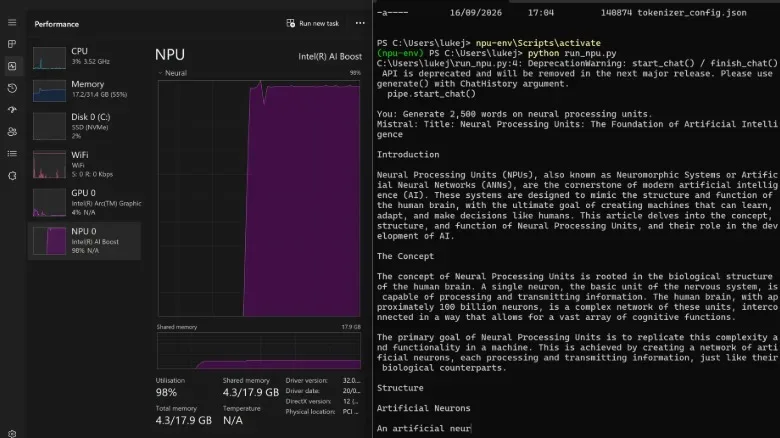
A local test with Mistral 7B illustrates why an NPU can be valuable—and why it is not yet effortless for ordinary users. The model was run through Intel’s OpenVINO toolkit on a system with 34 platform TOPS across its CPU, GPU and NPU, although only 11 TOPS belonged to the dedicated NPU.
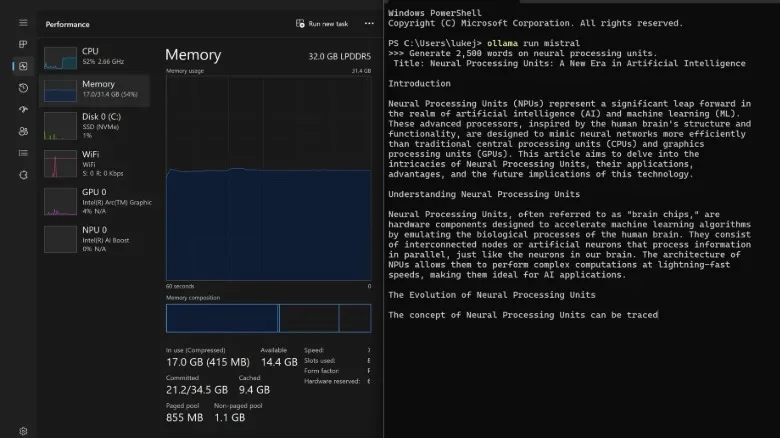
While generating text, Mistral 7B drove the NPU to 98% utilisation, whereas CPU use stayed at 3%. The machine remained responsive despite the NPU being near its limit. Running the same model through Ollama without the NPU changed the balance sharply: CPU utilisation rose to 52%, and memory use sat around 17GB on a system with 32GB installed.
That comparison demonstrates the intended division of labour. Offloading a compatible AI task to the NPU can leave the CPU freer for the operating system, browser tabs, a game launcher, recording tools, or whatever else is competing for attention. It does not make the model disappear from the system’s resource budget—memory still matters—but it can prevent one task from monopolising general-purpose compute capacity.
There is an important limitation, though. Reaching the NPU-accelerated result required a specific toolkit and technical knowledge. That is a meaningful obstacle. A feature is not truly mainstream merely because capable hardware exists; it needs to work through the apps people already use, with little or no configuration. Until more programs offer that route natively, many laptop NPUs will remain underused.
How to check whether yours is doing anything
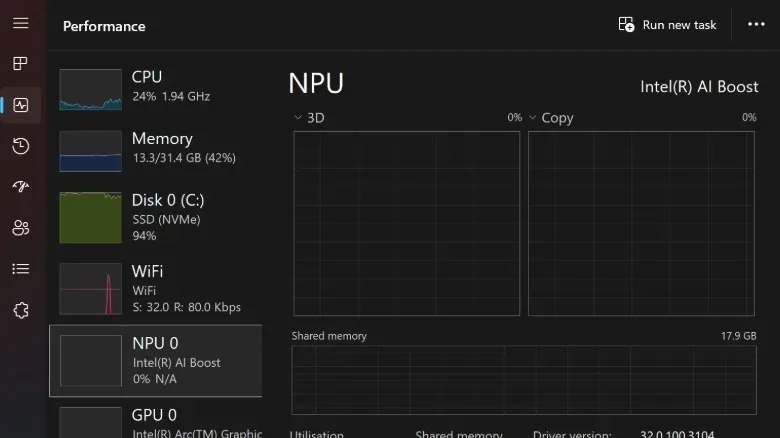
Windows 11 users with an NPU-equipped laptop can open Task Manager and look for its utilisation. Seeing 0% much of the time is not necessarily a fault. It may simply mean no active software is sending work to the NPU.
That check can be useful when a known supported feature is running. Start an app that uses webcam effects or noise suppression, enable the feature, then watch whether NPU activity changes. If it does, the system is using the specialist silicon as intended. If it does not, the workload may be using the CPU or GPU instead, or that version of the software may not support the available NPU.
- Do not panic at idle usage: zero NPU activity is expected when no compatible feature is active.
- Check the dedicated figure: distinguish an NPU TOPS rating from a combined platform TOPS claim.
- Prioritise the right component: for gaming performance, the GPU remains the decisive AI-adjacent piece of hardware in most laptop buying decisions.
- Value current software over speculative numbers: a feature you use now matters more than a large TOPS rating with no compatible application.
NPUs are therefore best understood as a targeted efficiency feature. They are becoming common partly because the Windows certification landscape makes them strategically necessary for manufacturers. They can deliver real benefits when applications use them, particularly for modest, continuous AI tasks. But the technology has not made every new laptop an AI powerhouse in daily use, and it has not displaced the CPU or GPU from their established roles. For now, the most accurate description of many NPUs may be: useful hardware waiting for more software to call its number.