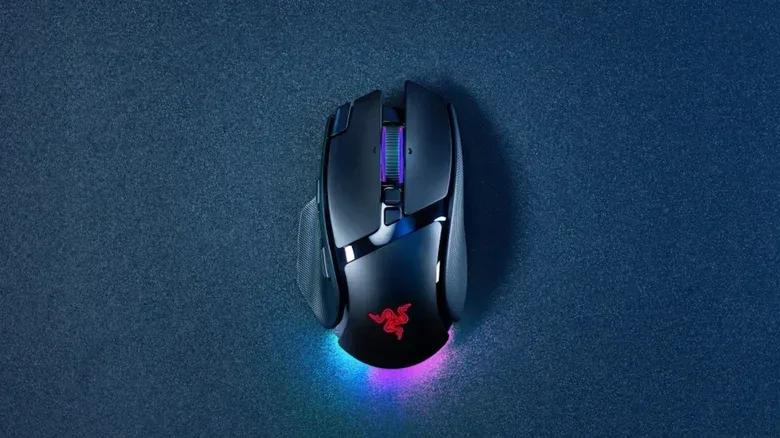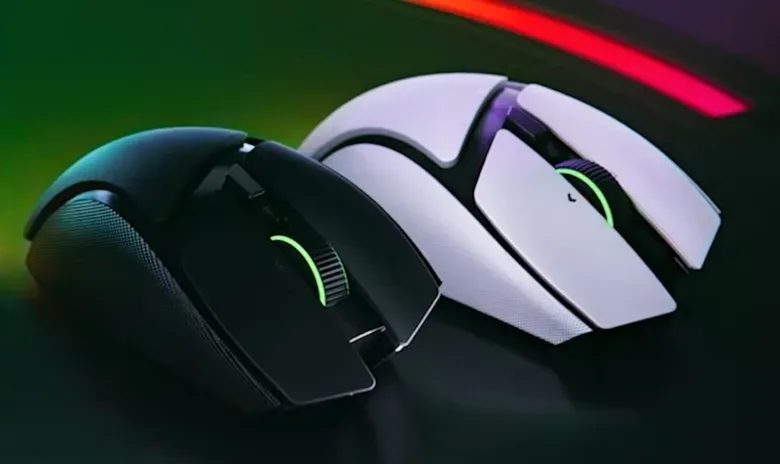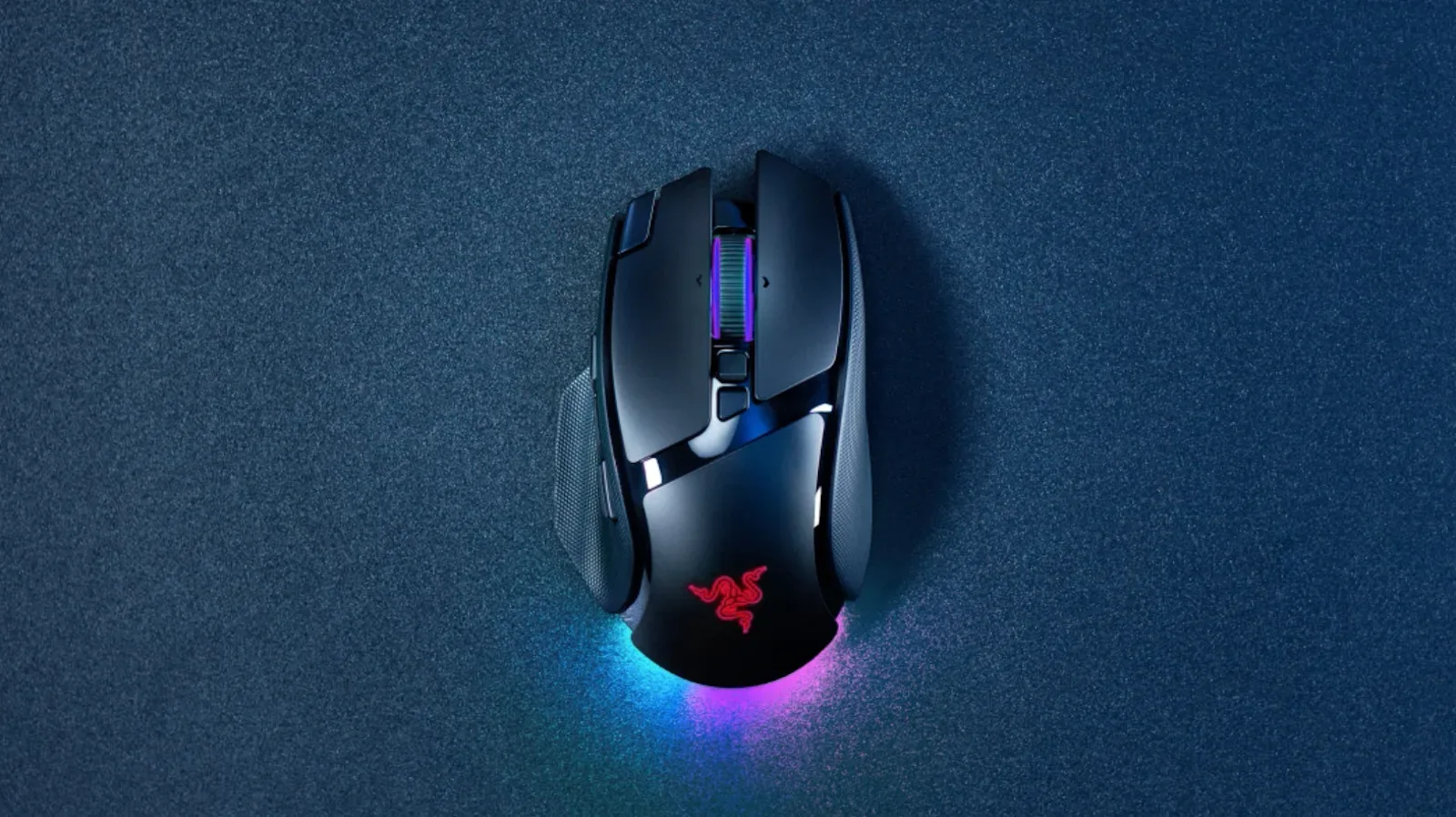
Razer has expanded its Basilisk V4 gaming-mouse lineup with two new mice and a separate charging accessory: the Basilisk V4 Pro, the Basilisk V4 HyperSpeed and the Mouse Dock V2 Pro. The V4 Pro sits at the top of the group, combining a reported 14 customizable control options with a new tilting scroll wheel, a 50,000-DPI optical sensor and 8,000Hz polling in either wired or wireless use.
For players, the significant distinction is not simply that a new mouse has a very large number in its specification sheet. The Basilisk V4 Pro is built around flexibility: more physical inputs, multiple scroll-wheel behaviors, two connection approaches and lighting that can respond in supported Chroma-integrated games. Razer lists the flagship at $170, while the more stripped-back Basilisk V4 HyperSpeed is $110. The Mouse Dock V2 Pro, a $70 accessory, provides magnetic wireless charging.
Basilisk V4 Pro adds controls and a new tilt wheel
The Basilisk V4 Pro adds two side buttons and moves the multi-function trigger button to provide what Razer describes as a more natural reach. In total, the mouse has 14 customizable control options. That is a practical feature for games and applications where a player benefits from moving common actions away from the keyboard, although the value will vary substantially by game, control scheme and personal comfort.
A mouse with a greater number of assignable inputs can be useful for binding frequently used commands, equipment slots or communication functions. It does not automatically make a player faster, and it can create a learning curve: a button only helps when it is positioned where the user can reach it reliably without an accidental press. The repositioned trigger is therefore at least as relevant as the expanded button count. Layout and reach matter as much as raw quantity on a device intended for repeated, rapid input.
The other headline change is Razer’s HyperScroll Tilt Wheel Gen 2. The wheel supports left-and-right tilt inputs as well as ordinary vertical scrolling, giving it another set of possible commands. It has 24-step scrolling as standard, a precision mode with 48 steps, and a free-spin mode for long pages.
What the scroll-wheel modes mean
“Stepped” scrolling refers to tactile increments as the wheel is moved. On the V4 Pro, the standard 24-step behavior is the less granular option, while precision mode increases that to 48 steps. More steps means smaller divisions within a full rotation, which can make fine movement through menus, inventories or documents more deliberate.
Free-spin is the opposite approach. Rather than stopping at each tactile increment, the wheel can rotate freely for rapid travel through lengthy pages or lists. The usefulness of these modes extends beyond a match itself. A player who uses a PC for browsing, work or managing game libraries may prefer free-spin for long lists, then a stepped setting when selecting items more carefully. The addition of tilt behavior also broadens what one physical wheel can do without adding more separate buttons.
50,000 DPI and 8,000Hz polling: the numbers explained
The Basilisk V4 Pro uses an optical sensor rated up to 50,000 DPI. DPI, or dots per inch, is commonly used on mice to describe sensitivity: at a higher setting, a smaller physical hand movement can result in more pointer movement on screen. It should not be read as a universal measure of accuracy. A setting that is too high for a player’s desk space, display setup or habits can be harder to control. The meaningful benefit is the available adjustment range, allowing owners to choose a sensitivity that fits their own use.
The mouse also supports 8,000Hz polling in wired and wireless modes. Polling rate describes how frequently a mouse reports its movement and input state to the computer. At 8,000Hz, the device can report up to 8,000 times per second. This is a responsiveness-oriented specification, but it is not a substitute for suitable settings, a stable connection or a comfortable grip. Its importance will also differ from one game and player to another.
Notably, Razer specifies the same 8,000Hz figure for the V4 Pro whether it is connected wirelessly or by cable. That makes the feature less about forcing a choice between responsiveness and cable-free use, and more about letting the player select the connection method that suits their setup. The supplied information does not establish how every performance mode affects battery duration, so the published battery claims should be viewed as maximum quoted figures rather than a promise for every configuration.
The V4 Pro also includes RGB lighting that reacts in Chroma-integrated games. In practical terms, supported games can alter the mouse’s lighting in response to what is happening on screen. This is a presentation feature rather than a competitive requirement, but it lets the peripheral visually participate in games that support the Chroma ecosystem.
Battery claims put Bluetooth endurance first
Razer rates the Basilisk V4 Pro for up to 275 hours over Bluetooth and up to 200 hours over Wi-Fi. Those figures make clear that the company expects different wireless modes to have different endurance characteristics. Bluetooth carries the larger stated maximum, while Wi-Fi is listed lower.
Battery figures are particularly useful as a planning guide. A longer quoted maximum can mean less frequent charging for a player who primarily uses Bluetooth, while the 200-hour Wi-Fi claim still represents the manufacturer’s stated ceiling for that connection option. Actual runtime can depend on how the mouse is configured and used, so prospective buyers should avoid assuming that a maximum claim represents a fixed result.
The optional Mouse Dock V2 Pro is intended to simplify that maintenance. It offers magnetic wireless charging, meaning the compatible mouse can be placed onto the dock for charging rather than connected through a conventional cable. At $70, it is a separate purchase and changes the overall cost of a dock-based setup. It should therefore be considered an accessory for people who specifically value a permanent charging position, not an included capability implied by the V4 Pro’s $170 price.
The V4 HyperSpeed is the lower-cost alternative
The Basilisk V4 HyperSpeed brings several ideas from the range to a lower $110 price point, with a different feature set. It has a 33K optical sensor, a four-way tilt scroll wheel with free-spin functionality, roughly a dozen customizable controls, and switches rated for up to 100 million clicks.
Its sensor rating is lower than the V4 Pro’s 50,000 DPI specification, but it is still a sensitivity specification with a wide reported ceiling. Buyers should resist treating the difference as a simple hierarchy of in-game results. The better fit depends on whether the Pro’s additional controls, stated 8,000Hz wired-and-wireless polling support, revised trigger placement and more detailed scroll-wheel feature set are worth the extra $60.
The “four-way” description of the HyperSpeed wheel indicates scrolling inputs beyond basic up-and-down movement, while free-spin remains available for quick navigation through long content. With around 12 customizable controls rather than the Pro’s 14, it retains a focus on remapping and command access even as it reduces the total number of options.
Razer says the HyperSpeed’s switches are rated for up to 100 million clicks. That is a durability rating, not a guarantee that every mouse will reach that number under every condition. Still, it identifies switch longevity as one of the model’s stated design points, which may matter to users who make frequent repeated inputs.
Its battery claims are up to 225 hours on Bluetooth and up to 140 hours on Wi-Fi. As on the V4 Pro, Bluetooth has the higher stated maximum. The gap between the two models is 50 hours in Bluetooth mode and 60 hours in Wi-Fi mode based on the published claims, while the price difference is $60.
How to read the lineup
The choice between the two Basilisk V4 mice is most clearly a choice between feature depth and budget. The V4 Pro is Razer’s flagship: it carries the 50,000-DPI sensor, 8,000Hz polling in both connection modes, 14 customizable options, the HyperScroll Tilt Wheel Gen 2 and the strongest listed battery figures. The V4 HyperSpeed retains a tilt wheel, free-spin operation, approximately 12 customizable controls and a 33K sensor at a lower price.
- Basilisk V4 Pro: $170; 14 customizable control options; 50,000-DPI optical sensor; 8,000Hz polling in wired and wireless modes; up to 275 hours via Bluetooth or 200 hours via Wi-Fi.
- Basilisk V4 HyperSpeed: $110; around 12 customizable controls; 33K optical sensor; four-way tilt wheel and free-spin; switches rated up to 100 million clicks; up to 225 hours via Bluetooth or 140 hours via Wi-Fi.
- Mouse Dock V2 Pro: $70; magnetic wireless charging.
Anyone weighing a new peripheral alongside upcoming games may also want to keep an eye on broader platform schedules, including the Forza Horizon 6 PS5 release update. For the Basilisk range itself, the most decision-relevant details are the number and placement of controls, preferred scroll behavior, desired connection mode, quoted battery expectations and whether the separate dock fits the intended desk setup.