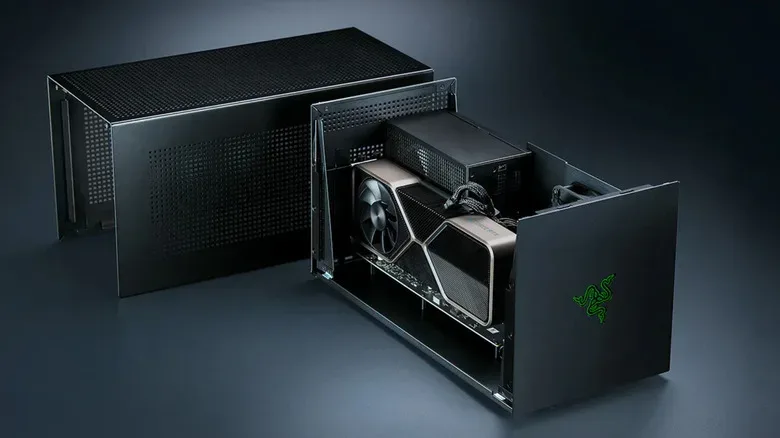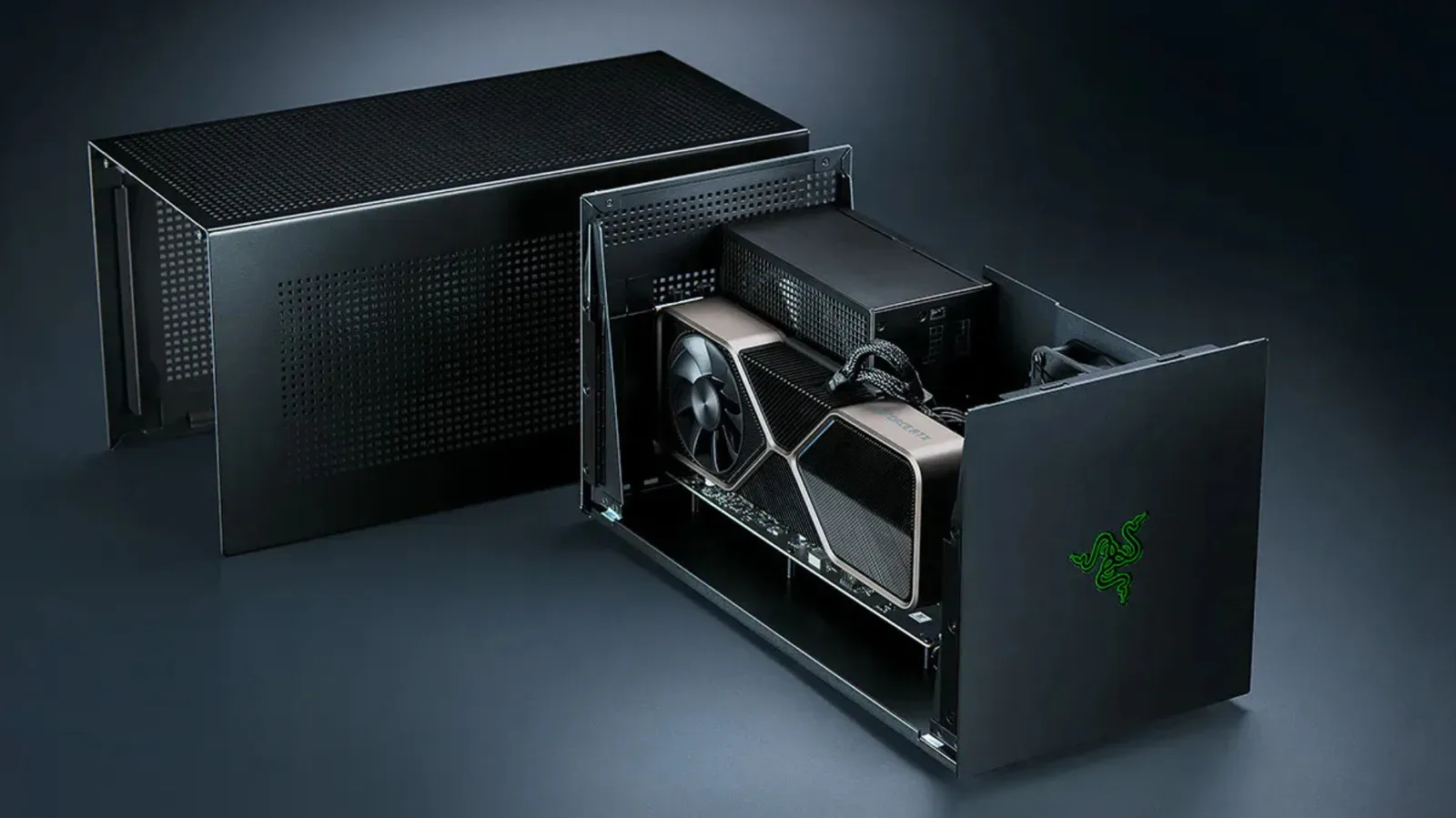
An external GPU, or eGPU, is one of PC gaming’s most appealing bits of modular hardware: put a desktop graphics card in a box, attach that box to a laptop or handheld with the right port, and turn a portable machine into something more capable when it reaches a desk. In the best case, it lets one computer cover two roles—portable for daily use, much faster at home—without replacing the entire laptop.
That promise is real, but it comes with a large asterisk shaped like a cable. The graphics card can take over game rendering, allowing a thin laptop or a weaker handheld to tackle more demanding games. Yet the card is not connected to the host in the same way it would be in a desktop PC. Thunderbolt and USB4 impose bandwidth constraints, some machines are simply incompatible, and the total bill can rise quickly once an enclosure, a power supply and the GPU itself enter the cart.
The result is not that eGPUs are useless. It is that an eGPU should be bought for a specific situation, with a clear understanding of what the connection sacrifices. For someone who already owns a compatible portable device and needs a desk-bound boost, the compromise can be worthwhile. For someone starting from nothing and mainly wanting a gaming machine at home, a basic desktop gaming PC may be the more direct—and less constrained—route.
What an eGPU actually does
Most eGPU arrangements use a desktop graphics card mounted inside an external enclosure. The enclosure connects to a laptop or gaming handheld over Thunderbolt or USB4. The desktop card handles graphics rendering instead of relying only on the portable machine’s integrated graphics or lower-power internal GPU.
Two terms matter here. VRAM is the dedicated memory on a graphics card, used to hold data including textures and shaders. A shader is code used in rendering to help determine how surfaces, lighting and visual effects appear. Once game assets are loaded into the card’s VRAM, much of the graphics work remains on the card rather than constantly traversing the external cable. That is why an eGPU can still be genuinely useful despite the narrower link.
The cable does become important when a game needs fresh assets, and it matters when completed frames need to reach a display. If a game is being rendered by the external card but displayed on the laptop’s own panel, those finished frames have to travel back through the same connection. Using an external monitor connected to the eGPU can avoid that return trip. It does not make the eGPU equivalent to an internally installed desktop card, but it can reduce one of the penalties involved.
This distinction is practical, not just technical trivia. An eGPU setup is best understood as a desktop-style graphics card working through a constrained external connection—not a magical way to place a full desktop PCIe slot inside every laptop.
The bandwidth problem: why a desktop card slows down outside a desktop
PCIe, short for Peripheral Component Interconnect Express, is the high-speed connection standard used by a desktop graphics card. A suitable desktop PCIe 4.0 x16 slot offers 16 lanes to the GPU. By contrast, Thunderbolt 4 carries 40Gbps in total, with Intel’s specification allocating 32Gbps to PCIe data. That is one eighth of the bandwidth of a desktop PCIe 4.0 x16 connection.
Bandwidth is the amount of data a connection can carry over a period of time. It is not a direct FPS conversion chart: games do not all ask for data in the same way, and the GPU is not continually shoving every piece of rendered work down the cable. But it is a meaningful bottleneck. As asset streaming and frame transfers compete for a limited connection, performance can fall behind the same card installed in a desktop.
Reported RTX 2080 Ti enclosure testing from 2021 found performance deficits ranging from 7% to 32% against a desktop configuration. At 4K on an external monitor, the gap fell to single digits in that testing. The important qualifier is that this does not mean every game at 4K will behave identically, or that 4K somehow makes bandwidth irrelevant. It shows how workload, resolution and display routing can change the impact of the link.
Later comparisons involving RTX 4070 Ti and RTX 4090 cards across Thunderbolt, OCuLink and desktop PCIe found the RTX 4070 Ti roughly 25% slower over Thunderbolt than over OCuLink in many 1440p tests. The Thunderbolt result also showed weaker 1% lows and more stuttering. A 1% low is a performance metric focused on the slowest one percent of recorded frames. It is useful because an average frame rate can look healthy while occasional large frame-time drops still make a game feel uneven.
There is a second lesson buried in those results: moving from an RTX 4070 Ti to an RTX 4090 brought smaller gains over Thunderbolt and OCuLink than it did in a desktop. Put simply, the more powerful the graphics card, the easier it is for the external connection to prevent that card from stretching its legs. Buying the most extravagant GPU available does not automatically create the most sensible eGPU build. A mid-range card can be a more balanced match when the link, rather than the GPU’s raw rendering capability, is the limiting factor.
Thunderbolt 5 improves the pipe, not the fundamental trade-off
Thunderbolt 5 raises connection bandwidth to 80Gbps, a notable step beyond Thunderbolt 4’s 40Gbps. Razer’s Core X V2, revived as part of the company’s eGPU hardware line in July 2025, uses a PCIe 4.0 x4 connection rated at a nominal 64Gbps for the GPU. That is a substantial improvement on the four-lane-style external arrangement implied by older Thunderbolt limits, but it still gives an x16 graphics card four lanes rather than the 16 it can use in a suitable desktop slot.
That is the essential reality of newer eGPU hardware. More bandwidth helps, and it can make the compromise less severe. It does not erase the difference between an external cable connection and a full desktop x16 slot. Buyers should treat Thunderbolt 5 as a better version of the eGPU proposition, not as proof that every card will perform exactly as it would in a tower.
There is also a host-side catch. Thunderbolt 5 laptops remain uncommon outside premium gaming systems and mobile workstations. Plugging a Thunderbolt 5 enclosure into a Thunderbolt 4 laptop does not transform the older laptop port into an 80Gbps connection; it remains limited to 40Gbps. In other words, the enclosure, cable and laptop all matter. The most advanced part of the chain cannot give the entire setup more bandwidth than the least capable relevant link supports.
The price calculation is larger than the enclosure’s sticker
Cost is where the attractive “upgrade instead of replace” idea can become complicated. Razer’s Core X V2 is priced at $350, but that amount covers the enclosure only. It does not include a power supply, USB ports or Ethernet. Owners need to add their own ATX power supply, then buy the graphics card separately.
Razer also sells the separate Thunderbolt 5 dock that supplies the absent I/O, beginning at $390 for the Mercury version. That dock may make sense for a buyer who specifically values the desk convenience, but it changes the economics dramatically. The prospective eGPU owner is no longer comparing only an enclosure price with a new laptop price. They are comparing an enclosure, an ATX PSU, a graphics card and potentially a separate dock against a complete gaming PC.
A desktop also sidesteps the eGPU cable bottleneck entirely, because its graphics card lives on the motherboard’s internal PCIe connection. That does not make a desktop the right answer for every person. An eGPU may retain value if the laptop is already owned, suits work or travel, and is confirmed compatible. But the decision should be based on the full build cost and the desired use case, not merely the opening price of an enclosure.
OCuLink offers more bandwidth, with fewer creature comforts
OCuLink takes a different approach by carrying bare PCIe over a cable rather than using Thunderbolt as the intermediary. Framework is pursuing that route with an OCuLink Dev Kit for the Laptop 16. The kit exposes an eight-lane PCIe connection rated at up to 128Gbps.
On paper, that added connection capacity addresses one of the eGPU’s core weaknesses. In the reported 1440p comparisons, OCuLink performed ahead of Thunderbolt with the RTX 4070 Ti. But the interface gives up some of the simplicity that makes Thunderbolt boxes appealing in the first place. OCuLink does not power the host device, and it does not offer the plug-and-play, one-cable-dock experience associated with Thunderbolt.
That trade-off creates two recognizable eGPU audiences. Thunderbolt is the convenience-first choice: connect a compatible laptop to an enclosure and potentially a desk setup through one cable, accepting the bandwidth ceiling. OCuLink is the performance-first alternative in this comparison: more direct PCIe access, but less of the all-in-one dock behavior. Neither option is universally superior; they prioritize different things.
Framework’s involvement is noteworthy because it illustrates that eGPU development has not stopped. Along with Razer’s Thunderbolt 5 hardware, it shows that external graphics remain an active niche for people who want expandable portable systems. The niche is simply more specialized than the old dream of buying any laptop today and turning it into an effortless desktop tomorrow.
Apple Silicon remains a gaming dead end for eGPUs
Compatibility is not merely a question of having a physically similar port. Apple ended eGPU support for graphics acceleration when it moved away from Intel silicon in 2020, and no subsequent macOS release has restored that gaming-relevant support for Apple Silicon Macs.
TinyGPU, a driver extension from the tinygrad project approved earlier this year, does allow newer AMD and Nvidia cards to run over Thunderbolt or USB4 for AI workloads. However, it lacks display output and is intended for AI rather than gaming. It therefore does not change the buying advice for an Apple Silicon Mac owner seeking external graphics for games: it will not provide a gaming eGPU path.
That distinction is worth stating plainly because “the card is recognized for an AI task” and “the card can accelerate games and send their picture to a display” are different capabilities. A connection and driver stack must support the use case a buyer actually wants. For more on Apple devices in a gaming-service context, see Apple One’s Apple Arcade trial for eligible hardware purchases.
Who should seriously consider an eGPU?
- Existing owners of compatible laptops or handhelds: The proposition is strongest when the portable system is already useful and needs more graphical muscle only at a desk.
- Players who can use an external monitor: Routing output from the eGPU directly to an external display can avoid sending finished frames back to the laptop panel over the same cable.
- Buyers willing to balance the GPU to the connection: The evidence suggests that an ultra-high-end card can deliver reduced returns when constrained by Thunderbolt or OCuLink compared with a desktop.
- Framework Laptop 16 users interested in a more hands-on route: OCuLink’s eight-lane, up-to-128Gbps option offers a different performance/convenience balance, with the caveats of a dev kit and no host power over the connection.
Who should probably skip it?
- Anyone buying all the pieces solely to create a home gaming PC: Once the enclosure, PSU, GPU and optional dock are counted, a budget desktop deserves a direct comparison.
- Apple Silicon Mac owners looking for gaming graphics acceleration: Current eGPU support does not provide that use case, and TinyGPU’s AI-only operation does not fill the gap.
- People expecting desktop-equivalent performance from a Thunderbolt setup: The bandwidth limitation is an architectural constraint, not a small footnote.
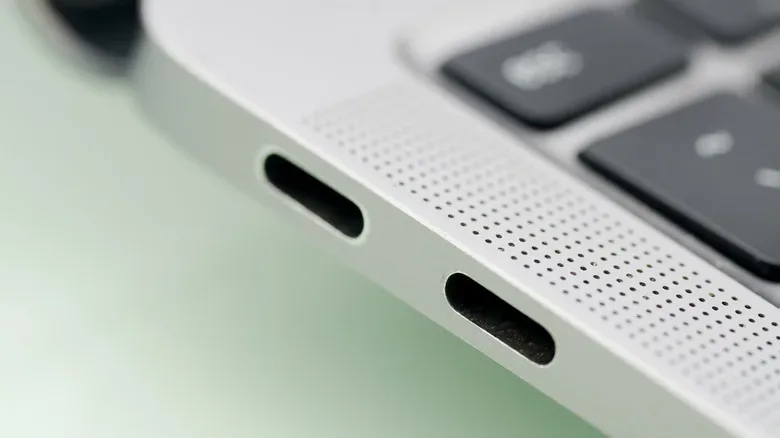
- Owners without a verified compatible port: A USB-C-shaped connector alone should not be treated as evidence of Thunderbolt 4, Thunderbolt 5 or suitable USB4 eGPU support.
eGPUs remain a clever solution, but they reward careful shopping more than impulse buying. Check the host connection, determine whether an external monitor fits the desk, price every required component, and set expectations around the bandwidth penalty before choosing a graphics card. External graphics can make a portable computer more flexible; it just cannot turn the cable between the laptop and GPU into a desktop motherboard slot.