A single USB-C port can become the most contested square inch in a portable gaming or work setup. Plug in power and there may be no room for external storage; connect a display and the keyboard, mouse, and controller suddenly need a plan. Acer’s 5-in-1 USB-C Hub with 4K HDMI is intended to make that one connection more flexible, and it is listed at $13 on Amazon, reduced from $17.
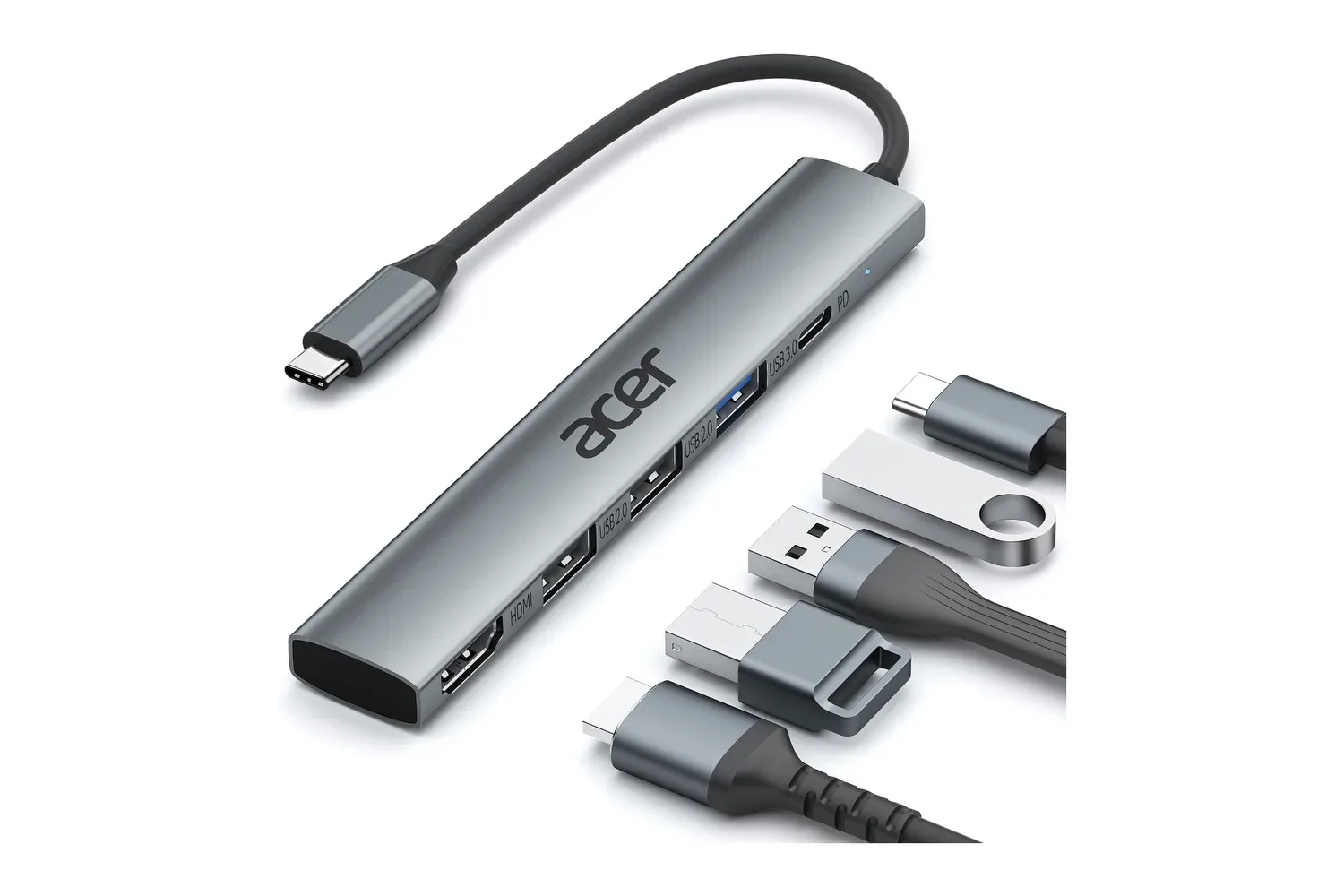
The small adapter combines five connections: HDMI output, a USB-C Power Delivery input rated up to 100W, one USB 3.0 port rated for transfers up to 5Gbps, and two USB 2.0 ports. That is a fairly focused collection of ports rather than a replacement for every kind of dock, but it addresses a common desk-and-bag problem: connecting a display and essential peripherals while retaining a route for laptop charging.
For players who use a laptop as both a portable machine and a home setup, the appeal is straightforward. A single USB-C connection can potentially feed a TV, monitor, or projector over HDMI, leave room for a wired controller or external drive, and keep the laptop connected to its charger through the hub. It may also suit a tablet or USB-C-equipped phone where the device supports the necessary video-output mode.
What Acer’s five ports actually do
The headline port is HDMI, with output up to 4K at 30Hz. “4K” refers to the display resolution, while “30Hz” is the maximum refresh rate stated for this hub at that resolution. A 30Hz signal refreshes the image 30 times per second. That can be useful for a larger desktop, video playback, presentations, or a game setup where resolution matters more than motion fluidity. It is not the same proposition as a high-refresh display connection for fast-paced competitive games.
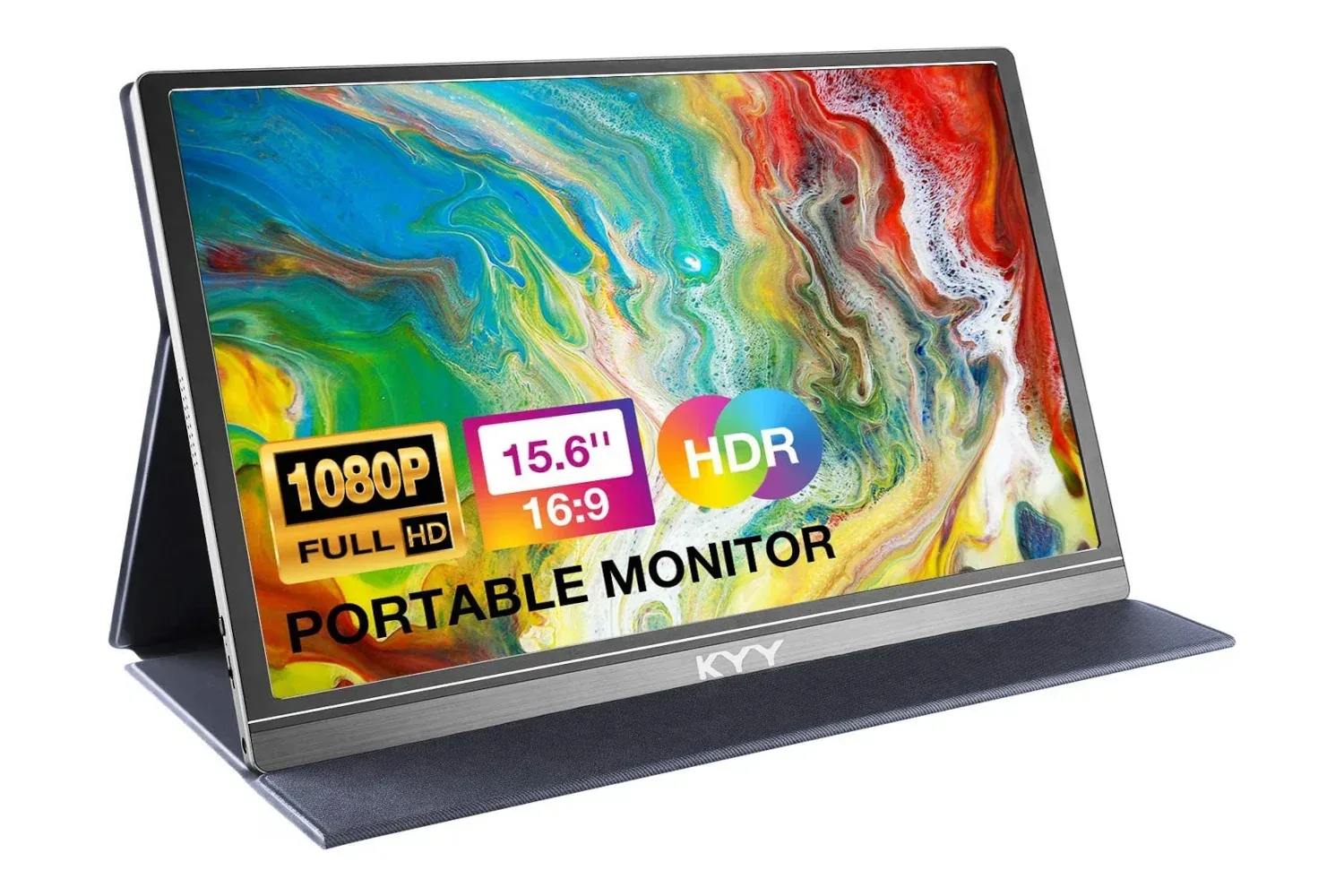
The HDMI connection can be used to mirror a device’s screen or extend it onto another display. Mirroring puts the same picture on both screens; extending treats the external screen as additional workspace. Either arrangement can be practical at a desk: mirroring is simple for a television or presentation, while an extended display can keep chat, guides, a launcher, or a browser separate from the main screen. Anyone pairing a laptop with a portable display may also want to consider the broader monitor setup, as in this look at a 15.6-inch portable monitor listing.
Video output depends on more than the shape of the USB-C plug. The hub is designed for USB-C devices that support DisplayPort Alt Mode, a capability that allows a USB-C connection to carry display data. Many newer laptops and tablets support it, but it is a compatibility point worth checking before buying. USB-C describes the connector, not automatically every feature a port can provide.
The second USB-C port is for Power Delivery, often shortened to PD. This is pass-through charging: a compatible charger connects to the hub, and the hub can deliver power onward to the host laptop while its other ports are in use. Acer rates that input at up to 100W. That rating describes the hub’s charging capability; the actual charging behavior will still depend on the charger and the connected device.
There is one USB 3.0 Type-A port, specified for data transfers up to 5Gbps, plus two USB 2.0 Type-A ports. The 5Gbps port is the natural place for an external storage device when moving larger files, such as video captures, game backups, or media. The USB 2.0 connections make more sense for lower-bandwidth peripherals including a keyboard and mouse. Splitting the ports this way is a sensible reminder that not every accessory needs the fastest connection, and that only one of this hub’s USB-A ports carries the stated 5Gbps rate.
A compact alternative, not a universal dock
The hub’s slim, gray form factor is built around portability. Rather than treating it as a permanent desktop centerpiece, it can travel in a laptop bag between a home desk, school, office, or a hotel television. Setup is plug-and-play in the basic sense: connect the hub to the device’s USB-C port, attach the accessories needed for that session, and connect a charger through the PD port when appropriate.
That simplicity makes the product potentially useful for a modest travel gaming kit. A laptop, a charging brick, an HDMI cable, a controller, and this hub can cover the basics of playing on a larger screen without carrying a larger dock. At a desk, the same arrangement could keep a mouse, keyboard, and external drive connected through the hub, with HDMI supplying the display link.
Still, the specifications establish clear limits. The HDMI output is listed at 4K/30Hz, not 4K/60Hz, so shoppers who specifically need a 60Hz 4K desktop or a higher-refresh gaming display should not assume this adapter will meet that requirement. Likewise, its five connections do not include Ethernet, an SD card reader, or additional high-speed USB ports. Those omissions are not necessarily a drawback at $13; they define the hub as a basic expansion adapter rather than a larger all-in-one docking station.
Compatibility checks worth making first
Before treating a low-cost hub as the answer to every cable problem, it helps to match its capabilities to the device and display already on hand. The first check is whether the laptop, tablet, or phone supports DisplayPort Alt Mode over USB-C. Without that, an HDMI port on a hub does not create video output by itself.
The next is charging. A 100W PD pass-through rating can be useful for laptops that need substantial power, but a hub is only one part of the chain. The available power depends on the charger connected to it and on what the host device accepts. The hub’s role is to pass compatible USB-C PD power through while the accessory ports are active.
Finally, consider the intended display mode. Someone using a television for video, browsing, turn-based games, or a second workspace may find 4K at 30Hz entirely appropriate. Someone whose priority is high-refresh action games should focus closely on the output mode required by their display and device instead of relying on “4K” alone. Resolution and refresh rate are separate specifications, and both affect whether a display setup fits the job.
Where the $13 price makes the most sense
At the listed $13 price, down $4 from $17, Acer’s hub is most compelling for a user who needs a simple combination of HDMI, charging pass-through, and a few USB ports without carrying a full-sized dock. Its parts list is practical: one faster USB connection for storage, two slower ports for straightforward accessories, and a display output that can create a larger working or viewing area.
It is also an option for people moving among several setups. A user can leave a monitor, HDMI cable, keyboard, and mouse at a desk, then bring only the hub and computer to connect quickly. The same device can turn a compatible tablet into a more traditional screen-and-peripherals arrangement, provided its USB-C video support is present.
The most useful way to view this adapter is as a compact port-expansion tool with transparent trade-offs. It does not promise every port, every display mode, or a substitute for hardware designed around high-end multi-monitor and high-refresh configurations. What it does offer is a clearly defined five-port mix, up to 100W PD pass-through, and HDMI output up to 4K at 30Hz in a travel-friendly unit. For a basic laptop or tablet station, that can be enough to replace a recurring round of cable swapping.
Shop the products
Check current price, model and availability at the retailer.