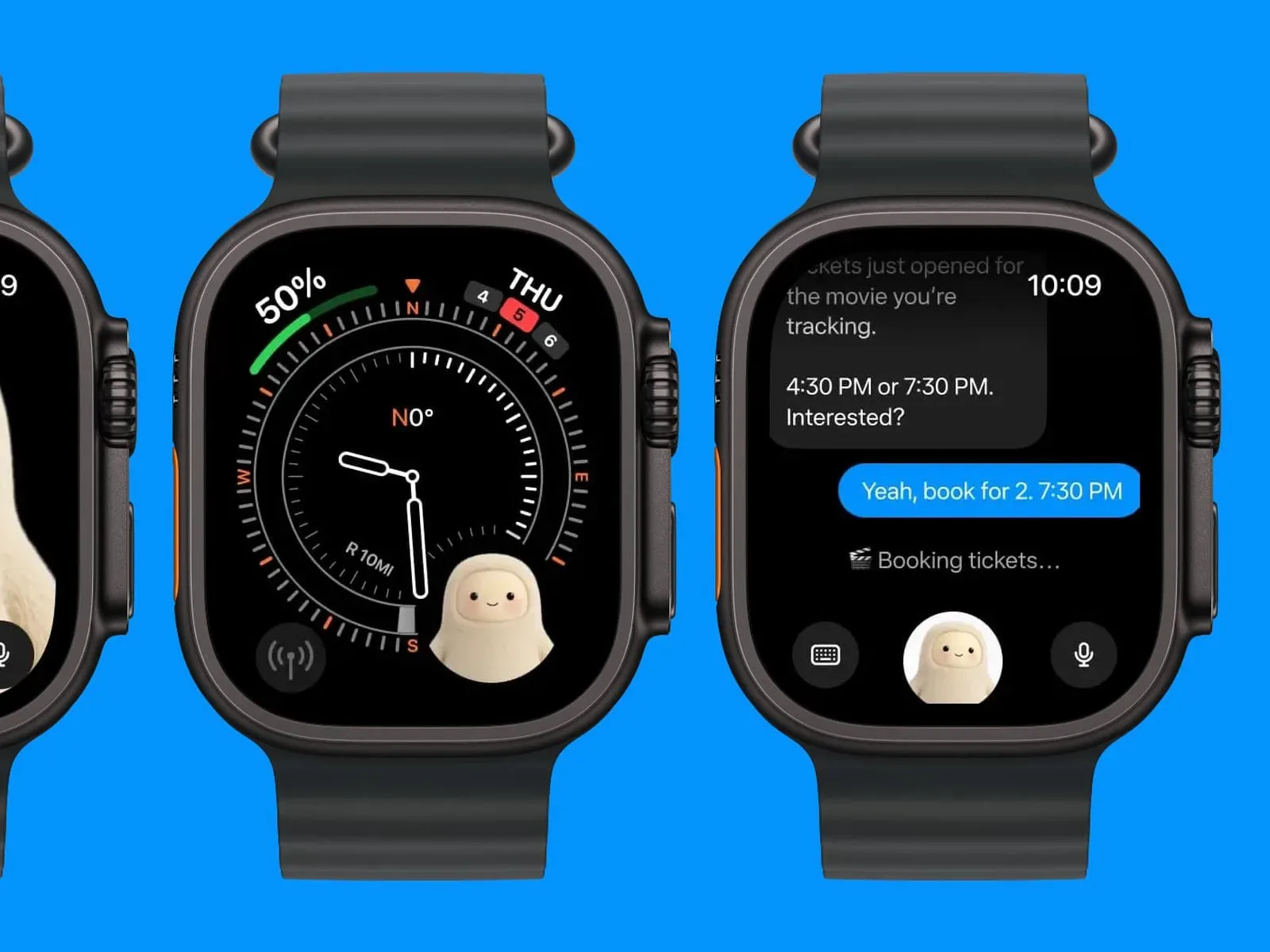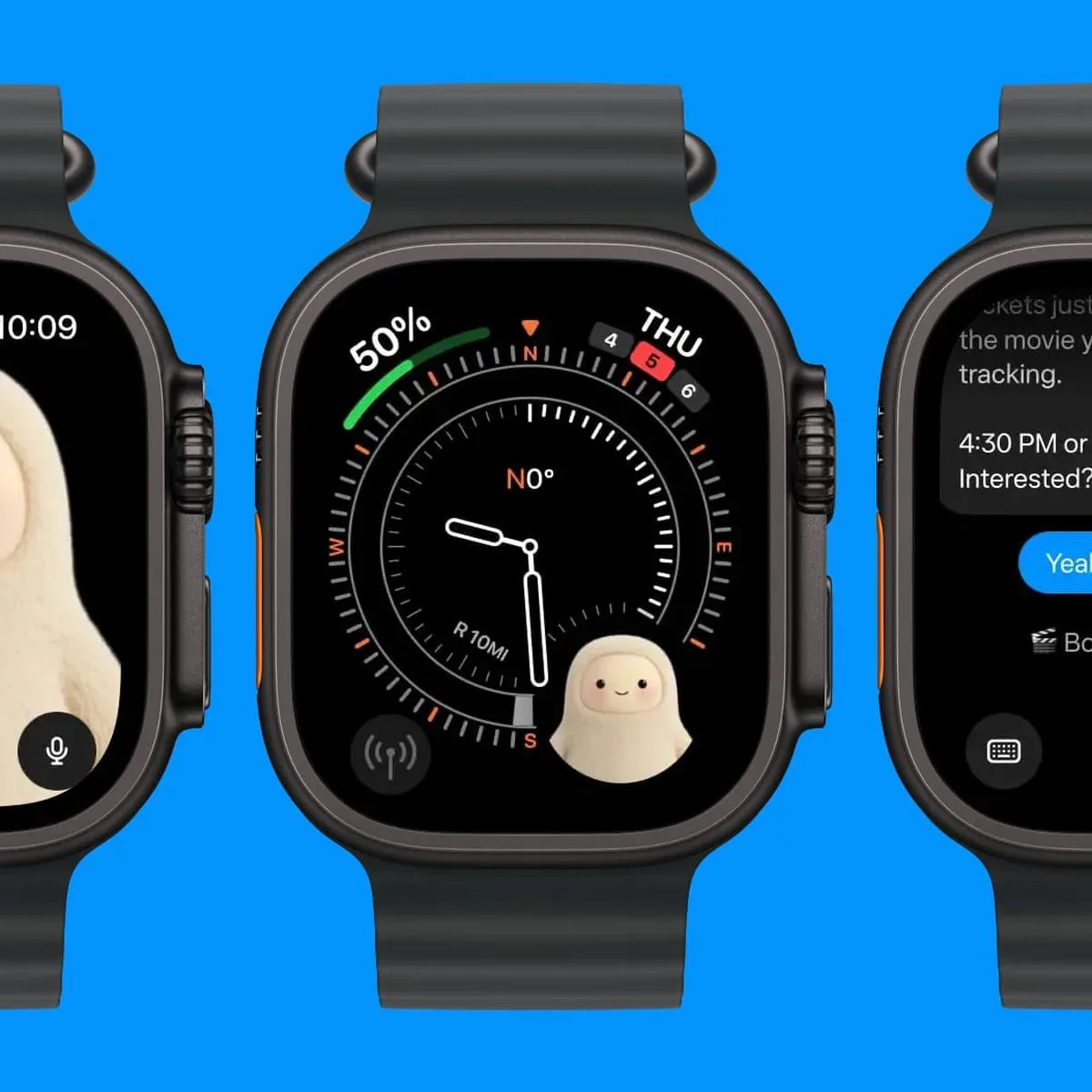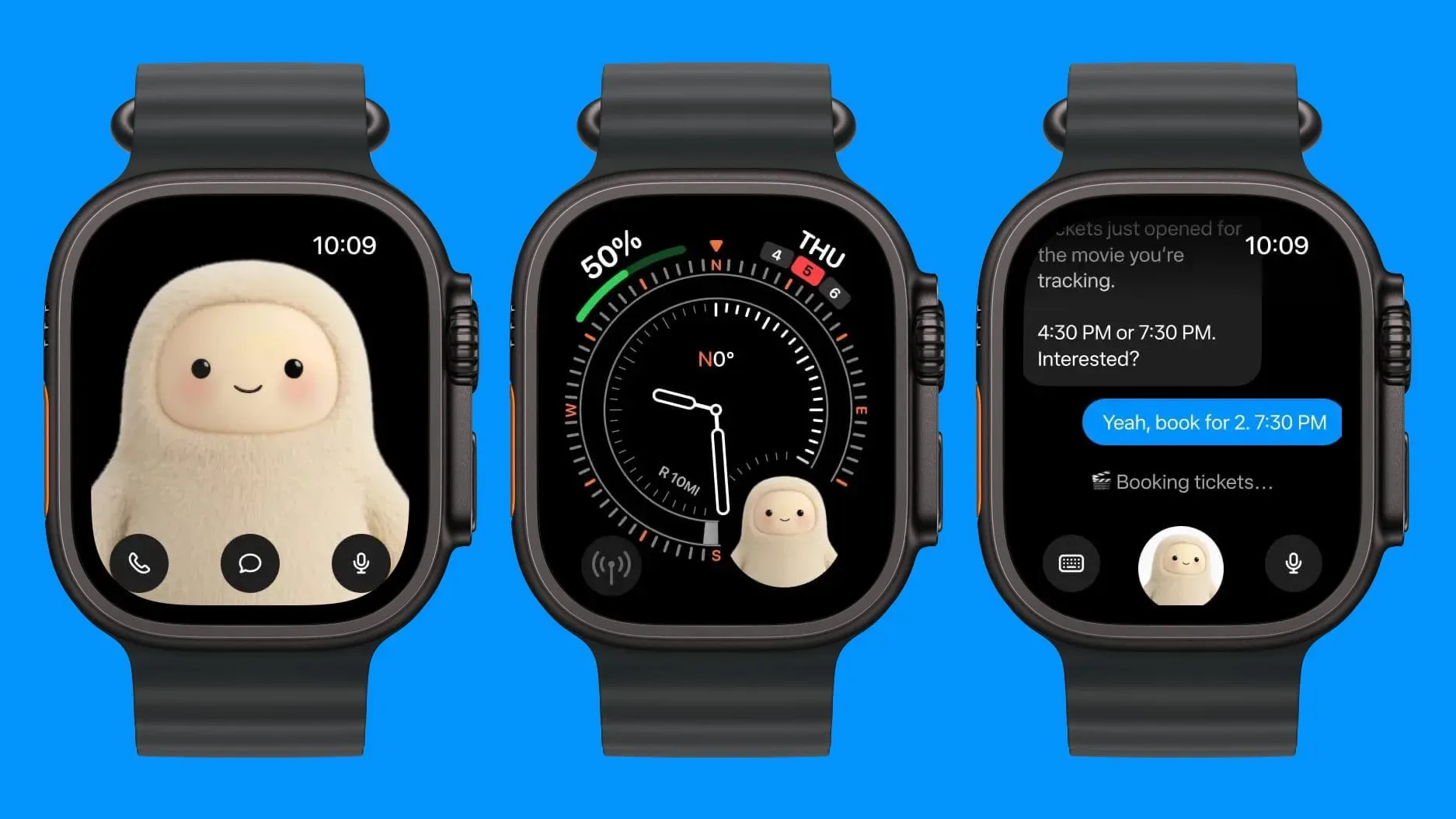
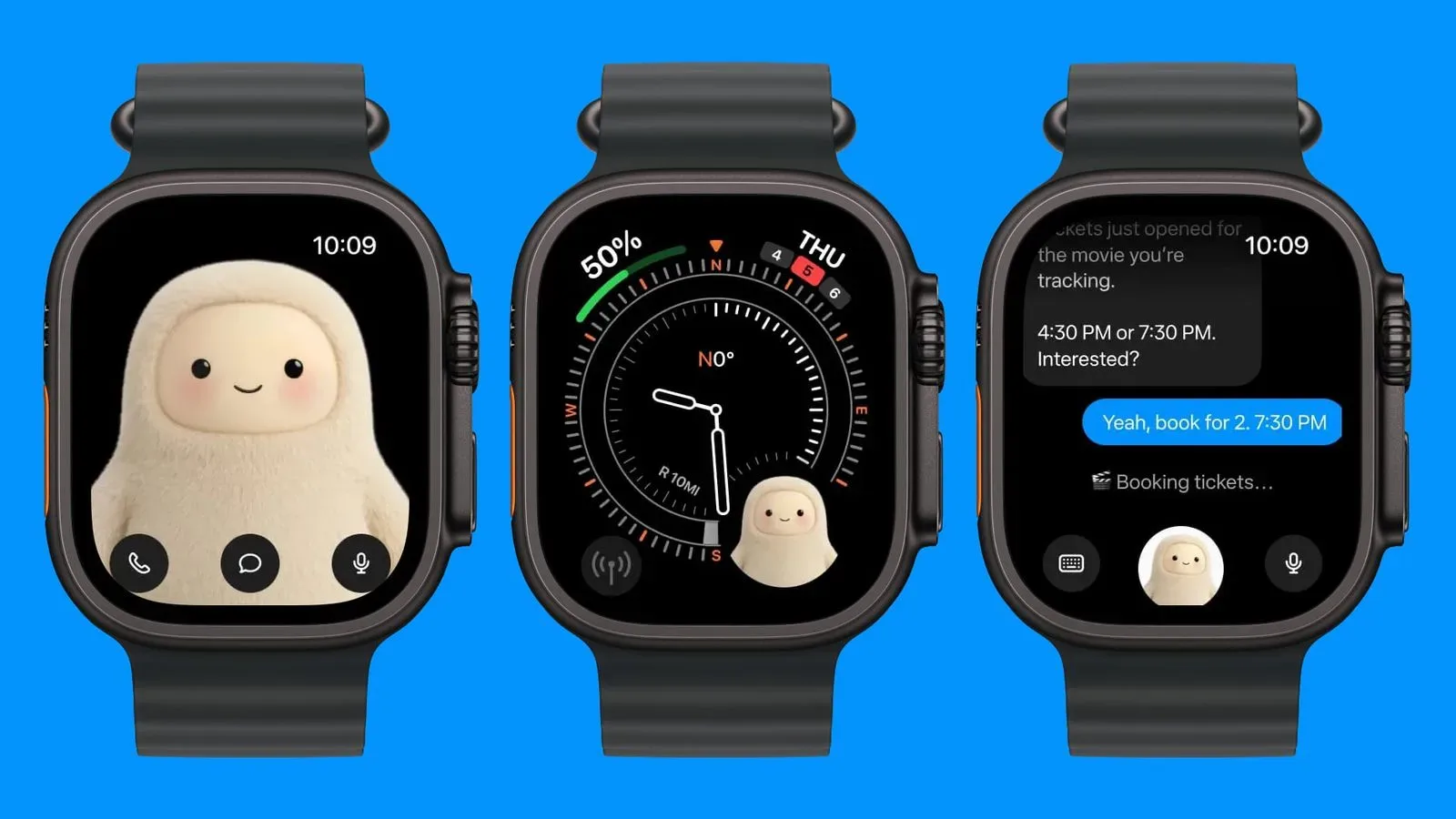
Meta has updated its Muse app for iOS with Apple Watch support, bringing the company’s personal AI agent to the smaller screen in a form built around quick access. The Watch app lets people contact Muse by typing a message, dictating one, or placing a call, while a Muse complication can place a shortcut directly on a compatible watch face.
It is a small platform expansion with a clear premise: an AI agent is more useful when it is reachable at the moment a person wants to ask for something, rather than when they have to find a phone, unlock it, and open an app. Muse is described as a proactive personal AI agent that can complete tasks for users. The Apple Watch version does not change that stated purpose, but it puts the entry points for it on a device designed around brief, frequent interactions.
What Muse adds on Apple Watch
The Watch app puts the Muse character at the center of the experience. Users have three stated ways to engage with it:
- Text: send Muse a written request from the watch.
- Dictation: speak a request that is converted into text.
- Calling: start a call with Muse from the Watch app.
There is also a Muse complication. In Apple Watch terms, a complication is a small interactive element displayed on a watch face. Depending on the watch face and layout, complications commonly act as glanceable status areas, shortcuts, or both. Here, the important practical detail is speed: the Muse complication is intended to provide quick access to the agent rather than making a user navigate through the app grid first.
The information provided does not spell out which tasks are available from the wrist, whether all Muse capabilities are identical across devices, or how a call is handled. Those are meaningful details for people deciding whether a Watch app can replace a phone interaction, so it is best not to assume feature parity beyond the text, dictation, calling, and complication options that have been identified.
A personal agent shifts from destination to presence
Muse is available as a standalone app and is also integrated into Instagram, Facebook, and other Meta apps. That distribution matters because it gives the agent several different entry points: a dedicated destination for people who want to open Muse deliberately, in-app access for people already using Meta’s services, and now a wrist-based route for short interactions.
Calling Muse “proactive” signals an ambition beyond a conventional question-and-answer chatbot. In ordinary usage, a chatbot is primarily reactive: someone writes or says a prompt, and the system responds. An agent is usually framed as software that can take actions or help complete a multi-step task after receiving an instruction. The supplied details establish that Muse can complete tasks for users, but they do not specify the range of tasks, the permissions involved, or the degree of autonomy it has. Those distinctions remain essential.
For Apple Watch use, the practical appeal is not necessarily long conversations. Watches are particularly suited to brief requests made while a user is walking, cooking, commuting, or otherwise away from their phone. A complication reduces the number of steps before a request can begin, and dictation avoids the awkwardness of composing longer text on a small display. Calling provides another modality for people who would rather speak naturally than type or dictate a sentence for transcription.
That does not automatically make every agent task a good fit for a watch. Complex work often needs more screen space, more context, confirmation screens, or a chance to inspect the output carefully. The wrist works best as an access point for beginning an interaction or handling a simple request. The available information does not describe how Muse transitions an unfinished or more detailed task to another device, if it does so at all.
Why the complication is a consequential detail
The complication may be the most strategically important part of the update because it changes where Muse sits in a user’s routine. An app in a phone’s library is a destination. A complication is an invitation placed beside the time, activity rings, weather, calendar, or other daily information a person has chosen to see.
That placement does not guarantee use, but it lowers friction. In interface design, friction means the effort required to perform an action: locating an app, opening it, choosing an input method, and entering a request. Each added step gives users a reason to put off a nonessential interaction. A one-tap Watch shortcut makes the first stage of reaching Muse easier.
There is a counterweight: a watch face has limited room, and every complication competes with something else. Someone who values weather, appointments, fitness information, navigation, or battery status may not assign one of those slots to an AI shortcut. Muse therefore has to earn a place not just through novelty, but through repeat usefulness in short, time-sensitive situations.
The character is part of the product interface
Muse’s yeti-like character is front and center in the Apple Watch app. Meta designed the character to represent Muse, and it has become popular. That visual identity is more than decorative on a device with a small screen. When buttons and labels must be minimal, a recognizable character can help an app feel immediately identifiable.
The Watch app’s design is similar to the Muse Charm, a companion device Meta announced in September. The shared design language suggests Meta is establishing a consistent visual identity for Muse across different hardware contexts. It does not establish that the Watch app and Charm have the same features, nor that either one replaces the other. The supported comparison is visual: the Watch design resembles the companion device.
For a personal agent, a character can also make a utility feel less abstract. People are not asked to find a generic AI button; they are asked to contact Muse. That kind of presentation may encourage habitual use, but it also puts extra pressure on clarity. Users should still understand when they are talking to an AI agent, what input they are providing, and what action the service is able to take on their behalf.
What users should keep in mind
The update is straightforward in stated function, but the setting introduces practical questions. Dictation and calls can be convenient, yet they may be unsuitable for sensitive requests in public spaces. A user may prefer text when discretion matters, while dictation may be the fastest route when their hands are busy. The right input method is situational rather than universally better.
It is also worth separating quick access from automatic action. The Watch app makes Muse easier to contact. The provided details say Muse can complete tasks, but they do not describe what confirmation a user sees before a task is carried out, or which task types are available on Apple Watch. Users should treat the Watch update as a new access surface, not as evidence of unspecified new agent powers.
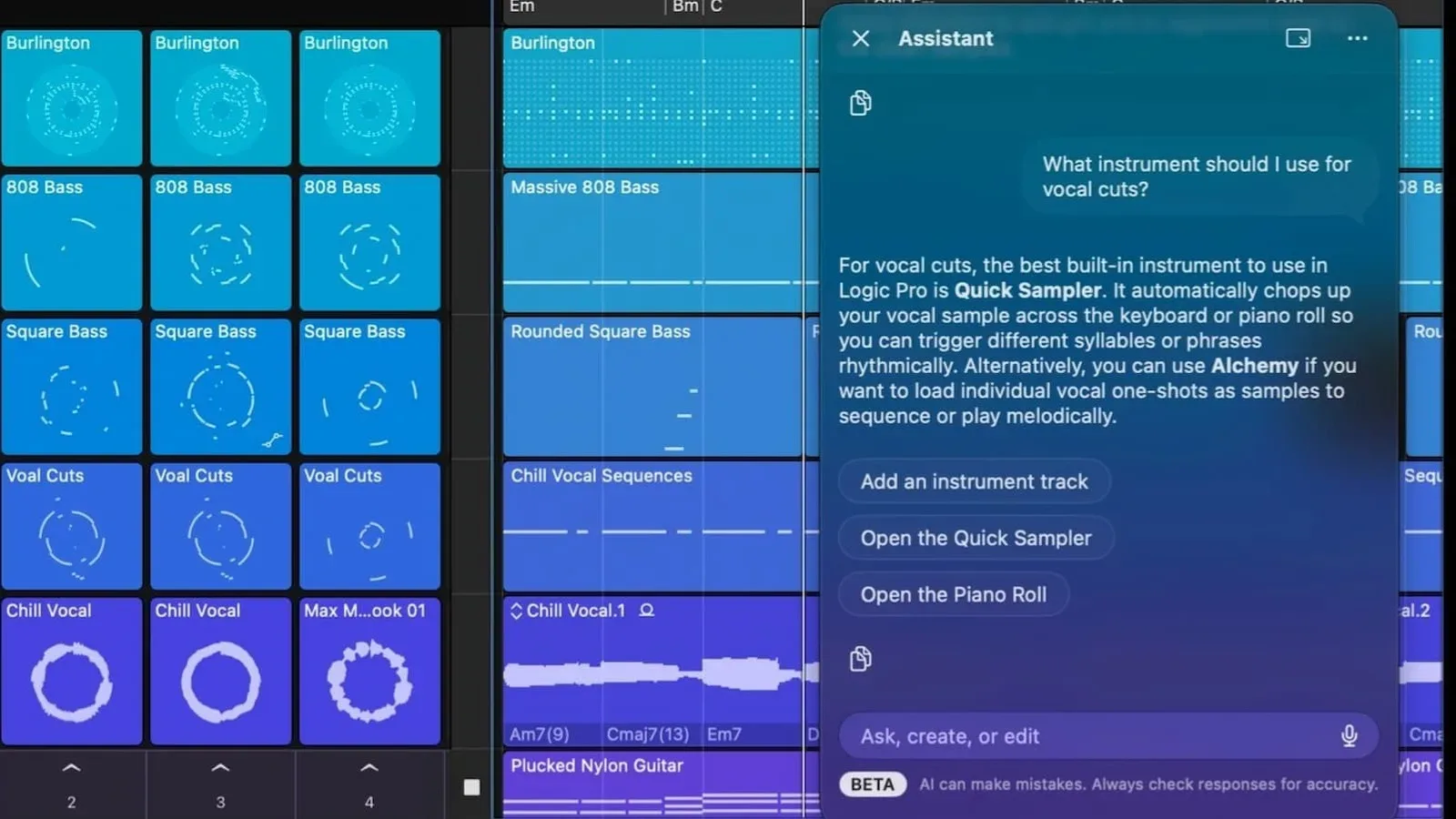
The broader pattern is clear: AI tools are moving toward more persistent placement in the devices and services people already use. Meta already offers Muse as its own app and within Instagram, Facebook, and other Meta apps; Apple Watch now adds a device built for low-effort, on-the-go interactions. That makes the feature relevant to the same industry conversation around how AI access is packaged, including Apple’s recent changes to AI usage packs in Logic Pro, even though the products and uses are different.
What the update means for Meta’s AI strategy
Meta’s Apple Watch support for Muse is not presented as a new model, a new task category, or a replacement for a smartphone app. Its significance is in distribution and interface. The company is giving its agent another way to be reached, one optimized for immediacy: open Muse from the watch face, type a short note, dictate a request, or start a call.
For existing Muse users with an Apple Watch, the benefit is the choice of where and how to begin. For Meta, the value is a greater chance that Muse becomes part of an everyday device routine rather than an app visited only when a user remembers it exists. Whether that convenience translates into lasting use will depend on how reliably and usefully the agent handles the tasks people bring to it—details this update does not define.