A growing arsenal is useful in GTA 6 right up until it makes the weapon selection process slower than the getaway. The Ammu-Nation weapons locker is the menu built to prevent that problem. It lets players review their owned gear, decide which weapons should be available from a Personal Vehicle’s trunk, switch to eligible Unique Weapon Variants, and recover weapons that have been lost or destroyed.
The important idea is that the locker separates weapon ownership from vehicle access. Owning a weapon does not mean it needs to remain in the trunk menu. Treating the trunk as a deliberately limited quick-access pool can make it much easier to reach a preferred sidearm or longarm when police or hostile gangs are already close.
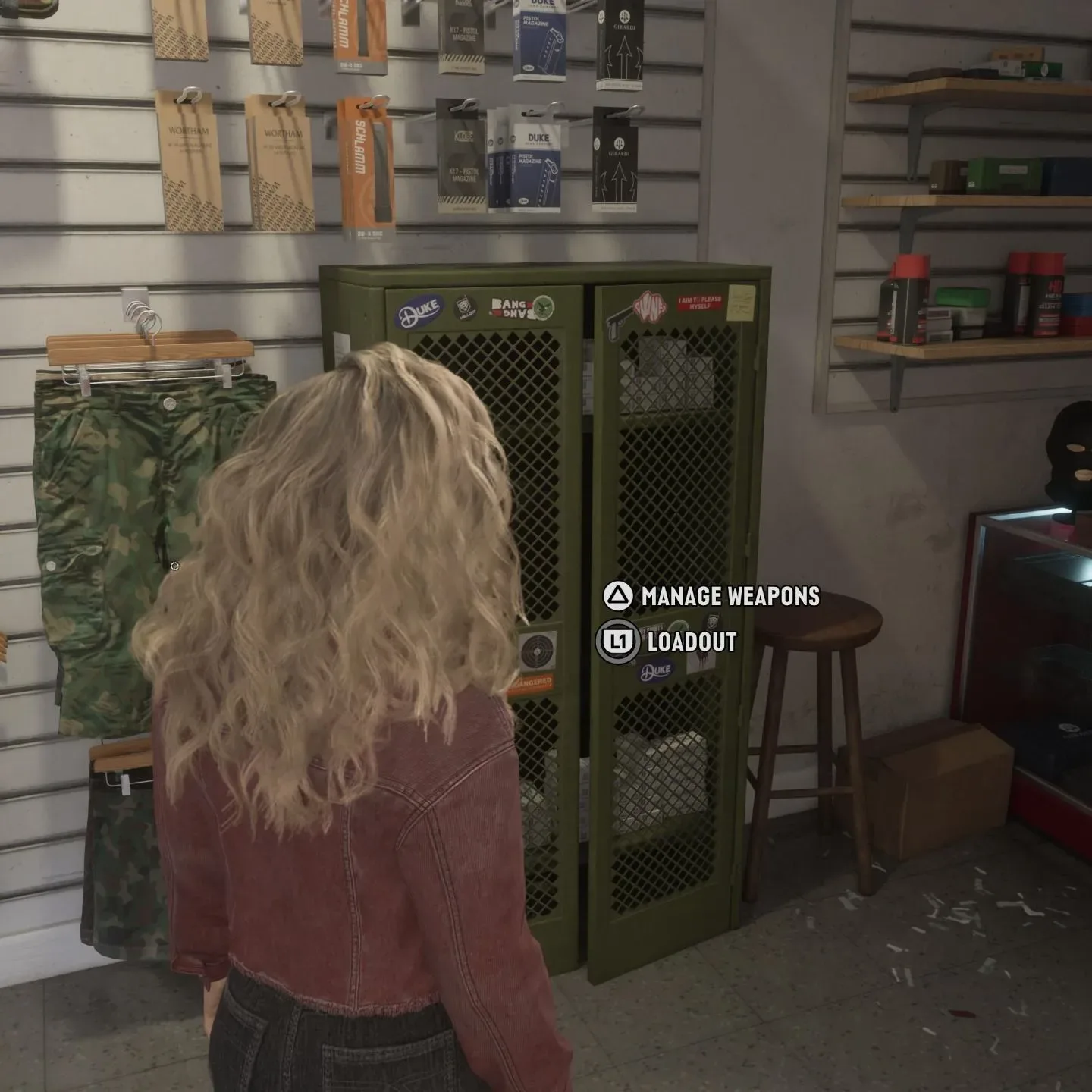
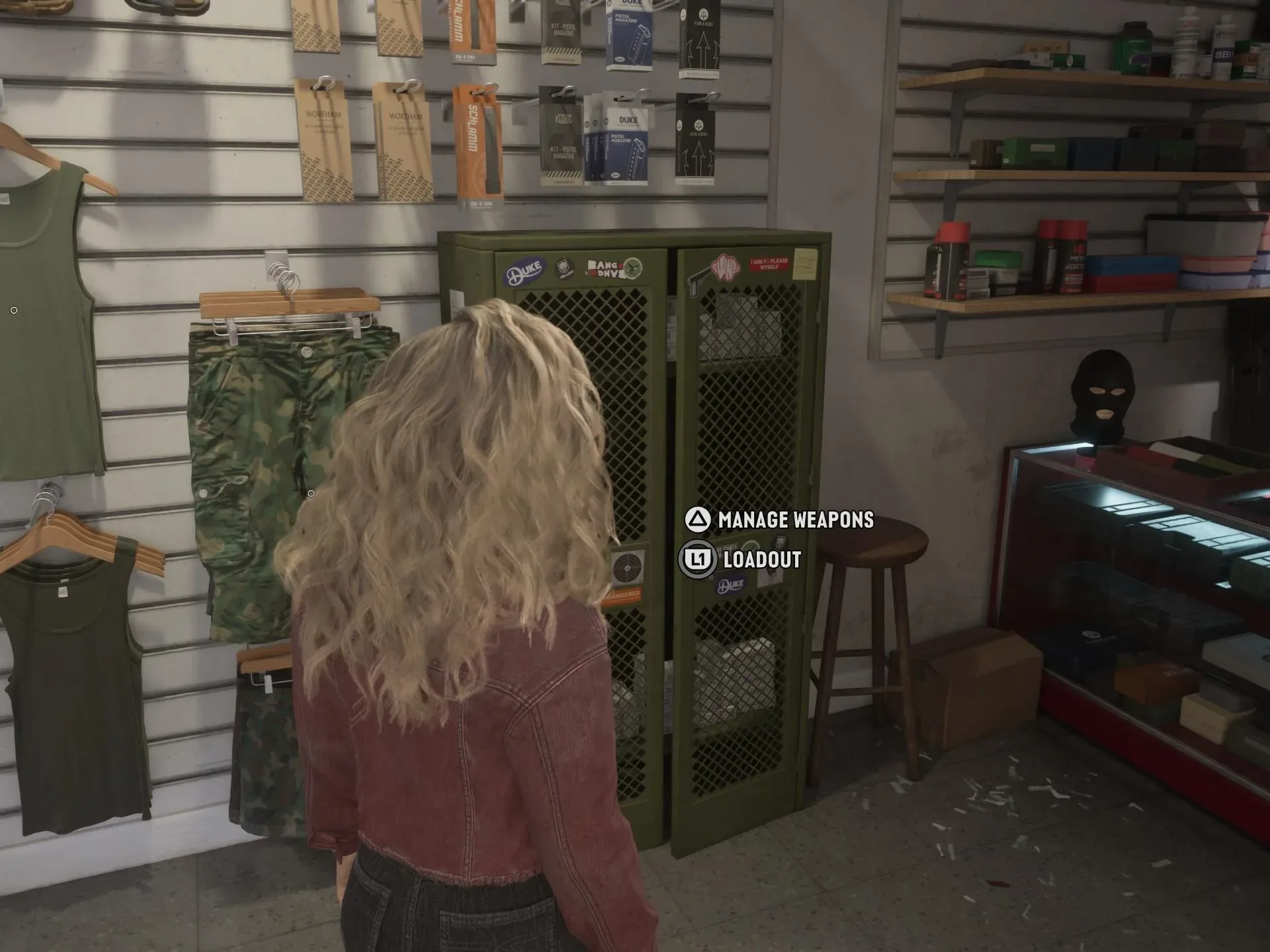
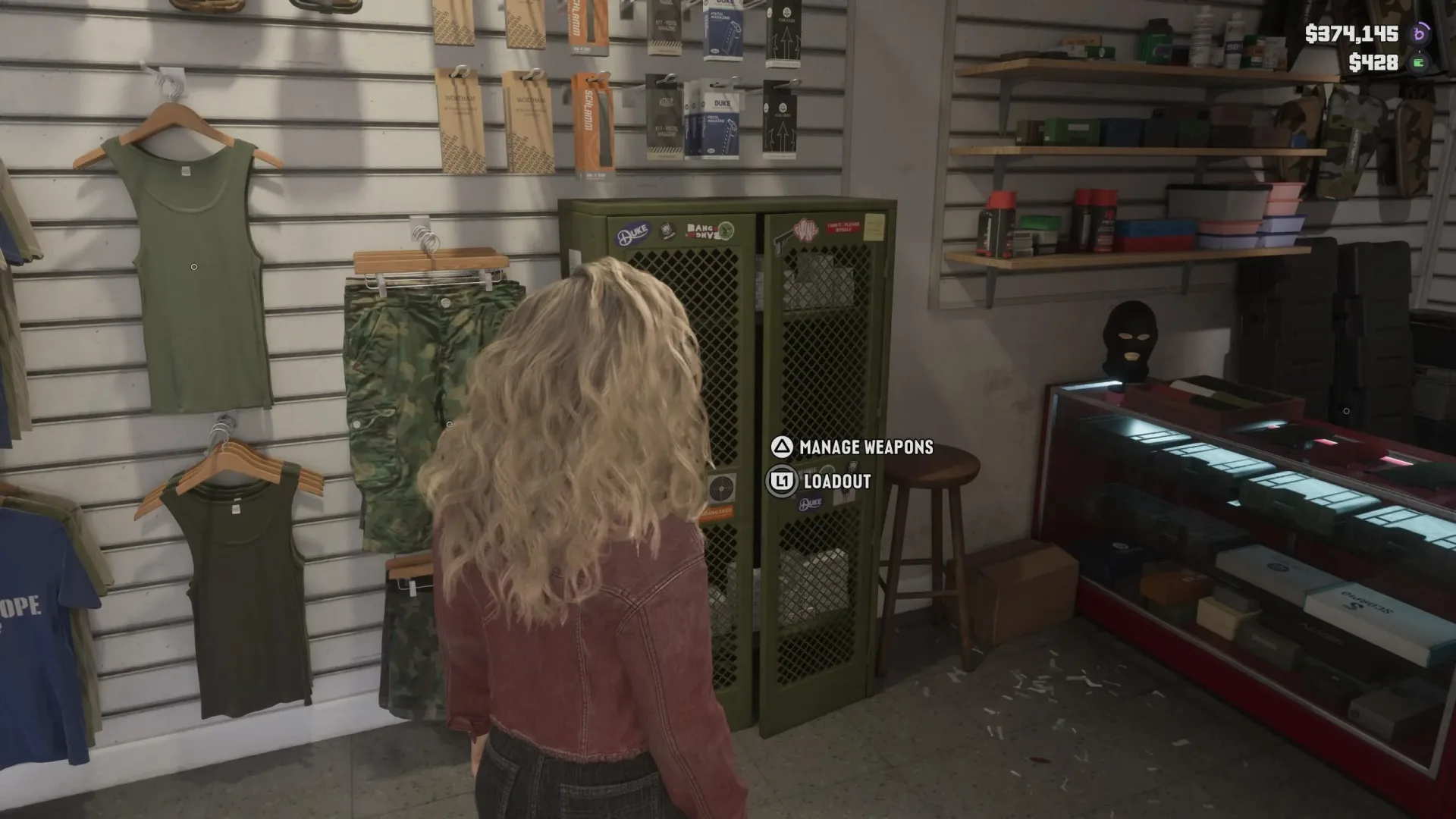
Most Ammu-Nation locations include the locker, identified by its green appearance. Pawn shop variants are the notable exception, so do not assume every place that resembles an Ammu-Nation stop offers the same management option.
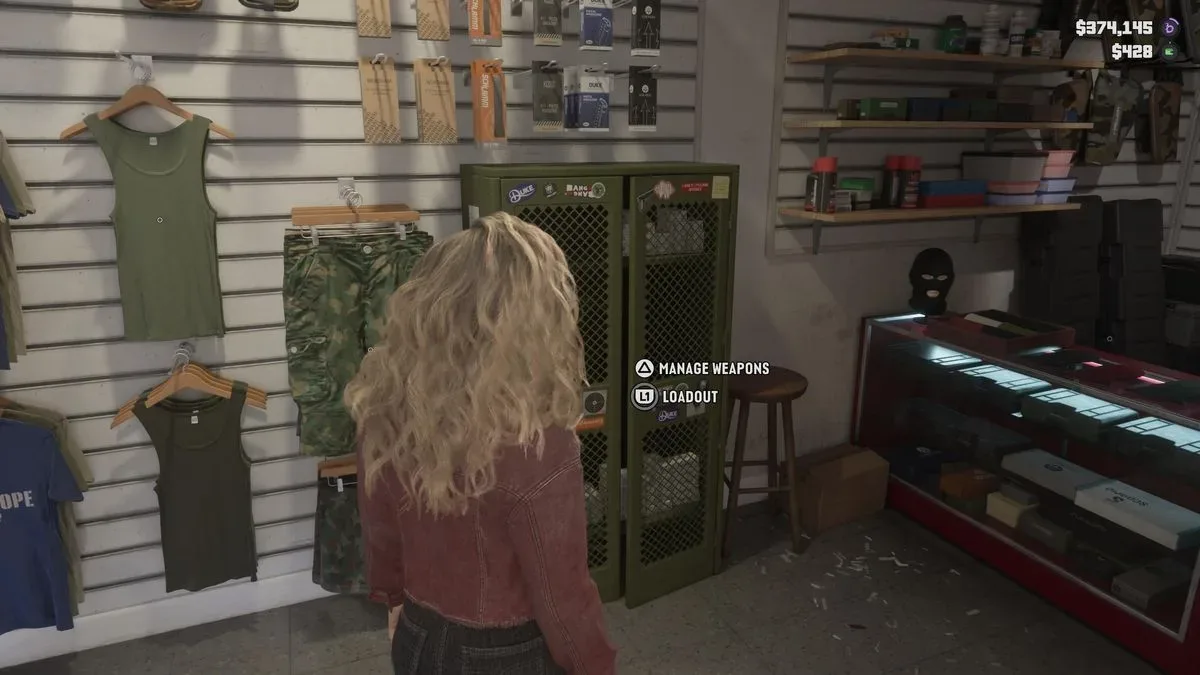
How to open the Ammu-Nation weapons locker
Find and approach the green locker inside a participating Ammu-Nation. The available prompts divide the system into two related functions:
- Press L1 on PlayStation or LB on Xbox to manage the loadout.
- Press Triangle on PlayStation or Y on Xbox to manage weapons.
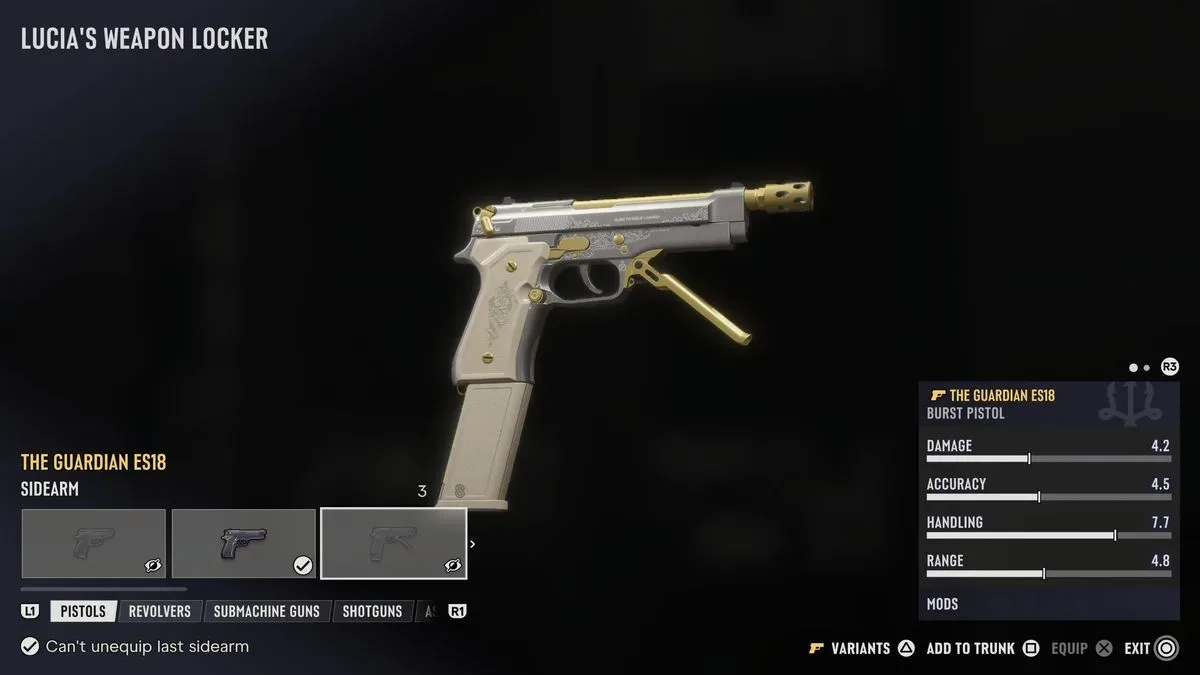
For the broadest view of what is in your collection, choose Manage Weapons. This is the central menu for inspecting owned guns and other weapon types, including discovered or purchased Unique Weapon Variants. It is also the recovery point for a weapon you own that has been lost or destroyed.
That recovery function is especially worth remembering because it changes the locker from a simple storage screen into an arsenal-management hub. If a previously owned weapon seems to have vanished after an incident, check the locker’s weapon-management menu before assuming it is gone for good.
What “Manage Weapons” does
Manage Weapons is best understood as the inventory-side of the locker. It shows the weapons attached to your collection and can include any Unique Weapon Variants you have obtained. A Unique Weapon Variant is a distinct version of a weapon available through purchase or discovery, rather than merely another item occupying the same place in the trunk selection.
From this menu, players can make three kinds of decisions:
Related coverage includes GTA 6 Ammu-Nation Weapons Locker Guide: Store Guns, Clean Up Your Trunk, and Recover Lost Gear.
- Inventory review: See the weapons you own rather than only the handful currently set up for vehicle access.
- Recovery: Restore owned weapons that were lost or destroyed.
- Variant choice: Check whether a compatible weapon has a Unique Weapon Variant available and select it when appropriate.
The distinction matters because it avoids a common organizational mistake: using the trunk as if it were a complete archive. The trunk is for fast retrieval on the road; Manage Weapons is where the larger collection is reviewed and maintained.
Add or remove weapons from your Personal Vehicle trunk
The Ammu-Nation locker also controls which equipment is placed in the trunk of your Personal Vehicle. These are the weapons intended for fast access while you are moving around the map, so the most helpful setup is rarely “everything.” A crowded list makes it harder to reach the item you actually want under pressure.
To change trunk availability, highlight a weapon category and press Square on PlayStation or X on Xbox. This toggles that category’s weapon into or out of the trunk arrangement.
In practical terms, use the toggle to remove unlocked weapons that you do not intend to use. The benefit is not that those weapons cease to be owned; they are simply no longer cluttering the vehicle-access selection. The full owned arsenal remains something you can revisit through Manage Weapons, and owned lost or destroyed guns can be recovered there.
A simple way to organize the trunk
The available information does not prescribe a single best loadout, but it does make the value of curation clear. Keep the weapons you reliably want during a chase or gang encounter accessible through the vehicle, and move aside the ones that slow down selection.
- Leave in the categories and weapons you use most often.
- Remove gear acquired for completion, experimentation, or a one-off situation if it is getting in the way.
- Revisit the locker after obtaining new weapons, because every addition can make a previously tidy trunk more cumbersome.
- Use the wider Manage Weapons screen when you need to find something outside the trimmed vehicle selection.
This does not make one weapon objectively better than another. It is an interface decision: fewer unwanted choices in the trunk can mean less time scrolling when speed matters.
How to equip Unique Weapon Variants
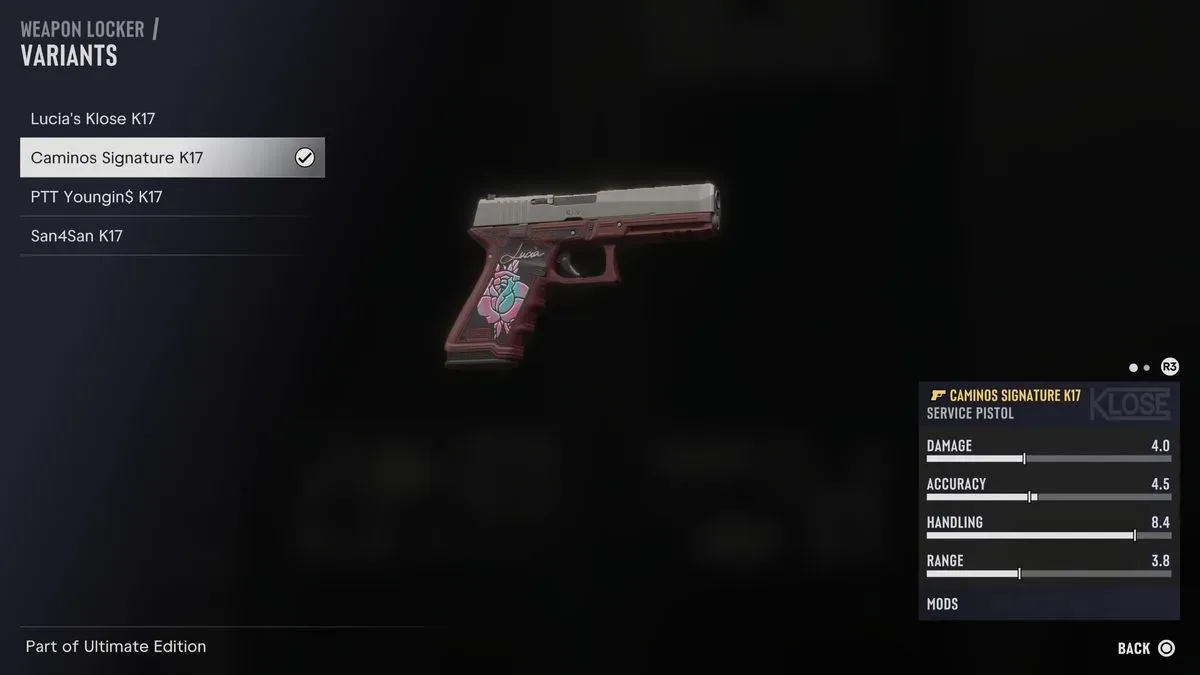
Unique Weapon Variants are managed from the same weapons screen. When one is available for a particular weapon, look for the golden gun icon in the lower-left portion of the interface. That icon indicates that the weapon has a variant to inspect.
Press Triangle on PlayStation or Y on Xbox to open the associated submenu. From there, you can view the available variant and equip it. If you own the standard, base version of the weapon and have made your own modifications to it, the menu also allows you to select that personally modified version instead.
That choice is useful because a variant and a customized base weapon are not necessarily the same decision. The locker gives you a place to select between the special version you have obtained and the version you have personally modified, rather than forcing every weapon of that type into one treatment.
Direct equipping at the locker
The locker is not limited to filing equipment away or preparing the vehicle. It can also be used to directly equip sidearms, longarms, explosives, melee weapons, and other items. This makes it a useful reset point when you want to leave an Ammu-Nation location with a specific item ready rather than merely stored in the Personal Vehicle trunk.
There is one caution: displaying a rifle in the shop may provoke a negative response from employees. Managing an arsenal is evidently acceptable business; brandishing it indoors is another matter. If the aim is simply to reorganize equipment, complete the menu changes and avoid needlessly pulling out a longarm on the sales floor.
Quick troubleshooting checklist
If weapon management is becoming frustrating, run through the locker’s functions in this order:
- Confirm the location: Go to an Ammu-Nation with a green weapons locker. Pawn shop variants generally do not provide it.
- Open the correct menu: Use the Manage Weapons option to see the broader owned inventory.
- Check for recovery: If an owned weapon was lost or destroyed, look for it in Manage Weapons rather than searching only the trunk.
- Clean the vehicle list: Use Square/X on weapon categories to add or remove trunk access.
- Inspect the gold icon: If a weapon has the golden gun marker, use Triangle/Y to review a Unique Weapon Variant or choose a personally modified base version.
Weapon organization sits alongside other vehicle upkeep tasks. If a chase has left both your arsenal and your car situation in need of attention, the GTA 6 respray guide explains the separate process of dealing with vehicle heat and customization.
The Ammu-Nation weapons locker is therefore less about acquiring more gear than making existing gear usable. Keep the trunk focused, use Manage Weapons as the authoritative list of what you own, check the gold marker when variants are available, and remember the locker when a previously owned weapon appears to be missing.