

One category, several machines
“Emulation handheld” describes a use rather than a single kind of computer. A compact Linux appliance, an Android gaming device, a dual-screen clamshell and an x86-64 PC handheld may all launch emulators, but they do not offer the same operating system, graphics stack, software distribution or maintenance model. Treating them as points on one performance ladder makes the comparison less useful, because the important question is not simply which advertised chip is fastest. It is which platform fits the software, screens, controls and ownership responsibilities that a particular user actually values.
This comparison therefore covers four overlapping platform classes. The first is the Linux retro appliance, represented by the R36S family elsewhere in this article. These devices generally present a menu-driven environment built around a curated collection of emulators, often using RetroArch and its separately distributed cores. The second is the Android emulator handheld, represented here by Anbernic’s RG557 and RG556 and Retroid’s Pocket 5 and Pocket 6. These machines behave more like small Android tablets with integrated controls: they can run frontends, standalone emulators and ordinary Android applications, while leaving more configuration to the owner.
The third class is the dual-screen Android specialist, represented by AYN Thor. Its defining feature is not merely the Snapdragon processor inside it. It is the combination of a hinge, two displays, touch input and software that must know how to arrange content across both panels. The fourth is the x86-64 PC handheld, represented by Steam Deck OLED. Steam Deck combines SteamOS, native Linux software, desktop applications and Proton, Valve’s Wine-based compatibility tool for many Windows games. It can be used for emulation, but it is also a general PC gaming platform with a different definition of compatibility from an appliance that presents a fixed console menu.
Those distinctions affect the meaning of “supported.” A Linux image may place a console name in a menu because an emulator core is installed. RetroArch documentation defines cores as separate emulator programs loaded by the frontend, so the menu entry alone does not identify the core version, renderer, settings or results for an individual title. An Android product page may advertise emulation support while leaving the owner to choose a standalone application, import a game file, grant storage permissions and map the controls. Valve’s Steam Deck compatibility review considers more than whether a program starts, including controller support, text input, launcher behavior and Proton-related compatibility.
Android handhelds and R36S-family Linux handhelds discussed here use ARM processors, although their CPU cores and GPU families vary. Valve lists Steam Deck OLED with a 6nm AMD APU, Zen 2 CPU cores and RDNA 2 graphics. Steam Deck is the Linux-based x86-64 PC-platform exception in this comparison. The same emulator name can therefore refer to different binaries and packages across Android ARM64, ARM Linux and Linux x86-64. Differences may include CPU architecture, operating-system libraries, graphics APIs, drivers, packaging and configuration. Architecture is one compatibility factor, not a standalone predictor of results.
The graphics side is similarly varied. RG557 uses a MediaTek platform with Mali graphics; RG556 uses a different Unisoc and Mali combination; Retroid’s Snapdragon models and the higher Thor variants use Qualcomm Adreno graphics. Each family depends on its vendor’s drivers and its implementation of graphics APIs such as OpenGL and Vulkan. An emulator can encounter shader, rendering or compatibility issues that are not visible in the processor’s advertised clock speed. Conversely, a suitable driver and well-maintained emulator build may make a less ambitious specification adequate for a particular workload.
Emulator requirements also differ by system. Dolphin emphasizes instruction throughput and clock behavior, often discussed through IPC and clock speed, rather than treating core count as a sufficient predictor. PCSX2 documents distinctions between instruction-set support, renderer requirements and configuration levels. PPSSPP exposes OpenGL and Vulkan backends whose behavior depends on the device and driver. A product page that names a console, processor or graphics API has not thereby established full-speed operation, accurate emulation, stable frame pacing or compatibility across a library.
The general rule for this article is simple: published specifications establish advertised hardware or software features; they do not establish game compatibility, frame rate, frame pacing, battery runtime, thermal behavior, emulator accuracy, setup difficulty or ergonomics. Later chapters use shorter, targeted qualifications rather than repeating that rule. A battery capacity is not runtime. A firmware note is not a compatibility test. A dual-screen panel is not proof of dual-screen emulator support. A fan is not proof of sustained performance, and a 120Hz display is not proof of 120fps rendering.
Screen geometry creates another set of choices. A small 4:3 panel can suit older systems and integer scaling, while a 16:9 AMOLED panel can make better use of widescreen software, streaming or Android applications. Steam Deck’s 16:10 display belongs to a PC-oriented context. Thor adds a second, taller-than-wide panel, which could accommodate a separate map, menu or touch area if the emulator supports the required layout. The physical dimensions make the arrangement possible; they do not make it functional by themselves.
Controls and maintenance separate the classes just as strongly. An R36S-style vertical device has a compact button layout and a community-dependent Linux workflow. The named Android models add touch interfaces and application settings, while their individual specifications list combinations of active cooling, Hall-sensor controls and analog triggers. Steam Deck adds trackpads, gyro input, rear buttons and Steam Input profiles, but also exposes a more PC-like software environment. A feature list describes available mechanisms; it does not settle input latency, dead zones, noise, comfort or long-session behavior.
Storage follows the same pattern. Android devices and Linux appliances commonly rely on removable TF or microSD cards for expansion and, in some cases, for the operating system itself. Steam Deck OLED uses internal NVMe storage plus a high-speed microSD slot. Valve separately documents SteamOS factory reset, rollback and re-image or recovery procedures. Recovery is an ownership and repair function, not a storage-expansion feature, and Valve’s documented options do not all preserve local data.
The sensible comparison is consequently conditional. Someone seeking a small retro appliance is evaluating firmware matching, display variants and the simplicity of a curated menu. Someone choosing Android is evaluating application access, drivers, update behavior and configuration. A Thor buyer is evaluating whether dual-screen software justifies the physical and software complexity. A Steam Deck buyer is evaluating PC software, Proton, desktop flexibility and a larger control system. The rest of this article compares those decisions without pretending that one specification sheet can answer them all.
Anbernic’s documented Android generations
Anbernic’s RG557 and RG556 are best treated as distinct Android generations, not as two storage versions of one product. As listed by Anbernic on October 26, 2026, the RG557 uses MediaTek’s Dimensity 8300 platform, Mali-G615 MC6 graphics, 12GB of LPDDR5X memory and 256GB of UFS 4.0 storage in the documented configuration. It runs Android 14 and has a 5.48-inch, 1920×1080 AMOLED display. The specification also lists Wi-Fi 6E, Bluetooth 5.3, a 5,500mAh battery, 27W charging and TF-card expansion.
Anbernic lists active fan-and-heat-pipe cooling for the RG557. Its controls include Hall-related input hardware and a six-axis gyroscope in the published specification. These are meaningful design choices for an Android handheld intended to run more demanding applications than a basic Linux retro appliance. They indicate how the manufacturer has configured the device; they do not reveal fan noise, clock stability, surface temperature or endurance under an emulator workload. Those properties need controlled measurements rather than interpretation from the presence of a fan or the size of the battery.
The RG556 uses a different platform. Anbernic lists the Unisoc T820, Mali-G57 graphics, 8GB of LPDDR4X memory and 128GB of UFS 2.2 storage. It runs Android 13 and uses a 5.48-inch 1920×1080 AMOLED display, matching the RG557’s stated size and resolution. Its wireless specification lists Wi-Fi 5 and Bluetooth 5.0. The battery is listed at 5,500mAh, and the cooling system uses a fan and heat pipe. Anbernic also lists Hall joystick and trigger features, a gyroscope and 1080p DisplayPort output.
The shared screen and battery figures can make the models appear closer than their internal platforms are. Their processor families, GPU implementations, memory generations, storage technologies, wireless standards and Android versions differ. Those differences may influence which emulator builds and graphics paths are available, but they do not produce a guaranteed performance ratio. A demanding title can be limited by a driver, a game-specific emulator issue, shader compilation or configuration rather than by the headline processor alone.
The RG556 firmware listings include V1.12, V1.15 and V1.16. Their notes document system fixes and emulator-related changes, including a RetroArch 1.20.0 package in the relevant update history. That establishes that the RG556 platform has received software revisions rather than remaining identical to its earliest image. It also means that a comparison must identify firmware versions. Comparing an RG556 on an early stock build with an RG557 on a later build would conflate hardware generation with software state.
RetroArch’s core model is especially important for interpreting both products. A frontend update and an emulator-core update are separate events. Two devices can show the same frontend version while loading different core builds, and a bundled manufacturer package may differ from an application installed later. The product page’s console list therefore cannot identify the emulator implementation, renderer, per-game settings or result. A more useful report would name the application or core, its version, the graphics backend and any changes required for the test.
Android also changes the ownership model compared with a fixed Linux appliance. The owner can install frontends, standalone emulators and ordinary Android applications, and can select among packages with different interfaces and settings. Depending on the emulator package and distribution method, an Android device may present a touch-oriented application, while SteamOS may expose a more desktop-like installation and configuration path. The setup burden varies by emulator and has not been measured here. Android flexibility is therefore an available capability, not a universal claim that configuration is easier.
The screens illustrate why resolution alone is not enough. Both Anbernic models use a 1920×1080 AMOLED panel, but older 4:3 software may show side bars, widescreen software may use a different scaling strategy, and shaders can change the graphics workload. Touch input may be valuable for menus or systems that originally relied on a stylus, while other games depend mainly on physical controls. Refresh behavior is similarly contextual: a panel capable of a particular refresh rate does not force an emulator to render at that rate or eliminate frame-time irregularities.
The RG557’s newer listed platform is relevant when considering software headroom, internal storage and wireless features, while the RG556 remains a separate Android option with its own firmware history and driver environment. The correct wording is not that the RG557 is Anbernic’s newest model overall, but that it is the documented Anbernic Android platform examined here. The RG556 is useful as a comparison because it shows how a preceding Android generation can share the same display class and cooling concept while using different silicon and software.
For a future hands-on comparison, the important measurements would include the exact firmware, emulator and renderer; frame-time behavior over named legal test files; brightness and refresh settings; battery change during a fixed workload; fan and thermal readings; and sleep or wake behavior. Until those measurements exist, the manufacturer specifications support a platform comparison, not a universal ranking. RG557 represents a newer documented Anbernic Android configuration in this article, while RG556 represents a distinct earlier configuration whose results remain dependent on software as well as hardware.
Retroid’s Snapdragon strategy
Retroid’s Pocket 5 and Pocket 6 present a more consistent Snapdragon-based Android strategy. Both run Android 13, both list active cooling and both provide integrated controls intended for applications that expect gamepad input. They nevertheless belong to different processor and display generations. Pocket 6 is listed with Qualcomm Snapdragon 8 Gen 2 and Adreno 740 graphics at 680MHz. Pocket 5 uses Snapdragon 865 and Adreno 650. The shared brand and operating system should not obscure those differences.
Retroid lists Pocket 6 with 8GB or 12GB of LPDDR5X memory and 128GB of UFS 3.1 storage, with TF-card expansion. Its display is a 5.5-inch 1920×1080 AMOLED panel listed at 120Hz. The product specification also names a 6,000mAh battery, active cooling, Hall sticks, analog L2 and R2, Wi-Fi 7 and Bluetooth 5.3. The 12GB configuration is paired with 128GB storage in the documented listing; the larger memory figure should not be misreported as a 256GB internal-storage option.
Pocket 5 is listed with 12GB of LPDDR4X memory, 128GB of UFS 3.1 storage and TF-card expansion. It uses a 5.5-inch 1920×1080 AMOLED display at 60Hz, active cooling and a 5,000mAh battery. Retroid’s specifications identify Hall sticks and analog L2/R2 controls, Wi-Fi 6, Bluetooth 5.1 and Android 13. Any comparison should name the exact Pocket 5 listing and configuration rather than implying that the current product page documents an 8GB/12GB choice.
Pocket 5 creates a useful comparison with Anbernic’s RG556 and Thor Lite because all three are associated with the Snapdragon 865 and Adreno 650 generation. That shared silicon does not make them interchangeable. Enclosure design, cooling profiles, screen arrangement, firmware, controller mapping and application packages can all differ. A shared processor is evidence of one component family, not proof that an emulator will behave identically on every device using it.
Pocket 6 likewise overlaps with Thor Base, Pro and Max through Snapdragon 8 Gen 2 and Adreno 740. The Pocket 6 is a single-screen handheld, while Thor adds a second AMOLED panel and a hinge. An emulator that behaves well on one may not offer the same layout or input behavior on the other. Even where the processor and GPU family match, the operating system configuration, display pipeline and thermal policy can change the practical environment.
Qualcomm’s Adreno platform can be a useful target for Android emulator developers, but that should not become a blanket promise. Driver versions and application builds remain relevant. A newer GPU may provide more potential for a demanding renderer, yet an emulator can still encounter a game-specific issue, an incorrect graphics path or a timing problem. Conversely, a well-maintained emulator may run a particular workload adequately on the older Pocket 5. The published GPU name identifies the platform; it does not establish compatibility across a console library.
Pocket 6’s 120Hz panel is another feature requiring careful interpretation. It can refresh more frequently than Pocket 5’s listed 60Hz display, which may matter for supported Android applications or the user interface. It does not mean an emulator will render at 120 frames per second. Many systems have fixed timing targets, and an emulator can experience stalls from shader compilation, background activity or synchronization even on a high-refresh panel. A 120Hz display is not proof of smoother emulation without frame-time measurements.
Memory capacity should be treated just as narrowly. The 12GB versions may offer additional room for multitasking or applications with larger allocations, but RAM is not a direct measure of CPU throughput, GPU performance or emulator accuracy. Increasing memory cannot automatically fix an incompatible renderer or a game-specific emulation problem. The smaller configuration may be sufficient for a given workload, while a different application may benefit from additional headroom. Only a defined test can establish whether the difference matters for the intended software.
Retroid’s Android software model offers several possible routes to the same system: a frontend, a standalone emulator or a RetroArch core. Those choices can differ in controller mapping, graphics backends, save handling, touch interfaces and per-game settings. Official OTA support provides a mechanism for system updates, but it does not establish how long updates will continue or guarantee that a future release will improve a particular emulator. The update channel is an ownership feature, not a compatibility result.
The physical control specifications also need a limited reading. Hall sticks describe a sensing method, and analog triggers provide a form of variable input that some software can use. Neither fact establishes dead-zone calibration, latency, stick durability or the quality of an emulator’s default mapping. Those questions belong to controlled input testing. The same applies to active cooling: a fan and heat-management assembly identify a design intention, but do not prove sustained clocks, acceptable noise or a particular thermal profile.
The clearest documented distinction is therefore generational rather than absolute. Pocket 5 combines Snapdragon 865, 12GB LPDDR4X as listed on Retroid’s current product page, a 60Hz AMOLED display, Wi-Fi 6 and a 5,000mAh battery. Pocket 6 moves to Snapdragon 8 Gen 2, LPDDR5X, a 120Hz AMOLED display, Wi-Fi 7 and a 6,000mAh battery. Those changes make Pocket 6 the more advanced Retroid platform examined here, but they do not settle every use case. Emulator builds, drivers, settings, display behavior, thermals and battery measurements still determine the experience for a particular application.
Thor as a dual-screen specialist
AYN Thor should be assessed primarily as a dual-screen Android design rather than as another entry in a processor table. Its defining tradeoff is the relationship between two displays, a hinge, touch input and software layout. The family also contains materially different configurations, so “Thor” is not a sufficient specification. Thor Lite uses Snapdragon 865 and Adreno 650, while the higher Base, Pro and Max variants use Snapdragon 8 Gen 2 with Adreno 740 listed at 680MHz.
AYN’s current product page identifies Thor as an Android 13 handheld with Qualcomm Snapdragon 8 Gen 2, a customized 6-inch FHD AMOLED touchscreen and a 6,000mAh battery. The more detailed Lite, Base, Pro and Max information comes from an AYN-associated manual/certification PDF hosted on a third-party AliExpress media domain. Those entries should be treated as manual-listed variant information rather than as specifications independently repeated in AYN’s current product page.
For Thor Lite, that AYN-associated manual lists Snapdragon 865, Adreno 650, 8GB of LPDDR4X memory, 128GB of UFS 3.1 storage and Android 13. It lists a 6-inch 1920×1080 main AMOLED display at 120Hz and a 3.92-inch 1080×1240 secondary AMOLED display at 60Hz. The manual also lists a 6,000mAh battery, 27W charging, active cooling, a TF-card slot, USB-C and a 3.5mm audio connection. Its output specification identifies 1080p DisplayPort Alt Mode.
For Thor Base, Pro and Max, the same manual lists Snapdragon 8 Gen 2 and Adreno 740, with 8GB, 12GB or 16GB of LPDDR5X memory and 128GB, 256GB or 1TB storage configurations according to variant. It retains the dual-screen arrangement and 6,000mAh battery in the listed specifications. The manual identifies DisplayPort output up to 4Kp60 for higher-tier configurations. These are variant-specific entries in that manual, not a claim that every Thor sold under every regional listing has the same memory, storage or output configuration.
The second display changes the software problem. A conventional handheld has to place gameplay, maps, menus and touch controls within one screen. Thor can potentially divide those functions between panels. A main image could occupy the larger upper display while an inventory, map, keyboard or control area appears below. The manual’s 1080×1240 secondary screen is a taller-than-wide geometry. That physical shape could accommodate portrait-oriented information or control layouts, but practical suitability depends on emulator layout support, orientation handling, touch mapping and application behavior.
Those conditions are essential for systems that originally used two screens. The presence of two panels does not prove that an emulator can reproduce the original relationship, preserve the correct order or direct touch input to the intended display. Screen synchronization, application window handling and per-game layout options may all matter. A firmware or emulator note that mentions dual-display support would establish a documented software feature, but it would not establish that every title renders correctly or that stylus-dependent behavior is reproduced.
Thor Lite is not merely a lower-storage version of the higher models. Its Snapdragon 865, Adreno 650 and LPDDR4X memory place it in the same broad hardware generation as Retroid Pocket 5 and other earlier Android devices. The Base, Pro and Max variants move to Snapdragon 8 Gen 2 and LPDDR5X. A shared 120Hz main panel and 6,000mAh battery do not erase that distinction. Nor does the higher memory tier guarantee better emulator results: drivers, emulator builds, thermal policy and game-specific behavior remain relevant.
The dual-screen chassis also introduces physical considerations that a single-screen specification cannot resolve. The hinge and second panel require additional structure and electronics, and the manual lists approximately 380 grams and dimensions of about 150×94×25.6mm for the Thor specification. These figures establish the listed size and mass; they do not establish pocketability, hinge resistance, hand comfort, display protection or long-session ergonomics. Those properties would require direct examination under a stated method.
Active cooling is likewise a design feature rather than a measured outcome. The manual’s fan and heat-management listing indicates that AYN designed the device for workloads requiring active thermal management. It does not establish fan noise, skin temperature, sustained clock behavior or throttling. The 6,000mAh rating establishes nominal electrical capacity, not battery endurance when two displays, wireless radios and an emulator are active. A valid endurance comparison would need fixed brightness, refresh rate, audio, wireless, emulator and ambient-temperature conditions.
DisplayPort broadens Thor’s possible role beyond its built-in screens. The manual lists 1080p output for Thor Lite and up to 4Kp60 for higher-tier specifications. Those entries establish advertised output capabilities. They do not prove that every cable, dock, application or game will use the output in the same way, and they do not establish docked emulation performance. External display use can alter the graphics workload and the control arrangement, so practical claims require a specified test setup.
Thor’s Android foundation creates the same software choices found on other Android handhelds: frontends, standalone emulators, RetroArch cores and ordinary applications. The second display adds another layer of configuration. An application may show only one screen, mirror content, place controls incorrectly or require a community layout. Touch input can be useful for a menu or map, but its presence does not demonstrate correct stylus behavior. The relevant question is not whether Thor has two screens, but whether the intended software exposes a layout that makes use of them.
Thor is consequently a specialist platform rather than a simple “faster Android handheld.” Thor Lite offers a Snapdragon 865 configuration with a dual-screen chassis, while Base, Pro and Max add the Snapdragon 8 Gen 2 platform and the manual’s higher memory, storage and output options. The family’s central value is the possibility of assigning different content to two displays. Whether that possibility becomes a practical advantage depends on emulator implementation, application behavior, touch mapping and the owner’s chosen software. Hardware establishes the opportunity; it does not establish the result.
R36S is a variant ecosystem
The R36S is better understood as a family name than as one tightly controlled hardware platform. Retailer manuals and firmware-maintainer documentation repeatedly list an RK3326-class platform, a quad-core Cortex-A35 CPU, Mali-G31 graphics, approximately 1GB of DDR3-class memory, a 3.5-inch 640×480 display and a roughly 3,200mAh battery for particular R36S-labeled devices. Those figures describe a recurring baseline, not a manufacturer-confirmed specification for every product sold as an R36S.
The distinction matters because the R36S is not presented through one consistently identified manufacturer, product family, or revision history. Published manuals differ in how they describe the processor, operating system and supporting hardware. Some use the RK3326 name directly; others use a general ARM or Cortex-A35 description. Firmware maintainers, meanwhile, document several board, display and clone categories under the same or similar names. The product’s familiar vertical shell is therefore more reliable as an identifying clue than its printed specification sheet.
At a broad level, the recurring hardware makes sense as a small Linux retro appliance. An RK3326-class system with four Cortex-A35 cores and Mali-G31 graphics belongs to a very different category from the Snapdragon and Dimensity Android handhelds in this comparison. Its 3.5-inch 640×480 screen is a natural geometric match for many older systems that use a 4:3 image. That can reduce unused space and make simple menu interfaces easy to read, although the display is not evidence that every 4:3 console or game will run correctly.
The same hardware is less naturally suited to software designed around wider displays, high-resolution interfaces or touch input. The limitation is not only the number of pixels. It also concerns how the operating system, frontend and emulator scale menus, map controls and render the game image. A device page can identify a screen resolution, but it cannot establish whether an emulator uses integer scaling, crops the image, adds borders or presents controls in a usable way.
The most important R36S differences can be hidden inside the case. A visually similar unit may use a different display panel or controller, a revised board, a different button-wiring arrangement, a different battery-management component or different wireless hardware. These parts affect the software’s hardware description. In a Linux handheld, the kernel and boot files need to know how the board is wired and which panel is connected. A mismatched configuration can cause a blank screen, incorrect colors, absent controls, failed wireless support or inaccurate battery readings even when the underlying processor is functioning.
This is why the R36S maintainer ecosystem uses device categories rather than treating every unit as interchangeable. ArkOS4Clone documentation identifies original R36S units, clone types, SoySauce and Game Console variants, V21 and V22 revisions, and other RK3326 devices. The categories are not merely marketing labels. They associate particular images, drivers and device-tree files with hardware arrangements that may differ despite using the same enclosure.
A device tree is especially important in this context. It tells the Linux system about components such as displays, input devices, storage and power-management hardware. If an image selects the wrong device tree, the console may fail before the frontend or emulator starts. A user could interpret that as a dead handheld, when the actual problem is a mismatch between the image and the board or panel. Preserving the original card’s relevant configuration can therefore be useful before attempting a replacement or update.
The phrase “ArkOS support” also needs qualification. It may refer to an image supplied by a seller, a community distribution derived from the ArkOS lineage, or a project adapting related software for hardware that was not part of an original supported-device list. A menu that resembles ArkOS does not establish that the official ArkOS project maintains the device. Nor does a file labelled ArkOS guarantee that it will boot every R36S-branded handheld.
ROCKNIX documentation provides a useful example of a broad target description. Its generic R35S/R36S entry identifies RK3326 hardware, Cortex-A35 processing, Mali-G31 graphics, a 640×480 display and 1GB of DDR3 memory. That establishes a maintainer-documented target category. It does not turn every retail product using the R35S or R36S name into a uniform platform. A generic target can support a range of related boards while still requiring device-specific qualifications.
The battery illustrates another boundary between a specification and a result. A roughly 3,200mAh rating identifies the stated capacity of a particular cell or battery assembly. It does not establish how long the device operates, how accurately Linux reports the remaining charge, how quickly it charges or how the system behaves near low voltage. Those outcomes depend on power-management hardware, software drivers, screen brightness, emulator workload and battery condition. Maintainer work on battery drivers can improve reporting or compatibility, but it is not a measured endurance result.
Wireless support is similarly conditional. Some R36S-labelled units may include Wi-Fi hardware while others may not, or may expose it differently to the operating system. A firmware project can add support for a known component without making every board wireless-capable. The same principle applies to inputs: a correction for one button layout does not prove that all revisions use that layout.
These qualifications do not make the R36S irrelevant. They define its appeal more accurately. It is a compact Linux appliance whose modest hardware can be paired with a menu-driven environment and community-maintained software. Its ownership model is different from that of a sealed Android handheld. The owner may have more visibility into the card image, boot partition and device-tree selection, but also more responsibility for identifying the exact machine before changing them.
The family name therefore needs to appear alongside a board or firmware qualification whenever the article makes a technical claim. “This R36S image supports this panel category” is meaningful. “The R36S supports this firmware” is too broad. “Retailer and maintainer documents commonly list an RK3326-class platform” is supportable. “Every R36S uses the RK3326” is not established by the available evidence.
That distinction also prevents misleading comparisons with the Android models. The R36S is not simply a slower version of an RG557 or Pocket 6. It has a different operating-system model, a smaller display, a simpler control environment and a community-dependent update path. Its practical strengths and risks come from that design, not just from its processor. It should be compared as a low-cost Linux retro-appliance category whose exact hardware must be qualified before firmware support is assumed.
R36S firmware and maintainer chronology
The R36S software story becomes clearer when stock firmware, archived community distributions and active clone-device projects are kept separate. They may share menus, code or naming, but they do not have the same authority or scope. A stock image is the software shipped with a particular unit. A community distribution is maintained for one or more known hardware targets. A clone-device project may adapt an older operating-system lineage to machines that were never part of the original project’s supported hardware list.
AeolusUX describes ArkOS-R3XS as a community-maintained image for R35S and R36S-family devices. Its repository is archived and identifies itself as historical; the repository archive date is June 9, 2026. That status should be reported precisely. It does not mean that an installed image instantly stopped working, and it does not mean that all community work related to RK3326 handhelds ended. It means that the particular repository is no longer an active authority for future development.
The project’s recorded changes show why firmware should be treated as more than a menu skin. Its history includes panel selection, input adjustments, PPSSPP changes and other emulator-package updates. A panel change can determine whether the display initializes. An input change can correct a control layout. An emulator-package update can replace or revise a program. These are distinct kinds of change, even when they arrive in the same distribution.
An emulator update should not be translated into a game-compatibility promise. If a changelog records a newer PPSSPP package, the verified claim is that the software package changed. It does not establish that a particular PSP title now runs correctly, that all titles benefit equally or that the device has gained a new performance class. A game’s result can depend on its rendering path, emulator settings, frame timing, input requirements and the hardware configuration of the specific R36S.
ArkOS4Clone has a different history and scope. Its documentation describes a separate community project that ports ArkOS or related dArkOS software to unsupported RK3326 handhelds, including R36S devices, clones and other hardware. It documents device-tree and driver differences rather than claiming to be the official firmware authority for every R36S-branded product. The project’s purpose is therefore adaptation across a varied ecosystem, not maintenance of one manufacturer-controlled model.
As of October 26, 2026, ArkOS4Clone lists a release identified as ArkOS4Clone-20261008, dated October 8, 2026. Its documentation discusses online updates, earlier boot-partition limitations, battery-driver work, Wi-Fi support and the preservation of original device-tree blobs. Those details help explain the project’s practical concerns. An online update can change software without rewriting an entire card, but it does not remove the need to choose the correct device category. A boot-partition limitation can affect whether an update succeeds. Preserving original device-tree files can provide a recovery reference when a new configuration does not match the hardware.
A dated release is not the same as universal compatibility. The relevant question is whether the release targets the board, panel and other components in the particular handheld. A newer image with the wrong device tree may be less useful than an older image that correctly matches the machine. Release dates describe project chronology; they do not replace hardware identification.
ROCKNIX’s generic R35S/R36S target illustrates the same principle from another direction. Its documentation identifies a target using the familiar RK3326, Cortex-A35, Mali-G31, 640×480 and 1GB DDR3-class descriptions. A maintainer can support a broad hardware category without claiming that every retail unit bearing the same name is identical. Support statements should therefore be read as target definitions, not as universal manufacturer specifications.
Stock software belongs in a separate category. A seller may ship a card with an ArkOS-style interface, emulator packages and a familiar directory structure. That does not prove a relationship with the current ArkOS project or with a community maintainer. The image may have been modified, frozen at an older revision or prepared for one particular board. Its presence on a card proves what was supplied with that unit, not what the upstream project officially supports.
The update path also differs from ordinary Android ownership. An Android vendor normally packages the kernel, drivers and system image for a defined device model, even though recovery options and support periods vary. On an R36S, the operating system can reside on a removable card whose partitions and boot files are exposed to the owner. Replacing that card can be straightforward when the correct image is known, but risky when the board or panel is not identified. A failed boot may be recoverable through the correct image rather than indicating physical damage.
This makes the original card valuable as evidence, even when it is not trusted for long-term use. Its files may reveal the device-tree choice, panel category or partition arrangement that allowed the unit to boot. Community documentation that advises preserving original device-tree blobs is responding to this practical recovery problem. It is not a claim that the original card is reliable, nor is it a guarantee that every card contains a complete or correctly labelled configuration.
Firmware chronology should therefore use narrow verbs. “Ships with” describes the stock package. “Documents” describes a maintainer’s stated target or change. “Archives” describes repository status. “Releases” describes a dated project version. “Supports” must identify the project, image and device category. None of these terms means that every game works, every clone boots, or future updates are assured.
The comparison with Android and SteamOS is useful here. Android vendors generally present a more integrated software stack, but the owner still depends on vendor firmware and emulator applications. SteamOS has Valve’s own update and recovery infrastructure, alongside desktop Linux software. The R36S community model is more fragmented: it can offer targeted adaptations for unusual board revisions, but the owner must pay closer attention to exact hardware and image provenance.
This is also why a changed emulator package should not be treated as a general performance measurement. A release may update an emulator without changing the kernel, GPU driver or frontend. It may improve a menu, fix a crash or add an option while leaving a specific game unchanged. The only defensible claim is the one recorded by the maintainer: which component changed and in which release.
For an R36S owner, the useful workflow is consequently qualification before installation. Identify the board and panel, preserve the original configuration, read the project’s target notes, and distinguish a full image from an updater or emulator package. That is not a recommendation to download commercial game files or bypass copy protection; it is a way of describing the operating-system risks of a variable Linux device.
The R36S is thus a particularly clear example of software becoming part of the product identity. Its low-cost hardware does not come with one stable, manufacturer-controlled support story. Instead, the experience depends on the relationship among a particular board, panel, card image, device tree, emulator package and maintainer project. That relationship can be useful and repairable, but it must be described more precisely than the product name alone allows.
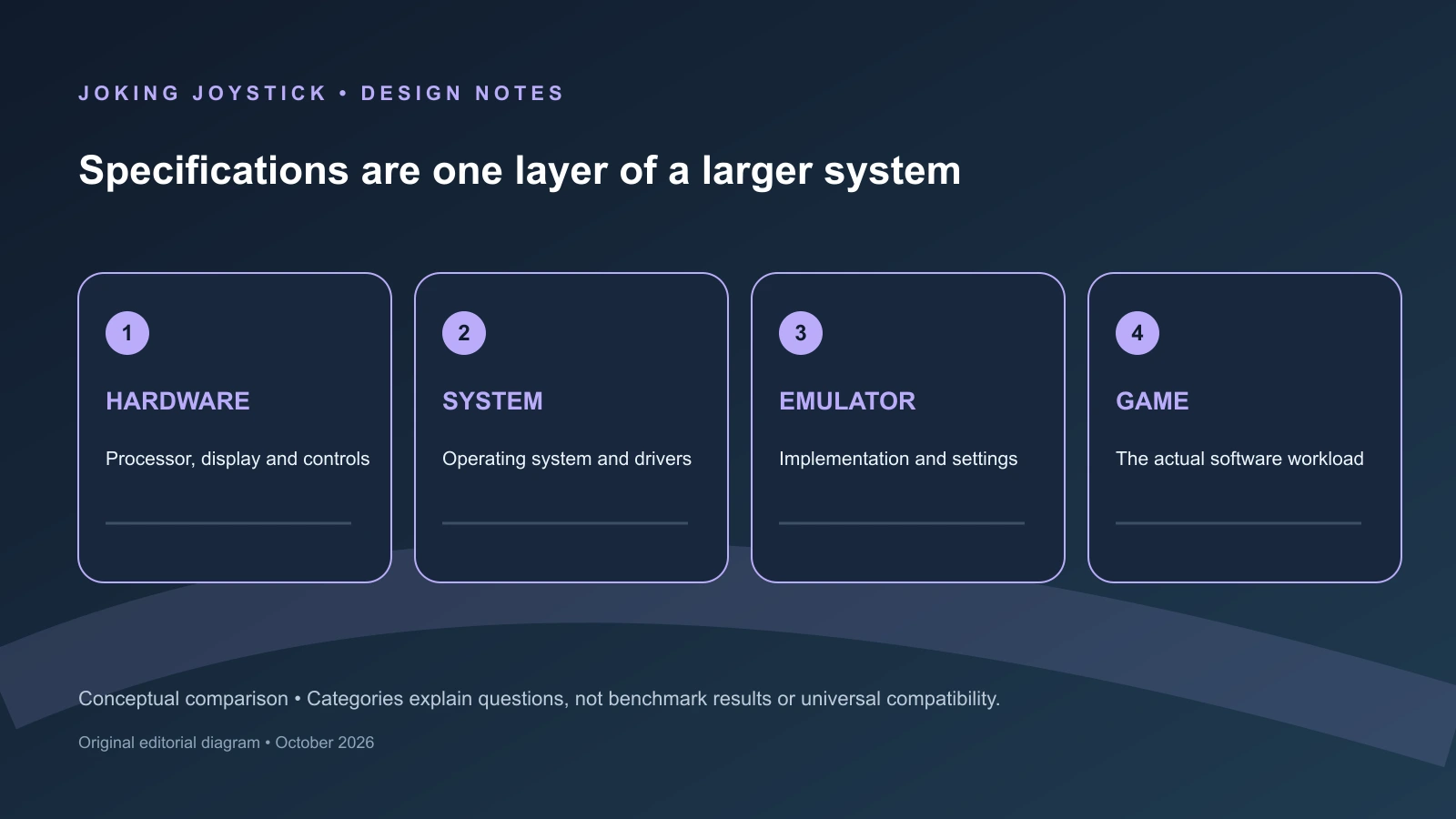
Architecture, drivers and translation layers
The Android handhelds and Steam Deck OLED belong to different software environments even when they are used for the same broad purpose. RG557, RG556, Retroid Pocket 5, Retroid Pocket 6 and Thor use ARM processors with vendor GPU drivers and Android graphics APIs. Valve lists Steam Deck OLED with a 6nm AMD APU, Zen 2 CPU cores, RDNA 2 graphics and SteamOS 3. Its PC-oriented software environment provides native Linux software and Proton for many Windows games. The distinction affects available binaries, libraries, drivers and configuration, but it does not justify a universal claim that one architecture is better.
The same emulator name can refer to different binaries and packages across Android ARM64 and Linux x86-64. Differences may include CPU architecture, operating-system libraries, graphics APIs, drivers, packaging and configuration. Architecture is one compatibility factor, not a standalone predictor of results. It does not by itself establish emulator compatibility, rendering performance, frame rate, accuracy or ease of setup.
Android devices in this comparison also differ among themselves. RG557 and RG556 use Mali graphics attached to MediaTek and Unisoc platforms. Retroid Pocket 5 and Pocket 6, along with the Snapdragon-based Thor variants, use Qualcomm Adreno graphics. Those GPU families have different driver stacks and different histories of emulator support. An emulator can offer both OpenGL and Vulkan on two devices while encountering different shader behavior, synchronization issues or extension support on each one.
The graphics API is therefore an interface, not a performance guarantee. Vulkan availability does not prove better frame pacing, lower latency or higher compatibility. Its result depends on the vendor driver, emulator renderer, shader compilation, synchronization and the particular software being run. OpenGL may be selected for one device because it is more stable there, while Vulkan may be useful on another. A comparison should name the renderer and settings when discussing a test, rather than treating an API label as a universal advantage.
Android’s application model adds another layer. A user may run RetroArch, a standalone emulator, a frontend or a streaming application, each with its own package, storage permissions, controller mappings and graphics settings. A console category can therefore be represented by a RetroArch core in one setup and a standalone emulator in another. Those programs may share upstream code or a console target while differing in interface, version, renderer and compatibility behavior.
Libretro’s documentation makes the separation between frontend and emulator explicit. RetroArch loads cores, and those cores are separate emulator programs compiled for particular platforms and architectures. Android ARM64, Linux AArch64 and Linux x86-64 builds can use different libraries, compiler options and integration paths. A RetroArch version number does not identify every core version available inside it, and a change to one core does not necessarily alter a standalone emulator installed beside RetroArch.
A Linux retro appliance such as an R36S generally presents a more curated arrangement. The firmware can bundle a frontend, selected cores, input profiles and conservative defaults for the intended hardware. Depending on the distribution, that may reduce the number of choices exposed to the owner. It also ties the result to the maintainer’s target definitions and update schedule. If the board or panel varies, the apparent simplicity of the menu rests on a device-specific configuration that may not be visible to the user.
Steam Deck OLED begins from a different baseline. Valve lists a 6nm AMD APU with a Zen 2 four-core/eight-thread CPU, eight RDNA 2 compute units and 16GB of LPDDR5 memory. SteamOS 3 provides a Linux environment built around the Steam client, while Desktop Mode exposes a more conventional PC-like environment in which users can install applications. That flexibility can make native Linux emulators and PC tools available, but it also means that packages, launchers and configuration paths can vary.
PCSX2 documentation illustrates why CPU and graphics requirements must be considered together. Its requirements distinguish x86-64 instruction-set levels such as SSE4.1 and AVX2, while separately identifying graphics and Vulkan requirements. That structure is useful when analysing Steam Deck, but it is not a universal pass-or-fail test for Android handhelds. Android may use a different build, a different graphics integration and a different set of emulator assumptions.
Dolphin’s documentation similarly emphasizes IPC and clock speed. A processor can have multiple cores without providing the same useful single-thread performance or sustained behavior as another processor. Emulation may depend on a demanding main thread, synchronization and timing-sensitive workloads. A larger core count or RAM figure does not reveal whether the critical path has enough performance or whether it can maintain that performance under heat and power limits.
Proton adds a separate compatibility layer to Steam Deck. It allows many Windows games to run on Linux through a Wine-based environment and related components. That is different from console emulation and does not make every Windows title compatible. Failures can involve anti-cheat systems, launchers, video codecs, input behavior or unsupported graphics features. A native emulator on Linux may not use Proton at all, while a Windows game launched through Steam may depend on it extensively.
This makes cross-platform comparisons more nuanced than “Android versus PC.” Android may provide a touch-oriented application depending on the emulator package and distribution method. SteamOS may expose a more desktop-like installation and configuration path, also depending on the package. The setup burden varies by emulator and has not been measured here. Neither operating system should be labelled universally easier or more convenient from architecture alone.
Drivers can determine whether a published hardware advantage becomes useful. A newer GPU may offer more resources on paper, yet an emulator can encounter an unoptimized shader path or driver-specific problem. A lower-tier device may appear more consistent because its firmware uses conservative settings and a curated core. These are reasons to record the complete software path, not reasons to declare one platform superior without testing.
Thermal behavior also interacts with architecture. A fan and heat pipe can provide a means of removing heat, but they do not establish the clock speed maintained during a long session. Android and SteamOS may apply different power policies, while a Linux appliance may use a simpler fixed configuration. Battery capacity, operating-system overhead, screen brightness and emulator workload all influence the result. A processor specification cannot be converted directly into runtime or sustained performance.
The most defensible architecture comparison is therefore conditional. ARM Android handhelds provide access to Android applications and mobile-oriented emulator packages, with results shaped by Mali or Adreno drivers and device-specific builds. R36S-class Linux devices provide a compact, curated environment whose success depends heavily on board-matched firmware. Steam Deck OLED provides an AMD Zen 2 PC platform with SteamOS, native software and Proton, alongside the additional configuration possibilities that entails.
None of those descriptions is a compatibility ranking. They explain why the same console target can produce different outcomes on different machines. The architecture, operating system, graphics driver, emulator binary, renderer, settings and input layer all participate. A specification sheet can identify the first part of that chain; it cannot establish the final result for a game.
The emulator is part of the platform
A handheld’s advertised console list is incomplete without the emulator implementation behind it. “Supports PSP,” “supports GameCube” or “supports 3DS” may describe a bundled application, a RetroArch core, a firmware package or a marketing category. Those words do not identify the emulator build, renderer, resolution scale, frame-skip policy, controller mapping or per-game configuration. The practical result depends on that missing information.
RetroArch demonstrates the first separation: frontend versus core. The frontend organizes menus, libraries, shaders, input profiles and saves. The core performs the emulation. A device can ship with RetroArch while containing different cores from another device, or the same core at a different version. A firmware update may replace one core without changing the frontend. Installing a standalone emulator creates another software path, even when both programs target the same console.
Platform builds matter as well. Libretro documentation lists platform- and architecture-specific paths, including Android ARM64, Linux AArch64 and Linux x86-64. A core compiled for one target may use different libraries, compiler settings or graphics interfaces from a core compiled for another. The upstream project name can remain the same while packaging and integration change. That is why a product page naming an emulator does not establish that every version of that emulator behaves identically.
PPSSPP provides a clear example through its OpenGL and Vulkan backends. The documentation identifies both graphics paths and explains that behavior depends on device support and settings. On Android, the selected backend interacts with the vendor driver and the emulator’s handling of that device. On Linux, available libraries and the desktop environment create another context. Vulkan can be an appropriate choice without being a guaranteed improvement, and OpenGL can remain useful where a driver or game behaves differently.
Dolphin highlights the CPU side of the problem. Its documentation emphasizes IPC and clock speed, showing why a multi-core specification is not enough to predict GameCube or Wii behavior. Emulation can depend heavily on a demanding main thread, synchronization between subsystems and sustained processor behavior. A device with more cores or more RAM can still encounter a bottleneck in the critical path. A lower-tier machine may produce an acceptable result for a particular game under a carefully selected configuration, but that cannot be generalized from the hardware label.
PCSX2 takes a similar approach by separating instruction-set and graphics requirements. Its documentation discusses x86-64, SSE4.1 and AVX2 alongside Vulkan and other renderer requirements. A system may satisfy one CPU path while differing in GPU support, driver behavior or configuration headroom. These requirements belong to a particular emulator and platform. They should not be treated as a universal test for all Android devices, nor as proof that a named console library is uniformly compatible.
The emulator also determines how a display is used. On RG557, RG556, Pocket 5, Pocket 6 and Steam Deck, a standard single-screen layout may be relatively direct for software designed around one display. Thor’s second panel requires an emulator or application to create separate display surfaces or windows, position them correctly and route touch input. An emulator update that says it added dual-display support establishes that a feature was changed. It does not establish that every title uses both screens correctly or that every menu, stylus action and orientation matches original hardware.
The physical geometry of Thor’s secondary display illustrates the distinction between implication and result. An AYN-associated manual or certification PDF lists the panel as 1080×1240, a taller-than-wide shape. That geometry could accommodate portrait-oriented information or control layouts, but practical suitability depends on emulator layout support, orientation handling, touch mapping and application behavior. The dimensions alone do not prove working DS or 3DS screen mapping, correct stylus behavior or a superior dual-screen experience.
Input mapping forms another part of the chain. The hardware may provide Hall sticks, analog triggers, a touchscreen, gyro sensors or Steam Deck trackpads. The operating system must expose those controls, the frontend must recognize them and the emulator must map them to the emulated system. A Hall sensor does not prove that dead zones are correctly configured. A touchscreen does not prove that touch reaches the intended emulated screen. A gyro does not prove that motion input has been implemented for a specific title.
Frontends can make a setup more coherent by supplying profiles and defaults, but they can also conceal version differences. A curated Linux image may configure a core for its target device and provide a simple menu. An Android installation may expose more standalone choices, with each application handling storage, permissions and controls differently. SteamOS may make desktop-grade emulator packages available while also exposing more PC-like configuration. These are conditional observations about software distribution, not universal rankings of setup difficulty.
Firmware releases should be read at component level. If a changelog records an updated PPSSPP package, the verified claim is that the package changed. If it records a panel driver correction, the claim concerns display initialization or support. If a frontend adds a system category, that does not prove the underlying emulator changed. A release may improve booting, battery reporting or menu behavior without altering game compatibility.
The same restraint applies to manufacturer support lists. When a device page names a console family, the most accurate wording is that the manufacturer lists support for that family. It is not an independently verified compatibility percentage, a promise of full speed or a statement about emulator accuracy. The next question must identify the software path: which emulator, which core or standalone build, which renderer, which settings and which legal test files.
That method prevents misleading comparisons between Android and SteamOS. A game running through a particular Android emulator is not directly equivalent to a Steam Deck result obtained with a native Linux build or through Proton. The binaries, drivers, timing behavior and input layers differ. Even two Android handhelds using a related Snapdragon family can have different firmware, GPU-driver revisions and emulator defaults. A meaningful test must record those variables.
It also prevents the R36S from being judged by a single word such as “ArkOS.” The board and panel determine which image can boot, the distribution determines which cores and defaults are included, and the emulator determines what the hardware can attempt. A firmware maintainer can document a target without proving every title works. A package update can be important without creating a new compatibility class.
The emulator is therefore part of the platform in the same way as the screen, controls and operating system. R36S depends on a board-matched Linux image and its bundled cores. Anbernic and Retroid depend on Android applications, vendor drivers and firmware integration. Thor adds a second-display layout problem. Steam Deck adds native Linux software and Proton to an AMD Zen 2 PC platform. The chipset remains relevant, but it is only one component in a chain whose final behavior requires emulator-specific evidence or controlled testing.
Screens change the emulation problem
Display specifications are easy to compare and easy to misunderstand. Resolution, panel type and refresh rate describe the screen, but they do not by themselves describe how an emulator will present software. The useful questions are different: What aspect ratio did the original system use? Can the emulator preserve it without excessive unused space? Does the application support integer scaling, shaders, cropping and touch input? If the device has two displays, can the software place the correct image, menu or touch surface on each one?
That makes the screens in this comparison part of each platform’s identity rather than interchangeable output panels. The Anbernic RG557 and RG556 use 5.48-inch, 1920×1080 AMOLED displays. Retroid lists the Pocket 6 with a 5.5-inch, 1920×1080 AMOLED panel capable of up to 120Hz. Those specifications create a broadly similar widescreen Android baseline, but they do not establish identical scaling behaviour, brightness, colour calibration, touch response or emulator performance.
A 16:9 display is a natural fit for software designed around widescreen output. It can suit PSP-era material, Android games and many streaming interfaces without requiring the image to be rotated or heavily cropped. Older consoles commonly used a 4:3 image, however. On a widescreen panel, preserving the original proportions normally leaves vertical bars at the sides. Filling the panel requires stretching the image or cropping some of it. Neither choice is universally correct: stretching changes geometry, while cropping can remove information near the edges.
The same choice appears in a different form on Steam Deck OLED. Valve lists a 7.4-inch, 1280×800 OLED display with a refresh rate of up to 90Hz. Its 16:10 shape gives PC software more vertical space than a conventional 16:9 screen, but games and desktop applications decide how that space is used. Some render at the native shape, some add bars, and some expose their own resolution or scaling modes. The display’s size may make desktop interfaces easier to inspect, but that is a practical observation rather than proof that every application will be legible or well behaved.
The R36S follows a more focused display logic. Retailer manuals and firmware-maintainer documentation repeatedly list a 3.5-inch, 640×480 IPS screen for particular R36S-labeled devices. Those documents do not establish one manufacturer-controlled specification for every product sold under the R36S name, but the recurring 4:3 format explains why the device is associated with older console and arcade software. A 4:3 panel can present such images with less unused width than a 16:9 screen. It is not automatically the better choice for widescreen systems, text-heavy interfaces or software designed around analogue and touch input.
Integer scaling is another reason that native resolution does not settle the question. An emulator enlarging a low-resolution image by a whole-number factor can give source pixels equal-sized blocks and a crisp appearance. The panel still has to accommodate the result. A 640×480 image can be shown naturally on a 4:3 display, while a 1920×1080 panel must balance the source dimensions, the selected scale and the available area. If the largest integer factor does not fit, the emulator may leave borders, use a smaller scale or offer a non-integer alternative.
Shaders add a further software layer. Scanline effects, smoothing, sharp-bilinear filters and other presentation options change the final image without changing the display’s advertised resolution. They also add work for the emulator and graphics driver. Whether that work is negligible or produces timing problems depends on the emulator, renderer, driver and selected settings. The existence of an AMOLED panel or a high native resolution does not show that a device can apply every shader at a stable frame pace.
Refresh rate should be separated from rendering rate. A 120Hz screen can accept updates more frequently than a 60Hz screen, but an emulator still has to produce correctly timed frames. Software that updates at 30 or 60 frames per second does not become 120-frame-per-second software because the panel can refresh at 120Hz. A faster display may provide additional synchronization options or make the interface feel different, but it cannot repair irregular frame delivery. Steam Deck OLED’s 90Hz mode has the same qualification.
The Pocket 6 therefore has a documented display advantage only in the narrow sense that its panel offers a higher maximum refresh rate than the Pocket 5’s listed 60Hz AMOLED display. That difference does not establish faster emulation. It also does not prove better motion handling, lower input latency or improved battery endurance. Those would require controlled testing under specified brightness, refresh and workload conditions.
Thor makes display geometry the central design question. An AYN-associated manual or certification PDF hosted on an AliExpress media domain lists Thor Lite with a 6-inch, 1920×1080, 120Hz main AMOLED display and a 3.92-inch, 1080×1240, 60Hz secondary AMOLED display. AYN’s current product page identifies Thor as an Android 13, Snapdragon 8 Gen 2, 6-inch AMOLED handheld, but it does not independently repeat every entry in the detailed variant table. The secondary-screen specifications should therefore be described as manual-listed details, not as a complete current web specification confirmed line by line by AYN.
The secondary panel is taller than it is wide according to the listed 1080×1240 geometry. That physical shape could accommodate portrait-oriented information or control layouts, but practical suitability depends on emulator layout support, orientation handling, touch mapping and application behaviour. The dimensions alone do not establish a correct Nintendo DS or 3DS-style arrangement, and they do not prove that a particular game will use both screens in the intended way.
A dual-screen device can present a menu, map, inventory or status display separately from the main game image. It can also place a virtual control area away from the main picture. Those are possible layouts, not automatic consequences of adding a second panel. The emulator has to create and position two surfaces, preserve the intended orientation, route touch events to the correct display and handle applications that expect a particular relationship between screens. Some software may use the second panel continuously; some may use it only for menus; some may not support it at all.
Touch input creates another divide between hardware and implementation. A touchscreen can act as a pointer, a stylus surface, a menu control or a virtual button area. The emulator must still expose the correct coordinates and allow the owner to map physical controls where touch is inconvenient. On a dual-screen system, the application must know which panel received the touch. On a single-screen Android device, an overlay may cover part of the game image. On Steam Deck OLED, Valve lists capacitive touch, but the availability of that input does not guarantee that a desktop emulator or individual game will use it appropriately.
Display technology also needs careful language. AMOLED and IPS identify panel technologies, not a complete visual ranking. The manufacturer-listed panel type does not establish brightness, colour accuracy, calibration, response behaviour, outdoor legibility or power use in a particular mode. The R36S’s IPS panel belongs to a smaller and lower-resolution design than the AMOLED panels in the Android models. That supports a comparison of stated geometry and technology; it does not support an unsupported universal verdict about image quality.
Screen size changes the interface problem even when the aspect ratio is correct. The R36S’s 3.5-inch panel can show a 4:3 image efficiently, but small text and dense menus occupy a smaller physical area. The 5.48- and 5.5-inch Android displays provide more room for widescreen interfaces, while the Steam Deck’s 7.4-inch panel offers substantially more physical space for PC applications. Larger screens may make some interfaces easier to inspect, but the result depends on font scaling, the application’s layout and viewing distance.
Display resolution can also alter the workload. A higher internal rendering resolution, post-processing shader or multi-screen composition may require more GPU work than a native-resolution configuration. A lower-resolution output can reduce the number of pixels the emulator must draw in some circumstances, but it does not guarantee better timing. CPU emulation, driver behaviour, shader compilation, memory access and the particular game remain relevant. Anbernic’s own qualification that resolution alone does not determine game speed is the appropriate general rule.
The practical display choice is therefore conditional. The R36S’s commonly documented 640×480 format suits a compact 4:3 retro presentation after the particular unit has been qualified. RG557 and RG556 provide 1080p AMOLED widescreen canvases on Android. Pocket 6 adds a 120Hz specification, while Pocket 5 lists 60Hz. Thor makes two-screen layouts possible but depends heavily on application support. Steam Deck OLED offers a larger 16:10 display for PC software. None of these facts establishes a universal winner without identifying the source aspect ratio, scaling preference, touch requirement and intended software.
Controls, cooling and sustained power
A physical specification describes design intent; it does not describe long-session behaviour. A fan, heat pipe, Hall sensor or analogue trigger tells the reader what components the manufacturer lists. It does not establish fan noise, surface temperature, clock stability, input latency, dead-zone quality, stick durability or battery runtime. Those are measured properties, and they should not be presented as facts without a controlled test.
The named Anbernic Android models list active fan-and-heat-pipe cooling. RG557 and RG556 are therefore designed around active heat removal rather than the entirely passive approach associated with simpler retro appliances. Their specifications also identify Hall-related controls, although the exact wording and control combinations differ by model. The defensible conclusion is that the devices include those listed hardware features. It is not that either model will remain cooler, quieter or faster during a sustained emulator workload.
Retroid lists active cooling for Pocket 5 and Pocket 6, together with Hall sticks and analogue L2/R2 triggers. Analogue triggers can represent variable input for software designed around them, while Hall sticks describe a method of measuring stick position. Neither feature guarantees a particular mapping in every emulator. Hall sensing does not prove that a stick will never drift, remain perfectly centred or require no calibration. A proper comparison would record centre position, range, dead-zone controls and behaviour over time.
The named Android models in this comparison generally add touch interfaces, Android application settings, active cooling and Hall-related controls, but those features are model-specific and should not be generalized to Android handhelds as a class. Even among these models, the details differ. The relevant question is not whether “Android handhelds” have a certain control system, but what RG557, RG556, Pocket 5, Pocket 6 or a particular Thor variant lists and how its software exposes those controls.
Thor’s manual-listed 380-gram weight is a physical detail for the identified Thor configuration, not a statement about comfort. Thor’s two displays and hinge distribute mass differently from a flat handheld. The manual-listed dimensions and weight should likewise be attributed to the AYN-associated manual or certification PDF hosted on an AliExpress media domain, rather than presented as a complete set of independently repeated current AYN web specifications. Hand size, grip, viewing angle and hinge position would need direct evaluation.
Steam Deck OLED has the broadest documented input set in this comparison. Valve lists analogue sticks, capacitive touch, trackpads, gyro, four assignable rear buttons and HD haptics. These controls support a PC-oriented model in which Steam Input, desktop applications and per-game mappings can matter as much as the physical buttons. Trackpads can provide cursor control, gyro can supplement motion or aiming, and rear buttons can carry commands that would otherwise require a menu. Their presence expands the possible input vocabulary; it does not show that every emulator or game uses it well.
The R36S documentation describes a simpler vertical arrangement with a directional control, face buttons, shoulder controls and a 3.5-inch screen. That is a coherent design for menu-driven retro software, but it supplies fewer natural options for analogue movement, analogue pressure, gyro or touch-dependent systems. This is a category distinction rather than a universal defect. A controller layout should be judged against the software it is intended to operate, not against the longest possible feature list.
Cooling should be analysed in two layers. The first is the advertised thermal hardware: fan, heat pipe, vents and chassis. The second is measured thermal behaviour: processor temperature, surface temperature, fan profile, sustained clocks, throttling and noise. An active fan establishes the first layer only. It does not prove that a device maintains its initial performance over a long session or that its fan is unobtrusive.
A fan can help move heat away from a processor, but it can also consume power and add acoustic output. A passive device can be silent while operating at a lower-power workload or a different sustained clock. Neither arrangement is automatically preferable. The relevant comparison depends on the workload, the enclosure, the software’s demand and the owner’s tolerance for noise, heat and battery consumption.
Battery capacity requires the same separation between specification and result. The named listings give RG557 and RG556 batteries of 5,500mAh, Pocket 5 a 5,000mAh battery, Pocket 6 and Thor 6,000mAh batteries, and R36S documentation a roughly 3,200mAh battery for particular devices. Steam Deck OLED is listed with a 50Wh battery. These figures describe stored electrical capacity using different units. They do not establish how long any device will operate.
Runtime varies with screen brightness, refresh mode, wireless radios, volume, emulator renderer, internal resolution, fan activity, processor clocks and operating-system power management. A second Thor display can introduce an additional display load. A 120Hz mode can change the display’s power demand without changing the emulated software’s timing. A Steam Deck workload under Proton is not directly comparable to a low-resolution RetroArch core. Capacity is useful context, not an endurance measurement.
Input latency is also a system property rather than a sensor specification. A stick position travels through the sensor, controller firmware, operating-system driver, frontend and emulator. A touchscreen or gyro adds a different input path. Dead-zone processing, filtering, frame synchronisation and remapping can affect the final result. A credible latency comparison would need a stated instrument and method; subjective descriptions such as “instant” or “slow” should not be substituted for one.
Long-session testing should record the exact model, firmware, emulator, renderer, internal resolution, frame limiter, display brightness, ambient temperature and fan mode. It should include a defined workload lasting at least 30 and preferably 60 minutes, with frame times and thermal data captured throughout. Battery percentage should be recorded at the start and end. Sleep, wake, controller mapping and display behaviour should be checked before and after the sustained run.
The resulting distinctions are useful even without a ranking. R36S is a simple Linux retro-appliance category. RG557, RG556, Pocket 5 and Pocket 6 list more elaborate Android control and cooling systems. Thor adds the physical complexity of a hinged dual-screen arrangement. Steam Deck OLED offers the most PC-oriented set of inputs. These are documented design differences. They do not establish which device is most comfortable, quietest, coolest, longest-lasting or most durable.
Storage, firmware and ownership
Storage affects applications, game files, operating-system updates and recovery. Internal flash, removable TF or microSD storage, OTA packages and full recovery images are different parts of an ownership model. A capacity number tells the reader how much space is advertised, not how reliable a removable card will be, how easily the system can be repaired or how long updates will continue.
Anbernic lists RG557 with 256GB of UFS 4.0 internal storage and TF-card expansion. RG556 is listed with 128GB of UFS 2.2 and TF-card expansion. Retroid lists Pocket 5 and Pocket 6 with 128GB of UFS 3.1 and TF-card support. These UFS labels identify different internal-storage technologies, but they do not establish a universal loading-time difference in emulators. Application design, file size, shader caches, Android permissions and the location of the files can all affect behaviour.
Retroid lists OTA updates for Pocket 5 and Pocket 6. An OTA mechanism can reduce the need for manual image installation during routine maintenance, but it does not promise a fixed support period or a particular update schedule. It also does not mean that every emulator, driver or user-installed application will be updated through the same channel. The feature establishes a distribution method, not future compatibility.
Thor’s detailed storage configurations need careful attribution. An AYN-associated manual or certification PDF hosted on an AliExpress media domain lists Thor Lite with 128GB UFS 3.1 and higher Thor variants with differing memory and storage configurations, including larger capacities. AYN’s current product page publicly confirms Thor as an Android 13, Snapdragon 8 Gen 2, 6-inch AMOLED product, but it does not expose the full variant table in the retrieved page. The exact Lite, Base, Pro or Max identity must therefore be stated before applying a manual-listed storage claim.
Valve lists Steam Deck OLED with internal NVMe storage and a high-speed microSD slot. Valve separately documents SteamOS factory reset, rollback and re-image or recovery procedures. Storage and recovery should not be described as one combined feature. The NVMe drive and microSD slot concern where software and files can be stored; reset, rollback and re-imaging concern how the operating system can be repaired or restored. Valve’s recovery documentation distinguishes options that may preserve a system state from procedures that erase local data, so recovery should never be presented as automatically data-preserving.
The variation is not merely cosmetic. ArkOS4Clone documents original, clone, SoySauce, Game Console, V21, V22 and other categories, with differences in panels, boards, device trees and drivers. A card image labelled ArkOS is not automatically official support for every visually similar handheld. Device-tree and panel selection can affect booting, display initialization, battery reporting, Wi-Fi and inputs. Replacing a card therefore requires identifying the actual board and screen rather than choosing an image by product name alone.
Firmware history reinforces that distinction; the dated project chronology is set out in Chapter 6. In this ownership context, the important point is that AeolusUX’s ArkOS-R3XS and ArkOS4Clone are community projects with different scopes, not one official firmware authority for every R36S-branded handheld. Board, panel and device-tree matching remain necessary when selecting an image.
A firmware update can change one layer without changing the others. It may alter a kernel, boot partition, device tree, battery driver, Wi-Fi component, frontend or bundled emulator package. A changelog entry concerning PPSSPP proves that a package changed; it does not prove that a particular PSP game became compatible. A panel fix can improve display initialization without changing emulation accuracy. An online updater can update user-facing packages while leaving a device-specific boot arrangement intact.
That distinction matters especially on R36S because a failed image choice can create a boot or display problem rather than merely an outdated menu. Maintainer documentation may preserve original device-tree blobs or offer several panel categories precisely because the hardware family is inconsistent. A safe ownership discussion should explain identification, backup and recovery concepts without supplying a universal flashing image. It should also avoid implying that community documentation carries manufacturer warranty status.
Internal and removable storage have different risks. Internal UFS or NVMe storage can be faster or more integrated, but the owner may have less direct control over replacement. A TF or microSD card is convenient for expansion and migration, but its reliability depends on the card, workload, filesystem and operating environment. A manufacturer’s maximum-capacity statement does not prove that every card of that capacity will be reliable in long-term use.
The legal scope should remain narrow. Storage may hold an operating system, homebrew, open-source ports and game files that the owner is legally entitled to use, including personal backups where applicable. It should not be used to recommend preloaded commercial collections, ROM download sources, BIOS downloads or copy-protection bypass procedures. A device’s advertised game count is not evidence of legitimate ownership or compatibility.
The platforms also differ in how much configuration they expose. Android owners may use internal storage for applications and TF cards for additional files, subject to application permissions and emulator-specific directories. SteamOS combines a desktop-like environment, Steam library management, Proton and formal recovery documentation. R36S community distributions expose more of the boot and card structure, which can aid repair for an informed owner while increasing the risk of a board-mismatch mistake.
The fair storage comparison is therefore specific. RG557 has the largest listed internal capacity among the named Anbernic and Retroid examples. RG556, Pocket 5 and Pocket 6 pair internal flash with removable expansion. Thor’s storage depends on the exact manual-listed variant. Steam Deck OLED combines NVMe and microSD, with storage recovery distinct from SteamOS re-imaging. R36S demands the most care when changing cards because board, panel and device-tree selection can determine whether the system starts at all.
A conditional comparison and test plan
The R36S category fits a user seeking a small Linux retro appliance who is prepared to qualify the particular board, panel and firmware image. Its recurring 3.5-inch 640×480 configuration and simple controls suit a focused older-system interface. This is a use-case match, not a tested ranking or universal purchase recommendation, because the R36S name covers multiple documented categories and an image intended for one board or display may not suit another.
Pocket 5 or Pocket 6 fits a user seeking an Android emulator ecosystem with Retroid’s listed software and update path. Pocket 5 is listed with Snapdragon 865, Android 13, a 60Hz AMOLED display, active cooling and a 5,000mAh battery. Pocket 6 is listed with Snapdragon 8 Gen 2, Android 13, a 120Hz AMOLED display, active cooling and a 6,000mAh battery. Those are platform-generation distinctions, not proof that every emulator or game will scale in proportion to the specifications.
RG557 represents the documented Anbernic Android platform examined here. Its listed Dimensity 8300, Mali-G615 MC6, 12GB LPDDR5X, 256GB UFS 4.0, Android 14, 5.48-inch 1080p AMOLED display and active cooling distinguish it from RG556’s Unisoc T820, 8GB LPDDR4X, 128GB UFS 2.2, Android 13 and related display. The comparison still depends on Mali drivers, emulator builds, renderers and settings. The listed hardware establishes a platform distinction, not proof of compatibility with every 3DS or other console title.
Thor is relevant when a second display is central to the intended software. The AYN product page confirms Thor’s Android 13 and Snapdragon 8 Gen 2 product identity, while the AYN-associated manual or certification PDF lists detailed Lite and higher-tier configurations. Thor Lite uses the manual-listed Snapdragon 865, 8GB LPDDR4X and 128GB UFS 3.1 configuration; Base, Pro and Max are listed with Snapdragon 8 Gen 2 and different memory and storage options. The dual displays may support specialized layouts, but the emulator must implement those layouts and touch mappings.
Steam Deck OLED fits a user whose objective includes SteamOS, native Linux software, desktop applications or Windows games through Proton. Valve lists its AMD 6nm APU, Zen 2 four-core/eight-thread CPU, eight RDNA 2 compute units, 16GB LPDDR5, 7.4-inch 1280×800 OLED display and PC-oriented controls. Proton expands the available software library, but it does not guarantee compatibility with every title. Steam’s compatibility process also considers controller behaviour, launchers and other software details rather than raw hardware alone.
Higher-end Android choices remain dependent on their graphics drivers and emulator packages. Pocket 6 and higher Thor variants share a broad Snapdragon 8 Gen 2 and Adreno 740 class, but enclosure, firmware, display arrangement and input software separate them. RG557 uses a different Dimensity and Mali platform. The published chip names identify possible software environments; they do not establish a universal ranking, a fixed frame rate or compatibility with an entire console library.
A responsible hands-on comparison should begin by naming every variable. Record the exact model and variant, RAM and storage configuration, operating-system or firmware build, emulator version, core or standalone application, renderer, internal resolution, frame limiter, aspect-ratio mode and relevant per-game settings. For Thor, record which display is used and how touch is mapped. For R36S, record the board, panel category, device tree and distribution release. For Steam Deck, record SteamOS state, emulator package and whether Proton is part of the test path.
Test files should be legally obtained and described without publishing download sources. The methodology should state the system, region where relevant, file type, starting point and save-state conditions. Homebrew, open-source ports and personal backups may be appropriate test material where lawful. Commercial collections bundled with a card or device should not be treated as a recommended library, and the article should not include ROM downloads, BIOS links or copy-protection bypass instructions.
Display testing should record brightness, refresh rate, volume, wireless state, aspect-ratio mode, integer-scaling choice, cropping and shader use. A 120Hz display should be tested at a named refresh setting rather than assumed to improve emulation. A Thor test should state whether the second display is enabled and which application surface occupies it. An R36S test should describe its native 640×480 presentation. A Steam Deck test should identify whether the game uses the native 16:10 area, bars or another resolution.
Performance testing should capture frame times rather than relying on one FPS counter. A short demonstration can hide shader compilation, periodic stalls or thermal changes. Use cold launches and repeat runs where caches may alter behaviour. Include at least 30-minute and 60-minute sustained sessions for demanding workloads, and distinguish menus, loading sequences and active gameplay. A firmware update that changes an emulator package should be tested against the same legal file and settings before claiming a change in results.
Thermal and battery tests should record ambient temperature, starting charge, screen brightness, refresh mode, wireless radios, audio volume and fan setting. Measure temperature using a named method and record battery change over the defined interval. Note clock or frame-time changes during the session. These results would describe the tested configuration only. They would not support universal claims about runtime, throttling or long-term battery health.
Input testing should verify analogue range, dead zones, triggers, gyro, touchscreen coordinates, trackpad mapping, rear buttons and sleep/wake behaviour where applicable. It should distinguish a physical control from its emulator mapping. For Thor, test whether each panel receives the intended touch input. For R36S, verify that the chosen image initializes the expected controls. For Android devices, record whether inputs are handled by the operating system, a frontend or the emulator. For Steam Deck, record any Steam Input profile or desktop configuration involved.
Storage and recovery should be tested separately from game launching. Record whether the internal drive and removable card are recognized after reboot, whether an OTA update completes, whether SteamOS rollback or re-imaging follows Valve’s documented procedure, and whether a community R36S image matches the verified board and panel. Do not assume that recovery preserves user data: Valve’s support documentation distinguishes rollback from options that erase local data. A successful recovery test should state what was preserved and what was removed.
The final comparison should therefore use conditional language. R36S suits a small Linux retro-appliance category after variant qualification. Pocket 5 and Pocket 6 offer Android emulator ecosystems. RG557 offers the documented Anbernic Android platform examined here. Thor emphasizes dual-screen layouts and input possibilities. Steam Deck OLED offers SteamOS and PC software flexibility. The correct choice depends on the target library, display geometry, input requirements, willingness to configure software and need for PC functionality.
The comparison is strongest when it keeps hardware, software and measurement separate. R36S requires variant qualification; Android models depend on application builds and drivers; Thor’s second display depends on layout implementation; and Steam Deck’s PC software depends on SteamOS, native applications and Proton. The meaningful choice is therefore between software ecosystems and physical designs, not between unsupported claims of universal compatibility or an overall winner.
Related hardware searches
These are Amazon US search links. Check the exact model, compatibility, condition, seller, warranty, regional fit, price and availability before buying.
- Anbernic handheld — search Amazon US
- Retroid Pocket handheld — search Amazon US
- Steam Deck handheld — search Amazon US
Affiliate disclosure: As an Amazon Associate, Joking Joystick earns from qualifying purchases. Search results do not guarantee stock or price.


