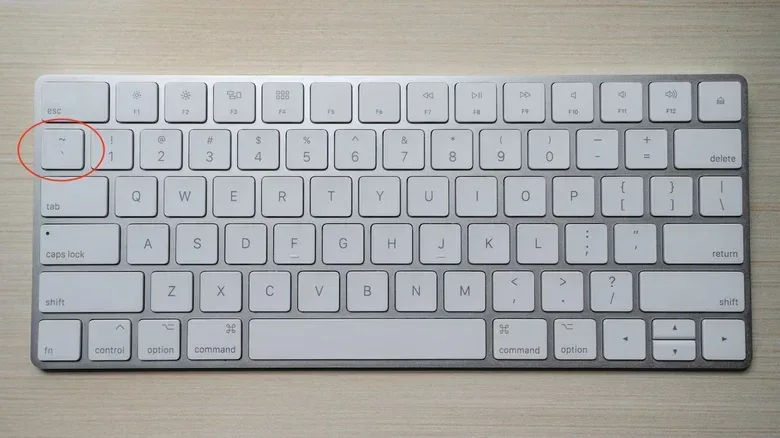
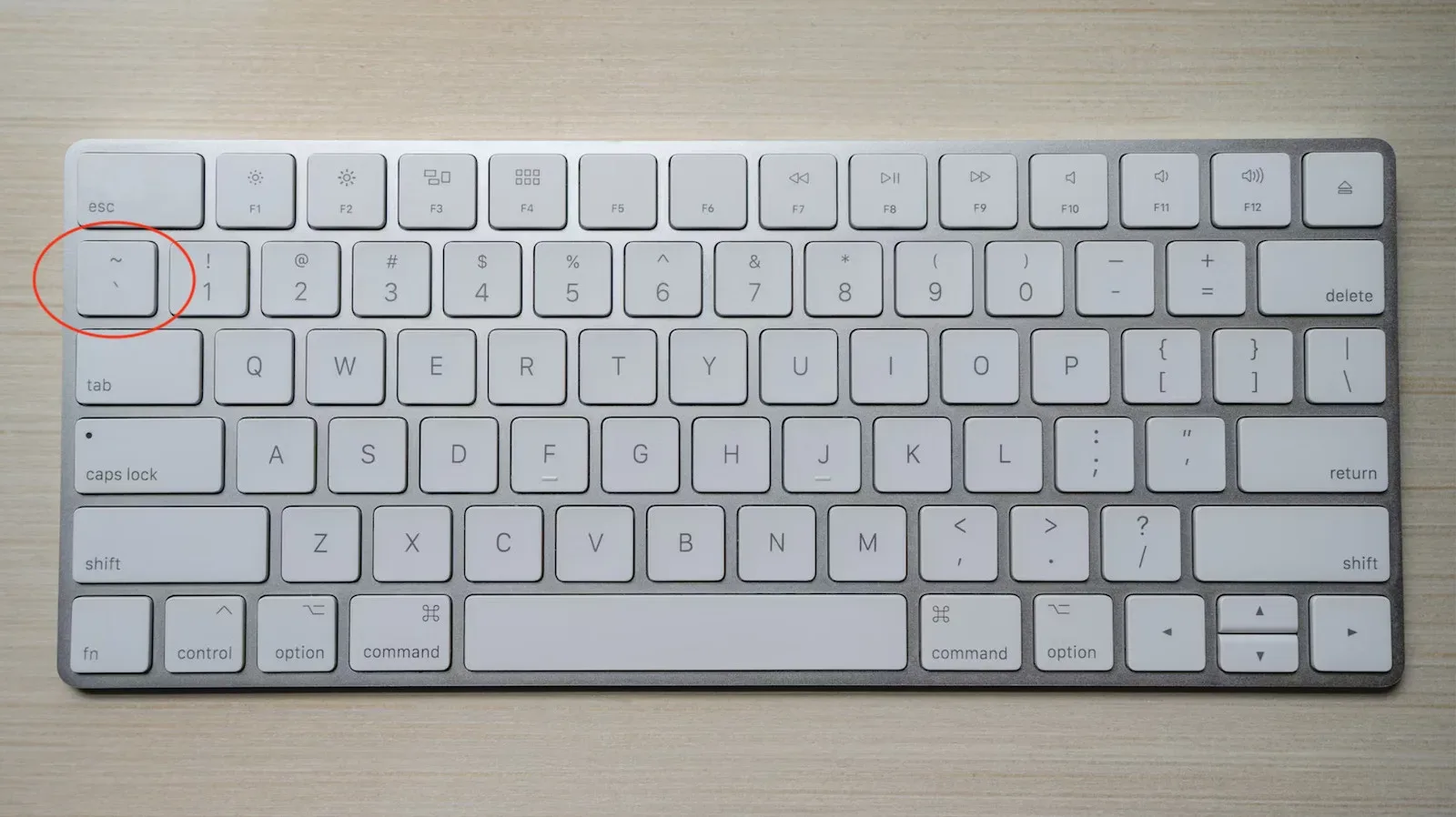
On many keyboards, the tilde—~—sits in the easily ignored space to the left of the 1 key. Outside programming, it can mean “approximately,” and it appears as a diacritic in languages including Spanish and Portuguese. In code, though, that small symbol can carry instructions with consequences far larger than its size suggests.
Its meaning is not universal. A tilde is one of those programming symbols whose job changes with the language and the context around it. In one place it can perform an operation on binary data. In another, it is associated with an object’s cleanup routine. In a stylesheet, it can help change the look of a set of interface elements. That flexibility is why a key that has been present on computer keyboards since 1965 remains relevant in modern development.
For games, the practical connection is straightforward: software performance and presentation are made from many small systems working together. Binary operations can be useful in low-level or performance-minded tasks. Resource cleanup is central to keeping memory available as a game runs. CSS selectors are more at home in web interfaces than conventional game engines, but they can still be relevant to browser games, launchers, storefronts and settings pages.
This is not a claim that every press of ~ makes a game faster, prettier or more stable. It is a reminder that familiar keyboard punctuation often represents compact technical concepts—and that the same mark can mean radically different things in different parts of a project.
~ as a bitwise NOT operator
One prominent use of the tilde is the bitwise NOT operator. It appears in JavaScript, C, C++, Python and other languages. “Bitwise” means it works with the individual binary digits, or bits, that make up a value. Each bit is either 0 or 1.
The operation flips every bit: 0 becomes 1, and 1 becomes 0. In the simple example 0010, applying bitwise NOT produces 1101. The important point is that this is a transformation of binary representation, not a general-purpose visual-effect button. What the resulting value means depends on the language, the data type and the surrounding code.
That distinction matters because programmers often encounter the word “NOT” in several forms. A logical NOT generally deals with a true-or-false condition. Bitwise NOT instead acts across the bits of a number. They may share the idea of reversal, but they work at different levels. The tilde is specifically associated here with the bit-level version.
Binary manipulation has long been useful when programmers need compact, direct operations. The supplied background notes that it was used when generating older video-game graphics, including as a quick route to invert colours. Inverting colours is an intuitive illustration of the broader idea: if values encode colour information, flipping their relevant binary components can produce an opposite-looking output.
Related coverage includes Why the Tilde Key Matters in Programming and Game Development.
There are other cited uses as well, including file indexing and finding missing elements in strings. But developers should not read that as a promise that ~ has one identical effect everywhere. Programming languages define their own rules and libraries, and a technique appropriate for one task may be unsuitable in another. The enduring utility is the ability to express a bit-level inversion concisely where that operation is actually needed.
What about two tildes?
A double tilde, ~~, is also seen in code. In the supplied material, it is described as a common way to truncate decimal values. Truncation means removing the fractional portion rather than rounding to the nearest whole number. So it is a different goal from a bitwise inversion, even though it is written with the same character twice.
That is a useful example of why symbols alone do not explain code. A reader needs to know the language and the expression being evaluated. Two adjacent tildes may look like emphasis or decoration to a non-programmer; to a programmer, they indicate a deliberate idiom whose behavior should be understood before it is used in production work.
The tilde and memory cleanup
The tilde also appears in the discussion of class destructors, particularly in C++-style object management. A destructor is a special function connected to an object or class that runs when the object is deleted. Its purpose is cleanup: releasing resources and freeing allocated memory. Conventionally, it is written with a tilde before the class name.
That sounds abstract until it is placed in a game. A game world can contain enemies, projectiles, interface windows, visual textures and physics-related data. Not all of those things need to remain active forever. When an object is no longer needed, its related resources should be handled appropriately rather than being allowed to consume memory indefinitely.
The supplied material identifies objects leaving a player’s field of view as a game-development example. The broad performance concern is easy to understand. Large worlds continually change as the player travels. If assets attached to discarded objects keep occupying memory despite no longer being required, the system can become burdened. That burden can contribute to slower operation.
Memory, in this context, is working space the program uses while it is running. Allocated memory is memory reserved for a program’s data or objects. Cleanup is not the same as deleting files from a player’s storage drive; it concerns the resources the running game has claimed and no longer needs.
Destructors are therefore part of a wider discipline of managing an object’s lifetime. The tilde does not itself erase a whole game world. Instead, it marks a language feature associated with a particular cleanup point in an object-oriented program. The actual resources involved—such as texture buffers, physics-related data or associated components—depend on how the project was built.
For players, successful cleanup is largely invisible. They are more likely to notice the opposite: a game that slows down, becomes unstable or struggles as more activity accumulates. For developers, that makes lifecycle code unglamorous but fundamental. It is the plumbing behind the experience, especially in games that must constantly add, remove and update objects.
The same concern provides useful context for broader PC gaming discussions, including the hardware and capacity decisions examined in why an older graphics card can remain common among Steam users. Hardware capability matters, but software also has to use the resources available to it sensibly.
~ in CSS: selecting related interface elements
The tilde’s third role is far removed from binary math and object cleanup. In CSS, it can be used as a general sibling selector. CSS, short for Cascading Style Sheets, is the language used to define the visual presentation of websites and web interfaces.
A selector tells CSS which elements it should target. With the general sibling selector, a tilde helps select matching elements that come after another element in the same grouping. The material describes this as a way to target all matching following elements even when they are not positioned directly next to the first one. That makes it useful for batch visual changes across an interface.
It is worth separating this from the adjacent sibling selector, which uses +. The adjacent form applies only to the matching element immediately following the first. The tilde-based form is broader: it can reach matching later siblings rather than just the next one. The difference is small on the keyboard and potentially substantial in a page layout.
For a conventional game engine’s core rendering or gameplay logic, CSS is not generally the main tool. The supplied information specifically notes that most engines do not use it for those core jobs. Its value shows up more naturally in web-based games and game-adjacent interfaces: launchers, store pages and settings menus are all examples where web styling can be relevant.
That makes the selector a presentation tool rather than a gameplay mechanic. It can help a team update visual states or styles efficiently, but it does not determine enemy behavior, calculate physics or render a typical engine-driven 3D world. Knowing the boundary helps avoid a common mistake in technical conversations: treating every technology used around games as if it runs the game itself.
One key, three very different jobs
The tilde is a compact lesson in how programming languages reuse punctuation. In a bitwise expression, it means invert bits. Before a destructor name in C++-style code, it signals object-lifecycle cleanup. Between CSS selectors, it describes a relationship between interface elements.
Those meanings have a shared visual symbol, not a shared function. Context decides everything: language, placement and the code around it. That is why copying a symbol-based trick from one environment to another without understanding it is risky, while learning its local meaning can reveal a surprising amount about what a system is doing.
For players, the key may never be more than the character beside 1. For programmers, it can be part of the invisible work behind resource management, binary operations and the interfaces surrounding a game. Small key; decidedly non-small implications.