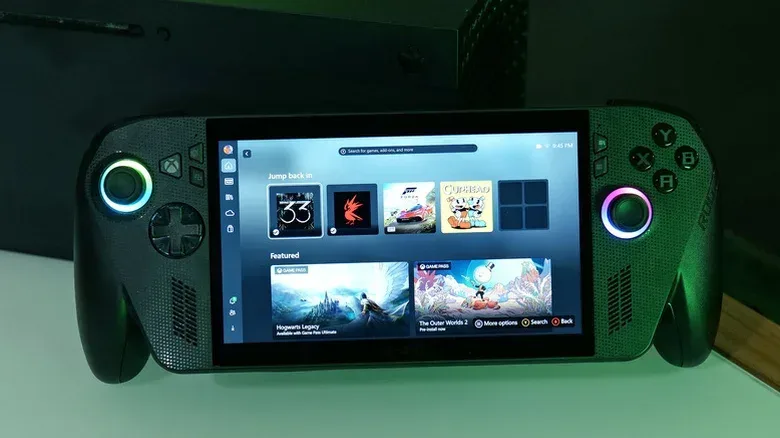
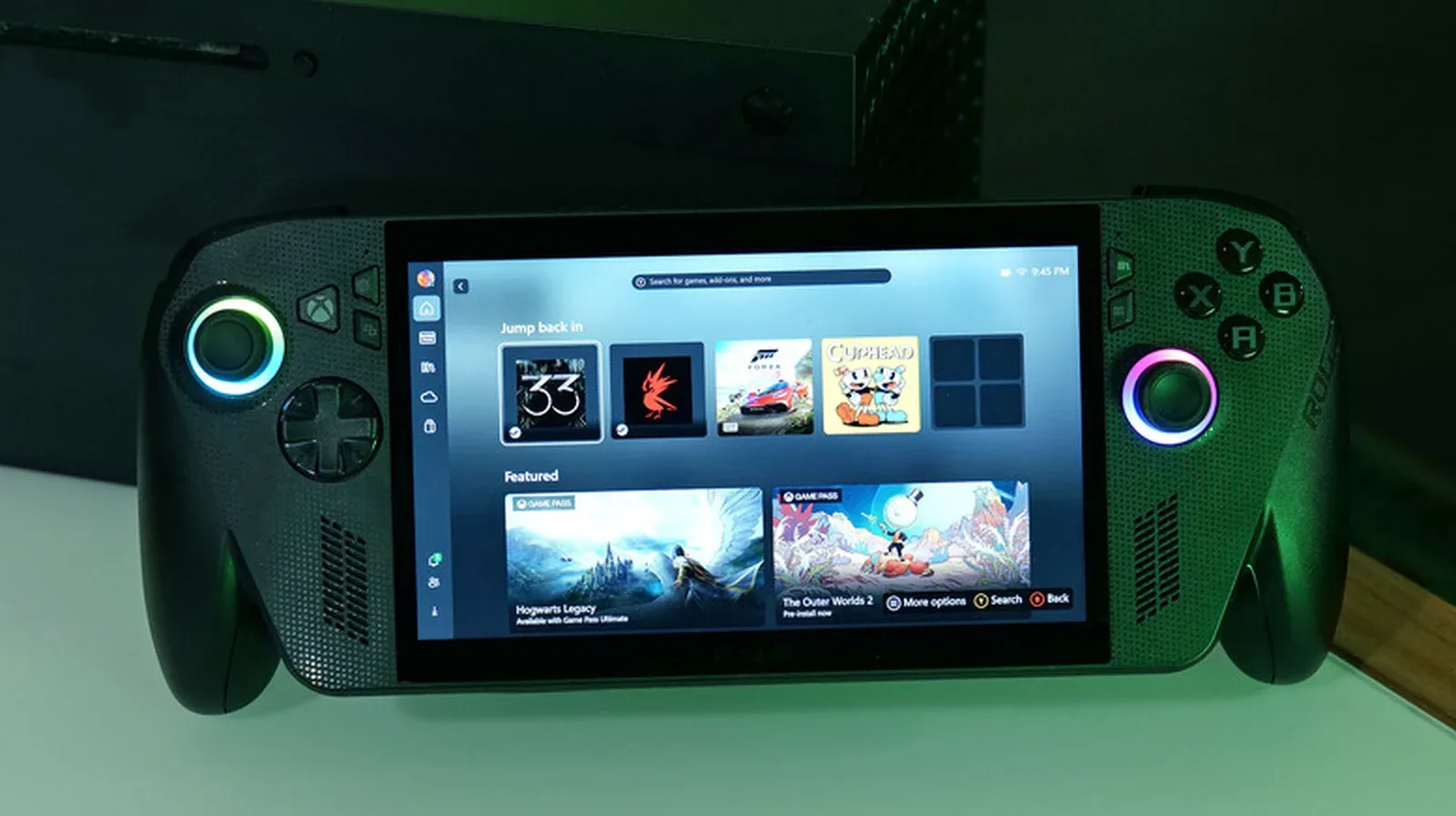
Microsoft’s Automatic Super Resolution, or Auto SR, is moving beyond its test phase for the ROG Xbox Ally X. The upscaling feature is officially rolling out for the handheld, the ROG Xbox Ally X20 and select Windows Copilot+ PCs powered by AMD Ryzen.
The headline change is not simply that Auto SR is now considered an official feature. The shipping version also works while the compatible handhelds are undocked. That marks a meaningful shift from the preview build, which did not support handheld play. For a device designed to move between a TV and its own built-in screen, bringing the technology to both situations makes its purpose much clearer.
Auto SR is Microsoft’s answer to game-focused upscaling technologies such as NVIDIA DLSS. In simple terms, upscaling starts with a game running at one resolution and uses processing to present an image at a higher output resolution. The intended result is a sharper-looking image without demanding that the hardware render every frame natively at the higher resolution.
That balance matters on handheld gaming PCs. They have to handle modern games within much tighter performance and power constraints than a typical desktop system, whether they are connected to a large display or played in the palms of someone trying to finish “one more quest” before their arms fall asleep.
What Auto SR is intended to do on a TV
When the handheld is docked, Microsoft says Auto SR can deliver 1440p-like detail with smooth frame rates on larger displays. Put another way: a game can be upscaled to as much as 1440p when played on a TV, with the aim of making the picture appear sharper.
Resolution describes the number of pixels used to form an image. A higher resolution can make fine image detail look clearer, particularly on a larger screen where imperfections and softness can be more noticeable. “1440p-like” is important language, though. It describes the intended visual result of an upscaled presentation, not a statement that every game is being rendered natively at 1440p.
That distinction is central to how upscaling tools are normally evaluated. Image quality is only one part of the equation. The other is performance: how smoothly a game moves, how consistent its frame delivery feels and whether the chosen settings suit the game being played. Auto SR is designed to help navigate that trade-off, rather than abolish it altogether.
Handheld support is the practical upgrade
Microsoft originally positioned Auto SR around the docked use case, but it has also made the feature available in handheld mode following demand for it. The company says the technology can help smooth out games that feel choppy when played on the go.
This is likely to be the more immediately interesting part of the rollout for many ROG Xbox Ally X owners. A docked session focuses on making good use of a larger external screen. Handheld play has a different priority: getting a demanding game to look respectable and feel responsive on the device in front of you, without a trip through every graphics menu becoming a required side quest.
There is an important caveat. Microsoft warns that using 1080p in handheld mode may not offer the best performance compared with other configurations. The company still expects visual-quality gains, particularly in older games, but users should not interpret the new feature as a universal promise that every title will both look better and run best at the same settings.
That is a sensible warning. Games vary widely in their demands and in the way their own graphics options interact with system-level features. Auto SR can be a potentially helpful tool, but it does not make game-by-game settings decisions disappear.
1080p is now part of the default path
Another notable change concerns how Auto SR is engaged. The official version works with games running at 1080p by default, which covers most games played on the ASUS handhelds. During the preview period, users needed to reduce a game’s resolution before the feature could activate.
Removing that preliminary resolution change should make the feature less fiddly to use. It is also significant because 1080p is a familiar baseline for PC game settings and external displays. A feature that requires fewer manual detours is more likely to become part of normal play rather than something reserved for technical experimentation.
The practical takeaway is modest but useful: players will no longer have to lower a title’s resolution merely to let Auto SR switch on. That does not mean every 1080p handheld configuration will be optimal, as Microsoft’s own performance caution makes clear. It does mean the feature is being integrated around a more common default setup.
Performance Mode raises the frame-rate ceiling
Microsoft is also expanding Auto SR’s performance potential. The preview version was limited to frame rates between 60 and 75 frames per second, while the new version can reach up to 120 fps. Microsoft calls this higher-frame-rate capability Performance Mode.
Frames per second, often shortened to fps, measures how many individual images are displayed each second. Higher frame rates can make motion appear smoother. In fast-paced games, that can also make rapid camera turns and moving targets easier to follow visually. Microsoft specifically points to shooters and competitive games as genres where the improvement can be especially noticeable.
“Up to 120 fps” should be read as a ceiling, not a guarantee. The eventual result depends on the game and its settings, alongside the broader hardware and configuration involved. Still, expanding the feature from a 60-to-75 fps range to a possible 120 fps substantially changes its ambition. Auto SR is not being framed only as a way to make an image look crisper; it is also being positioned as part of a smoother-play experience where the game can support it.
Performance Mode and HDR support are set to arrive through future Windows updates. That rollout structure matters for anyone parsing the announcement: Auto SR itself is officially rolling out now for the named hardware, while the higher frame-rate capability and HDR additions are not described as immediately available.
HDR support is on the roadmap
HDR, short for high dynamic range, is another planned Auto SR capability. HDR concerns the range between dark and bright parts of an image and can improve the presentation of contrast and highlights when the game and display support it.
Its planned inclusion broadens the visual goals of Auto SR beyond resolution alone. Sharpness, smoothness and dynamic range are separate parts of the viewing experience, and each can affect how a game reads on a television or handheld display. But it is worth keeping the timing straight: HDR support is attached to future Windows updates, alongside Performance Mode.
The staged approach also means owners should watch what arrives in their Windows updates rather than assume every feature described under the Auto SR umbrella will become active simultaneously.
What the rollout means for Windows handheld gaming
This release is part of a wider push to make PC games fit more gracefully on compact, console-style hardware. A Windows handheld can access a large PC game ecosystem, but that flexibility comes with a familiar complication: performance settings often need attention. Auto SR is meant to reduce some of the compromise between image quality and fluidity, particularly across docked and portable scenarios.
It also arrives in a PC gaming environment where larger releases continue to reach broader audiences; Square Enix’s recent sales update tied momentum to a wider release for Final Fantasy 7 Rebirth, illustrating why practical display and performance features remain relevant to players choosing where and how to play.
Auto SR does not eliminate the need to make sensible settings choices. Microsoft explicitly notes that 1080p handheld performance may be less optimal than other setups. Nor does “1440p-like detail” mean native 1440p rendering. Those limits are not a failure of the idea; they are the reality of an upscaling feature working to balance competing demands.
What has changed is the feature’s scope. Auto SR has gone from a preview limited away from undocked play to an official rollout that supports both TV play and handheld use, works with games at a common 1080p default, and has further performance and HDR improvements scheduled through Windows. For ROG Xbox Ally X and ROG Xbox Ally X20 users, that makes it a more relevant option whether they are plugged into a larger screen or gaming away from the dock.