Adobe Premiere on mobile has added hundreds of thousands of tracks licensed from Universal Music Group and Warner Music Group, giving short-form video creators a much more recognizable music library inside the editing app itself. The tracks are initially available in the United States, Canada, Australia and New Zealand, and the app is geared toward videos made for services including YouTube Shorts, TikTok and Instagram Reels.
It is a meaningful addition for anyone who starts with an idea, clip or game moment and then builds the edit around a song. Adobe said a June survey it funded, conducted by Berklee College of Music, found that 83.7% of creators have built a video around a selected track. Until now, that workflow could mean leaving the editing app, settling for royalty-free audio, or taking on the uncertainty of using a song without clear permissions.
Premiere mobile’s new catalog does not make every use of a major-label song automatically safe or commercial-ready. The essential detail is that the UMG and WMG music is licensed for personal, non-commercial use. Adobe says the music has, in most cases, been cleared for use on YouTube Shorts and other platforms. But a creator making sponsored posts, paid client work, advertising or another project requiring commercial rights should not assume this catalog covers that use. Adobe points those users toward Adobe Stock Audio for commercially licensed music.
What Premiere mobile users can do with the new catalog
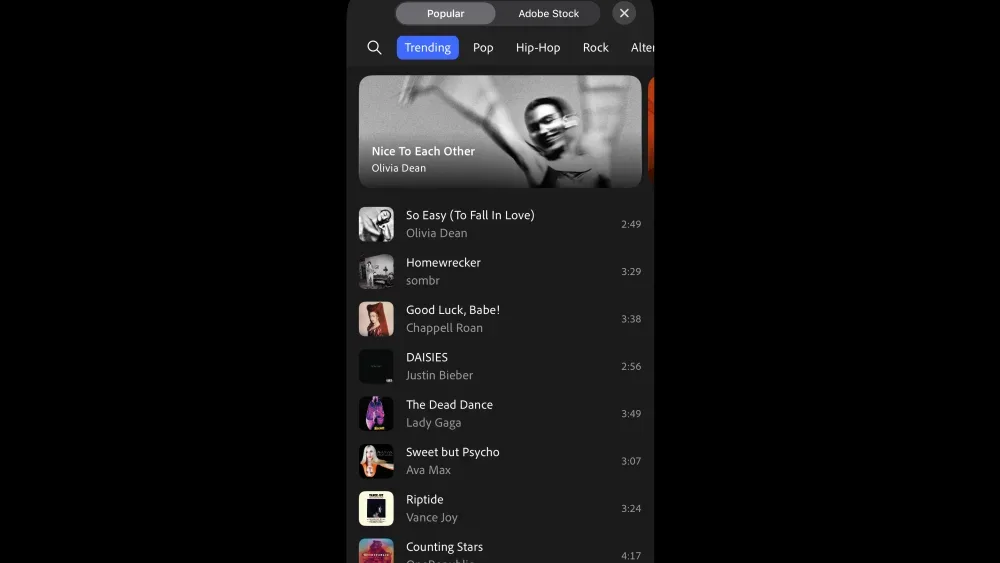
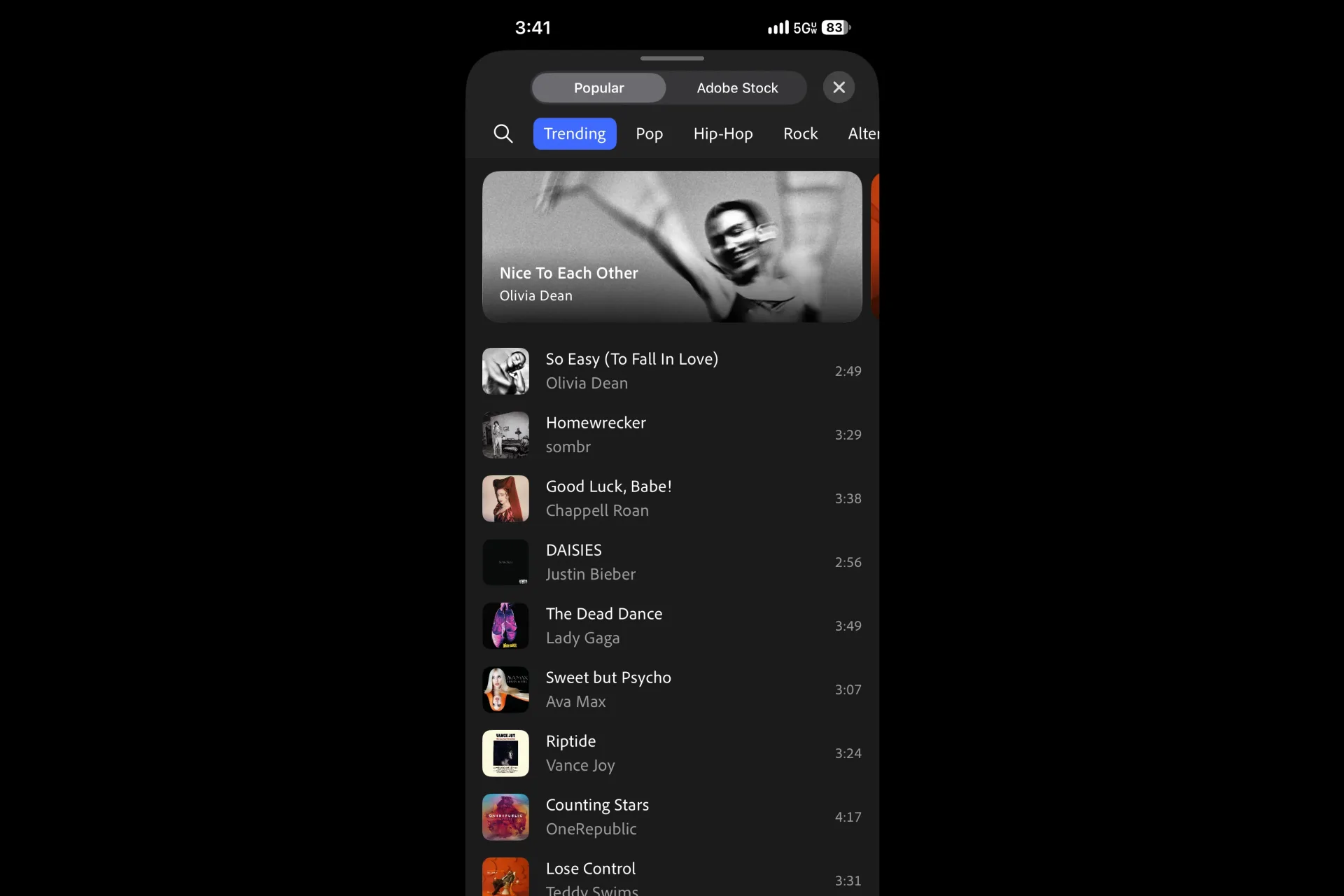
The integration is designed to keep music selection inside the edit. Users can search and preview songs by artist or track name, filter selections by genre and duration, save favorites, and browse label-featured collections. After choosing a song, they can put up to 60 seconds of it directly into a video. Adobe also offers customizable templates paired with music.
That 60-second ceiling matters. It defines what is being offered: a tool for clips and short-form storytelling, rather than a substitute for full-song video licensing. Creators should plan an edit around the permitted excerpt, whether that means cutting to a hook, matching a fast sequence of gameplay highlights to a verse, or using a transition point that works within the available duration.
Examples available at launch include Olivia Dean’s So Easy (To Fall In Love), Sombr’s Homewrecker, Chappell Roan’s Good Luck, Babe!, Justin Bieber’s Daisies, Lady Gaga’s The Dead Dance, Ava Max’s Sweet but Psycho, Vance Joy’s Riptide, OneRepublic’s Counting Stars, and Teddy Swims’ Lose Control.
For editors, the practical advantage is not merely that familiar tracks are present. It is that search, preview, selection and placement happen in one creative environment. Adobe’s Jay LeBoeuf, head of AI audio for creators, said the company had not previously built this kind of music capability and described the goal as giving users an approved route to work with music and artists they already know.
Personal use is not the same as commercial clearance
Music licensing is often confusing because “licensed,” “cleared,” “royalty-free” and “commercial use” describe different things. In this case, the supplied license is specifically for personal, non-commercial use in Premiere mobile. That is the baseline a user should work from.
- Personal, non-commercial use: the defined use covered by the UMG and WMG catalog in Premiere mobile.
- Commercial use: projects that require commercially licensed music, for which Adobe says creators can continue using Adobe Stock Audio.
- Platform clearance: Adobe says that, in most cases, the new music has been cleared for YouTube Shorts and other platforms. This does not erase the stated personal-use limitation.
- Royalty-free music: an alternative many creators have used when copyright issues make mainstream music impractical. It should not be treated as a synonym for the new label catalog.
The sensible workflow is to decide the nature of the project before choosing its soundtrack. If the video is personal and non-commercial, Premiere mobile’s new catalog may be the appropriate starting point in the launch regions. If the work needs commercial rights, the app’s Adobe Stock Audio option is the more relevant path. This distinction is especially important for creators who move between personal posts and paid projects; an edit’s music choice should not be an afterthought once the rest of the production is complete.
The announcement also makes a restrained claim about external platforms: “in most cases” is not a promise that every track, territory, account or publishing situation will work identically. Availability begins in four countries, and Adobe is seeking further licensing arrangements with other rights holders. A creator should therefore treat the in-app catalog, current territory and stated use category as the operative boundaries rather than assuming a worldwide, universal music pass.
Why the change matters to gaming clips and creator edits
Short gaming videos are often built on pacing: a clutch play, an unexpected physics glitch, a boss takedown or a montage needs a musical beat that gives the footage shape. A known song can influence the timing of cuts and captions as much as it affects the atmosphere. Adobe’s survey result speaks to that process: many creators select music early enough that the chosen song becomes part of the structure of the video.
That makes native music access more valuable than a simple final-step audio overlay. An editor can browse a track, use its duration and mood to guide a template or sequence, then make the video’s visual rhythm work around the selected portion. The app’s genre and duration filters are small but relevant tools in that context; they can narrow a very large library toward a track that fits the intended clip.
Premiere mobile itself remains a free download with no inserted watermark. Alongside its video-editing features, Adobe highlights Enhance Audio, a tool intended to reduce distracting background noise, and Firefly-powered AI functions for creating visual assets. Credits can be bought for generative-AI images, video and sound effects made with Firefly. Those are separate from the addition of UMG and WMG music, but together they show Adobe’s broader attempt to make a phone-based editing workflow cover more of the work that happens before publishing.
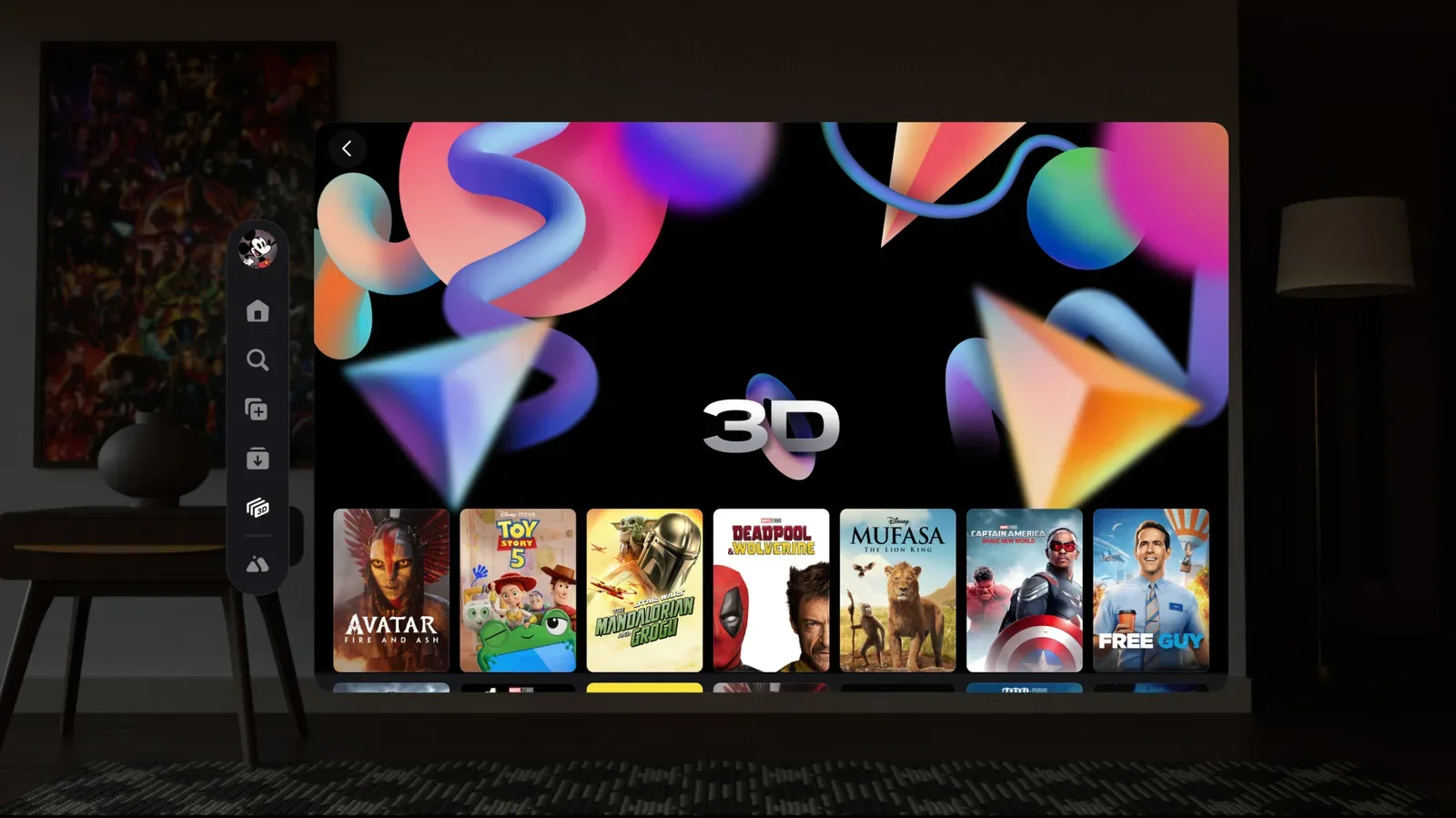
For creators who also follow platform and media tools, Adobe’s effort sits alongside changes in the ways video can be viewed and shared; Disney+’s expanded Meta Quest viewing options are another example of entertainment companies adapting experiences for newer digital formats and devices. Premiere mobile’s focus is earlier in the chain: helping users make the short videos that circulate through social feeds.
A direct relationship between labels and a creative app
The UMG arrangement is notable because the music company described Premiere mobile as the only creative application it has licensed in this manner without a social component. In other words, the music is being integrated into an editing tool rather than being licensed only at the point where users post to a social network.
That distinction helps explain why the deal is significant. The edit is where creators decide whether a moment fits a trend, whether a chorus deserves the big reveal, and whether the video feels worth finishing. Putting music at that point in the process gives artists and songwriters another route to audiences, while giving creators an approved option before they export or publish.
Warner Music Group framed the arrangement around the fact that engagement with music extends beyond conventional listening services. That is visible in everyday short-form video behavior: songs can be discovered through a clip, associated with a repeated format, or become the organizing element of a set of edits. Adobe’s LeBoeuf similarly argued that popular music is scarce in the sense that a particular song can be central to a trend; not every available track has the same cultural recognition or creative pull.
That does not mean the new catalog eliminates every rights question. It does mean that a large set of music from two major music groups is now available through a defined license in a mobile editing environment, rather than relying on users to navigate that gap on their own. The constraints are part of the product, not fine print to ignore: four initial markets, selections of up to 60 seconds, personal non-commercial use, and the need for a different music option when commercial licensing is required.
What to check before building an edit around a song
- Confirm where you are using the app. The initial music availability is limited to the U.S., Canada, Australia and New Zealand.
- Classify the project first. Determine whether it is personal and non-commercial or whether it needs commercial music licensing.
- Keep the audio plan short-form. The app allows up to 60 seconds to be added directly to the video.
- Use in-app discovery tools deliberately. Search by artist or song, preview options, filter by genre or duration, and bookmark tracks that fit a future idea.
- Do not blur catalog types. The label music and Adobe Stock Audio serve different licensing needs as described by Adobe.
For now, the core benefit is clear: Premiere mobile users in the initial regions have a much larger, recognizable pool of music to consider while they are editing. The equally clear limitation is that recognition does not equal unrestricted use. Creators who respect the license category from the beginning can take advantage of the new tool without treating “available in the app” as a blanket answer to every publishing or business-use question.