Grand Theft Auto VI is officially scheduled to launch on November 19, 2026, for PlayStation 5 and Xbox Series X|S. Rockstar has not announced a native phone, tablet or PC version for launch.
That does not mean every player must sit in front of a console. Xbox has confirmed that GTA VI will be available through Xbox Cloud Gaming at launch, while the PlayStation listing confirms Remote Play support. Those options can put the game on additional screens, but neither one is the same as installing a native mobile or PC version.
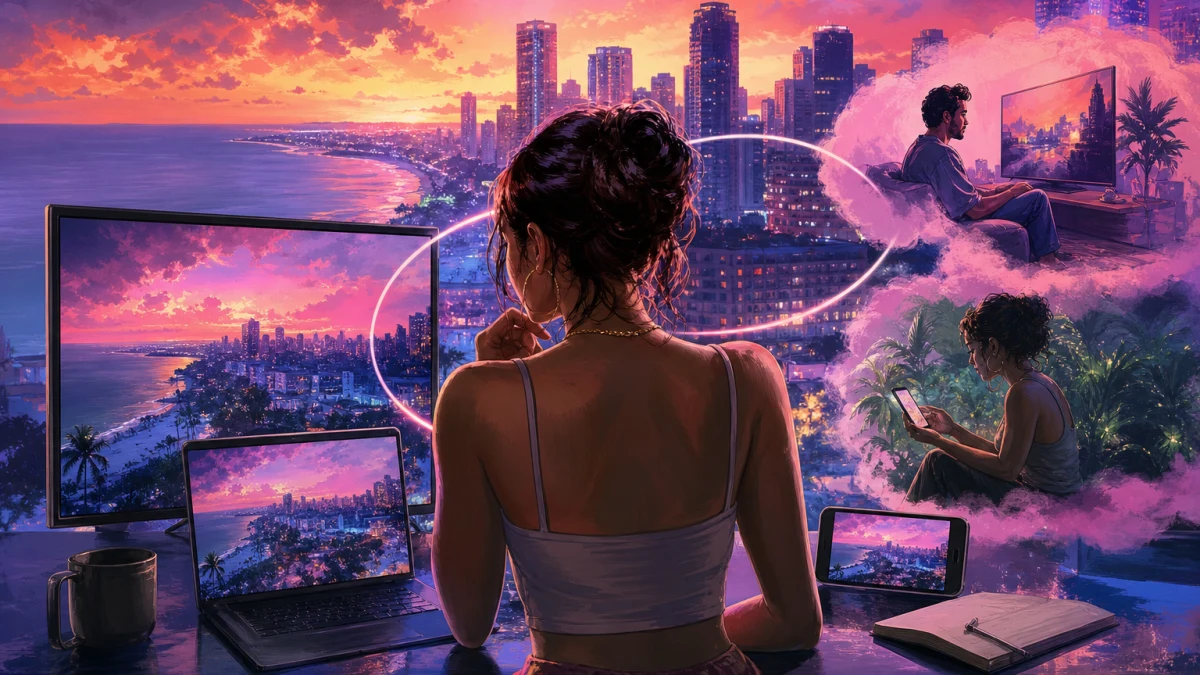
The practical answer depends on the device and the ecosystem you use. Xbox Cloud Gaming is the broadest official route for compatible phones, tablets, computers, Xbox One consoles and supported televisions. PlayStation owners can use Remote Play to send a PS5 copy to phones, tablets, computers, Android TV devices and PlayStation Portal. Both methods require the game, compatible hardware and a suitable connection.
Evidence note: Rockstar has not announced a native PC, phone, tablet or smart-TV version of GTA VI. This article discusses confirmed Xbox Cloud Gaming and PlayStation Remote Play options. Any future native port or additional cloud service remains unconfirmed.
The short answer: GTA VI’s confirmed local platforms are PS5 and Xbox Series X|S
Rockstar’s official Grand Theft Auto VI page lists PlayStation 5 and Xbox Series X|S as the launch platforms. The page does not list Windows PC, macOS, iOS, Android, Xbox One installation or a native smart-TV edition.
That distinction matters because “playing on PC” can describe several different experiences. Installing a Windows build would be a native PC release. Opening Xbox Cloud Gaming in a browser or supported app would stream the Xbox version from Microsoft’s servers. Using PlayStation Remote Play would stream an installed PS5 copy from the player’s own console. Only the first option would be a native PC version.
For launch planning, buyers should treat PS5 and Xbox Series X|S as the confirmed local platforms. Phones, tablets, computers, TVs and handheld-style devices are possible destinations for streamed gameplay, but their access depends on Xbox or PlayStation service requirements rather than on a native GTA VI build for each device.
- Confirmed local platforms: PS5 and Xbox Series X|S.
- Not announced by Rockstar for launch: native PC, phone, tablet or smart-TV versions.
- Cloud Gaming and Remote Play are streaming methods, not native ports.
Xbox Cloud Gaming is the clearest route to phones, PCs and supported TVs
Xbox has announced that GTA VI will be playable through Xbox Cloud Gaming on November 19, 2026. Xbox says streaming begins at 1 a.m. Eastern Time on launch day. Microsoft also warns that cloud availability, purchasing options, supported devices, account eligibility and features can vary by market and device.
This means a supported phone, tablet, PC or television can potentially display GTA VI without storing the full game locally. The game is hosted in the cloud, while the device receives the video stream and sends controller input back to the service.
Xbox One owners are included in the launch announcement, but the wording is important: GTA VI is not receiving a native Xbox One installation. Xbox One access is through Xbox Cloud Gaming. Xbox Series X|S owners can install GTA VI locally or use cloud streaming.
Xbox says the cloud version uses Xbox Series S graphics settings when streamed. That describes the underlying console configuration, not a guaranteed resolution, frame rate, latency level or image-quality result on every connection. Actual results can vary with network conditions, congestion, display hardware and the receiving device.
- Xbox One: cloud streaming, not a native installation.
- Xbox Series X|S: local installation or cloud streaming.
- Phones and tablets: possible through supported Xbox Cloud Gaming access.
- PC access through the cloud is different from a native PC release.
- Smart-TV access depends on supported hardware, software and region.
Do you need Game Pass to stream GTA VI?
Xbox’s GTA VI announcement says the game must be purchased separately for cloud play. It also says players in supported markets can buy cloud playtime without a Game Pass subscription. Xbox’s general cloud-gaming page now describes several access methods, including purchased cloud playtime and Game Pass plans, but the available method can vary by market, account and game.
That makes two assumptions unsafe. Owning Game Pass should not automatically be treated as including GTA VI, and not having Game Pass should not automatically be treated as blocking every cloud-play option. The purchase and cloud-access terms shown for the user’s local Microsoft account are the information that matters.
The safest sequence is to check the GTA VI listing in your region, confirm that the game is cloud playable for your account and device, and then review whether cloud playtime must be purchased separately. Microsoft’s general device list is not, by itself, a promise that every listed screen will support GTA VI at launch.
- Expect to purchase GTA VI separately for Xbox Cloud Gaming.
- Do not assume every Game Pass tier includes the game.
- Check regional cloud availability and account eligibility.
- Do not assume a compatible Xbox cloud device guarantees GTA VI access in every market.
Which phones, tablets and computers can use Xbox Cloud Gaming?
Xbox describes Cloud Gaming as supporting selected phones, tablets, PCs, handhelds, smart TVs and streaming devices. Microsoft’s service pages direct players to the supported-device list and note that available games vary by region, device and cloud-play method.
That creates an official route to playing GTA VI on compatible mobile devices without suggesting that Rockstar has made an Android or iOS port. The phone or tablet functions as a display and input endpoint for a streamed game. It is not installing a mobile build of Grand Theft Auto VI.
The same distinction applies to a Windows laptop or desktop. Cloud access can make GTA VI playable through a supported Xbox app or browser-based setup, but that does not establish that Rockstar has released the game for Windows. A streamed session may also have different input and performance characteristics from a locally installed console game.
Xbox says cloud gaming generally requires a compatible controller unless a particular title supports touch controls. Xbox has not announced touch controls for GTA VI, so players should plan around a supported gamepad rather than assuming phone gestures will be available.
- Use a supported Xbox app or browser setup where Microsoft offers it.
- Plan on using a compatible controller.
- Check the exact device and region rather than relying only on a general list.
- Do not call cloud access a mobile or PC port.
- Do not expect touch controls unless Xbox specifically announces them.
Can you play GTA VI on a smart TV?
Potentially, yes, through Xbox Cloud Gaming on supported smart TVs or streaming devices. Xbox specifically advertises cloud gaming on selected televisions and streaming hardware, but support is not universal. The TV model, operating system, app availability, country and account can all affect access.
A smart-TV setup also requires a way to control the game. A normal television remote is not a substitute for the compatible controller normally required by Xbox Cloud Gaming. Players should check whether their television supports the Xbox app or whether an approved streaming device can provide the service.
The official evidence supports smart-TV streaming as an Xbox service option, not a separate GTA VI smart-TV release. If a television cannot run the required app or service, an approved streaming device may be an alternative, but its availability and compatibility must be checked separately.
PlayStation Remote Play can also put GTA VI on some television-based devices, but it works differently. It sends the game from a player’s PS5 rather than running a TV-native version of GTA VI in the cloud.
- Confirm Xbox Cloud Gaming support for the exact TV model or streaming device.
- Use a compatible controller.
- Expect service and regional limitations.
- Do not interpret TV streaming as a native smart-TV edition.
PlayStation Remote Play sends a PS5 copy to other screens
The official PlayStation listing confirms that GTA VI supports Remote Play. Sony’s Remote Play documentation explains that compatible PlayStation games can be streamed from a PS5 to a phone, tablet, laptop, desktop computer, Mac, Android TV device or PlayStation Portal.
The important word is “from.” Remote Play requires a PS5 console hosting the session. The receiving device does not get a separate native copy of GTA VI. It displays and controls the game running on the PS5.
Sony says the console must be connected to a broadband network, and the PS5 must be powered on or configured for remote access through Rest Mode. Remote Play can work over Wi-Fi or mobile data, but the connection remains necessary even though the game itself is installed locally on the console.
The PS5 listing’s offline-play label does not turn Remote Play into an offline mobile or PC mode. Remote Play still needs the connection between the client device and the PS5. A weak connection can affect responsiveness and image quality even if GTA VI is installed correctly.
- Buy and install GTA VI on a PS5.
- Enable Remote Play and configure the console for remote access.
- Use a supported phone, tablet, PC, Mac, Android TV device or Portal.
- Keep the PS5 connected and available through power or Rest Mode.
- Remember that Remote Play is console streaming, not a mobile or PC port.
Can you play GTA VI on PlayStation Portal?
Yes. The documented PlayStation route is Remote Play from a PS5. Portal can stream compatible games installed on the user’s PS5, so GTA VI access through Portal depends on owning the PS5 version, having a PS5 available and maintaining a suitable network connection.
Portal should not be confused with a standalone GTA VI cloud version. In the Remote Play setup, the PS5 runs the game and Portal displays and controls that session.
Sony also documents a separate cloud-streaming feature for select games through PlayStation Plus Premium, but the official GTA VI listing and Remote Play documentation support the PS5-based route described here. Players should not assume that Remote Play support automatically means GTA VI is available as a PlayStation cloud-native title.
- Portal access through Remote Play requires a PS5 copy of GTA VI.
- The PS5 remains the host system.
- Portal is not evidence of a native handheld version.
- A reliable network connection is required.
Cloud Gaming versus Remote Play: the important difference
Cloud Gaming means the game is hosted by a service provider. With Xbox Cloud Gaming, the supported device connects to Microsoft’s servers and receives the streamed Xbox experience. A compatible Xbox console is not required for the cloud session itself, although GTA VI must be purchased and the account must be eligible.
Remote Play means the game is hosted by a console owned or controlled by the player. With PlayStation Remote Play, the PS5 runs GTA VI and sends the session to another screen. The hardware requirements are therefore different even if both services look similar to the player.
Xbox’s cloud service and Sony’s Remote Play guidance both make clear that network conditions matter. Sony lists 5 Mbps as the minimum broadband requirement and recommends at least 15 Mbps for a better Remote Play experience. Those figures are general guidance, not a GTA VI-specific guarantee of a particular frame rate, resolution or latency result.
- Cloud Gaming: the provider hosts the session.
- Remote Play: your console hosts the session.
- Both methods need suitable network conditions.
- Neither method confirms a native PC or mobile build.
Launch access by device
The official information supports this practical comparison. It describes access methods, not guaranteed performance results.
- PS5: native installation confirmed; Remote Play supported.
- Xbox Series X|S: native installation confirmed; Xbox Cloud Gaming and Remote Play options are available through Xbox services.
- Xbox One: Xbox Cloud Gaming access confirmed; native installation is not confirmed.
- iPhone or iPad: Xbox Cloud Gaming may provide access on supported setups; PlayStation Remote Play can stream from a PS5.
- Android phone or tablet: Xbox Cloud Gaming may provide access on supported setups; PlayStation Remote Play can stream from a PS5.
- Windows PC: Xbox Cloud Gaming may provide access; PlayStation Remote Play can stream from a PS5. No native PC version has been announced by Rockstar.
- Mac: PlayStation Remote Play can stream from a PS5. Xbox Cloud Gaming availability should be checked through Microsoft’s current supported-device and browser information rather than assumed from the general device list.
- Smart TV or streaming device: Xbox Cloud Gaming is available only on supported hardware and in supported markets; PlayStation Remote Play can work through supported Android TV configurations.
- PlayStation Portal: Remote Play from a PS5 is the documented route.
- Steam Deck or another handheld PC: no native GTA VI version has been officially announced, and general cloud compatibility should not be treated as a specific launch promise.
What buyers should prepare before launch
For Xbox Cloud Gaming, check the GTA VI listing from the Microsoft account and country that will be used on launch day. Confirm that the chosen phone, tablet, PC, TV or streaming device supports Xbox Cloud Gaming, and have a compatible controller ready. A strong, stable connection is more important than simply meeting a device’s minimum specification.
For PlayStation Remote Play, install GTA VI on the PS5, enable Remote Play, keep the console connected and test the target device before launch. Sony’s guidance recommends at least 15 Mbps for a better experience and lists 5 Mbps as the minimum broadband requirement. Those numbers describe connection guidance, not a GTA VI-specific performance guarantee.
Local console installation remains the least ambiguous option. It avoids the additional streaming link, although updates and other services can still have their own requirements. Players choosing a streaming route should regard it as a convenience option rather than assuming it will reproduce the responsiveness of playing directly on the console.
- Verify purchase and cloud or Remote Play eligibility before launch.
- Pair and test the controller.
- Check the home network and target device.
- Configure PS5 Rest Mode if using PlayStation Remote Play.
- Do not promise yourself a particular frame rate, resolution or latency result from streaming.
What remains unconfirmed about PC and mobile versions
Rockstar has not announced a native PC version of GTA VI in its current official game page or launch material. That means there is no confirmed Windows or Mac release date to report. A later PC announcement remains possible, but possibility is not a launch fact.
The same boundary applies to phones, tablets, smart TVs and other handheld devices. Official streaming support does not prove that Rockstar is developing native builds for those platforms. Claims that cloud access is secretly a PC release, or that a phone can install the full game independently, go beyond the available evidence.
There is also no basis for treating a rumored PlayStation cloud-native edition as confirmed. The documented PlayStation option is Remote Play from a PS5. If Rockstar, Sony or Microsoft announces another platform or service, that announcement would change the comparison. Until then, buyers should use the officially documented routes.
- Native PC release: unannounced.
- Native iOS or Android release: unannounced.
- Native smart-TV release: unannounced.
- PlayStation cloud-native version: not established by the cited official material.
- Cloud and Remote Play access should not be used to fill those gaps.
At launch, GTA VI is a PS5 and Xbox Series X|S game with officially documented streaming alternatives. Xbox Cloud Gaming is the broadest route for players who want to use a compatible phone, tablet, computer, Xbox One or supported TV without installing the game locally. The game must be purchased separately, and cloud eligibility varies by market, account and device.
PlayStation owners can reach phones, tablets, computers, Android TV devices and Portal through Remote Play, but they need a PS5 with GTA VI installed and available through power or Rest Mode. That is console-based streaming, not a mobile or PC port.
So the answer is yes for some streaming setups, but no for a confirmed native phone, PC or smart-TV release. Choose the service based on what you already own: Xbox Cloud Gaming for provider-hosted access, or PlayStation Remote Play for streaming from your own PS5.
Sources
- Grand Theft Auto VI Official Site — Rockstar Games
- Pre-Load Grand Theft Auto VI Now — Rockstar Games
- Grand Theft Auto VI Comes to Xbox One and Xbox Series X|S Through Xbox Cloud Gaming on November 19 — Xbox Wire
- Xbox Cloud Gaming — Xbox
- PS Remote Play — PlayStation
- Grand Theft Auto VI — PlayStation Store