
PaRappa the Rapper — Strategy Guide (PlayStation, North American original release)
Practical, stage-by-stage strategy for the original North American PlayStation release of PaRappa the Rapper, SCUS-94183. Clear the six numbered campaign stages in order, learn the U Rappin' Meter and rhythm-line timing, replay cleared stages for COOL crowns, and unlock the KT & The Sunny Funny Band bonus by earning COOL on all six principal stages. Includes Practice, Stage Select, Replay, Easy Mode limitations, failure recovery, and an explanation that the original release has no built-in versus mode.

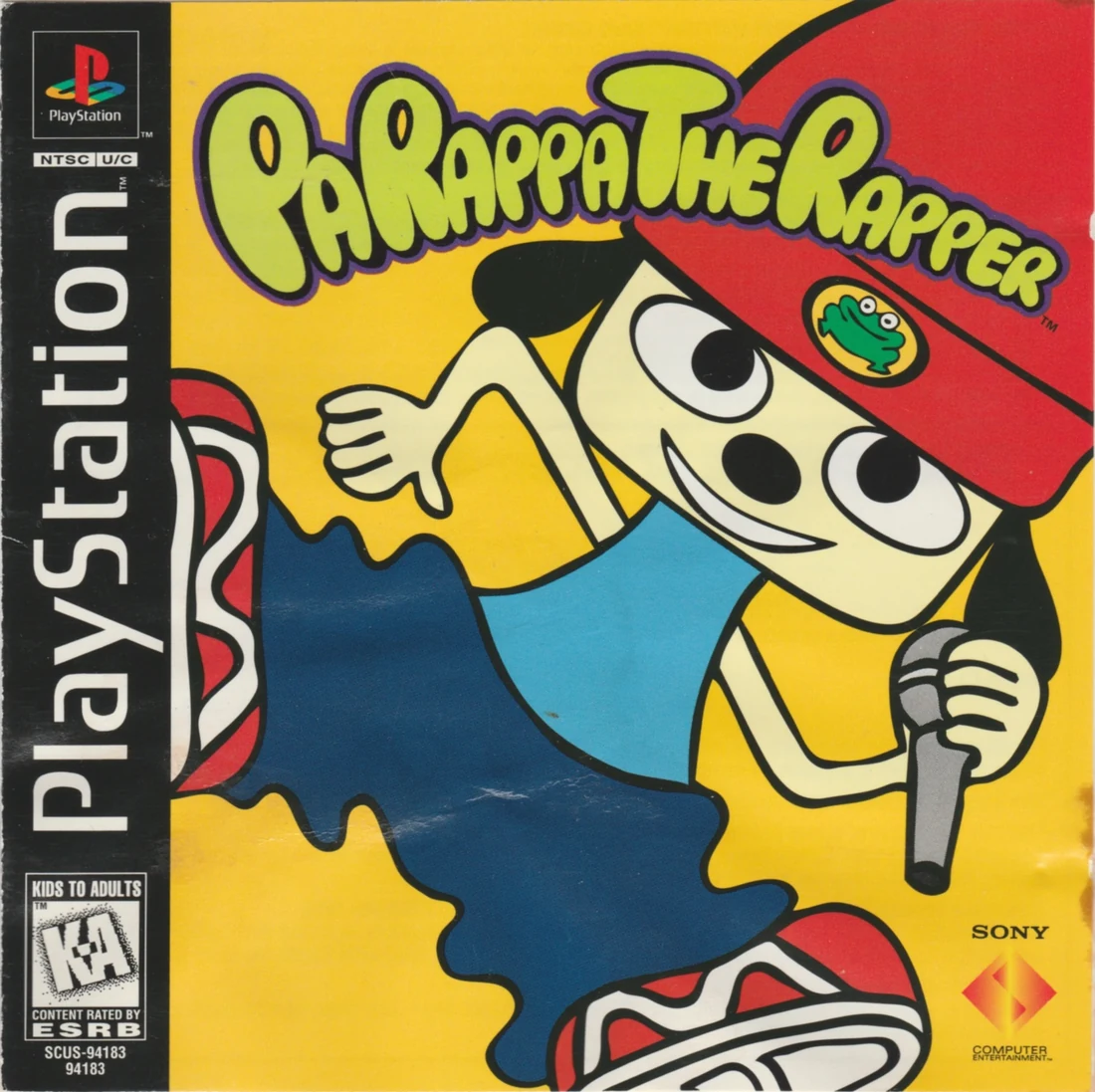
Find a copy
PaRappa the Rapper Sony PlayStation
We may earn a commission if you buy through these links, at no extra cost to you. As an Amazon Associate I earn from qualifying purchases.
Opens retailer search results. Check the model, edition, seller, availability and current price before buying.
Before you begin
PaRappa the Rapper is built around reading the Rhythm Bar, copying the teacher's timing, and deciding when a controlled freestyle is worth the risk.
This guide covers the original North American PlayStation release, SCUS-94183. It explains the six-stage campaign, the single U Rappin' Meter, Practice, Stage Select, Replay, and the optional COOL-crown bonus.
GOOD is sufficient for campaign progression. COOL is available on replay after a stage has been cleared and is required for the crown-based KT & The Sunny Funny Band unlock.
Use the stage instructions for safe first clears, then apply the freestyle and recovery advice when replaying stages for COOL.
Set yourself up for the run
Use a standard digital PlayStation controller. The face buttons and shoulder buttons are the rap inputs; the directional pad can repeat PaRappa's first lyric when held Left or Right for freestyle.
Learn the Rhythm Bar and turn indicator. Wait for the teacher's example, then press the displayed buttons as PaRappa's marker reaches them.
Use Menu → Practice to settle into the basic timing, but do not treat Practice as a full rehearsal of every campaign phrase.
Use normal play to clear stages in order. Easy Mode is limited to the first three stages and is not a substitute for normal progression or COOL attempts.
Set the language and difficulty before a full run, and save game data to a memory card if you want to preserve progress and make the last saved rap available through Replay.
The original PlayStation release is a one-player game. Do not expect a built-in local or computer-controlled VS mode.
Start, Prologue (Jet Baby), and Stage Select basics
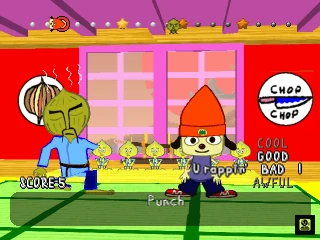
The original North American PlayStation release, SCUS-94183, begins with the Jet Baby presentation before campaign play starts at Stage 1, Chop Chop Master Onion. Jet Baby is not a playable stage. From the title screen, New Game starts the campaign and Menu provides Language, Hi-Score, Practice, Stage Select, Replay, and Load. Choose Normal for the complete six-stage route and for later COOL attempts. Easy Mode is useful for familiarization but is limited to the first three stages. During each exchange, watch the teacher demonstrate on the Rhythm Bar, then answer when PaRappa’s turn appears by pressing the displayed buttons in time. The U Rappin’ Meter can move from GOOD to BAD to AWFUL; reaching AWFUL does not immediately end the attempt. The attempt ends only if the meter falls below AWFUL. A final BAD or AWFUL result still means TRY AGAIN. Save system data and replay data to a PlayStation memory card, then use Load or Replay from Menu when returning to the game.
1. Start the original North American release
Use the original Sony PlayStation release identified as SCUS-94183, not PaRappa the Rapper 2, the PSP port, or a later remaster. This North American edition uses a standard digital PlayStation controller and supports English, French, German, Italian, and Spanish menu and subtitle text. The release is a one-player game.
Turn on the game and let the Jet Baby opening presentation play, or advance past it when the game permits. This presentation introduces the setting and characters, but it is not a numbered playable stage. There is no Jet Baby result to clear and no prologue rank to record. When the title screen appears, the numbered campaign begins with Stage 1, Chop Chop Master Onion.
- Confirm that the disc is SCUS-94183.
- Treat Jet Baby as opening presentation only.
- Use a standard digital PlayStation controller.
- Begin numbered campaign progress at Stage 1.
2. Select the intended difficulty before starting
Choose Normal before beginning the full campaign. Normal is the route for all six numbered stages and is the appropriate setting for pursuing COOL crowns. Easy Mode simplifies the rap phrases and is limited to the first three stages, so it can help you learn the interface and basic timing but cannot take you through the complete campaign. If you use Easy Mode, return to Normal before expecting access to Stage 4, the ending route, or a complete set of crowns.
After selecting the desired difficulty, choose New Game to begin at Stage 1. Select Menu to reach the utility screens. The original release’s Menu includes Language, Hi-Score, Practice, Stage Select, Replay, and Load. Language changes the displayed subtitles and menu text; the voices remain in English. Hi-Score shows recorded results but does not replace a campaign save.
- Choose Normal for the complete six-stage campaign.
- Use Easy Mode only for limited familiarization through Stage 3.
- Set the subtitle language before beginning if needed.
- Use Menu for Practice, Stage Select, Replay, or Load.
- Do not apply PaRappa the Rapper 2 instructions to this release.
3. Read the Rhythm Bar and turn indicator
Each exchange follows a call-and-response pattern. The teacher demonstrates a phrase first, then PaRappa answers. Watch the turn window or miniature character indicator so you know whose line is active. When the teacher is demonstrating, listen and observe rather than entering the same buttons as though it were your turn.
When PaRappa’s turn appears, follow the response line on the Rhythm Bar. The scrolling icons show which face or shoulder buttons to press and the spacing shows when to press them. Use Triangle, Circle, X, Square, and any displayed shoulder-button icons as shown. Do not press merely because an icon appears; match the timing of the line and the rhythm. START gives up during a live rap and does not pause the performance.
- Watch the teacher’s example before answering.
- Confirm that PaRappa’s turn is active before pressing.
- Use the Rhythm Bar for button order and timing.
- Remember that START gives up instead of pausing.
4. Use Practice before the first campaign attempt
From Menu, select Practice. This is a low-risk exercise with PaRappa and Katy Kat that lets you repeat the basic Rhythm Bar timing without risking a campaign result. Use it to identify the controller symbols, learn the response-line timing, and become comfortable following the moving rhythm display instead of pressing as soon as an icon appears.
Practice also allows a simple freestyle input. Holding Left or Right on the directional pad makes PaRappa repeat the first lyric of his rap. Treat this as a controlled timing exercise rather than a guaranteed way to earn COOL. Leave Practice with START when you can follow a basic response phrase, then begin the campaign on Normal if you intend to progress beyond Stage 3 or pursue crowns.
- Repeat the Practice exercise until response timing is familiar.
- Identify Triangle, Circle, X, and Square quickly.
- Test Left or Right only as a deliberate freestyle exercise.
- Return to Normal before beginning the full campaign.
5. Clear Stage 1 and use Stage Select correctly
Play the numbered stages in order. Stage 1 must be cleared before Stage 2 becomes available, and each later stage follows the same prerequisite. On a stage’s first successful play, the highest available result is GOOD. Concentrate on copying the teacher accurately and finishing at GOOD rather than trying to earn a crown immediately.
The U Rappin’ Meter begins at GOOD. Poor timing can lower it to BAD and then AWFUL. AWFUL is not itself an instant game over: you can continue playing while the meter remains at AWFUL. The attempt ends only if the meter drops below AWFUL. If the song finishes at BAD or AWFUL, the game presents a retry and that stage must be played again. After a GOOD clear, open Menu and choose Stage Select to replay the unlocked stage or begin the next available stage. Locked stages remain unavailable until their prerequisites are cleared.
- Clear Stage 1 at GOOD or better.
- Confirm that Stage 2 is unlocked afterward.
- Use Stage Select only for unlocked stages.
- Do not expect Easy Mode to open the complete six-stage route.
- Remember that AWFUL permits continuation until the meter falls below it.
6. Recover from failure and manage memory-card data
If the meter falls below AWFUL, the current attempt ends and you must retry. If the song reaches its ending while the meter is at BAD or AWFUL, the result is also unsuccessful and requires a retry. Earlier cleared stages remain available. On the next attempt, imitate the teacher more closely, especially during the opening phrases, and delay freestyle experimentation until the rating is stable. If one phrase repeatedly causes the meter to sink, return to Practice and rebuild that timing before starting another full attempt.
After a successful stage, follow the game’s memory-card save prompts. Save the system data to preserve campaign progress. Replay data can also be saved for later viewing; use Menu and select Replay to choose stored performance data. Use Menu and Load to restore saved progress on a later session. Replay reviews a recorded rap and does not unlock uncleared stages.
- Retry after the meter drops below AWFUL.
- Retry if the song finishes at BAD or AWFUL.
- Save system data to a PlayStation memory card.
- Use Load to restore saved campaign progress.
- Use Replay to inspect saved performance data.
- Keep the campaign on Normal for progress beyond Stage 3 and for COOL attempts.
Before you move on
- The Jet Baby presentation has played or has been advanced to the title screen.
- You can identify New Game and Menu and locate Language, Hi-Score, Practice, Stage Select, Replay, and Load.
- You have selected Normal for the full campaign, or deliberately selected Easy Mode only for limited practice through Stage 3.
- You can distinguish the teacher’s demonstration from PaRappa’s response on the Rhythm Bar.
- You have completed enough Practice to follow a basic response phrase.
- Stage 1 has been cleared with GOOD or better and Stage 2 is available in Stage Select.
- You understand that AWFUL is a meter state, that the attempt ends only below AWFUL, and that a final BAD or AWFUL result requires a retry.
- Campaign system data has been saved to a memory card, and saved replay data can be selected through Menu and Replay.
References for this chapter
- PaRappa the Rapper — Guide and Walkthrough — PlayStation — By Ryouga
- PaRappa the Rapper — FAQ — PlayStation — By ruyeyama
- PaRappa the Rapper — PlayStation release data for SCUS-94183
- RF Generation — PaRappa the Rapper, Sony PlayStation, North American SCUS 94183 listing
- PaRappa the Rapper — Stage 3 Easy Mode limitation discussion
Stage 1 — Chop Chop Master Onion: learning to imitate
Stage 1, Chop Chop Master Onion’s Rap, teaches the game’s basic call-and-response system. Watch the teacher’s sample rhythm, then press the displayed face buttons in the shown order and at the correct time. The moving head and rhythm line are more reliable than trying to match every spoken syllable. A final GOOD rating clears the stage and allows campaign progression; COOL is optional and is normally pursued after the first clear. Use Practice to learn the response phrases and focus on the transition between the teacher’s line and PaRappa’s reply. During a COOL attempt, begin with accurate imitation, then introduce short, steady rhythmic variations once the rating starts flashing COOL. Avoid random button mashing, since uncontrolled inputs can lower the single U Rappin’ Meter. The original North American PlayStation route is simply the dojo rap: complete the song, recover from mistakes where possible, and confirm Stage 2 becomes available.
Start Stage 1 and follow the sample rhythm
Select the normal game and choose Stage 1. The opening scene takes PaRappa to Chop Chop Master Onion’s dojo, where the lesson begins with a demonstration. Once the response section starts, the game displays a rhythm line containing PlayStation face-button symbols. PaRappa’s head moves along the line to indicate when each input is due.
Use the displayed symbols and their spacing as your primary guide. When Chop Chop Master Onion finishes a call, press the matching buttons in the shown order as PaRappa answers. The spoken words help establish the rhythm, but do not treat every syllable as a separate command. Early, late, missing, or unnecessary inputs can lower the U Rappin’ Meter.
- Watch the teacher’s complete line before responding.
- Match the displayed button order and timing.
- Use the moving head and rhythm line instead of guessing from the lyrics.
Practice the imitation phrases before a full attempt
If the response timing is unfamiliar, use Practice before committing to a campaign run. Repeat the opening phrases until the first button of each response feels predictable. The most useful section to isolate is the handoff from Chop Chop Master Onion’s line to PaRappa’s answer, because rushing that first input can disrupt the rest of the phrase.
Keep the rhythm even rather than trying to catch up after a missed note. Listen to the beat, watch the symbols move across the line, and wait for the next clear response if an input is lost. Do not compensate with a burst of rapid presses; that usually creates additional mistakes.
Practice is also the appropriate place to test a possible freestyle pattern. Start with only one or two extra presses around a familiar beat. If the variation causes the rating to fall, return to the displayed imitation line and learn the normal response before attempting COOL.
- Repeat the opening responses until their timing is consistent.
- Drill the teacher-to-player transition.
- Test freestyle ideas only after the standard responses are reliable.
Clear the dojo rap on GOOD or higher
For the first full run, imitate Chop Chop Master Onion as closely as possible. Stage 1 is intended to establish the basic response pattern, so there is no need to freestyle immediately. If you miss a button, stay calm and wait for the next displayed response instead of pressing rapidly to repair the mistake.
The U Rappin’ Meter may fall through GOOD, BAD, and AWFUL during the song without ending the attempt immediately. It can remain at AWFUL while the music continues. The attempt ends if performance drops below AWFUL; separately, a song that reaches its ending with BAD or AWFUL is unsuccessful and must be retried. If the meter dips, use the next response to return to accurate imitation and avoid adding unnecessary inputs.
A final GOOD or COOL result clears Stage 1. GOOD is sufficient to continue the campaign and unlock Stage 2. COOL is not required for the ordinary ending or for stage progression. After a successful clear, return to Stage Select and confirm that the next numbered stage is available.
- Recover through the next response after a mistake.
- Remember that AWFUL does not automatically stop the song.
- Finish the song at GOOD or COOL to clear Stage 1.
- Confirm that Stage 2 becomes selectable.
Replay Stage 1 when you are ready to pursue COOL
After the first clear, select Stage 1 again from Stage Select for a COOL attempt. Start by imitating the opening phrases accurately. The safest way to test the higher rank is controlled deviation: use a short, repeatable rhythm during a section you already know instead of filling every available beat.
When the rating begins flashing COOL, continue pressing in time with the musical pulse. Leave space when the song leaves space, and keep the pattern simple enough that you can maintain consistent timing. An alternating pair of face buttons can serve as a timing exercise, but it is not a guaranteed solution for every phrase or every run.
If the rating returns to GOOD, resume close imitation on the next available teacher line and try another controlled variation later. If the meter falls toward BAD or AWFUL, stop experimenting and prioritize accurate responses. A COOL result records the optional Stage 1 crown on Stage Select; it does not replace the ordinary GOOD clear requirement.
- Clear the stage once before focusing on COOL.
- Use short, even rhythmic variations.
- Continue carefully when the teacher leaves during COOL.
- Check Stage Select for the Stage 1 crown after a COOL finish.
Recover from a failed run and diagnose the problem
If the song finishes at BAD or AWFUL, retry Stage 1 rather than changing several techniques at once. Identify the point where the rating first began to decline: it may be the opening response, a transition between phrases, or an uncontrolled freestyle. Practice that section until the normal imitation line is dependable, then make another GOOD-focused run.
Replay can help review a saved performance and identify whether inputs were early, late, or overly dense. Use the review to locate the first timing drift rather than judging only the final rating. If the controller produces inconsistent inputs or the display introduces noticeable delay, test another controller or setup before assuming the rhythm itself is the problem.
Once you can complete the whole dojo rap on GOOD reliably, return to Practice for the exact phrase used in your COOL experiment. Shorter variations and a stable beat are more useful than a long freestyle that repeatedly causes the meter to collapse.
- Locate the first phrase where the rating declined.
- Use Practice to isolate that phrase.
- Use Replay when a saved run needs closer review.
- Stabilize a GOOD clear before repeating COOL attempts.
Before you move on
- The dojo song ends without the TRY AGAIN failure result.
- The final U Rappin’ rating is GOOD or COOL.
- Stage 2 is selectable from Stage Select after returning to progression.
- For the optional objective, a crown appears on Stage 1 after a COOL finish.
- The player can distinguish a temporary AWFUL meter state from failure caused by dropping below AWFUL or ending the song at BAD or AWFUL.
Stage 2 — Instructor Mooselini: handling tempo shifts
Stage 2 is Instructor Mooselini’s driving lesson in the U-DRIVE-U car. The song moves through gas and brake commands, right and left turns, an open-door emergency, and a final combination of signals, turning, gas, and braking. For a first clear, copy the teacher’s displayed rhythm instead of trying to freestyle. Watch the Rhythm Bar and Parappa’s moving face during your response, and use the turn window to confirm that it is your input period. The U Rappin' Meter can fall through GOOD, BAD, and AWFUL; reaching AWFUL does not immediately end the attempt, but dropping below AWFUL does. A song that finishes at BAD or AWFUL still fails, so recover before the ending. GOOD clears the stage, while COOL is optional and requires controlled, beat-matched extra inputs.
1. Select Stage 2 and read the original PlayStation display
Open Stage Select from the main menu and choose the unlocked second stage, Instructor Mooselini’s Rap. This is the driving lesson from the original PlayStation release, not the later Instructor Moosesha material from PaRappa the Rapper 2. The lesson takes place in the U-DRIVE-U car after the introductory scene.
During Mooselini’s example, watch the Rhythm Bar and note the button order and spacing. When the turn window shows Parappa, his marker travels across the same sequence. Press the displayed face or shoulder button as his marker reaches it. The spoken lyrics identify the lesson, but the Rhythm Bar supplies the dependable input order and timing.
The original game uses one U Rappin' Meter with COOL, GOOD, BAD, and AWFUL states. It begins at GOOD. A blinking state indicates that your performance is moving toward another rating, so do not panic after one imperfect response.
- Choose the second unlocked stage from Stage Select.
- Wait for the turn window to show Parappa before responding.
- Use the Rhythm Bar and moving face marker as the primary timing cues.
2. Pass the gas-and-brake lesson
The opening responses alternate between stepping on the gas and stepping on the brakes. After the first exchange, Mooselini repeats the idea with her boom-bam call-and-response, then gives another sequence of gas and brake commands. Treat each response as a separate phrase even when the same command appears again.
Let the teacher demonstrate before entering the response. Do not press continuously through the demonstration or try to repair a missed note with a burst of random inputs. If you miss the first button, concentrate on completing the next response in time. A clean following phrase is more useful than frantic corrections inside the current one.
This opening section establishes the song’s pulse. Keep your attention on the spacing between the displayed icons rather than attempting to match every spoken syllable. The gas and brake animations are scene feedback, not additional controls.
- Follow every displayed gas and brake sequence in order.
- Separate repeated commands into individual response phrases.
- After a miss, resume with the next complete phrase instead of button-mashing.
3. Handle the right-and-left signal section
Mooselini next teaches the right and left turn signals. First copy the check-and-turn instruction for the right, followed by the right-turn response. The lesson then mirrors the sequence on the left. The button patterns are similar, so identify the first icon of each new response before committing to the rest.
The car’s swerving animation can make the transition feel faster than it is. Keep reading the Rhythm Bar and stop pressing when Parappa’s response ends. Do not carry the previous direction into the next phrase, especially when the lesson switches from right to left.
If your meter falls to BAD, do not immediately attempt a freestyle. Reproduce the next full displayed line accurately. Rebuilding the meter is safer than adding extra notes while you are still adjusting to the mirrored phrases.
- Complete the right and left signal phrases separately.
- Check the first icon when the direction changes.
- Stop at the end of each response instead of extending the previous pattern.
4. Clear the open-door emergency
The car stops for an emergency, and Mooselini asks why. The response repeats the question-and-answer exchange before revealing that she forgot to close the door. These are short conversational phrases, so they are easy to rush. Wait for each response line to appear and follow its actual spacing on the Rhythm Bar.
The open-door scene does not create a separate minigame or control prompt. Continue performing the normal rap inputs. If the meter is blinking or has reached BAD or AWFUL, abandon freestyle attempts and imitate the displayed line directly.
Reaching AWFUL is not the same as immediately losing. You may continue the song while the meter is at AWFUL. The attempt ends only if the meter drops below AWFUL, so use the next response to stabilize rather than assuming the scene has already failed.
- Treat each question-and-answer exchange as its own response.
- Ignore the door animation as a possible control instruction.
- At AWFUL, continue carefully; avoid any further drop below AWFUL.
5. Finish the combined driving lesson
The final section combines the earlier skills. Mooselini gives right and left signal instructions, pairs each direction with stepping on the gas, adds a brake response, and continues the driving-test sequence. The transitions have less spare space than the opening commands, so begin watching the next Rhythm Bar line as soon as the teacher’s demonstration is complete.
For a first clear, copy the displayed responses without adding notes and aim to finish at GOOD. If the meter is at BAD or AWFUL, prioritize accurate imitation for every remaining phrase. Do not force a risky freestyle late in the song when there is little time to recover.
The stage passes only if the song ends at GOOD or COOL. Finishing at BAD or AWFUL fails the driving test even if the meter never dropped below AWFUL during the song. If the meter falls below AWFUL at any point, the attempt ends immediately and you must restart.
- Match the combined signal, turn, gas, and brake phrases in order.
- Use imitation as the recovery route from BAD or AWFUL.
- Finish the song at GOOD or COOL; BAD or AWFUL is not a clear.
6. Replay for COOL after the clear
COOL is optional for progression. First clear Stage 2 normally so you know the lesson order and transition points. On a replay, imitate the early lines accurately, then test small beat-matched variations during Parappa’s response. Adding a few extra presses in the available spaces is safer than filling every gap with rapid inputs.
A two-button alternation can be useful as a timing exercise in Practice, but it is not a guaranteed Stage 2 solution. The spacing changes between gas, brake, signal, emergency, and combined-command phrases. Keep any variation aligned with the song and stop freelancing as soon as the meter begins to fall.
When COOL activates, Mooselini leaves the active rap and Parappa continues a solo freestyle section. A mistake can end COOL and return the performance toward GOOD, so use restrained inputs. For campaign progress, a GOOD finish is enough. After a successful GOOD or COOL clear, Stage 3 becomes available; a COOL clear also places the Stage 2 crown on Stage Select.
- Clear Stage 2 at GOOD before attempting a crown.
- Use short, rhythmic variations rather than random rapid presses.
- If COOL begins, maintain the beat and stop experimenting when the meter falls.
- Confirm that Stage 3 is unlocked after a passing finish.
- Optional: confirm that Stage 2 displays a crown after a COOL clear.
Before you move on
- The Instructor Mooselini driving lesson finishes without the failure or TRY AGAIN result.
- The final U Rappin' Meter is GOOD or COOL.
- Stage 3 becomes available in Stage Select.
- Optional: Stage 2 displays a crown after a COOL clear.
Stage 3 — Prince Fleaswallow: flea-market flow and controlled freestyling
Stage 3 is Prince Fleaswallow’s Rap, the flea-market lesson in the original six-stage PlayStation campaign. Clear it by finishing at GOOD or COOL; either result unlocks Stage 4. The relaxed rhythm is useful for learning controlled freestyling, but random or rapid inputs can lower the original game’s single U Rappin’ Meter. For a reliable first clear, imitate every displayed response and concentrate on timing rather than memorizing lyrics. After clearing the stage, replay it to pursue COOL with short, steady patterns that differ from the teacher’s line while remaining in time. If the meter begins to fall, return to accurate imitation. COOL is optional for campaign progress, but a COOL result on Stage 3 contributes one of the six results needed for the bonus mode.
1. Select Prince Fleaswallow’s Rap
After clearing Stage 2, open Stage Select and choose Stage 3, Prince Fleaswallow’s Rap. The lesson takes place at Prince Fleaswallow’s flea market, where PaRappa helps sell goods to earn money for replacing his father’s damaged car. No optional item, hidden route, or prerequisite other than clearing Stage 2 is needed to begin the stage.
For the first attempt, prioritize a dependable GOOD clear instead of forcing COOL. The normal campaign route only requires the song to finish at GOOD or COOL. Once the stage has been cleared, replay it from Stage Select for an optional COOL attempt.
- Choose Stage 3, Prince Fleaswallow’s Rap, from Stage Select.
- Use the first run to learn the response sequence and secure progress.
- Treat COOL as optional for unlocking Stage 4.
2. Follow the Sample Rhythm display
Prince Fleaswallow demonstrates each rap phrase before PaRappa answers. Watch the Sample Rhythm line and the moving timing indicator. The face-button icons show the response order, while the moving marker and music indicate when each press should be made. Use those cues rather than trying to recite the lyrics from memory.
The relaxed pace leaves noticeable gaps between some icons. Do not fill those gaps with extra button presses during an imitation response. Wait for the next displayed icon and keep each input aligned with the timing marker. If you miss the beginning of a phrase, do not try to repair it with frantic presses; focus on the next complete response.
- Let Prince Fleaswallow demonstrate each phrase before responding.
- Use icon order, timing movement, and the musical pulse together.
- Avoid adding unplanned inputs during imitation.
3. Clear the stage safely at GOOD
For the safest campaign clear, imitate Prince Fleaswallow throughout the song. PaRappa does not require lyric memorization: the response icons and timing display provide the information needed during play. Concentrate on the current exchange, then reset your attention when the next teacher line begins.
If one line goes badly, continue into the next exchange. A single mistake does not automatically fail the stage, but repeated poor responses can lower the U Rappin’ Meter from GOOD toward BAD and AWFUL. Recover with a complete, rhythmic response on the next available line. Pressing all four face buttons or adding rapid extra inputs is less reliable than returning to the displayed pattern.
The stage is cleared only if the song finishes at GOOD or COOL. Finishing at BAD or AWFUL does not count as a campaign clear, even if you reached the later part of the song.
- Imitate the complete response lines for the first clear.
- After a mistake, wait for the next phrase and resume normal timing.
- Finish the song at GOOD or COOL.
4. Pursue COOL with a controlled freestyle
After obtaining a normal clear, replay Stage 3 when you want its optional COOL result. Perform the early response lines accurately first. When a freestyle opportunity appears, use a short rhythmic idea that differs from the teacher’s displayed phrase while staying aligned with the song. A brief two-button alternation or another compact, even pattern is easier to control than a long improvised sequence.
Use the single U Rappin’ Meter as the main performance feedback. Also monitor the Sample Rhythm display, PaRappa’s timing marker, the teacher’s movement, and the music’s pulse. Do not press continuously simply because there is empty space between displayed notes. Freestyling is useful only when the inputs remain deliberate and rhythmic.
When the meter reaches COOL, the teacher leaves the normal response role and PaRappa continues the freestyle section. Maintain the established pulse and keep the pattern simple. If the meter drops back to GOOD, stop experimenting and follow the next displayed response accurately when normal instruction resumes. COOL is not needed to unlock Stage 4, but a COOL finish gives Stage 3 its optional crown or result toward the six-stage bonus.
- Build the COOL attempt on accurate early imitation.
- Use a short, repeatable freestyle pattern.
- Watch the U Rappin’ Meter and stay aligned with the music.
- Remember that COOL is optional for campaign progression.
5. Recover from a falling meter
When the U Rappin’ Meter begins to fall, stop experimenting on the next available response and imitate Prince Fleaswallow as closely as possible. Recovery comes from successful, well-timed lines rather than from pressing more buttons. Keep the response simple until the meter stabilizes, then decide whether to continue normally or try another controlled freestyle opportunity.
If the meter reaches AWFUL, the performance is not automatically over at that instant. Continue carefully if the game still allows the song to proceed, because the attempt ends when the meter falls below AWFUL. However, finishing the song at BAD or AWFUL still fails the stage, so reaching AWFUL is a serious warning rather than a safe status. If the meter falls below AWFUL and the attempt ends, restart Stage 3 using the normal GOOD route before trying another COOL run.
If the same response or transition repeatedly causes trouble, enter Practice and repeat that phrase until the button order and timing become consistent. Replay can help you review a saved completed session and identify where your timing drifted, but it does not automatically mark the exact failed phrase or repair the result. Use the review to choose a phrase for Practice, then retry the full stage.
- Return to imitation as soon as the meter starts falling.
- Treat AWFUL as a warning; the attempt ends only if the meter falls below AWFUL.
- Remember that a final BAD or AWFUL rating still fails the stage.
- Restart after a below-AWFUL failure and use Practice for repeated problem phrases.
- Use Replay for review, not automatic diagnosis.
6. Confirm Stage 3 completion
When the song ends at GOOD or COOL, save the game data if prompted and return to Stage Select. Stage 4, Cheap Cheap the Cooking Chicken’s Rap, should now be available. That unlocked stage is the clearest confirmation that Prince Fleaswallow’s Rap counted toward the campaign.
If the result was GOOD, the required Stage 3 objective is complete. To pursue the optional bonus, replay the stage and focus on the first freestyle transition that caused the previous meter drop. A successful COOL finish gives Stage 3 its COOL result, but the full bonus still requires COOL finishes on the other five numbered campaign stages.
- Finish Prince Fleaswallow’s Rap at GOOD or COOL.
- Verify that Stage 4 is available on Stage Select.
- For the optional objective, replay until Stage 3 ends at COOL.
- Continue separately pursuing COOL on the other five numbered stages.
Before you move on
- Clear Stage 3, Prince Fleaswallow’s Rap, with a final GOOD or COOL rating.
- Verify that Stage 4, Cheap Cheap the Cooking Chicken’s Rap, is unlocked on Stage Select.
- For the optional objective, finish a replay at COOL and confirm the Stage 3 COOL result before moving to the remaining crown attempts.
Stage 4 — Cheap Cheap the Cooking Chicken: syncopation and tricky breaks
Stage 4 is the fourth principal stage in the original North American PlayStation release. Cheap Cheap teaches PaRappa to make a seafood cake, using repeated button groups, pauses, and changes in spacing that make this song less forgiving than the earlier lessons. The safe route is imitation: let Cheap Cheap finish her sample, then reproduce the displayed buttons when PaRappa’s face icon reaches them. Preserve the pauses instead of filling empty space with extra inputs. GOOD clears the stage and unlocks Stage 5; COOL is optional and should be attempted only after the normal response pattern is dependable. Use Menu → Practice to learn the rhythm-line timing, then use Menu → Replay after saving the last rap or game data to review a completed attempt.
1. Select Stage 4 and prepare with Menu → Practice
Clear Stage 3, Prince Fleaswallow’s Rap, then choose Stage 4 from Stage Select. The lesson is Cheap Cheap the Cooking Chicken’s seafood-cake song. Before attempting a serious run, open Menu → Practice and use the available phrases to rehearse the relationship between the teacher’s sample, the scrolling rhythm line, PaRappa’s face icon, and the face-button inputs.
Practice is most useful for learning when an icon should be pressed and how the game’s moving face cue relates to the beat. It is not a substitute for memorizing Cheap Cheap’s complete Stage 4 sequence, so return to the actual stage once the basic timing feels comfortable. Do not add buttons simply because an icon remains visible; wait for the demonstrated rhythm and spacing.
- Stage 3 is cleared and Stage 4 is selected from Stage Select.
- Use Menu → Practice to learn the rhythm-line timing before repeated full runs.
- Treat Cheap Cheap’s displayed sample as the authority for each response.
2. Learn the opening egg and flour responses
Cheap Cheap begins with repeated instructions to crack the egg and mix the flour into the bowl. These opening responses establish the spacing used by the song. Let her complete the sample, then reproduce the button sequence during PaRappa’s response. When a button repeats, keep the presses evenly spaced rather than rushing them together.
The rhythm bar and PaRappa’s moving face icon are more dependable than the subtitle text. Watch the cue that travels toward the input point and listen to the beat. If you miss the first press, do not panic and add several corrective inputs. Wait for the next displayed cue and resume the sequence cleanly.
- Copy the repeated egg and flour groups at the demonstrated spacing.
- Preserve empty gaps between groups.
- Use the rhythm bar, face cue, and music rather than reading subtitles as timing instructions.
3. Handle the butter and oven instructions without rushing
The next section adds the repeated butter response, followed by instructions about heating the oven. These lines can resemble the opening patterns, but the transitions and pauses still require attention. Listen to Cheap Cheap’s current sample every time instead of assuming that a familiar-looking line has identical timing.
If the U Rappin’ Meter falls to BAD, make the next response a conservative imitation. Accurate presses can restore the rating; rapid extra inputs usually create another miss. Concentrate on completing one full response correctly before thinking about the next section. The objective on the first successful run is a stable GOOD result, not an improvised performance.
- Follow each new sample even when its button groups look familiar.
- After reaching BAD, imitate the next complete response carefully.
- Avoid adding recovery presses between the displayed inputs.
4. Treat the oven and cleaning section as separate phrases
The middle lesson alternates putting the cake in the oven with cleaning the pile. The repeated structure makes this section tempting to play from memory, but the game still expects the current sample’s timing. Divide each response into its visible groups and wait through every pause before beginning the next group.
If a particular response repeatedly lowers the meter, leave the full-song retries and return to Menu → Practice for rhythm-line drills. Then replay Stage 4 and focus on that transition. A missed phrase is easier to fix when you identify whether the problem was pressing early, pressing late, or filling a silent gap with an extra button.
- Separate the oven and cleaning responses instead of treating them as one continuous string.
- Count the pauses mentally while following the beat.
- Use Practice to correct timing habits before another complete attempt.
5. Finish the seafood-cake decoration carefully
The final lesson applies the cake’s finishing touches, including taking out the seafood ingredients and placing them on the cake. Several button groups arrive close together, so keep watching the scrolling line after the earlier sections have gone well. Break a difficult response into an opening group, its pause, the next group, and the final input.
Do not let a successful first half make you rush the ending. Continue listening to Cheap Cheap’s sample and wait for PaRappa’s face icon to reach each cue. If the meter is already unstable, prioritize accurate imitation through the final response instead of attempting a last-second freestyle.
- Break the decoration lines into small timing sections.
- Continue checking each sample instead of relying only on memory.
- Finish with controlled imitation when the rating is unstable.
6. Attempt COOL only after securing GOOD
COOL is optional for campaign progress. After Stage 4 has been cleared, select it again from Stage Select for a COOL attempt. The original game reaches COOL when you deviate from the teacher’s exact pattern while maintaining a musical rhythm; random button presses are not a dependable strategy. Use a short, repeatable two- to four-press motif only during a section whose beat you already understand.
Stage 4’s pauses and close-spaced groups make long improvisations risky. If the rating leaves COOL or your rhythm begins to drift, return to the displayed response immediately. A GOOD clear is more valuable than sacrificing a reliable run for an unprepared crown attempt. Repeat the song normally until the transitions feel automatic, then test one controlled variation at a time.
- Clear Stage 4 on GOOD before serious COOL attempts.
- Use short, even motifs instead of long combinations.
- Return to exact imitation when the freestyle loses the beat.
7. Save and verify the result
Stage 4 is complete when the song reaches its ending with a GOOD or COOL result instead of TRY AGAIN. The result is sufficient to unlock Stage 5, All Masters’ Rap, on Stage Select. COOL is recorded separately as the optional crown condition for this stage.
Use the game’s memory-card save flow to save game data or the last rap if you want the result retained. After saving, open Menu → Replay to review the completed attempt. Use that review to identify the first repeated-button group or pause-heavy transition that caused a rating drop, then return to Menu → Practice and repeat the full stage with conservative imitation.
- The song ends with GOOD or COOL rather than TRY AGAIN.
- Stage 5, All Masters’ Rap, appears on Stage Select.
- Save game data or the last rap through the memory-card save flow if needed.
- Review the attempt through Menu → Replay.
- If pursuing the optional bonus, confirm the Stage 4 COOL crown appears on Stage Select.
Before you move on
- Finish Cheap Cheap the Cooking Chicken’s Rap with a GOOD or COOL rating.
- Confirm Stage 5, All Masters’ Rap, is unlocked on Stage Select.
- If pursuing the optional bonus, confirm the Stage 4 COOL crown appears on Stage Select.
- If the stage continues to fail, use Menu → Practice to isolate the first repeated-button or pause-heavy response that causes the rating drop, then replay Stage 4 with conservative imitation and verify the result through Menu → Replay after saving the last rap or game data.
References for this chapter
- PaRappa the Rapper — Guide and Walkthrough — PlayStation — By Ryouga
- PaRappa the Rapper — FAQ — PlayStation — By ruyeyama
- PaRappa the Rapper — Game Script — PlayStation — GameFAQs
- PaRappa the Rapper — PlayStation release data for SCUS-94183
- Stage 04 — PaRappa the Rapper — PlayStation audio asset listing
Stage 5 — All Master's Rap: managing rapid voice and character switches
All Master's Rap is the fifth campaign stage and the bathroom battle against the four earlier masters: Chop Chop Master Onion, Instructor Mooselini, Prince Fleaswallow, and Cheap Cheap the Cooking Chicken. Each section changes the voice, button emphasis, and spacing, so do not carry one master’s rhythm into the next. Watch the Rhythm Bar and the turn window: the master demonstrates first, then PaRappa’s head marks your response. A GOOD or COOL finish clears the stage and unlocks Stage 6. The first successful completion cannot exceed GOOD; replay the cleared stage from Stage Select to pursue COOL. For a safe clear, imitate every displayed response. For COOL, add only short, even freestyle patterns after you know the line, and return to imitation as soon as the rating begins to fall.
1. Unlock Stage 5 and enter the correct mode
Clear Stage 4, Cheap Cheap the Cooking Chicken’s Rap, before attempting All Master's Rap. From the main menu, open Menu and choose Practice if you need to rehearse the Rhythm Bar. Practice is separate from the campaign and is useful for learning the timing display, but it does not clear the stage for you.
After practice, open Stage Select and choose All Master's Rap. The Stage Select screen identifies cleared stages and shows a crown when a stage has been completed with COOL. For the campaign objective, finish this full stage at GOOD or COOL. Ending at BAD or AWFUL does not advance the route to Stage 6.
- Clear Stage 4 first.
- Use Menu → Practice for timing drills if needed.
- Select All Master's Rap from Stage Select.
- Aim for GOOD or COOL, not BAD or AWFUL.
2. Read the turn window and Rhythm Bar
The game alternates between the master’s example and PaRappa’s response. When the turn window shows the master’s face, watch and listen without pressing extra buttons. When it changes to PaRappa’s face, press the displayed face buttons as his head reaches the corresponding icons on the Rhythm Bar.
The icon sequence alone is not enough. The spacing between icons shows when to press, and Stage 5 uses lines with repeated notes and changing gaps. Follow the current line rather than relying on a phrase remembered from an earlier master. If you miss one response, wait for the next complete line and resume carefully instead of trying to repair the mistake with rapid inputs.
- Watch the master’s example first.
- Press only during PaRappa’s turn.
- Match icon spacing and timing, not just button order.
- After a miss, wait for the next response line.
3. Start with Chop Chop Master Onion
Chop Chop Master Onion opens the four-master sequence. Let his example establish the initial pulse, then copy PaRappa’s response line. The opening response uses familiar karate-themed inputs, but the pauses and repeated notes still matter; do not rush simply because the button order feels familiar.
Use this first section to settle into the stage rather than chasing COOL immediately. If the U Rappin' Meter begins blinking toward a lower rank, stop adding freestyle inputs and return to exact imitation. A clean response is more valuable than extra presses when your immediate goal is to reach Stage 6.
- Let Chop Chop establish the first rhythm.
- Follow the displayed pauses and repeated notes.
- Prioritize imitation if the meter drops.
- Do not freestyle before the timing is stable.
4. Reset your timing for Instructor Mooselini
Instructor Mooselini is the second master. Treat her entrance as a complete timing reset. Watch her demonstration, then follow PaRappa’s response line from the beginning. Do not assume that Chop Chop Master Onion’s speed or button spacing continues into this section.
The first Mooselini response is especially important because a poor transition can damage an otherwise stable run. Keep the controller still during her example, identify the next line’s spacing, and press only when PaRappa’s head reaches the icons. For a COOL attempt, use a short, even motif only after you have already learned this section, and stop before the next master’s example begins.
- Wait for Mooselini’s full example.
- Discard the previous section’s timing feel.
- Treat the first Mooselini response as a priority.
- Stop freestyle before the next transition.
5. Follow Prince Fleaswallow without anticipating
Prince Fleaswallow follows Instructor Mooselini. His appearance marks another change in phrasing and cadence. Watch the new example, then read the active response line rather than anticipating a familiar Fleaswallow phrase from Stage 3.
If the Mooselini transition caused a mistake, use Fleaswallow’s section to recover with straightforward imitation. Extra button presses rarely fix a missed beat. During a COOL attempt, keep any freestyle short and beat-aligned; the purpose is to maintain control, not to fill every available space. Return to the displayed line before the next master takes over.
- Wait for Fleaswallow’s example.
- Read the current Rhythm Bar instead of guessing.
- Recover through clean imitation after a mistake.
- Keep any freestyle brief and easy to stop.
6. Finish with Cheap Cheap the Cooking Chicken
Cheap Cheap the Cooking Chicken is the final master in the sequence. Her entrance is the last major timing reset, not a signal to rush. Watch the example, then answer with PaRappa’s response line, including its pauses and repeated notes.
The closing lines contain repeated inputs and can punish hurried presses. If the U Rappin' Meter is blinking toward BAD or AWFUL, abandon the COOL attempt and imitate every remaining response. Finishing at GOOD or COOL clears Stage 5 and unlocks Stage 6. Finishing at BAD or AWFUL requires another attempt from Stage Select.
- Reset your timing when Cheap Cheap appears.
- Follow repeated inputs at the displayed pace.
- Prioritize a GOOD finish over a late freestyle.
- Confirm that Stage 6 is unlocked after clearing.
7. Replay Stage 5 for COOL
After the first successful clear, return to Stage Select and replay All Master's Rap. The first playthrough is limited to GOOD; COOL becomes available when replaying a cleared stage. Practice the four transition points: Chop Chop Master Onion to Instructor Mooselini, Mooselini to Prince Fleaswallow, Prince Fleaswallow to Cheap Cheap, and the final Cheap Cheap response.
Begin each section with accurate imitation. Once the rhythm is familiar, add a small number of evenly spaced presses that remain aligned with the beat. Do not use long, complicated patterns during this stage’s frequent changes. Stop freelancing before the next master demonstrates. If the meter drops, return to the displayed response line on the next phrase rather than forcing the rating upward.
A COOL finish places the Stage 5 crown on Stage Select. COOL is optional for campaign progression, but Stage 5’s crown counts toward the six crowns needed to unlock KT & The Sunny Funny Band.
- Clear Stage 5 at GOOD before chasing COOL.
- Replay from Stage Select after the first clear.
- Practice the four master transitions.
- Use short, rhythmically stable freestyle patterns.
- Verify the Stage 5 crown after a COOL finish.
Before you move on
- All Master's Rap ends with a GOOD or COOL result.
- Stage 6 becomes available from Stage Select after the clear.
- For the optional bonus objective, Stage 5 shows a crown after a COOL completion.
- The Stage 5 crown contributes to the six-crown requirement for KT & The Sunny Funny Band.
Stage 6 — PaRappa's Live Rap: the finale and maintaining endurance
Stage 6 is the sixth and final numbered stage in the original North American PlayStation release. PaRappa performs at Club Fun with MC King Kong Mushi while the supporting cast joins the show. The song combines regular teacher-and-player exchanges, a rhythm-pattern section with less obvious lyric guidance, later group responses, and a solo ending. Clear the stage by finishing at GOOD or COOL. For COOL, use controlled, beat-matched freestyle inputs rather than rapid or elaborate button strings. If the U Rappin' Meter falls to AWFUL, the performance is not automatically over; recover before it falls below AWFUL, then finish at GOOD or COOL. A final BAD or AWFUL result is unsuccessful.
1. Enter Stage 6 from Stage Select
Open Stage Select after clearing the first five numbered stages and choose PaRappa's Live Rap with MC King Kong Mushi. This is the final principal song, so a GOOD or COOL finish completes the campaign. The original PlayStation release identifies performance with the single U Rappin' Meter, whose states are COOL, GOOD, BAD, and AWFUL.
Before starting, confirm that every face button responds correctly and that your display and controller introduce as little delay as possible. Stage 6 is long enough that a small timing problem can become a rank problem by the final section. On a first clear, prioritize a stable GOOD result instead of attempting a crown immediately.
Use the teacher's sample line, PaRappa's response line, the moving head, and the beat together. The scene and subtitles provide context, but the active rhythm line is the practical timing guide.
- Select the sixth stage from Stage Select.
- Set GOOD or COOL as the completion target.
- Check the controller and timing setup before beginning.
2. Make the opening King Kong Mushi exchanges conservative
The opening uses the normal teacher-then-player structure. Wait for MC King Kong Mushi's line to finish, then follow the button icons on PaRappa's response line. Do not press during the teacher's turn simply because the vocal phrase sounds as if it is approaching its end.
The responses become longer and more varied than the early stages. Read the complete response line before acting when possible, then keep the spacing between presses aligned with the beat. Matching the first inputs accurately helps prevent the remainder of a phrase from drifting.
For a normal clear, imitate every unfamiliar opening phrase. If you are working toward COOL, wait until your timing is stable before testing a short variation. A crown attempt is safer after an accurate response than during the first appearance of a new pattern.
- Wait for PaRappa's response line.
- Follow icon timing rather than spoken syllables alone.
- Use exact imitation for unfamiliar phrases.
3. Handle the central rhythm-pattern section by sight and sound
The middle portion places more emphasis on rhythm patterns than on memorable teacher lyrics. Treat the displayed icons and their spacing as the authoritative sequence. Press when the moving head reaches each target, and listen for the underlying pulse to keep the gaps even.
Do not add extra inputs because the vocals seem empty or unclear. If you miss one icon, allow that part of the phrase to pass and pick up the next visible input instead of rapidly pressing every button in an attempt to catch up. Random recovery usually creates additional misses and pushes the meter downward.
For the first clear, reproduce the pattern as plainly as possible. For later COOL attempts, practice this section until you can keep a steady rhythm without relying on guesswork. This is one of the most useful parts of the stage to isolate in Practice.
- Use icon spacing when lyrics offer little guidance.
- Avoid extra presses and panic corrections.
- Practice the pattern section before serious COOL attempts.
4. Stabilize the meter during the later group responses
As the performance develops, other characters join the presentation. Their appearances can make the screen busier, but they do not change the basic control method. Continue watching for the active PaRappa response line and use the current sample rather than copying a preceding character's rhythm.
If the U Rappin' Meter drops from GOOD toward BAD, stop experimenting and complete the next full response by imitation. One accurate phrase can stabilize the run better than a frantic freestyle. Once the meter has recovered and your timing is consistent, use only short, repeatable variations if you are still pursuing COOL.
Reaching AWFUL is a warning state, not an automatic game over. You can still recover while the meter remains at AWFUL. The critical point is to restore the performance before the meter falls below AWFUL. If it drops below AWFUL, the stage ends unsuccessfully and must be restarted.
- Follow PaRappa's active response line despite the visual distractions.
- Use one complete imitation phrase as a recovery turn.
- Recover before the meter falls below AWFUL.
5. Approach the solo ending without overextending
A successful transition to COOL removes the normal teacher guidance and gives PaRappa a solo performance section. This is the clearest opportunity to preserve a crown, but the lack of a teacher also makes overconfident freestyling risky.
Use a short, repeatable motif that fits the song's pulse. Two or three familiar face-button inputs, repeated evenly, are safer than a long improvised sequence. Keep listening for the beat and leave space rather than filling every moment with presses.
If COOL falls back to GOOD, continue normally; GOOD is enough to clear the stage. If you reach the solo while at GOOD, follow any displayed rhythm line and do not force a crown attempt. The performance continues after the solo, so keep responding until the final audience section has ended.
- Keep COOL freestyles short and rhythmic.
- Treat GOOD as a successful recovery state.
- Continue through the solo and the closing responses.
6. Finish the final calls and judge the result correctly
Do not stop when the solo ends or when the crowd begins its final response. Continue following the active line until the song reaches its ending sequence. The stage is cleared when the performance ends at GOOD or COOL and does not produce the TRY AGAIN result.
A final BAD or AWFUL rating is unsuccessful even if you survived the song without the meter falling below AWFUL earlier. Conversely, reaching AWFUL during the song does not by itself decide the result: recover before dropping below it and finish at GOOD or COOL.
After the result screen, return to Stage Select and confirm that Stage 6 is marked as cleared. If the run failed, restart rather than treating the ending scene as completion.
- Complete every closing response.
- Finish at GOOD or COOL.
- Confirm Stage 6 is marked cleared in Stage Select.
7. Repeat only after identifying the failed transition
For a second attempt, use Practice on the central pattern section and the transition into the later group responses. If a replay is available after the run, use it to identify the first phrase where your timing drifted. Repeating the entire song without correcting that transition usually reproduces the same meter loss.
For GOOD, use imitation whenever a section is uncertain and reserve freestyle for moments you can perform consistently. For COOL, build the run from stable short motifs rather than attempting a long solo immediately. If the meter falls, return to exact imitation for the next complete phrase before trying another variation.
The optional full-completion goal requires COOL crowns on all six numbered stages. Once Stages 1 through 6 all display their crowns, the KT & The Sunny Funny Band bonus becomes available. Stage 6 contributes the final crown; the introductory Jet Baby presentation is not part of this six-stage requirement.
- Use Practice for the pattern and group-response transitions.
- Review the first timing breakdown before retrying.
- Earn the Stage 6 crown only after the six-stage campaign is already reliable.
Before you move on
- Finish PaRappa's Live Rap with MC King Kong Mushi at GOOD or COOL and reach the ending sequence without TRY AGAIN.
- If the meter reaches AWFUL during the performance, recover before it falls below AWFUL.
- Confirm that Stage 6 is marked as cleared in Stage Select.
- For full COOL completion, verify that all six numbered stages display crowns and that KT & The Sunny Funny Band is available.
Bonus — KT & The Sunny Funny Band: unlocking and viewing the bonus mode
In the original North American PlayStation release of PaRappa the Rapper, KT & The Sunny Funny Band becomes available after all six numbered stages have been completed with a COOL rating. Each qualifying stage receives a crown marker on Stage Select. GOOD is sufficient for ordinary campaign progress, but it does not count toward this bonus. Jet Baby is an introductory movie and is not part of the six-crown requirement. The unlocked scene is a music-and-viewing bonus, not another rap battle: Katy and Sunny dance on a small circular stage while you adjust their costumes, dance routines, camera position, and zoom level.
1. Clear all six numbered stages before attempting the bonus
Play the six principal stages in their normal order: Chop Chop Master Onion, Instructor Mooselini, Prince Fleaswallow, Cheap Cheap the Cooking Chicken, All Masters’ Rap, and PaRappa’s Live Rap. A first successful completion can award only GOOD, which is enough to open the next stage and make that stage available for replay.
Jet Baby appears as introductory presentation rather than one of the six stages used for the bonus requirement. Do not count its opening movie, its song, or any introductory sequence as a crown-earning stage.
- Stages 1 through 6 have been cleared at least once.
- All six numbered stages are available through Stage Select.
- Jet Baby has not been counted as an additional required stage.
2. Replay each cleared stage and earn COOL
Open the game’s menu and choose Stage Select. A cleared stage can be replayed from there. The stage marker distinguishes ordinary progress from a top-rank completion: a cleared GOOD stage has a normal completion marker, while a COOL clear receives a crown.
Select one numbered stage and replay it until the final rank is COOL. To reach COOL, first reproduce the instructor’s displayed phrases accurately. Once the game allows free rapping, use controlled, rhythmic variations rather than random button presses. The instructor leaves during COOL play, so continue pressing in time with the beat and avoid letting the performance deteriorate.
If the result is GOOD, BAD, or AWFUL, that attempt has not supplied the required crown. Return to Stage Select and replay the same stage. You do not need to restart the entire campaign or clear the earlier stages again.
- Stage 1 has a COOL crown.
- Stage 2 has a COOL crown.
- Stage 3 has a COOL crown.
- Stage 4 has a COOL crown.
- Stage 5 has a COOL crown.
- Stage 6 has a COOL crown.
3. Use Practice and Replay when a crown is missing
If a stage repeatedly fails before COOL, use Practice from the menu to rehearse its timing and phrase patterns. Concentrate on the transition where your rank drops, then return to Stage Select for the actual crown attempt. Practice is preparation; it does not itself award a crown.
Replay is useful after a close attempt because it lets you review the last rap saved to the memory card. Use it to identify whether the problem was a missed teacher phrase, an early or late input, or an unstable freestyle section. After correcting that section, replay only the affected numbered stage.
- The missing crown has been identified on Stage Select.
- The difficult phrase or freestyle transition has been rehearsed in Practice.
- The stage has been replayed from Stage Select after training.
- The crown marker has been checked after the new attempt.
4. Confirm that KT & The Sunny Funny Band has appeared
After the sixth numbered stage receives its COOL crown, return to Stage Select and look for the additional entry named KT & The Sunny Funny Band. It appears as an extra selection once all six crowns have been registered.
Select it to load the bonus performance. There is no teacher-versus-player sequence, no normal rank to maintain, and no seventh crown to earn. The scene exists for watching Katy and Sunny dance and for changing the presentation with the controller.
- All six numbered stages display crown markers.
- KT & The Sunny Funny Band appears as an extra Stage Select entry.
- Selecting it loads the bonus performance instead of a numbered rap stage.
5. Move and zoom the camera
Use the D-pad to move the camera angle around the small circular stage. This changes the viewpoint on the performance and is independent of the crown requirement.
Use L1 and L2 to zoom out. Use R1 and R2 to zoom in. The shoulder buttons affect only the viewing distance; they do not change either character’s costume or dance routine.
- The D-pad changes the camera angle.
- L1 and L2 zoom out.
- R1 and R2 zoom in.
6. Change Sunny’s and Katy’s options
Press Triangle to cycle Sunny’s costumes. Press Square to cycle Sunny’s dance routines. These are separate controls, so changing Sunny’s clothing does not change his dance.
Press X to cycle Katy’s costumes. Press Circle to cycle Katy’s dance routines. Continue pressing the relevant button to move through the available choices. The scene has no timing prompt, so these inputs cannot cause a stage failure.
- Triangle changes Sunny’s costume.
- Square changes Sunny’s dance routine.
- X changes Katy’s costume.
- Circle changes Katy’s dance routine.
7. Exit and verify completion
Press Start to leave the bonus scene. On returning to the menus, the six crown markers should remain on Stage Select. If the bonus entry is absent, check Stages 1 through 6 individually and identify the one without a crown. A GOOD result, an unfinished replay, or the Jet Baby introduction cannot replace that missing COOL clear.
Completion is achieved when the bonus entry can be selected and the scene responds to the D-pad, shoulder-button zoom controls, and four character-option buttons as described above.
- Start exits the bonus scene.
- All six numbered stages still show COOL crowns.
- The bonus scene can be reopened from Stage Select.
- The camera, zoom, costume, and dance controls respond correctly.
Before you move on
- Stage Select displays a COOL crown for Stage 1.
- Stage Select displays a COOL crown for Stage 2.
- Stage Select displays a COOL crown for Stage 3.
- Stage Select displays a COOL crown for Stage 4.
- Stage Select displays a COOL crown for Stage 5.
- Stage Select displays a COOL crown for Stage 6.
- KT & The Sunny Funny Band is selectable from Stage Select.
- The bonus scene loads with Katy and Sunny dancing on a small circular stage.
- The D-pad moves the camera angle.
- L1 and L2 zoom out, while R1 and R2 zoom in.
- Triangle changes Sunny’s costume and Square changes Sunny’s dance.
- X changes Katy’s costume and Circle changes Katy’s dance.
- Start exits the bonus scene.
Rank system and the U Rappin' Meter explained (AWFUL / BAD / GOOD / COOL)
The original North American PlayStation release uses one U Rappin' Meter with four displayed ranks: COOL, GOOD, BAD, and AWFUL. A normal stage begins at GOOD, and the first successful play is limited to GOOD; after clearing it, replay the stage through Stage Select to attempt COOL. GOOD or COOL at the end clears the song, while BAD or AWFUL at the ending fails it. AWFUL is a rank, not the immediate game-over threshold: the stage continues while AWFUL is displayed, but ends if performance drops below AWFUL. During COOL, the teacher leaves and PaRappa must freestyle in time with the music. This original release does not use the Blue, Orange, and Purple evaluation meters associated with later entries.
1. Read the U Rappin' Meter correctly
The original PlayStation game displays four possible ranks beside the U Rappin' Meter: COOL, GOOD, BAD, and AWFUL. Ordinary campaign attempts begin at GOOD. Your practical goal is to finish the song while the meter is at GOOD or COOL.
AWFUL is not the same as immediate game over. It is the lowest rank that can be displayed while the performance is still running. If the meter falls below AWFUL, the stage ends immediately. If the song reaches its normal ending while the meter is still at AWFUL or BAD, the result is also a failure and you must retry the stage. Only a finish at GOOD or COOL counts as a clear.
- Treat GOOD as the safe starting rank.
- GOOD or COOL at the song ending clears the stage.
- BAD or AWFUL at the song ending fails the stage.
- The stage ends during play only when performance drops below AWFUL.
2. Understand normal rank changes
The game evaluates responses in paired lines, and rank-changing feedback is most noticeable on the first line of each pair. In the normal case, two poor lines in succession can lower the meter by one rank, while two successful lines can raise it by one rank. A single mistake therefore may not cause an immediate visible rank change, but it still puts the next response at risk.
There can be exceptions for an especially poor response, so do not deliberately absorb misses just because the meter has not moved yet. If the display reaches BAD or AWFUL, stop experimenting and use the next teacher phrase to recover. The safest recovery is accurate imitation with steady timing, not frantic button pressing.
- Watch rank behavior across paired lines.
- Two poor responses can lower the rank.
- Two successful responses can restore a rank.
- Treat BAD and AWFUL as recovery warnings, not permission to keep freestyling.
3. Follow the rhythm line and the teacher
The teacher demonstrates a phrase first, then PaRappa answers. The horizontal rhythm line shows the button icons moving toward the timing point. Press the indicated face button when PaRappa's head reaches the corresponding icon, while matching the spacing and cadence of the teacher's example.
Correct button order alone is not enough. A response can still hurt the meter if it is early, late, or spread across the phrase incorrectly. If a line repeatedly fails, watch the timing bar as well as the teacher, and listen for the beat that anchors the response. The rhythm line is especially important in later songs, where copying the words without matching their timing becomes unreliable.
- Let the teacher demonstrate the phrase.
- Read the button order from the scrolling rhythm line.
- Press when PaRappa's head reaches each icon.
- Match timing and spacing, not only button order.
4. Know when COOL can be attempted
On the first play of a stage, the highest available result is GOOD. Complete that first run successfully, then return to the stage through Stage Select in the Options menu. The cleared stage can now be replayed with COOL available.
For the first clear, prioritize a stable GOOD result. Do not force freestyle sections when you are still learning the song. On the replay, imitate the opening material accurately, then use the game's freestyle opportunities to raise the meter. The requirement to clear the stage before attempting COOL applies to this original PlayStation release and should not be confused with mechanics from later versions.
- First play: aim for GOOD.
- After clearing: select the stage again through Stage Select.
- Use replay attempts to pursue COOL.
- Build reliable imitation timing before attempting freestyle.
5. Enter and maintain COOL
COOL is reached by freestyling in time with the music rather than simply reproducing the teacher's exact sequence. Once the game accepts enough effective freestyle performance, the teacher withdraws after praising PaRappa, and the rest of the section becomes a solo freestyle passage.
During COOL, use short, repeatable patterns and keep their spacing aligned with the beat. The D-pad can alter how PaRappa repeats lyric segments during freestyle, but random button mashing is not a dependable method. Continue listening to the rhythm line and music even after the teacher disappears.
If the freestyle becomes poor, the meter can fall out of COOL and return to GOOD or lower. If that happens, stop chasing the crown immediately. Recover with the next available demonstrated phrase, and protect the run at GOOD. Reaching COOL is optional for campaign progression; finishing at GOOD still clears the stage.
- Freestyle in time rather than copying every teacher input.
- Use controlled, repeatable patterns.
- Expect the teacher to leave during COOL.
- If COOL collapses, recover and preserve a GOOD ending.
6. Recover from failure and verify the result
A failed attempt usually begins with one of three problems: incorrect button order, timing drift, or continued freestyle after the meter becomes unstable. If the display reaches BAD, return to imitation for a complete phrase. If it reaches AWFUL, remember that the stage is still running, but another qualifying drop below AWFUL ends the attempt; even if you survive to the ending, you still need to recover to GOOD or COOL before the song finishes.
Use Practice to isolate a phrase that repeatedly causes the drop, then replay the full stage and apply the corrected timing. After a GOOD clear, confirm that the next numbered stage is available or that the completed stage can be selected again. After a COOL clear, confirm the crown marker on Stage Select. Six crown markers unlock KT & The Sunny Funny Band, which is a bonus viewing mode rather than a seventh ranked stage.
- At BAD, return to the teacher's demonstrated rhythm.
- At AWFUL, recover before another drop below AWFUL ends the stage.
- Remember that ending at BAD or AWFUL still fails, even if the song reaches its final scene.
- Use Practice for repeated problem phrases.
- Confirm stage access after GOOD and a crown after COOL.
- Collect all six crowns to unlock KT & The Sunny Funny Band.
Before you move on
- Clear a stage with the U Rappin' Meter at GOOD or COOL when the song ends.
- If the meter reaches AWFUL during play, recover before performance drops below AWFUL; do not mistake the displayed AWFUL rank for automatic game over.
- Confirm that the next stage is available or that the completed stage can be replayed from Stage Select.
- For a COOL crown, first clear the stage normally, replay it, reach COOL through controlled freestyle, and finish without falling to a failed ending rank.
- For the full bonus requirement, verify crown markers on all six numbered stages and then check Stage Select for KT & The Sunny Funny Band.
Freestyle techniques: practical drills to reach COOL
In the original North American PlayStation release, the first successful run through a stage is limited to GOOD. After clearing that stage, replay it through Stage Select to attempt COOL. Freestyling means departing from the teacher’s displayed phrase while preserving the timing bar’s pulse; random button presses usually lower the U Rappin’ rating. Practice mode is for rehearsing the game’s supplied timing, so use it to learn spacing and transitions rather than as a freeform pattern editor. Begin a replay with accurate imitation, test short embellishments on an early player line, and simplify immediately if the rating falls. When COOL activates, the instructor withdraws and you must maintain a controlled rhythm until the stage ends. The directional pad can repeat parts of PaRappa’s phrase, but this is optional and not required for a crown. Save the game data or last rap through the normal memory-card save flow, then use Menu → Replay to review the stored performance.
1. Clear the stage before attempting COOL
Play the stage once by following the teacher’s Sample Rhythm line. In the original release, the first play can reach GOOD but cannot reach COOL. Treat this run as preparation: learn the button order, the spacing between icons, and the point where each teacher phrase gives way to PaRappa’s response.
After the stage ends successfully, return to the main menu and choose Stage Select. Select the cleared stage again for the crown attempt. The Stage Select screen uses a PaRappa marker for a GOOD clear and a crown for a COOL clear, allowing you to identify which stages still need work.
- Clear the stage at GOOD or better before attempting COOL.
- Replay the cleared stage from Stage Select.
- Confirm the crown marker after a successful COOL finish.
2. Use Practice to learn the supplied phrases
Use Practice to rehearse the timing patterns that the game presents. The mode is a controlled timing exercise rather than a blank freestyle editor. Concentrate on the movement of the rhythm bar and learn when each displayed button should be pressed instead of trying to memorize lyrics alone.
Repeat difficult teacher-to-player exchanges until their spacing is familiar. Then test your own rhythmic variations during a Stage Select replay. Practice helps establish the timing foundation, but it does not prove that an improvised pattern will be accepted in a full song.
- Learn the required button order and spacing in Practice.
- Repeat difficult exchanges until their timing feels consistent.
- Test custom freestyle ideas during a replay rather than treating Practice as a pattern editor.
3. Drill steady timing with two-button alternation
Choose two face buttons and alternate them at an even pace while listening to a familiar section. This is a timing drill, not a guaranteed crown pattern. Begin by matching the stage’s beat, then add the alternation only where the response line leaves room for extra presses. Keep the timing bar as your primary reference; a rapid stream that ignores pauses can push the U Rappin’ rating downward.
During a real attempt, preserve the teacher’s important entries and use the alternating pair as a short embellishment. If the pattern causes the rating to fall, stop adding notes on the next response and imitate the displayed line instead. The aim is to build repeatable spacing that survives a full phrase, not to maximize the number of inputs.
- Alternate two buttons evenly as a timing exercise.
- Keep required teacher entries recognizable.
- Stop the drill and return to imitation if the rating begins to fall.
4. Drill short motif chaining on early replay lines
After accurately imitating the opening exchange, try a compact motif of three or four presses on PaRappa’s response. Repeat the same motif once or twice instead of changing buttons continuously. The first two lines matter when the game determines whether a replay can rise from GOOD to COOL, so make both lines controlled rather than sacrificing the second line to a risky experiment.
If the first attempt fails, keep the motif’s general shape but adjust its spacing against the timing bar. Do not answer a weak exchange with a stream of faster presses. A controlled return to the teacher’s displayed line can stabilize the run and leave another opportunity later in the stage.
- Imitate the first teacher phrase accurately.
- Try a three- or four-press motif on the response line.
- Treat both opening lines as one controlled setup for COOL.
5. Maintain COOL with a simple solo rhythm
When the U Rappin’ rating reaches COOL, the instructor withdraws and PaRappa continues alone. Keep using the simplest rhythm that helped trigger COOL. Leave space between groups of presses and follow the backing track instead of attempting to fill every visible opening. Random or increasingly rushed inputs can drop the rating back to GOOD or lower.
The directional pad provides optional phrase repeats during freestyle. Holding Left repeats the first word or segment assigned to the button you press. Holding Right repeats the last word or segment PaRappa completed with that button. Use either technique only if it helps maintain a clear pulse; neither is required for completing the stage or earning a crown. If the solo begins to deteriorate, simplify immediately and prioritize steady timing over variety.
- Continue the compact rhythm that triggered COOL.
- Leave deliberate gaps instead of pressing continuously.
- Use Left or Right only as optional freestyle phrase repeats.
6. Recover from failure and review a replay
If the rating falls before COOL, copy the next teacher line as accurately as possible. Do not answer a mistake with faster button presses. Once the rating is stable, try the shortest motif that previously worked. If the instructor has already withdrawn, reduce the solo to an even repeating rhythm and avoid introducing a complicated sequence late in the stage.
After completing a useful attempt, follow the game’s normal memory-card save flow to save the game data or last rap. From the menu, choose Replay to watch the stored performance. Review the point where the rating changed, identify the phrase or transition that caused the drop, and return to Practice for that supplied timing. Replay identifies the problem; Practice rebuilds the timing; Stage Select tests the correction.
- Use accurate imitation to recover before freestyling again.
- Save the game data or last rap through the memory-card save flow.
- Open Menu → Replay to review the stored performance.
- Use Practice for the failed supplied phrase, then retest it through Stage Select.
Before you move on
- The stage has already been cleared at GOOD or better.
- You can perform its supplied phrases in Practice with consistent button timing.
- You can replay the stage and test a short, steady embellishment without immediately dropping in rank.
- You can return to imitation after a rating dip and simplify the solo if COOL activates.
- You understand the separate Left and Right phrase-repeat functions and know that they are optional.
- You have saved the game data or last rap through the memory-card save flow and can open Menu → Replay.
- The stage ends on COOL and Stage Select displays its crown marker.
Using Practice, Replay and Easy Mode efficiently
The original North American PlayStation release includes Practice, Stage Select, Replay and Easy Mode as separate learning tools. Practice is a short rhythm-bar exercise with PaRappa and Katy Kat; it helps you settle into the timing but does not reproduce every campaign phrase. Stage Select lets you revisit stages that have already been cleared, including normal-difficulty attempts to reach COOL. Replay plays the entire last rap associated with saved memory-card data, while Load restores game data. Easy Mode is a limited introduction covering only the first three stages and is not a substitute for normal progression or COOL attempts. Use Practice to establish the beat, normal play to clear and unlock stages, and Replay to identify the first timing breakdown in a useful run.
Open Menu and prepare memory-card data
At the title screen, choose Menu when you want to train or revisit progress. The original PlayStation release lists Practice, Stage Select, Replay, Load, Hi-Score and language settings there. Stage Select shows the stages already unlocked: a lock marks an uncleared stage, a PaRappa icon marks a GOOD clear, and a crown marks a COOL clear. Campaign progression still comes from clearing the numbered stages in order on normal play.
Use a PlayStation memory card if you want to preserve progress or review a stored performance later. Load restores game data from the card. Replay is tied to saved memory-card data, so do not expect it to function as a separate clip editor or as a system of individually named replay files.
- Choose Menu for Practice, Stage Select or Replay.
- Use normal play to unlock the next stage.
- Keep the memory card available for saved progress and replay data.
Use Practice to settle into the rhythm
Select Practice when your timing feels inconsistent or you need a short warm-up. This mode is a compact exercise featuring PaRappa and Katy Kat working with the rhythm bar. Watch the moving face cue, listen to the beat, and press the displayed PlayStation buttons as the cue reaches them. Practice is useful for learning the general relationship between the rhythm bar, the face marker and your input timing.
Practice does not reproduce every line from Chop Chop Master Onion, Instructor Mooselini, Prince Fleaswallow or the later masters. It also is not a phrase-by-phrase campaign rehearsal with the current teacher. After the exercise, enter the actual stage and watch the master's example before answering. During a campaign exchange, wait for PaRappa's turn and use the displayed button sequence as your immediate guide.
- Use Practice to establish general timing.
- Do not expect it to contain every campaign phrase.
- Apply the rhythm immediately in the target stage.
Clear the stage normally before chasing COOL
Play the current campaign stage on normal difficulty until you finish at GOOD or better. A successful clear advances the campaign and makes that lesson available in Stage Select. COOL is a replay objective rather than the ordinary requirement for unlocking the next numbered stage.
For a COOL attempt, select the cleared stage through Stage Select with Easy Mode disabled. Copy the master's first exchanges accurately, then add deliberate extra button presses in time with the music when the rating begins to flash toward COOL. The original game rewards rhythmic variation, not random button mashing. If your rating starts falling, stop experimenting and return to the displayed pattern on the next exchange so you can stabilize the run.
- Clear the stage on normal difficulty first.
- Replay the cleared stage from Stage Select for COOL.
- Use controlled, on-beat variation instead of random inputs.
Save and review the last rap with Replay
After a useful clear or COOL attempt, save the relevant game data to the memory card using the game's save process. Return to Menu and choose Replay to watch the entire last rap associated with saved data. The feature is playback of the stored performance; it is not a separate replay-file manager, and you should not look for a prompt to name individual clips.
Watch once for the overall rhythm, then watch again for the first point where your inputs became early, late or excessive. Match that moment to the corresponding master-to-PaRappa exchange in the stage. Replay cannot correct the mistake by itself, so immediately retry with one focused adjustment: follow the example more closely, wait for the correct beat, or remove unnecessary freestyle presses.
- Save the useful run to the memory card.
- Use Replay to locate the first timing breakdown.
- Test one deliberate adjustment on the next attempt.
Use Easy Mode only as a limited introduction
Easy Mode is useful when normal timing feels overwhelming and you first need to understand the rhythm-bar idea. In the original PlayStation release, Easy Mode covers only the first three stages. It is therefore a short familiarization route, not a complete campaign mode and not preparation for every normal arrangement in Stages 4 through 6.
Switch back to normal before pursuing campaign progression, a COOL crown or a dependable result for a later lesson. Easy Mode success does not unlock the later normal stages, and its simplified timing should not be treated as proof that you have learned the normal versions. After the available Easy stages end, return to the normal route through New Game or the appropriate saved progress.
- Use Easy Mode only to learn the basic timing concept.
- Switch to normal for full campaign progression.
- Make COOL attempts from normal Stage Select play.
Follow a repeatable retry cycle
For a difficult lesson, begin with a short Practice session, then play the actual stage until you identify the first recurring problem. Save the run if it contains useful information, review it with Replay, and retry with one focused change. If the rating falls to BAD or AWFUL, do not immediately add more freestyle presses. Restore dependable imitation on the next exchange and protect the following phrase before experimenting again.
The learning cycle is complete when you can open the relevant cleared stage through Stage Select, finish it on normal difficulty, and identify the exchange that previously caused the failure. The COOL objective is complete only when a normal-difficulty replay ends at COOL and the crown appears for that stage on Stage Select.
- Warm up with Practice without confusing it for campaign rehearsal.
- Use Replay to identify a specific failure point.
- Confirm the normal clear or crown on Stage Select.
Before you move on
- You can open Practice from the original game's Menu and use it to settle into rhythm-bar timing.
- You can save game data to a memory card, open Replay from Menu and watch the stored last rap without looking for a separate replay-file prompt.
- You have cleared the relevant stage on normal difficulty and can access it through Stage Select.
- Easy Mode is disabled for progression and COOL attempts.
- A successful normal-difficulty COOL replay leaves a crown visible on the cleared stage in Stage Select.
Head-to-head modes: what the original PlayStation release actually supports
The North American original PlayStation release of PaRappa the Rapper, serial SCUS-94183, is a one-player rhythm game. It has no VS Player mode, VS Computer mode, local two-player battle, or second-controller competition to unlock after clearing the campaign. Those features belong to other games or later versions, including the PSP port and PaRappa the Rapper 2. For the original disc, the practical competitive loop is comparing complete single-player results: stage rank, successful completion, and COOL crowns. Practice and Replay provide the real tools for improving a run. A friendly challenge can still work if every player uses the same stage, difficulty, and controller setup, but the game itself never transfers points between players.
1. Confirm that you are using the original PlayStation edition
Check the title, platform, and disc identification before looking for multiplayer. The North American original is PaRappa the Rapper for Sony PlayStation, serial SCUS-94183. It is catalogued as a one-player title using the standard PlayStation controller, so campaign progress does not require a second controller or a second participant.
The original disc contains the rhythm-game campaign and its supporting Practice and Replay functions. Do not expect a VS menu to appear after completing the six principal stages. If a guide describes multiple PSP systems battling over an ad-hoc connection, it is describing the later PSP version, not SCUS-94183. If it describes a VS Player 2 menu on PlayStation 2, it is describing PaRappa the Rapper 2 rather than the first PlayStation game.
- Verify that the disc or listing identifies PaRappa the Rapper for PlayStation.
- Use SCUS-94183 to distinguish the North American original from later ports and sequels.
- Do not connect a second controller expecting a hidden battle mode.
2. Turn single-player results into a fair friendly challenge
Have each participant play the same stage from Stage Select under identical conditions. Use the same difficulty, controller type, display setup, and starting point. Each player should complete a normal stage run rather than stopping in Practice. Compare the final rank first: GOOD is the useful campaign-clear result, while BAD or AWFUL indicates that the run failed or needs recovery. COOL is a separate high-performance target reached through effective freestyling.
For a simple house rule, award the win to the player who earns COOL. If nobody reaches COOL, rank completed GOOD runs above failed BAD or AWFUL attempts. The game does not enforce this contest, save a multiplayer score, or subtract one player's accuracy from another's result. Score can be compared afterward, but rank and successful completion are the more useful measures when the goal is reliable progress.
- Choose one stage and replay it from the same stage-select entry.
- Compare runs made on the same difficulty and controller setup.
- Separate ordinary GOOD clears from COOL-crown attempts.
- Treat any winner or point system as a house rule, not an in-game feature.
3. Win the comparison by protecting imitation accuracy
During the teacher's sections, watch the sample rhythm line and the button symbols, then press the matching buttons in time. Do not improvise merely because another person is watching. The safest competitive advantage is making fewer imitation errors, especially at the beginning of a phrase. A missed opening input can damage the condition more severely than a small timing error later in the line.
If a player repeatedly loses rank at the same phrase, record the stage and return to Practice. Repeat the troublesome line until the button order and timing are familiar, then replay the full stage. This is more effective than trying to compensate with frantic inputs in the next section. A player who reaches COOL should also remember that the teacher's line disappears during the freestyle portion, so steady rhythm matters more than copying lyrics.
- Read the teacher's line before committing to a freestyle attempt.
- Protect the first input of every phrase.
- Use Practice to isolate recurring failures.
- Return to imitation when a freestyle causes the rank to fall.
4. Treat COOL as a solo performance test
COOL is not a round victory over another player. It is a stage performance state produced by accurate, musical play and successful freestyle sections. When COOL appears, keep the pattern short and repeatable. Use a rhythm you can perform consistently instead of rapidly changing button combinations that increase your own error rate.
A useful two-person exercise is to let each player attempt the same stage once, then allow a second attempt only after reviewing the first. Compare where COOL began, whether the player maintained it, and whether the stage ended with a crown. This gives the contest a clear objective without falsely attributing opponent penalties or versus points to the original game.
- Use short, stable freestyle motifs during COOL.
- Do not expect opponent accuracy to reduce your rank.
- Record whether the stage earned a COOL crown.
- Keep crown attempts separate from ordinary campaign clears.
5. Use Replay to identify the deciding mistake
After a completed attempt, open Replay and watch the saved performance. Find the phrase immediately before the rank changed, then compare the teacher's cue with the timing of the player's input. Look for a missed opening button, a late transition, or an overlong freestyle rather than judging the entire song at once.
Return to Practice for that exact transition, then run the full stage again. For a friendly competition, compare the same landmarks for every participant: opening imitation accuracy, the first rank drop, the first COOL opportunity, recovery after a mistake, and final stage rank. This creates a repeatable analysis routine and uses the original game's actual features instead of inventing a multiplayer scoreboard.
- Review the phrase immediately before a rank change.
- Drill the failed transition in Practice.
- Replay the complete stage after the isolated drill.
- Compare identical landmarks across players.
Before you move on
- You have verified that SCUS-94183 is the original North American PlayStation release and a one-player title.
- You have stopped looking for a hidden VS Player, VS Computer, or two-controller mode in this edition.
- You can organize a fair same-stage challenge by using identical conditions and comparing complete single-player results.
- You can distinguish GOOD campaign clears from COOL-crown attempts.
- You can use Practice and Replay to locate timing failures and improve the next run without relying on multiplayer features.
References for this chapter
- PaRappa the Rapper — PlayStation release data for SCUS-94183
- RF Generation — PaRappa the Rapper, Sony PlayStation, North American SCUS 94183 listing
- PaRappa the Rapper — Guide and Walkthrough — PlayStation — By Ryouga
- Sony Computer Entertainment America — PSP PaRappa announcement describing four-player ad-hoc battles as a PSP-exclusive feature
- PaRappa the Rapper — series overview distinguishing the original game from later releases
Troubleshooting: common failures and how to recover them
Most failed PaRappa the Rapper attempts begin with one identifiable problem: a late first input, a missed transition after the teacher’s example, uncontrolled freestyle presses, or inconsistent controller and display timing. The original PlayStation release starts each stage at GOOD and changes the Rating Meter through GOOD, BAD, AWFUL, and COOL. If the meter falls below AWFUL, the stage ends with TRY AGAIN. Recover by stopping risky improvisation and accurately following the teacher for a complete response before testing another short, rhythmic pattern. Use Practice to isolate the opening and transition of a repeated failure phrase. After a completed attempt, save the game data or last rap through the game’s memory-card save flow, then use Menu → Replay to inspect the stored performance. Replay is a review tool for saved data, not an automatic record of every failed attempt. Establish a dependable GOOD clear first; only then use Stage Select replays for COOL attempts.
1. Find the first Rating Meter drop
Do not diagnose a run only from its final AWFUL result. Watch the Rating Meter while the stage is in progress and identify the first exchange where it begins to fall. If the drop occurs immediately when your response starts, check the first button and its timing. The Rhythm Bar displays the required buttons and their positions, while the small Parappa head shows when your response reaches each icon. Press the indicated button as Parappa’s head passes the icon and keep the presses aligned with the music rather than waiting for the teacher’s voice to finish.
If imitation remains stable but the meter falls as soon as you change the displayed pattern, the problem is freestyle timing or choice of pattern. Finish the current exchange if possible, then use the next teacher response as a reset point. Do not answer one missed beat with a burst of random inputs; several extra off-beat presses can push the rating down more quickly.
- Identify the first rating change, not only the final AWFUL result.
- Check the opening button after every pause or phrase transition.
- Use the Rhythm Bar, Parappa’s moving head, and the song’s pulse together.
2. Recover from BAD by imitating the teacher
When the Rating Meter reaches BAD during an ordinary teacher-led section, stop experimenting for one complete teacher-to-Parappa exchange. Copy the displayed buttons in order and concentrate on consistent timing. Your immediate target is GOOD, not COOL. A stable imitation phrase gives you a reliable reference for judging whether a later freestyle attempt is safe.
The Direction Pad can support a controlled freestyle by holding Left or Right to repeat Parappa’s first lyric. Use this only as a steady, deliberate pattern; it is not a substitute for listening to the beat. If the meter falls again, return to the teacher’s displayed pattern for the rest of the section and finish the stage safely. During a COOL section the teacher withdraws, so this normal imitation recovery is available before reaching COOL or on a later GOOD-focused attempt, not after the teacher has disappeared.
- Use one complete imitation exchange as the recovery step.
- Aim for GOOD before attempting a crown.
- Do not mash the face buttons or Direction Pad after a miss.
3. Handle AWFUL and TRY AGAIN
If the Rating Meter falls below AWFUL, the stage ends and the TRY AGAIN screen appears. Restart the stage, but change a specific behavior instead of repeating the same run unchanged. Replace a long freestyle with imitation, shorten the repeated pattern, or correct the opening beat of the phrase that caused the collapse.
The first play of a stage is limited to GOOD. After a successful clear, use Stage Select to replay that stage and pursue COOL. This gives you a practical two-part retry plan: first make the route reliable enough to clear on GOOD, then work on the more demanding freestyle timing needed for COOL. If a crown attempt fails, return to the known GOOD approach and rebuild the troublesome transition before trying the crown again.
- Change one identifiable behavior on each retry.
- Use a GOOD clear to establish a safe baseline.
- Do not continue forcing a freestyle pattern that already caused AWFUL.
4. Isolate a repeated phrase in Practice
From the game’s Menu, choose Practice and work on the smallest section that matches the failure. First reproduce the teacher’s line accurately several times. Watch the Rhythm Bar and focus on the moment Parappa’s small head reaches each button icon. Test a restrained freestyle only after the imitation timing is dependable.
Practice the transition into the phrase as well as the phrase itself. Many full-stage failures begin with a late first press after a cut, pause, or change in rhythm. Repeat the entry until you can begin correctly, maintain the beat through the response, and recover from an imperfect press without immediately adding random inputs. Practice improves timing and familiarity; it does not itself award a stage crown.
- Learn the displayed teacher line before testing freestyle.
- Rehearse the opening input and the transition into the line.
- Use Practice to repair a specific weakness rather than replaying the whole stage aimlessly.
5. Save and review the stored performance
After completing a useful attempt, use the game’s save flow to preserve the game data or last rap on a memory card. Then return to the Menu and choose Replay to review the stored performance. The available Replay material depends on saved memory-card data; do not assume that every failed attempt is automatically preserved or that a separate replay record was created without using the save process.
During review, locate the first Rating Meter change rather than focusing on the final result. Compare that moment with the Rhythm Bar and your intended input pattern. If the first button was late, rehearse that opening in Practice. If imitation was stable but freestyle caused the fall, preserve the successful imitation and replace the long pattern with a short, repeatable rhythm. Save a reliable performance when pursuing COOL so it can serve as a timing reference for later attempts.
- Use the post-stage save process for game data or the last rap.
- Open Menu → Replay after the performance has been stored on the memory card.
- Use the first rating drop to choose the next Practice exercise.
- Do not describe Replay as an automatic record of failed attempts.
6. Test the controller and display before changing your rhythm
If the same input behaves differently from one attempt to the next, inspect the controller before changing your learned timing. Check for sticky face buttons, accidental Direction Pad presses, or a shoulder button that does not register consistently. Substitute a known-good controller if possible and test it in another game or menu. A physical input fault can resemble poor rhythm.
When playing on modern hardware, reduce avoidable latency while diagnosing timing. Use the display’s low-latency or Game Mode setting when available, avoid wireless audio during testing, and prefer a wired controller if one is available. On an emulator, disable frame skipping and heavy visual processing while testing. Once the setup responds consistently, keep it unchanged during Practice and full-stage attempts so your timing reference does not move between runs.
- Test another controller before relearning the phrase.
- Use a low-latency display setting when available.
- Avoid wireless audio while diagnosing delay.
- Keep the verified setup consistent through a complete stage.
Before you move on
- You can clear the affected stage on GOOD without panic button presses.
- The repeated failure phrase succeeds in Practice, including its opening input and transition.
- A saved memory-card performance can be opened through Menu → Replay.
- Replay review identifies the first Rating Meter drop and the next attempt uses one specific correction.
- Your controller, display, and audio setup produce consistent timing through a full stage.
- Before pursuing COOL, you can recover from BAD by returning to accurate imitation; during COOL, you can maintain a controlled freestyle after the teacher withdraws.
Finishing up
The campaign is complete when Stages 1 through 6 have been cleared in sequence at GOOD or COOL and the ending follows Stage 6.
The Jet Baby movie is introductory presentation and does not count as a numbered stage or crown requirement.
A cleared stage receives a normal-clear marker; replaying a cleared stage and finishing at COOL adds its crown on Stage Select.
Six principal-stage crowns unlock KT & The Sunny Funny Band, an optional viewing and customization mode.
Use Practice, saved Replay playback, and targeted retries to recover from BAD or AWFUL results.
Choose your next gameScreenshots & video
Game imagery for reference. Follow the written chapters above for the route and strategies.
Sources & references
Our original guide draws on the references below. Check the edition at the top of this page before following controls or unlock requirements.
- PaRappa the Rapper — Guide and Walkthrough — PlayStation — By Ryouga
- PaRappa the Rapper — FAQ — PlayStation — By ruyeyama
- PaRappa the Rapper — PlayStation release data for SCUS-94183
- RF Generation — PaRappa the Rapper, Sony PlayStation, North American SCUS 94183 listing
- PaRappa the Rapper — Stage 3 Easy Mode limitation discussion
- PaRappa the Rapper — Game Script — PlayStation — GameFAQs
- PaRappa the Rapper — Stage 1: Chop Chop Master Onion’s Rap
- PaRappa the Rapper
- Stage 2: Instructor Mooselini’s Rap — PaRappa The Rapper Wiki
- Instructor Mooselini — PaRappa The Rapper Wiki
- PaRappa The Rapper — PlayStation Wiki
- I gotta believe! — PaRappa the Rapper reference site
- Stage 04 — PaRappa the Rapper — PlayStation audio asset listing
- Stage 5: All Master's Rap — PaRappa the Rapper Wiki
- PaRappa the Rapper — SCUS-94183 North American PlayStation database entry
- Stage 6: PaRappa's Live Rap With MC King Kong Mushi
- PaRappa the Rapper — PlayStation game details and guides, GameFAQs
- PaRappa The Rapper video game mechanics reference
- Parappa the Rapper PS1 - Mini-Revver
- Sony Computer Entertainment America — PSP PaRappa announcement describing four-player ad-hoc battles as a PSP-exclusive feature
- PaRappa the Rapper — series overview distinguishing the original game from later releases
About the game & collecting notes
- Platform
- Sony PlayStation
Practical, stage-by-stage strategy for the original North American PlayStation release of PaRappa the Rapper, SCUS-94183. Clear the six numbered campaign stages in order, learn the U Rappin' Meter and rhythm-line timing, replay cleared stages for COOL crowns, and unlock the KT & The Sunny Funny Band bonus by earning COOL on all six principal stages. Includes Practice, Stage Select, Replay, Easy Mode limitations, failure recovery, and an explanation that the original release has no built-in versus mode.
Darryl Polo
Darryl Polo loves tinkering with emulation and revisiting retro games. He enjoys exploring how old favorites play on different setups and sharing what he learns along the way. At Joking Joystick, he writes about the games, hardware, and small discoveries that keep the hobby fun.
Our editorial standardsFound a step that needs another look? Help us improve this guide.