
Gran Turismo 2 — Arcade Mode (North America, Disc 1) Strategy Guide
Focused strategy for the original North American Gran Turismo 2 Arcade Mode disc on PlayStation. Use Start Game to enter the Arcade menu, inspect Road Race, Rally and Time Trial separately, and preserve the shared PlayStation memory-card save. On a fresh North American Arcade save, the initial selectable Road Race groups are A-Class, B-Class and C-Class, with Home Garage available when compatible Simulation data is present. Rally has its own initial built-in car pool; additional individual Rally cars and individual S-Class road cars are added through qualifying Arcade victories. Saved Simulation licenses expose additional Arcade courses, but do not award Arcade reward cars or fill Arcade difficulty marks. Normal-or-higher wins unlock assigned Arcade reward cars, while Difficult wins open supported reverse layouts. Use Clear Status and Bonus Items to determine the displayed completion requirements. Simulation championships, credits and career completion remain separate from Arcade completion.

Find a copy
Gran Turismo 2 Sony PlayStation
We may earn a commission if you buy through these links, at no extra cost to you. As an Amazon Associate I earn from qualifying purchases.
Opens retailer search results. Check the model, edition, seller, availability and current price before buying.
Before you begin
This guide teaches you how to complete and use Gran Turismo 2's Arcade Mode on the original North American PlayStation Arcade Mode disc.
It assumes you are starting on Disc 1 and covers the Arcade menu, car pools, settings, Road Race, Rally, Time Trial, two-player battle, Bonus Items and Guest Garage loading.
Arcade Mode is separate from the Simulation Mode career on Disc 2. Road Race offers S-Class, A-Class, B-Class, C-Class and Home Garage selections; Rally has its own built-in car pool. Simulation licenses expose additional Arcade courses, while Arcade victories complete difficulty marks and unlock the four extra Road Race tracks and other displayed rewards.
Simulation licenses affect course access, not Arcade course marks or Simulation career progress. Arcade victories do not award Simulation credits or advance the Simulation career.
The highest in-game Arcade difficulty is labeled Hard in the North American manual; community guides may call it Difficult. Use the exact label shown by the game. Use Start Game, Clear Status, Bonus Items, the course selectors and Arcade car lists as the final checks. No v1.1-specific behavior is asserted because the available North American manual evidence is v1.0.
Set yourself up for the run
Use a working PlayStation memory card and save slot for Gran Turismo 2 data.
Back up important data before loading or saving a different card.
Insert Disc 1, the Arcade Mode disc, and select Start Game on the North American copy.
Keep Disc 2 available for the Simulation licenses needed to expose locked Arcade courses.
Learn the Arcade menu entries: Single Player, 2 Player Battle, Bonus Items and Load Guest Garage.
Track every displayed Road Race course and its Easy, Normal and Hard status. Use Normal for the closing-credit route and Hard when separately checking the Hi-Res requirement.
Check Road Race, Rally and Time Trial separately because they do not share identical course lists.
On a fresh save, inspect the Road Race selections in the order shown by the game: S-Class, A-Class, B-Class, C-Class and Home Garage when compatible Simulation data is present. Inspect the initial built-in Rally car pool separately.
After saving the required Simulation licenses, record which courses are visible. Then use Clear Status and Bonus Items to track the four Arcade track-pair unlocks and complete the relevant A-, B- and C-Class marks before assuming that the Arcade course set is complete.
Use Racing as the dependable starting car setting for paved events. Test Drift only when you deliberately want a looser response or need to practice Rally rotation.
For Road Race and Rally, prioritize consistent finishes. For Time Trial, establish visual braking references and repeatable clean laps before pursuing riskier improvements.
Arcade Mode at a Glance — What’s on Disc 1 and how it differs from Sim Mode
Gran Turismo 2 divides its original PlayStation release between an Arcade Mode disc and a Simulation Mode disc. On the North American Arcade disc, choose Start Game to reach Single Player, 2 Player Battle, Bonus Items and Load Guest Garage. Single Player contains Road Race, Rally and Time Trial. Road Race uses the displayed S-Class, A-Class, B-Class, C-Class and Home Garage categories; S-Class is selectable, but it is not part of the required eight-track completion sweep. Rally uses its own built-in car pool and separate course progression. Simulation licenses expose additional Arcade courses after the Simulation save is loaded, but they do not count as Arcade victories. The required Road Race progression uses the A-, B- and C-Class selections: victories on High-Speed Ring, Trial Mountain, Grand Valley East and Clubman Stage Route 5 reveal Autumn Ring, Deep Forest, Special Stage Route 5 and Grand Valley respectively. Each base-and-extra pair must be cleared in all three required classes. Normal completion is used for the closing-credit item, while Hard completion is the separate route for Hi-Res access. Arcade victories do not award Simulation credits or advance the Simulation career.
Enter Arcade Mode on the correct original PlayStation disc
Gran Turismo 2 is a two-disc release. Disc 1 is the Arcade Mode disc, while Disc 2 is the Simulation Mode disc. Insert the Arcade disc, start the PlayStation, and choose Start Game from the opening menu. This opens the Arcade interface rather than the Simulation career. The Arcade disc is where you run the races, inspect Bonus Items and perform two-player checks; the Simulation disc is used for license tests, purchases, tuning and career events.
Keep the Gran Turismo 2 memory card containing the intended save in the console. Arcade and Simulation progress are stored in the same game data. When you earn licenses on the Simulation disc, save the game, return to the Arcade disc and load the same save. Reopen the relevant selectors after loading because license progress changes which Arcade courses are available.
- The original North American Arcade Mode disc is inserted.
- Start Game opens the Arcade menu.
- The intended Gran Turismo 2 memory-card save is loaded.
- Arcade Mode is kept separate from the Simulation career.
Know what each Arcade menu item does
Select Single Player for the three solo activities: Road Race, Rally and Time Trial. Road Race is the normal multi-car paved-course event. Rally is a rally time trial on unpaved roads. Time Trial places you alone on the course and is used to pursue the fastest lap, with record and ghost functions available where supported by the game data.
Select 2 Player Battle for local split-screen racing. Both players choose cars, then Player 1 selects the displayed course. This mode is separate from Single Player progression: a two-player result does not create a Road Race qualifying mark, unlock the eight-track completion items or substitute for a Normal or Hard clear.
Select Bonus Items to inspect the Arcade progress chart. Items hidden behind question marks are revealed as you progress through Single Player races. Use this screen as an audit rather than assuming that every completed race has already exposed every reward.
Select Load Guest Garage when you want to use compatible Simulation garage data for two-player racing. The loaded garage is temporary guest data for the current two-player use; it does not merge garages, transfer cars into the active Simulation save or advance the career.
- Single Player shows Road Race, Rally and Time Trial.
- 2 Player Battle is recognized as local split-screen play.
- Bonus Items is checked after progression races.
- Load Guest Garage is treated as temporary two-player access.
Distinguish the Road Race categories from Simulation licenses
Road Race displays S-Class, A-Class, B-Class, C-Class and Home Garage. These are Arcade car categories, not the Simulation license grades. S-Class is a valid selectable category on the Road Race screen and must not be described as unavailable on a fresh Arcade setup. Home Garage displays compatible cars stored in the Simulation garage, with each car entered according to its displayed class.
The required eight-track Arcade completion route does not require an S-Class sweep. Use the A-, B- and C-Class selections for the progression marks. The four base tracks are High-Speed Ring, Trial Mountain, Grand Valley East and Clubman Stage Route 5. Their corresponding extra tracks are Autumn Ring, Deep Forest, Special Stage Route 5 and Grand Valley. Each pair must be won in A, B and C before that pair’s progression and reward state is considered complete.
Rally is a separate activity with its own initial built-in car selection. Do not infer that Rally is empty merely because some later Rally cars or courses are not yet displayed. Keep initial car categories, individual Arcade reward cars and Simulation garage ownership separate: a visible S-Class category is not the same thing as earning a particular S-Class reward car, and an Arcade reward is not automatically placed in the Simulation garage.
- Road Race shows S-Class, A-Class, B-Class, C-Class and Home Garage.
- S-Class is not included in the required eight-track sweep.
- A-, B- and C-Class marks are used for Arcade progression.
- Rally has a separate initial car pool.
- Arcade reward cars are distinguished from permanent Simulation garage cars.
Understand what Simulation licenses unlock
Use the Simulation disc to earn the licenses needed for additional Arcade course entries. Save the game, return to the Arcade disc and inspect the selectors again. License progress exposes course access, but it does not create the Arcade victory marks used by Bonus Items or the Clear Status screen.
Check Road Race, Rally and Time Trial independently. Some courses are restricted to one activity, and some additional entries may appear only after the appropriate license data is present. A course absent from Road Race is not necessarily missing from the game; it may belong to Rally or Time Trial instead.
Do not count Simulation championships, prize money, license-test prizes or career percentage toward Arcade completion. The license step only makes the relevant course available. Afterward, return to Single Player and earn the required A-, B- and C-Class victories on the Arcade disc.
- Required Simulation licenses are earned and saved.
- The save is reloaded on the Arcade disc.
- Road Race, Rally and Time Trial selectors are checked separately.
- Licenses are not counted as Arcade race victories.
- Simulation credits and career completion are not used as Arcade substitutes.
Complete the eight-track Road Race progression
Begin with the four base tracks: High-Speed Ring, Trial Mountain, Grand Valley East and Clubman Stage Route 5. For each one, select A-Class, B-Class and C-Class in turn and complete the accepted qualifying race. When all three required class marks are present, check Clear Status and the course selector before continuing.
The corresponding extra tracks are Autumn Ring, Deep Forest, Special Stage Route 5 and Grand Valley. Repeat the A-, B- and C-Class clears on each newly revealed track. This is the required eight-track route. S-Class can be used for separate practice or auditing, but it is not a required fourth class for this completion sweep.
Normal or Hard can satisfy the qualifying marks where the displayed status accepts them. Complete all eight tracks in all three required classes on Normal for the closing-credit route. Complete the same required set on Hard for the separate Hi-Res route. Do not apply a universal rule that Hard unlocks every reverse layout; inspect any reverse or special entry individually in the relevant selector and Bonus Items screen.
- High-Speed Ring is cleared in A, B and C.
- Trial Mountain is cleared in A, B and C.
- Grand Valley East is cleared in A, B and C.
- Clubman Stage Route 5 is cleared in A, B and C.
- Autumn Ring is cleared in A, B and C.
- Deep Forest is cleared in A, B and C.
- Special Stage Route 5 is cleared in A, B and C.
- Grand Valley is cleared in A, B and C.
- Clear Status is rechecked after each base-and-extra pair.
- Normal is used for the closing-credit route when required.
- Hard is checked separately for Hi-Res access.
Before you move on
- Start Game opens the Arcade interface on the North American Arcade disc.
- Single Player, 2 Player Battle, Bonus Items and Load Guest Garage are identified.
- Single Player contains Road Race, Rally and Time Trial.
- Road Race shows S-Class, A-Class, B-Class, C-Class and Home Garage.
- S-Class is excluded from the required eight-track progression sweep.
- The initial Rally car pool is recognized separately.
- Saved Simulation licenses expose additional Arcade courses.
- High-Speed Ring, Trial Mountain, Grand Valley East and Clubman Stage Route 5 are cleared in A, B and C.
- Autumn Ring, Deep Forest, Special Stage Route 5 and Grand Valley are cleared in A, B and C.
- Clear Status is rechecked after each base-and-extra progression pair.
- Normal completion is checked for the closing-credit route.
- Hard completion is checked separately for Hi-Res access.
- Rally and Time Trial entries are audited separately.
- Bonus Items and the Arcade selectors agree with the displayed progress.
- A separate local two-player battle is performed without counting it toward Single Player completion.
- The shared memory-card save is preserved.
- Simulation career progress is not used as a substitute for Arcade completion.
Arcade Menu Navigation and Session Setup
Insert the original North American Arcade disc and choose Start Game to reach the Arcade menu. Single Player contains Road Race, Rally Race and Time Trial; the menu also provides 2 Player Battle, Bonus Items and Load Guest Garage. Road Race displays S-Class, A-Class, B-Class, C-Class and Home Garage. S-Class is an available category, not an additional required course-clear campaign. Rally has its own Arcade car list and can also use Simulation Home Garage cars fitted with dirt tires. Simulation licenses saved on the other disc expose additional Arcade courses, but they do not complete Arcade marks or replace the required A-, B- and C-Class wins. Set Automatic or Manual transmission and, when offered, Racing or Drift settings on the event setup screens. Save the shared Gran Turismo 2 data after confirmed progress, then use Clear Status, course selectors, car lists and Bonus Items to verify what has actually opened.
Enter Arcade Mode through Start Game
Insert Disc 1, the original North American Arcade disc, and turn on the PlayStation. At the opening screen, choose Start Game. This brings up the Arcade menu for the North American release.
The menu provides Single Player, 2 Player Battle, Bonus Items and Load Guest Garage. If the correct Gran Turismo 2 file was not loaded automatically, use Load Game from the opening screen after inserting the memory card containing the save. Gran Turismo 2 stores one game file on each memory card, so protect an important file before making major changes.
- Insert the original North American Arcade disc.
- Choose Start Game.
- Confirm that the intended memory-card file is active.
- Do not overwrite an important save without preserving a separate copy.
Open Single Player and identify the selectors
Choose Single Player to reach Road Race, Rally Race and Time Trial. Road Race is the opponent event mode. Rally Race is a timed event on unpaved courses. Time Trial lets you run alone and pursue a best lap without an opponent field.
Choose Road Race to view the class selector. The displayed categories are S-Class, A-Class, B-Class, C-Class and Home Garage. S-Class is present as a category; it is not a later-only unlock and it is not an extra required course-clear sweep for the Arcade completion route.
Home Garage reads compatible cars from the Simulation Mode save. It is not a permanent Arcade reward. A car shown in Home Garage still has to be suitable for the selected event and class. Treat later cars marked as Arcade rewards separately from both Home Garage access and the class headings.
- Single Player contains Road Race, Rally Race and Time Trial.
- Road Race shows S-Class, A-Class, B-Class, C-Class and Home Garage.
- Do not count S-Class as an additional required campaign.
- Keep Home Garage separate from Arcade reward cars.
Set up a Road Race
From the Arcade menu, choose Single Player, then Road Race. Select the displayed difficulty: Easy, Normal or Difficult. Normal is sufficient for the ordinary Arcade completion route when the displayed mark accepts it. Use Difficult only when pursuing the separate highest-difficulty results shown by the game; do not assume that every course gains a reverse version from that setting.
Select S-Class, A-Class, B-Class, C-Class or Home Garage, then choose one of the cars currently available in that category. Choose a course from the entries visible for the current save. Further courses can appear after the required Simulation licenses have been saved and recognized by the Arcade disc.
Before the race begins, choose Automatic or Manual transmission and then choose the displayed machine setting. Racing is the practical default for paved Road Race events. After a win, return to Clear Status, the course selector or Bonus Items to confirm the mark rather than assuming that an event result opened every related reward. Arcade wins do not award Simulation credits or advance the Simulation career.
- Single Player → Road Race.
- Choose Easy, Normal or Difficult as displayed.
- Select a displayed class or Home Garage.
- Choose a currently visible course and car.
- Set Automatic or Manual transmission.
- Check Clear Status and Bonus Items after important wins.
Choose Automatic or Manual transmission
Automatic shifts for you and is the simplest choice while learning a course, managing traffic or using an unfamiliar car. It lets you concentrate on braking, positioning and corner exits.
Manual gives direct control of gear changes. Use it after learning the course if you want to hold a lower gear through a corner, control wheelspin on exit or use engine braking. Follow the shift commands shown by the game’s controller configuration rather than assuming a universal button assignment.
The transmission choice applies to the current Arcade session. It does not alter Simulation ownership, license data or the permanent contents of the Simulation garage.
- Use Automatic while learning an unfamiliar car or course.
- Try Manual after the braking zones are familiar.
- Confirm the displayed shift controls.
- Do not confuse an Arcade selection with Simulation ownership.
Choose Racing or Drift when offered
After selecting the car, the setup screen can offer Racing or Drift machine settings. Choose only a setting shown for the current car and event. Racing is the dependable starting point for paved Road Race driving.
Rally cars can offer Racing or Drift settings. Racing gives a more settled baseline. Drift can help an experienced driver rotate the car on loose surfaces, but it requires restrained steering and progressive throttle. If the car begins to slide, reduce throttle, ease the steering toward center and wait for the chassis to straighten before accelerating again.
Arcade Mode does not provide the complete Simulation tuning workflow. Do not search the Arcade disc for full suspension, gearbox or parts-installation menus. If a Home Garage car needs preparation, modify it in Simulation Mode, save the data, then return to the Arcade disc.
- Use only settings shown for the selected car.
- Prefer Racing while learning.
- Try Drift mainly when practicing Rally handling.
- Perform detailed parts and setup work in Simulation Mode.
Open Rally Race and Time Trial
Choose Single Player, then Rally Race. Select a Rally car from the Arcade list, or select a Home Garage car only if it has dirt tires. Choose the displayed transmission and machine setting, then select a visible Rally course. Brake earlier than on tarmac, make small steering corrections and prioritize staying on the route over forcing a fast slide. Rally progress and Rally reward cars are audited separately from Road Race class marks.
For Time Trial, choose Single Player, then Time Trial. Select the visible car, course and settings. There is no opponent to overtake and no minimum or maximum time requirement. Use early laps to establish braking references, then improve one corner sequence at a time. The game can display ghost data for a previous best lap; this is separate from Road Race qualification and does not replace an Arcade win.
- Single Player → Rally Race for dirt events.
- Use a Home Garage car for Rally only when it has dirt tires.
- Single Player → Time Trial for solo lap practice.
- Keep Rally and Time Trial records separate from Road Race marks.
Set up 2 Player Battle and Guest Garage
Return to the Arcade menu and choose 2 Player Battle. Connect the second controller and confirm that both players can select cars. Each player chooses from the displayed Arcade categories or Home Garage. After both cars are selected, Player 1 chooses the displayed course and the race begins on the split screen.
Load Guest Garage supplies Simulation garage data from a memory card for two-player racing. The guest data is used only for that battle session and does not merge with the current save. Guest Garage is therefore different from Home Garage: Home Garage reads the active Simulation data, while Load Guest Garage temporarily reads another compatible garage.
Two-player results do not create Single Player difficulty marks, unlock the four later Road Race track pairs or complete the Arcade bonus route.
- Arcade menu → 2 Player Battle.
- Connect and test the second controller.
- Have both players choose cars.
- Let Player 1 choose the course.
- Keep battle results separate from Single Player progression.
- Do not confuse Guest Garage with Home Garage.
Use Bonus Items, Clear Status and Save Game
Choose Bonus Items to inspect the Arcade progress chart and its hidden completion items. Use it with Clear Status, the course selectors and the car lists. Confirm every new course or car in its actual selection screen instead of inferring availability from a race result alone.
On the Simulation disc, obtain and save the licenses needed by the locked selectors. There is no need to follow a fixed license sequence in this chapter: use the courses that remain locked as the guide for which license progress is required. Return to Disc 1 and verify which entries appeared.
After the license-gated courses are visible, complete the required qualifying marks across the A-, B- and C-Class selections. S-Class is available for racing, but it is not an additional required course-clear campaign. Recheck Clear Status after each class sweep and after newly visible courses or reward cars appear. Normal-or-higher wins can unlock Arcade cars and completion items; the highest difficulty has separate consequences and is not a universal reverse-layout rule.
Use Save Game from the opening screen, or the save command offered after a race when applicable, once progress has been confirmed. Wait for the memory-card operation to finish before powering down or changing discs. Save Replay stores replay data and is not a substitute for the shared Gran Turismo 2 progress file.
- Inspect Bonus Items and Clear Status.
- Save only the Simulation licenses required by locked selectors.
- Return to Disc 1 and verify newly exposed entries.
- Complete the displayed A-, B- and C-Class marks.
- Use S-Class as an available category, not as an extra required campaign.
- Save confirmed progress and wait for the operation to finish.
- Keep Save Replay and Load Guest Garage separate from Save Game.
Before you move on
- You can enter Arcade Mode through Start Game.
- You can reach Road Race, Rally Race and Time Trial through Single Player.
- You can identify S-Class, A-Class, B-Class, C-Class and Home Garage in Road Race.
- You understand that S-Class is not an additional required course-clear campaign.
- You can select Automatic or Manual transmission.
- You can select Racing or Drift when the current event provides that option.
- You can launch a local 2 Player Battle and have Player 1 choose the course.
- You can inspect Bonus Items and Clear Status.
- You have saved the Simulation licenses required by the locked course selectors.
- You have returned to Disc 1 and verified newly exposed course entries.
- You have cleared the displayed A-, B- and C-Class qualifying marks.
- You understand that Arcade wins and Simulation licenses serve different progression purposes.
- You have saved the shared Gran Turismo 2 data without confusing Save Replay or Load Guest Garage with Save Game.
References for this chapter
Car Classes and the Arcade Garage — Choosing the Right Car for Each Event
Gran Turismo 2 Arcade Mode separates car selection from Simulation Mode ownership and licenses. In Road Race, the displayed category choices are S-Class, A-Class, B-Class, C-Class and Home Garage. The category list is not the same thing as the Simulation license ladder, and the presence of a category does not mean every car in it is immediately available. Home Garage reads eligible cars from compatible Simulation Mode data on the memory card. Rally uses its own built-in Rally selection, while Home Garage cars can enter dirt events only when their Simulation equipment includes dirt tires. Saved Simulation licenses expose Arcade courses; they do not award Arcade cars or fill Arcade completion marks. Arcade victories can add specific S-Class or Rally cars for Arcade use, but those rewards are not permanent additions to the Simulation garage. Choose within each available category by braking stability, acceleration, traction, top speed and controllability rather than by the class letter alone.
Reach the Road Race car categories
Insert the original North American Gran Turismo 2 Arcade Mode disc and choose Start Game. Select Single Player, choose Road Race, then select the displayed difficulty. The USA manual uses Easy, Normal and Hard; use the wording shown by your copy rather than importing labels from another regional release.
At the Road Race car-selection screen, treat the displayed choices as five separate categories in this order: S-Class, A-Class, B-Class, C-Class and Home Garage. S-Class is an Arcade category and must not be described as missing from the opening selector. The cars actually listed inside a category can vary with the Arcade save, qualifying rewards and compatible saved data, so inspect the list rather than assuming that every S-Class model is present immediately.
A class letter here describes an Arcade performance grouping. It is not a Simulation license grade such as B, A, International C, International B, International A or Super. Selecting an S-Class car does not prove that a particular Simulation license has been earned, and earning a license does not automatically fill the S-Class list.
Home Garage is separate from the four built-in Arcade categories. With compatible Gran Turismo 2 Simulation data on the memory card, select Home Garage to display eligible cars from that saved Simulation garage. These cars remain Simulation-owned vehicles being accessed by Arcade Mode; Arcade does not purchase duplicates, award credits or create a second permanent garage.
- Choose Start Game, Single Player and Road Race.
- Confirm that the displayed categories are S-Class, A-Class, B-Class, C-Class and Home Garage.
- Inspect the actual car list inside S-Class instead of assuming every S-Class model is available.
- Keep Arcade performance categories separate from Simulation license grades.
- Use Home Garage only after compatible Simulation save data is available.
Separate course access, Arcade rewards and garage ownership
Simulation licenses affect which Arcade courses appear. Earn and save the required license progress on the Simulation disc, return to the Arcade disc and inspect the course selector. Licenses expose courses; they do not directly award an S-Class car, a Rally car, an Arcade difficulty mark or a reverse layout.
Arcade progress is separate. Qualifying victories on the accepted difficulty can add particular cars for Arcade use, including some S-Class road cars and additional Rally cars. These are individual reward entries, not proof that the S-Class category itself was newly created. They also do not transfer the car into the Simulation garage or provide Simulation credits.
After a qualifying win, return to the relevant Road Race or Rally car list and verify that the expected entry is selectable. If it is absent, check the course result, difficulty requirement, Clear Status or Bonus Items display, then save the Arcade data. Do not infer a reward from a license result alone.
Home Garage and Guest Garage also have different purposes. Home Garage reads the current compatible Simulation save. Guest Garage loads another compatible save, normally from the second memory-card slot, for Arcade or two-player use. Guest Garage access does not merge cars into the current Simulation file and is not an Arcade reward.
- Use saved Simulation licenses to expose courses.
- Do not treat a license as an Arcade-car reward.
- Verify individual S-Class and Rally rewards in the appropriate Arcade list.
- Check Clear Status or Bonus Items when a reward does not appear.
- Keep Home Garage, Guest Garage and Arcade reward cars separate.
- Save after important license and Arcade progression.
Choose road cars by course demands
For technical paved circuits, prioritize predictable braking, stable turn-in and traction on corner exit. A controllable B-Class or C-Class car can be easier to race than a more powerful S-Class or A-Class car that understeers, locks its brakes or spins its driven wheels. Complete most braking before turn-in and add throttle progressively as the exit opens.
For fast circuits with long straights and sweeping corners, acceleration, top speed and high-speed stability become more important. An A-Class or S-Class option may gain time there, but the category alone does not guarantee a simple victory. Prefer a car that reaches full throttle early and remains composed through fast direction changes.
Before attempting Hard, test more than one available car on the same course. Choose the vehicle that gives repeatable braking references, modest steering correction and predictable recovery after a slightly fast entry. Within an eligible category, consistency is usually more valuable than a theoretical performance advantage.
- Technical circuit: prioritize braking stability, turn-in control and exit traction.
- Fast circuit: prioritize acceleration, top speed and high-speed stability.
- Compare multiple available cars on the actual course.
- Choose the quickest car you can control consistently, regardless of category letter.
Use the separate Rally selection correctly
Select Single Player and Rally Race to leave the Road Race categories. Rally uses its own built-in Rally car pool and its own course selection. Additional Rally cars may become available through qualifying Arcade progress; Simulation licenses expose courses but do not directly award those cars.
A Home Garage car can be used for Rally only when its Simulation equipment includes dirt tires. Check the saved car's equipment before selecting it. A vehicle that performs well on pavement is not automatically eligible for a dirt event, and four-wheel drive alone does not replace the dirt-tire requirement.
When a built-in Rally car offers Racing or Drift settings, begin with Racing while learning the route. Try Drift only when the car remains aligned with the next braking or turning reference. Excessive sideways angle costs speed, so use short steering inputs and return to straight-line acceleration as soon as the car points toward the next section.
- Enter Rally Race instead of a Road Race class.
- Use the built-in Rally pool or a Home Garage car equipped with dirt tires.
- Check equipment before attempting to use a Home Garage car on dirt.
- Begin with Racing settings while learning a route.
- Use Drift only when the slide remains controlled and points toward the next section.
Before you move on
- You can reach the car list through Start Game, Single Player and Road Race.
- You can identify S-Class, A-Class, B-Class, C-Class and Home Garage as the displayed Road Race categories.
- You understand that the S-Class category is distinct from individual S-Class cars unlocked through Arcade progress.
- You can distinguish Arcade class labels from Simulation license grades.
- You know that saved Simulation licenses expose courses rather than directly awarding cars.
- You can verify individual Road Race and Rally rewards in the car lists, Clear Status or Bonus Items.
- You can distinguish Home Garage from Guest Garage and from Arcade reward entries.
- You can enter Rally Race and select from its separate built-in Rally pool.
- You know that an eligible Home Garage Rally car requires dirt tires.
- You can choose cars by braking stability, traction, acceleration, top speed and controllability rather than class letter alone.
Arcade Car Settings — Transmission, Racing vs Drift, and Quick Tuning
Gran Turismo 2 Arcade Mode lets you choose Automatic or Manual transmission and one of two predefined car settings: Racing or Drift. These are quick Arcade choices, not the complete parts and tuning workshop from Simulation Mode. Racing is the dependable starting point for paved Road Race events and Time Trials because it supports conventional braking, apexing and acceleration lines. Drift lets the rear of the car rotate into controlled powerslides and is worth testing in Rally or when practicing slide control, but it is less forgiving when your entry speed or throttle is too high. Automatic reduces the workload while you learn a course. Manual gives you more control over the gear held through slow corners and on exits, provided your shifts remain consistent. Arcade Mode does not provide a menu for choosing individual tire compounds or entering numerical suspension and gearbox values. Change one setting at a time and compare repeated runs on the same course.
1. Reach the transmission and car-setting screens
Insert the North American Gran Turismo 2 Arcade Mode disc and turn on the PlayStation. From the opening menu, choose Start Game. Select Single Player, then choose Road Race, Rally or Time Trial. Select the available class or car and continue to the car setup screen. After choosing the car, the game presents Automatic or Manual transmission and Racing or Drift car settings. The exact sequence of difficulty, class and course screens varies by event type, but these are the Arcade choices used before the run.
Choose Home Garage when you want to use eligible cars from Simulation Mode data on the memory card. Load Guest Garage is separate: it loads Simulation Mode garage data for Two Player Battle. That data is used for the battle session and does not change the current Arcade game in progress.
- Main menu → Start Game.
- Select Single Player, then Road Race, Rally or Time Trial.
- Choose the available class and car.
- Select Automatic or Manual, then Racing or Drift.
2. Use Automatic while learning a course
Automatic shifts for you, leaving more attention for braking, steering, traffic and visual landmarks. Use it on a first attempt at an unfamiliar course, when testing a newly available car, or when missed shifts are costing more time than they save. It is also useful in a crowded Road Race, where controlled braking and avoiding contact matter more than extracting every possible tenth of a second.
Automatic does not correct excessive entry speed. Brake before turn-in, keep the steering smooth and apply throttle as the car points toward the exit. Once you can complete several clean laps, repeat the same event with Manual. Keep the car, course and difficulty unchanged so the transmission is the only meaningful comparison.
- Use Automatic for first attempts on unfamiliar courses.
- Brake before turn-in instead of relying on the transmission to slow the car.
- Repeat the same event before deciding whether Manual is faster.
3. Use Manual to control slow corners and exits
Manual lets you select the gear yourself. Perform most braking and downshifting while the car is relatively straight, then hold a useful lower gear through a slow corner. Upshift when the next gear provides stronger acceleration without excessive wheelspin. There is no single shift point that suits every Arcade car, so use the tachometer, engine sound and the car’s response as references.
Manual is most useful in Time Trial and on technical courses. It prevents an unwanted upshift in a slow turn and lets you keep a responsive gear for the exit. If a downshift unsettles the car, make the shift earlier, straighten the car before shifting, or choose a less aggressive gear. Return to Automatic if missed shifts, wheelspin or distraction cost more time than Manual saves.
- Complete most downshifts before turn-in.
- Hold a responsive gear through slow corners.
- Avoid rapid downshifts while turning until the car’s response is predictable.
- Use the tachometer and engine sound rather than one fixed shift rule.
4. Start paved events with Racing
Racing is the safest baseline for ordinary Road Races and paved Time Trials. Use a conventional line: brake before turn-in, aim for the apex and feed in throttle as the car opens toward the exit. This setting gives you a stable reference for learning braking points and repeating the same line while passing or defending. The Arcade reference describes Racing as the normal race-car behavior, in contrast to the powerslide-oriented Drift setting.
If the car runs wide, first reduce entry speed or brake earlier. Do not select Drift merely to solve a braking problem. Racing is easier to evaluate while learning because it favors ordinary cornering rather than deliberate powerslides, but it still punishes excessive speed, abrupt steering and throttle applied before the car is aligned with the exit.
- Begin ordinary paved events with Racing.
- Use a late apex when the following straight is important.
- Correct wide exits by reducing entry speed before changing the car setting.
5. Use Drift for controlled powerslides
Drift is the alternative Arcade car setting. It allows the rear of the car to rotate outward during a turn, making controlled powerslides possible. The setting is worth testing in Rally and for deliberate slide practice, but it is not automatically faster on every course. The Arcade FAQ describes Drift as allowing the rear end to swing outward and warns that an uncontrolled slide can become a spin.
Approach more slowly than you would with Racing. Turn toward the corner, then apply measured throttle to begin the slide. Look toward the exit and unwind the steering as the car straightens. If the rear angle continues increasing, ease off the throttle smoothly instead of making a sudden steering correction. A conservative corner is usually faster than recovering from a spin. Use Drift only when you can repeat the slide and still place the car accurately at the exit.
- Try Drift for Rally practice or deliberate powerslide training.
- Use a cautious entry speed while learning the setting.
- Reduce throttle progressively when the slide becomes unstable.
- Return to Racing if the slide prevents consistent exits.
6. Compare settings without inventing a tuning menu
After a run, use Try Again to repeat the same race with the same settings and conditions. The manual specifically lists Settings as an after-race option for Time Trial and Rally, allowing you to change the car settings before trying again. It does not establish that a full Settings command is available after every Road Race.
For paved practice, compare Automatic plus Racing with Manual plus Racing. For Rally practice, begin with the setting that keeps the car pointed consistently, then test the alternative transmission or car setting one variable at a time. Arcade Mode does not provide a purchase-and-install workshop, user-selected tire compounds, numerical suspension adjustments or numerical gearbox values on these setup screens. If you use a Home Garage car, any Simulation Mode preparation belongs to the Simulation disc; Arcade Mode only selects the available car and its Arcade transmission and car-setting choices.
- Change one variable between repeat attempts.
- Compare the same car, course and difficulty whenever possible.
- Use Settings only when the event menu provides it.
- Do not claim tire, suspension or gearbox adjustments that are absent from the Arcade screens.
Before you move on
- You can reach the car settings through Main menu → Start Game → Single Player and an event type.
- You can complete a paved event with Racing without repeated spins or wide exits.
- You can switch between Automatic and Manual and identify whether missed shifts or unwanted upshifts affect corner exits.
- You can finish a Rally attempt with a selected car setting and recover from slides without repeatedly spinning.
- You have compared repeated Time Trial or Rally attempts while changing one setting at a time.
- You understand that Arcade Mode provides transmission and Racing/Drift choices, not a complete in-menu tire, suspension or gearbox workshop.
- You can distinguish Home Garage from Load Guest Garage and understand that Guest Garage data is used for Two Player Battle.
References for this chapter
Race Types Explained — Road Races, Rally Sections, Time Trial and Battle
From the Main Menu, choose Start Game, then Single Player to access Road Race, Rally, or Time Trial. Road Race is a multi-car event on paved circuits, and the player starts from the back of the grid. Rally is a timed event on unpaved roads, using controlled slides and steady momentum instead of pack management. Time Trial places you alone on the course for repeated laps, with your fastest lap available as a ghost reference. Choose 2 Player Battle for local split-screen racing: both players select cars, then Player 1 selects the course shown by the current selector. Use predictable lines, brake before crowded corners, prioritize clean exits, and recover the car before attempting another aggressive move.
1. Road Race: clear the pack before chasing lap time
Insert the North American Arcade Mode disc and wait for the Main Menu. Choose Start Game, then Single Player, then Road Race. Select Easy, Normal, or Hard, followed by the displayed class or garage category, car, transmission, car setting, and course. The available courses and cars depend on the Arcade progress and compatible memory-card data. Road Race is a multi-car event on paved roads, and the player starts from the last position, so the opening section is an overtaking problem rather than a qualifying lap.
Brake before the first corner compresses the field. Approach on a predictable line and avoid entering a bend alongside several cars unless the exit is open. Move toward the inside before the braking zone, turn toward the apex, and leave room for cars already alongside. If traffic blocks the inside, lift briefly and use a wider line instead of forcing contact that can spin your car.
Plan each pass around the next corner. Follow closely through the preceding bend, position the car inside before braking, and complete the move by getting clean traction on exit. Do not sacrifice control for a low-percentage lunge. To defend, cover the inside early and hold a steady course. Once you lead, create distance through clean exits instead of repeatedly changing direction. If an opponent reaches your rear quarter, conceding one corner can be faster than fighting side by side and losing several positions in a collision.
- Select Main Menu → Start Game → Single Player → Road Race.
- Choose Easy, Normal, or Hard according to the displayed progress requirement.
- Brake before the opening pack compresses.
- Pass only when the exit is clear.
- Defend early and predictably.
- Build the lead through clean corner exits.
2. Rally: preserve momentum on unpaved roads
From Main Menu, choose Start Game, Single Player, then Rally. Rally is a timed event on unpaved roads rather than a normal multi-car Road Race. Use the available Rally car pool, or select a Home Garage car only when it has dirt tires. When the selected Rally car provides the choice, Racing and Drift settings change how readily the car slides; choose the setting that remains controllable through the full course instead of assuming the looser setting is always faster.
Brake earlier than you would on pavement and make smooth steering inputs. A small slide can rotate the car, but a long slide usually sends it wide and costs more time than it saves. Use partial throttle while the car is unsettled, then apply power once the nose points toward the exit. Slow before a direction change or surface transition instead of waiting until the car is already sliding.
The Rally mode uses a timed run and can provide ghost data for comparison. Watch where the ghost gains time, but keep attention on the road and the next braking reference. If the rear steps out, ease off the throttle, countersteer smoothly, and straighten the car before accelerating hard. After a spin or off-line excursion, recover the car’s direction first; do not immediately repeat the same high-speed entry. On technical sections, a continuous moderate-speed line is generally more useful than attacking one corner and correcting the car through the next several turns.
- Choose Main Menu → Start Game → Single Player → Rally.
- Use an available Rally car or a dirt-tire-equipped Home Garage car.
- Expect a timed unpaved-road run rather than an ordinary road-race pack.
- Brake before the car becomes unstable.
- Use small steering corrections and partial throttle in slides.
- Recover alignment before applying full power.
- Use the ghost as a reference without sacrificing visual attention to the road.
3. Time Trial: build a repeatable clean lap
Choose Main Menu, Start Game, Single Player, then Time Trial. You race alone and can continue for repeated laps. There is no opposing field and no required target time to continue. Use the first lap to learn where the road tightens, where braking unsettles the car, and which corners reward an early lift rather than a last-second stop.
On following laps, the game can replay your fastest lap as a moving ghost. If you improve the best time, that new lap becomes the reference for later laps. Ghost data saved to a memory card can also be managed through the Ghost menu; the manual specifies that saved ghost data is used on the same course. Treat either ghost as a reference, not as a reason to restart after every mistake.
Choose fixed visual references for braking, such as a curb change, sign, barrier opening, or distinctive scenery. Keep the same marker for several laps before moving it later. Build speed through exits: approach from the widest safe line, brake in a stable manner, rotate without excessive steering, and accelerate once the car is pointed toward the exit. After the run, use Records to review course times, Ghost to manage available ghost data, and Save Replay to preserve the completed run. These are separate post-race functions.
- Establish visual braking markers.
- Complete laps after mistakes instead of restarting immediately.
- Improve one section at a time.
- Use the best-lap ghost as a moving reference.
- Use Ghost only for available course-specific ghost data.
- Use Records to review times.
- Use Save Replay when you want to preserve the run.
4. 2 Player Battle: use the displayed course and race setup
Return to the Arcade Mode Menu and choose 2 Player Battle. Both players select their cars on the split-screen car-selection display. After both cars are selected, Player 1 selects the course and the race begins. Follow the categories and course entries actually shown by the North American disc and current save data; do not assume that every Single Player course or race type is available in every Battle setup.
Before starting, review the displayed race options. The documented 2 Player Battle options include Race Laps, Car Damage, Tire Damage, Handicap Start, and Slow Car Boost. Use Race Laps to set the length, enable or disable damage according to the players’ preference, and use Handicap Start or Slow Car Boost only when the players want help balancing unequal cars or skill levels. Choose a familiar displayed course for the first match so both players can establish braking references without searching for the layout.
The race takes place on a split screen, so judge position, corner entry, and hazards from your own half of the display. The manual describes head-to-head racing and does not require a mirrored layout; do not treat one player’s screen as an opposite-direction version of the other player’s race. For an overtake, pressure the opponent into defending one corner, then switch to the better exit if the inside becomes blocked. For defense, move inside before braking and hold a steady line rather than weaving late. Avoid deliberate side impacts, since contact can spin both cars and decide the race before driving skill matters. Finish one local head-to-head event to verify that both controllers and the selected multiplayer setup are working.
- Choose 2 Player Battle from the Arcade Mode Menu.
- Let both players select cars before Player 1 selects the displayed course.
- Review the race options shown for that setup.
- Set laps and damage options before starting.
- Use each player’s own split-screen view.
- Attack on exits and defend before the braking zone.
- Avoid contact that can spin both cars.
Before you move on
- You can reach Road Race, Rally, and Time Trial through Main Menu → Start Game → Single Player.
- You can win a Road Race by surviving the opening pack, making controlled passes, and defending the inside line.
- You can complete a timed Rally run while preserving momentum and recovering safely from slides or spins.
- You can establish braking references in Time Trial, improve a best lap, and distinguish the normal best-lap ghost from separately managed ghost data.
- You can distinguish Ghost, Records, and Save Replay in the post-race menu.
- You can start and finish a local 2 Player Battle after both players select cars and Player 1 selects a course shown by the disc.
- You understand that Rally and Time Trial are separate from the Road Race course-mark requirements.
References for this chapter
Tracks and Unlocks — Which courses are on Disc 1 and how Sim Mode affects access
Gran Turismo 2’s North American Arcade Mode uses two progression systems. Simulation Mode licenses, saved to the memory card, expose additional Arcade courses. Arcade victories then complete the Road Race marks and reveal four extra track pairs, manufacturer entries and reward cars. Enter the Arcade disc through Start Game and inspect Road Race, Rally and Time Trial separately. The Road Race selector includes S-Class, A-Class, B-Class, C-Class and Home Garage; the presence of the S-Class category does not mean every S-Class car is available on a new save. Rally has its own built-in car pool and course list. Save only the Simulation licenses needed to remove the locks shown by the selectors, then reload the Arcade disc and use Clear Status after each class sweep. Complete the eight-track Road Race progression with A-, B- and C-Class marks: the four base tracks and their four paired unlocks. Normal completion supplies the closing-credit route; Hard is the separate route for GT Hi-Res access. Do not import a six-Area structure, a fixed 34-race total or a universal reverse-layout rule.
1. Inspect the Arcade disc before changing any progression data
Insert the North American Arcade Mode disc and choose Start Game, then Single Player. Open Road Race and inspect the difficulty, car and course selectors. The car selector includes S-Class, A-Class, B-Class, C-Class and Home Garage. S-Class is an initial category in the menu; do not describe it as a later-only class. However, the cars actually available in a category depend on the Arcade data and any compatible Simulation garage information, so record the displayed cars rather than assuming that every S-Class model is immediately usable.
Record the initially visible Road Race courses from the target save. The early selector normally shows Tahiti Road, Midfield Raceway and High-Speed Ring, while further courses remain locked. Treat the selector and its lock indicators as authoritative if your revision or save displays a different starting state.
Back out and inspect Rally and Time Trial separately. Rally has its own initial car pool and does not use the Road Race class-clear route. The documented Rally list includes Tahiti Dirt Route 3, Smokey Mountain South, Green Forest Roadway, Smokey Mountain North, Tahiti Maze, Pikes Peak Climb, Tahiti Dirt Route 3 Reverse, Smokey Mountain North Reverse and Pikes Peak Downhill. Time Trial has its own course list, including Road Race courses plus Motor Sports Land and Autumn Ring Mini, which are Time Trial-only entries in the documented Arcade lists.
- Road Race shows S-Class, A-Class, B-Class, C-Class and Home Garage categories.
- The displayed starting Road Race courses and locks are recorded.
- Rally cars and Rally courses are checked in their own selectors.
- Motor Sports Land and Autumn Ring Mini are counted only under Time Trial.
2. Use Simulation Mode only to expose the locks shown by Arcade Mode
Change to the Simulation Mode disc using the ordinary PlayStation disc-change procedure, load the same memory-card save and inspect the Licensing area. Earn and save the licenses needed for the locked courses you intend to expose. Do not follow a supposed universal six-license milestone: the correct stopping point is determined by the course locks shown after returning to Arcade Mode.
Save the Simulation data before changing discs again. Licenses expose Arcade courses; they do not complete Arcade race marks, award the later Arcade reward cars or advance Simulation championships and career completion. They also do not turn individual S-Class or Rally reward cars into permanent Simulation garage prizes. Home Garage is a separate data source containing cars available in the saved Simulation garage.
- The same memory-card save is used for Simulation and Arcade Mode.
- Every license earned for this purpose is saved before returning to Disc 1.
- License progress is not counted as an Arcade victory or reward-car unlock.
3. Reload Arcade Mode and audit each selector after the license change
Return to the Arcade Mode disc, choose Start Game and open Single Player again. Compare Road Race, Rally and Time Trial with the records from Step 1. Newly accessible courses should be confirmed in the mode where they appear; never assume that a Road Race course, Rally stage or Time Trial-only entry is shared by every mode.
The documented full Road Race selector contains 21 courses, including Tahiti Road, Midfield Raceway, High-Speed Ring, Super Speedway, Seattle Short, Rome Short, Red Rock Valley, Seattle Circuit, Rome Circuit, Grindelwald, Laguna Seca, Apricot Hill, Trial Mountain, Clubman Stage Route 5, Grand Valley East, Grand Valley, Special Stage Route 5, Autumn Ring, Test Course, Deep Forest and Rome Night. Use the spelling and lock state displayed by the game if a copy varies. The Rally selector remains separate, and Time Trial additionally contains Motor Sports Land and Autumn Ring Mini.
- License-gated Road Race entries are visible where expected.
- Rally additions are checked only in Rally.
- Time Trial-only courses are checked only in Time Trial.
- The current selectors, not a community total, control the audit.
4. Clear the four base Road Race tracks across A-, B- and C-Class
For Arcade progression, focus on the four base tracks and complete their qualifying marks with A-Class, B-Class and C-Class cars. The required base-track set is High-Speed Ring, Trial Mountain, Grand Valley East and Clubman Stage Route 5. Complete each displayed mark on Normal or Hard, then leave the race screen and open Clear Status. The selector’s recorded result matters more than merely finishing a race and immediately starting another.
When all three classes have cleared High-Speed Ring, Autumn Ring becomes available. Clearing Trial Mountain across A-, B- and C-Class reveals Deep Forest. Clearing Grand Valley East across all three classes reveals Special Stage Route 5. Clearing Clubman Stage Route 5 across all three classes reveals Grand Valley. These are four track-pair unlocks, not reverse-layout rewards and not an S-Class course-clear requirement.
- High-Speed Ring is cleared with A-, B- and C-Class.
- Trial Mountain is cleared with A-, B- and C-Class.
- Grand Valley East is cleared with A-, B- and C-Class.
- Clubman Stage Route 5 is cleared with A-, B- and C-Class.
- Clear Status is checked after the base-track sweep.
5. Complete the four paired tracks and check the displayed reward progression
After each pair appears, complete the newly visible track with A-, B- and C-Class: Autumn Ring, Deep Forest, Special Stage Route 5 and Grand Valley. Reopen Clear Status after each completed pair. The paired-track order does not need to be forced if the game reveals a different order; the requirement is to finish the displayed marks for all four pairs.
Completing these eight Road Race tracks can reveal manufacturer entries and assigned Arcade reward cars. Inspect the relevant Arcade car lists after Normal-or-higher wins. A later S-Class reward car is an individual car unlock, not proof that the player must clear an S-Class course group. Likewise, a Rally reward car belongs to Rally’s separate car list. Do not treat any of these cars as permanent Simulation garage additions.
- Autumn Ring is complete in A-, B- and C-Class.
- Deep Forest is complete in A-, B- and C-Class.
- Special Stage Route 5 is complete in A-, B- and C-Class.
- Grand Valley is complete in A-, B- and C-Class.
- New manufacturer or reward-car entries are checked individually.
6. Use Normal and Hard for their separate completion goals
For the closing-credit route, complete all eight Road Race tracks with A-, B- and C-Class marks on Normal, or use a higher accepted difficulty where the game records it. The checked Arcade references associate Normal completion of the eight-track route with the closing-credit item shown through Bonus Items.
For the separate GT Hi-Res route, complete the same eight tracks across A-, B- and C-Class on Hard. Do not convert this requirement into a universal reverse-layout rule. If a reverse course is available, record it only when the selector actually displays it after the relevant progress. Some community references describe reverse versions inconsistently, so the in-game selector is the final authority.
- Bonus Items shows the closing-credit item after the Normal route.
- Hard completion is pursued separately when GT Hi-Res access is wanted.
- Only reverse layouts actually displayed by the game are recorded.
7. Finish the independent Rally, Time Trial and final audit
Return to Rally and inspect every course and car currently displayed. Complete Rally stages separately from Road Race marks, using the built-in Rally pool or eligible Home Garage cars. Then open Time Trial and inspect every displayed course, including Motor Sports Land and Autumn Ring Mini. Time Trial has no opponent to defeat and no required minimum time; use it to verify access and, if desired, establish saved ghost laps.
Finally, open Clear Status and Bonus Items. Confirm that the eight Road Race tracks are complete in the required A-, B- and C-Class combinations, the four track-pair unlocks and any displayed manufacturer or reward entries have appeared, and the intended Normal or Hard completion item is present. Do not substitute Simulation championships, credits, license prizes or a career-completion percentage for this Arcade completion check.
- Rally course and car selectors have been audited independently.
- Time Trial-only entries are present or their displayed lock requirements are resolved.
- Clear Status shows no remaining Road Race requirement for the intended route.
- Bonus Items confirms the selected completion goal.
- No fixed Area count or unsupported reverse-layout assumption is used.
Before you move on
- Start Game leads to separately audited Road Race, Rally and Time Trial selectors.
- The saved Simulation licenses required by the displayed locks have been loaded and rechecked on the Arcade disc.
- High-Speed Ring, Trial Mountain, Grand Valley East and Clubman Stage Route 5 are complete in A-, B- and C-Class.
- Autumn Ring, Deep Forest, Special Stage Route 5 and Grand Valley are complete in A-, B- and C-Class.
- Clear Status confirms the intended Road Race progression.
- Bonus Items shows the closing-credit item after the Normal route or GT Hi-Res access after the Hard route, as intended.
- Reward cars, manufacturer entries, Rally content and Time Trial-only courses have been checked separately.
- No Simulation career statistic or invented universal track count is being used as the completion test.
Starter Car Recommendations and Class-by-Class Tactics
On the North American PlayStation Arcade disc, Road Race begins with S-Class, A-Class, B-Class and C-Class selections, plus Home Garage for compatible Simulation save data. These are Arcade class categories, not Simulation license grades. Rally uses its own built-in car pool rather than treating rally cars as a fourth road-racing class. Choose cars by braking stability, traction, acceleration and controllable handling instead of top speed alone. Simulation licenses expose additional Arcade courses, while qualifying Arcade wins can add individual reward cars, including S-Class road cars and Rally cars. Check the displayed selector, Clear Status and Bonus Items after each milestone; do not assume a reward has transferred into permanent Simulation ownership.
1. Confirm the selector and identify what each category means
From the Arcade disc, choose Start Game, then Single Player, then Road Race. Select the difficulty level before opening the car categories. The North American selector includes S-Class, A-Class, B-Class and C-Class, with Home Garage as a separate option when Simulation garage data is available on the memory card.
These labels describe the Arcade race category and the cars eligible for that race. They are not the B, A, International or Super licenses from Simulation Mode. A Simulation license can expose more courses, but it does not replace the Arcade class selector or automatically award an Arcade reward car. Home Garage is also different from the built-in Arcade lists: it reads cars from the Simulation save, while an Arcade reward remains an Arcade selection until the game shows otherwise.
- Confirm that S-Class, A-Class, B-Class and C-Class are present in Road Race.
- Treat Home Garage as a separate save-data option.
- Do not confuse Arcade classes with Simulation license grades.
2. Use C-Class to learn lines and braking references
C-Class is a useful starting point when learning a newly available course because a slower, predictable car gives you more time to establish braking points. Favor stable braking, smooth weight transfer and controllable acceleration over the highest displayed speed. If the car runs wide when braking and turning together, brake earlier, release the pedal progressively and wait until the car is aimed at the exit before applying full throttle.
Use fixed visual references such as signs, barriers, curbs or pavement changes. Brake mostly in a straight line, make one deliberate turn toward the apex and avoid repeated steering corrections. On a short Arcade race, a clean exit is usually more valuable than a risky inside move that leaves the car sideways or off-line for the next straight.
- Prefer predictable braking to maximum horsepower.
- Use a late apex when the next straight rewards acceleration.
- Change cars only after identifying whether the problem is braking, entry balance or exit traction.
3. Choose B-Class for balanced acceleration and control
B-Class is the middle-ground choice when you want stronger acceleration without giving up too much control. Compare cars by how quickly they slow down, how settled they remain while turning and how easily they regain traction after a slow corner. Four-wheel-drive cars can make exits forgiving, while lighter rear-wheel-drive cars may rotate more readily but demand smoother throttle control.
Choose one dependable overtaking zone and prepare for it before the braking point. Move inside early enough to make the pass cleanly, slow sufficiently to hold the corner and prioritize the exit. A car with slightly less straight-line speed can still be faster over a full lap if it allows consistent braking and earlier throttle application.
- Value traction and predictable rotation over peak speed.
- Practice one repeatable passing location.
- Use clean exits to offset modest straight-line speed.
4. Use A-Class and S-Class according to your control
A-Class cars offer more pace but expose rushed braking and abrupt throttle inputs. Look for a car that remains settled under heavy braking and accepts power without constant steering corrections. Test it through linked corners rather than judging it only on a straight, because a small balance problem can cost more time than a lower top-speed figure.
S-Class is also an available Road Race category in the initial Arcade selector. Select it when you can control higher speeds and heavier braking demands, not because it is required for a separate S-Class campaign. Brake earlier than you would in a slower category, turn smoothly and keep mid-corner corrections small. For Time Trial, the best choice is the car that produces repeatable clean laps rather than the one with the fastest isolated sector.
When defending, cover the inside at the main passing point and then concentrate on a strong exit. Avoid weaving across the track. A predictable defensive line is safer and preserves more speed for the following section.
- Treat S-Class as an initial selector category, not a later-only feature.
- Test braking stability before judging top speed.
- Choose repeatability over a car that is fast only when every input is perfect.
5. Treat later reward cars separately from the class selector
Arcade progression can add individual reward cars after qualifying wins at the accepted difficulty levels. Some of those rewards are S-Class road cars, and others may be Rally cars. This does not mean that S-Class was absent from the starting selector: the category is available from the outset, while reward cars are specific additions to the displayed Arcade car lists.
After a qualifying victory, leave the result screens normally and inspect the relevant car list. Then check Clear Status and Bonus Items. Do not assume that every Normal-or-higher win awards an S-Class vehicle, that every reward appears in the same list or that the reward has been added to the permanent Simulation garage. The displayed Arcade screens are the authority for the specific save and revision.
- Keep the initial S-Class category distinct from later individual S-Class rewards.
- Verify each reward in the appropriate Arcade list.
- Use Clear Status and Bonus Items rather than memory to confirm progress.
6. Select Rally cars for stability and recovery
Choose Rally from Single Player separately from Road Race. Rally has its own built-in Arcade car pool, so it is not necessary to treat Rally as an empty mode until rewards are earned. Home Garage may also provide eligible cars equipped for the required surface; use the selection screen to confirm eligibility rather than assuming every Simulation car can enter.
Favor a Rally car that stays settled over crests, changes direction without large corrections and regains traction quickly after a slide. Brake before the turn, use a short steering input to rotate the car and apply throttle progressively. After a jump or slide, reduce steering input and restore a straight trajectory before using full power. A controlled recovery usually loses less time than forcing a dramatic drift. Additional Rally cars can appear through Arcade progression, so confirm each one separately in the Rally list, Clear Status and Bonus Items.
- Inspect the built-in Rally pool before pursuing rewards.
- Prioritize recovery and continuity over dramatic slides.
- Use the car-selection screen to confirm Home Garage eligibility.
7. Keep course access and car rewards separate
Saved Simulation licenses expose additional Arcade courses. They do not themselves award individual S-Class or Rally cars, fill Arcade difficulty marks or substitute for an Arcade victory. If a course is missing, save the required Simulation progress, return to the Arcade disc and recheck the course selector.
If a car or reward is missing, inspect the relevant class or Rally list, Clear Status and Bonus Items. Home Garage and Load Guest Garage are data-loading features for access to garage cars; they are not proof that an Arcade reward has become permanent Simulation ownership. Keep the category, the course-unlock source and the individual reward record separate when auditing completion.
- Use Simulation licenses only for course access.
- Use Arcade victories and in-game status screens to verify difficulty marks and rewards.
- Save shared memory-card data before switching between the Simulation and Arcade discs.
Before you move on
- The Road Race selector has been checked for S-Class, A-Class, B-Class, C-Class and the separate Home Garage option when save data is available.
- The initial Rally car pool has been inspected independently, and the car-selection screen has confirmed any eligible Home Garage entries.
- A stable C-Class car, balanced B-Class car, manageable A-Class car and controllable S-Class car have been chosen using braking, traction, acceleration and handling criteria.
- Any later S-Class or Rally reward has been verified as an individual Arcade car through the relevant selector, Clear Status and Bonus Items.
- Simulation license progress is being used only for course access, while Arcade progression is checked separately for difficulty marks and assigned reward cars.
- No separate mandatory S-Class course-clear ladder has been added, and no universal reverse-layout rule is being used.
Fundamental Driving Techniques for Arcade Mode
Gran Turismo 2 rewards controlled speed more than spectacular sliding. Brake while the car is mostly straight, reduce brake pressure as steering increases, and prioritize a clean exit over excessive entry speed. Use kerbs, signs, gantries, walls, marshal posts, or pavement changes as repeatable braking references. Light trail-braking can help the car rotate, but release it smoothly. After choosing a car in Arcade Mode, select Automatic or Manual transmission and the Racing or Drift setting. Racing is a dependable starting point for paved courses; Drift is an alternate setting that requires deliberate control rather than making every corner faster. Rally runs demand earlier braking, gentler steering, and recovery over aggression. These techniques apply to Road Race, Rally, and Time Trial in the original North American PlayStation Arcade release.
Enter Arcade Mode and establish a braking reference
Insert the Arcade Mode disc and choose Start Game. Enter Single Player, then select Road Race, Rally, or Time Trial. Depending on the mode, choose the race level, class, car, transmission, and car setting before selecting the course. The USA release uses Easy, Normal, and Hard for race difficulty. The car-selection screen provides Automatic or Manual transmission and Racing or Drift settings.
Before pushing for speed, identify the corners that control the next straight. Approach each corner from the outside of the track and begin braking while the car is still mostly straight. Press the brake firmly enough to reduce speed, then ease off as you turn in. Choose a permanent visual reference such as a kerb, sign, gantry, wall opening, marshal post, or pavement change. Use the same reference on every lap, and move it later only after the car can consistently reach the apex without running wide.
- Choose the transmission and car setting before the race begins.
- Brake before the steering input becomes large.
- Use visual landmarks instead of guessing.
- Change braking points in small steps.
Use progressive trail-braking
Trail-braking means carrying a small amount of brake pressure beyond turn-in and releasing it progressively toward the apex. The objective is to keep the front of the car responsive, not to remain hard on the brake deep into every corner. Start with gentle pressure on medium-speed turns and keep the steering input smooth.
If the car refuses to turn, reduce entry speed before adding more steering. The car may also be reacting to an abrupt brake release or excessive steering angle. If the rear begins rotating under braking, reduce steering slightly and release the brake more smoothly. Once the car is pointed toward the exit, finish releasing the brake and begin applying power.
- Carry only light brake pressure after turn-in.
- Release the brake progressively before the apex.
- Correct rotation with smoother inputs, not more steering.
- Do not combine maximum braking with maximum steering.
Choose the apex for the corner that follows
For an ordinary corner, turn from the outside toward the inside apex and allow the car to use the track on exit. For a corner leading onto a long straight, delay the apex. A late apex sacrifices some entry speed but lets you straighten the wheel earlier and accelerate sooner.
In a Road Race, defend before the braking zone rather than turning across an opponent mid-corner. Hold a stable inside line and leave room if another car is alongside. A clean exit protects the position better than a desperate block. If an opponent has already reached your door, concede some entry speed and aim to regain momentum on the exit.
- Use a late apex before long straights.
- Defend before the braking zone.
- Leave room for a car alongside.
- Prioritize exit speed after defending.
Manage understeer and oversteer with small inputs
Understeer occurs when the car runs wide despite steering. Reduce throttle briefly and unwind a small amount of steering; adding more steering usually makes the front tires push farther toward the outside. Once the nose responds, point the car toward the exit and resume acceleration smoothly.
If the rear begins to rotate, avoid a large sudden lift unless the slide is severe. Ease off the throttle, look toward the intended exit, and apply only enough opposite steering to stop the rotation. As the car straightens, return the wheel toward center. Large corrections can create a second slide in the opposite direction.
- For understeer, reduce power and slightly unwind steering.
- For oversteer, countersteer gently.
- Center the steering before applying full throttle.
- Avoid repeated left-right corrections.
Initiate and recover from a controlled Drift-setting slide
The Drift setting is an alternate Arcade car setting, not a requirement for every Rally corner or paved turn. Practice it in an open section before relying on it in a race. Approach from the outside, slow the car before the apex, and begin rotation with a brief throttle application or a controlled change in balance. The car should already be aimed toward the corner exit before the rear loosens.
A useful slide is shallow, brief, and directed toward the exit. Keep the front pointed along the next section and countersteer only enough to prevent increasing rotation. If the rear swings farther than expected, reduce throttle and make one smooth correction. If the car points toward a wall or grass, stop trying to hold the slide: straighten the car, regain forward direction, and accelerate only after it is stable.
Do not force a slide merely because Drift is selected. If the car is not aligned with the exit, prioritize recovery over style. A stable car that loses a little entry speed is faster over the rest of the lap than a spin or wall contact. On a short circuit, use the recovery exercise as a practical target: end a failing slide early enough that it costs no more than one or two positions, rather than allowing it to become a full spin.
- Slow before initiating the slide.
- Use brief power instead of constant full throttle.
- Countersteer only as much as needed.
- End a failing slide before it becomes a spin.
- Recover toward the exit before trying to regain speed.
Adapt the technique to Rally and Time Trial
On Rally sections, brake earlier than on comparable paved corners and keep steering inputs measured. Unpaved surfaces and jumps can unsettle the car, so prioritize keeping the car pointed along the course. Do not force a drift merely because the Drift setting is available; select the setting that gives you the most predictable control. After a spin, stop steering into the slide, regain forward direction, and resume acceleration only when the car is settled.
In Time Trial, use the opening laps to establish braking references and identify which corners determine the following straight. Improve one corner at a time, then combine the changes into a complete clean lap. Use the Records and Ghost menus after a run to compare results. The manual also provides replay and ghost-data options where supported, so save a useful replay or ghost record when it gives you a clear comparison point for later attempts.
In a Road Race, stop experimenting once you have a secure lead. Reliable braking and exits are more valuable than a risky slide that may cost several positions.
- Brake earlier on loose or uneven surfaces.
- Keep the car settled over jumps and direction changes.
- Build Time Trial speed one corner at a time.
- Use Records and Ghost menus to compare runs.
- Favor a stable exit over a forced slide.
Before you move on
- Win a Road Race using repeatable visual braking references rather than wall contact or emergency corrections.
- Complete a clean Time Trial lap without a spin or major off-track excursion, then test one braking point later and repeat the lap.
- On a Drift-setting or Rally run, produce a shallow controlled slide, recover the car toward the exit, and continue without turning the mistake into a spin.
- Drive the same representative corner with Racing and Drift settings and identify which setting gives better control for that surface and car.
- Repeat a short-circuit slide-recovery exercise until you can end the slide smoothly, regain a stable line, and accelerate without contact while keeping the position loss to no more than two places.
Opponent Behaviour and Racecraft — Reading AI and Forcing Errors
From the North American Arcade disc, choose Start Game, then Single Player and Road Race to race against five computer-controlled opponents. Gran Turismo 2 is easier to manage when you read each car’s position, speed and available space instead of assuming every opponent follows a fixed script. The launch, first braking zone and tightly packed corners are the most likely places for contact because several cars are competing for the same line. Make one clear defensive move, preserve an escape route and value a clean exit over a desperate pass. Pressure works best over several corners: show a possible opening, encourage the opponent to protect the wrong line, then attack the compromised exit. If the field becomes congested, conceding one position can prevent a spin and give you a safer recovery opportunity.
1. Enter Road Race and choose a controllable car
On the Arcade disc, select Start Game, then Single Player and Road Race. Choose a car that remains stable under braking and does not overwhelm your throttle control. A powerful car is not automatically the best racecraft choice if it spins when leaving a corner, locks its inside wheels or reacts badly when you move off the normal line.
Use an early race to learn how quickly the field closes on your car. Watch where opponents begin braking, how much room they leave beside you and whether they run wide when forced away from their preferred line. Road Race puts you against a group of computer-controlled cars from the selected class, so managing traffic is as important as finding a fast lap.
- Use Start Game, then Single Player and Road Race.
- Prefer predictable braking and stable acceleration over unnecessary power.
- Observe closing speed before attempting aggressive passes.
2. Survive the launch and first braking zone
At the start, aim for the open part of the track instead of automatically diving toward the inside. Several cars can reach the first braking zone together, and an apparent gap may disappear before turn-in. If you are boxed in, lift slightly, brake in a straight line and leave room for a car alongside you.
Your first objective is a clean exit, not the maximum number of positions before the first apex. Losing a little speed is better than spinning, striking a wall or recovering from the grass. Once the field spreads out, use the next straight or braking zone for a normal pass.
- Look for open track before committing to the inside.
- Avoid braking while trapped between cars.
- Prioritize a stable exit over one immediate position.
3. Read braking zones instead of assuming a fixed AI script
Judge an opponent by its position and closing speed rather than by a presumed behavior pattern. If a car is alongside before braking, leave space and prepare for a side-by-side corner. If it moves late from too far back, hold your line and avoid crossing in front of it.
When following closely, leave extra braking margin for the car ahead. If it slows early, tighten your line only after confirming that the corner is clear. If it brakes late and runs wide, do not automatically follow it off-line. Take the available apex and accelerate away from the conflict.
Computer-controlled cars may overlap lines or create traffic problems, but that does not prove that they learn your habits or deliberately adapt to your driving. Treat each encounter as a positioning problem solved with space, braking and exit speed.
- Brake before steering when the pack is close.
- Treat late lane changes as hazards, not guaranteed invitations.
- Pass only when you have overlap and a usable exit.
4. Apply pressure across several corners
Pressure is useful when it improves your position for the next corner. Follow closely through a sequence of turns, show the inside briefly and return to the normal line if the opening is not real. An opponent defending one corner may compromise its entry or exit for the next, giving you a better opportunity without requiring a late dive.
Keep your car close enough to influence the opponent, but do not repeatedly move across the track. The aim is to make the other car protect the wrong part of the corner or surrender a better exit. If no safe opening appears, stay behind and use the next straight.
- Build pressure over more than one corner.
- Use feints to influence positioning, not to cause contact.
- Attack the exit when the opponent has compromised its line.
5. Defend a lead with one predictable move
Choose your defensive line before the braking zone. Move toward the inside early enough to make your intention clear, then brake predictably. Do not switch from inside to outside after braking; that makes your car difficult to read and removes the space both cars need.
After protecting the corner, return toward the normal line only when the other car is no longer alongside. If an opponent has established overlap, leave room through the turn. A controlled side-by-side corner is safer than squeezing the car onto the grass or into a barrier.
Defend corners that lead onto long straights first. A strong exit can matter more than blocking every metre of the preceding straight, especially when the opponent has a faster approach.
- Make one defensive move before braking.
- Keep the steering stable while braking.
- Leave room for established overlap.
6. Respond to repeated attacks
If an opponent reaches your rear bumper repeatedly, defend the next important braking zone instead of weaving along the straight. Cover the inside, brake under control and focus on a strong exit. The attacking car may draw alongside, but it will have a harder time completing the pass if you remain on the racing surface and carry better speed away from the corner.
If you are passed cleanly, follow for one or two corners instead of trying to reclaim the position immediately. Identify where the passing car loses momentum, then prepare an exit-based pass. A better run onto a straight is normally safer than braking impossibly late beside the opponent.
- Defend corners rather than every metre of straightaway.
- Study where the passing car loses momentum.
- Retake the position through acceleration and positioning, not contact.
7. Use straights for controlled passes
On a sufficiently long straight, follow closely enough to gain speed from the car ahead, then move out when your speed advantage is established and the braking zone is visible. Drafting is useful only when the straight gives you room to move and brake; it is not a reason to remain directly behind an opponent into a slow corner.
For a corner-entry pass, brake in a straight line and aim for a late apex that leaves room on exit. For an exit pass, prioritize throttle control and a clean run toward the next straight. If the opponent does not yield and the pass would remove your escape route, abandon it and prepare for the next opportunity.
- Use drafting only where the straight provides room to pass.
- Complete the pass before the corner tightens or abandon it.
- Preserve an escape route throughout the maneuver.
8. Concede a place when the field is congested
Yield when several cars converge on a tight corner, especially during the opening sequence or at a narrow chicane. Lift, use the safer side of the track and let the group sort itself out. Rivals may run wide or lose momentum while your car remains pointed in the correct direction.
If you leave the racing surface, reduce throttle and avoid steering sharply back across the track. Rejoin parallel to the course only when the path is clear. If the car spins, wait until it faces the correct direction, check for approaching traffic and accelerate gently until the tires are settled. A controlled recovery usually costs less than rejoining diagonally into another car.
- Yield when several cars converge on one corner.
- Never rejoin diagonally across the track.
- Stabilize the car before resuming the attack.
Before you move on
- Start Game, enter Single Player and win a Road Race while avoiding contact in the first corner and maintaining a controlled line through the opening lap.
- Defend a lead for one full lap by making one clear move before each important braking zone and leaving room for established overlap.
- Recover from a lost position by following the opponent and completing a clean exit-based pass.
- Complete one controlled straight-line pass, using a draft when the track and traffic provide a safe opportunity, without contact or leaving the track.
- Yield to a congested corner, recover safely and finish without causing a multi-car collision.
- For the North American copy, use the menu’s Hard label when repeating the race at its highest listed difficulty.
Single Player Course Walkthrough — Clear the North American Arcade Disc
Enter Arcade Mode with Start Game, then Single Player. First inspect the Road Race, Rally and Time Trial selectors on the current shared save. Simulation licenses expose additional courses, but they do not count as Arcade victories and do not reveal the four later Road Race pairs by themselves. The required Road Race progression is exactly eight tracks: High-Speed Ring, Trial Mountain, Grand Valley East Section, Clubman Stage Route 5, then Autumn Ring, Deep Forest Raceway, Special Stage Route 5 and Grand Valley Speedway. Complete the A-, B- and C-Class marks on the four base tracks, check Clear Status, then clear the same three classes on each newly opened partner track. Normal is sufficient for the staff-credit route; Difficult is the separate route for GT Hi-Res access. S-Class, Home Garage, reward cars, Rally, Time Trial, Bonus Items, Guest Garage and 2 Player Battle must be audited separately rather than counted as extra Road Race progression.
Enter Single Player and record the displayed selectors
Insert the North American Arcade Mode disc and choose Start Game, then Single Player. Open Road Race and note the courses and categories shown by the current save. Road Race uses the displayed difficulty choices Easy, Normal and Difficult, followed by the car category: S-Class, A-Class, B-Class, C-Class or Home Garage. The exact first-load selector can vary with the Simulation data already recognized by the save, so use the screen in front of you as the authority.
Do not turn the full Road Race selector into a completion list. The required qualification route uses only A-, B- and C-Class on eight specified tracks. S-Class is a real selectable category in the North American Arcade Mode, while Home Garage is a separate source of cars transferred from Simulation Mode. Neither category replaces an A-, B- or C-Class mark.
Open Rally and Time Trial before racing. Rally is a dirt-surface time trial with its own Arcade rally-car pool; a compatible Home Garage car can also be used when it has suitable dirt tires. Time Trial is a solo lap-record mode and has a separate course list. Do not transfer a Rally or Time Trial result into the Road Race checklist.
- Choose Start Game, then Single Player.
- Record the displayed Road Race categories and courses.
- Keep S-Class and Home Garage separate from the required sweep.
- Inspect Rally independently.
- Inspect Time Trial independently.
Expose license-gated courses without confusing them with Arcade progress
Load the Simulation Mode disc and use the same shared save. Earn and save the licenses needed for the courses that remain locked in the Arcade selectors. Do not impose a fixed six-license order: advance only until the required selectors and any separately audited content appear. Save normally, return to the Arcade disc and reload the data when prompted.
The license-gated Arcade inventory includes Road Race courses such as Tahiti Road, Midfield Raceway, High-Speed Ring, Super Speedway, Seattle Short, Rome Short, Red Rock Valley, Seattle Circuit, Rome Circuit, Grindelwald, Laguna Seca Raceway, Apricot Hill, Trial Mountain, Clubman Stage Route 5, Grand Valley East Section, Grand Valley Speedway, Special Stage Route 5, Autumn Ring, Test Course, Deep Forest Raceway and Rome-Night. The exact order and initially visible subset belong to the selector; do not require clearing all of them.
Rally and Time Trial have different restrictions. The documented Rally selector includes Tahiti Dirt Route 3, Smokey Mountain South, Green Forest Roadway, Smokey Mountain North, Tahiti Maze, Pikes Peak Climb, Tahiti Dirt Route 3 Reverse, Smokey Mountain North Reverse and Pikes Peak Downhill. Time Trial can include the Road Race courses plus Motor Sports Land and Autumn Ring Mini, which are Time Trial-only Arcade entries in the documented North American course inventory. Licenses expose these entries; they do not award Arcade cars, fill Clear Status marks or advance Simulation championships.
- Save the necessary Simulation license progress.
- Reload the data on the Arcade disc.
- Record newly visible Road Race courses.
- Record Rally and Time Trial additions separately.
- Do not count a license as an Arcade victory.
- Do not require every displayed Road Race course.
Clear the four base tracks in A-, B- and C-Class
Use Normal or Difficult and complete the displayed A-, B- and C-Class Road Race marks on High-Speed Ring, Trial Mountain, Grand Valley East Section and Clubman Stage Route 5. These are the four base tracks for Arcade progression. Choose a controllable car in each category, brake before the corner, avoid needless contact and prioritize exits that preserve speed for the next straight.
After each completed class, open Clear Status and confirm that the correct track, class and difficulty were recorded. If a result is missing, repeat that exact displayed class. Do not assume a result transferred from S-Class, Home Garage, Rally or another difficulty. Once all three class marks are present on one base track, return to the selector and check for its paired unlock before proceeding.
- Complete High-Speed Ring in A-, B- and C-Class.
- Complete Trial Mountain in A-, B- and C-Class.
- Complete Grand Valley East Section in A-, B- and C-Class.
- Complete Clubman Stage Route 5 in A-, B- and C-Class.
- Check Clear Status after each class result and base-track sweep.
- Do not add S-Class to this required progression.
Open and clear the four paired Road Race tracks
A complete A-, B- and C-Class sweep on High-Speed Ring opens Autumn Ring. Trial Mountain opens Deep Forest Raceway. Grand Valley East Section opens Special Stage Route 5. Clubman Stage Route 5 opens Grand Valley Speedway. The paired course does not appear merely because the relevant Simulation licenses are saved; verify the Arcade marks first.
Clear A-, B- and C-Class on each newly visible partner. Use the same Clear Status check after every result. The four partner tracks also drive the displayed manufacturer unlock sequence: Autumn Ring is associated with Toyota, Deep Forest Raceway with Subaru, Special Stage Route 5 with Dodge and Grand Valley Speedway with TVR. Treat the on-screen dealership or manufacturer list as the final confirmation, especially if the pairs were completed in a different order.
- Check for Autumn Ring after the High-Speed Ring sweep.
- Check for Deep Forest Raceway after the Trial Mountain sweep.
- Check for Special Stage Route 5 after the Grand Valley East Section sweep.
- Check for Grand Valley Speedway after the Clubman Stage Route 5 sweep.
- Complete A-, B- and C-Class on all four paired tracks.
- Confirm the displayed manufacturer entries.
Audit reward cars, Rally and Time Trial separately
After the eight-track sweep, inspect the Arcade car lists. Individual S-Class road cars and additional Rally cars are Arcade reward entries; they are not proof that an S-Class course-clear ladder was required. Record only cars visibly available in the current Arcade lists, and do not describe them as permanent Simulation garage cars.
Open Rally and review every displayed course and car option, including reverse or downhill entries only when the selector actually shows them. Open Time Trial and verify its independent list, including Motor Sports Land and Autumn Ring Mini when unlocked by the current save. Use Bonus Items to inspect the staff-credit and GT Hi-Res entries. Load Guest Garage only as a separate compatible-memory-card check. A 2 Player Battle is also separate: its results do not create Single Player marks or unlock the eight-track completion items.
- Inspect the S-Class category and displayed reward cars.
- Inspect additional Rally cars separately.
- Audit every displayed Rally course.
- Audit Time Trial-only entries separately.
- Check Bonus Items.
- Check Load Guest Garage if required.
- Run a separate local 2 Player Battle if required.
Finish with the correct difficulty and verify the saved state
Return to Clear Status and confirm all 24 required Road Race marks: A-, B- and C-Class on the four base tracks and four paired tracks. For the staff-credit route, complete the eight tracks in all three classes on Normal. The checked Arcade reference associates that completion with the staff credit movie and its menu entry.
For GT Hi-Res access, repeat the same eight-track, three-class route on Difficult and verify the GT Hi-Res entry itself. Do not infer that Difficult universally grants reverse layouts; reverse, downhill and Time Trial-only entries are separate selector content. Save the shared data, reload it once and confirm that the class marks, paired tracks, manufacturer entries, reward cars and Bonus Items remain present. Simulation championships, credits, license-test prizes and career percentage are not substitutes for Arcade completion.
- All A-, B- and C-Class marks are present on the four base tracks.
- Autumn Ring, Deep Forest Raceway, Special Stage Route 5 and Grand Valley Speedway are visible.
- All A-, B- and C-Class marks are present on the four paired tracks.
- Clear Status confirms the complete eight-track route.
- Normal completion is confirmed for the staff-credit route.
- Difficult completion and GT Hi-Res are checked separately if required.
- S-Class and reward cars are audited without adding an S-Class sweep.
- Rally and Time Trial are audited independently.
- Bonus Items, Guest Garage and two-player checks are complete if required.
- The final shared save survives a reload.
Before you move on
- The current Road Race selector has been inventoried.
- Required Simulation license progress is saved and recognized on the Arcade disc.
- High-Speed Ring is complete in A-, B- and C-Class.
- Trial Mountain is complete in A-, B- and C-Class.
- Grand Valley East Section is complete in A-, B- and C-Class.
- Clubman Stage Route 5 is complete in A-, B- and C-Class.
- Autumn Ring is visible and complete in A-, B- and C-Class.
- Deep Forest Raceway is visible and complete in A-, B- and C-Class.
- Special Stage Route 5 is visible and complete in A-, B- and C-Class.
- Grand Valley Speedway is visible and complete in A-, B- and C-Class.
- Clear Status confirms all 24 required class marks.
- The displayed manufacturer entries are verified.
- Normal completion is confirmed for the staff-credit route.
- Difficult and GT Hi-Res are checked separately if required.
- S-Class and additional Rally reward cars are verified individually.
- Rally and Time Trial entries are audited separately.
- Bonus Items is checked.
- Guest Garage and local 2 Player Battle are checked separately if required.
- The final shared data is saved and remains correct after reload.
Time Trial Mastery — clean laps, sector work and repeatable records
Time Trial is the safest place to learn Gran Turismo 2’s course layouts, braking references and corner exits without traffic. Enter through Start Game, then Single Player and Time Trial. The game automatically uses your fastest completed lap as the ghost on later laps. After the run, Records shows course times, Ghost opens ghost-data management, and Save Replay writes replay information to the memory card. Replay files are separate from the normal game save. Use the ghost to find the first corner where time is lost, then build a repeatable race pace rather than chasing one risky lap. Gran Turismo 2 has no modern sector-timing screen, so judge progress through lap times, visible ghost separation, replay review and the number of clean laps you can reproduce.
Enter Time Trial and establish a baseline
From the North American Arcade Mode disc’s opening screen, select Start Game. Choose Single Player, then select Time Trial. Pick the car, transmission, car setting and course. Time Trial places you on the course alone, and the course-selection screen displays the available course and its recorded best-lap information.
Use one consistent car and settings combination for the first several attempts. Automatic transmission is useful while learning because it removes gear selection from the task. Move to Manual only after your braking and turn-in references are stable enough for you to identify whether a mistake came from your line or from a shift. Keep the same transmission and Racing or Drift setting while comparing laps; changing several variables at once makes the results difficult to interpret.
Complete a first lap without deliberately chasing a record. Treat it as a baseline for learning the course, locating the major braking zones and identifying corners where the car becomes unsettled.
- Select Start Game, Single Player and Time Trial.
- Choose one car and keep the same settings during the first comparison runs.
- Use Automatic while learning if shifting distracts from braking and steering.
- Finish a baseline lap before attempting a record.
Build fixed braking, turn-in and throttle references
Choose visible markers before each important braking zone. Signs, curb transitions, wall joints, bridge supports, pavement seams and distinctive scenery are useful because they can be found again on every lap. Begin conservatively: brake in a straight line, reduce speed before turning and avoid using a barrier as a reference.
For each significant corner sequence, establish three separate points: where braking begins, where steering input begins and where throttle application can increase. This turns a vague instruction such as brake later into a repeatable procedure. If the car reaches the apex slowly but remains stable, move the braking marker slightly later on the next attempt. If it runs wide, requires a last-second correction or contacts the wall, move the marker earlier.
Do not change a marker after every small fluctuation. Make several attempts before deciding whether the reference is genuinely better. A braking point that works once but fails repeatedly is not an improvement.
- Use fixed visual markers rather than unverified distance numbers.
- Record separate braking, turn-in and throttle references.
- Move one reference at a time.
- Prefer a repeatable stop to a single risky late-braking success.
Improve the corners that affect the rest of the lap
Prioritize corners leading onto long straights. A clean exit from one of these corners preserves speed for the entire following section. Hairpins and linked slow corners are next because small line errors there often force additional steering or throttle corrections. Leave fast bends until the car is settled and the basic line is repeatable.
For linked corners, do not automatically prioritize the first apex. A later apex may create a straighter exit and better acceleration toward the next turn. Position the car for the whole sequence when the following corner has greater influence on the lap.
Once one section is reliable, preserve it while practicing another. If you improve one corner by sacrificing a previously stable exit, the complete lap may become slower even if the entry feels faster.
- Work first on exits leading to long straights.
- Treat linked corners as one sequence when the next turn controls the line.
- Use a later apex when it improves the important exit.
- Preserve reliable sections while testing a new improvement.
Use the ghost to identify the first lost time
After you complete a faster lap, Gran Turismo 2 replays that fastest lap as a ghost on following laps. The ghost represents your own saved best performance for the current session. Watch for the first point where it begins to separate, not merely the place where the gap becomes obvious.
If the ghost gains distance immediately after a corner, inspect the exit first. Common causes include turning too sharply, applying throttle before the car is aligned with the exit or running wide and carrying too little speed onto the next section. If the ghost stays close through the corner but pulls away during the following braking zone, compare your approach line and braking marker.
Correct the earliest identifiable error on the next attempt. Do not try to recover a missed braking point by taking the next corner at excessive speed. Finish the lap when possible, retain the useful references and make one controlled change.
- Watch for the first visible separation from the ghost.
- Trace the gap to entry, braking, turn-in, apex or exit.
- Change one driving action per attempt.
- Do not compound one mistake with a second high-risk corner.
Turn a record lap into dependable race pace
An outright fastest lap may depend on a perfect line and a risky entry. Build a second standard for Road Races: a lap you can repeat while overtaking, defending or recovering from traffic. Brake slightly earlier when necessary, avoid destabilizing curbs and increase throttle as the car straightens. A small loss in one corner is preferable to a spin, wall contact or poor exit that affects the following section.
After several clean laps, test one controlled gain. Move one braking marker slightly later, carry a little more speed to one apex or begin throttle application a little earlier. Keep the change only if it improves the full lap and remains reliable across later attempts.
Maintain two separate goals. The fastest lap measures the car-and-driver limit; repeatable pace is the more useful target in multi-lap Road Races. Time Trial practice is successful when it produces both a record attempt and a dependable rhythm.
- Track fastest-lap potential separately from repeatable race pace.
- Use progressive throttle as the car points toward the exit.
- Test one riskier change at a time.
- Keep an improvement only when it survives multiple clean laps.
Save replays and manage ghost data
When the Time Trial ends, allow the replay to begin or press START during the replay to open the post-race menu. The menu includes Records, Ghost and Save Replay for the relevant Time Trial functions. Records lets you inspect course times. Ghost opens the ghost-data menus. Save Replay stores replay data from the completed run on the memory card.
Time Trial replay data is managed by lap. Approximately the last three laps can be stored, subject to the replay-file capacity and the game’s lap-length limitation. A memory card uses one replay file, and that file can contain multiple saved replay entries until its available space is exhausted. If there is not enough room, use the replay deletion function to remove unneeded data before saving another run.
Ghost data can be saved to a replay file, but a saved ghost is usable only on the same course where it was recorded. When returning to practice, select that same course and use the Ghost menu if the stored data needs to be loaded. Use Replay Theater to review saved replay data. Save Game is separate: it preserves the broader Arcade Mode, Simulation Mode and option data, while Save Replay handles replay-file data.
- Use Records to inspect course times after a run.
- Use Ghost to manage same-course ghost data.
- Use Save Replay for replay and ghost-file data.
- Delete old replay entries if the memory card lacks space.
- Use Replay Theater to review saved replays.
- Use Save Game separately for general game progress and options.
- Wait for the memory-card write to finish before resetting or changing cards.
Before you move on
- You can complete several clean laps without last-second corrections at the main braking zones.
- You have visual braking, turn-in and throttle references for each significant corner sequence.
- You can identify where the ghost first gains time and connect that gap to a specific driving action.
- You have recorded both an outright fastest lap and a repeatable race pace.
- You have used Save Replay and confirmed that the saved replay or same-course ghost can be accessed afterward.
- You understand that Save Game preserves broader game data while Save Replay preserves replay and ghost information.
- You understand that Time Trial improvement is separate from Simulation Mode licenses and career events.
Rally Tips — handling mixed surfaces and survival-oriented runs
In Gran Turismo 2 Arcade Mode, choose Start Game, Single Player and Rally. Rally uses a separate Arcade car pool, with compatible dirt-tire-equipped Home Garage cars available when Simulation data is loaded. Select Automatic or Manual transmission and Racing or Drift settings before the run. Racing is the predictable starting point; Drift can help rotate the car through tight loose-surface turns when throttle and steering are controlled. Learn each stage with visual references before blind corners, crests, jumps and tightening turns. Brake before the road disappears, keep the car settled over crests and use progressive throttle on exits. Prioritize a clean continuous run over maximum entry speed. After a spin or wide excursion, straighten the car, rejoin safely and rebuild speed rather than forcing an immediate recovery. Use Records and Ghost after runs to compare progress. Simulation licenses can expose additional Arcade courses, while Arcade progress may add displayed cars or other content; verify every change in the course selector, car list and Bonus Items screen. Save combined game data from the main Save Game menu when the session is complete.
1. Enter Rally and choose a displayed car
Insert the North American Gran Turismo 2 Arcade Mode disc and choose Start Game from the PlayStation Main Menu. At the Arcade Mode Menu, select Single Player, then Rally. Rally is presented as a timed dirt-driving event rather than a normal multi-car Road Race, so your first objective is to learn the route and complete a clean run.
Select a car from the Rally pool currently shown by the game. The Arcade disc supplies an initial Rally selection, so you can practice immediately. A compatible Simulation Mode save can also provide Home Garage access. Use a Home Garage car only when it is actually displayed and has dirt tires equipped; the Arcade menu does not replace the Simulation Mode purchase and equipment process.
- Choose Start Game, Single Player and Rally.
- Use a Rally car currently displayed in the Arcade selector.
- Use Home Garage only when compatible Simulation data and a dirt-tire-equipped car are present.
2. Choose transmission and the car setting
After selecting the car, choose Automatic or Manual transmission and then choose Racing or Drift. These are Arcade Mode setup choices, not access to Simulation Mode’s complete tuning menus. Automatic is a good starting point while you learn the route because it leaves more attention for braking and steering. Manual becomes useful once you know where the car needs to remain in a lower gear for corner exit control.
Use Racing first when you want a stable, predictable response. Test Drift after you understand the course. Before a tight turn, use a short lift or light braking, rotate the car toward the exit and add throttle progressively. If the rear begins to swing too far, reduce throttle and unwind the steering. Drift is a way to control rotation on loose surfaces, not a reason to hold the car sideways through every corner.
- Start with Automatic if gear changes distract you.
- Use Racing as the baseline setting.
- Switch to Drift only when you can control the car’s rotation.
3. Build braking references on exploratory runs
Use the first attempts to identify fixed visual references: barriers, signs, route openings, surface changes, crests and the approach to each corner. Brake before blind turns and before a crest hides the next part of the road. If the car reaches a reference point already sliding, move the braking point earlier or enter more slowly before trying to improve the time.
Use the course map and the visible road shape to divide the stage into sections. Learn the difficult turn or crest before trying to improve the preceding straight. A fast approach that leaves the car badly positioned for the next bend is slower overall than a controlled entry with an early, stable exit.
- Choose visual braking markers instead of relying on an exact distance.
- Brake before blind turns and hidden crests.
- Learn difficult sections before maximizing the preceding straight.
4. Preserve momentum through linked corners
The largest avoidable losses come from spins, wide exits and repeated steering corrections. Use partial throttle between bends to settle the car. In a linked sequence, sacrifice some speed at the first turn if that gives you a clean position for the next direction change. Once the car is pointed toward the exit, apply power smoothly rather than waiting until the vehicle is already sliding.
Over jumps and crests, keep steering inputs small until the car settles. Do not make a large correction while the tires are unloaded. On loose surfaces, smooth steering and progressive throttle are more reliable than abrupt full-power inputs. Aim for continuity from one reference point to the next instead of treating every corner as an isolated maximum-speed attempt.
- Favor clean exits over aggressive corner entries.
- Use partial throttle to settle the car between turns.
- Keep steering corrections small while airborne or cresting.
5. Recover from a spin or excursion
If the car spins, stop adding frantic steering and throttle inputs. Let it settle, point the nose along the route, straighten the steering and apply power progressively. The immediate goal is to resume a usable line, not to recover all the lost time in the next corner. A controlled reset is usually faster than causing a second spin.
If the car runs wide, return to the usable road at a shallow angle and avoid rejoining unpredictably. After a jump or crest unsettles the car, make small corrections until the tires regain contact. The documented Arcade instructions do not require a special Rally checkpoint or damage-management procedure, so treat an excursion as lost time and concentrate on completing the remaining route cleanly.
- Straighten the car before applying full power.
- Rejoin the road gradually after running wide.
- Do not attempt an immediate high-risk maneuver to recover lost time.
6. Use Records, Ghost data and the selectors
Once you can finish without a major incident, improve one section per attempt. Compare where braking begins, how much steering is needed and how early the car reaches stable acceleration. The Arcade post-race menu provides Records, and the manual also lists Ghost data for Rally and Time Trial. Use those displays to compare a repeatable line against your best run rather than judging progress only by memory.
The Arcade course selector is the authority for Rally access on the current save. Simulation licenses may expose additional Arcade courses, while Arcade progression can change the displayed car or content lists. Do not assume a course, reverse layout or reward is available because it appears in a general guide. Recheck the Rally selector, car selector and Bonus Items screen after the relevant save data is loaded and after qualifying progress is made.
- Review Records after completed runs.
- Use Ghost data when it is available in the post-race menu.
- Check the Rally selector, car list and Bonus Items screen for actual unlocks.
7. Save the completed session correctly
A replay can be saved from the post-race menu, but that is separate from saving the game’s combined progress. When you finish the session, return to the appropriate main menu and choose Save Game. The official manual states that this save includes Arcade Mode, Simulation Mode and option settings together, so use the memory card save before treating a newly displayed car, course or Bonus Items mark as permanent.
After saving, reload or revisit the relevant selector if necessary. Confirm that the Rally course, car or Bonus Items entry is still displayed. This check prevents confusing a temporary race result or replay file with the saved Arcade progression.
- Distinguish Save Replay from Save Game.
- Use Save Game from the main menu before ending the session.
- Confirm new Rally content and Bonus Items after saving.
Before you move on
- You can finish each Rally course currently shown on the North American copy without a major spin or excursion.
- You have repeatable visual braking references before blind, tightening and difficult corners on the stages you practice.
- You can recover from a spin, jump or wide exit without causing a second incident.
- You have tested Racing and Drift and know which response is more controllable for each practiced course.
- You have checked the Rally selector before treating another course or reverse layout as available.
- You have confirmed any qualifying Rally car or content change in the Arcade selectors and Bonus Items screen.
- You have used Save Game from the main menu and verified that the progress remains displayed afterward.
Two-Player Battle and Local Multiplayer Setup
Use Start Game on the North American Arcade disc, select 2 Player Battle, and connect two controllers for local split-screen racing. Both players choose cars; after both selections, Player 1 chooses a course from the entries shown by the current Battle selector. Do not assume that every Single Player Road Race, license-exposed course or Rally stage is available in Battle. Race Options provides Race Laps, Car Damage, Tire Damage, Handicap Start and Slow Car Boost. Load Guest Garage reads compatible Simulation Mode garage data from a memory card for temporary two-player use and does not alter the current game. Battle wins and results are separate from Single Player difficulty marks, Bonus Items progress and Arcade completion.
Enter Two-Player Battle
Load Disc 1, the original North American Arcade Mode disc, into the PlayStation and turn on the console. At the main menu, choose Start Game. When the Arcade Mode menu appears, select 2 Player Battle.
Connect one controller to each controller port and confirm that both inputs work at the car-selection screen. This is local split-screen play on one console. Gran Turismo 2 does not require or provide network play for this mode, and the documented setup is for two players.
- Disc 1 is loaded.
- Start Game was selected.
- 2 Player Battle is visible.
- Both controllers respond independently.
Select cars for both players
Both players select their own cars on the split-screen selection display. Use only the categories and cars shown by the current save. Depending on the available Arcade and Simulation data, the display can include S-Class, A-Class, B-Class, C-Class and Home Garage choices. S-Class is an Arcade category and should not be treated as unavailable until a later unlock.
For a fair first race, choose cars with broadly similar performance. If one player uses a substantially faster Home Garage car, agree on a balancing option before starting rather than treating the mismatch as a progression problem.
- Player 1 selected a car.
- Player 2 selected a car.
- Only visibly available categories were used.
- Any major performance difference was addressed.
Let Player 1 choose the course
After both cars are confirmed, Player 1 selects the course and starts the race. Player 2 does not select the course after the car-selection stage.
Use the Battle selector as the authority for course availability. A course appearing in Single Player, becoming available through Simulation licenses, or belonging to Single Player Rally does not prove that it must appear in Two-Player Battle. If an entry is absent, select one that is listed. Do not use disc-swapping tricks or treat a missing course as a failed unlock.
Review the displayed course name and map before confirming. This prevents selecting a different circuit when several entries are present.
- Both cars were confirmed.
- Player 1 selected the course.
- The selected course is visibly listed in Battle.
- No unavailable Single Player or Rally course was assumed to work.
Load a Guest Garage when needed
From the Arcade Mode menu, select Load Guest Garage when you want to use Simulation Mode garage data from a memory card in slot 1 or slot 2. Select the slot containing the compatible save, allow the data to load, then return to Two-Player Battle and choose from the available garage cars.
Guest Garage data is used for two-player racing only. It does not permanently transfer cars into Arcade Mode, overwrite the current game, or create an Arcade reward. If no compatible save is available, use the standard cars displayed by the current selection.
A modified Simulation car may be much stronger than a standard Arcade selection. Compare the cars before the start and use Handicap Start or Slow Car Boost if both players want a closer race.
- A compatible Simulation save is available when Guest Garage is required.
- The correct memory-card slot was selected.
- The guest data finished loading.
- Both players understand that access is temporary Battle use.
Set Race Options
Before the race, open Options and use Race Options to configure the Battle rules. The documented Two-Player Battle settings are Race Laps, Car Damage, Tire Damage, Handicap Start and Slow Car Boost.
Race Laps determines the race length. Car Damage enables or disables damage to the cars. Tire Damage enables or disables tire damage. Handicap Start changes a car’s starting position to balance the matchup. Slow Car Boost gives the losing player’s car additional speed.
For a first match, use a short lap count and disable damage while learning the course. Enable damage for a stricter rematch. Use Handicap Start or Slow Car Boost when the cars or drivers are unevenly matched. Easy, Normal and Hard are Single Player difficulty choices, not Battle opponent settings.
- Race Laps was deliberately chosen.
- Car Damage was deliberately enabled or disabled.
- Tire Damage was deliberately enabled or disabled.
- Handicap Start was deliberately configured.
- Slow Car Boost was deliberately configured.
Prepare for split-screen racing
Choose a stable car with predictable braking and acceleration for the first match. Automatic transmission is the simplest starting point; Manual is useful when both players are comfortable with the assigned shift controls. Set the transmission and Racing or Drift machine setting during car selection if the displayed setup provides those choices.
Before the countdown, identify the first major braking zone and the tightest corner. Brake earlier on the opening lap, leave room for the other car and avoid forcing a pass before both players know where the track narrows.
Each player sees only their own portion of the split screen. Select a comfortable camera view and rely on braking markers, fixed landmarks, the course map and the position display. At blind corners, hold a predictable line and leave room for a possible overlap.
- Both players chose transmission settings.
- The first braking reference is identified.
- A usable camera view is selected.
- Blind corners will be approached with racing room.
Pass and defend without contact
Build an overtake from the preceding corner. Follow closely, move inside before the braking zone and brake later only when the attacking car is alongside or clearly able to complete the move. If the car remains behind at turn-in, abandon the dive and prepare for the next corner.
When the inside is covered, prioritize exit speed. Point the car toward the exit, straighten the steering and accelerate cleanly to create a pass on the following straight.
Defend with one clear line choice, usually the inside line into the next major braking zone, then return toward a normal exit. Do not weave repeatedly or change direction while the other car is alongside.
- Passes are attempted from a controlled approach.
- Desperate dives are abandoned.
- Exit speed is used when the inside is covered.
- Defensive movement remains predictable.
Recover and run a meaningful rematch
After a spin or off-track excursion, release the throttle, straighten the car and rejoin only when the racing line is clear. Do not reverse into traffic. If the other player passes, settle the car first and target the next clean corner rather than forcing immediate retaliation.
When Car Damage or Tire Damage is enabled, avoid leaning on the other car through turns and near barriers. Contact can cost more time than a cleanly conceded position.
For a useful rematch, change one variable at a time: car choice, transmission, lap count, damage, handicap or Slow Car Boost. This shows whether the result came from driving, vehicle balance or the selected rules.
- The car was stabilized before rejoining.
- No unsafe reversal or re-entry occurred.
- Damage rules were respected.
- The rematch changed only the settings being tested.
Before you move on
- The North American Arcade disc reaches 2 Player Battle through Start Game.
- Both controllers operate independently at car selection and during the race.
- Both players selected cars from categories actually displayed by the current save.
- Player 1 selected a course shown by the Battle selector.
- A complete race reached its results screen.
- Race Laps, Car Damage, Tire Damage, Handicap Start and Slow Car Boost were configured or tested deliberately.
- Load Guest Garage was tested with compatible memory-card data, if available.
- A rematch demonstrated one clean pass, one predictable defensive line and controlled recovery from a mistake.
- The result was not counted toward Single Player class marks, Bonus Items progression or Arcade completion.
Unlocks, Bonus Items and Guest Garage — how to collect every Arcade reward
Gran Turismo 2’s North American Arcade Mode combines Simulation-save access with its own Arcade progression. First save only the Simulation licenses needed to expose locked course entries, then load that save from the Arcade disc through Start Game. Inspect Road Race, Rally and Time Trial independently. The Road Race selector includes S-Class, A-Class, B-Class, C-Class and Home Garage selections when the compatible data supports them; S-Class is not a later-only campaign. The required Arcade course route is limited to eight Road Race tracks: High-Speed Ring, Trial Mountain, Grand Valley East Section and Clubman Stage Route 5, followed by Autumn Ring, Deep Forest Raceway, Special Stage Route 5 and Grand Valley Speedway. Complete the required marks for those eight tracks in A-, B- and C-Class. Normal completion is used for the closing-credit route, while Hard is the separate route for Hi-Res access. Audit other visible courses, Rally, Time Trial, Bonus Items, Guest Garage and local two-player Battle separately. Use Clear Status and the selectors on the actual North American disc as the final authority; the available manual evidence does not establish a v1.1-specific progression difference.
1. Prepare the Simulation save and expose the required course entries
On the Simulation disc, complete and save only the licenses needed to expose the Arcade courses you intend to use. Do not treat a fixed license sequence, complete Simulation championship schedule or full career as an Arcade requirement. The needed licenses depend on which selectors remain locked in the compatible save. Save the progress to a PlayStation memory card, insert the North American Arcade disc and choose Start Game.
Enter Arcade Mode and inspect the course selectors. If an expected course remains locked, leave the mode and confirm that the correct Gran Turismo 2 Simulation save is present, that the license progress was saved, and that the Arcade disc has been reloaded. A Simulation license exposes course access; it does not register an Arcade victory, fill a qualifying mark or award an Arcade reward car. Simulation credits, license-test prize cars, championships and career trophies are outside this Arcade completion route.
- The compatible Simulation save is present on the memory card.
- Only the licenses needed by the locked Arcade selectors have been completed and saved.
- The Arcade selectors have been checked after loading the save.
- Simulation credits, championships and license-test prize cars are not counted as Arcade rewards.
2. Inventory Road Race, Rally and Time Trial separately
From Start Game, enter Single Player and inspect Road Race, Rally and Time Trial as separate systems. Road Race presents S-Class, A-Class, B-Class, C-Class and Home Garage selections in the Arcade structure when compatible Simulation data is available. Do not describe S-Class as a later-only category, but also do not add an S-Class course-clear sweep to the required completion route. The eight-track progression uses A-, B- and C-Class marks.
Rally has its own course and car selections rather than functioning as another Road Race class. The initial Rally pool is not empty, and compatible Home Garage cars may also be available when they have the required dirt-tire equipment. Time Trial has a separate course list and can contain entries that are not part of the required Road Race route. Record what your copy displays, but keep optional visible courses separate from the eight tracks needed for this chapter.
- Road Race, Rally and Time Trial lists have been inspected independently.
- S-Class, A-Class, B-Class, C-Class and Home Garage availability has been recorded from the selector.
- The initial Rally pool and compatible Home Garage Rally cars are kept separate from Road Race classes.
- Optional Time Trial-only entries are not counted as Road Race victories.
3. Clear the four base tracks in A-, B- and C-Class
Begin the required Road Race route with the four base tracks: High-Speed Ring, Trial Mountain, Grand Valley East Section and Clubman Stage Route 5. Complete the qualifying mark for each of these four tracks in C-Class, then repeat the same four-track set in B-Class and A-Class. This produces the required base-track marks without turning the entire visible Arcade list into a mandatory sweep.
Use Normal for the closing-credit route. Hard can also satisfy a qualifying mark where the game accepts it, but reserve the Hard route for the separate Hi-Res goal if you want both completion outcomes. After each class sweep, return to the course selector and inspect Clear Status or Bonus Items. Do not assume that a win in one class fills the same track’s mark in another class.
- High-Speed Ring is complete in C-, B- and A-Class.
- Trial Mountain is complete in C-, B- and A-Class.
- Grand Valley East Section is complete in C-, B- and A-Class.
- Clubman Stage Route 5 is complete in C-, B- and A-Class.
- Clear Status or Bonus Items has been checked after the base-track sweeps.
4. Complete the four paired tracks in A-, B- and C-Class
Use the base-track results to reveal the paired tracks in the following order: High-Speed Ring reveals Autumn Ring; Trial Mountain reveals Deep Forest Raceway; Grand Valley East Section reveals Special Stage Route 5; and Clubman Stage Route 5 reveals Grand Valley Speedway. These are Arcade progression relationships. Simulation licenses expose course access, but they do not replace the required Arcade wins.
When each paired track appears, complete it in C-, B- and A-Class before moving to the next pair. The required second half of the route is therefore Autumn Ring, Deep Forest Raceway, Special Stage Route 5 and Grand Valley Speedway, each with three class marks. After each pair, return to Clear Status and Bonus Items. If a paired track is absent, recheck the relevant base-track marks, saved data and displayed difficulty rather than assuming that license progress alone should unlock it.
- Autumn Ring is complete in C-, B- and A-Class after the High-Speed Ring marks are registered.
- Deep Forest Raceway is complete in C-, B- and A-Class after the Trial Mountain marks are registered.
- Special Stage Route 5 is complete in C-, B- and A-Class after the Grand Valley East Section marks are registered.
- Grand Valley Speedway is complete in C-, B- and A-Class after the Clubman Stage Route 5 marks are registered.
- Clear Status has been checked after every newly visible paired track.
5. Audit reward cars and the two completion routes
After the required wins, inspect the Road Race and Rally car selectors for individual Arcade reward entries. The reward selections can include S-Class road cars and additional Rally cars. Treat each displayed entry as an Arcade selection, not as a permanent addition to the Simulation garage. License progress itself does not award these cars, so check the selectors after the corresponding Arcade victories rather than after license tests.
For the closing-credit route, complete the required eight tracks in A-, B- and C-Class on Normal. For the separate Hi-Res route, complete the same eight-track class route on Hard. The evidence supports these as separate completion consequences; it does not support a universal claim that Hard automatically creates a reverse-layout campaign. Do not require reverse versions for every course. Confirm the actual result through Bonus Items, Clear Status and the presentation options shown by the disc.
- Displayed S-Class reward cars have been checked individually.
- Displayed additional Rally reward cars have been checked individually.
- Rewards are not described as permanent Simulation garage ownership.
- The eight-track A-, B- and C-Class route is complete on Normal for the closing-credit goal.
- The eight-track A-, B- and C-Class route is complete on Hard for the separate Hi-Res goal.
- No universal reverse-layout requirement has been imposed.
6. Finish the independent Rally, Time Trial, Guest Garage and Battle audit
Open Rally and inspect both the initial Rally pool and any additional Rally cars that appeared after Arcade wins. Complete or record the displayed Rally selections separately from the Road Race route. A Rally result does not fill an A-, B- or C-Class Road Race mark, and an initially available Rally car is not evidence that a Simulation license awarded it.
Open Time Trial and inspect every displayed entry, including courses restricted to that mode. Time Trial results are a separate audit and do not replace the required Road Race marks. Then open Bonus Items and Clear Status after the final paired-track wins so the disc’s own progress indicators confirm the registered route. Optional visible courses may be recorded here without adding them to the eight-track completion requirement.
Choose Load Guest Garage to test temporary access to a compatible Simulation garage. This does not transfer cars into Arcade ownership or create a prize. Finally choose 2 Player Battle, connect the second controller and complete a separate local race using the battle setup shown by the disc. Two-player results do not create Single Player difficulty marks or unlock the closing-credit and Hi-Res outcomes.
- Initial and earned Rally selections have been inspected.
- Rally results are kept separate from Road Race progress.
- All displayed Time Trial entries have been checked independently.
- Bonus Items and Clear Status have been reviewed after the final paired-track wins.
- Load Guest Garage has been tested with compatible Simulation data.
- A separate local two-player Battle race has been completed.
- Optional visible courses have not been confused with the required eight-track route.
Before you move on
- The Simulation save is present and the licenses required by the locked Arcade selectors have been saved.
- Road Race displays the expected S-Class, A-Class, B-Class, C-Class and Home Garage selections for the compatible data.
- High-Speed Ring, Trial Mountain, Grand Valley East Section and Clubman Stage Route 5 are complete in A-, B- and C-Class.
- Autumn Ring, Deep Forest Raceway, Special Stage Route 5 and Grand Valley Speedway are complete in A-, B- and C-Class.
- Clear Status and Bonus Items confirm the required eight-track Arcade progress.
- Normal completion has been checked for the closing-credit route.
- Hard completion has been checked separately for Hi-Res access.
- Displayed S-Class and additional Rally reward cars have been audited individually.
- Rally and Time Trial have been inspected independently.
- Load Guest Garage has been tested and one separate local 2 Player Battle has been completed.
- No unsupported six-area structure, fixed license count, universal reverse-layout campaign or S-Class course-clear requirement has been used.
- Optional visible courses remain an audit item and were not incorrectly added to the required eight-track completion route.
Finishing up
Save the Simulation licenses required by the locked Arcade selectors, then insert Disc 1 and select Start Game. Verify Road Race, Rally and Time Trial separately.
Use the Road Race selector and Clear Status to record every visible course and every displayed car category. Road Race includes S-Class, A-Class, B-Class, C-Class and Home Garage; Rally has its own initial built-in car pool.
Use the saved Simulation licenses to expose the license-gated course set. Do not assume that licenses alone complete Arcade progress: clear the qualifying Road Race marks required for the four track-pair unlocks, then recheck Clear Status and the selectors after each sweep.
Complete the required eight-track Arcade route across the A-, B- and C-Class selections on Normal or Hard where the game records the mark. Normal is the route for the closing-credit item; Hard is an optional higher-difficulty audit for Hi-Res access. Do not add an S-Class course-clear requirement or describe Hard as a universal reverse-layout unlock.
After qualifying victories, check the assigned Arcade reward indicators and car lists. Do not assume that every win gives the same type of car or that a reward becomes part of the Simulation garage.
Audit the initial Rally pool, later displayed Rally selections, all displayed Rally entries, and the separate Time Trial list, including Time Trial-only courses.
Open Clear Status and Bonus Items after the base and newly unlocked track-pair requirements are complete. Verify the closing-credit item, displayed reward cars, Hi-Res status if pursuing Hard completion, and saved progress. Treat Guest Garage and one local two-player battle as separate checks. Simulation championships, credits and career completion remain outside scope.
Choose your next gameScreenshots & video
Game imagery for reference. Follow the written chapters above for the route and strategies.
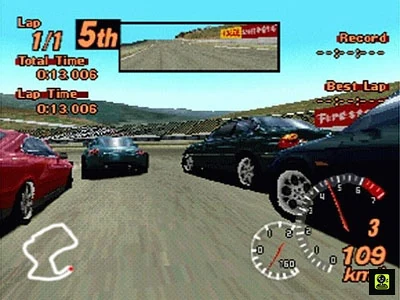
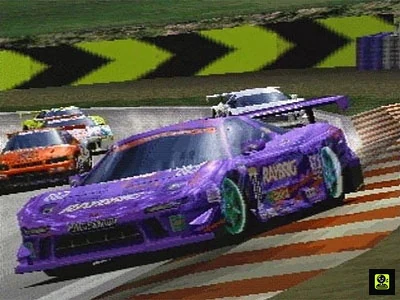
Sources & references
Our original guide draws on the references below. Check the edition at the top of this page before following controls or unlock requirements.
- Gran Turismo 2 User Manual
- Gran Turismo 2 — FAQ, Arcade Mode section
- The Gran Turismo Pit Stop — Arcade Extras
- Gran Turismo 2 — Arcade Disc Guide
- Gran Turismo 2 — PlayStation Manual
- Gran Turismo 2 — FAQ, Arcade Mode Tips and Cars
- Gran Turismo 2 Arcade Mode overview
- The Arcade Mode FAQ v1.3b, GTPlanet
- Gran Turismo 2 USA Arcade Mode v1.0 Manual PDF
- Unlocking Arcade Mode Bonus Cars
- Gran Turismo 2 Driving/Tuning FAQ, GameFAQs
- Gran Turismo 2 track and mode reference
- Gran Turismo Unlocking Guide by Sal_89, PlayStation
- Gran Turismo 2 User Manual, English PlayStation edition
- PlayStation Gran Turismo 2 Manual
- Gran Turismo 2 - FAQ - PlayStation - By BWright
About the game & collecting notes
- Platform
- Sony PlayStation
Focused strategy for the original North American Gran Turismo 2 Arcade Mode disc on PlayStation. Use Start Game to enter the Arcade menu, inspect Road Race, Rally and Time Trial separately, and preserve the shared PlayStation memory-card save. On a fresh North American Arcade save, the initial selectable Road Race groups are A-Class, B-Class and C-Class, with Home Garage available when compatible Simulation data is present. Rally has its own initial built-in car pool; additional individual Rally cars and individual S-Class road cars are added through qualifying Arcade victories. Saved Simulation licenses expose additional Arcade courses, but do not award Arcade reward cars or fill Arcade difficulty marks. Normal-or-higher wins unlock assigned Arcade reward cars, while Difficult wins open supported reverse layouts. Use Clear Status and Bonus Items to determine the displayed completion requirements. Simulation championships, credits and career completion remain separate from Arcade completion.
Darryl Polo
Darryl Polo loves tinkering with emulation and revisiting retro games. He enjoys exploring how old favorites play on different setups and sharing what he learns along the way. At Joking Joystick, he writes about the games, hardware, and small discoveries that keep the hobby fun.
Our editorial standardsFound a step that needs another look? Help us improve this guide.