
Dino Crisis — PlayStation (North America, SLUS-00922) Complete Walkthrough
A complete walkthrough for the original North American PlayStation release of Dino Crisis, identified by product code SLUS-00922. It covers the full campaign, the early Rick-or-Gail branch, the component-method choice, the final Rick-or-Gail choice, four practical route records and three counted ending entries. Direct Rick uses the ordinary Port route with the Energy Tank, Nucleum and Rick fuel handoff before the final Port confrontation. Direct Gail uses Special Weapons Storage, then returns through the Port to Hovercraft Storage and completes the hovercraft and Channel route. Rick after the final choice can enter the Underground Heliport; after that encounter, the route continues through Passageway to the Port and Hovercraft Storage, requires the Energy Tank, Nucleum and Rick fuel handoff, and then reaches the final Port Tyrannosaurus sequence before helicopter extraction. Gail after the final choice can enter the Underground Heliport; that route proceeds to Stabilizer Experiments Room before returning to the Underground Heliport and completing the helicopter extraction sequence. The component method remains separate from the final Rick-or-Gail choice.


Find a copy
Dino Crisis Sony PlayStation
We may earn a commission if you buy through these links, at no extra cost to you. As an Amazon Associate I earn from qualifying purchases.
Opens retailer search results. Check the model, edition, seller, availability and current price before buying.
Before you begin
This guide covers the original North American PlayStation release of Dino Crisis, identified by product code SLUS-00922. It uses tank-style movement, limited inventory, environmental puzzles and route choices that alter later scenes and ending results.
Use the original default controls: the D-pad moves and turns Regina; X performs ordinary actions and confirms interactions; Square runs; Circle opens the inventory/menu during play; Triangle cancels or returns from the current menu or selection; R1 draws or readies the weapon; L1 changes the current target; R2 performs the quick 180-degree turn; and Start pauses. Follow on-screen prompts for firing, special interactions and Danger events.
The campaign has an early Rick-or-Gail branch, a later component-method choice and a final Rick-or-Gail decision. Keep these choices separate when recording route variations.
The game has four practical route records but three counted ending entries. Record the final character choice, whether the post-choice route entered the Underground Heliport, the component method, the applicable rescue scene, the Tyrannosaurus encounters and the extraction result.
Direct Rick without the Underground Heliport follows the ordinary Port route and requires the Energy Tank, Nucleum and Rick fuel handoff before the final Port confrontation. Direct Gail without the Underground Heliport uses Special Weapons Storage, then returns through the Port to Hovercraft Storage for the hovercraft and Channel route. Rick after the final choice can enter the Underground Heliport, but that does not eliminate the later Port preparation: after the heliport encounter, continue through Passageway to the Port and Hovercraft Storage, obtain and fill the Energy Tank with Nucleum, return it to Rick and complete the final Port Tyrannosaurus sequence before the helicopter extraction result. Gail after the final choice can enter the Underground Heliport; follow that route to Stabilizer Experiments Room, then return through the Underground Heliport and complete the helicopter extraction sequence.
For the Gas Experiment Room, follow the original game's displayed panel procedure and nearby safety information; do not rely on a disputed fixed color transcription. In the lower laboratory, capture Dr. Kirk's fingerprints and rewrite Regina's ID Card with 31415 before completing the selected component method. The final Third Energy order is terminal authorization, B3 Initializer installation and computer activation, return to B2 for Stabilizer installation and charging, then operation of the computer beside the installed and charged Stabilizer.
Set yourself up for the run
Confirm the original North American PlayStation release and use the original control layout.
Use Save Rooms as save and recovery checkpoints; use Item Boxes for storage and Emergency Boxes for color-coded supplies.
Keep at least one inventory slot open for progression items, and retain DDK discs, Panel Keys, cards, plugs and generator components until their route is complete.
Conserve heavy ammunition for forced large-dinosaur encounters and final T-Rex sequences; evade optional dinosaurs when the route permits.
Record local memos, DDK clues, safe numbers and generator inputs before leaving their rooms.
Before a late-game branch, save in a nearby Save Room so the ending route can be retried without replaying the campaign.
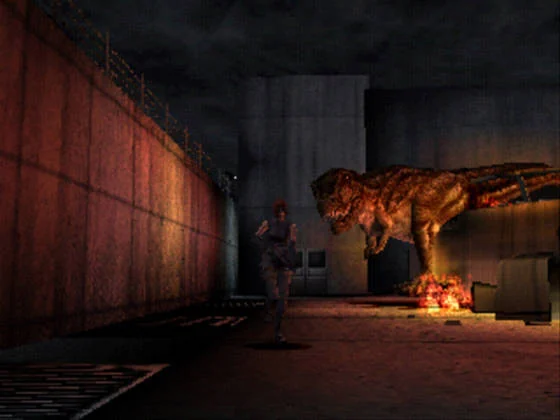
Orientation and Core Systems
This chapter prepares you for the original North American PlayStation release of Dino Crisis. Practice Regina’s tank-style movement in the opening Backyard, learn the confirmed default controls, and understand how to draw a weapon without importing controls from another version. The D-pad moves and turns Regina; X confirms and performs ordinary actions; Square runs; Circle opens the inventory/menu; Triangle cancels or returns; R1 draws or readies the weapon; L1 changes the target while the weapon is ready; R2 performs the quick 180-degree turn; and Start pauses. Follow displayed prompts for firing, target interaction and Danger Events. Learn the difference between carried inventory, designated save rooms, Item Boxes and Emergency Boxes. Keep at least one inventory position free, carry only the supplies needed for the next objective, and avoid wasting heavy ammunition on dinosaurs that can be bypassed. Finish in the Backyard ready to enter Material Storage and begin the first-floor generator route in ch02.
Confirm the original PlayStation controls
Dino Crisis uses tank-style movement. Use the D-pad to move Regina and turn her. Up moves her forward relative to her current facing, Down backs her away while preserving that facing, and Left or Right turns her. After a camera change, stop briefly and check Regina’s orientation before committing to a doorway or escape route. Do not assume that the top of the screen is always forward.
Press X to confirm menu choices and perform ordinary actions such as opening doors, examining objects and collecting items. Press Square while moving to run. Circle opens the inventory/menu during play, and Triangle cancels the current selection or returns from the current menu. Hold R1 to draw or ready the weapon. While the weapon is ready, press L1 to change the current target when more than one target is available. Press R2 for the quick 180-degree turn, and press Start to pause.
This is the default layout for the original North American PlayStation release used by this guide. Do not import a control scheme from a remake, another platform or an unrelated walkthrough. When a weapon, target, Danger Event or special interaction displays an additional prompt, follow that displayed prompt instead of guessing at a button assignment. In particular, firing and some context-sensitive actions should be performed according to the on-screen instruction shown by the game.
- Use the D-pad for movement and turning.
- Use X for confirmation and ordinary actions.
- Use Square to run.
- Use Circle to open the inventory/menu.
- Use Triangle to cancel or return.
- Use R1 to draw or ready the weapon.
- Use L1 to change the target while the weapon is ready.
- Use R2 for the quick 180-degree turn.
- Use Start to pause.
- Follow displayed prompts for firing, targeting and Danger Events.
Practice movement and escape routes in the Backyard
Use the opening Backyard to learn Regina’s movement rhythm before entering Material Storage. Walk toward a doorway, stop after a camera transition, turn with the D-pad and verify which direction leads to the next room. This short pause prevents the common mistake of running directly into a wall or toward a dinosaur after the camera changes.
Press Square with the D-pad to run across exposed ground or create distance from an enemy. Running is most effective when it takes Regina toward a known doorway, corner or room transition. Do not sprint blindly through an unfamiliar area. If the camera changes during a run, release Square long enough to reorient, then continue toward the exit.
Use Down to back away while keeping Regina facing the threat. If a dinosaur reaches Regina’s rear, press R2 to turn her around immediately, then run toward the clearest escape route. The quick turn is a recovery tool; it is not a replacement for learning where the exits are. Practice turning, backing away, sprinting and stopping before beginning the first generator objective.
The opening area also teaches an important resource rule: many dinosaurs are better avoided than fought. Keep the starting weapon available if an enemy blocks a narrow passage, but do not spend stronger ammunition merely to test the controls. The goal of this section is reliable movement, not clearing every room.
- Walk and turn before entering a doorway.
- Reorient after every camera change.
- Use Down to retreat while preserving Regina’s facing direction.
- Use Square with the D-pad to run.
- Use R2 when an enemy gets behind Regina.
- Practice reaching an exit without fighting every dinosaur.
- Avoid wasting heavy ammunition during movement practice.
Draw the weapon and change targets correctly
Open the inventory/menu with Circle and review the currently equipped weapon and available ammunition. Use the displayed inventory commands to select what Regina needs, then press Triangle to cancel or return from the current selection when appropriate. Before entering a dangerous room, make sure the intended weapon is equipped and that at least one inventory position remains available for a possible key item.
During normal play, hold R1 to draw or ready the weapon. Once Regina is ready, watch the lower-screen prompt for the firing or target interaction command used by the current situation. If several enemies are present, press L1 to cycle or change the target while the weapon remains ready. This target-change function is part of the standard PlayStation layout and should not be replaced with Select or an invented menu command.
Weapon readiness changes how Regina responds to movement and attacks. Do not keep the weapon raised while crossing every room. Draw it when a dinosaur blocks a narrow route or when an unavoidable encounter begins, then return to movement when the path is safe. If the game displays a special command during a Danger Event or other context-sensitive sequence, use that prompt rather than the normal weapon routine.
If Regina is being pursued, create distance first. Use R2 to face the threat, then run toward a known exit. Fire only when the dinosaur blocks progress, when the room layout prevents a clean dodge, or when the encounter clearly requires combat. This conserves ammunition for larger threats later in the facility.
- Open the inventory/menu with Circle.
- Confirm the weapon and ammunition before entering a dangerous room.
- Use Triangle to cancel or return from the current selection.
- Hold R1 to draw or ready the weapon.
- Use L1 to change the target while the weapon is ready.
- Follow the displayed prompt for firing or target interaction.
- Do not use Select as a substitute for inventory or target selection.
- Prefer escape over unnecessary ammunition use.
Manage inventory, health and MIX supplies
Regina’s carried inventory is limited. Keep at least one slot open whenever possible, and leave additional room before entering an unexplored objective room likely to contain a key, disc, Plug, card, battery or other progression item. If the inventory is full, reorganize ordinary ammunition or recovery supplies before discarding anything unidentified.
Use the inventory/menu to inspect medical supplies and MIX materials. Med Paks restore health, while Hemostats address bleeding. If Regina is bleeding or leaving a blood trail, use a Hemostat instead of carrying the condition into the next dinosaur encounter. MIX combines compatible materials into new supplies; combine items only when you understand the result and have room for the finished item.
Carry the supplies needed for the next route segment instead of filling every slot with ammunition. A small reserve of healing items and the weapon required for the current area is more useful than a full inventory that prevents Regina from taking a required object. Move surplus supplies to an available storage interface when the route provides one.
Never discard a D.D.K. disc, Plug, card, key, battery or other unexplained object simply to make room. Treat unidentified objects as progression items until the game or a verified route establishes their purpose. If you must make space, first move or combine known supplies.
- Keep at least one carried-inventory slot open.
- Leave extra space before an unexplored objective room.
- Use Med Paks for ordinary damage.
- Use Hemostats when Regina is bleeding.
- Use MIX only when the result is understood.
- Carry only the supplies needed for the next route segment.
- Do not discard unidentified discs, Plugs, cards, keys or batteries.
Distinguish saving, storage and Emergency Boxes
Designated save rooms are separate from ordinary rooms. When Regina attempts to leave a qualifying save room, the game can present a prompt to record progress to the memory card. Confirm the displayed choices and wait for the save operation to finish. Opening the inventory, pausing with Start, entering an ordinary room or examining an item does not by itself create a memory-card save.
Use save rooms before a long backtrack, before a major puzzle sequence and after a successful dangerous encounter when the route gives you a safe opportunity. Saving records progress; it does not move equipment between containers. If you die after leaving the room, only the saved state is protected, so make a new save after meaningful progress rather than assuming that reaching a room automatically created one.
Item Boxes or other storage interfaces reorganize carried equipment and supplies. They are not memory-card save points. Use them to remove surplus ammunition, medical items and MIX materials while keeping the objects needed for the current objective with Regina unless the game specifically asks you to place an item into a device.
Emergency Boxes are separate supply stations. Examine one with X and read the displayed requirement before spending a Plug or another resource. Emergency Boxes can provide or store ammunition and medical supplies, but opening one does not replace saving in a designated save room. Their contents and access requirements can differ by difficulty and regional release, so use the box’s own displayed information rather than assuming every box has the same contents.
- Save when a designated save room presents the record-data prompt.
- Wait for the memory-card operation to finish.
- Use Item Boxes for equipment and supply management.
- Examine Emergency Boxes before spending a Plug or other resource.
- Do not treat an Item Box as a save point.
- Do not treat an Emergency Box as a save point.
- Make a checkpoint save before major backtracking or dangerous puzzles when possible.
Finish orientation and begin the campaign route
Before leaving the opening area, practice the complete movement cycle: walk toward a doorway, stop after a camera change, turn with the D-pad, run with Square, retreat with Down and use R2 to face behind Regina. Open and close the inventory/menu with Circle, cancel or return with Triangle, draw the weapon with R1, change targets with L1 while ready, and pause with Start.
If a dinosaur appears during practice, create distance first. Use the nearest doorway or clear route, and follow the displayed weapon prompt only if the enemy blocks progress. Do not spend shotgun or other expensive ammunition on a small dinosaur that can be bypassed.
Keep at least one inventory position free and carry a recovery item before entering the next objective area. If a designated save prompt is available, use it before proceeding. Remember that saving, storage and Emergency Box access are different actions: a save records progress, an Item Box manages equipment, and an Emergency Box provides a separate supply interface.
This chapter is complete when you can control Regina without relying on screen-direction assumptions, use the original PlayStation layout, change targets with L1 while the weapon is ready, manage the limited inventory and explain the difference between a memory-card save, an Item Box and an Emergency Box. Do not begin the first-floor generator puzzle here. Enter Material Storage only when you are ready to start ch02, where you will collect the Back-up Generator Area Key and begin the opening progression.
- The player can move and turn Regina with the D-pad.
- The player can confirm and perform ordinary actions with X.
- The player can run with Square.
- The player can open the inventory/menu with Circle.
- The player can cancel or return with Triangle.
- The player can draw or ready the weapon with R1.
- The player can change targets with L1 while the weapon is ready.
- The player can quick-turn with R2.
- The player can pause with Start.
- The player follows displayed prompts for firing, targeting and Danger Events.
- The player has practiced tank-style movement, retreating, running and quick-turn recovery in the Backyard.
- At least one inventory position is open.
- The player understands the difference between saving, storage and Emergency Boxes.
- The player is ready to enter Material Storage and begin ch02.
Before you move on
- The player can state that the D-pad moves and turns Regina.
- The player can state that X confirms and performs ordinary actions.
- The player can state that Square runs.
- The player can state that Circle opens the inventory/menu.
- The player can state that Triangle cancels or returns.
- The player can state that R1 draws or readies the weapon.
- The player can state that L1 changes the target while the weapon is ready.
- The player can state that R2 performs the quick 180-degree turn.
- The player can state that Start pauses.
- The player follows displayed prompts for firing, targeting and Danger Events.
- The player has practiced tank-style movement, retreating, running and quick-turn recovery in the Backyard.
- The player understands the difference between carried inventory and storage.
- The player understands that designated save rooms record memory-card data when the game presents the save prompt.
- The player understands that Emergency Boxes provide a separate supply interface and are not save points.
- At least one inventory position is open.
- Material Storage has not yet been entered as part of the next chapter’s progression.
- The player is ready to collect the Back-up Generator Area Key in ch02.
The Backyard and First Generator (First Floor)
Enter Material Storage from The Backyard and collect the Back-up Generator Area Key. Follow Gail to Backup Generator Room 1F, arrange the batteries in Red, Blue, Green, White order, enter the Right, Center, Right sequence, and activate the generator. Escape the first Velociraptor by running back through the passage, then return through The Backyard, Backyard of the Facility, Office Hallway, and the ventilation route to Control Room 1F. This chapter covers only the first-floor generator. The later B1 Back-up Generator Key, Startup Battery R, and six-input B1 generator sequence are separate objectives.
Collect the first-floor generator key
After the opening scenes give Regina control in The Backyard, enter Material Storage through the nearby green door. The Back-up Generator Area Key is on the shelf to the left. Walk close to it and press X when the action prompt appears. This is the key for the first-floor backup generator route; do not confuse it with the later B1 Back-up Generator Key.
A second item is available near the movable shelf. Move the shelf if you want the recovery item and have room to carry it. Item placement for non-key supplies can vary, so treat this pickup as optional rather than delaying the route for it. Keep at least one inventory slot free for progression items.
Leave Material Storage and return toward the entrance area. A required story scene follows in which Gail takes charge and Regina is directed outside. This transition does not remove the key or reset your progress. When control returns, follow Gail through The Backyard toward the generator passage.
- Enter Material Storage from The Backyard.
- Collect the Back-up Generator Area Key from the shelf.
- Take the nearby optional recovery item only if useful and space is available.
- Allow the Gail story scene to finish.
- Follow Gail toward the first-floor generator route.
Reach Backup Generator Room 1F
Follow the path from The Backyard to Passageway to the Backup Generator. Continue along the fenced route until the scene involving Gail and the body occurs. When Regina can move again, inspect the body with X and take the recovery item if you need it and have room.
Continue in the direction indicated by Gail. Speak to him when the interaction prompt appears, then enter the nearby door. Confirm the room name before proceeding: this is Backup Generator Room 1F, not Backup Generator Room B1. The B1 room requires later facility progression and is not part of this chapter.
Inside Backup Generator Room 1F, locate the battery panel and the separate generator switch panel. Arrange your inventory before starting if necessary. Once the generator puzzle is solved, the route back toward the facility becomes available.
- Follow Gail into Passageway to the Backup Generator.
- Inspect the body and take the available recovery item if needed.
- Enter Backup Generator Room 1F.
- Locate both the battery panel and the separate switch panel.
Solve the first-floor generator
Examine the battery panel. Set the batteries from left to right as Red, Blue, Green, White. The second battery may look blue-purple and is sometimes described as purple in walkthroughs; it is the battery that belongs in the blue position.
Use the panel controls to enter Right, Center, Right. Check the displayed battery arrangement before leaving the panel. This is the complete first-floor input sequence. Do not use Startup Battery R or the six-input sequence associated with Backup Generator Room B1; those belong to a later chapter and a different room.
After the batteries are correctly arranged, move to the separate switch panel and press X when the activation prompt appears. The generator starts once the panel interaction is completed. Leave the room after control returns to Regina.
For the default control layout used here, the D-pad moves and turns Regina. Square is the run button. Circle opens the inventory or menu during play. Triangle cancels the current selection or returns from the active menu. X performs ordinary actions and confirms selections. R1 readies or aims the weapon as required by the game. L1 changes the current target when a target can be selected. R2 performs the quick 180-degree turn, and Start pauses. Use the displayed prompt for weapon firing and other context-sensitive actions rather than assigning an unsupported universal firing or targeting button.
- Arrange the batteries as Red, Blue, Green, White from left to right.
- Enter Right, Center, Right at the first-floor battery panel.
- Activate the separate generator switch panel with X.
- Use L1 to change targets when the game permits target selection.
- Do not use Startup Battery R or the B1 six-input sequence.
- Use the displayed prompts for weapon-specific actions.
Escape the opening Velociraptor
After Regina leaves the generator room, the gunshots and scream trigger the escape sequence. Continue through the passage until the Velociraptor appears. Defeating it is not required for campaign progress; the immediate objective is to reach the next safe area.
Run toward the route back to The Backyard by holding Square with the appropriate D-pad direction. If the dinosaur blocks the passage, ready the weapon with R1 and use the displayed attack prompt only long enough to create space. If the game provides more than one target during the encounter, use L1 to switch targets rather than repeatedly turning Regina into danger. Avoid spending heavy ammunition when movement can clear the route.
Pass through the gate into The Backyard. The game plays another scene, after which Regina can continue through the facility-side gate into Backyard of the Facility. If Regina was injured, use a recovery item before continuing when practical, but do not remain in the outdoor area to fight the Velociraptor.
- Leave Backup Generator Room 1F after the escape event begins.
- Run back through Passageway to the Backup Generator.
- Use Square to run and L1 to change targets if target selection appears.
- Reach The Backyard without needing to defeat the Velociraptor.
- Continue into Backyard of the Facility.
Return to Control Room 1F
From The Backyard, take the facility-side route into Backyard of the Facility. Continue through Office Hallway until you reach the ventilation opening. Enter it and proceed through Piping Check Passageway A 1F.
Take the first downward opening and follow the passage to Control Room Hall. Enter Control Room 1F. Optional supplies or an emergency-supply box along the return route are not required for completion; use a Save Room if you want to secure progress before beginning the next facility section.
A required scene with Rick occurs in Control Room 1F. Once it has played, the first-floor generator objective is complete and the next route is available. The following chapter begins the Management Office, laser barrier, DDK, and B1-generator progression.
Do not begin the later B1 Back-up Generator Key, Startup Battery R, B1 battery arrangement, or first Rick-or-Gail choice here. Those require the intervening Control Room and facility objectives.
- Reach Backyard of the Facility from The Backyard.
- Use Office Hallway and enter the ventilation opening.
- Proceed through Piping Check Passageway A 1F.
- Take the first downward opening.
- Enter Control Room Hall and Control Room 1F.
- Allow Rick's scene to occur.
- Leave the B1 generator and first route choice for the next chapter.
Before you move on
- The Back-up Generator Area Key was collected in Material Storage.
- The first-floor generator route through Passageway to the Backup Generator was completed.
- Regina entered Backup Generator Room 1F.
- The batteries visibly read Red, Blue, Green, White from left to right.
- The Right, Center, Right sequence was entered at the first-floor panel.
- The separate generator switch panel was activated.
- Regina escaped the opening Velociraptor and reached The Backyard.
- Regina continued into Backyard of the Facility.
- Regina used Office Hallway and the ventilation opening to reach Piping Check Passageway A 1F.
- Regina took the first downward opening and entered Control Room Hall.
- Regina entered Control Room 1F and Rick's scene occurred.
- The Management Office route is available for the next chapter.
- Startup Battery R, the B1 Back-up Generator Key, and the B1 six-input sequence were not treated as first-floor objectives.
- The PlayStation control reference includes L1 for changing the selected target.
References for this chapter
- Capcom Dino Crisis PlayStation Game Instruction Manual
- Dino Crisis - Guide and Walkthrough - PlayStation - By Stinger_316
- Dino Crisis Walkthrough and Guide, PlayStation, B1 crane and B3 generator progression
- Dino Crisis - Guide and Walkthrough - PlayStation - By Kenny
- Dino Crisis Walkthrough — PlayStation — GameFAQs
Control Room, Management Office and First Route Branch
Complete the shared first-floor investigation through the Management Office, Locker Room, Main Entrance, Chief’s Room and Lecture Room. After the Lecture Room Danger sequence, return through the ventilation route, unlock the Office’s north doors, and go back to Control Room 1F. The scene there sends Regina to restore the basement power. Only then enter Backup Generator Room B1, install Startup Battery R, solve the battery and switch puzzles, and return to Control Room 1F for the first Rick-or-Gail choice.
Reach the Management Office from Control Room 1F
Begin after the first-floor Backup Generator puzzle and its opening raptor escape. From the Backyard of the Facility, return through the facility and use the ventilation opening to reach the Control Room Hall. Enter Control Room 1F and let the scene with Rick finish.
When control returns to Regina, leave the Control Room and enter the Management Office through the nearby route. The Management Office is a Save Point, so save or reorganize equipment if needed. Keep enough inventory space for DDK discs, keys and the Plug.
- First-floor Backup Generator completed
- Control Room 1F scene viewed
- Management Office entered
- Inventory arranged for key items
Collect the Management Office items
Open the silver weapon container and collect the Shotgun. Take DDK Input Disc H from the table and collect the Plug from the office. Examine the computer so Regina receives the basic DDK explanation, then inspect the body in the adjoining part of the office to obtain Panel Key 2.
Use the office controls to change the nearby laser shutter to its accessible state. Leave through the newly available route toward the Locker Room. The Shotgun is useful for close raptor encounters, but running around the room or using the environment can conserve ammunition.
- Shotgun collected
- DDK Input Disc H collected
- Plug collected
- Management Office computer examined
- Panel Key 2 collected
- Laser shutter made accessible
Read the Locker Room file and open the safe
Enter the Locker Room through the opened laser-shutter route. Read the file on the table to obtain the Management Office safe combination, 0426. Take DDK Code Disc H from the top of the locker.
Return to the Management Office and enter 0426 at the weapon-storage safe. Take the Entrance Key and Resuscitation. The Entrance Key opens the large doors at the Main Entrance, while Resuscitation is a recovery item rather than a progression requirement.
- Locker Room file read
- Combination 0426 recorded
- DDK Code Disc H collected
- Entrance Key collected
- Resuscitation collected
Open the Main Entrance and collect DDK Code Disc N
Use the Entrance Key on the large Main Entrance doors and enter the Front Area of the Entrance. Search the body near the large doors to collect DDK Code Disc N. Additional ammunition or recovery items in this area are optional and should not displace required keys or discs.
Return inside and use the stairs to reach the second-floor route. Keep DDK Code Disc N separate from DDK Input Disc N: the Code Disc comes from the Front Area of the Entrance, while the matching Input Disc is found later in the Chief’s Room.
- Main Entrance opened
- Front Area of the Entrance reached
- DDK Code Disc N collected
- Second-floor route reached
Open the H DDK door and enter the Chief’s Room
From Hall 2F, use DDK Input Disc H with DDK Code Disc H at the H-marked door. Solve the DDK display by removing the letters shown in the lower sequence from the code-disc sequence. The resulting password is HEAD. Enter HEAD to open the Chief’s Room.
An optional memo in the Communications Antenna Tower can provide the Lounge safe combination, 8159. The Lounge safe is not required for campaign completion, so leave it for later or skip it if inventory space is limited.
- H DDK pair inserted
- Password HEAD entered
- Chief’s Room entered
- Optional Lounge code 8159 recorded if desired
Use the Panel Keys and obtain Key Card L
The Chief’s Room scene provides Panel Key 1. After the scene, take DDK Input Disc N from the nearby table. Insert Panel Key 1 and Panel Key 2 into their matching slots at the electronic panel near the Chief’s desk and window.
Enter 705037 when prompted. The panel opens and provides Key Card L. Keep the card; it is required later for the laboratory route, even though it is not needed to activate the B1 generator.
- Panel Key 1 obtained
- DDK Input Disc N collected
- Both Panel Keys inserted
- Code 705037 entered
- Key Card L collected
Survive the Chief’s Room T-Rex event
When Regina tries to leave the Chief’s Room, the T-Rex breaks through the window. Equip the Shotgun if necessary and keep moving away from its mouth. Fire when the dinosaur opens its mouth and begins a forward lunge; this is the safest opportunity to interrupt the attack.
After the T-Rex withdraws, leave the room and return to Hall 2F. Do not treat this as a conventional boss fight. The objective is to survive the confined-room attack and continue the route.
- Chief’s Room T-Rex event survived
- Regina returned to Hall 2F
- Key Card L retained
Open the N DDK door and reach the Lecture Room
Return to the Main Entrance and use the door behind the stairs. Insert DDK Input Disc N and DDK Code Disc N. Enter NEWCOMER to open the N-marked door.
Continue through the Elevator Hall and Lecture Room Hallway. Disable the available laser shutters and enter the Lecture Room. At the front of the room, take the BG Room B1 Key. Picking up this key triggers a mandatory Danger sequence; press the displayed controller inputs rapidly until the scene ends.
- N DDK pair inserted
- Password NEWCOMER entered
- Elevator Hall reached
- Lecture Room entered
- BG Room B1 Key collected
- Lecture Room Danger sequence completed
Return through the Office and trigger the basement-power objective
After Gail’s rescue scene in the Lecture Room, leave the room and use the ventilation opening near the vending machines rather than proceeding directly to the Backyard. Follow the Piping Check Passageway B 1F to the other opening and enter the Toilet if you want its optional recovery items.
From the Toilet, return to the Management Office Hallway and proceed to the Office. The Office is the room with the ID-card rewriter and the raptor hazard. Enter it, then unlock the double doors on the north side. This creates the required shortcut into the Office Hallway.
Use that newly opened route to return to Control Room 1F. Let the scene with Rick and Gail play completely. Gail then instructs Regina to restore power to the basement area. This scene is the progression trigger for the B1 generator objective; do not go to Backup Generator Room B1 before it occurs.
- Lecture Room scene completed
- Ventilation route used after the Danger sequence
- Office reached
- Office north double doors unlocked
- Control Room 1F revisited
- Gail’s basement-power instruction triggered
Restore Backup Generator Room B1
After the Control Room scene, leave the facility through the Office route and return to the Backyard of the Facility. Use the BG Room B1 Key on the locked gate leading to Backup Generator Room B1. Enter the room and descend the ladder.
Take Startup Battery R from its charger and place it in the generator’s battery box. Arrange the four batteries from left to right to match the on-screen color order: Red, Blue, Green, White. Some older references describe the blue battery as purple because of its appearance, but this is the blue position in the original PlayStation presentation.
Use the adjacent switch panel in this order: Right, Center, Left, Right, Center, Right. Activate the generator after the sequence is accepted. Once power is restored, push the shelf near the battery equipment and collect the Plug hidden behind it. This Plug is optional for immediate story progression but should be collected if inventory space permits.
- BG Room B1 Key used
- Backup Generator Room B1 entered
- Startup Battery R removed from its charger
- Battery order set to Red, Blue, Green, White
- Switch order entered as Right, Center, Left, Right, Center, Right
- B1 generator activated
- Plug behind the shelf collected
Return to Control Room 1F and make the first route choice
Leave Backup Generator Room B1 and return through the Backyard and Office Hallway. The raptor in the Office Hallway can trigger another Danger sequence if it breaks through the glass. Follow the on-screen inputs, retreat through a cleared room if necessary, and avoid spending heavy ammunition unless the enemy blocks the route.
Continue through the Main Entrance and Management Office Hallway to Control Room 1F. Enter only after B1 power has been restored, then allow the complete scene to play. Regina is asked whether to follow Rick’s method or Gail’s method.
Choose Rick’s method to begin the early Rick route, or choose Gail’s method to begin the early Gail route. Record the choice and stop this chapter immediately afterward. The next chapter handles the selected route’s Medical Room, Large Size Elevator, fingerprint and ID-card objectives.
- B1 power restoration confirmed
- Control Room 1F revisited after restoration
- First Rick-or-Gail choice displayed
- Rick’s or Gail’s method selected
- Selected route recorded
Before you move on
- The Management Office was entered and the Shotgun, DDK Input Disc H, Plug and Panel Key 2 were collected.
- The Locker Room file was read, DDK Code Disc H was taken, and the 0426 safe provided the Entrance Key and Resuscitation.
- The Main Entrance route was opened and DDK Code Disc N was collected.
- The H DDK door was opened with HEAD.
- The Chief’s Room scene was completed, Panel Key 1 and DDK Input Disc N were collected, code 705037 was entered and Key Card L was obtained.
- The Chief’s Room T-Rex event was survived.
- The N DDK door was opened with NEWCOMER and the Lecture Room was reached.
- The Lecture Room Danger sequence was completed and the BG Room B1 Key was obtained.
- Regina returned through the ventilation route, entered the Office, unlocked the north double doors and returned to Control Room 1F.
- The Control Room scene with Rick and Gail played, including Gail’s instruction to restore the basement power.
- Backup Generator Room B1 was entered with the BG Room B1 Key.
- Startup Battery R was installed, the battery order was set to Red, Blue, Green, White, and the switch order Right, Center, Left, Right, Center, Right restored B1 power.
- The Plug behind the B1 shelf was collected if inventory space allowed.
- Regina returned to Control Room 1F after B1 restoration and selected either Rick’s method or Gail’s method.
- The next chapter follows the selected route and does not repeat the common B1 generator objectives.
References for this chapter
- Dino Crisis Walkthrough and Guide, PlayStation, B1 crane and B3 generator progression
- Dino Crisis - Guide and Walkthrough - PlayStation - By AWebCraft
- Dino Crisis - Guide and Walkthrough - PlayStation - By ChandooG - GameFAQs
- Dino Crisis - Guide and Walkthrough - PlayStation - By Kenny
- Capcom Dino Crisis PlayStation Game Instruction Manual
Early Gail Route — Medical Room and ID Card
Begin only after the first Control Room 1F choice selected Gail’s route and Backup Generator Room B1 was fully restored. Follow Regina through the Medical Room, Hall B1 and the material-transfer shortcut, then inspect Carrying Out Room B1 for its DDK clue. Collect the Strategy Room fingerprint equipment and DDK Code Disc E, scan Paul Baker in the Elevator Hall, and rewrite Regina’s ID Card with registration number 58104. Use the rewritten card to reach the Large Size Elevator route, collect both L discs, restore elevator power, survive the Pteranodon Danger events and descend to Carrying Out Room B1. Use the B1 Crane Card with the counted PlayStation procedure to clear the container obstruction. Stop with the passage beyond the containers open for the shared laboratory progression.
Confirm the prerequisite and collect the Medical Room items
Do not begin until Gail was selected at the first Control Room 1F branch. Backup Generator Room B1 must already be powered. The preceding common progression includes installing Startup Battery R, arranging the generator batteries in Red, Blue, Green and White order, entering Right, Center, Left, Right, Center, Right at the switches, activating the generator and collecting the Plug. Do not repeat those objectives here.
From Control Room 1F, leave through Control Room Hall and descend to the Medical Room Hallway. Ignore or evade the Procompsognathus and enter the Medical Room. Collect the Medical Room ID Card from the desk. The room also contains Med. Pak M supplies, an An. Aid and a Plug near the entrance. Take the recovery items if inventory space permits, then save before continuing. Keep enough room for the Fingerprint Collection Device, DDK Code Disc E, both L discs and the B1 Crane Card.
- Gail’s route was selected at the first Control Room branch.
- Backup Generator Room B1 was restored before this chapter began.
- Medical Room entered.
- Medical Room ID Card collected.
- Medical Room recovery supplies collected when inventory permits.
- A save was made before continuing.
Complete Hall B1 and open the material-transfer shortcut
Leave the Medical Room and continue through the Medical Room Hallway to Hall B1. Complete the scene there, then use the indicated door beside the An. Aid. Enter Hallway for Carrying In Materials and move down the corridor. A Danger sequence can occur on this crossing; follow the displayed inputs and continue rather than stopping to fight unnecessarily.
At the far end, disable the laser barrier and unlock the grey door. This creates the shortcut toward Backup Generator Room B1 and is part of the required route. Return to the rusty double doors and enter Carrying Out Room B1. Examine the corpse or nearby clue to record the information about the DDK disc needed later, then leave and return through the material-transfer hallway. Do not activate Backup Generator Room B1 again; its restoration was completed before this chapter.
- Hall B1 scene completed.
- Material-transfer route reached.
- Laser barrier disabled.
- Grey shortcut opened.
- Carrying Out Room B1 inspected and its DDK clue recorded.
- No second B1 generator activation attempted.
Collect the Strategy Room equipment
Return through Hall B1 and the Medical Room Hallway, go upstairs to Control Room Hall, and enter the Management Office. Cross the Management Office Hallway, evade the raptor if necessary and enter the Strategy Room.
Collect the Fingerprint Collection Device and DDK Code Disc E. The Strategy Room also has a Plug and an Emergency Box with variable supplies. Take the Plug or recovery items only if they do not prevent Regina from carrying the required route items. DDK Code Disc E is required for the later Laboratory progression, so retain it even though it is not used for the 58104 rewrite.
- Strategy Room entered.
- Fingerprint Collection Device collected.
- DDK Code Disc E collected and retained.
- Strategy Room Plug collected if inventory space permits.
- Inventory space preserved for the L discs and B1 Crane Card.
Capture Paul Baker’s fingerprint and rewrite the ID Card
Leave the Strategy Room, cross the Management Office Hallway and Front Entrance, and enter the Elevator Hall through the door behind the stairs. Stand over Paul Baker’s body beside the map and use the Fingerprint Collection Device. This supplies the fingerprint associated with registration number 58104.
From the Elevator Hall, enter the Lecture Room Hallway and use the first office. Insert the Medical Room ID Card into the computer, transfer the captured fingerprint and enter 58104. Confirm the overwrite when prompted. Leave with the rewritten card. If the computer rejects the procedure, verify that the device was used on Paul Baker in the Elevator Hall and that the correct registration number was entered.
- Paul Baker’s fingerprint captured in the Elevator Hall.
- Medical Room ID Card inserted into the office computer.
- Registration number 58104 entered.
- ID Card rewrite confirmed.
- Rewritten ID Card obtained.
Reach the Large Size Elevator and collect both L discs
Return to the Elevator Hall and use the elevator. Follow the route through the Office Hallway and Backyard of the Facility to the Large Size Elevator Passageway. Raptors can usually be bypassed; preserve ammunition and keep moving.
Enter the Large Size Elevator. A Danger event occurs when Regina arrives. Recover her weapon and continue through the Northeast door to the Large Size Elevator Control Room. Collect DDK Input Disc L from the computer and DDK Code Disc L from the body or room scene. These discs are required later to open the Laboratory route, so do not leave either behind.
Continue through the Passageway to the Power Room. Med. Pak M and An. Aid may be available, but stopping can give the Pteranadons an opportunity to attack. Heal before the next Danger event if necessary, while retaining space for the B1 Crane Card.
- Rewritten ID Card used to reach the Large Size Elevator route.
- First Large Size Elevator Danger event survived.
- DDK Input Disc L collected.
- DDK Code Disc L collected.
- Passageway to the Power Room reached.
Restore Large Size Elevator power
Enter the Elevator Power Room and climb down the ladder. Collect the B1 Crane Card. A shelf can be pushed for a variable recovery item or ammunition; leave it if the inventory is crowded or the action creates unnecessary danger.
Examine the six-panel power arrangement and set the positions on the panel as follows: top-right Red, bottom-left Red, middle-left Green, middle-right Green, bottom-right Blue and top-left Blue. Match the colors to the panel positions rather than assuming an input order.
Leave the room and cross back through the Passageway to the Power Room. A second Pteranodon Danger event occurs on this return. Survive it, enter the Large Size Elevator Control Room and activate the elevator. Descend to Carrying Out Room B1.
- B1 Crane Card collected.
- Top-right panel set to Red.
- Bottom-left panel set to Red.
- Middle-left panel set to Green.
- Middle-right panel set to Green.
- Bottom-right panel set to Blue.
- Top-left panel set to Blue.
- Elevator power restored.
- Second relevant Pteranodon Danger event survived.
- Large Size Elevator descended to Carrying Out Room B1.
Use the B1 Crane Card and clear the containers
In Carrying Out Room B1, climb to the upper walkway and use the B1 Crane Card at the control panel. The crane commands are relative to the normal displayed starting position. Select the complete first group as Up 2, Left 1, Down 1, Hook, Right 2, Release, then choose Start to execute it.
For the second group, select Up 2, Hook, Down 1, Release, then choose Start. This leaves the crane in the required state while clearing the route. After both groups have executed, select Exit. Do not replace this counted PlayStation procedure with a shorter sequence or with an uncounted list of directions.
If the first attempt was interrupted, if commands were cleared partway through, or if the crane’s displayed position differs from the normal starting state, stop and reassess from the position shown on the panel. Use Clear only when appropriate, then calculate the remaining movement from the current displayed state instead of blindly repeating the memorized sequence.
Return to the lower level and cross the newly opened path through the containers. Confirm that the passage beyond Carrying Out Room B1 is accessible. Stop here; the shared laboratory-opening chapter handles the L DDK door and all subsequent research objectives.
- B1 Crane Card used at the upper walkway panel.
- Normal displayed crane state confirmed or current state reassessed after interruption.
- First crane group entered: Up 2, Left 1, Down 1, Hook, Right 2, Release.
- First group executed with Start.
- Second crane group entered: Up 2, Hook, Down 1, Release.
- Second group executed with Start.
- Exit selected after both command groups.
- Container obstruction cleared.
- Passage beyond Carrying Out Room B1 opened.
- Laboratory progression not started.
Before you move on
- Gail’s route was selected at the first Control Room 1F branch.
- Backup Generator Room B1 was fully restored before this chapter began.
- Medical Room entered and used as a save location.
- Medical Room ID Card collected.
- Medical Room recovery supplies collected when inventory permitted.
- Hall B1 scene completed.
- Material-transfer shortcut opened and the laser barrier disabled.
- Carrying Out Room B1 inspected and its DDK clue recorded.
- Strategy Room entered.
- Fingerprint Collection Device collected.
- DDK Code Disc E collected and retained.
- Paul Baker’s fingerprint captured beside the Elevator Hall map.
- Registration number 58104 entered and the ID Card rewrite confirmed.
- Large Size Elevator route reached.
- Both relevant Pteranodon Danger events survived.
- DDK Input Disc L collected.
- DDK Code Disc L obtained.
- B1 Crane Card collected.
- Large Size Elevator power panel positions set correctly.
- Large Size Elevator descended to Carrying Out Room B1 using restored power while the earlier B1 generator restoration remained complete. The crane was operated from the normal displayed state, or the state was reassessed after interruption, using Up 2, Left 1, Down 1, Hook, Right 2, Release; then Up 2, Hook, Down 1, Release; then Exit. The container obstruction was cleared and the passage beyond it was opened.
Early Rick Route — Large Elevator and B1 Access
Begin after the first Control Room 1F decision selects Rick’s route and the common Backup Generator Room B1 restoration is complete. Take the Backyard route to Large Size Elevator Passageway, survive the Pteranodon Danger event and recover Regina’s dropped weapon. Collect DDK Code Disc L, DDK Input Disc L and the B1 Crane Card, restore elevator power with the six-panel arrangement, then ride to Carrying Out Room B1 and clear the crate obstruction with the complete crane procedure. Continue through Medical Room and Strategy Room, obtain the F.C. Device and DDK Code Disc E, scan Paul Baker and rewrite Regina’s ID Card with registration number 58104. Use the rewritten card at the Elevator Hall lift. Stop before opening LABORATORY or beginning later research objectives.
Confirm the Rick prerequisites and reach Large Size Elevator Passageway
Begin immediately after the first Control Room 1F choice selects Rick’s route. Backup Generator Room B1 must already be restored. Startup Battery R must have been installed, the B1 battery and switch sequence completed, the generator activated and the Plug collected. Do not repeat that generator puzzle here.
Leave Control Room 1F and pass through Management Office, Management Office Hallway, Front Entrance and Office Hallway to reach Backyard of the Facility. Continue through the gate into The Backyard and follow Rick into Large Size Elevator Passageway. Two Raptors patrol this approach, so run past them when possible rather than spending heavy ammunition.
Enter Large Size Elevator to trigger the Pteranodon Danger event. Follow the prompts displayed by the game and recover Regina’s dropped weapon after the attack. The Pteranadons do not need to be defeated for progression. Keep moving toward the available exit once the event ends.
- Rick’s route was selected at Control Room 1F.
- Backup Generator Room B1 was restored before this chapter began.
- Regina reached Large Size Elevator Passageway through the Backyard.
- The Pteranodon Danger event was survived.
- Regina’s dropped weapon was recovered.
Collect the L discs and the B1 Crane Card
From Large Size Elevator, enter the northeast door to Large Size Elevator Control Room. The scene provides DDK Code Disc L. Collect it, then take DDK Input Disc L from the computer or nearby work area. These are separate items and must be retained as a matching L pair for the later LABORATORY door.
Use the side exit to record the nearby map data if desired, then take the other door into Passageway to the Power Room. Pteranodons attack along this route. Run through rather than stopping in the open for optional supplies unless the area is safe.
Enter Elevator Power Room, climb down the ladder and move left to collect the B1 Crane Card. A shelf on the opposite side can be pushed for an optional medicinal item or ammunition. Before solving the panel, make sure DDK Code Disc L, DDK Input Disc L and the B1 Crane Card are secured in Regina’s inventory or an Item Box.
- DDK Code Disc L was collected.
- DDK Input Disc L was collected.
- The two L discs were kept together.
- The B1 Crane Card was collected in Elevator Power Room.
Restore the Large Size Elevator
Examine the six-panel arrangement in Elevator Power Room. Set the panels as follows: Top Right Red, Bottom Left Red, Middle Left Green, Middle Right Green, Bottom Right Blue and Top Left Blue. Confirm the completed arrangement to restore power to the Large Size Elevator.
Climb back up and return through Passageway to the Power Room. A Danger sequence occurs during the return. Treat it as a reaction event and follow the prompts shown by the game rather than trying to solve it as a normal fight.
Return to Large Size Elevator Control Room and activate the powered elevator. The following scene carries Regina, Rick and Tom to Carrying Out Room B1. This six-panel arrangement belongs specifically to Elevator Power Room; it is not either generator-room puzzle.
- The six panels were set to Top Right Red, Bottom Left Red, Middle Left Green, Middle Right Green, Bottom Right Blue and Top Left Blue.
- The return Danger sequence was survived.
- The Large Size Elevator was activated.
- The group reached Carrying Out Room B1.
Clear the Carrying Out Room B1 obstruction
In Carrying Out Room B1, climb the ladder to the upper walkway and use the B1 Crane Card at the crane control panel. From the normal displayed starting state, enter the first command group: Up 2, Left 1, Down 1, Hook, Right 2, Release.
Enter the second command group: Up 2, Hook, Down 1, Release. The final Down 1 and Release inputs complete the procedure and leave the crate positioned so the route can be crossed.
After the crane finishes, climb down and pass through the newly opened route. If an interrupted attempt leaves the crane in a different displayed position, reassess the state shown on the panel before entering more commands instead of blindly repeating the normal sequence.
- The B1 Crane Card was used.
- The first crane group was completed as Up 2, Left 1, Down 1, Hook, Right 2, Release.
- The second crane group was completed as Up 2, Hook, Down 1, Release.
- The crate obstruction was cleared.
- The route beyond the containers was opened.
Obtain the Medical Room and Strategy Room items
Follow the opened route through Hallway for Carrying In Materials and unlock the grey shortcut when you reach its controls. This shortcut helps with later travel, but it does not require Backup Generator Room B1 to be powered again. Continue through Hall B1 and Medical Room Hallway toward Medical Room. Procompsognathus swarms can usually be ignored when they are not blocking the route.
Enter Medical Room, which is a Save Room. Take the ID Card from the desk. The room also contains recovery supplies and a Plug. Take what you need while preserving enough inventory space for the F.C. Device and DDK Code Disc E. The Emergency Boxes beside the bed are separate from ordinary saving and can be opened later when their contents are useful.
Leave Medical Room, continue through Medical Room Hallway and go upstairs toward the first-floor rooms. Enter Strategy Room and collect the F.C. Device, the nearby Plug if needed and DDK Code Disc E. The F.C. Device is required to record a fingerprint for the ID-card rewrite.
- The crane-cleared B1 route was crossed.
- The grey shortcut was unlocked.
- The Medical Room ID Card was collected.
- The F.C. Device was collected in Strategy Room.
- DDK Code Disc E was collected.
Record Paul Baker’s fingerprint and rewrite the ID Card
Leave Strategy Room and travel through Management Office Hallway and Front Entrance to Elevator Hall. Stand over Paul Baker’s body beside the map and use the F.C. Device to record his fingerprint data. This is the fingerprint used for the Rick-route card rewrite with registration number 58104.
From Elevator Hall, use the route through Lecture Room Hallway to reach Office. Insert the Medical Room ID Card into the computer. Enter 58104, supply Paul Baker’s fingerprint data and accept the overwrite prompt. The card is then rewritten for the lift authorization.
Return to Elevator Hall and use the rewritten ID Card at the elevator. During ordinary play, the default controls are D-pad movement and turning; X for action and confirmation; Square for running; Circle for the inventory/menu; Triangle for cancel or return; R1 to draw or ready the weapon; L1 to change the current target while aiming; R2 for the quick 180-degree turn; and Start to pause. Follow the on-screen prompt for firing, targeting and Danger events.
- Paul Baker’s body beside the Elevator Hall map was found.
- Paul Baker’s fingerprint was recorded with the F.C. Device.
- Registration number 58104 was entered.
- The overwrite was accepted.
- The rewritten ID Card opened the Elevator Hall lift.
Verify the handoff and stop before laboratory progression
At the handoff, Regina should have the rewritten ID Card authorized with 58104, DDK Code Disc L, DDK Input Disc L and DDK Code Disc E. Backup Generator Room B1 must remain powered, the Carrying Out Room B1 obstruction must remain cleared and the grey shortcut should be available.
Stop after the lift places Regina in the next B1 section. Do not use the L discs to open LABORATORY, enter Main Hallway B1, solve the Computer Room panel, visit Research Meeting Room or Gas Experiment Room, enter Library Room or begin the later B3 crane and battery objectives. Those tasks belong to the shared laboratory chapters.
- The next B1 section was reached by the rewritten-card lift.
- Both L discs remained secured.
- DDK Code Disc E remained secured.
- The rewritten ID Card remained secured.
- B1 power and the cleared crane route were preserved for the next chapter.
Before you move on
- Rick’s route was selected at Control Room 1F.
- Backup Generator Room B1 was already restored before this route began.
- Regina reached Large Size Elevator Passageway through the Backyard.
- The first Pteranodon Danger event was survived and the dropped weapon was recovered.
- DDK Code Disc L and DDK Input Disc L were collected.
- The Large Size Elevator panels were set to Top Right Red, Bottom Left Red, Middle Left Green, Middle Right Green, Bottom Right Blue and Top Left Blue.
- The return Danger sequence was survived.
- The Large Size Elevator carried the group to Carrying Out Room B1.
- The B1 Crane Card was collected and used.
- The first crane group was completed as Up 2, Left 1, Down 1, Hook, Right 2, Release.
- The second crane group was completed as Up 2, Hook, Down 1, Release.
- The Carrying Out Room B1 obstruction was cleared.
- The grey shortcut was unlocked without repeating B1 generator activation.
- The Medical Room ID Card was collected.
- The F.C. Device and DDK Code Disc E were collected in Strategy Room.
- Paul Baker’s fingerprint was recorded from the body beside the Elevator Hall map.
- Registration number 58104 was accepted in the Office computer.
- The ID Card was successfully rewritten and used at the Elevator Hall lift.
- The handoff state includes both L discs, DDK Code Disc E, the rewritten ID Card, restored B1 power and the cleared B1 route.
References for this chapter
- Capcom Dino Crisis PlayStation instruction manual
- Dino Crisis NTSC-U Serial SLUS-00922 - PSX DataCenter
- Dino Crisis Walkthrough and Guide, PlayStation, B1 crane and B3 generator progression
- Dino Crisis - Guide and Walkthrough - PlayStation - By AWebCraft
- Dino Crisis - Guide and Walkthrough - PlayStation - By ChandooG - GameFAQs
Route Convergence — B1 Generator and Laboratory Opening
Begin only after the first Rick-or-Gail choice is complete and the selected route has finished its Large Size Elevator progression, ID-card work and B1 crane obstruction. Backup Generator Room B1 must already be powered; do not repeat its battery or switch puzzle here. From Elevator Hall, reach Hall B1 and open the L-marked DDK door with DDK Input Disc L and DDK Code Disc L. Enter LABORATORY, continue through Main Hallway B1 and enter the Computer Room. The mandatory objective in this chapter is to collect the Computer Room Screwdriver from the toolbox and retain it for the 7248 research-panel sequence in ch06. The Computer Room Plug is optional and may be left behind if inventory space is needed. Stop after the Computer Room handoff, before the 7248 code, Research Meeting Room, Gas Experiment Room, Library Room, B3 crane and DDK W objectives.
Confirm the completed handoff
Start only after the first Rick-or-Gail choice and the selected Rick or Gail route are complete. The chosen route must have finished its Large Size Elevator progression, required ID-card procedure and B1 crane obstruction. These earlier objectives are prerequisites and must not be repeated here.
Confirm that Backup Generator Room B1 was restored before the branch. Startup Battery R, the Red, Blue, Green, White battery arrangement and the Right, Center, Left, Right, Center, Right switch sequence must already be finished. Do not return to the B1 generator room during this chapter.
Make room for the Computer Room Screwdriver. It is a mandatory handoff item, not an optional pickup: Regina must collect it in the Computer Room and carry it into the next laboratory chapter for the 7248 research-panel sequence. DDK Input Disc L and DDK Code Disc L must also be available. The Computer Room Plug can be left behind if inventory space is tight.
- The first Rick-or-Gail choice is complete.
- The selected Rick or Gail route completed the Large Size Elevator progression.
- The required ID-card work is complete.
- The B1 crane obstruction has been cleared.
- Backup Generator Room B1 was restored before this chapter began.
- DDK Input Disc L and DDK Code Disc L are secured.
- An inventory slot is reserved for the mandatory Computer Room Screwdriver.
Return to Elevator Hall and reach Hall B1
From the completed route, return to Elevator Hall using the available facility route. Do not search for another generator solution; B1 power restoration was completed before the branch and is outside this chapter.
Use the elevator route leading to Hall B1. A raptor can attack around the approach, so keep moving toward the DDK panel and avoid spending heavy ammunition unless the corridor is blocked. Use a nearby safe area or barrier to create distance if necessary.
Locate the L-marked DDK panel. This entrance is opened with the L pair, not with the earlier H or N discs, the B1 Crane Card or a Key Card. Keep one inventory slot available so the mandatory Screwdriver can be collected once you enter the Computer Room.
- Elevator Hall was reached.
- The route to Hall B1 is available.
- The L-marked DDK panel was located.
- Both L discs are available for insertion.
- Inventory space remains available for the mandatory Computer Room Screwdriver.
Open the laboratory entrance
At the L-marked DDK lock, use DDK Input Disc L and DDK Code Disc L. Both discs are required. If the door does not respond, verify that the discs are the L pair and that they are being used at the laboratory entrance rather than merely examined in the inventory.
When the password prompt appears, enter LABORATORY and confirm it. Allow the door-opening scene to finish, then enter Main Hallway B1.
Proceed through the hallway toward the Computer Room. The laboratory approach can contain raptors near the laser barriers. Disable or pass the barriers when safe; defeating every dinosaur is not required. The objective is to reach the Computer Room with enough room to take and retain the Screwdriver.
- DDK Input Disc L was inserted.
- DDK Code Disc L was inserted.
- LABORATORY was entered at the L DDK panel.
- The laboratory door opened.
- Main Hallway B1 was entered.
- The mandatory Screwdriver pickup remains the next required objective.
Enter the Computer Room and secure the Screwdriver
Follow Main Hallway B1 to the Computer Room. Search the room before leaving. The Screwdriver is in the toolbox on the chair or toolbox area. Collect it immediately and keep it in Regina’s inventory; this is a required handoff item for the later 7248 research-panel sequence in ch06.
A Plug is also available near the northwest exit of the Computer Room. The Plug is optional for this chapter. Take it only when inventory space permits and leaving it behind will not prevent the next chapter from supplying the plugs required for its own objectives.
Do not begin the 7248 sequence here. Do not use the Screwdriver on the circuit panel yet unless the next chapter’s instructions explicitly begin. The important completion state is that Regina has the Screwdriver secured and has not advanced into the later research chain.
- The Computer Room was entered.
- The Screwdriver was collected from the toolbox.
- The Screwdriver is retained in Regina’s inventory for the 7248 research-panel sequence.
- The Computer Room Plug was checked and taken only if inventory space allowed.
- The 7248 research sequence has not been started.
Stop at the correct endpoint
End inside or immediately outside the Computer Room after securing the Screwdriver. The Plug may be in Regina’s inventory, but it is not required to complete this chapter. The Screwdriver is required and must not be discarded, deposited or replaced with another item.
Do not continue to Research Meeting Room, Gas Experiment Room or Library Room. Do not enter 7248, obtain DDK Input Disc E, solve the gas controls, obtain the B1 Key Chip, use the 3695 Library terminal, hand Startup Battery W to Rick, solve the B3 crane or collect DDK Input Disc W. Those objectives belong to ch06 or later.
If necessary, use the nearby Save Room or Item Box to organize supplies, but leave the Screwdriver secured for the next chapter. The laboratory-opening chapter is complete only when the L DDK route is open, the Computer Room has been reached and the mandatory Screwdriver is in hand.
- The LABORATORY route is open.
- Main Hallway B1 and the Computer Room were reached.
- The Computer Room Screwdriver was collected.
- The Computer Room Screwdriver is being retained for the later 7248 panel.
- The Computer Room Plug was treated as optional.
- Research Meeting Room remains unfinished.
- Gas Experiment Room remains unfinished.
- Library Room and its terminal remain unfinished.
- The B3 crane and DDK W progression remain unfinished.
Before you move on
- The first Rick-or-Gail branch was completed before this chapter began.
- The selected Rick or Gail route completed the Large Size Elevator progression and required ID-card work.
- The B1 crane obstruction was cleared before this chapter began.
- Backup Generator Room B1 had already been restored using the Red, Blue, Green, White arrangement and Right, Center, Left, Right, Center, Right switch sequence.
- Elevator Hall and Hall B1 were reached.
- DDK Input Disc L and DDK Code Disc L were used at the L-marked DDK door.
- LABORATORY opened the laboratory route.
- Main Hallway B1 and Computer Room were entered.
- The Computer Room Screwdriver was collected from the toolbox.
- The Computer Room Screwdriver is retained in Regina’s inventory for the 7248 research-panel sequence in ch06.
- The Computer Room Plug was collected only if inventory space allowed.
- The chapter ends before the 7248 research sequence, Research Meeting Room, Gas Experiment Room, Library Room, B3 crane and DDK W objectives.
References for this chapter
- Dino Crisis Walkthrough and Guide, PlayStation, B1 crane and B3 generator progression
- Dino Crisis - Guide and Walkthrough - PlayStation - By Nemesis
- Dino Crisis - Item List, PlayStation - GameFAQs
- Plug Locations - Dino Crisis Walkthrough & Guide - GameFAQs
- Capcom Dino Crisis PlayStation Game Instruction Manual
Laboratory Approach, B1 Research and B3 Crane
Begin after the LABORATORY route has been opened with the L DDK pair, DDK Code Disc E is available from the Strategy Room, and the Computer Room Screwdriver has been secured. This chapter covers the Computer Room code, DDK Input Disc E, the Gas Experiment Room, the B1 Key Chip, the Library Room terminal, the ENERGY route, the laboratory escape-method choice, initial B3 access, Startup Battery W, all three B3 Crane Cards, the C.O. Area Key, the B3 crane and DDK Input Disc W. Stop after collecting DDK Input Disc W. Do not begin WATERWAY, B2 Key Chip rewriting, later B3 power restoration, Port access, DDK Code Disc D or the S/W/D DDK progression.
Enter the Computer Room and prepare the laboratory route
Enter the Computer Room from the laboratory route. The Screwdriver should already be in Regina's inventory from the preceding chapter. It is required for the Computer Room panel, so do not discard it. A Plug is available in the room; take it only if inventory space permits.
Use the Screwdriver on the covered wall panel near the toolbox, then examine the available terminal and record the number 7248. This number opens the Gas Experiment Room route. Do not confuse it with 3695, which is used later with the B1 Key Chip in the Library Room.
The LABORATORY door must already have been opened with the matching L DDK pair, and DDK Code Disc E must already be available from the Strategy Room. DDK Input Disc E is collected in the Research Meeting Room.
- The LABORATORY route was opened before this chapter.
- DDK Code Disc E is available.
- The inherited Screwdriver is in Regina's inventory.
- The Computer Room panel was opened with the Screwdriver.
- Code 7248 was recorded.
- An inventory slot remains available.
Collect DDK Input Disc E and open the Gas Experiment Room
Leave the Computer Room and follow the Research Area Hall to the Research Meeting Room. Collect DDK Input Disc E. A Plug is also available there, but it is optional if inventory space is tight.
Return to the Computer Room and enter 7248 at the terminal. Go back through the Research Area Hall to the Research Meeting Room. The previously inaccessible door is now available. Use DDK Code Disc E and DDK Input Disc E at the matching lock to enter the Gas Experiment Room.
- DDK Input Disc E was collected.
- 7248 was entered in the Computer Room.
- The E Code Disc and E Input Disc were used together.
- The Gas Experiment Room was entered.
Clear the gas chamber and obtain the B1 Key Chip
Examine the gas-control panel and the nearby safety information before operating the controls. Follow the procedure shown by the original game rather than relying on a fixed color transcription from an unverified guide or edition. The objective is to remove the gas safely so Regina can enter the chamber.
After the chamber is safe, enter and speak with the researcher. The B1 Key Chip is required for the next progression. If the researcher survives the gas procedure, examine him afterward for the optional Small Size Key. That key opens one of the small Emergency Cases in the Medical Room and is not required for campaign completion.
If the gas sequence is entered incorrectly, reload a recent save if you want to preserve the optional key and avoid uncertain item-state results. Do not leave the room assuming that a failed sequence guarantees the B1 Key Chip; confirm the chip is visibly in Regina's inventory before proceeding.
A Danger sequence begins when Regina leaves. Follow the on-screen prompts to survive the raptor. Afterward, the room's gas controls can be used again to deal with the raptor if it remains in the chamber, but escaping without spending heavy ammunition is also viable.
- The gas panel was operated using the displayed in-game procedure.
- The researcher scene was completed.
- The B1 Key Chip was visibly obtained.
- The optional Small Size Key was collected if the researcher survived.
- The departure Danger sequence was survived.
Rewrite the B1 Key Chip in the Library Room
Return through the Research Meeting Room and Research Area Hall, then continue to the Library Room. Raptors may appear on the route, so avoid unnecessary fights and preserve heavy ammunition.
Use the B1 Key Chip at the Library Room terminal and enter 3695. Complete the terminal's tile-matching puzzle by following the target arrangement shown on-screen. The puzzle moves groups of tiles, so inspect the displayed pattern before committing to each move.
After the puzzle is accepted, follow the row between the blue and green floor tiles to the green-lit locker or panel. Use the B1 Key Chip there to obtain Key Card R. The accompanying memo may mention the location of another card, but that card should already have been secured during the earlier route.
- The Library Room was reached.
- 3695 was entered with the B1 Key Chip.
- The displayed tile puzzle was completed.
- Key Card R was obtained.
Open ENERGY and solve the laboratory controls
Return to the Computer Room and use Key Card L or Key Card R at the readers beside the large blue monitor. A scene follows, then the hidden DDK lock becomes available. Use the E DDK pair and enter ENERGY.
Enter the Experiment Simulation Room and operate the controls in the order Gamma, Beta, Alpha. Optional ammunition or weapon parts may be collected only if they do not displace required cards, discs, healing items or route equipment.
Return to the Computer Room. Use the Screwdriver on the circuit panel if it is not already exposed. Rotate the middle panel right once, then rotate the right panel right once. Leave the left panel unchanged. Select the panels in the order Right, Left, Middle. A scene follows and presents the laboratory escape-method choice.
- A Key Card was used at the Computer Room readers.
- ENERGY was entered at the DDK lock.
- The Experiment Simulation Room controls were set to Gamma, Beta, Alpha.
- The middle panel was rotated right once.
- The right panel was rotated right once.
- The panels were selected Right, Left, Middle.
- The escape-method choice appeared.
Complete the selected laboratory escape method
For Rick's method, enter the Experiment Simulation Room and use the far terminal. Rick helps provide a code sequence that is generated during play. Watch and record the sequence before entering it. During the final card portion, use the card that pauses before turning over, as indicated by the event.
If the Rick memory sequence is failed, follow the game's resulting continuation instead of treating the failure as a campaign-ending state. Leave the Computer Room, pass through the Research Area Hall and Library Room, enter Hall B1 and continue toward Carrying Out Room B1.
For Gail's method, leave through the Computer Room and follow the Research Area Hall, Library Room, Hall B1 and Carrying Out Room B1 route. Gail's route does not require defeating every dinosaur; running past enemies is usually safer and preserves ammunition. Both methods converge before the Startup Battery W objective.
- A laboratory escape method was selected.
- Rick's generated memory sequence was completed, or its displayed failure continuation was followed.
- The route through Carrying Out Room B1 was completed.
- Initial B3 access was reached.
Give Startup Battery W to Rick
When Regina reaches the B3 carrying-out area, enter Backup Generator Room B3 and examine the batteries to take Startup Battery W. This is the initial B3 access procedure and is separate from the later B3 generator restoration after WATERWAY and the Tyrannosaurus event.
Return to Rick in Carrying Out Room B3 and speak with him. The scene uses Startup Battery W to restore the initial B3 power. Follow Rick through the newly available route toward Control Room B3. Do not perform the later A, C and D generator procedure in this chapter.
- Startup Battery W was taken from Backup Generator Room B3.
- Rick was reached in Carrying Out Room B3.
- Initial B3 power was restored.
- Control Room B3 became accessible.
Collect the B3 Crane Cards and C.O. Area Key
Enter Control Room B3 and collect B3 Crane Card 1 and B3 Crane Card 2. The room is a Save Room, so save before entering General Weapons Storage and the Transport Passageway.
Enter General Weapons Storage. A Therizinosaurus appears during the approach and a Danger sequence can occur as equipment falls toward Regina. Follow the displayed prompts. Avoid spending heavy ammunition unless the dinosaur blocks the route; tranquilizing or simply passing it is generally more efficient.
Enter the Transport Passageway and collect B3 Crane Card 3 and the C.O. Area Key from the vehicle. If the Therizinosaurus follows Regina, take the items and leave promptly. Return to General Weapons Storage and climb the ladder to the crane controls.
- B3 Crane Card 1 was collected.
- B3 Crane Card 2 was collected.
- B3 Crane Card 3 was collected.
- The C.O. Area Key was collected.
- The game was saved in Control Room B3.
Clear the B3 crane and collect DDK Input Disc W
Use all three B3 Crane Cards at the crane controls. Enter the following command groups in order: first, Up 3, Hook, Left 2, Down 1, Release. Second, Up 3, Right 2, Hook, Down 1, Left 2, Release. Third, Up 3, Right 2, Down 1, Hook. Fourth, Release, Right 2, Hook.
Apply each group through the crane interface before entering the next. The numbers indicate repeated directional inputs. Do not substitute the B1 crane commands; the B3 crane uses a different layout and requires all three B3 Crane Cards.
After the obstruction is cleared, climb down and follow the opened path to the body. Examine it and collect DDK Input Disc W. Return through Control Room B3 and save. End the chapter here. DDK Code Disc W, WATERWAY, the second B2 Key Chip, chip rewriting, later B3 power restoration, Port items, DDK Code Disc D and the S/W/D DDK route belong to the next chapter.
- All three B3 Crane Cards were inserted.
- The first crane group was completed: Up 3, Hook, Left 2, Down 1, Release.
- The second crane group was completed: Up 3, Right 2, Hook, Down 1, Left 2, Release.
- The third crane group was completed: Up 3, Right 2, Down 1, Hook.
- The fourth crane group was completed: Release, Right 2, Hook.
- The crane obstruction was cleared.
- The body was reached.
- DDK Input Disc W was collected.
- The game was saved after obtaining DDK Input Disc W.
Before you move on
- The LABORATORY route was already open at chapter start.
- DDK Code Disc E was available from the Strategy Room.
- The inherited Screwdriver was present before the Computer Room sequence.
- The Computer Room was entered and 7248 was recorded and entered.
- DDK Input Disc E was collected in the Research Meeting Room and paired with DDK Code Disc E.
- The Gas Experiment Room was opened.
- The displayed gas-panel procedure was completed and the B1 Key Chip was visibly obtained.
- The optional Small Size Key was collected if the researcher survived the gas procedure.
- The Library Room terminal accepted 3695 and Key Card R was obtained.
- The ENERGY route was opened.
- The Experiment Simulation Room controls were completed as Gamma, Beta, Alpha.
- The Computer Room circuit was solved by rotating the middle panel right once, rotating the right panel right once, leaving the left panel unchanged, then selecting Right, Left, Middle.
- The selected laboratory escape method was completed, including the displayed continuation if Rick's memory sequence was failed.
- Startup Battery W was taken from Backup Generator Room B3 and handed to Rick through the resulting scene.
- Initial B3 power was restored and Control Room B3 became accessible.
- B3 Crane Cards 1, 2 and 3 were collected.
- The C.O. Area Key was collected.
- The B3 crane was solved with these four groups: Up 3, Hook, Left 2, Down 1, Release; Up 3, Right 2, Hook, Down 1, Left 2, Release; Up 3, Right 2, Down 1, Hook; Release, Right 2, Hook.
- The crane obstruction was cleared and DDK Input Disc W was collected from the body.
- The chapter ends before DDK Code Disc W, WATERWAY, the second B2 Key Chip, B2-chip rewriting, later B3 power, Port items, DDK Code Disc D and the S/W/D progression.
References for this chapter
Laboratory, Dr Kirk and Capture Sequence
Begin after the laboratory approach is complete: Backup Generator Room B1, the Large Size Elevator route, the early B1 crane obstruction, the LABORATORY opening, B1 research, the selected escape continuation, initial B3 access and DDK Input Disc W must already be finished. In the lower laboratory, collect DDK Code Disc W, open WATERWAY, obtain both B2 Key Chips, rewrite them with 0392, restore later B3 backup power and collect the Port-route items. Open STABILIZER and DOCTORKIRK, raise the B2 bridge and solve the Power Frequency Room panel. Reach Dr. Kirk’s Personal Lab and make the Rick-or-Gail component choice. After that choice, capture Dr. Kirk’s fingerprints in Dr. Kirk’s Library Room and rewrite Regina’s ID Card with registration number 31415. Only then complete Rick’s Planning Disc assembly or Gail’s original-component retrieval. Stop with the selected components and Kirk-authorized card secured, before final Third Energy authorization or component installation.
Confirm the inherited handoff
Do not begin until Backup Generator Room B1 has been restored, the Large Size Elevator route and early B1 crane obstruction are complete, the LABORATORY door has been opened with the L DDK pair, B1 research and the selected escape continuation are finished, initial B3 access is complete, and DDK Input Disc W is in Regina’s inventory.
The first Startup Battery W handoff to Rick belongs to the preceding laboratory chapter. Do not repeat it here. The battery used in this chapter is recovered later, after the Tyrannosaurus damages the main generator.
- B1 generator restoration is complete.
- The Large Size Elevator route and early B1 crane are complete.
- The LABORATORY door was opened with the L DDK pair.
- B1 research and the selected escape continuation are complete.
- Initial B3 access and the first Startup Battery W handoff are complete.
- DDK Input Disc W is secured.
Collect the first B2 chip and DDK Code Disc W
Go to Security Pass Room. Use the security computer to disable the alarm, then collect DDK Input Disc S and B2 Key Chip 1. The chip-rewriting terminal is here, but do not rewrite anything until both chips are available.
Leave through the lower passage and enter Experiment Room Hall. Collect Key Card Level C, moving promptly through the Raptor danger area. Use Level C access to enter Stabilizer Design Room and collect DDK Code Disc W.
Keep the two W discs distinct. DDK Input Disc W is inherited from the earlier laboratory route; DDK Code Disc W is collected now in Stabilizer Design Room.
- The Security Pass Room alarm is disabled.
- DDK Input Disc S is collected.
- B2 Key Chip 1 is collected.
- Key Card Level C is collected.
- DDK Code Disc W is collected in Stabilizer Design Room.
Open WATERWAY and collect B2 Key Chip 2
Return to Rest Station and use DDK Input Disc W with DDK Code Disc W. Enter WATERWAY at the DDK panel and follow the opened route to Disembarkation Immigration Office. Allow the scene to finish before searching the room.
Collect B2 Key Chip 2 after the scene. A Plug on the nearby corpse is optional if inventory space permits. Keep both chips with Regina until the rewrite procedure is complete; do not use either chip on a shutter yet.
- The W DDK pair is used.
- WATERWAY is open.
- The Disembarkation Immigration Office scene is complete.
- B2 Key Chip 2 is collected.
- Both chips are available for rewriting.
Restore later B3 backup power and collect the Port items
After the Tyrannosaurus damages the main generator, examine the damaged generator area in Carrying Out Room B3 and retrieve Startup Battery W. This is separate from the earlier battery handoff to Rick.
Carry the battery to Backup Generator Room B3 and install it. Arrange the inputs as A, C, D, then activate the adjacent switches. Confirm that backup power has returned before entering the Large Size Elevator.
Return to Carrying Out Room B3 and enter the Large Size Elevator. Collect the Port Card Key, DDK Input Disc D and the Plug from the bodies. Continue toward the Port and collect DDK Code Disc S in Passageway to the Port. DDK Input Disc S from Security Pass Room and DDK Code Disc S from Passageway to the Port are different items.
- The Tyrannosaurus has damaged the main generator.
- Startup Battery W is recovered from the damaged generator area.
- The battery is installed in Backup Generator Room B3.
- The A, C, D sequence and adjacent switch activation are complete.
- The Port Card Key, DDK Input Disc D and Large Size Elevator Plug are collected.
- DDK Code Disc S is collected from Passageway to the Port.
Rewrite both B2 Key Chips with 0392
Return to Security Pass Room and insert both B2 Key Chips into the rewriting terminal. Enter 0392 when prompted.
Solve the displayed magnetic-pattern puzzle using the terminal’s movement and swap controls. Do not leave until the terminal confirms that both chips have been rewritten.
Use rewritten B2 Key Chip 2 at the first green-lit shutter in the later Passageway, and reserve rewritten B2 Key Chip 1 for the second shutter.
- Both B2 chips are inserted.
- 0392 is entered.
- The magnetic-pattern puzzle is solved.
- The terminal confirms the rewrite.
- Chip 2 is reserved for the first shutter.
- Chip 1 is reserved for the second shutter.
Open STABILIZER and DOCTORKIRK
Use DDK Input Disc S with DDK Code Disc S and enter STABILIZER. Follow the route through Parts Storage and Experiment Room Hall to Stabilizer Experiment Room. Collect DDK Code Disc D there. A Plug is optional.
Return to Parts Storage and use DDK Input Disc D with DDK Code Disc D. Enter DOCTORKIRK. Do not attempt this door before collecting DDK Code Disc D.
Proceed through the opened passage. Use rewritten B2 Key Chip 2 at the first green-lit shutter and rewritten B2 Key Chip 1 at the next. Continue to Third Energy Area B2 and activate the green control to raise the bridge. Level C access alone is not enough; the S DDK route must be opened first.
- STABILIZER is opened with the S DDK pair.
- DDK Code Disc D is collected before the D route is opened.
- DOCTORKIRK is opened with the D DDK pair.
- Rewritten Chip 2 opens the first shutter.
- Rewritten Chip 1 opens the second shutter.
- The B2 bridge is raised.
Complete the Power Frequency Room sequence and reach Personal Lab
Enter Third Energy Control Room and collect Key Card Level B from the lower computer area. Continue to Power Frequency Room and examine the panel.
Rotate the left panel left once, rotate the middle panel left once, and leave the right panel unchanged. Then select the panels in this order: Middle, Right, Left.
Return to Third Energy Control Room and operate the console across from the Power Frequency Room entrance. Follow the opened route through Passageway to Personal Lab. The scene there provides Key Card Level A and presents the Rick-or-Gail component-method choice. If Rick is selected, obtain the Planning Disc during this sequence; Gail’s route does not use the Planning Disc.
- Key Card Level B is collected.
- The left panel is rotated left once.
- The middle panel is rotated left once.
- The right panel is left unchanged.
- The panel order is Middle, Right, Left.
- The Third Energy Control Room console is operated.
- Key Card Level A is obtained.
- The Personal Lab choice is reached.
- Rick’s Planning Disc is obtained only if Rick’s method is selected.
Capture Dr. Kirk’s fingerprints and rewrite Regina’s ID Card
Immediately after the Personal Lab choice, enter Dr. Kirk’s Library Room. The scene with Dr. Kirk and Gail provides the required fingerprint opportunity. Equip the Fingerprint Collection Device and use it directly on Dr. Kirk when the scene permits. Confirm that Regina has stored Kirk’s fingerprint data before leaving.
Return to Security Pass Room after capturing the fingerprints. Use Regina’s ID Card at the rewriting terminal, enter registration number 31415 and submit the fingerprint data collected directly from Dr. Kirk. Confirm that the card has been rewritten before beginning either component method.
Do not use a researcher corpse in Power Frequency Room as the required source. The required data comes from Dr. Kirk in Dr. Kirk’s Library Room, and the rewrite must be completed before the selected Rick or Gail component route.
- The Personal Lab choice is complete.
- Dr. Kirk’s Library Room is entered.
- The Library Room scene with Dr. Kirk and Gail occurs.
- The Fingerprint Collection Device is used directly on Dr. Kirk.
- Kirk’s fingerprint data is stored.
- Security Pass Room is reached after the fingerprint scene.
- Regina’s ID Card is inserted.
- 31415 is entered.
- The terminal confirms the Kirk-authorized ID-card rewrite.
Complete Rick’s Planning Disc assembly method
Complete this section only if Rick’s method was selected at Dr. Kirk’s Personal Lab and the ID Card has already been rewritten with Kirk’s fingerprints and 31415.
Use the Planning Disc in the Level A section of Parts Storage and enter 367204. Collect Core Parts 1 and 2.
In Stabilizer Design Room, use the Planning Disc at the two machines. Enter 0367 at one and 0204 at the other. Collect Protect P. 1-A, Protect P. 1-B and Protect P. 2-A.
Enter the Level A section of Stabilizer Experiment Room and use the Planning Disc at the case to obtain Protect P. 2-B. At the assembly panel, combine the two Core Parts with the four protective parts and complete the fitting puzzle. The result is the Initializer and Stabilizer.
- Rick’s method is selected.
- The Kirk-authorized ID Card is secured before assembly begins.
- The Planning Disc is used with 367204.
- Both Core Parts are collected.
- 0367 and 0204 are entered in Stabilizer Design Room.
- All four protective parts are collected.
- The Initializer and Stabilizer are assembled.
Complete Gail’s original-component method
Complete this section only if Gail’s method was selected at Dr. Kirk’s Personal Lab and the ID Card has already been rewritten with Kirk’s fingerprints and 31415.
Take the Level A route through General Weapons Storage and Transport Passageway toward Special Weapons Storage. Use the laser controls to cross the Therizinosaurus area safely. Optional ammunition and Plugs may be collected if inventory space allows, but they are not required for the component objective.
Enter Special Weapons Storage through the Level A door, use the lift to reach the upper section and collect the original Initializer and original Stabilizer from the display area. This method does not use the Planning Disc, Core Parts or protective-part assembly.
- Gail’s method is selected.
- The Kirk-authorized ID Card is secured before retrieval begins.
- The Level A route to Special Weapons Storage is open.
- Special Weapons Storage is entered.
- The original Initializer is collected.
- The original Stabilizer is collected.
Completion check and final handoff
This chapter is complete when WATERWAY is open, both B2 Key Chips have been rewritten with 0392, later B3 backup power has been restored with the A, C, D sequence, and the Port Card Key, DDK Input Disc D, Large Size Elevator Plug and DDK Code Disc S have been collected.
STABILIZER must have been opened with the S DDK pair, DDK Code Disc D collected, DOCTORKIRK opened with the D DDK pair, both rewritten chips used on the B2 shutters, the bridge raised and the Power Frequency Room puzzle solved with left and middle rotated left once, right unchanged, then Middle, Right, Left.
The Personal Lab choice must be complete. Dr. Kirk’s fingerprints must then be captured directly from Dr. Kirk in Dr. Kirk’s Library Room, and Regina’s ID Card must be rewritten in Security Pass Room with that fingerprint data and registration number 31415.
If Rick’s method was selected, the Planning Disc route must end with the assembled Initializer and Stabilizer. If Gail’s method was selected, the original Initializer and Stabilizer from Special Weapons Storage must be secured.
Stop here. Do not operate the final Third Energy authorization terminal. The next chapter begins with the authorized terminal, then installs and activates the Initializer in Third Energy Area B3, returns to B2 to install and charge the Stabilizer and operates the nearby computer.
- All inherited laboratory and B3 prerequisites are complete.
- DDK Code Disc W is collected in Stabilizer Design Room.
- WATERWAY is open and B2 Key Chip 2 is collected.
- Both B2 chips are rewritten before shutter use.
- Later B3 backup power is restored with Startup Battery W and A, C, D.
- The Port Card Key and DDK Input Disc D are collected.
- DDK Code Disc S and DDK Code Disc D are collected.
- The STABILIZER and DOCTORKIRK routes are complete.
- The B2 bridge is raised.
- The Power Frequency Room puzzle is solved correctly.
- The Personal Lab choice is made.
- Kirk’s fingerprints are captured directly from Dr. Kirk in Dr. Kirk’s Library Room.
- Regina’s ID Card is rewritten with Kirk’s fingerprint data and registration number 31415.
- The ID-card rewrite is complete before the selected component method begins.
- If Rick was selected, both components are assembled.
- If Gail was selected, both original components are retrieved from Special Weapons Storage.
- Final Third Energy authorization has not begun.
- The Initializer has not been installed in B3.
- The Stabilizer has not been installed or charged in B2.
- The B3 computer has not been activated and the overload has not begun.
Before you move on
- The inherited B1 generator, Large Size Elevator route, early B1 crane, LABORATORY opening, B1 research, escape continuation, initial B3 access and DDK Input Disc W are complete.
- Key Card Level C is obtained and DDK Code Disc W is collected in Stabilizer Design Room.
- WATERWAY is opened and B2 Key Chip 2 is collected.
- The later Tyrannosaurus event has damaged the main generator.
- Startup Battery W is retrieved from the damaged generator area, installed in Backup Generator Room B3 and followed by the A, C, D sequence and adjacent switch activation.
- The Port Card Key, DDK Input Disc D and Large Size Elevator Plug are collected.
- DDK Code Disc S is collected from Passageway to the Port.
- Both B2 Key Chips are rewritten with 0392 and the displayed magnetic-pattern puzzle before either chip is used.
- STABILIZER is opened with the S DDK pair.
- DDK Code Disc D is collected before DOCTORKIRK is opened.
- Rewritten Chip 2 opens the first shutter and Chip 1 opens the second.
- The B2 bridge is raised.
- The Power Frequency Room panel is solved by rotating the left and middle panels left once, leaving the right unchanged, then selecting Middle, Right, Left.
- The Third Energy Control Room console is operated and the route to Personal Lab is complete.
- Dr. Kirk’s Personal Lab is reached and the Rick-or-Gail component-method choice is made.
- Dr. Kirk’s fingerprints are captured directly from Dr. Kirk in Dr. Kirk’s Library Room.
- Regina’s ID Card is rewritten with Kirk’s fingerprint data and registration number 31415.
- If Rick’s method was selected, the Planning Disc route produces both assembled components after the ID-card rewrite.
- If Gail’s method was selected, the original Initializer and Stabilizer are retrieved from Special Weapons Storage after the ID-card rewrite.
- Final Third Energy authorization has not begun, the Initializer has not been installed in B3, the Stabilizer has not been installed or charged in B2, the B3 computer has not been activated and the overload has not begun.
References for this chapter
- Dino Crisis - Guide and Walkthrough - PlayStation - By Nemesis
- Dino Crisis Walkthrough and Guide, PlayStation, B1 crane and B3 generator progression
- Dino Crisis - Guide and Walkthrough - PlayStation - By ChandooG - GameFAQs
- Dino Crisis FAQ/Walkthrough Final - Neoseeker Walkthroughs
- Capcom Dino Crisis PlayStation Game Instruction Manual
Third Energy Control and Overload Sequence
This chapter applies to the original North American PlayStation release of Dino Crisis, product ID SLUS-00922. Begin only after Regina has completed the Power Frequency Room progression, extended the walkway in Third Energy Area B2, obtained both the Initializer and Stabilizer, and rewritten her ID Card with Dr. Kirk’s fingerprint and registration number 31415. Save before starting and carry healing items, ammunition for the escape route, and at least one free inventory slot. The required order is: authorize the terminal in the Third Energy Control Room; travel to Third Energy Area B3 and install the Initializer; operate the B3 computer; return to Third Energy Area B2; cross the extended walkway; install and charge the Stabilizer; operate the computer beside the Stabilizer; then follow the automatic overload and collapse sequence through Dr. Kirk’s facilities to the Disembarkation Immigration Office. Do not begin the final Rick-or-Gail decision in this chapter.
Confirm the prerequisites and prepare
Do not enter this sequence until Regina has both completed components: the Initializer and the Stabilizer. They may have been assembled through the planning route or obtained as completed devices through the applicable route, but both must be available before the Third Energy activation can be finished.
The Power Frequency Room progression must be complete, the bridge or walkway in Third Energy Area B2 must already be extended, and Regina must possess the ID Card rewritten with Dr. Kirk’s fingerprint and registration number 31415. An ordinary level card is not a substitute for the Kirk-authorized card.
Make a save before using the Third Energy terminal. Carry healing items and enough ammunition to handle or evade the enemies encountered during the post-overload escape. Keep one inventory slot open for any item received during the automatic scenes. This is the last safe preparation point before the facility begins collapsing.
- The Initializer is available.
- The Stabilizer is available.
- The Power Frequency Room progression is complete.
- The B2 bridge or walkway is extended.
- The ID Card carries Dr. Kirk’s fingerprint and registration number 31415.
- A pre-activation save is available.
- Healing items and escape supplies are ready.
Authorize the Third Energy Control Room terminal
Travel to the Third Energy Control Room in the B2 section. Use the entrance leading from Third Energy Area B2 and examine the terminal across from the Power Frequency Room. This is the terminal that previously required higher authorization.
Use Regina’s ID Card with Dr. Kirk’s fingerprint and registration number 31415 when the terminal requests authorization. The system accepts the card and prepares the generator component procedure. Allow the terminal sequence to finish before moving away.
When control returns to Regina, leave the control room and return to Third Energy Area B2. Do not cross to the Stabilizer side yet and do not install the Stabilizer at this stage. The next required objective is the Initializer in Third Energy Area B3.
- Regina enters the Third Energy Control Room.
- The authorized terminal is operated.
- The Kirk-authorized ID Card is used.
- The terminal sequence completes.
- Regina returns to Third Energy Area B2.
- The Stabilizer has not been installed yet.
Travel to Third Energy Area B3 and install the Initializer
From Third Energy Area B2, take the small elevator route leading down to Third Energy Area B3. Follow the walkway, climb the short stairs, cross to the opposite side, descend the stairs and continue along the lower passage.
Near the turning section of the walkway, examine the generator panel and activate it to open the component compartment. Use the Initializer at this B3 station. Wait for the game to accept the component and close or secure the compartment before leaving.
The Initializer belongs in B3. Do not use the Stabilizer at this panel, and do not return to B2 to operate the Stabilizer station immediately after inserting the Initializer. The B3 computer must be operated first.
- The elevator to Third Energy Area B3 is used.
- Regina reaches the B3 generator walkway.
- The B3 component panel is opened.
- The Initializer is installed in B3.
- The Initializer installation finishes before Regina leaves.
Operate the B3 computer
Continue along the B3 walkway after the Initializer has been accepted. At the far end, examine and operate the nearby computer. This computer action completes the B3 portion of the generator procedure; inserting the Initializer alone is not enough.
Allow the computer response to finish. If it does not activate, verify that the Third Energy Control Room terminal was authorized and that the Initializer was placed in the B3 panel rather than merely selected in the inventory.
After the B3 computer has been operated, retrace the walkway to the elevator and return to Third Energy Area B2. Only now is the B2 Stabilizer stage available.
- The Initializer is installed in B3.
- The nearby B3 computer is operated.
- The B3 computer sequence completes.
- Regina returns to the elevator.
- Regina returns to Third Energy Area B2.
- The B3 stage is complete before the Stabilizer is installed.
Cross the extended B2 walkway and install and charge the Stabilizer
Back in Third Energy Area B2, go to the previously extended walkway and cross to the far side. If the walkway is not present, do not continue: return to the bridge-control point and activate the control that extends it, then cross once the route is available.
At the far end, examine the generator panel and open its compartment. Use the Stabilizer in this B2 station. The machine closes around the device and charges it. Wait for the charging sequence to finish before leaving the area.
The order matters: the B3 Initializer must already be installed and the B3 computer must already have been operated. Do not install the Stabilizer before those two B3 actions. After charging completes, remain in the area and use the computer beside the Stabilizer as the final activation control.
- The B3 Initializer stage is complete.
- The B3 computer was operated.
- The extended B2 walkway is crossed.
- The B2 Stabilizer panel is opened.
- The Stabilizer is installed in B2.
- The Stabilizer charging sequence completes.
- The computer beside the Stabilizer is accessible.
Operate the B2 computer and trigger the overload
Examine and operate the computer beside the installed and charged Stabilizer. This is the final generator command. The complete order is terminal authorization, B3 Initializer installation, B3 computer operation, return to B2, B2 walkway crossing, Stabilizer installation and charging, then operation of the computer beside the Stabilizer.
Once the computer accepts the command, the Third Energy overload begins automatically. Let the alarm, shaking and story sequences play. There is no additional numeric code or separate manual overload control after the B2 computer accepts the completed procedure.
If the computer remains inactive, check the order rather than revisiting earlier laboratory puzzles. Confirm the Kirk-authorized card, terminal authorization, accepted Initializer, completed B3 computer action, charged Stabilizer and correct B2 computer.
- The terminal was authorized first.
- The Initializer was installed in B3.
- The B3 computer was operated.
- The Stabilizer was installed and charged only after the B3 stage.
- The B2 computer beside the Stabilizer is operated.
- The automatic Third Energy overload begins.
Follow the collapse sequence to the Disembarkation Immigration Office
After the overload begins, follow the route presented by the collapsing facility. Continue through the damaged Third Energy area and follow the connected path toward Dr. Kirk’s Personal Lab. Avoid diverting into earlier laboratory puzzle rooms unless the game places Regina there during the automatic escape.
Proceed to Dr. Kirk’s Library Room when the route leads there. Let the scene complete; Regina receives the Pulse Receiver during this sequence and the game moves her onward automatically. If control briefly returns, follow the visible exit route rather than attempting to restart the generator procedure.
The chapter ends when Regina reaches the Disembarkation Immigration Office. Stop there. Do not begin the final Rick-or-Gail conversation or select a rescue response, because those decisions and their route variations belong to the following chapter.
- The Third Energy overload begins.
- Regina follows the collapsing-facility route.
- Regina passes through Dr. Kirk’s Personal Lab.
- The Dr. Kirk’s Library Room scene completes.
- The Pulse Receiver scene completes.
- Regina arrives at the Disembarkation Immigration Office.
- The final Rick-or-Gail choice is left untouched.
Before you move on
- The Initializer and Stabilizer were obtained before this chapter began.
- The Power Frequency Room progression was completed.
- The B2 bridge or walkway was extended.
- The ID Card was rewritten with Dr. Kirk’s fingerprint and registration number 31415.
- The Third Energy Control Room terminal was authorized.
- Regina traveled to Third Energy Area B3.
- The Initializer was installed in B3.
- The B3 computer was operated.
- Regina returned to Third Energy Area B2.
- Regina crossed the extended B2 walkway.
- The Stabilizer was installed in B2 after the B3 stage.
- The Stabilizer charging sequence completed.
- The computer beside the installed and charged Stabilizer was operated.
- The automatic Third Energy overload sequence began.
- Regina passed through Dr. Kirk’s Personal Lab.
- The Library Room collapse sequence completed.
- The Pulse Receiver scene completed.
- Regina arrived at the Disembarkation Immigration Office.
- The final Rick-or-Gail choice was left for the following chapter.
- A pre-activation save remains available for later ending-route attempts.
References for this chapter
- Dino Crisis - Guide and Walkthrough - PlayStation - By ChandooG - GameFAQs
- Dino Crisis - Guide and Walkthrough - PlayStation - By Stinger_316
- Dino Crisis Walkthrough and Guide, PlayStation, B1 crane and B3 generator progression
- Dino Crisis - Guide and Walkthrough - PlayStation - By TheNightFlier
- Dino Crisis Release Information for PlayStation
- Dino Crisis NTSC-U Serial SLUS-00922 - PSX DataCenter
The Rescue Choice — Rick or Gail (Branching Paths)
After the Third Energy overload and collapse, Regina reaches the Disembarkation Immigration Office and makes the final Rick-or-Gail decision. Record this choice separately from the earlier method used to obtain the Initializer and Stabilizer. Then classify the route as direct Rick, direct Gail, Rick after Underground Heliport or Gail after Underground Heliport. These are four practical route records, not four unique endings: the two Underground Heliport variations share the third counted ending entry. Direct Rick continues to the ordinary Port preparation. Rick after Underground Heliport begins with the transmitter and heliport sequence, then also uses Passageway to the Port, Port and Hovercraft Storage, the Energy Tank, Nucleum and Rick fuel handoff before the final Port encounter. Direct Gail uses Special Weapons Storage, then the Port, Hovercraft Storage, hovercraft escape and Channel. Gail after Underground Heliport follows the Underground Heliport route to Stabilizer Experiments Room, then returns through the Underground Heliport for helicopter extraction. Stop after recording the route assignment.
Reach the final-choice checkpoint
Begin this chapter only after the Third Energy overload and collapse sequence has finished. Regina must have reached the Disembarkation Immigration Office after helping Gail out of the collapse area. If the office has not been reached, continue the automatic collapse progression instead of trying to assign an ending route early.
Before making the final decision, record which component method was used earlier. Mark whether Regina assembled the Initializer and Stabilizer through Rick’s Planning Disc procedure or obtained the original components through Gail’s route. This is route history only. It is not the final Rick-or-Gail choice and must remain in a separate field.
Prepare a route record containing the final character choice, whether the post-choice route enters the Underground Heliport, the earlier component method, the rescue scene, the next chapter and the eventual extraction type. Do not mark a run as a heliport variation merely because Regina visited underground areas earlier in the campaign. The relevant status begins with the route taken after this final decision.
- Third Energy overload and collapse are complete.
- Regina has reached the Disembarkation Immigration Office.
- The earlier component method is recorded separately.
- The final Rick-or-Gail choice has not yet been entered.
- The rescue scene and extraction fields are still blank.
Make and record the final Rick-or-Gail decision
At the Disembarkation Immigration Office, choose the displayed option to follow Rick’s plan or Gail’s plan. Record the selected character exactly as the scene resolves, then allow the conversation and objective update to finish before leaving the room. This is the final character decision that determines the ending category.
Watch the next objective and route transition. The practical distinction is whether the post-choice progression sends Regina through the transmitter and Underground Heliport before the final rescue and extraction sequence. Keep the four practical records separate: direct Rick, direct Gail, Rick after Underground Heliport and Gail after Underground Heliport. The game’s ending tally counts three entries because the two heliport variations share the same counted ending category.
- The final option was identified as Rick or Gail.
- The final character choice is recorded separately from the component method.
- The next route transition has been allowed to begin.
- The run is not being counted as a fourth unique ending.
Assign direct Rick
If Rick is selected and the post-choice route does not enter the Underground Heliport, label the run direct Rick. Regina follows the ordinary Passageway to the Port route, then enters Port and Hovercraft Storage.
Hand the run to ch09. That chapter covers the required preparation before the final Port confrontation: obtain the Energy Tank, collect Nucleum, fill the tank at the Port fuel canisters and return the filled tank to Rick. Do not perform those tasks in this chapter.
Keep the earlier component method attached to the route record, but do not use it to change the direct-Rick classification. Direct Rick is the no-heliport route and eventually uses the hovercraft extraction path.
- Rick was selected.
- The post-choice route does not enter the Underground Heliport.
- The record is labeled direct Rick.
- The run is handed to ch09.
- The Energy Tank, Nucleum and Rick fuel handoff remain unfinished.
- Eventual extraction is recorded as hovercraft.
Assign Rick after Underground Heliport entry
If Rick is selected and the post-choice route enters the Underground Heliport, label the run Rick after Underground Heliport. The classification comes from the transmitter and heliport progression after the final choice, not from later visits to Port-related rooms.
Hand the run to ch09, not ch12. Ch09 must first cover the transmitter route, the Underground Heliport encounter with Dr. Kirk and the Heliport Transport Passageway Tyrannosaurus sequence. Once that sequence is complete, Regina continues through Passageway to the Port, enters Port and Hovercraft Storage, obtains the Energy Tank, collects Nucleum and completes the Rick fuel handoff before the final Port Tyrannosaurus encounter.
Record helicopter as the eventual extraction. Visiting Hovercraft Storage is required preparation for the Rick route and does not make this a hovercraft ending. Do not begin the transmitter route or the Port preparation here.
- Rick was selected.
- The post-choice route enters the Underground Heliport.
- The record is labeled Rick after Underground Heliport.
- The run is handed to ch09.
- The transmitter, heliport encounter and Port preparation remain unfinished.
- The Energy Tank, Nucleum and Rick fuel handoff remain unfinished.
- Eventual extraction is recorded as helicopter.
Assign direct Gail
If Gail is selected and the post-choice route does not enter the Underground Heliport, label the run direct Gail. The route begins at Special Weapons Storage, where the applicable rescue scene resolves. Record the Secret Disc only if that scene visibly awards it.
Hand the run to ch12. Direct Gail does not end at Special Weapons Storage. Continue through the return to the Port, enter Hovercraft Storage, board the hovercraft and complete the Channel continuation and final Tyrannosaurus sequence.
Do not assign Gail the Energy Tank, Nucleum or Rick fuel-handoff objectives. Those tasks belong to Rick-selected routes using the Port preparation sequence.
- Gail was selected.
- The post-choice route does not enter the Underground Heliport.
- The record is labeled direct Gail.
- Special Weapons Storage is assigned as the next rescue scene.
- The Port, Hovercraft Storage, hovercraft and Channel sequence remain unfinished.
- The Secret Disc is recorded only if visibly awarded.
- The run is handed to ch12 without Rick’s fuel-preparation tasks.
Assign Gail after Underground Heliport entry
If Gail is selected and the post-choice route enters the Underground Heliport, label the run Gail after Underground Heliport. Follow the transmitter and Underground Heliport progression, then continue to Stabilizer Experiments Room. Do not redirect this route to Special Weapons Storage and do not make the destination depend on the earlier component method.
At Stabilizer Experiments Room, allow the rescue scene with Gail and Dr. Kirk to resolve. Regina then returns through the Underground Heliport route, reaches the helicopter extraction sequence and faces the applicable Tyrannosaurus pursuit before the ending presentation. The rescue room is Stabilizer Experiments Room for this heliport variation.
Hand the run to ch12. That chapter covers the Stabilizer Experiments Room rescue, the return through the Underground Heliport, the helicopter extraction and the final ending sequence. Do not begin the rescue or extraction here.
- Gail was selected.
- The post-choice route enters the Underground Heliport.
- The record is labeled Gail after Underground Heliport.
- Stabilizer Experiments Room is recorded as the rescue scene.
- The earlier component method remains a separate history field.
- The return through the Underground Heliport and helicopter extraction remain unfinished.
- The run is handed to ch12.
Complete the route record and stop
Before leaving this chapter, record the final character choice, post-choice Underground Heliport status, earlier component method, rescue scene and assigned next chapter. Direct Rick goes to ch09 for Port preparation. Rick after Underground Heliport also goes to ch09, beginning with the transmitter and heliport sequence before the Port, Hovercraft Storage, Energy Tank, Nucleum and Rick fuel handoff preparation. Direct Gail goes to ch12 for Special Weapons Storage, the Port, Hovercraft Storage, hovercraft escape and Channel. Gail after Underground Heliport goes to ch12 for Stabilizer Experiments Room, the return through the Underground Heliport and helicopter extraction.
Do not mark survivor status, Dr. Kirk’s final status, extraction, ranking, credits or mission-report results as complete yet. Those results are confirmed only after the assigned route, final confrontation, ending presentation, credits, ranking and mission report finish. This chapter ends at route assignment.
- The final Rick-or-Gail choice is recorded.
- Underground Heliport status is based on the route after the final choice.
- The earlier component method is recorded separately.
- Direct Rick is handed to ch09 without beginning Port preparation.
- Rick after Underground Heliport is handed to ch09 for transmitter, heliport and Port preparation.
- Direct Gail is handed to ch12 with Special Weapons Storage and the hovercraft route assigned.
- Gail after Underground Heliport is handed to ch12 with Stabilizer Experiments Room assigned.
- No rescue, final Tyrannosaurus encounter, extraction, credits, ranking or mission-report result is completed here.
Before you move on
- The final Rick-or-Gail choice at the Disembarkation Immigration Office is recorded.
- Underground Heliport status is based on the post-choice route.
- The earlier component method is recorded separately.
- Direct Rick is handed to ch09 for the ordinary Port and Hovercraft Storage preparation.
- Rick after Underground Heliport is handed to ch09 for the transmitter and heliport progression, followed by Port preparation and helicopter extraction.
- Direct Gail is handed to ch12 for Special Weapons Storage, the Port, Hovercraft Storage, hovercraft escape and Channel sequence.
- Gail after Underground Heliport is handed to ch12 for Stabilizer Experiments Room, the return through the Underground Heliport and helicopter extraction.
- The four practical route records are distinguished from the three counted ending entries.
- The chapter ends before rescue completion, final confrontation, extraction, credits, ranking and mission-report results.
Direct Rick Route — Port and Hovercraft Approach
After the final choice in the Disembarkation Immigration Office, record whether this is direct Rick or Rick after Underground Heliport. Direct Rick avoids the transmitter route and proceeds through Passageway to the Port, Port and Hovercraft Storage. Rick after Underground Heliport must first follow the transmitter, reach Dr. Kirk at the Underground Heliport and survive the Heliport Transport Passageway Tyrannosaurus sequence. Only then does that record continue through Passageway to the Port. Both Rick variations converge on the same required preparation: receive the Energy Tank in Hovercraft Storage, fill it with Nucleum from the marked Port barrels and return the filled tank to Rick. Stop after the handoff. The final Port Tyrannosaurus encounter, extraction, credits, ranking and mission report belong to chapter ch12.
Record the final choice and identify the Rick variation
Begin at the Disembarkation Immigration Office after the final Rick-or-Gail decision. Select Rick’s plan and record the run as a Rick route. Then distinguish the two practical records by what you do next.
Record direct Rick when Regina leaves by the ordinary route and does not follow the transmitter to the Underground Heliport. Record Rick after Underground Heliport when Regina follows the transmitter, reaches Dr. Kirk at the Underground Heliport and completes the Tyrannosaurus encounter in Heliport Transport Passageway.
The two records share the same later Port preparation, but their opening sections are not interchangeable. Complete the heliport section before beginning the Port preparation on the heliport record. On either record, carry healing supplies and suitable ammunition, keep an inventory slot available for the Energy Tank and save at the nearest available Save Room. Saving does not store items, and Item Boxes do not replace memory-card saves.
- Rick was selected at the Disembarkation Immigration Office.
- The run is recorded as direct Rick or Rick after Underground Heliport.
- An inventory slot is available for the Energy Tank.
- Healing supplies and ammunition are prepared.
- The final Port Tyrannosaurus encounter has not begun.
Direct Rick: take the ordinary route to Passageway to the Port
For direct Rick, leave the Disembarkation Immigration Office and follow the ordinary escape route shown by the map and room transitions. Pass through Rest Station and Central Stairway, then continue through Port Transport Passageway. Use the available lift and proceed through the connected passage until Regina reaches Passageway to the Port.
Do not enter the Underground Heliport on this record. The route is direct because Regina avoids the transmitter-led heliport detour after the final choice. Once Regina reaches Passageway to the Port, run through it and enter the Port.
In the Port, orient yourself around the container area and locate the small door leading to Hovercraft Storage. Enter Hovercraft Storage and descend the stairs. A scene with Rick provides the Energy Tank. Let the scene finish fully, then confirm that the Energy Tank is in Regina’s inventory before leaving.
Receiving the tank does not complete the preparation. Direct Rick must still collect Nucleum and return the filled tank to Rick. Do not begin the final Port Tyrannosaurus sequence merely because Hovercraft Storage has been visited.
- Regina avoided the Underground Heliport.
- Regina reached Passageway to the Port.
- Regina entered the Port.
- Regina entered Hovercraft Storage.
- The scene with Rick finished.
- The Energy Tank is in the inventory.
- The final Port Tyrannosaurus encounter has not begun.
Rick after Underground Heliport: complete the transmitter route first
For Rick after Underground Heliport, leave the Disembarkation Immigration Office and follow the transmitter instruction. Use the displayed map to locate Dr. Kirk and follow the marked route through the facility. The route leads through Port Transport Passageway and Heliport Transport Passageway to the Underground Heliport.
At the Underground Heliport, approach Dr. Kirk and allow the scene to finish. Collect nearby supplies only if your inventory allows it, and prepare for the return through Heliport Transport Passageway. The heliport visit is not optional for this route record; it is the event that distinguishes this record from direct Rick.
Return to Heliport Transport Passageway for the Tyrannosaurus encounter. Do not try to treat this as a normal boss fight or waste ammunition attempting to defeat the dinosaur immediately. Keep Regina moving around the platform and burning helicopter, stay out of bite range and continue evading until the required scene trigger occurs. When the next scene advances the sequence, follow the on-screen movement and action prompts and use the available exit.
After the heliport Tyrannosaurus sequence, continue through the sliding-door passage and enter the door at the end to reach Passageway to the Port. Only after this point should the Rick-after-Underground-Heliport record follow the shared Port preparation. The heliport section changes the later extraction result, but it does not remove the Energy Tank, Nucleum or Rick handoff objectives.
- The transmitter was used after selecting Rick.
- The displayed map led Regina to Dr. Kirk.
- Regina reached the Underground Heliport.
- The Underground Heliport scene completed.
- Regina survived the Heliport Transport Passageway Tyrannosaurus sequence.
- Regina reached Passageway to the Port.
- The Port preparation has not yet been marked complete until the tank handoff finishes.
Both Rick records: enter the Port and obtain the Energy Tank
Once direct Rick has reached Passageway to the Port, or once Rick after Underground Heliport has completed the heliport encounter and reached the same passage, run through Passageway to the Port and enter the Port.
Move around the containers until you find the small door into Hovercraft Storage. Enter the room and descend the stairs. The scene with Rick awards the Energy Tank. Allow all dialogue and movement to finish before leaving the room.
Check the inventory. Regina must be carrying the Energy Tank, not merely having triggered the scene. If the tank is absent, remain in the room and re-examine the area or reload the latest save rather than proceeding to the fuel barrels.
The Energy Tank objective is shared by both Rick records. Do not confuse entering Hovercraft Storage with completing the hovercraft extraction. This chapter stops before the later final Port confrontation, and the heliport variation ultimately uses helicopter extraction even though it still visits Hovercraft Storage during preparation.
- The active record is direct Rick or Rick after Underground Heliport.
- Passageway to the Port was completed.
- The Port was entered.
- Hovercraft Storage was entered.
- The Energy Tank scene finished.
- The Energy Tank is in the inventory.
Both Rick records: fill the tank with Nucleum
Leave Hovercraft Storage and return to the Port. Move around the container area toward the marked fuel barrels. Use the Energy Tank on the barrels with red rings to collect Nucleum.
The tank must change from an empty Energy Tank to a filled tank containing Nucleum. If the action does not register, face the marked barrels more directly and select the Energy Tank from the inventory. Do not use it on unrelated containers or leave the Port while the tank remains empty.
This step is required for direct Rick and Rick after Underground Heliport. The heliport route does not replace the Port fuel objective. Even after Regina has survived the heliport Tyrannosaurus sequence, she must still return to the Port, obtain the tank, fill it with Nucleum and take it back to Rick.
- Regina returned to the Port after receiving the Energy Tank.
- The red-ringed fuel barrels were located.
- The Energy Tank was used on the marked barrels.
- The inventory shows a filled Energy Tank containing Nucleum.
- The run remains recorded as a Rick route.
Both Rick records: return the filled tank to Rick
Take the filled Energy Tank back into Hovercraft Storage. Descend to the lower work area and approach Rick. Allow the complete conversation and handoff scene to play. The transfer occurs during the scene, so do not leave as soon as the dialogue begins.
If Rick does not trigger the handoff, check the inventory. Regina must be carrying the filled Energy Tank containing Nucleum. If she is carrying the empty tank, return to the marked Port barrels, refill it and approach Rick again.
When the scene ends, the required Rick preparation is complete. Direct Rick has completed the no-heliport route through Passageway to the Port, Port and Hovercraft Storage, Energy Tank, Nucleum and Rick’s fuel handoff. Rick after Underground Heliport has completed those same objectives after the transmitter and heliport sequence.
Do not begin the final Port Tyrannosaurus confrontation in this chapter. Do not apply this Energy Tank and Nucleum sequence to Gail’s route; Gail’s late-game route uses different rescue and extraction objectives.
- The filled Energy Tank was taken to Hovercraft Storage.
- Regina approached Rick in the lower work area.
- The fuel handoff scene completed.
- The active record includes Energy Tank, Nucleum and Rick’s handoff.
- The final Port Tyrannosaurus encounter has not begun.
Completion check and handoff to the final Port chapter
Direct Rick is ready for chapter ch12 when Regina selected Rick, avoided the Underground Heliport, reached Passageway to the Port, entered the Port and Hovercraft Storage, received the Energy Tank, filled it with Nucleum at the marked barrels and completed the handoff to Rick.
Rick after Underground Heliport is ready for chapter ch12 only when Regina selected Rick, followed the transmitter, reached the Underground Heliport, completed the heliport scene, survived the Heliport Transport Passageway Tyrannosaurus sequence, reached Passageway to the Port and then completed the same Port, Hovercraft Storage, Energy Tank, Nucleum and Rick handoff sequence.
Keep the records separate. Direct Rick is the ordinary no-heliport approach. Rick after Underground Heliport includes the transmitter and heliport section first, then converges on the shared Port preparation. Stop after the handoff. Chapter ch12 owns the final Port Tyrannosaurus encounter, extraction presentation, credits, ranking and mission report.
- The final Rick choice is recorded.
- The active record is direct Rick or Rick after Underground Heliport.
- Direct Rick confirms that Regina avoided the Underground Heliport, or the heliport record confirms transmitter use and completion of the heliport Tyrannosaurus sequence.
- Passageway to the Port was completed.
- The Port and Hovercraft Storage were entered.
- The Energy Tank was received.
- The tank was filled with Nucleum.
- The filled tank was handed to Rick.
- The final Port Tyrannosaurus encounter has not begun.
- The run is ready for chapter ch12.
Before you move on
- Rick was selected at the final Disembarkation Immigration Office choice.
- The active record is identified as direct Rick or Rick after Underground Heliport.
- Direct Rick avoided the Underground Heliport, or Rick after Underground Heliport completed the transmitter and heliport sequence first.
- Rick after Underground Heliport completed the Heliport Transport Passageway Tyrannosaurus encounter.
- Both Rick variations reached Passageway to the Port.
- Both Rick variations entered the Port and Hovercraft Storage.
- Both Rick variations received the Energy Tank.
- Both Rick variations filled the tank with Nucleum at the marked Port barrels.
- Both Rick variations completed the filled-tank handoff to Rick.
- The final Port Tyrannosaurus encounter has not begun.
- The route is ready for chapter ch12.
Port Final Sequence — T-Rex Encounter and Escape
Begin after the final Disembarkation Immigration Office choice and the preceding route handoff. Rick runs enter this chapter only after Passageway to the Port, Port and Hovercraft Storage, the Energy Tank, Nucleum and the filled-tank handoff to Rick are complete. Direct Rick then finishes in the Port and receives the hovercraft result; Rick after Underground Heliport completes the same final Port confrontation after the earlier heliport sequence and receives helicopter extraction. Direct Gail goes to Special Weapons Storage, returns through the Port, reaches Hovercraft Storage and continues through the Hovercraft and Channel route. Gail after Underground Heliport does not use Special Weapons Storage: follow the route to Stabilizer Experiments Room, complete the rescue scene, return through the Underground Heliport and finish the helicopter extraction sequence. Record the actual route, rescue scene, Secret Disc status and extraction result only after the ending, credits, ranking and mission report finish. Track four practical route records separately from the game’s three counted ending entries.
Confirm the route handoff and prepare for the ending
Start here only after the final choice at the Disembarkation Immigration Office has been made. Write down the selected character, whether Regina entered the Underground Heliport route and which component method was completed earlier. These details identify the practical route record, but they do not create four separate counted endings.
For either Rick route, the Energy Tank, Nucleum and fuel handoff must already be complete. Do not repeat those objectives here. Direct Rick is the no-heliport route. Rick after Underground Heliport has already completed the transmitter and heliport approach before returning to the Port preparation. Both variants now proceed to the final Port Tyrannosaurus sequence, but they finish with different extraction results.
Direct Gail begins with the no-heliport Special Weapons Storage route. Gail after Underground Heliport begins after the heliport-related handoff and follows the fixed Stabilizer Experiments Room rescue route described below. Do not substitute the direct Gail destination for the heliport route. Before moving into the final areas, save at the last available Save Room and carry healing items plus the ammunition needed for the displayed encounters. Leave at least one inventory slot free for route items when the game provides them.
- The final Rick-or-Gail choice is complete.
- The component method is recorded.
- Underground Heliport status is recorded.
- Rick routes entered after the Energy Tank, Nucleum and fuel handoff.
- Direct Gail is assigned to Special Weapons Storage.
- Gail after Underground Heliport is assigned to Stabilizer Experiments Room.
- A final practical save was made when available.
Rick routes — final Port Tyrannosaurus sequence
This section applies to direct Rick and Rick after Underground Heliport. Follow the route already opened by the preceding chapter until Regina enters the final Port area. Rick after Underground Heliport reaches this point only after the earlier heliport Tyrannosaurus encounter and the subsequent return to Passageway to the Port, Port and Hovercraft Storage. Do not restart the fuel preparation unless the game presents a specific recovery prompt.
In the Port, use the circular layout to keep moving around the containers and open paths. Do not stand in the Tyrannosaurus’s approach line. Equip the Grenade Gun when the game expects it and fire only when the displayed FIRE prompt appears. After each attack, resume running rather than trying to trade damage at close range. If Regina is injured, create distance before using a recovery item so the Tyrannosaurus cannot interrupt the action.
Continue until the scene advances automatically. Visiting Hovercraft Storage earlier does not by itself establish the final extraction method; the completed ending presentation and mission report do that. Record direct Rick as the ordinary no-heliport route with hovercraft extraction. Record Rick after Underground Heliport as the route with helicopter extraction. Both records include the final Port Tyrannosaurus encounter, but only the latter includes the earlier Underground Heliport status.
- The applicable Rick preparation was complete before entering this chapter.
- The final Port area was reached.
- The Port Tyrannosaurus sequence began.
- Regina used the displayed FIRE prompts and escape movement.
- Direct Rick was recorded as hovercraft extraction when applicable.
- Rick after Underground Heliport was recorded as helicopter extraction when applicable.
- The complete Port escape presentation finished.
Direct Gail — Special Weapons Storage, Port, Hovercraft and Channel
Direct Gail means Gail was selected at the final choice and Regina did not enter the Underground Heliport route. From the Disembarkation Immigration Office, follow the ordinary route through Rest Station, Central Stairway and Port Transport Passageway to the access path for Special Weapons Storage. Enter the storage area and let the Gail and Dr. Kirk scene finish before leaving.
Record the Secret Disc only if this Special Weapons Storage scene visibly gives it to Regina. Do not mark it as automatic merely because Gail was selected, and do not transfer a Secret Disc result from another route record. After the scene, follow the return path through the Port and enter Hovercraft Storage. Continue through the Hovercraft sequence rather than using Rick’s Energy Tank, Nucleum or fuel-handoff route.
From the Hovercraft, take the stairs into Channel. Channel is required for this direct Gail ending route. Keep moving through the available space and use the weapon prompts shown by the game when the Tyrannosaurus approaches. Treat the encounter as a prompted escape confrontation, not a stationary arena fight. Finish the Channel sequence and wait for the extraction presentation before recording direct Gail’s result.
- Gail was selected without Underground Heliport entry.
- Special Weapons Storage was reached.
- The Gail and Dr. Kirk scene finished.
- Secret Disc status was recorded only if visibly awarded.
- Regina returned through the Port.
- Hovercraft Storage was reached.
- The Hovercraft sequence finished.
- Channel was entered.
- The Channel Tyrannosaurus sequence finished.
- The direct Gail extraction presentation finished.
Gail after Underground Heliport — Stabilizer Experiments Room and helicopter extraction
This section applies when Gail was selected after Regina entered the Underground Heliport route. Do not send this route to Special Weapons Storage. From the Disembarkation Immigration Office, leave through the ordinary exit and follow the route through Rest Station, Central Stairway, Port Transport Passageway and the lift marked for the heliport area. Continue through the facility to Security Pass Room, Parts Storage and Experiment Room Hall, then enter Stabilizer Experiments Room.
After the scene in Stabilizer Experiments Room, Regina is moved automatically to the Underground Heliport. This is the required Gail-after-heliport rescue destination. Do not infer a different destination from the earlier component method. Pick up the nearby Plug or Grenade Bullets only if inventory space and supplies make them useful, then equip the Grenade Gun before leaving. An Emergency Box in the area can provide recovery supplies if Regina needs them.
Return through Heliport Transport Passageway and complete the Tyrannosaurus encounter there. Keep Regina at the farthest corner of the platform before firing, then use the displayed attack sequence and leave through the indicated exit once the scene permits. This route ends with helicopter extraction. It does not continue through direct Gail’s Special Weapons Storage, Hovercraft Storage or Channel sequence. Record the Stabilizer Experiments Room rescue, the Underground Heliport return and helicopter extraction as one separate practical route record.
- Gail was selected after Underground Heliport entry.
- The route reached Stabilizer Experiments Room.
- The Stabilizer Experiments Room rescue scene finished.
- Regina returned automatically to the Underground Heliport.
- The Underground Heliport supplies were checked if needed.
- The Grenade Gun was equipped before departure.
- The Heliport Transport Passageway Tyrannosaurus encounter finished.
- The route returned through the Underground Heliport.
- Helicopter extraction was completed.
- The Gail heliport route was kept separate from direct Gail.
Allow the ending, credits and mission report to finish
Do not mark the campaign complete when the final Tyrannosaurus encounter ends. Allow the extraction scene, ending presentation, credits, ranking and mission report to finish without skipping the result screens. Use the final mission report to record survivor status, Dr. Kirk status, extraction classification and ranking.
Maintain four practical route records: direct Rick, direct Gail, Rick after Underground Heliport and Gail after Underground Heliport. Each record should contain the final character choice, Underground Heliport status, earlier component method, rescue destination when applicable, Secret Disc status, final Tyrannosaurus location and extraction method.
The four practical records are not four unique entries in the game’s ending tally. The original PlayStation game counts three ending entries; the two Underground Heliport variations can be retained as separate practical records even though they belong to the same counted ending category. Do not merge them in your route history, and do not describe the tally as four endings.
Copy the final classifications only after the mission report appears. If a scene suggested a result that differs from the report, retain the report’s survivor, Dr. Kirk and extraction data. Save the completed result before beginning another route.
- The applicable final Tyrannosaurus sequence finished.
- The extraction presentation finished.
- The ending presentation finished.
- The credits finished.
- The ranking appeared.
- The mission report appeared.
- Survivor status was copied from the mission report.
- Dr. Kirk status was copied from the mission report.
- Extraction classification was copied from the mission report.
- The practical route record includes the rescue destination when applicable.
- Secret Disc status was recorded accurately.
- Direct Rick, direct Gail, Rick after Underground Heliport and Gail after Underground Heliport remain separate records.
- The three counted ending entries were recorded separately.
Before you move on
- The chapter began after the final character choice and correct route handoff.
- Direct Rick completed the final Port Tyrannosaurus sequence and produced the hovercraft result.
- Rick after Underground Heliport completed the final Port Tyrannosaurus sequence after its earlier heliport approach and produced the helicopter result.
- Direct Gail completed Special Weapons Storage, returned through the Port, reached Hovercraft Storage and completed the Hovercraft and Channel route.
- Gail after Underground Heliport reached Stabilizer Experiments Room rather than Special Weapons Storage.
- Gail after Underground Heliport completed the rescue scene, returned through the Underground Heliport and completed helicopter extraction.
- The applicable final Tyrannosaurus sequence finished for the selected route.
- The ending presentation appeared.
- The credits appeared.
- The ranking appeared.
- The mission report appeared.
- Survivor, Dr. Kirk and extraction data were copied from the report.
- Secret Disc status was recorded only when visibly awarded.
- The four practical route records were preserved separately.
- The three counted ending entries were recorded separately from the practical route records.
Endings, Credits and Post-Ending Checks
Finish this chapter only after the selected late-game route and final Tyrannosaurus sequence are complete. Keep four practical records separate: direct Rick, direct Gail, Rick after Underground Heliport and Gail after Underground Heliport. The original PlayStation game counts three ending entries because the two Underground Heliport variations share one ending category. Direct Rick uses Passageway to the Port, Port and Hovercraft Storage, the Energy Tank, Nucleum, Rick’s fuel handoff and the final Port encounter. Direct Gail uses Special Weapons Storage, then the Port, Hovercraft Storage, the Hovercraft and Channel route. Rick after Underground Heliport follows the transmitter and heliport route before using the same Port preparation and final Port encounter, with helicopter extraction. Gail after Underground Heliport reaches Stabilizer Experiments Room, then returns through the Underground Heliport for helicopter extraction. Record the final choice, heliport status, component method, rescue scene, Secret Disc status, ranking and mission-report results.
Start the completion record after the final route
Begin only after the applicable late-game route and its required Tyrannosaurus encounters are complete. The final Rick-or-Gail decision was made earlier at the Disembarkation Immigration Office, so do not repeat that choice here.
Assign one practical route label: direct Rick, direct Gail, Rick after Underground Heliport or Gail after Underground Heliport. Record the earlier Initializer and Stabilizer component method separately. It is route history, not an additional ending category.
For a Rick-after-Underground-Heliport run, verify that the transmitter route, Underground Heliport sequence and Heliport Transport Passageway encounter were followed before Regina returned through Passageway to the Port. The Port and Hovercraft Storage preparation, Energy Tank, Nucleum and Rick fuel handoff must still be complete before the final Port Tyrannosaurus sequence.
For a Gail-after-Underground-Heliport run, verify that Regina entered the heliport route and later reached Stabilizer Experiments Room for the rescue scene. Do not substitute Special Weapons Storage for this route.
Do not treat the first ending scene as completion. Continue through the ending presentation, credits, ranking and mission-report screens.
- The selected route and final Tyrannosaurus sequence are complete.
- One practical route label is recorded.
- The final character choice is recorded from the completed run.
- The component method is recorded separately.
- The ending presentation is allowed to continue.
Separate four practical records from three counted endings
Maintain four practical route records even though the original PlayStation release counts three ending entries. The two Underground Heliport variations share the same counted ending category, but they remain different practical records because the selected character and preceding rescue events differ.
Direct Rick means Rick was selected at the final choice and Regina did not enter the Underground Heliport. This record uses Passageway to the Port, Port and Hovercraft Storage, the Energy Tank, Nucleum, the filled-tank handoff to Rick and the final Port Tyrannosaurus sequence. Its extraction is the ordinary hovercraft result.
Direct Gail means Gail was selected and Regina did not enter the Underground Heliport. Reach Special Weapons Storage, complete the rescue scene, return through the Port to Hovercraft Storage and continue through the Hovercraft and Channel sequence. Do not assign Rick’s Energy Tank and Nucleum preparation to this route.
Rick after Underground Heliport means Rick was selected and Regina followed the transmitter route. After the heliport encounter, continue to Passageway to the Port, then Port and Hovercraft Storage. Obtain the Energy Tank, fill it with Nucleum, hand it to Rick and complete the final Port Tyrannosaurus sequence. This route ends by helicopter despite the visit to Hovercraft Storage.
Gail after Underground Heliport means Gail was selected and Regina entered the heliport route. Continue to Stabilizer Experiments Room, complete the rescue scene there, return through the Underground Heliport and complete the helicopter extraction sequence. The component method does not turn this destination into Special Weapons Storage.
Store the practical route label, final choice, heliport status, component method, rescue scene, Secret Disc status, extraction route, ranking and mission-report data as separate fields.
- Direct Rick is recorded separately.
- Direct Gail is recorded separately.
- Rick after Underground Heliport is recorded separately.
- Gail after Underground Heliport is recorded separately.
- The result is identified as three counted entries, not four.
- The Gail heliport rescue room is recorded as Stabilizer Experiments Room.
Verify direct Rick
Confirm that Rick was selected at the final choice and that Regina did not enter the Underground Heliport. Follow Passageway to the Port and enter Port and Hovercraft Storage.
Obtain the Energy Tank through the Rick preparation sequence. Return to the Port fuel containers, use the tank to collect Nucleum, then take the filled tank back to Rick for the fuel handoff. After the handoff, return to the Port for the final Tyrannosaurus sequence.
Use the displayed final-battle fire prompt and keep moving between opportunities instead of standing directly in front of the Tyrannosaurus. If the encounter interrupts the route, resume from the current objective rather than repeating earlier laboratory tasks.
After the final encounter, allow the ending presentation and credits to finish. Copy the ranking and mission report instead of inferring survivor or extraction status from the route name.
- Rick was selected.
- The Underground Heliport was not entered.
- Port and Hovercraft Storage was reached.
- The Energy Tank was obtained.
- The Energy Tank was filled with Nucleum.
- The filled tank was handed to Rick.
- The final Port Tyrannosaurus sequence was completed.
- The ranking and mission report were copied.
Verify direct Gail
Confirm that Gail was selected and that Regina did not enter the Underground Heliport. Follow the ordinary route to Special Weapons Storage and complete the rescue scene there.
Keep the Secret Disc in its own record and mark it only if the rescue scene visibly awards it. Do not automatically assign the disc merely because this is a Gail route.
After Special Weapons Storage, return through the Port and enter Hovercraft Storage. Continue into the Hovercraft, then complete the Channel sequence. The final Tyrannosaurus encounter belongs to this escape route, not to a generic battle in Hovercraft Storage.
Use the displayed attack prompts and available ammunition during the final encounter. Afterward, let the ending presentation, credits, ranking and mission report finish. Copy Gail’s status, Dr. Kirk’s status and the extraction classification from the report.
- Gail was selected.
- The Underground Heliport was not entered.
- Special Weapons Storage was reached.
- The rescue scene was completed.
- The route returned through the Port to Hovercraft Storage.
- The Hovercraft sequence was entered.
- The Channel sequence and final Tyrannosaurus encounter were completed.
- Secret Disc acquisition was visibly confirmed or left unrecorded.
- The ranking and mission report were copied.
Verify Rick after Underground Heliport
Confirm that Rick was selected and that Regina followed the transmitter to the Underground Heliport. Complete the heliport sequence and the Tyrannosaurus encounter in Heliport Transport Passageway.
Do not stop after the heliport encounter. Continue through Passageway to the Port, enter Port and Hovercraft Storage, obtain the Energy Tank and return to the Port. Use the tank on the fuel containers to collect Nucleum, then return to Rick and complete the fuel handoff.
Return to the Port after Rick finishes the preparation. Complete the final Port Tyrannosaurus sequence using the displayed fire prompt. The earlier heliport encounter does not replace this final battle.
Record helicopter extraction even though Regina visited Hovercraft Storage. Copy the survivor status, Dr. Kirk’s status, ranking and extraction classification from the final report.
- Rick was selected.
- The transmitter route was followed.
- The Underground Heliport was entered.
- The Heliport Transport Passageway encounter was completed.
- Passageway to the Port was reached.
- Port and Hovercraft Storage were visited.
- The Energy Tank was obtained and filled with Nucleum.
- The filled tank was handed to Rick.
- The final Port Tyrannosaurus sequence was completed.
- Helicopter extraction was recorded from the ending or report.
Verify Gail after Underground Heliport
Confirm that Gail was selected and that Regina entered the Underground Heliport. Complete the transmitter and initial heliport events, then continue to Stabilizer Experiments Room.
Complete the rescue scene in Stabilizer Experiments Room. This is the fixed rescue progression for Gail after Underground Heliport; do not replace it with Special Weapons Storage and do not make it depend on the earlier Initializer and Stabilizer component method.
After the rescue scene, follow the displayed return route through the Underground Heliport. Refill supplies from available boxes if necessary and use the game’s displayed prompts during the helicopter extraction sequence.
Record the heliport status, Stabilizer Experiments Room rescue, return route, helicopter extraction and any applicable Tyrannosaurus encounter. Record the Secret Disc only when the rescue scene visibly awards it. Then allow the ending, credits, ranking and mission report to finish.
- Gail was selected.
- The Underground Heliport was entered.
- The transmitter and initial heliport events were completed.
- Stabilizer Experiments Room was reached.
- The rescue scene was completed.
- The return through the Underground Heliport was completed.
- The helicopter extraction sequence was completed.
- Secret Disc acquisition was visibly confirmed or left unrecorded.
- The ranking and mission report were copied.
Complete the credits and mission-report check
After the route-specific final Tyrannosaurus encounter, let the ending presentation play through without stopping at the first scene. Continue through the credits until the ranking and mission-report screens appear.
Copy the ranking exactly as displayed. Record survivor status, Dr. Kirk’s status and extraction classification from the mission report. Do not infer those fields from the practical route label: the route label describes what happened during the run, while the report supplies the final result data.
Record the ending tally separately. The game has four practical route variations but counts three ending entries because the Rick-after-Underground-Heliport and Gail-after-Underground-Heliport variations share one counted ending category.
Post-ending modes, rewards and options are outside required campaign completion. Record them only when visibly confirmed by the original North American PlayStation release. Do not import requirements from the Dreamcast, PC, remake, remaster or another guide.
- The ending presentation finished.
- The credits reached their result screens.
- The ranking was copied.
- The mission report was displayed.
- Survivor status was copied from the report.
- Dr. Kirk’s status was copied from the report.
- Extraction classification was copied from the report.
- The practical route label remains separate from the three-entry ending tally.
- Post-ending options were recorded only when visibly confirmed.
Before you move on
- The completed run is identified as direct Rick, direct Gail, Rick after Underground Heliport or Gail after Underground Heliport.
- The final character choice is recorded.
- Underground Heliport status is recorded.
- The earlier component method is recorded.
- The applicable rescue scene is recorded.
- The route scenes and return sequence are recorded.
- The extraction method or classification is copied from the ending or mission report.
- Direct Rick includes Passageway to the Port, Port and Hovercraft Storage, Energy Tank, Nucleum, Rick fuel handoff and the final Port Tyrannosaurus sequence.
- Direct Gail includes Special Weapons Storage, return through the Port to Hovercraft Storage, the Hovercraft sequence, the Channel sequence and its final Tyrannosaurus encounter.
- Rick after Underground Heliport includes the transmitter route, Underground Heliport, Heliport Transport Passageway encounter, Passageway to the Port, Port and Hovercraft Storage, Energy Tank, Nucleum, Rick fuel handoff, final Port Tyrannosaurus sequence and helicopter extraction.
- Rick after Underground Heliport does not omit the Port preparation merely because the final extraction is by helicopter.
- Gail after Underground Heliport includes the transmitter route, Stabilizer Experiments Room, the rescue scene, the return through the Underground Heliport and helicopter extraction.
- The ending presentation finished.
- The credits reached their result screens.
- The ranking was copied.
- The mission report was displayed.
- Survivor status, Dr. Kirk’s status and extraction classification were copied from the mission report.
- Secret Disc acquisition is recorded only when visibly confirmed.
- Four practical route records remain separate from the three counted ending entries.
Enemy and Boss Tactics Compendium
Dino Crisis rewards controlled movement and route awareness more than clearing every room. Ordinary Raptors and Procompsognathus can often be bypassed, while Pteranodon encounters require immediate movement and prompt responses. Therizinosaurus are dangerous blockers in the later facility, so use open space, environmental barriers and suitable weapons only when they prevent required progress. Tyrannosaurus encounters are objective-driven: maintain distance, respond to displayed attack or Danger prompts and use the indicated exit, lift or route as soon as it becomes available. Direct Rick and Rick after Underground Heliport both require the Port preparation with the Energy Tank, Nucleum and Rick fuel handoff before the final Port sequence. Direct Gail follows Special Weapons Storage, Port, Hovercraft and Channel. Gail after Underground Heliport reaches Stabilizer Experiments Room before returning through the Underground Heliport. Keep these four practical route records separate even though the game counts three ending entries.
Prepare before a predator encounter
Save at the nearest Save Room before a known Therizinosaurus or Tyrannosaurus sequence. Carry recovery items and the weapon or ammunition needed for the next forced section, but leave one inventory slot open when practical. Item Boxes store equipment, Emergency Boxes provide supplies, and neither replaces a memory-card save.
The original North American PlayStation layout uses the D-pad to move and turn Regina. X performs ordinary actions, confirms selections and fires when the game has Regina aiming. Square runs. Circle opens the inventory or menu. Triangle cancels or returns. R1 draws or readies the weapon, L1 changes the current target, R2 performs the quick 180-degree turn and Start pauses the game. Use the displayed prompt for context-sensitive firing, targeting, Danger Events and other late-game actions.
Ready the intended weapon before crossing a known encounter trigger when practical. If a dinosaur knocks the weapon away, create distance first and retrieve it only when the immediate attack lane is clear. When a door, elevator or scripted exit is available, reaching it is generally more valuable than clearing the room.
- Save before a major predator sequence.
- Keep one inventory slot free when possible.
- Use Square to run, Circle for inventory/menu and Triangle to cancel or return.
- Use R1 to ready the weapon, L1 to change targets and R2 for a quick turn.
- Use X for ordinary actions, confirmation and displayed firing actions.
- Follow displayed prompts for targeting and Danger Events.
- Prioritize required doors, elevators and exits over unnecessary kills.
Raptors and stronger raptor encounters
Raptors are fast, can ambush Regina and may continue pursuing her through connected areas. In a wide room, keep moving and pass around the dinosaur rather than walking directly into its attack. If the route remains open, run through the next doorway instead of spending ammunition. In a narrow corridor, ready the weapon before closing distance and fire only long enough to create an opening, then retreat or continue toward the exit.
When a stronger raptor or a raptor blocking a required path cannot be bypassed, use the weapon, laser barrier or other facility hazard available in that area. Do not chase a dinosaur through several rooms unless clearing it is necessary for progress. Environmental defenses can create separation and conserve ammunition.
Use the quick turn after Regina has created space and the camera no longer places the dinosaur immediately beside her. If she is knocked down or disarmed, recover, orient toward the objective and run before reloading or searching.
- Pass ordinary Raptors at an angle rather than directly into their attack.
- Use barriers and facility hazards when the room provides them.
- Reserve heavy ammunition for forced encounters or major blockers.
- Use the quick turn after creating space.
- Recover and face the objective before retrieving a dropped weapon.
Procompsognathus and Pteranodon escapes
Procompsognathus are individually weak but can interrupt Regina repeatedly in groups. Keep moving around the edge of the room and avoid stopping over an item while they are active. If the doorway is blocked, use a short handgun attack to create an opening, then leave and heal after reaching safety. Do not turn a nuisance encounter into a prolonged fight when the route remains open.
Pteranodons appear in exposed outdoor areas and can seize Regina, causing a damaging fall. Move toward the next door or objective while changing direction instead of crossing an exposed area in one predictable line. Keep the camera oriented toward the safe route when possible. If a Danger prompt appears, respond immediately according to the instruction shown on screen. After a knockdown, stand, face the exit and continue before attempting to collect an item.
- Keep moving when Procompsognathus swarm.
- Do not pause over pickups in an active group encounter.
- Change direction while crossing exposed Pteranodon areas.
- Treat a grab or Danger prompt as an immediate survival event.
- Face the exit after a knockdown.
Therizinosaurus: evade or create an opening
Therizinosaurus have long reach and can knock Regina down with their claws. Their later encounters often provide enough room to pass around them, so dodge first and reach the next doorway. In General Weapons Storage and connected passages, collect required cards or components and leave rather than attempting to clear every dinosaur.
If one blocks mandatory progress, use the suitable heavy weapon, tranquilizer or room hazard available to create an opening. The handgun is a poor choice for a prolonged fight. Ready the weapon from range, relocate before the dinosaur reaches Regina and use the doorway as soon as it is clear.
To dodge, draw the dinosaur toward one side of the room, then change direction as it commits to an attack. Do not circle tightly in a narrow hall. If Regina is hit, retreat through the previous doorway when possible, heal and reload outside the danger area before returning. The laser controls in Transport Passageway can also be used to manage the space when the route provides access to them.
- Prefer dodging Therizinosaurus in open rooms.
- Use a suitable weapon, tranquilizer or hazard only when the route is blocked.
- Do not rely on the handgun for a prolonged fight.
- Retreat through a doorway after taking damage when possible.
- Collect required cards before attempting any optional clear.
- Use the local laser controls when they are part of the available route.
Tyrannosaurus encounters and the Underground Heliport
Tyrannosaurus encounters are not interchangeable. Some are objective-driven escape or movement sequences, while others require Regina to respond to a displayed firing opportunity. Do not assume that one memorized tactic applies to every visit to the Underground Heliport or every ending route.
When the Tyrannosaurus appears, keep moving and maintain as much distance as the room allows. Follow the displayed objective, attack prompt or Danger instruction instead of stopping to search for supplies. If the game indicates that a lift, door or other exit is available, take it immediately. Do not attempt to force a route that the current scene has not made available.
For a failed attempt, reload the nearest Save Room and change one practical decision: begin moving earlier, keep farther from the dinosaur, ready the required weapon before the trigger or respond more quickly to the displayed prompt. The Underground Heliport event can lead into different later route records, so note whether the run is direct Rick, direct Gail, Rick after Underground Heliport or Gail after Underground Heliport rather than treating all heliport scenes as identical.
- Do not treat every Tyrannosaurus scene as the same encounter.
- Keep moving and maintain distance whenever control returns.
- Follow the displayed attack, Danger or route prompt.
- Take the indicated exit or lift when it becomes available.
- Do not stop to search for supplies while the Tyrannosaurus is actively threatening Regina.
- Reload the latest Save Room after a failed attempt and adjust the timing or route.
Rick routes: Port preparation and final Port sequence
Direct Rick is the ordinary no-heliport route after the final Rick-or-Gail choice. Rick after Underground Heliport begins with the transmitter and heliport progression, but the two Rick records later converge on Passageway to the Port, Port and Hovercraft Storage. In Hovercraft Storage, trigger the scene that provides the Energy Tank.
Return to the Port and use the Energy Tank at the fuel containers to fill it with Nucleum. Carry the filled tank back to Rick in Hovercraft Storage and complete the fuel handoff. This preparation is required for both Rick routes and must not be assigned to Gail.
After the handoff, enter the final Port confrontation when the game moves Regina there. Keep moving around the available space and use the displayed firing opportunity rather than standing in the Tyrannosaurus’s attack lane. Reload only after creating distance, and leave as soon as the scene advances.
Keep the two Rick records distinct. Direct Rick follows the ordinary no-heliport path and ends through the hovercraft route. Rick after Underground Heliport uses the same Port preparation and final Port sequence but reaches helicopter extraction through the heliport route. Visiting Hovercraft Storage does not by itself determine the final extraction.
- Keep direct Rick separate from Rick after Underground Heliport.
- Reach Passageway to the Port and Hovercraft Storage on both Rick records.
- Obtain the Energy Tank.
- Fill it with Nucleum at the Port fuel containers.
- Return the filled tank to Rick and complete the handoff.
- Survive the applicable final Port Tyrannosaurus sequence.
- Record the extraction shown by the final mission report.
Gail routes, recovery and route records
Direct Gail follows the ordinary no-heliport rescue route through Special Weapons Storage. Continue through the return route to the Port and Hovercraft Storage, then complete the Hovercraft and Channel sequence. Do not replace this route with the Underground Heliport progression, and do not assign Rick’s Energy Tank, Nucleum or fuel handoff to Gail.
Gail after Underground Heliport first follows the transmitter and heliport progression. After the final choice, leave the heliport route and travel through the facility to Stabilizer Experiments Room. After the rescue scene, Regina returns through the Underground Heliport and continues through the helicopter extraction sequence. This is the route-specific destination for Gail after Underground Heliport; do not replace it with Special Weapons Storage.
Maintain four practical records: direct Rick, direct Gail, Rick after Underground Heliport and Gail after Underground Heliport. For each record, note the final character choice, Underground Heliport status, earlier component method, rescue scene, any Secret Disc visibly awarded and the extraction route. These are not four unique counted endings; the two Underground Heliport variations share one counted ending category.
If Regina dies, reload the latest Save Room and change one decision: begin the dodge earlier, use a barrier, ready a stronger weapon or stop trying to clear an optional enemy. Heal before a known encounter instead of entering it in critical condition. If an enemy follows through a doorway, continue to a wider room or use the next available hazard before turning around.
After the ending presentation, allow the credits, ranking and mission report to finish. Use the final report to record survivor and extraction information. Dinosaur defeat totals are not required for campaign completion.
- Record direct Rick as the no-heliport Port and hovercraft route.
- Record direct Gail as the no-heliport Special Weapons Storage, Port, Hovercraft and Channel route.
- Record Rick after Underground Heliport as the heliport route followed by Port fuel preparation and the final Port sequence.
- Record Gail after Underground Heliport as the transmitter route followed by Stabilizer Experiments Room, the return through the Underground Heliport and helicopter extraction.
- Record the component method and rescue scene actually shown.
- Review the ending, credits, ranking and final mission report.
- Keep four practical route records separate from the three counted ending entries.
Before you move on
- The player can state the original PlayStation controls and use the displayed prompts for firing, targeting and Danger Events.
- Ordinary Raptors and Procompsognathus were bypassed or controlled without wasting heavy ammunition.
- Therizinosaurus encounters were dodged or temporarily disabled when progress required an opening.
- Tyrannosaurus encounters were handled according to their displayed objectives rather than one universal memorized tactic.
- Direct Rick completed the Energy Tank, Nucleum and Rick fuel handoff before the final Port sequence.
- Rick after Underground Heliport completed the transmitter and heliport progression, then the Port, Hovercraft Storage, Energy Tank, Nucleum and Rick fuel handoff before the final Port Tyrannosaurus sequence.
- Direct Gail completed Special Weapons Storage, the Port approach and the Hovercraft and Channel sequence.
- Gail after Underground Heliport reached Stabilizer Experiments Room, completed the rescue scene, returned through the Underground Heliport and completed helicopter extraction.
- The ending presentation, credits, ranking and final mission report were displayed and reviewed.
- The final record distinguishes four practical route records from three counted ending entries.
Puzzle Solutions and Panels — Quick Reference
Dino Crisis separates its puzzles into DDK doors, Panel Key terminals, numeric safes, generator controls and crane commands. Match each DDK Input Disc with the Code Disc bearing the same letter. Keep Panel Keys separate from DDK discs, and read nearby files before entering safe combinations. The first-floor generator uses Red, Blue, Green, White and the switch order Right, Center, Right. Backup Generator Room B1 is a different room with Startup Battery R, the same battery color order and the switch order Right, Center, Left, Right, Center, Right. The B1 crane uses the PlayStation procedure Up 2, Left 1, Down 1, Hook, Right 2, Release, then Up 2, Hook, Down 1, Release, followed by Exit. Startup Battery W has two separate B3 uses: first, Regina hands it to Rick for initial access; later, after another generator failure, Regina returns it to Backup Generator Room B3 and completes the A, C, D sequence. The original North American PlayStation layout uses the D-pad for movement, X for action and confirmation, Square to run, Circle for inventory or menu, Triangle to cancel or return, R1 to ready the weapon, L1 to change targets, R2 for the quick 180-degree turn and Start to pause.
Separate DDK discs, Panel Keys and numeric devices
A DDK door requires two matching items: one DDK Input Disc and one DDK Code Disc carrying the same letter. The disc type and letter both matter. A Code Disc H cannot pair with an Input Disc N, and a Panel Key cannot replace either disc.
During the early facility route, collect DDK Input Disc H in the Management Office and DDK Code Disc H in the Locker Room. After opening the H door, collect DDK Input Disc N in the Chief’s Room. DDK Code Disc N is in the Front Area of the Entrance. Record every disc by both letter and type so an Input Disc is not confused with its Code Disc counterpart.
Panel Keys operate separate terminals. Numeric safes use combinations supplied by nearby files, memos or room clues. If a device refuses to respond, check the required item family before trying another code. This is the original North American PlayStation release, identified as SLUS-00922; do not apply mechanics or controls from a remake, remaster or unrelated port.
- Record every DDK item as Input or Code.
- Pair only discs carrying the same letter.
- Keep progression discs available until their matching door is opened.
- Record Panel Keys separately from DDK discs.
- Read files near safes and terminals before guessing combinations.
Solve DDK doors by removing key letters
At a DDK reader, insert the matching Input and Code Discs. The display provides a Code sequence and a Key sequence. Remove from the Code the letters represented by the Key, preserving the order of the letters that remain. Do not alphabetize the result or rearrange it into another word.
For the H door, the displayed Code is H B C E F A G D I and the Key letters are B, C, F, G and I. Removing those letters leaves H E A D, so enter HEAD. The N door password is NEWCOMER. Later displays can contain multiple rows, so read the complete screen before entering the answer.
X confirms the entry. Triangle cancels or returns from the current selection. Circle opens the inventory or menu during play. R1 readies the weapon, L1 changes the current target when target switching is available, R2 performs the quick turn and Start pauses.
- Confirm that both discs have the same letter.
- Read the complete Code and Key display.
- Remove only the letters represented by the Key.
- Preserve the order of the letters left behind.
- Use HEAD for the H door and NEWCOMER for the N door.
- Use L1 to change targets during combat when the game permits target switching.
Use the H route to obtain both Panel Keys and Key Card L
After opening the H DDK door, enter the Chief’s Room. Take Panel Key 1, marked SOL, and collect DDK Input Disc N before leaving. Panel Key 2 is in the Management Office and is marked LEO. It is not part of the DDK system.
Return to the panel hidden behind the cabinet with the medals in the Chief’s Room. Insert Panel Key 1 into the first slot and Panel Key 2 into the second slot. Read the markings upside down as calculator-style numbers: SOL gives 705 and LEO gives 037. Enter 705037. The panel opens and provides Key Card L.
If the panel does not respond, verify that both keys are in Regina’s inventory rather than stored elsewhere. Check the slot order: Panel Key 1 belongs in the first slot and Panel Key 2 in the second. X confirms the insertion and entry; Triangle cancels or returns from the current selection.
- Obtain Panel Key 1 from the Chief’s Room.
- Collect Panel Key 2 in the Management Office.
- Place Panel Key 1 in the first slot.
- Place Panel Key 2 in the second slot.
- Enter 705037.
- Take Key Card L from the opened panel.
Treat numeric safes as a separate puzzle family
Numeric safes do not use DDK discs or Panel Keys. Search desks, counters, shelves, bodies and terminals for the memo or file that supplies each combination. In the Management Office, enter 0426 on the safe to obtain the Entrance Key. Use that key on the large entrance doors in the Main Hall, then search the Front Area of the Entrance for DDK Code Disc N.
In the Lounge, read the clue found in the Communication Antenna Room and return to the safe near the bar. Enter 8159 to obtain the Handgun Slides upgrade. This is optional equipment rather than a main-story requirement.
Enter every digit, including a leading zero when a code requires one. Use a combination only at its associated device. If a safe rejects a number, confirm the room, device and clue instead of repeatedly entering random combinations.
- Management Office safe: 0426.
- Lounge safe: 8159.
- Read the associated clue before leaving its area.
- Use each number only at its associated safe or terminal.
- Preserve leading zeroes when a four-digit code requires them.
Complete the opening first-floor generator puzzle
The opening backup-generator puzzle occurs on the first floor before the later B1 sequence. Enter Backup Generator Room 1F from the backyard route and examine the battery-control display. Arrange the batteries in the on-screen Red, Blue, Green, White order. Some references call the blue battery purple because of its appearance, but it occupies the Blue position.
Operate the first-floor switches in this order: Right, Center, Right. Then activate the generator. This is the first-floor three-input puzzle. It does not use Startup Battery R and is not the B1 or B3 procedure.
The generator solution triggers the opening escape. Treat the pursuing raptor as a movement event: run toward the facility and prioritize reaching safety rather than spending ammunition on the chase. Save after reaching a secure room if possible.
- Enter Backup Generator Room 1F from the backyard.
- Arrange the batteries as Red, Blue, Green and White.
- Press Right, Center, Right.
- Activate the generator panel.
- Run back toward the facility during the escape.
- Do not use Startup Battery R in this puzzle.
Complete the separate B1 backup-generator puzzle
After collecting the B1 Back-up Generator Key in the Lecture Room, use it to enter Backup Generator Room B1 from the backyard route. This is a different room and a different puzzle from Backup Generator Room 1F. Remove Startup Battery R from its charger and carry it to the battery box at the far end of the room.
Arrange the B1 batteries or conductors in Red, Blue, Green and White order. The blue component may look purple, but use the Blue position. Operate the controls in this exact order: Right, Center, Left, Right, Center, Right. Activate the nearby switch after the arrangement is correct.
After the power-restoration scene, push the shelf and collect the Plug. Return through the opened route toward the Control Room. Do not replace this six-input sequence with the three-input first-floor procedure. Restoring B1 does not restore B3; B3 has separate battery events and controls later in the campaign.
- Use the Lecture Room to obtain the B1 Back-up Generator Key.
- Enter Backup Generator Room B1.
- Remove Startup Battery R from the charger.
- Carry it to the distant battery box.
- Match the conductors to Red, Blue, Green and White.
- Press Right, Center, Left, Right, Center, Right.
- Activate the switch and confirm that B1 power is restored.
- Push the shelf and collect the Plug.
Clear Carrying Out Room B1 with the PlayStation crane procedure
After the Large Size Elevator route takes Regina to Carrying Out Room B1, climb the ladder and use the B1 Crane Card at the upper control panel. The crane interface provides movement commands, Hook, Release, Start, Clear and Exit. Select the commands for a group, then choose Start to execute it. X confirms an option and Triangle cancels or returns.
From the normal starting position, enter the first group exactly as follows: Up 2, Left 1, Down 1, Hook, Right 2, Release. Choose Start and wait for the operation to finish.
For the second group, enter Up 2, Hook, Down 1, Release. Choose Start and wait for the operation to finish. Choose Exit after the second operation, descend the ladder and use the newly opened passage.
If an attempt was interrupted, partially executed or started from a different displayed position, do not blindly repeat the normal groups. Use Clear if appropriate, inspect the crane’s current displayed position and calculate the remaining movement from that state. The command counts are relative to the current crane state, not a universal reset unless the display shows the normal starting position.
- Reach Carrying Out Room B1 after the Large Size Elevator sequence.
- Climb to the crane panel and use the B1 Crane Card.
- Confirm the normal displayed starting position.
- Enter Up 2, Left 1, Down 1, Hook, Right 2, Release.
- Choose Start and wait for the first operation to finish.
- Enter Up 2, Hook, Down 1, Release.
- Choose Start and wait for the second operation to finish.
- Choose Exit.
- If interrupted, inspect the displayed current state and recalculate instead of repeating blindly.
- Descend and pass through the opened route.
Handle the two separate B3 Startup Battery W uses in order
B3 is not completed by taking one battery from a charger and immediately performing the later backup-power sequence. Startup Battery W is used twice, with substantial progression between the two events.
During the first B3 access sequence, enter Backup Generator Room B3 from the B3 facility route and take Startup Battery W from the battery area. Carry it back to Rick in Carrying Out Room B3 and speak to him. Rick uses the battery to restore the damaged main generator so the initial B3 route can continue. At this stage, do not place the battery into the later backup-generator sequence and do not enter the A, C, D controls.
Continue through B3, collect the three B3 Crane Cards and the C.O. Area Key, clear the General Weapons Storage crane and collect DDK Input Disc W. Later progression causes the main generator to fail again. Return to Carrying Out Room B3 and retrieve Startup Battery W from the damaged-generator area.
Carry the recovered battery to Backup Generator Room B3. Place it with the other batteries, enter A, C, D, activate the adjacent switches and leave. This is the later B3 backup-power restoration. The first handoff to Rick restores the damaged main generator for initial access; the later retrieval and A, C, D procedure restore backup power after the subsequent failure.
- Reach Backup Generator Room B3 during the initial access sequence.
- Take Startup Battery W from the B3 battery area.
- Hand Startup Battery W to Rick in Carrying Out Room B3.
- Confirm that Rick uses it for the initial damaged-main-generator restoration.
- Continue until the later generator failure.
- Retrieve Startup Battery W from the damaged-generator area in Carrying Out Room B3.
- Carry it back to Backup Generator Room B3.
- Place it with the other batteries.
- Enter A, C, D.
- Activate the adjacent switches and confirm later B3 backup power.
Use nearby files before forcing a solution
Dino Crisis commonly places a clue near the relevant room, although the clue may be on a desk, beside a corpse, inside a locker area or on a computer terminal. Before leaving a sector, record the room name, item name, disc letter and any code or password. This is especially useful for DDK displays with multiple rows, where copying only part of the display produces a wrong answer.
If a lock refuses interaction, check the prerequisite instead of repeatedly guessing. A DDK reader may need both matching discs. The Chief’s Room panel needs both Panel Keys in the correct slots. A safe may require a memo from another room. The B1 crane requires the B1 Crane Card and a known displayed starting position. A generator may require taking a battery from one location, handing it to an ally for one stage, retrieving it later from the damaged-generator area, carrying it to a second generator room, entering a later sequence and activating separate switches.
After every successful solution, collect the reward immediately and test the newly opened door, lift or circuit before reorganizing the inventory. Circle opens the inventory or menu, Triangle cancels or returns, Square runs, X performs ordinary actions and confirmations, R1 readies the weapon, L1 changes targets, R2 performs the quick turn and Start pauses.
- Read every file near a puzzle device.
- Record each clue with its room and item location.
- Confirm that required discs, keys, crane cards or batteries are available.
- Check slot order on the Chief’s Room panel.
- Program the B1 crane from the displayed current state.
- After solving a puzzle, collect its reward and test the new route.
- Do not treat battery delivery alone as final generator activation.
Before you move on
- You have recorded every collected DDK disc as Input or Code and paired it with the same-letter counterpart.
- You have opened the H DDK door with HEAD.
- You have opened the N DDK door with NEWCOMER.
- You have obtained both Panel Keys.
- You have placed Panel Key 1 in the first slot and Panel Key 2 in the second slot, entered 705037 and collected Key Card L.
- You have opened the Management Office safe with 0426.
- You have opened the Lounge safe with 8159 if pursuing the Handgun Slides upgrade.
- You have completed the first-floor generator with Red, Blue, Green, White and Right, Center, Right.
- You have completed the B1 generator with Red, Blue, Green, White and Right, Center, Left, Right, Center, Right.
- You have confirmed that B1 power is restored and collected the Plug.
- You have used the B1 Crane Card in Carrying Out Room B1.
- You have confirmed the crane’s displayed starting state before entering the standard procedure, or reassessed the state after an interruption.
- You have completed the first B1 crane group: Up 2, Left 1, Down 1, Hook, Right 2, Release, followed by Start.
- You have completed the second B1 crane group: Up 2, Hook, Down 1, Release, followed by Start.
- You have selected Exit after the second B1 crane operation.
- You have opened the route through Carrying Out Room B1.
- You have taken the initial Startup Battery W from Backup Generator Room B3 and handed it to Rick.
- You have confirmed that Rick used the initial battery to restore the damaged main generator.
- After the later generator failure, you have retrieved Startup Battery W from the damaged-generator area in Carrying Out Room B3.
- You have carried Startup Battery W to Backup Generator Room B3, placed it with the other batteries, entered A, C, D, activated the adjacent switches and confirmed that later B3 backup power is restored.
References for this chapter
- Dino Crisis NTSC-U Serial SLUS-00922 - PSX DataCenter
- Dino Crisis Walkthrough and Guide, PlayStation, B1 crane and B3 generator progression
- Dino Crisis FAQ, PlayStation controls, generator, DDK and save systems
- Capcom Dino Crisis PlayStation Game Instruction Manual
- Dino Crisis Walkthrough, PlayStation, alternate crane documentation
Optional Completion: Documents, Endings and New Game+
Use this chapter after the ending presentation, credits, ranking and mission report have finished. One completed campaign satisfies the main-game completion check. For route comparison, keep four practical records: direct Rick, direct Gail, Rick after Underground Heliport entry and Gail after Underground Heliport entry. The game’s ending tally counts three unique entries even though the two Underground Heliport variations are useful as separate route records. For every run, record the final Rick-or-Gail choice, whether Regina entered the Underground Heliport, the method used for the Initializer and Stabilizer, the rescue scene, extraction result, survivor information and mission-report ranking. Direct Rick uses the Port and Hovercraft Storage preparation with the Energy Tank, Nucleum and Rick fuel handoff, then ends with hovercraft extraction. Direct Gail still follows Special Weapons Storage, the Port, Hovercraft Storage, the Hovercraft and Channel sequence, but its final extraction result is recorded as helicopter. Rick after Underground Heliport uses the transmitter and heliport route before repeating the Port preparation and ends by helicopter. Gail after Underground Heliport reaches Stabilizer Experiments Room, returns through the Underground Heliport and ends by helicopter. Optional documents, the Secret Disc and bonus modes are supplemental.
Create a route record after the campaign
Allow the complete ending presentation to play. Do not close the game when the final scene ends: continue through the credits, ranking and mission report. Copy the survivor status, Dr. Kirk status, extraction classification and ranking from the report instead of inferring them from the final character choice alone.
If you plan to compare routes, keep a save before the final Rick-or-Gail decision at the Disembarkation Immigration Office. For each run, record the final choice, Underground Heliport status, Initializer and Stabilizer method, rescue room, major route locations, Tyrannosaurus encounters, extraction result and mission-report data. Maintain four practical records, but count the ending total as three unique entries. Direct Rick and direct Gail are separate no-heliport records. Rick after Underground Heliport and Gail after Underground Heliport are also separate records, even though they share the same counted ending category.
- Ending presentation viewed to completion.
- Credits, ranking and mission report viewed.
- Pre-choice save retained if alternate routes will be compared.
- Final Rick-or-Gail choice recorded.
- Initializer and Stabilizer method recorded.
- Underground Heliport status recorded.
- Rescue scene recorded.
- Extraction result copied from the mission report.
Record direct Rick without Underground Heliport entry
Choose Rick at the final decision and remain on the ordinary no-heliport route. Leave the Disembarkation Immigration Office through Passageway to the Port, then enter Port and Hovercraft Storage. Obtain the Energy Tank, collect Nucleum at the marked fuel point and return with the filled tank. Hand the tank to Rick when the scene requests it. This Energy Tank, Nucleum and fuel handoff sequence belongs to Rick-selected routes and must not be added to a Gail record.
Return to the Port and complete the final Port Tyrannosaurus sequence. Follow the displayed firing prompts and keep moving around the central machinery rather than standing directly in front of the Tyrannosaurus. After the confrontation, allow the ending, credits, ranking and mission report to finish. Record this route as direct Rick: Rick selected, Underground Heliport not entered, Port preparation completed, Energy Tank obtained, Nucleum collected, filled tank handed to Rick, final Port encounter completed and hovercraft extraction confirmed.
- Final choice: Rick.
- Underground Heliport: not entered.
- Passageway to the Port completed.
- Port and Hovercraft Storage reached.
- Energy Tank obtained.
- Nucleum collected.
- Filled tank handed to Rick.
- Final Port Tyrannosaurus sequence completed.
- Hovercraft extraction recorded.
- Mission report and ranking copied.
Record direct Gail without Underground Heliport entry
Choose Gail at the final decision and remain on the ordinary no-heliport route. Follow the displayed route to Special Weapons Storage and complete the rescue scene there. Do not substitute Stabilizer Experiments Room, and do not use Rick’s Energy Tank, Nucleum or fuel handoff sequence on this record.
After the Special Weapons Storage scene, return through the Port and enter Hovercraft Storage. Continue into the Hovercraft when the route permits it, then proceed through the Channel and complete the Channel Tyrannosaurus sequence. The route still uses the Hovercraft and Channel locations, but the final extraction result for this record is helicopter. Let the ending presentation, credits, ranking and mission report finish before closing the record. Add the Secret Disc only if the current playthrough visibly awards it during the applicable rescue scene.
- Final choice: Gail.
- Underground Heliport: not entered.
- Special Weapons Storage rescue completed.
- Return through the Port completed.
- Hovercraft Storage reached.
- Hovercraft entered.
- Channel sequence completed.
- Channel Tyrannosaurus encounter completed.
- Helicopter extraction recorded.
- Secret Disc recorded only after a visible in-game award.
- Mission report and ranking copied.
Record Rick after Underground Heliport entry
Choose Rick at the final decision and follow the transmitter or Pulse Receiver instructions to the Underground Heliport. Complete the displayed route through Central Stairway, Port Transport Passageway and Heliport Transport Passageway. Resolve the Tyrannosaurus encounter in Heliport Transport Passageway before continuing. This is the defining early section of the Rick-after-Underground-Heliport record and must not be confused with direct Rick.
After the heliport encounter, continue through Passageway to the Port and enter Port and Hovercraft Storage. Obtain the Energy Tank, return to the Port and use the marked fuel point to collect Nucleum. Take the filled tank back to Rick in Hovercraft Storage and complete the fuel handoff. Hovercraft Storage is required on this route, but visiting it does not mean the final extraction will be by hovercraft.
Return to the Port and complete the final Port Tyrannosaurus sequence. When the ending scene begins, follow the helicopter-extraction sequence and allow the credits, ranking and mission report to finish. Record this route as Rick after Underground Heliport: Rick selected, Underground Heliport entered, transmitter route completed, Heliport Transport Passageway encounter completed, Port preparation completed, Energy Tank obtained, Nucleum collected, fuel handed to Rick, final Port encounter completed and helicopter extraction confirmed.
- Final choice: Rick.
- Underground Heliport entered.
- Heliport Transport Passageway Tyrannosaurus encounter completed.
- Passageway to the Port completed.
- Port and Hovercraft Storage reached.
- Energy Tank obtained.
- Nucleum collected.
- Filled tank handed to Rick.
- Final Port Tyrannosaurus sequence completed.
- Helicopter extraction confirmed.
- Credits, ranking and mission report viewed.
Record Gail after Underground Heliport entry
Choose Gail at the final decision and follow the transmitter or Pulse Receiver route to the Underground Heliport. Complete the heliport sequence and then proceed to Stabilizer Experiments Room. This destination is fixed for the Gail-after-Underground-Heliport route. Do not use the component method, a map interpretation or another route condition to redirect Regina to Special Weapons Storage; Special Weapons Storage belongs to direct Gail without Underground Heliport entry.
Complete the rescue scene in Stabilizer Experiments Room. Afterward, return through the Underground Heliport as directed by the game and complete the helicopter extraction sequence. Do not route this record through Rick’s Energy Tank, Nucleum or fuel-handoff preparation. If the scene visibly awards the Secret Disc, record it; otherwise do not assume it was obtained.
Allow the ending presentation, credits, ranking and mission report to finish. Record this route as Gail after Underground Heliport: Gail selected, Underground Heliport entered, Stabilizer Experiments Room rescue completed, return through the Underground Heliport completed, helicopter extraction completed and mission-report results copied.
- Final choice: Gail.
- Underground Heliport entered.
- Stabilizer Experiments Room reached.
- Stabilizer Experiments Room rescue completed.
- Return through the Underground Heliport completed.
- Helicopter extraction completed.
- Rick’s Energy Tank, Nucleum and fuel handoff not used.
- Secret Disc recorded only after a visible in-game award.
- Mission report and ranking copied.
Inspect optional documents and postgame content
Keep optional documents, route rewards and bonus modes outside the required campaign completion check. After a completed run, inspect the menus and save data of the original North American PlayStation release associated with SLUS-00922. Record only options that visibly appear in that version. Information from the PC, Dreamcast, remake, remaster or another regional release is not proof that the same reward or requirement applies here.
Do not state a time limit, no-continue condition, ending-count requirement, costume threshold, Operation Wipe Out requirement or New Game+ condition unless the exact North American PlayStation game confirms it through its menu, save data or reliable edition-specific documentation. If no bonus option appears, the campaign is still complete once the ending presentation, credits, ranking and mission report have been viewed.
- Original North American PlayStation release inspected.
- Postgame menu checked after a completed run.
- Optional documents kept outside required progression.
- Bonus content recorded only when visibly available.
- No requirements imported from another edition.
- No disputed unlock condition presented as certain.
Before you move on
- Four practical records exist: direct Rick, direct Gail, Rick after Underground Heliport and Gail after Underground Heliport.
- The ending tally is recorded as three counted entries, with both Underground Heliport records identified as the shared third category.
- Direct Rick records the no-heliport Passageway-to-the-Port route, Port and Hovercraft Storage preparation, Energy Tank, Nucleum, Rick fuel handoff, final Port Tyrannosaurus encounter, hovercraft extraction and mission-report results.
- Direct Gail records the no-heliport Special Weapons Storage rescue, return through the Port, Hovercraft Storage, Hovercraft entry, Channel Tyrannosaurus encounter, helicopter extraction and mission-report results.
- Rick after Underground Heliport records the transmitter route, Heliport Transport Passageway Tyrannosaurus encounter, subsequent Passageway to the Port, Port and Hovercraft Storage, Energy Tank, Nucleum, Rick fuel handoff, final Port Tyrannosaurus sequence, helicopter extraction and mission-report results.
- Gail after Underground Heliport records Stabilizer Experiments Room, the rescue scene there, the return through the Underground Heliport, helicopter extraction and mission-report results.
- Credits, ranking and mission report have been viewed for every recorded run.
- Any Secret Disc claim is supported by a visible in-game award.
- Any postgame mode or reward is confirmed from the original North American PlayStation release rather than inferred from another edition.
Finishing up
Reach and complete any one of the three counted ending entries, then allow the ending presentation, credits, ranking and mission report to finish.
For route tracking, record the final Rick-or-Gail choice, whether the post-choice route entered the Underground Heliport, the selected component method, the applicable rescue scene and the final extraction result. Keep four practical route records separate without presenting them as four counted endings.
For direct Rick, follow Passageway to the Port, Port and Hovercraft Storage, obtain the Energy Tank, fill it with Nucleum, complete the Rick fuel handoff and then finish the final Port Tyrannosaurus encounter. Rick after Underground Heliport is a different route: complete the transmitter and Underground Heliport sequence, then continue through Passageway to the Port and Hovercraft Storage, obtain the Energy Tank, fill it with Nucleum, complete the Rick fuel handoff and finish the final Port Tyrannosaurus encounter before the helicopter extraction result. Do not confuse visiting Hovercraft Storage with receiving the hovercraft ending.
For a Gail-selected route without the Underground Heliport, follow Special Weapons Storage, return through the Port to Hovercraft Storage and complete the hovercraft and Channel route. For a Gail-selected route after entering the Underground Heliport, follow the transmitter route to Stabilizer Experiments Room, complete the rescue scene there, return through the Underground Heliport and complete the helicopter extraction sequence.
Inspect postgame rewards only from the original North American PlayStation clear-data or post-ending screens. Do not import conditions from PC, Dreamcast, remake, re-release or another region.
Do not list Dino Files or Extinction Points as required objectives.
Choose your next gameScreenshots & video
Game imagery for reference. Follow the written chapters above for the route and strategies.
Sources & references
Our original guide draws on the references below. Check the edition at the top of this page before following controls or unlock requirements.
- Dino Crisis NTSC-U Serial SLUS-00922 - PSX DataCenter
- Capcom Dino Crisis PlayStation Game Instruction Manual
- Dino Crisis - Guide and Walkthrough - PlayStation - By AWebCraft
- Dino Crisis FAQ, PlayStation controls, generator, DDK and save systems
- Dino Crisis - Guide and Walkthrough - PlayStation - By Stinger_316
- Dino Crisis Walkthrough and Guide, PlayStation, B1 crane and B3 generator progression
- Dino Crisis - Guide and Walkthrough - PlayStation - By Kenny
- Dino Crisis Walkthrough — PlayStation — GameFAQs
- Dino Crisis - Guide and Walkthrough - PlayStation - By ChandooG - GameFAQs
- Capcom Dino Crisis PlayStation instruction manual
- Dino Crisis - Guide and Walkthrough - PlayStation - By Nemesis
- Dino Crisis - Item List, PlayStation - GameFAQs
- Plug Locations - Dino Crisis Walkthrough & Guide - GameFAQs
- Dino Crisis FAQ/Walkthrough Final - Neoseeker Walkthroughs
- Dino Crisis - Guide and Walkthrough - PlayStation - By TheNightFlier
- Dino Crisis Release Information for PlayStation
- Endings - Dino Crisis Walkthrough & Guide - GameFAQs
- Dino Crisis FAQ/Walkthrough - Neoseeker Walkthroughs
- Dino Crisis - Game Script - PlayStation - By Cybiolink8000
- Dino Crisis Walkthrough & Guide: Dinosaurs
- Dino Crisis Walkthrough, PlayStation, alternate crane documentation
- Dino Crisis Cheats and Unlockables
About the game & collecting notes
- Platform
- Sony PlayStation
A complete walkthrough for the original North American PlayStation release of Dino Crisis, identified by product code SLUS-00922. It covers the full campaign, the early Rick-or-Gail branch, the component-method choice, the final Rick-or-Gail choice, four practical route records and three counted ending entries. Direct Rick uses the ordinary Port route with the Energy Tank, Nucleum and Rick fuel handoff before the final Port confrontation. Direct Gail uses Special Weapons Storage, then returns through the Port to Hovercraft Storage and completes the hovercraft and Channel route. Rick after the final choice can enter the Underground Heliport; after that encounter, the route continues through Passageway to the Port and Hovercraft Storage, requires the Energy Tank, Nucleum and Rick fuel handoff, and then reaches the final Port Tyrannosaurus sequence before helicopter extraction. Gail after the final choice can enter the Underground Heliport; that route proceeds to Stabilizer Experiments Room before returning to the Underground Heliport and completing the helicopter extraction sequence. The component method remains separate from the final Rick-or-Gail choice.
Darryl Polo
Darryl Polo loves tinkering with emulation and revisiting retro games. He enjoys exploring how old favorites play on different setups and sharing what he learns along the way. At Joking Joystick, he writes about the games, hardware, and small discoveries that keep the hobby fun.
Our editorial standardsFound a step that needs another look? Help us improve this guide.